
Deploy Logto
Open-source identity provider with hosted sign-in, SSO, RBAC and MFA

Just deployed
/var/lib/postgresql/data
Logto
Just deployed

Redis
Just deployed
/data
Logto Admin Console
Just deployed
Deploy and Host Logto on Railway
Logto is an open-source identity provider that gives your product a complete sign-in stack: an OIDC and OAuth 2.1 authorization server, a hosted sign-in and registration experience, passwordless and social login, multi-factor auth, role-based access control, enterprise SSO, and organizations for B2B tenants. Teams reach for it when a homegrown session table has stopped scaling but a per-monthly-active-user bill is not acceptable. Official SDKs cover React, Next.js, Vue, Swift, Kotlin, Go, Python and .NET.
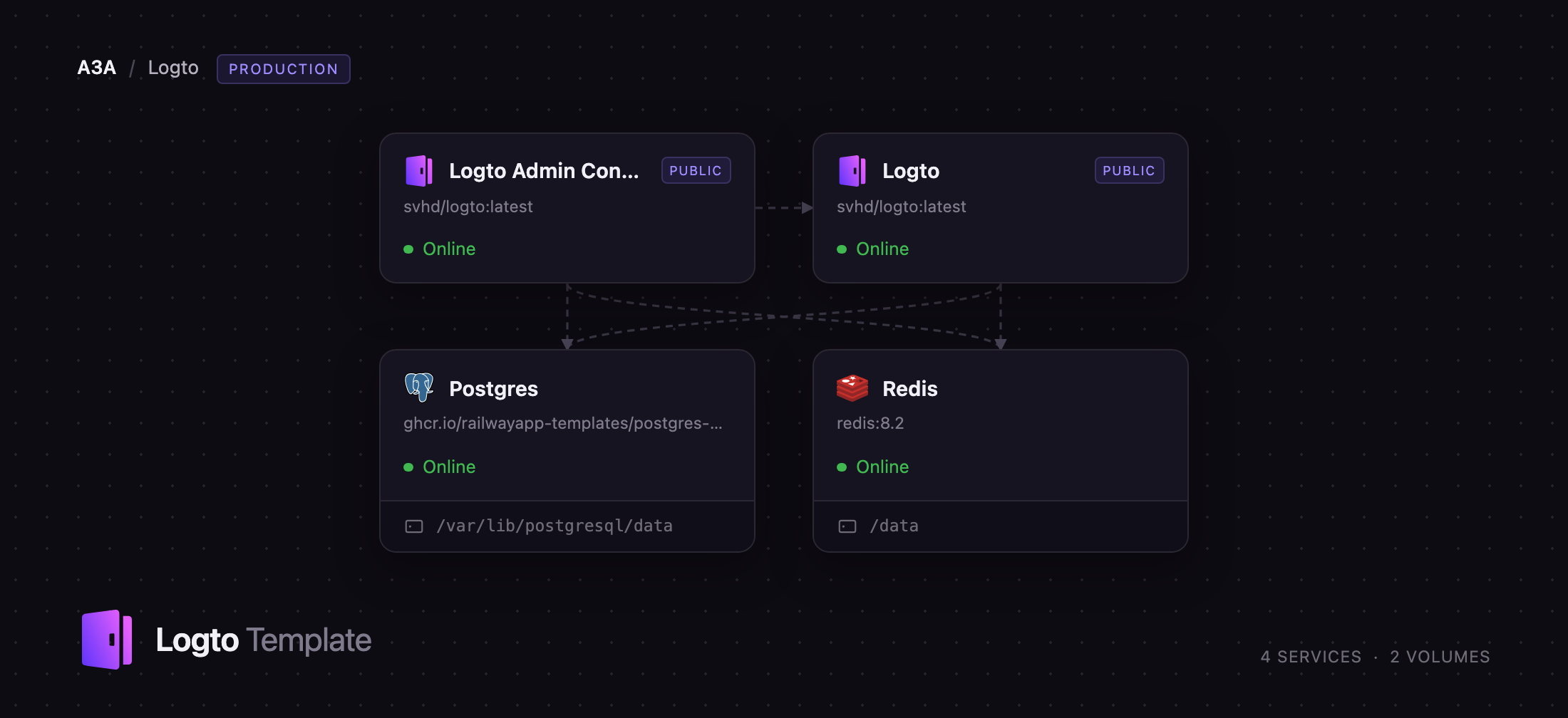
Self-host Logto on Railway and this template wires it up for you. It runs the official svhd/logto image twice — as the public auth endpoint that issues tokens and serves the sign-in pages, and as the admin console on its own domain, because Logto identifies the admin tenant by hostname and the two cannot share an origin. Both containers use a managed Postgres holding every user, application, signing key and session, plus a managed Redis backing Logto's configuration cache. Deploy Logto on Railway and you get both public URLs, a seeded database and a working OIDC discovery document in minutes.
Getting Started with Logto on Railway
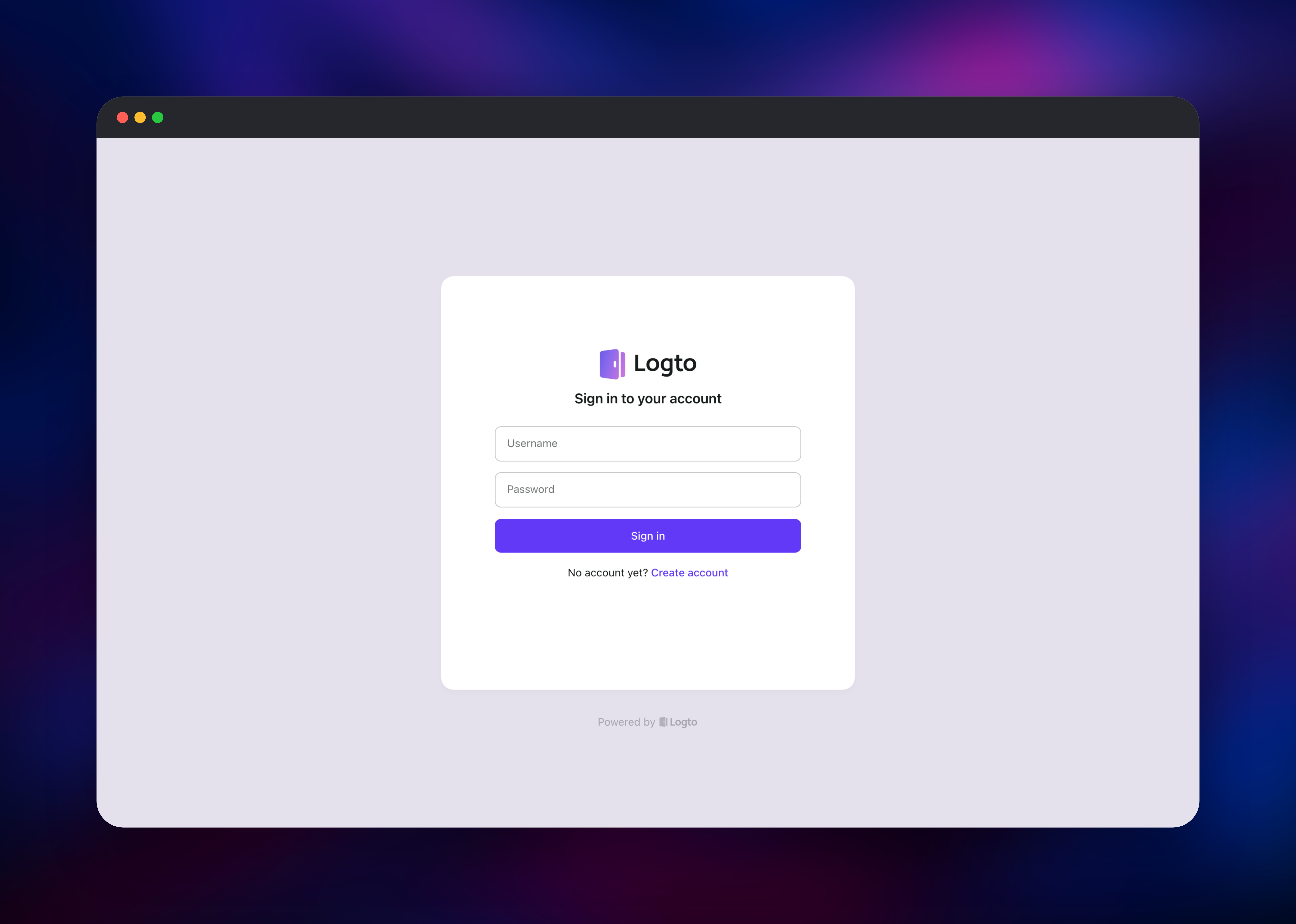
Once the deploy finishes, open the Logto Admin Console service URL and add /console. There are no default credentials — the first visit shows a welcome page inviting you to create the owner account, so do this immediately, before sharing the URL. Passwords need eight characters and are checked against the Have I Been Pwned list. Registration on the admin tenant then closes automatically.
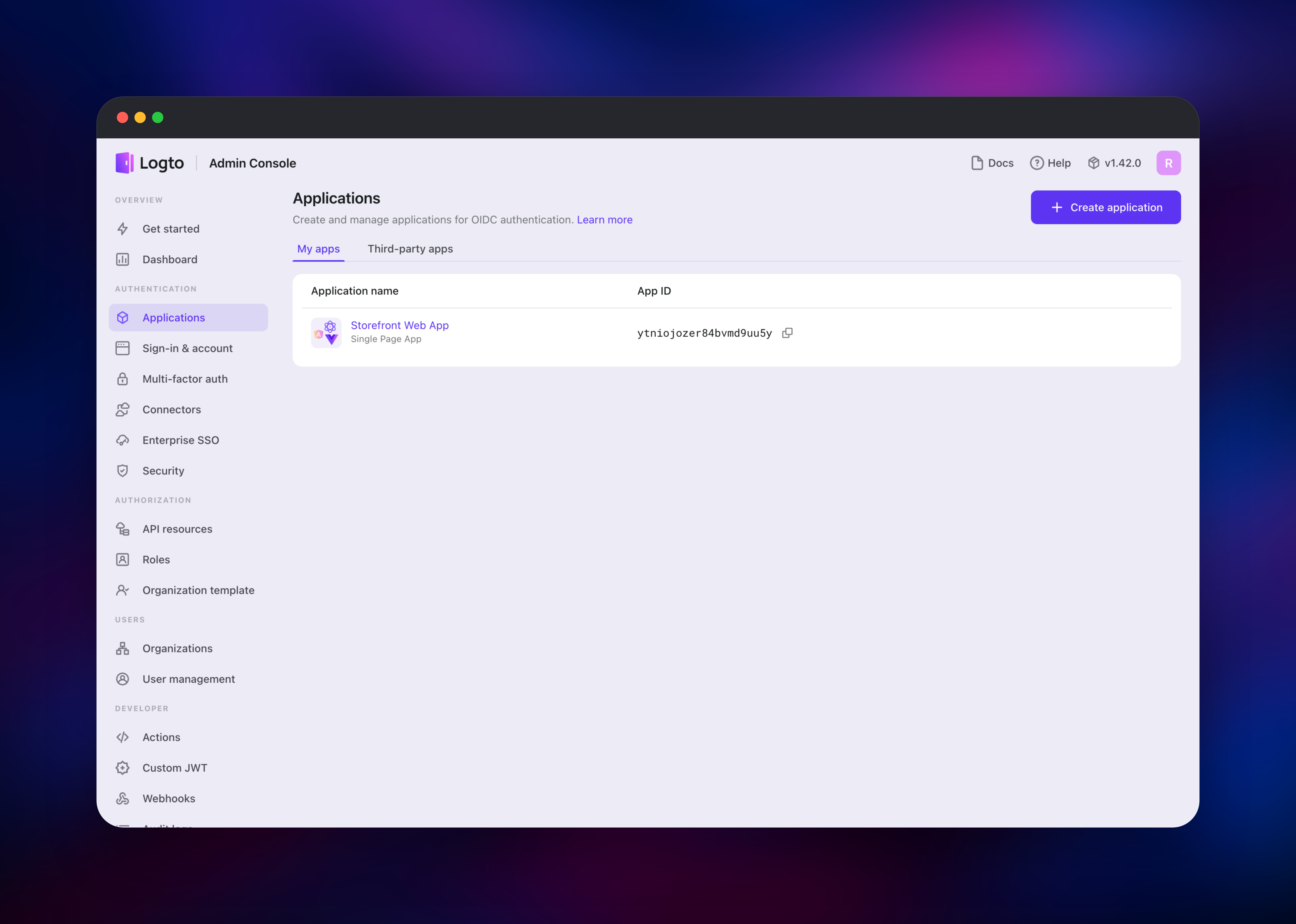
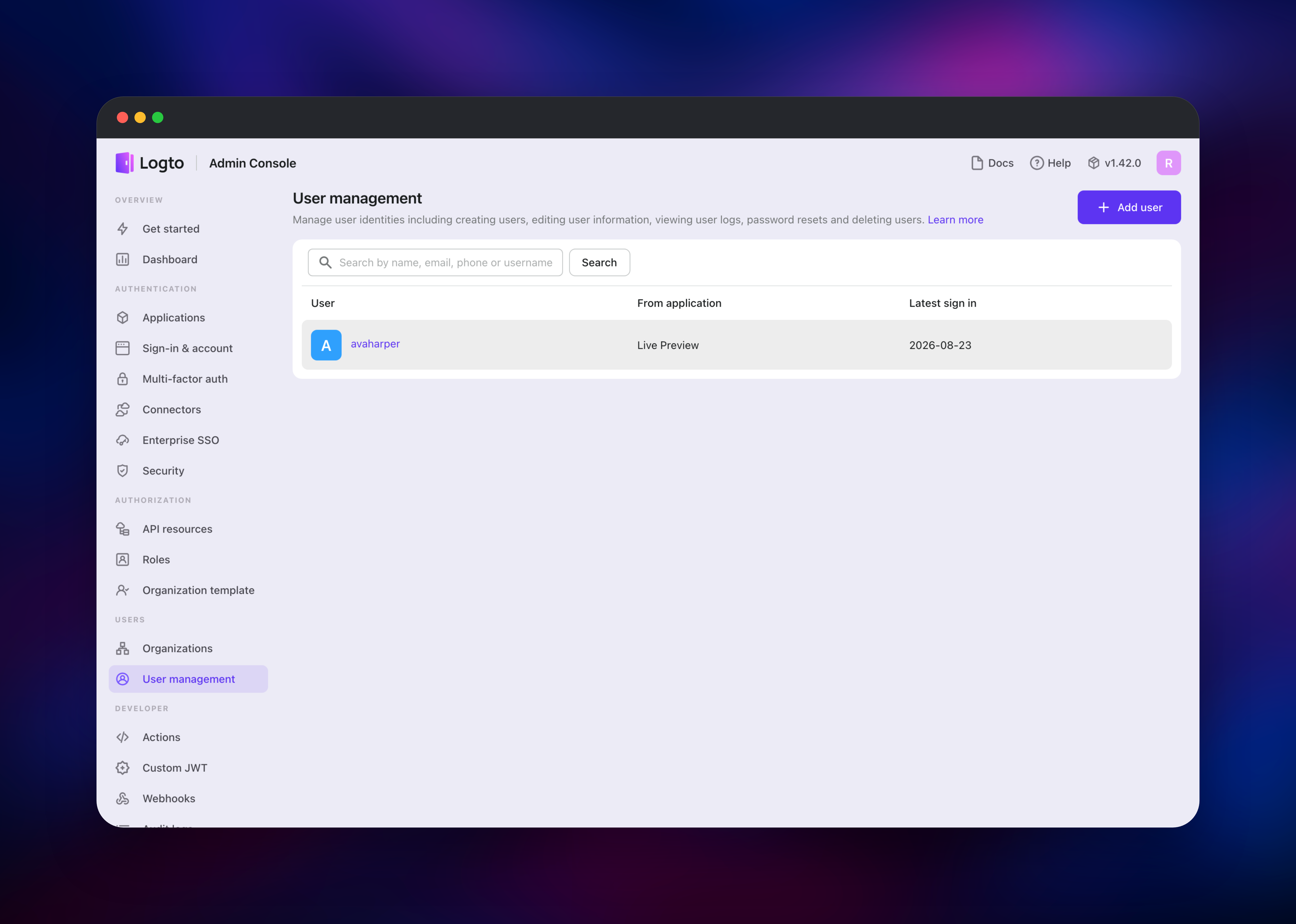
Inside the console, create your first application from Applications → Create application, choose your framework, and paste your callback URL into Redirect URIs. The console shows the App ID and an SDK guide; your app's OIDC endpoint is the other service's URL — the auth service, not the console. Confirm the deployment is healthy at https:///.well-known/openid-configuration, where issuer should be your own domain. For an end-to-end test without writing code, visit https:///demo-app, register a user, and watch it appear under User management.
About Hosting Logto
Logto is a customer identity and access management platform under the MPL-2.0 licence, developed in the open at github.com/logto-io/logto. Self-hosting means your user table, password hashes and token signing keys stay in a database you control, and your login screens sit on your own domain. It suits consumer apps wanting a polished sign-in flow, and B2B SaaS needing per-organization roles and enterprise SSO.
Key capabilities:
- OIDC and OAuth 2.1 server with PKCE, refresh tokens and JWKS rotation
- Hosted, brandable sign-in, registration and account pages
- Passwordless email and SMS codes, social connectors, passkeys and TOTP MFA
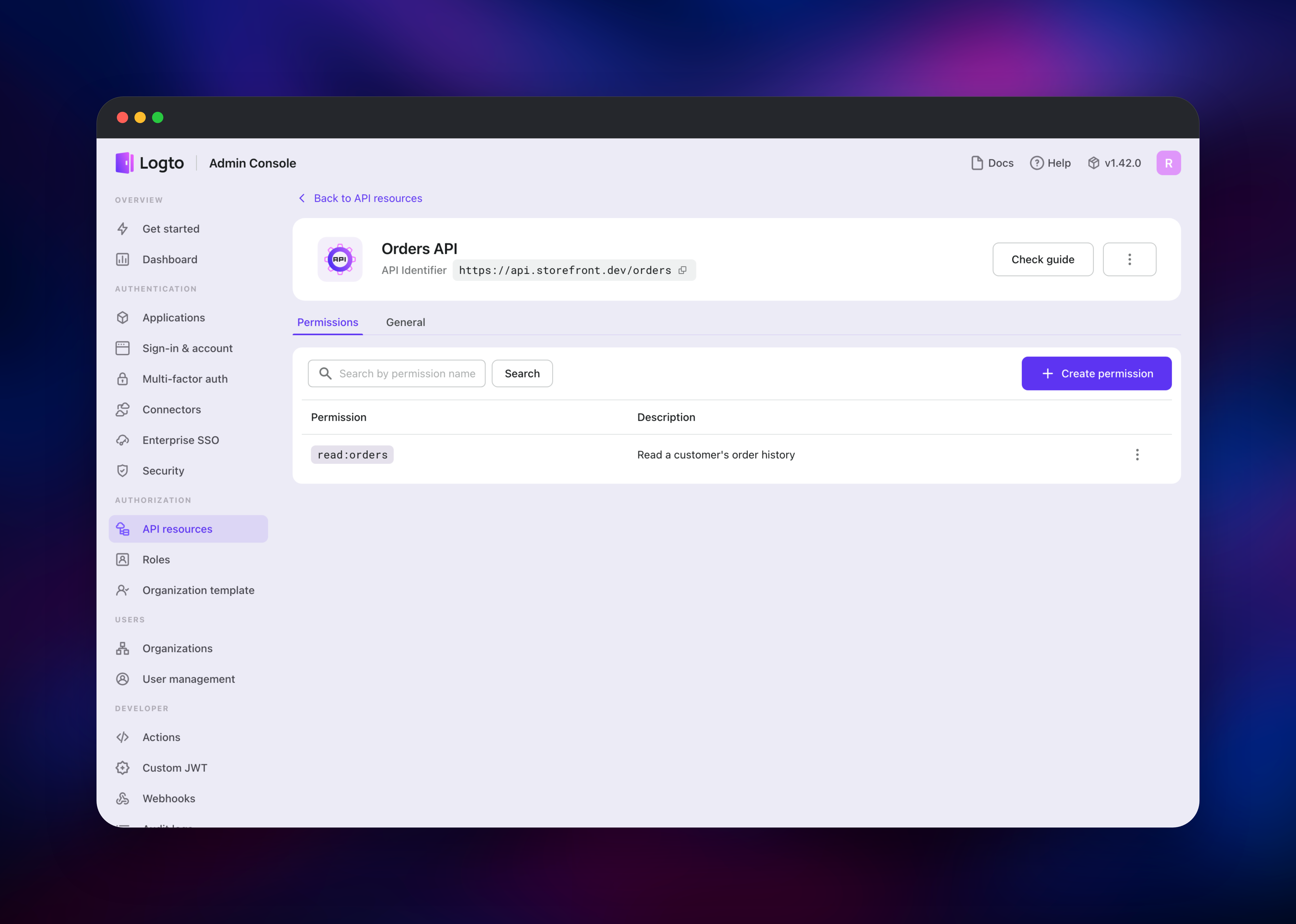
- Role-based access control over API resources, plus organizations
- SAML and OIDC enterprise SSO, machine-to-machine apps, webhooks, audit logs
- A full Management API, so everything the console does can be scripted
Logto is the auth endpoint: it hosts /oidc, the sign-in experience and the Management API, and is the URL your SDK points at. Logto Admin Console runs the same image on a second domain, signing administrators in against a separate internal tenant and then calling the auth service's Management API. Postgres holds schema, OIDC private keys, sessions, users and logs, which is why sessions survive a redeploy. Redis keeps the two containers' configuration caches consistent.
Why Deploy Logto on Railway
Railway removes the operational work that usually surrounds an identity provider:
- Managed Postgres and Redis are provisioned and connected
- Both public domains come with automatic TLS certificates
- Private networking keeps the database and cache off the internet
- The database is seeded and migrated automatically on every deploy
- Scaling up or out is a slider, not a migration
Common Use Cases
- Replacing a hand-rolled login with standards-based OIDC, with no per-monthly-active-user bill
- Giving a mobile app, a web app and a background worker one identity layer with scoped API tokens
- B2B multi-tenancy: an organization per customer, roles inside each, enterprise SSO where asked
- Putting single sign-on in front of internal tools that each have their own login today
Dependencies for Logto
svhd/logto:latest— the official image, run twice (auth on port 3001, console on 3002)- Railway managed PostgreSQL — required; users, applications, keys, sessions and logs
- Railway managed Redis — shared configuration cache across both Logto containers
Environment Variables Reference
| Variable | Service | Purpose |
|---|---|---|
DB_URL | both | Postgres connection string; the only required setting |
ENDPOINT | both | Public auth URL; becomes the OIDC issuer |
ADMIN_ENDPOINT | both | Public console URL; also the allowed CORS origin |
ADMIN_PORT | console | Port the console listener binds (3002) |
ADMIN_DISABLE_LOCALHOST | auth | 1 so the auth service never opens the console port |
TRUST_PROXY_HEADER | both | Honour X-Forwarded-* so links and cookies use HTTPS |
REDIS_URL | both | Optional; enables the shared configuration cache |
SECRET_VAULT_KEK | both | Base64 32-byte key encrypting stored third-party tokens |
Deployment Dependencies
- Source: github.com/logto-io/logto
- Image: hub.docker.com/r/svhd/logto
- Docs: docs.logto.io/logto-oss/deployment-and-configuration
- Runtime: Node.js 22 on Alpine, PostgreSQL 14 or newer
Hardware Requirements for Self-Hosting Logto
| Resource | Minimum | Recommended |
|---|---|---|
| CPU | 1 vCPU per container | 2 vCPU per container |
| RAM | 512 MB per container | 1–2 GB per container |
| Storage | 1 GB Postgres | 5 GB+, grows with users and audit logs |
| Runtime | Node.js 22, PostgreSQL 14+ | Node.js 22, PostgreSQL 16+, Redis 7+ |
Logto is light at rest; sign-in bursts are dominated by deliberately CPU-hungry Argon2 hashing, so give the auth service CPU headroom before adding replicas.
Self-Hosting Logto
The image needs a Postgres DSN and one seeding step. This Docker Compose file runs it locally:
services:
  logto:
    image: svhd/logto:latest
    entrypoint: ["sh", "-c", "npm run cli db seed -- --swe && npm start"]
    ports: ["3001:3001", "3002:3002"]
    environment:
      - TRUST_PROXY_HEADER=1
      - DB_URL=postgres://postgres:secret@postgres:5432/logto
  postgres:
    image: postgres:17-alpine
    environment:
      POSTGRES_PASSWORD: secret
Behind a reverse proxy on real domains, tell Logto which URLs it is served on and upgrade the schema whenever you pull a newer image. These shell commands do both:
export ENDPOINT=https://auth.example.com
export ADMIN_ENDPOINT=https://admin.example.com
npm run cli db seed -- --swe
npm run alteration deploy latest
npm start
How Much Does Logto Cost to Self-Host?
Logto is free and open source under MPL-2.0, and the self-hosted build has no user cap, no feature flags and no licence key — organizations, SSO, MFA and the Management API are all included. Logto Cloud is the paid alternative, with a free tier around 50,000 monthly active users and plans from about $16 a month. Self-hosting on Railway costs infrastructure only: two small containers plus managed Postgres and Redis, typically $10–25 a month for a small deployment, scaling with usage rather than user count.
FAQ
What is Logto? Logto is an open-source identity provider — an OIDC and OAuth 2.1 authorization server with a hosted sign-in experience, user management, role-based access control and enterprise SSO. It is often described as an open-source alternative to Auth0, Clerk or AWS Cognito.
What does this Railway template deploy?
Four services: the Logto auth endpoint, the admin console on a second public domain, a managed PostgreSQL database and a managed Redis cache. Both Logto services run the official svhd/logto image against the same database.
Why does the admin console need its own domain? Logto separates its internal administration tenant from your application tenant by hostname, so the console and the auth endpoint must be reachable on different origins. That is why the template ships two services rather than one with two ports.
Why are PostgreSQL and Redis included? PostgreSQL is required — it stores users, applications, OIDC signing keys and sessions, which is what keeps people signed in across a redeploy. Redis is optional in Logto, but with two containers reading the same configuration it keeps their caches consistent.
How do I integrate Logto with my Next.js or React app? Create an application in the console, copy the App ID, and point the SDK's endpoint at the auth service URL, not the console URL. Add your callback path to the application's Redirect URIs, then follow the framework guide the console displays.
Template Content

