
Deploy Mathesar
Spreadsheet-style editor for the data in a Postgres database
Mathesar
Just deployed
/code/.media

Just deployed
/var/lib/postgresql/data
mathesar-files
Bucket
Just deployed
Deploy and Host Mathesar on Railway
Mathesar is a spreadsheet-like web interface for PostgreSQL. Anyone on a team can browse, filter, edit and query real database tables without writing SQL, while every row stays where it already lives. There is no proprietary storage layer and no sync job: a table in Mathesar is a Postgres table, a "relationship" is a foreign key, and permissions are ordinary Postgres roles. Built by Mathesar Foundation, a 501(c)(3) nonprofit and released under GPLv3, it gives teams Airtable's ergonomics on a database their engineers control.
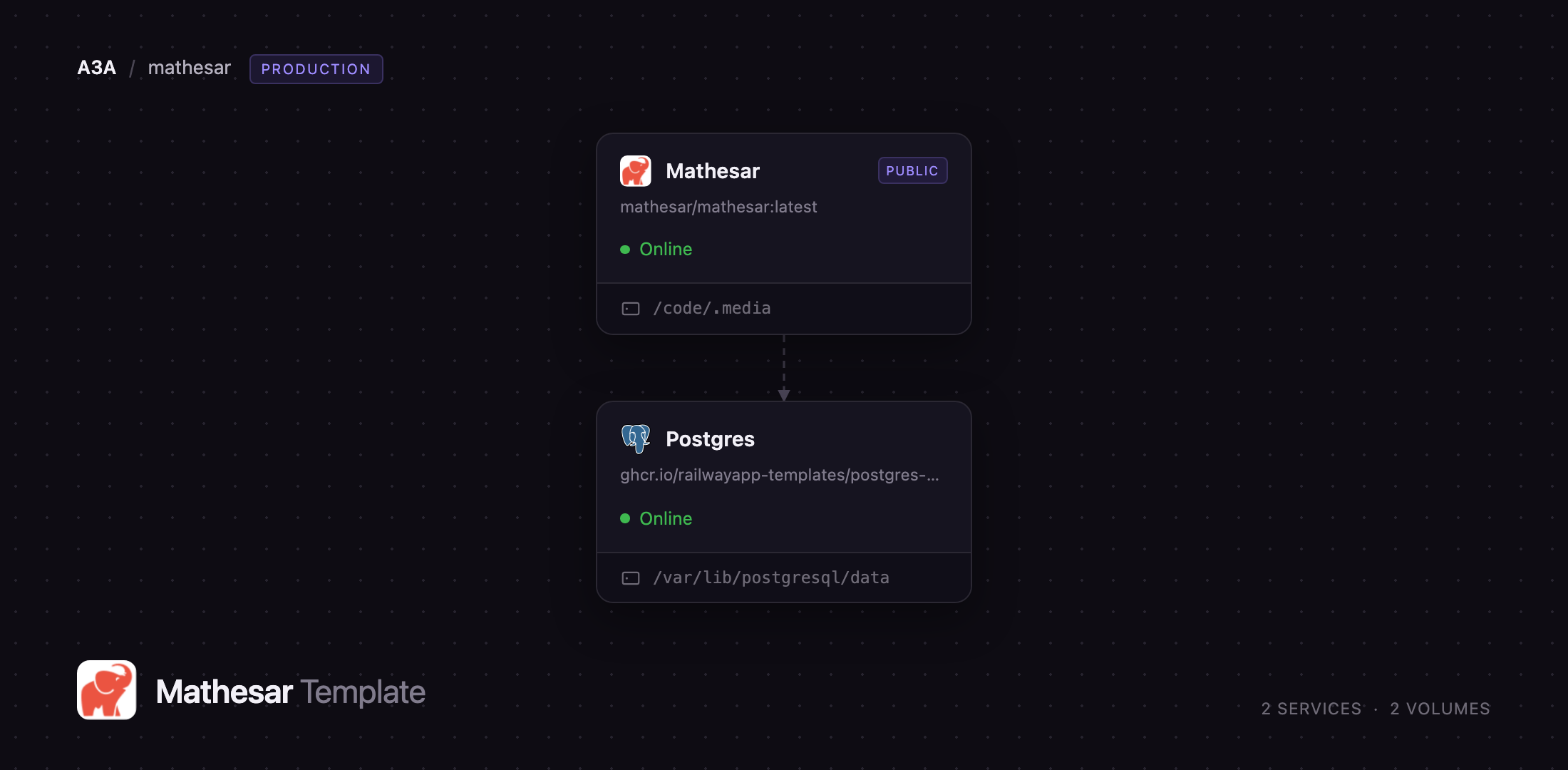
Deploy Mathesar on Railway and you get the whole self-hosted stack in one click: the application container from the official mathesar/mathesar image, a managed PostgreSQL 18 database, a volume for uploaded spreadsheets, and an object storage bucket for attachments. Your browser reaches only Mathesar, over HTTPS; Mathesar reaches Postgres over the private network, so the database is never exposed to the internet. Self-host Mathesar this way and your data stays on infrastructure you own.
Getting Started with Mathesar on Railway
Before clicking Deploy, set MATHESAR_ADMIN_USERNAME, MATHESAR_ADMIN_EMAIL and MATHESAR_ADMIN_PASSWORD. The template creates that administrator as the container boots, so the setup form is never left open on a public URL. Open the Railway domain and you land on a login page.
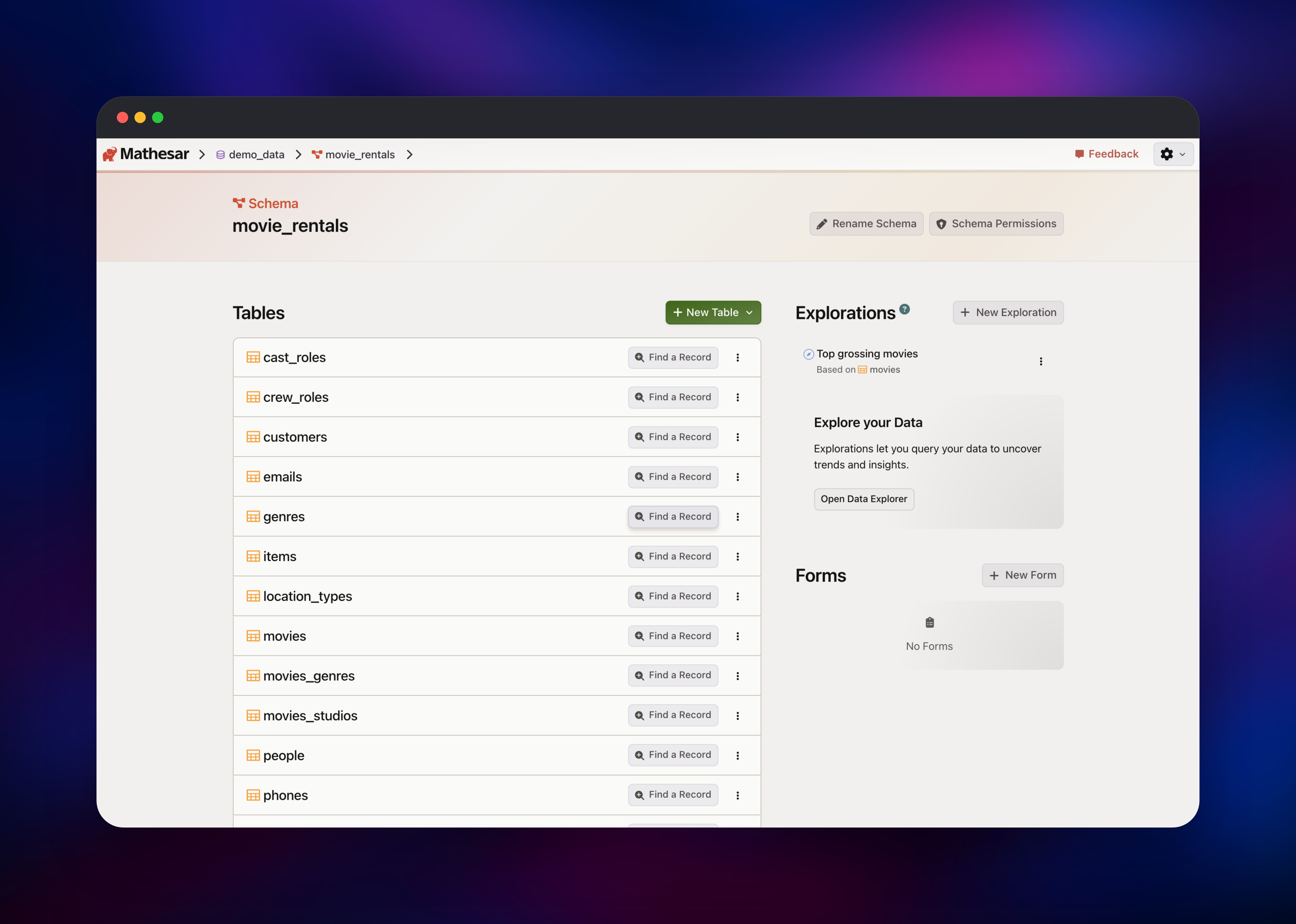
The first screen is Databases, and it is empty. Click Connect Database, then Create a New Database to build one on the Postgres service that shipped with the template. Name it, optionally tick a sample dataset such as Movie Rentals, and confirm; Mathesar creates the database, installs its msar helper schemas and loads the data.
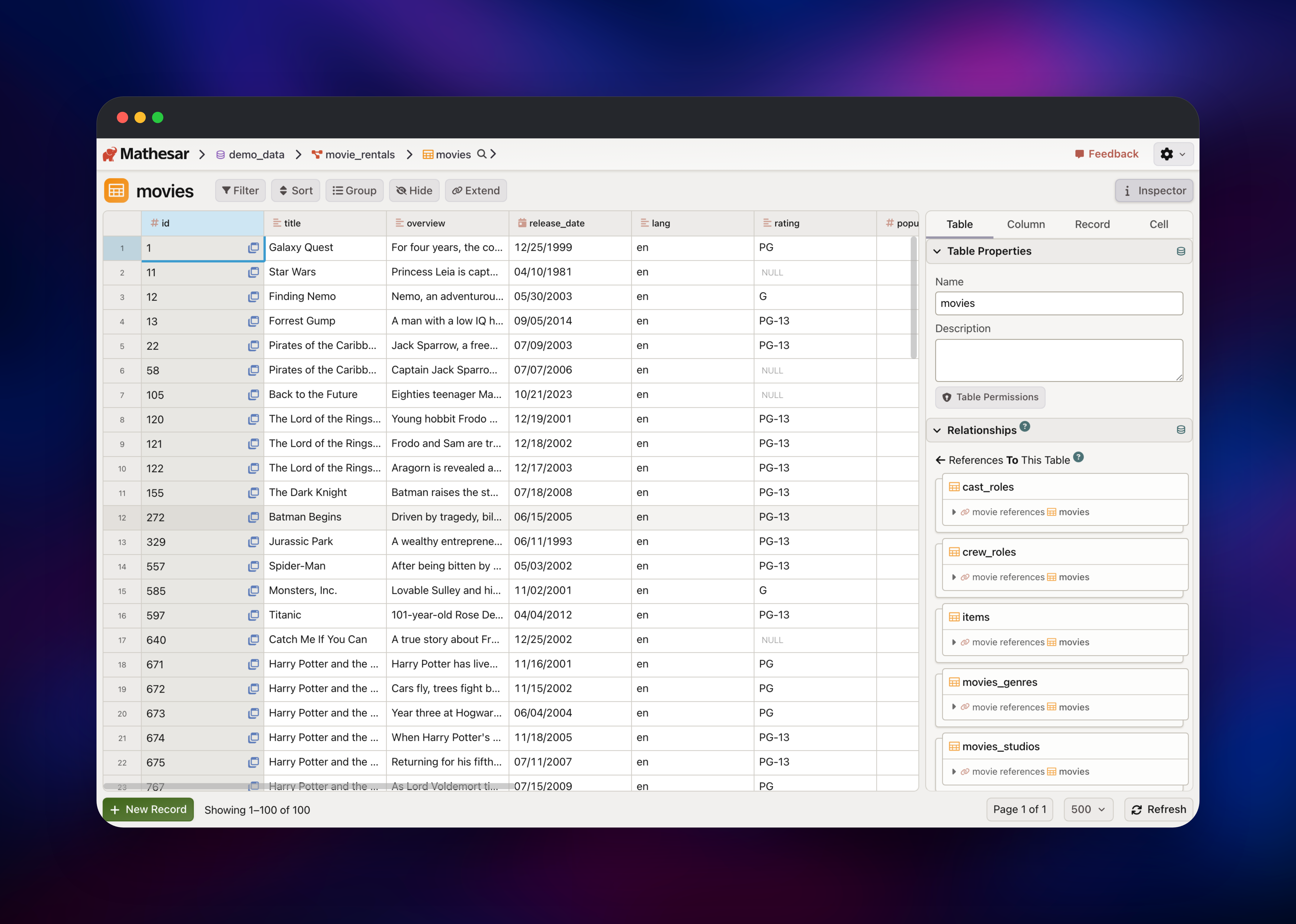
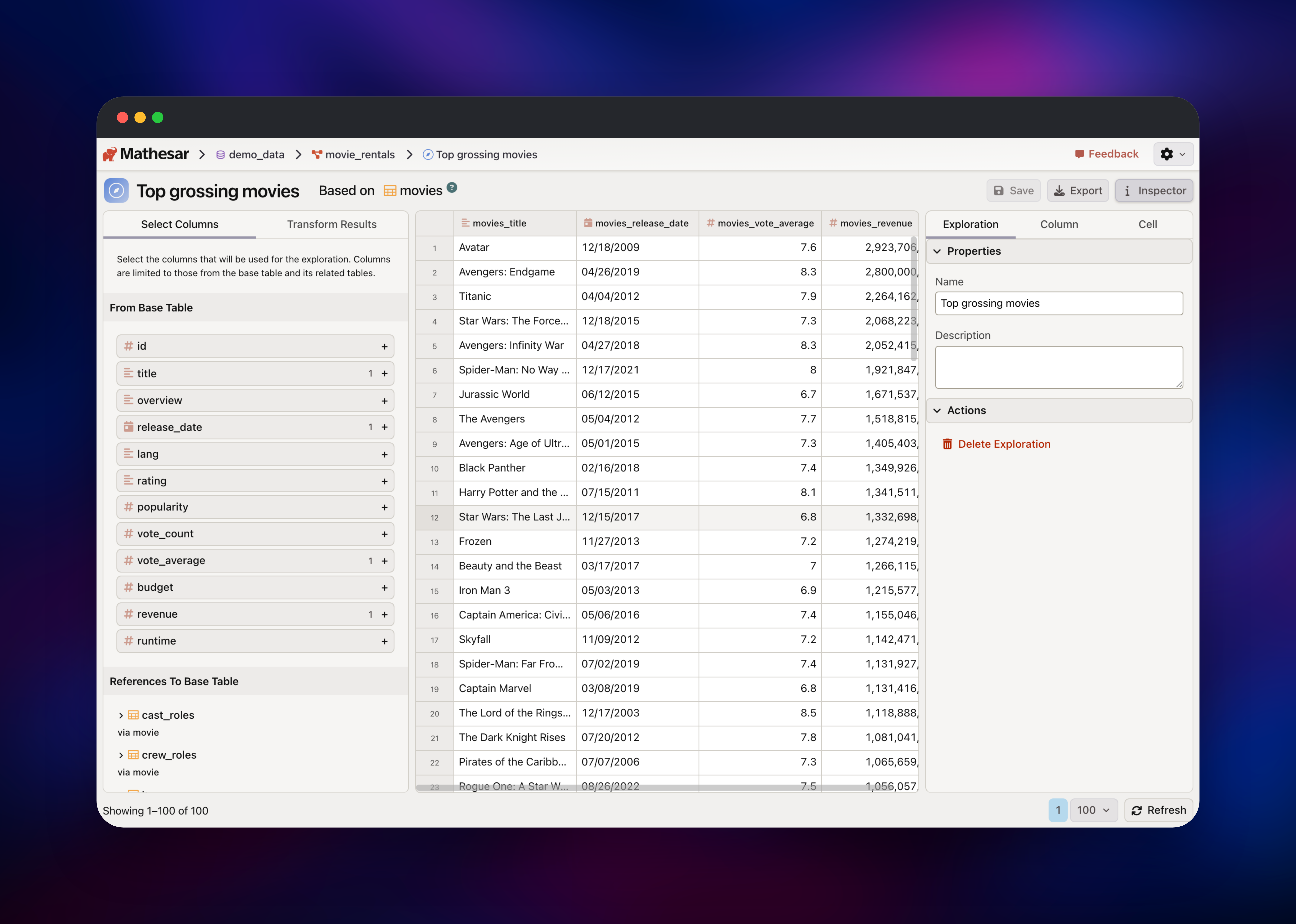
Open the database, pick a schema, and open a table. You now have a spreadsheet over live Postgres rows: click a cell to edit, use New Record to insert, and the Inspector to see which tables reference this one. To confirm the deployment works, add a record and watch the status change to "All Changes Saved" — that write went straight into Postgres. Open Data Explorer builds queries across joined tables and saves them as reusable Explorations. Teammates are added under Administration.
About Hosting Mathesar
Most no-code database tools ask you to move your data into them. Mathesar does the opposite: point it at a Postgres server and it manages the schemas, tables, constraints and roles already there. That takes it where Airtable clones cannot go — in front of a production database, with no second copy of the data.
- Spreadsheet-style editing of real Postgres rows, with filtering, sorting and grouping.
- Data Explorer, a visual query builder that follows foreign keys so joins need no SQL.
- Schema design — create tables, change types, move columns, add relationships.
- Shareable forms that write submissions from people without accounts into a table.
- Postgres-native permissions: what a user sees is what their database role allows.
- CSV and TSV import, plus a file column type backed by S3-compatible storage.
The deployment has two services. Mathesar runs the Django application behind Gunicorn, serving the interface, the JSON-RPC API and its static assets. Postgres holds Mathesar's metadata and hosts the databases created in the UI. A volume at /code/.media keeps uploaded spreadsheets across redeploys.
Why Deploy Mathesar on Railway
Railway removes the server work self-hosting Mathesar would otherwise involve:
- Managed PostgreSQL 18 with a persistent volume, provisioned alongside the app.
- Private networking between Mathesar and the database — no public database port.
- Automatic HTTPS on a generated domain, with custom domains a click away.
- A health check on
/healthz/readythat tests the database connection, not the process.
Common Use Cases
- An internal admin panel you did not build. Give support staff a safe window onto production tables instead of another CRUD app.
- Collaborative data collection. Replace a shared spreadsheet with a relational schema, then gather submissions through forms.
- Ad-hoc reporting for non-SQL users. Analysts build Explorations across joined tables, then export the results as CSV.
Dependencies for Mathesar
- Mathesar —
mathesar/mathesar:latest, the official image from mathesar-foundation/mathesar, on port 8000. - PostgreSQL 18 —
ghcr.io/railwayapp-templates/postgres-ssl:18, Railway's managed database. - Object storage bucket — S3-compatible storage for the file column type.
Environment Variables Reference
| Variable | Purpose |
|---|---|
MATHESAR_ADMIN_USERNAME / _EMAIL / _PASSWORD | Administrator made at first boot |
SECRET_KEY | Signs sessions, encrypts stored database passwords; never change it |
POSTGRES_HOST / _DB / _USER / _PASSWORD | Internal database details |
WEB_CONCURRENCY | Gunicorn worker count; raise on larger instances |
FILE_STORAGE_DICT | JSON describing the S3 backend for file columns |
SSO_CONFIG_DICT | Optional OpenID Connect or GitHub sign-in |
Treat SECRET_KEY as permanent: it encrypts the credentials of any external Postgres server you connect, so rotating it breaks them.
Deployment Dependencies
- Source:
- Image:
- Docs:
- Runtime: Python 3.14, Django 4.2, Gunicorn 23, PostgreSQL 13 or newer
Hardware Requirements for Self-Hosting Mathesar
| Resource | Minimum | Recommended |
|---|---|---|
| CPU | 1 vCPU | 2 vCPU |
| RAM | 1 GB | 2 GB |
| Storage | 1 GB volume + database | 5 GB volume + database |
| Runtime | Docker, PostgreSQL 13+ | Docker, PostgreSQL 18 |
Mathesar itself is light — three Gunicorn workers idle at a few hundred megabytes. Sizing is about the database: Mathesar queries Postgres directly instead of caching a copy, so a large dataset needs a bigger database, not a bigger app.
Self-Hosting Mathesar with Docker
The image needs a PostgreSQL server whose role can create databases:
docker run -d --name mathesar -p 8000:8000 \
  -e POSTGRES_HOST=db.example.com \
  -e POSTGRES_DB=mathesar_django \
  -e POSTGRES_USER=mathesar \
  -e POSTGRES_PASSWORD=change-me \
  -e SECRET_KEY=replace-with-50-random-characters \
  -e ALLOWED_HOSTS='*' \
  -v mathesar_media:/code/.media \
  mathesar/mathesar:latest
Upstream also ships a Compose file adding Postgres and a Caddy reverse proxy:
git clone https://github.com/mathesar-foundation/mathesar.git
cd mathesar
docker compose -f docker-compose.yml up -d
On Railway that Caddy container is unnecessary: Railway terminates TLS and Mathesar serves its static files through WhiteNoise.
How Much Does Mathesar Cost to Self-Host?
Mathesar is free and open source under GPLv3 — no paid tier, no seat limit, no features held back for a commercial edition; Mathesar Foundation funds it through grants and donations. Self-hosting on Railway costs only the compute, storage and bandwidth the two services use: a few dollars a month for a small deployment.
Mathesar vs Airtable, Baserow and NocoDB
| Mathesar | Airtable | Baserow / NocoDB | |
|---|---|---|---|
| Where data lives | Your Postgres tables | Airtable's cloud | Their own schema |
| Works on an existing database | Yes | No | Partially |
| Permissions | Postgres roles | App-level | App-level |
| Self-hostable | Yes, GPLv3 | No | Yes, open core |
Airtable and its clones suit projects starting from nothing. Mathesar fits when the database already exists and stays authoritative for your code.
FAQ
What is Mathesar? An open-source web application that presents PostgreSQL databases as editable spreadsheets, handling tables, relationships, permissions and queries visually rather than through an abstraction.
What does this Railway template deploy? The Mathesar container, a managed PostgreSQL 18 database, a volume for uploaded CSV and TSV files, and an S3-compatible bucket for attachments. Mathesar is the only service with a public URL.
Why does the template include a PostgreSQL database? Mathesar keeps its own metadata — accounts, explorations, forms — in Postgres and cannot run without one. That server also hosts the databases you create in the interface.
Can I connect Mathesar to a database I already have? Yes. Choose Connect to an Existing Database and supply the host, port, database and a role; Mathesar installs its helper schemas and works with the tables already there.
How do I add other users to self-hosted Mathesar? Through Administration → Users in the gear menu. Mathesar has no public sign-up: every account is created by an administrator, and access follows the Postgres role it maps to.
How do I enable single sign-on in self-hosted Mathesar?
Set SSO_CONFIG_DICT to a JSON object describing your OpenID Connect or GitHub provider, then optionally REQUIRE_SSO_LOGIN=true to disable password login. Password sign-in stays available while no provider is set.
Template Content
Mathesar
mathesar/mathesar:latestmathesar-files
Bucket