
Deploy Mautic
Open-source marketing automation: email, segments, campaigns
mysql
Just deployed
/var/lib/mysql
mautic
Just deployed
/data

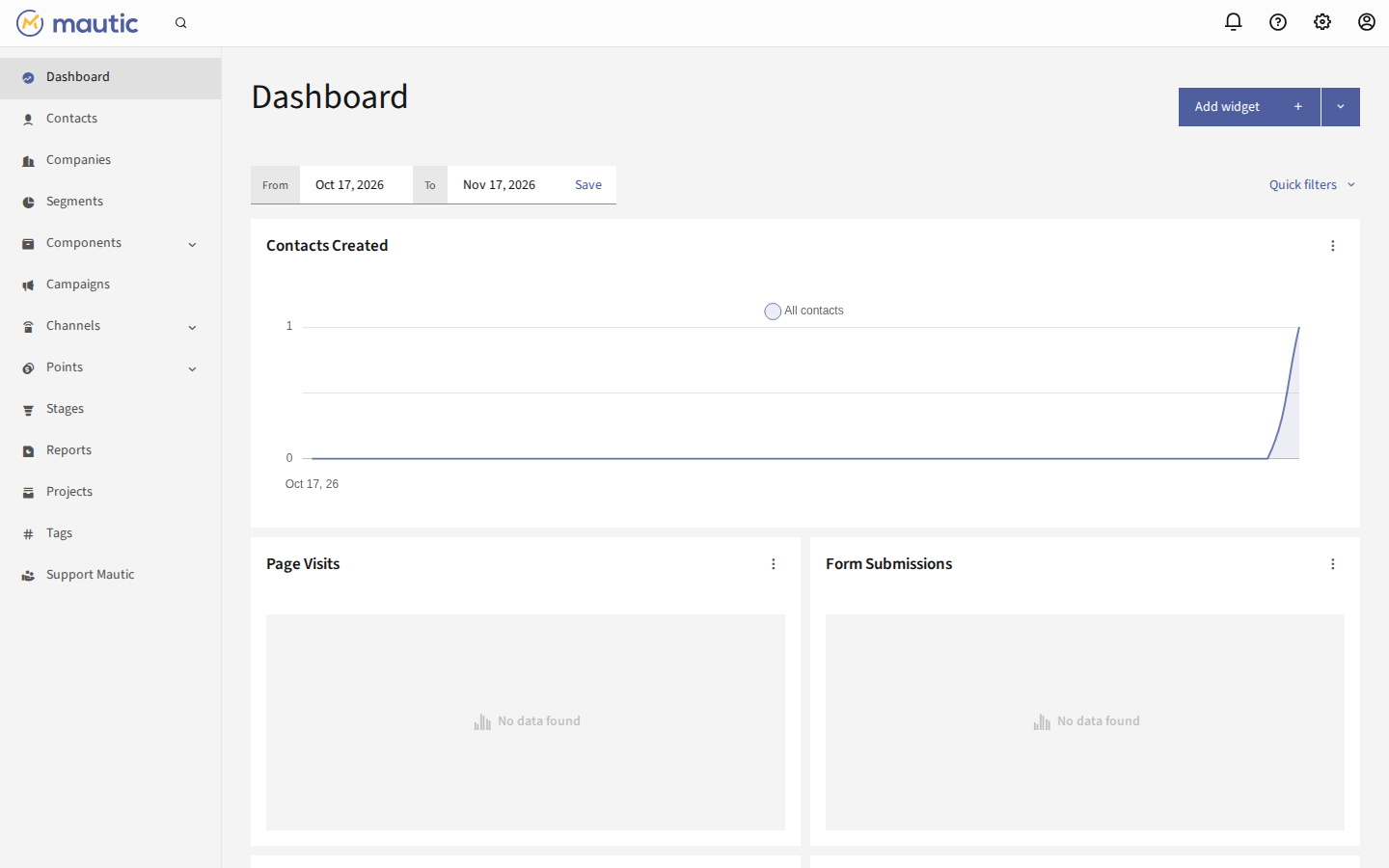
Screenshot: live capture of the deployed dashboard (Mautic 7.2.2) from a one-click Railway install — the Contacts Created chart shows the first test contact.
Deploy and Host
Mautic is the open-source marketing automation platform — the self-hosted alternative to HubSpot and Mailchimp. Track contacts, build segments, design emails, and run multi-step campaigns with lead scoring, all on infrastructure you control. One click deploys the official image (mautic/mautic v7.2.2, GPL-3.0) with a MySQL 8.4 companion: the admin account is seeded on first boot, Mautic's own cron jobs run in-container, and contacts, segments, and media survive redeploys. The deploy form has one generated field — an admin password — and nothing else to fill in. On first boot the admin account (admin / admin@example.com + your generated password) and the REST API (with HTTP Basic auth) is enabled automatically; log in and start with Contacts.
About Hosting
Mautic runs as one PHP + Apache service from the official image, pinned by digest, plus a MySQL 8.4 companion service. The config (local.php), logs, and uploaded media live on a Railway volume (/data) and the MySQL data on its own volume (/var/lib/mysql); both survive redeploys. Railway's injected PORT is mapped onto Apache on every boot, and the healthcheck is /s/login (unauthenticated, 200). Mautic's own cron schedule (segments and campaigns every 15 minutes) runs inside the web container from the upstream crontab, so automations fire with no separate cron service. The stock image never installs itself — this wrapper runs the mautic:install CLI on first boot and derives the site URL from the live public domain. The marketplace leader sits at 72% health; this template fixes the usual failure modes (pinned digest, PORT remap, volume persistence for all four upstream dirs, auto-seeded admin, in-container cron).
Why Deploy
- Zero-fuss start: no setup wizard to click through, no email step — the admin account is seeded on first boot and the cron jobs that make segments and campaigns fire are already running.
- Real marketing automation: contacts, segments, emails, campaigns, lead scoring, forms, landing pages, and reports — the full platform, not a demo.
- Always-on by design: PHP + MySQL with the upstream cron schedule running in-container, so automations fire without a second service.
- Private by default: your contact data stays on your own volume and database; no third-party marketing cloud sees it.
Common Use Cases
- Replace Mailchimp/HubSpot with a self-hosted newsletter + automation stack you own outright.
- Capture leads with Mautic forms and landing pages, score them, and nurture them with drip campaigns.
- Segment contacts by behavior or fields and send targeted broadcasts without per-contact pricing.
- Track anonymous visitors and identify them when they convert, with the full contact timeline.
Dependencies for
Deployment Dependencies
- Runtime: Mautic 7.2.2 (PHP 8.4 + Apache) + MySQL 8.4 companion; ~512 MB PHP limit, MySQL ~128 MB buffer pool. Fits the Hobby plan.
- Port: 8080 by default, mapped from Railway's injected
PORTonto Apache on every boot. - Persistence: one Railway volume at
/data(Mautic config, logs, uploaded media/files + images) and one volume at/var/lib/mysql(MySQL data). - Healthcheck:
/s/login(unauthenticated, 200). The app root/redirects to it, so it cannot be the platform probe. - Plan tier: Hobby plan; two services (mautic + mysql).
Environment variables (condensed reference): MAUTIC_ADMIN_PASSWORD (${{secret(16)}} — admin password, set once on first boot), MAUTIC_DB_HOST (${{mysql.RAILWAY_PRIVATE_DOMAIN}} — auto-wired), MAUTIC_DB_PORT (3306, baked), MAUTIC_DB_DATABASE (mautic, baked), MAUTIC_DB_USER (mautic, baked), MAUTIC_DB_PASSWORD (${{mysql.MYSQL_PASSWORD}} — auto-wired), MYSQL_ROOT_PASSWORD (${{secret(32)}} — mysql service), MYSQL_PASSWORD (${{secret(32)}} — mysql service), MAUTIC_MAILER_DSN (optional — SMTP transport for sending email, e.g. smtp://user:pass@smtp.example.com:587; without it Mautic can track and segment but cannot send), MAUTIC_SITE_URL (derived at boot from RAILWAY_PUBLIC_DOMAIN), PHP_INI_VALUE_MEMORY_LIMIT (512M), PHP_INI_VALUE_UPLOAD_MAX_FILESIZE (512M), PHP_INI_VALUE_MAX_EXECUTION_TIME (300), DOCKER_MAUTIC_ROLE (mautic_web), DOCKER_MAUTIC_LOAD_TEST_DATA (false — leave it; it overwrites the seeded admin credentials), PORT (injected by Railway and mapped automatically). The REST API is enabled with HTTP Basic auth on first boot (api_enabled=1 + api_enable_basic_auth=1); use HTTP Basic auth with the admin credentials. See the upstream image README for the full variable list.
Template Content
mysql
INAPP-Mobile/mauticmautic
INAPP-Mobile/mautic