
Deploy MediaCMS
Video and media portal for uploading, encoding and streaming

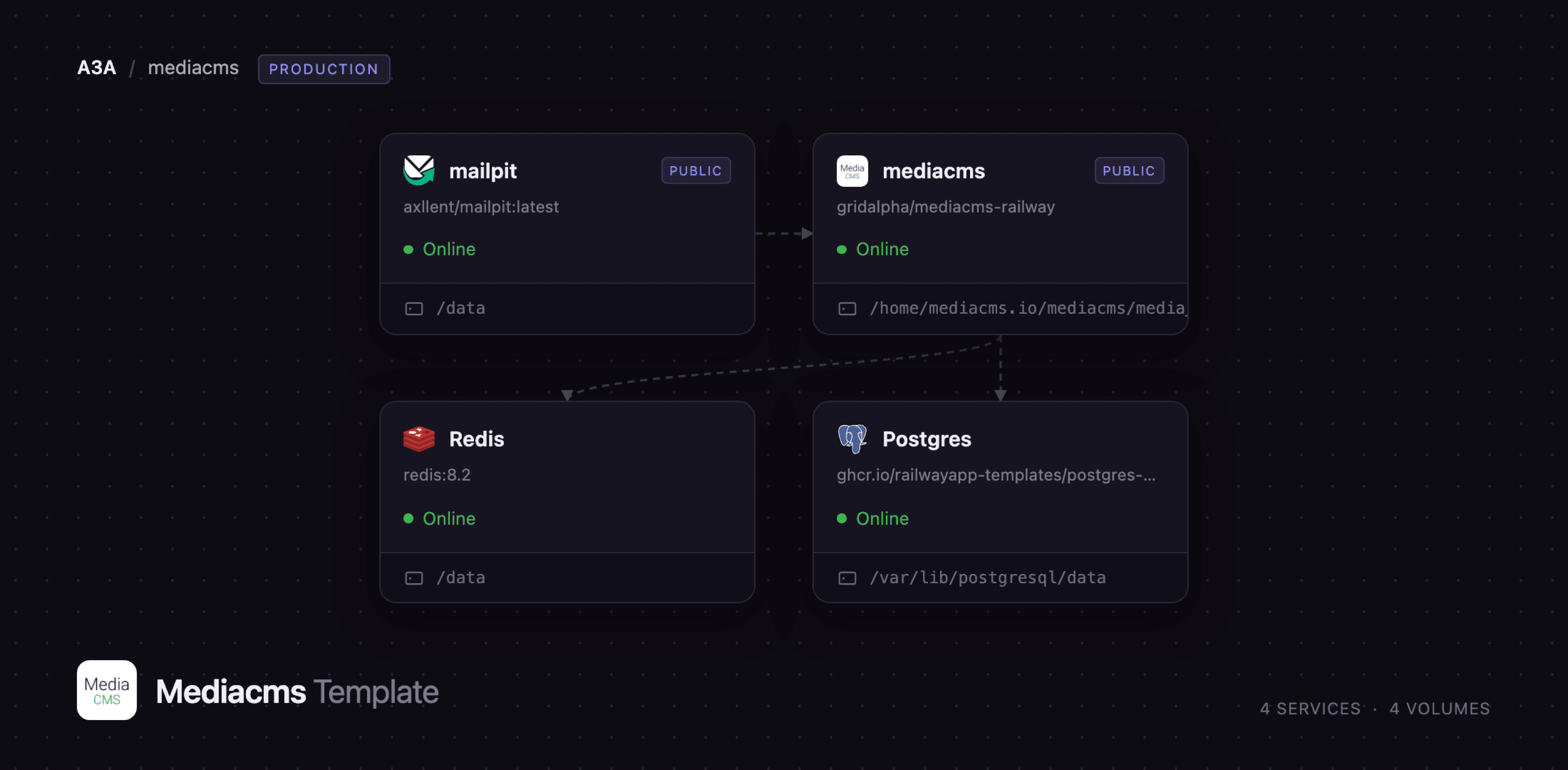
mailpit
Just deployed
/data
mediacms
Just deployed
/home/mediacms.io/mediacms/media_files

Just deployed
/var/lib/postgresql/data

Redis
Just deployed
/data
Deploy and Host MediaCMS on Railway
MediaCMS is an open source video and media content management system built with Django and React. It gives an organisation its own YouTube-style portal: members upload video, audio, images and PDFs, the server transcodes each upload into several resolutions and HLS streams, and viewers browse channels, playlists, categories and tags with comments, likes and a REST API underneath. Universities, broadcasters and training teams use it when they need media hosting they control — no third-party terms, no ads, no data leaving their infrastructure.
Deploy MediaCMS on Railway and the whole stack comes up configured. The mediacms service runs the web tier, the encoding workers and the scheduler together so they share one media store; Postgres holds media records, accounts, comments and permissions; Redis is the Celery broker and Django cache; mailpit captures outgoing mail so password resets and admin notices work immediately. Viewer traffic reaches nginx inside the mediacms container, which serves finished video directly and proxies the rest to Django. Uploads land on a persistent volume and reappear as adaptive streams.
Getting Started with MediaCMS on Railway
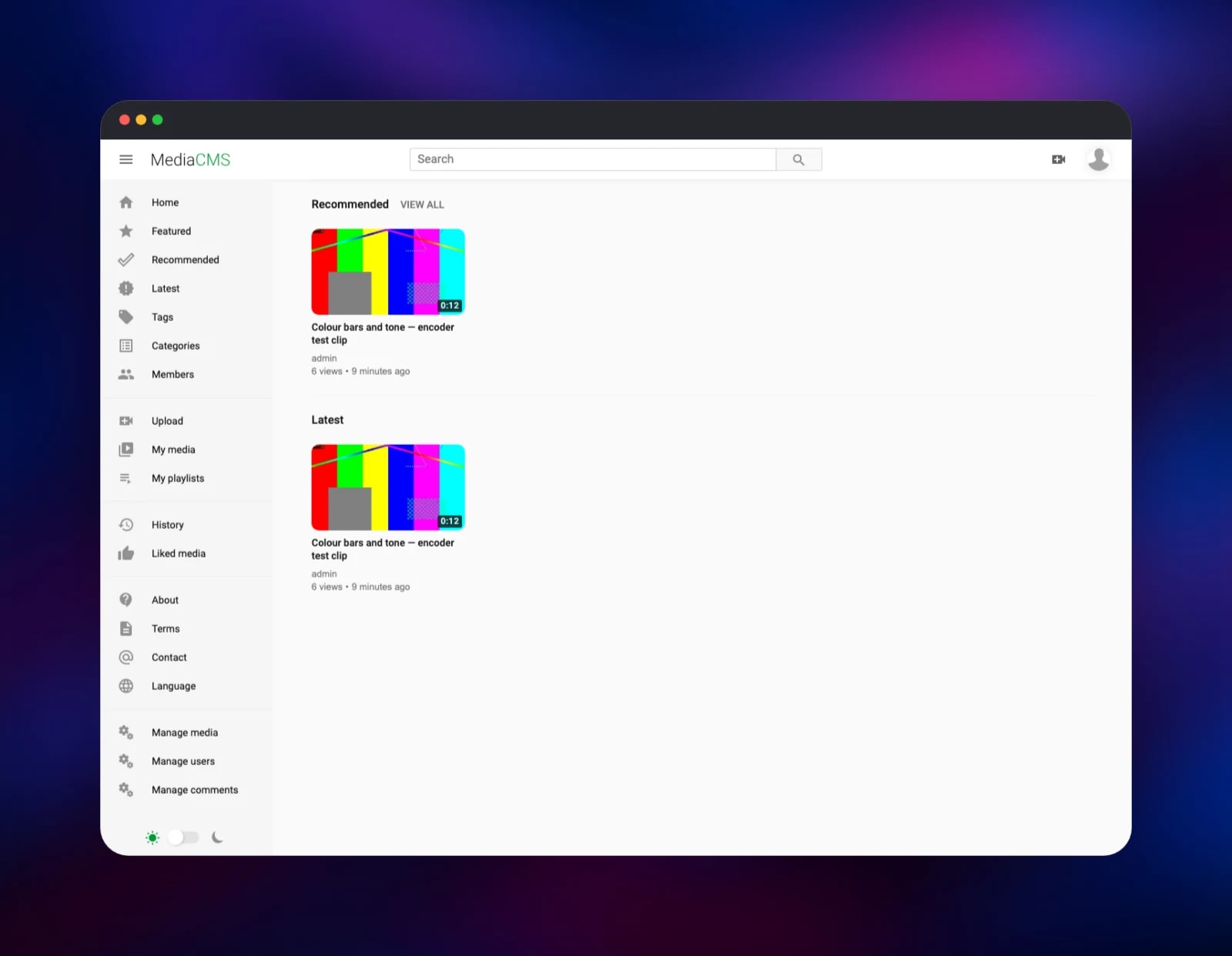
Set ADMIN_USER, ADMIN_EMAIL and ADMIN_PASSWORD before deploying — the administrator is created on the first boot, while the database is still empty, and those are the values it uses. Once the deployment is live, open the public URL and sign in at /accounts/login/. Click Upload in the sidebar and drop a video file in; the uploader chunks it, and the encoding pool starts as soon as the transfer finishes. A short clip is usually ready in under a minute.
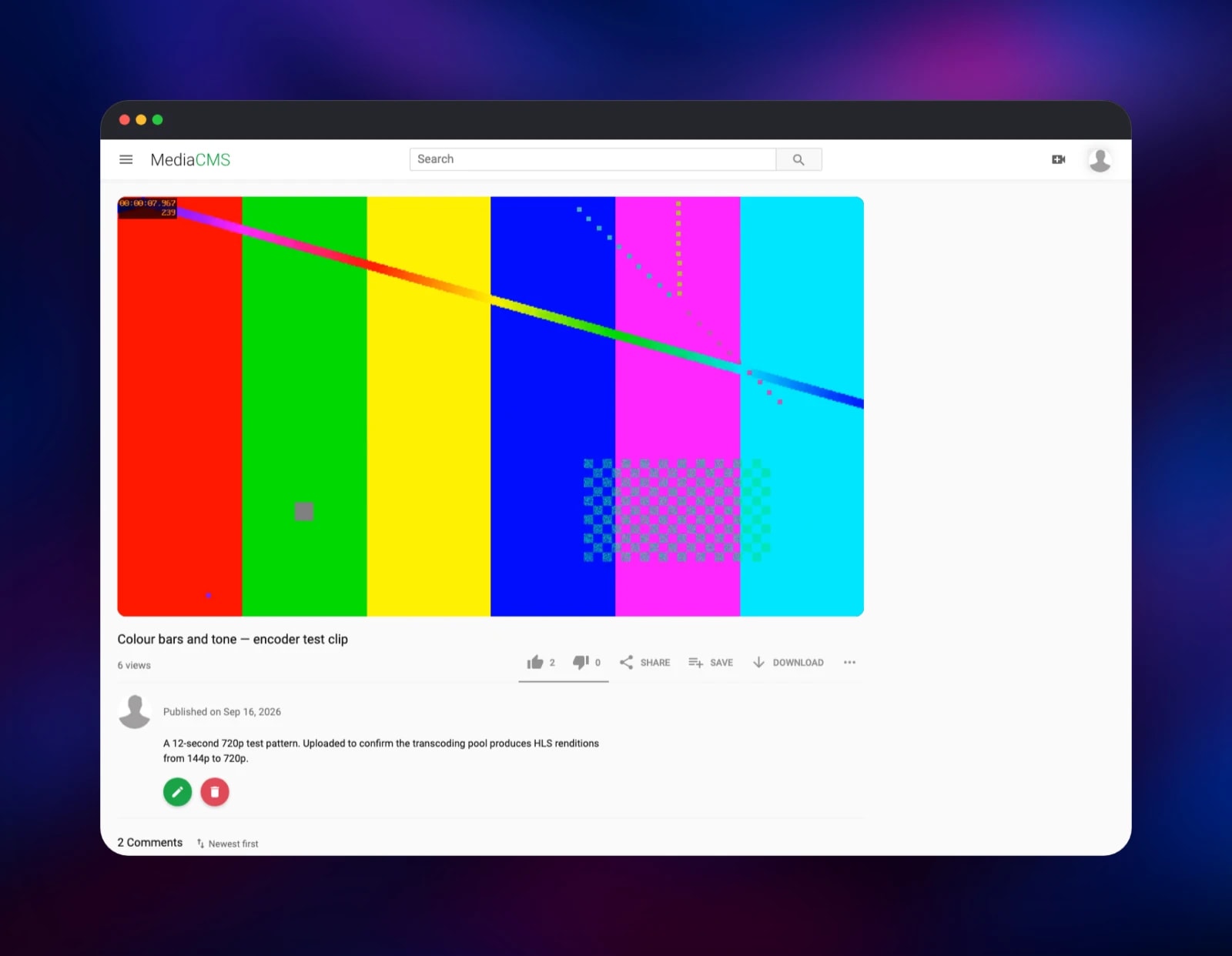
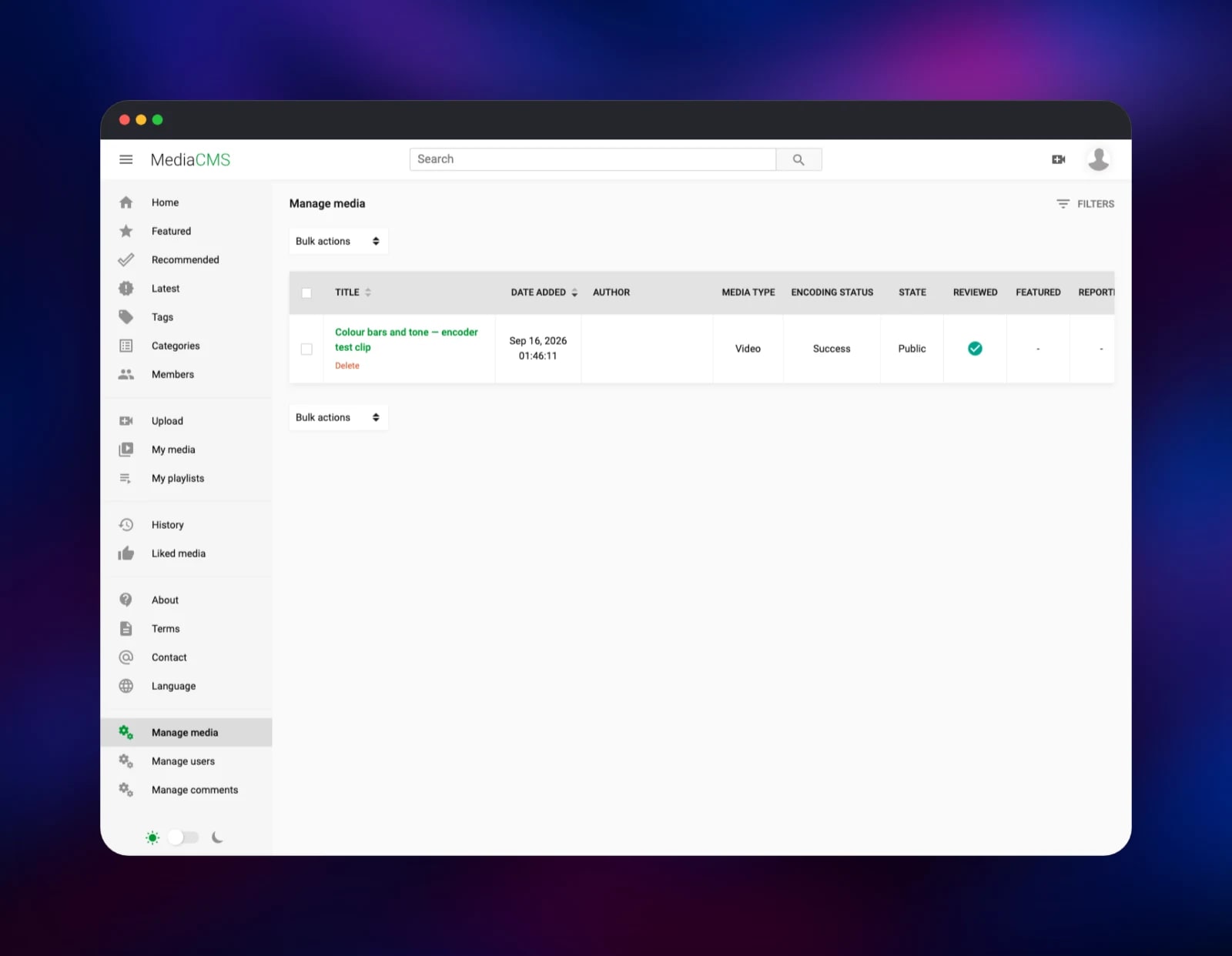
Open Manage media to watch progress — its Encoding Status column moves from Pending to Running to Success, the quickest way to confirm the whole stack is healthy. Once it reads Success, open the media page and press play: the player steps through the generated resolutions. From there set PORTAL_NAME, decide whether USERS_CAN_SELF_REGISTER stays on, and use Manage users to promote trusted members. To send real mail rather than capture it, point the EMAIL_* variables at your own relay.
About Hosting MediaCMS
Self-hosting video is mostly about the encoding pipeline: uploads are large, browsers want several bitrates, and the work is CPU-heavy and bursty. MediaCMS packages that pipeline — ffmpeg for transcoding, Bento4 for HLS packaging, Celery for queueing — behind an interface that looks like a consumer video site. Teams reach for it when a shared drive is not enough and a commercial platform is not an option.
Key features:
- Transcoding to 144p–2160p plus adaptive HLS, with posters, thumbnails and sprites
- Video, audio, image and PDF media, with chapters, subtitles and trimming
- Channels, playlists, categories, tags, search, comments, likes and view counts
- Public, unlisted and private workflows with per-media and role-based permissions
- A documented REST API, SAML and LTI integration, an RSS feed
The Railway deployment keeps the roles that must share a filesystem together: the web tier, the short-task workers (thumbnails, notifications, mail), the encoding workers and the scheduler all read and write the same media directory, so they run under one supervisor inside the mediacms service with the volume mounted beneath them.
Why Deploy MediaCMS on Railway
Railway removes the setup work between you and a working video portal.
- Postgres, Redis and mail provisioned and wired before first boot
- A persistent volume for uploads and encoded renditions attached automatically
- HTTPS and a public domain issued with no certificate management
- Encoding capacity scales with the service's CPU and memory allocation
- Configuration is environment variables; nothing is edited on disk
Common Use Cases
- Lecture and training libraries — recordings grouped by course, kept behind a login
- Conference archives — talks with chapters, subtitles and playlists
- Internal communications — an all-hands channel that never leaves your infrastructure
- Community portals — contributors upload, moderators review before publishing
Dependencies for MediaCMS
- mediacms — gridalpha/mediacms-railway, built on the official
mediacms/mediacms:latestimage. Runs nginx, gunicorn, two Celery worker pools and Celery beat. - Postgres — media, accounts, comments, playlists and permissions.
- Redis — the Celery broker and result backend, and Django's cache.
- mailpit —
axllent/mailpit:latest, an SMTP sink with a web inbox. Swap in a real relay for production mail.
Environment Variables Reference
| Variable | Purpose |
|---|---|
ADMIN_USER / ADMIN_EMAIL / ADMIN_PASSWORD | Administrator created on first boot |
FRONTEND_HOST | Public URL used in email, feeds and share links |
SECRET_KEY | Django signing key; changing it invalidates sessions |
PORTAL_NAME / PORTAL_DESCRIPTION | Portal title and tagline |
PORTAL_WORKFLOW | New-upload visibility: public, unlisted, private |
USERS_CAN_SELF_REGISTER | Whether visitors can create their own accounts |
USERS_NEEDS_TO_BE_APPROVED | An administrator must clear each new account |
GLOBAL_LOGIN_REQUIRED | Hide the entire portal from anonymous visitors |
CAN_ADD_MEDIA / CAN_COMMENT | all, email_verified or advancedUser |
CELERY_LONG_CONCURRENCY | How many videos transcode at once |
EMAIL_HOST / EMAIL_PORT / EMAIL_USE_TLS | Outgoing SMTP settings |
USER_CAN_TRANSCRIBE_VIDEO | Whisper subtitles; needs the full image |
Deployment Dependencies
- Source: mediacms-io/mediacms (AGPL-3.0)
- Docs: mediacms.io and the repo's
docs/admins_docs.md - Runtime: Python 3.13 / Django 5.2, ffmpeg, Bento4, PostgreSQL, Redis
Hardware Requirements for Self-Hosting MediaCMS
Encoding dominates: more CPU means shorter queues, not a faster interface.
| Resource | Minimum | Recommended |
|---|---|---|
| CPU | 2 vCPU | 4–8 vCPU |
| RAM | 2 GB | 4–8 GB |
| Storage | 5 GB volume | 50 GB+, sized to the library |
| Runtime | Python 3.13, ffmpeg, Bento4 | same |
Renditions and HLS segments are several times the size of the source, so budget storage generously — a 1 GB upload can occupy 3–4 GB once every resolution exists.
Self-Hosting MediaCMS with Docker
Upstream ships a Compose file bringing up the app, Postgres and Redis:
git clone https://github.com/mediacms-io/mediacms.git
cd mediacms
docker compose up -d
The first boot runs migrations and prints a generated administrator password in the log. To set your own, pass it in before starting:
ADMIN_USER=admin ADMIN_EMAIL=you@example.com \
ADMIN_PASSWORD=change-me docker compose up -d
Behind a TLS terminator, Django must be told the connection is secure — set SECURE_PROXY_SSL_HEADER and CSRF_TRUSTED_ORIGINS in cms/local_settings.py, or logins fail with a CSRF error. The Railway template does this for you.
How Much Does MediaCMS Cost to Self-Host?
MediaCMS is free and open source under AGPL-3.0. There is no paid edition, no seat licence and no feature gate — every capability described here is in the public repository. On Railway you pay only for the compute, memory and volume storage the services use: a few dollars a month for a small portal, growing with your library.
FAQ
What is MediaCMS?
An open source video and media CMS in Python/Django with a React front end. It handles uploads, transcoding, adaptive streaming, channels, playlists and comments, all exposed through a REST API.
What does this Railway template deploy?
Four services: MediaCMS with a persistent volume for media, a PostgreSQL database, Redis, and a Mailpit inbox for outgoing mail — all connected before the first boot.
Why does the template include Postgres and Redis?
Postgres stores every media record, account, comment and permission. Redis is the Celery broker carrying transcoding jobs from the web tier to the encoding workers, and doubles as Django's cache. Neither is optional.
How do I make my MediaCMS portal private?
Set GLOBAL_LOGIN_REQUIRED to true so anonymous visitors see nothing, turn USERS_CAN_SELF_REGISTER off, and create accounts from Manage users. For a halfway position, leave registration on and set USERS_NEEDS_TO_BE_APPROVED to true.
How do I upload video to MediaCMS through the API?
Authenticate with a token from your profile, then POST a multipart/form-data request with a media_file field to /api/v1/media. The response carries a friendly_token you can poll on /api/v1/media/ until encoding_status reads success.
Can MediaCMS generate subtitles automatically?
Yes, through OpenAI's Whisper, but the model and its dependencies only ship in the larger mediacms/mediacms:full image. Switch the base image and set USER_CAN_TRANSCRIBE_VIDEO to true.
Template Content

