
Deploy Medusa.js
Open-source commerce backend for building your own online store

Redis
Just deployed
/data

Just deployed
/var/lib/postgresql/data
medusa-worker
Just deployed
medusa-server
Just deployed
medusa-media
Bucket
Just deployed
Deploy and Host Medusa on Railway
Medusa is an open-source commerce platform written in TypeScript. Where a hosted store keeps your catalogue, checkout and order logic behind someone else's admin panel, Medusa gives you the same building blocks — products, carts, orders, inventory, pricing, promotions, tax and fulfilment — as modules you own, behind a Store API for any storefront and an Admin API for any back office. Brands reach for it when the checkout or the pricing rules are the product, not a setting.
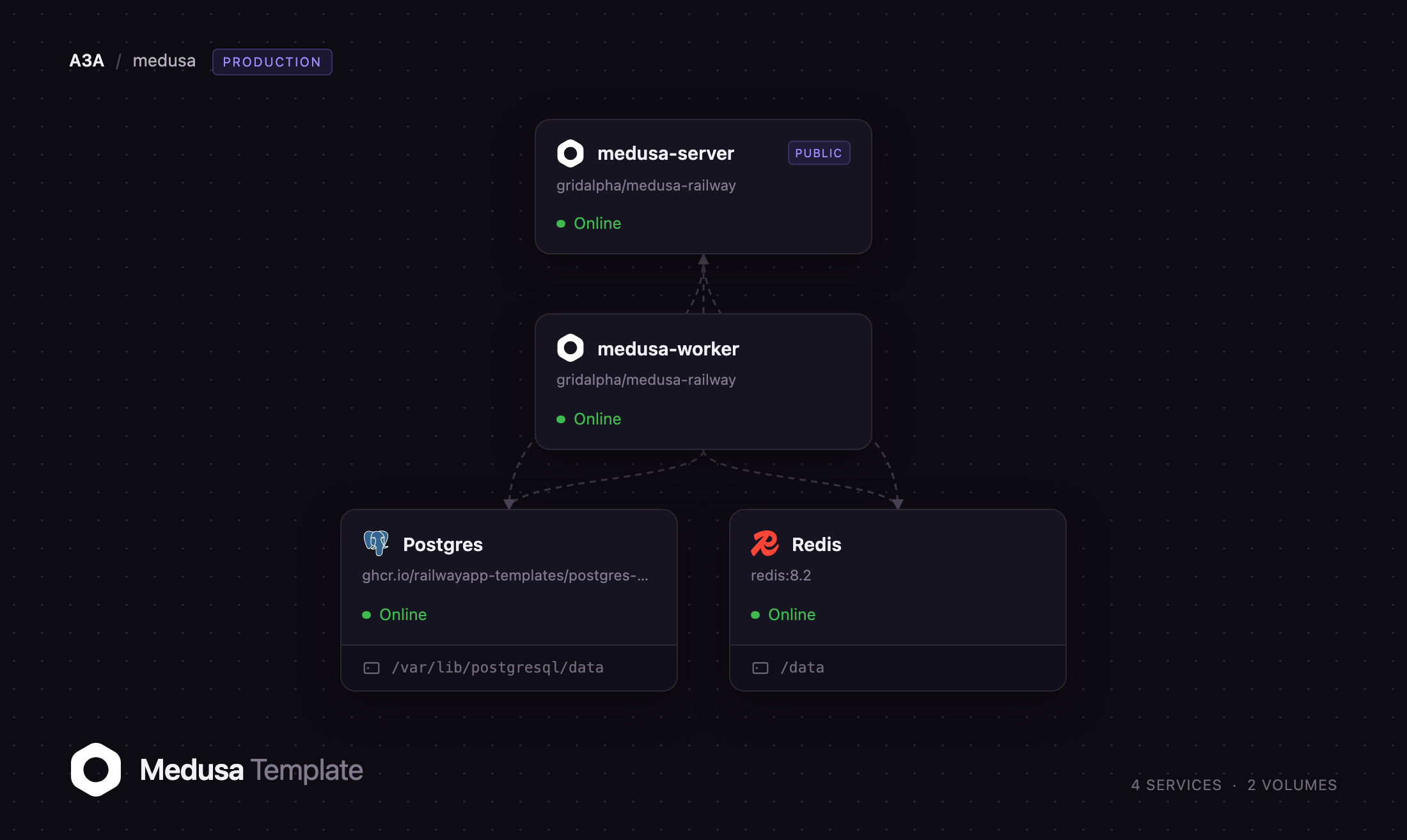
Deploy Medusa on Railway and this template runs the backend the way Medusa's own deployment guide describes it: a server service answering the Store and Admin APIs and serving the dashboard at /app, a worker service running scheduled jobs, subscribers and long-running workflows, managed PostgreSQL holding every commerce record, managed Redis carrying the event bus, cache, locks and workflow queues between the two, and an S3-compatible bucket for product media. Only the server has a public domain. Both build from gridalpha/medusa-railway, pinned to Medusa 2.19.0.
Getting Started with Medusa on Railway
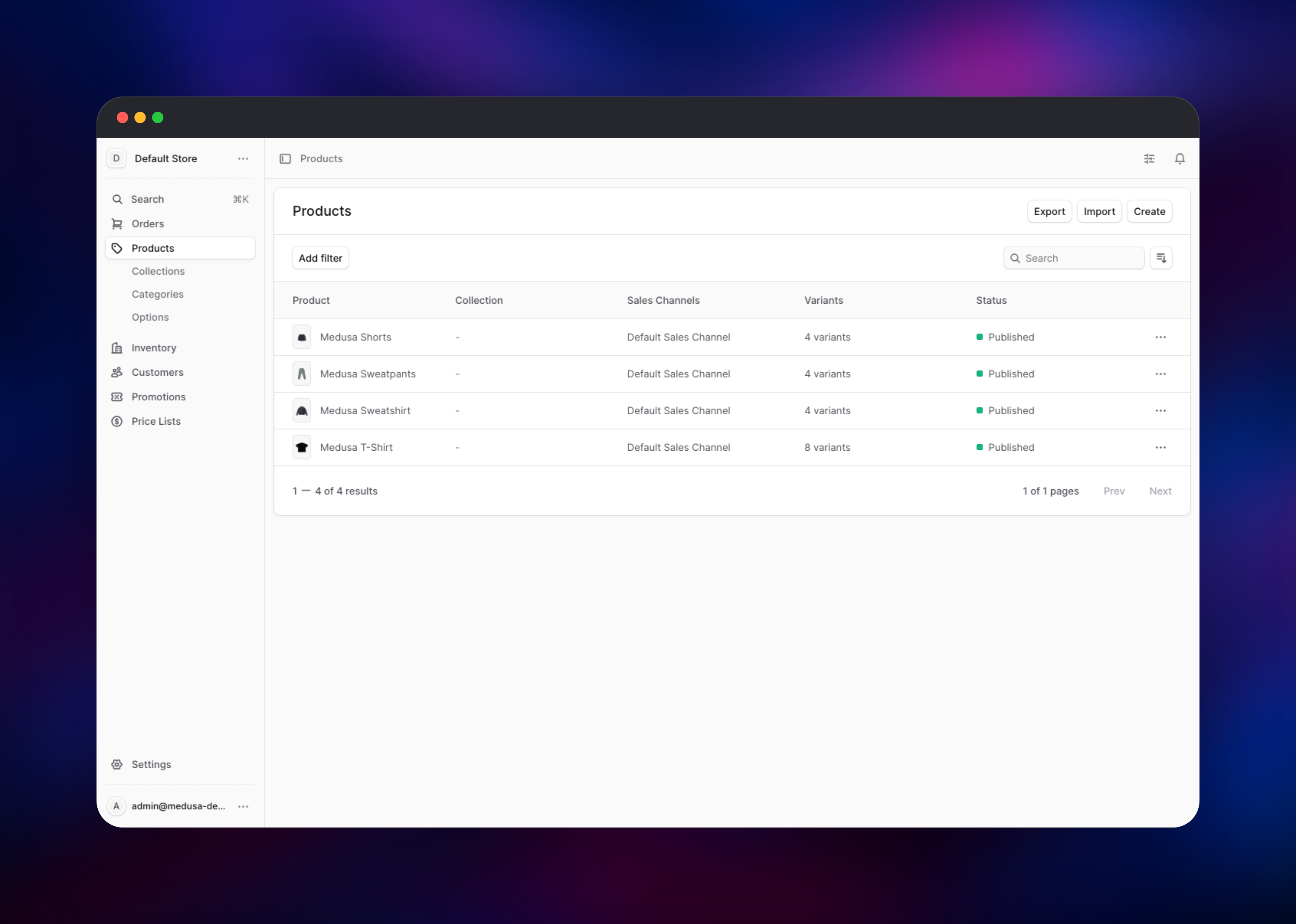
Set MEDUSA_ADMIN_EMAIL and MEDUSA_ADMIN_PASSWORD before you deploy — Medusa has no sign-up page and no vendor default credentials, so that pair becomes the only account that can reach the dashboard. The first boot migrates the schema and seeds a working store: EUR/USD currencies, a Europe region across seven countries, tax regions, a warehouse, standard and express shipping, a default sales channel, a publishable API key and four demo products.
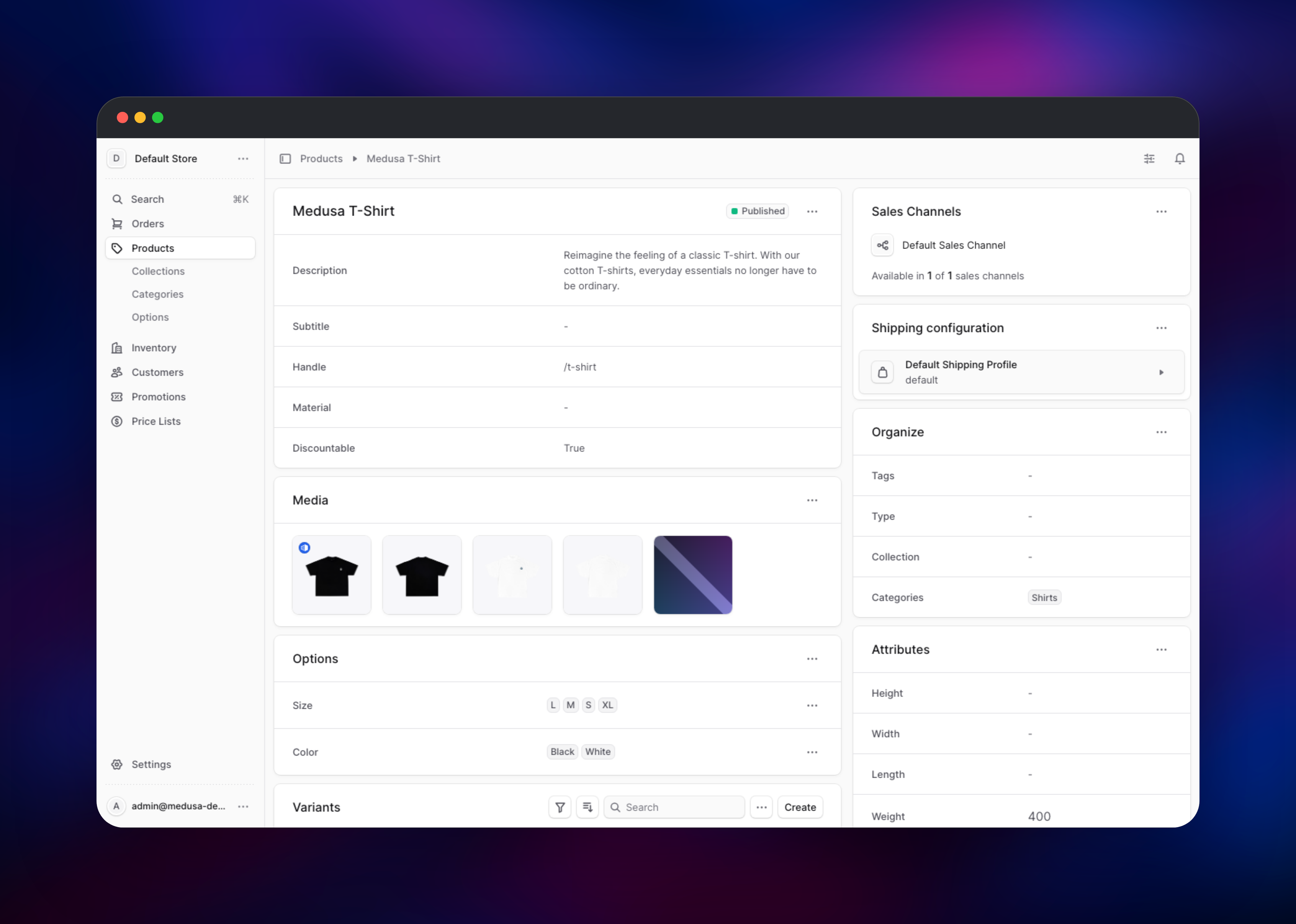
Open your Railway domain at /app and sign in. Go to Products, open one of the four seeded items, add an image under Media and confirm it renders — that one action proves the bucket, the upload path and public image reads all work. Then collect the storefront's credentials: Settings → Publishable API Keys holds the key every Store API call sends as x-publishable-api-key, and Settings → Regions holds the region ID a cart needs. A curl of /store/products with that header confirms the commerce API is live.
About Hosting Medusa
Medusa is a backend, not a website. It ships no storefront — you build that in Next.js, Astro or anything else and talk to the Store API. Self-hosting earns its keep once the commerce logic is genuinely custom: bespoke pricing, marketplace payouts, subscription billing, or an ERP that stays authoritative.
- Products with options, variants, categories, collections and multi-currency pricing
- Carts, promotions, tax regions and a pluggable payment and fulfilment layer
- Multi-warehouse inventory with reservations, plus sales channels per storefront
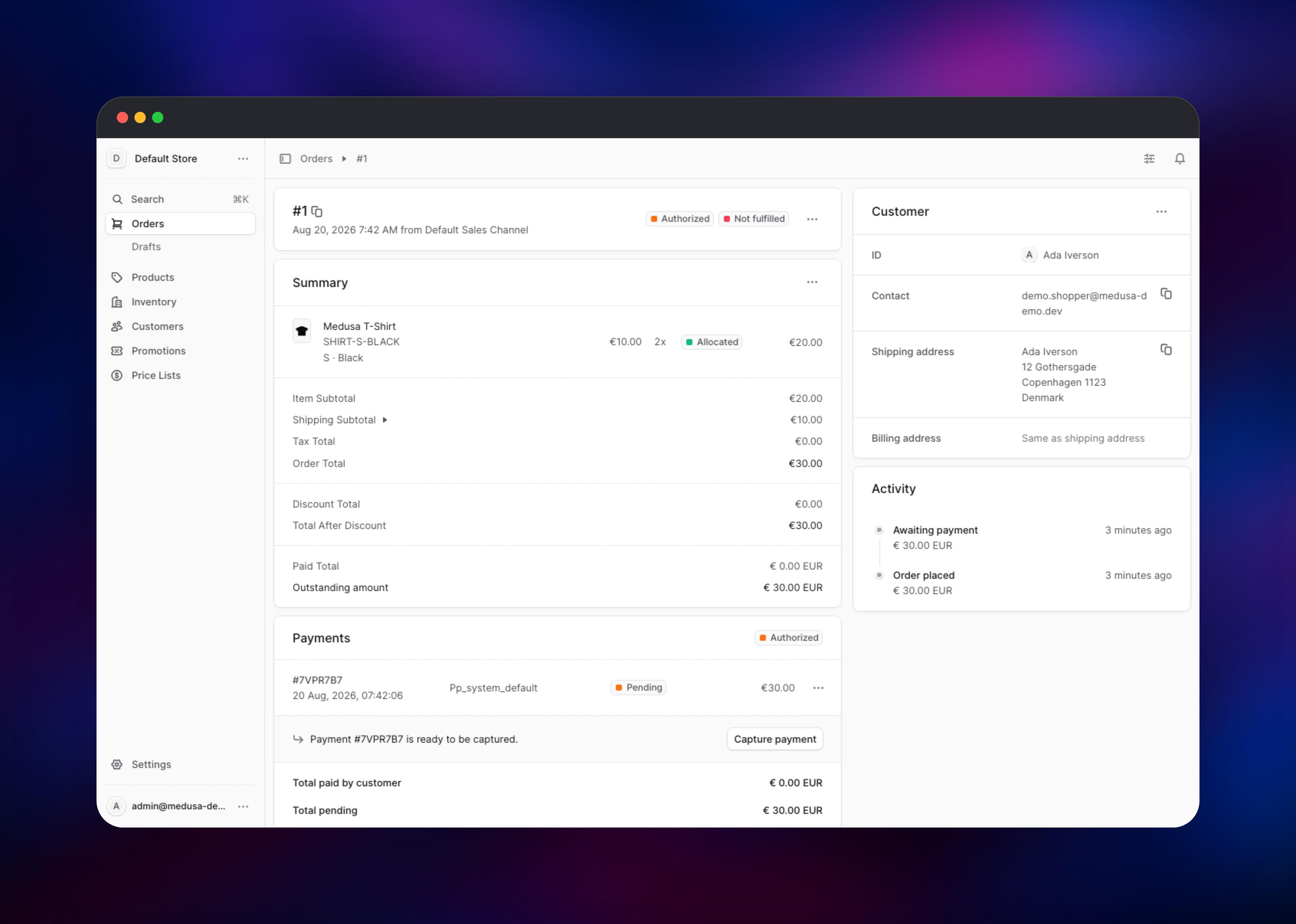
- Orders, returns, exchanges, claims and draft orders in one model
- Durable, resumable workflows, and an Admin dashboard you extend with your own pages
The Railway topology mirrors that split. The server handles requests and serves the dashboard; the worker runs what must not block one — scheduled jobs, subscribers reacting to order.placed, exports and imports. PostgreSQL is the system of record, and Redis makes the two containers one system: event bus, shared cache, locking provider and workflow engine all run through it. The bucket holds uploaded media, so neither app service keeps state on disk and the server can scale to several replicas.
Why Deploy Medusa on Railway
Railway removes the infrastructure work self-hosting Medusa normally requires.
- Managed PostgreSQL and Redis, provisioned and wired automatically
- Built-in S3-compatible object storage, so there is no MinIO to run
- HTTPS domain with certificates handled, private networking for the rest
- Server and worker deploy from one repository as separate services
- Push once and both rebuild; scale either independently
Common Use Cases for Self-Hosted Medusa
- Direct-to-consumer brands needing a custom checkout, subscription logic or region-specific pricing a hosted platform will not bend
- B2B commerce with company accounts, quotes, spending limits and negotiated price lists
- Marketplaces where vendors share a catalogue and orders split per vendor
- Composable replatforming, keeping an ERP or PIM authoritative and using Medusa for cart, checkout and orders
Dependencies for Medusa
- medusa-server — Medusa 2.19.0 on Node 22 from gridalpha/medusa-railway; serves
/store,/admin,/authand/appon port 9000 - medusa-worker — the same image with
MEDUSA_WORKER_MODE=worker; jobs, subscribers and workflows, no public domain - PostgreSQL — every commerce record: products, carts, orders, inventory, pricing, promotions, workflow runs
- Redis — event bus, response cache, locks, workflow queues and admin sessions
- Object storage bucket — uploads, read back through the app's
/mediaroute
Environment Variables Reference
| Variable | Purpose |
|---|---|
MEDUSA_ADMIN_EMAIL / MEDUSA_ADMIN_PASSWORD | First administrator, created on first boot. Server only |
MEDUSA_WORKER_MODE / DISABLE_MEDUSA_ADMIN | server+false on one service, worker+true on the other |
MEDUSA_PUBLIC_URL | The server's public URL. Set on both services — the worker has no domain |
JWT_SECRET / COOKIE_SECRET | Token and session signing. Identical on both, stable across deploys |
S3_* | Bucket, endpoint and credentials for uploaded media |
Deployment Dependencies
- Source: (MIT), and its starter
- Deployment guide:
- Runtime: Node.js 20.19+ or 22.12+, PostgreSQL 15+, Redis 6+
Hardware Requirements for Self-Hosting Medusa
| Minimum | Recommended | |
|---|---|---|
| CPU | 1 vCPU per service | 2 vCPU per service |
| RAM | 2 GB per service | 4 GB server, 2 GB worker |
| Storage | Database only | Database plus a bucket for media |
| Runtime | Node.js 20.19+ / 22.12+ | Node.js 22 LTS |
Medusa's guidance is at least 2 GB of RAM per instance; size PostgreSQL and Redis by catalogue and order volume rather than traffic.
Self-Hosting Medusa
Medusa publishes no ready-made backend image — you scaffold a project and build it:
npx create-medusa-app@latest my-store
cd my-store
npx medusa develop
For production you build once and run the output, with the same environment on a server and a worker instance:
npm run build
cd .medusa/server && npm install --omit=dev
export NODE_ENV=production MEDUSA_WORKER_MODE=server
npx medusa db:migrate && npx medusa start
There is no registration page, so create the first administrator with the CLI:
npx medusa user -e you@example.com -p your-password
How Much Does Medusa Cost to Self-Host?
Medusa is MIT-licensed and free — no seat limits, transaction fees or paid tiers, and every module here is the open-source build. The company sells Medusa Cloud, a managed hosting product, but nothing is held back from the self-hosted version. On Railway you pay only for compute and storage: two small app services, PostgreSQL, Redis and the bucket. Stripe and other payment providers still charge their own fees.
FAQ
What is Medusa? Medusa is an open-source, TypeScript commerce platform. It provides products, carts, orders, inventory, pricing, promotions, tax and fulfilment as modules behind a REST API, plus an Admin dashboard — and leaves the storefront to you.
What does this Railway template deploy? A Medusa server (Store API, Admin API and dashboard), a worker, managed PostgreSQL, managed Redis and an object storage bucket. Only the server has a public domain.
Why does the template include Redis and a separate worker? Medusa's production shape runs two instances of the same application. The worker takes scheduled jobs, subscribers and long-running workflows so they never block a request, and Redis is the event bus, cache, lock and queue that lets the two containers act as one. Without them a single instance keeps everything in memory and cannot be scaled.
How do I log into the Medusa Admin dashboard?
Open /app and sign in with the MEDUSA_ADMIN_EMAIL and MEDUSA_ADMIN_PASSWORD you set before deploying. Medusa has no sign-up page, and those values are read once, when the account is created — changing them later does not rewrite it. Add more administrators by invitation from Settings → Users.
How do I connect a storefront to self-hosted Medusa?
Copy the publishable API key from Settings → Publishable API Keys, send it as x-publishable-api-key on every Store API request, and set STOREFRONT_URL to your storefront's origin so CORS allows it. Medusa's Next.js starter: .
Where do uploaded product images go?
Into the object storage bucket, not the container filesystem. Medusa serves them back through the application's /media route, so image URLs live on your own domain and survive every redeploy.
Template Content
Redis
redis:8.2medusa-worker
gridalpha/medusa-railwaymedusa-server
gridalpha/medusa-railwaymedusa-media
Bucket


