
Deploy Memos
Google Keep alternative. Quick-capture Markdown notes

Just deployed
/var/lib/postgresql/data
Just deployed
/var/opt/memos
memos-attachments
Bucket
Just deployed
Deploy and Host Memos on Railway
Memos is an open-source, self-hosted note-taking app built for quick capture: a single Go binary with a timeline-first web UI. Open it, type a Markdown note, move on. Notes carry #tags, task lists, code blocks and attachments, and each is private, protected or public, so one instance holds both your scratchpad and the few notes you want to share. Developers and small teams self-host Memos as a Google Keep alternative that keeps every note in a database they control, with REST and gRPC APIs and an MCP endpoint on top.
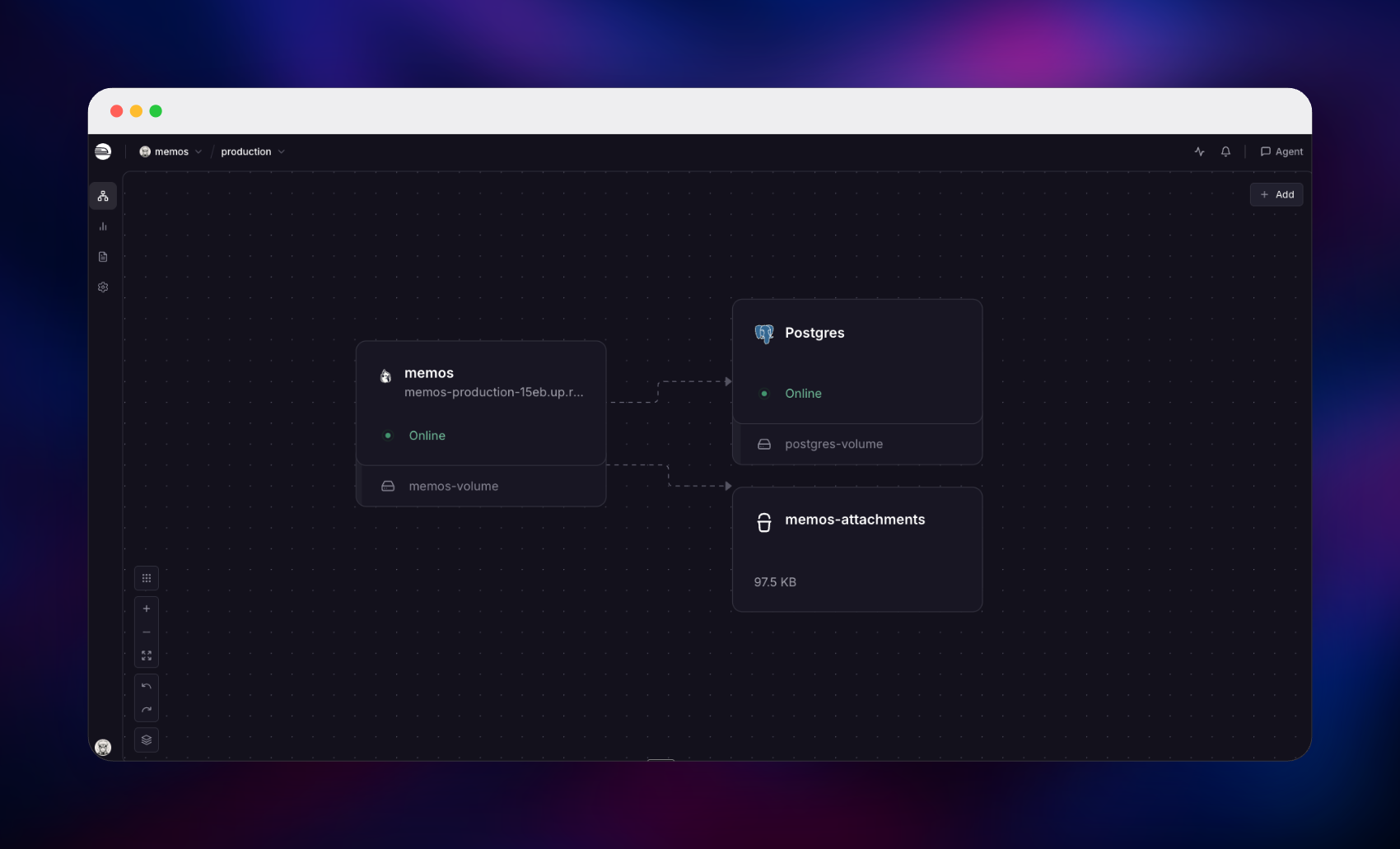
Deploy Memos on Railway and you get the production shape rather than the laptop one. This template runs the official neosmemo/memos image with three things wired already: managed PostgreSQL for notes, users and settings; a Railway object storage bucket for uploads; and a small volume for cached thumbnails. Nothing that matters lives in the container, so redeploys are uneventful. Public sign-up is closed from the first boot, while the first person to open the URL still gets a one-time screen to create the owner account — no default password ships, and nothing needs configuring.
Getting Started with Memos on Railway
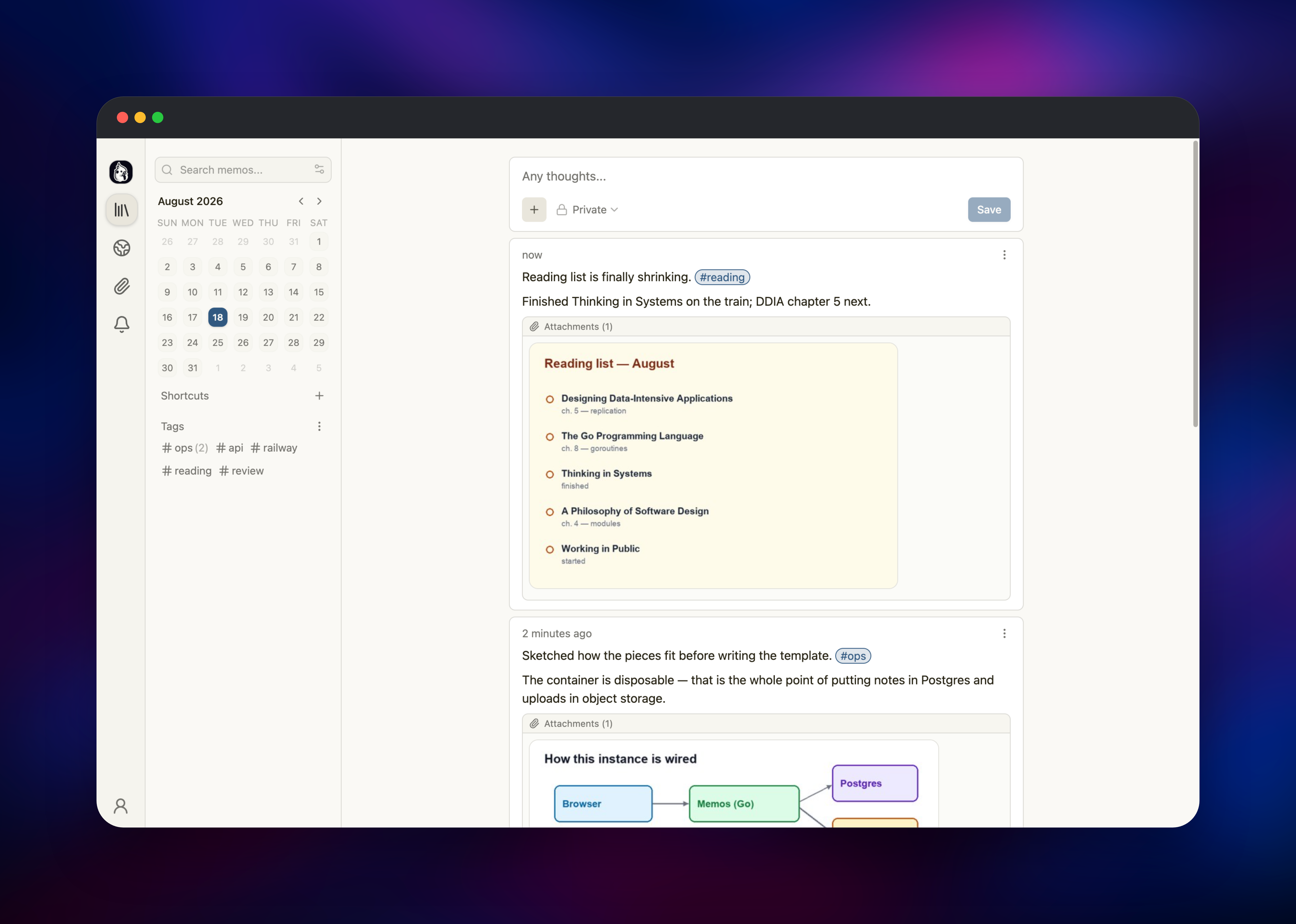
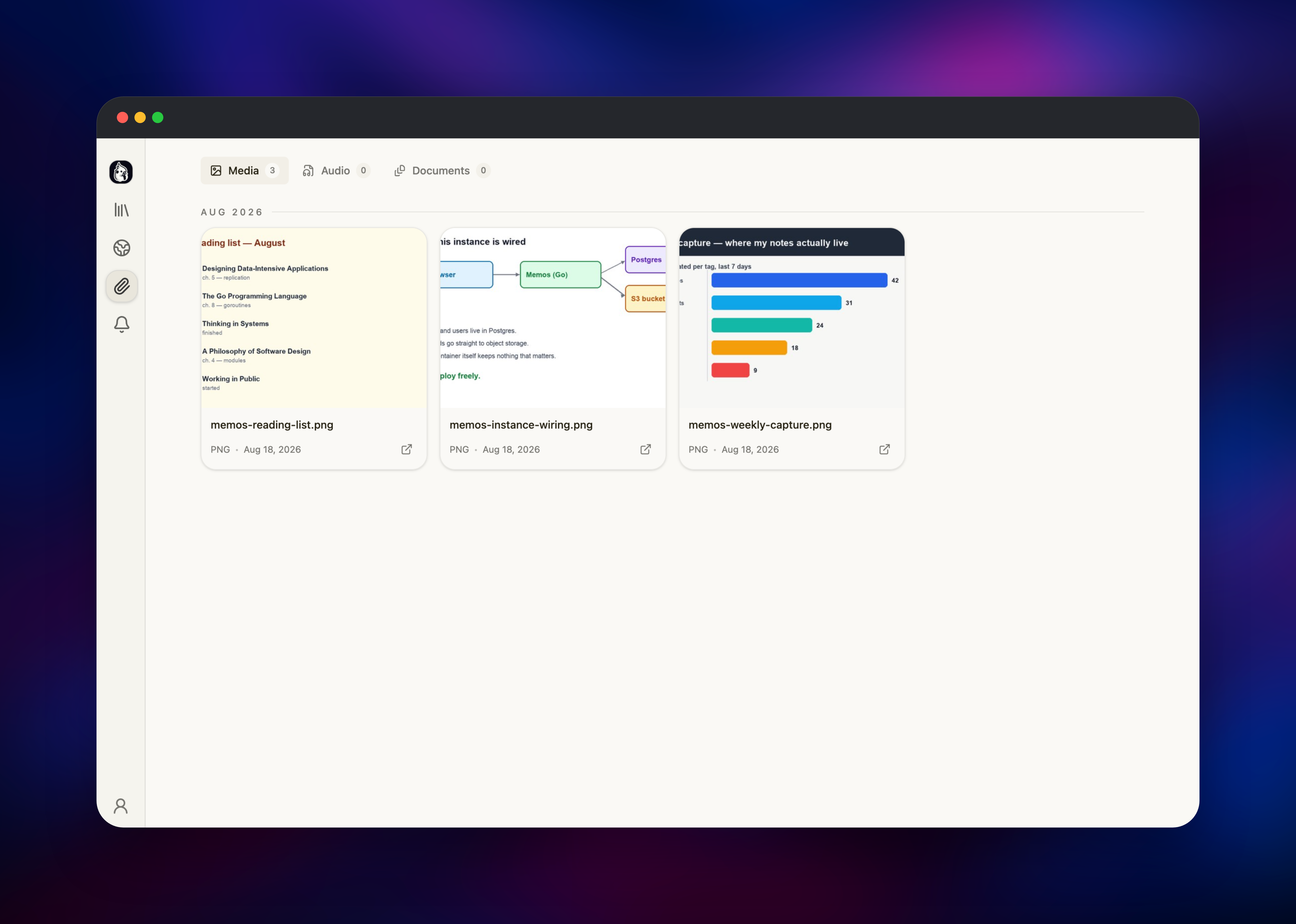
Open the generated *.up.railway.app URL once the deploy finishes: Memos shows a "Set up your instance" screen. Pick a username and password — that account becomes the owner, with admin rights over members and settings. Everyone arriving afterwards sees a closed sign-up page, so the URL is safe to share before you add anyone. Type your first note in the editor at the top of the timeline: #tags become sidebar filters, - [ ] becomes a task list, and fenced blocks get syntax highlighting. Click + and choose Media to attach a screenshot: it uploads to the bucket rather than the container disk, and the thumbnail appears inline. Use the visibility dropdown next to Save to publish one note publicly, then open Explore to see what a logged-out visitor gets. Settings → Access Tokens is where you mint a token to script captures against the API.
About Hosting Memos
Memos is for the notes that never justify a document: a link worth keeping, a command you will need again, a thought before it evaporates. One text box, one timeline, Markdown, tags instead of folders. Self-hosting suits anyone who wants that habit without handing half-formed thinking to a hosted service, and teams who want a shared, searchable log they own.
What it gives you:
- Markdown editing with tags, task lists, code blocks and linked notes
- Three visibility levels per note: private, protected (signed-in), public
- Attachments in object storage, streamed through the app, not a public bucket
- REST and gRPC APIs, access tokens, webhooks and an MCP endpoint at
/mcp - RSS feeds per user and for the public Explore timeline
- OAuth2 single sign-on, optional AI transcription, Web Clipper extensions
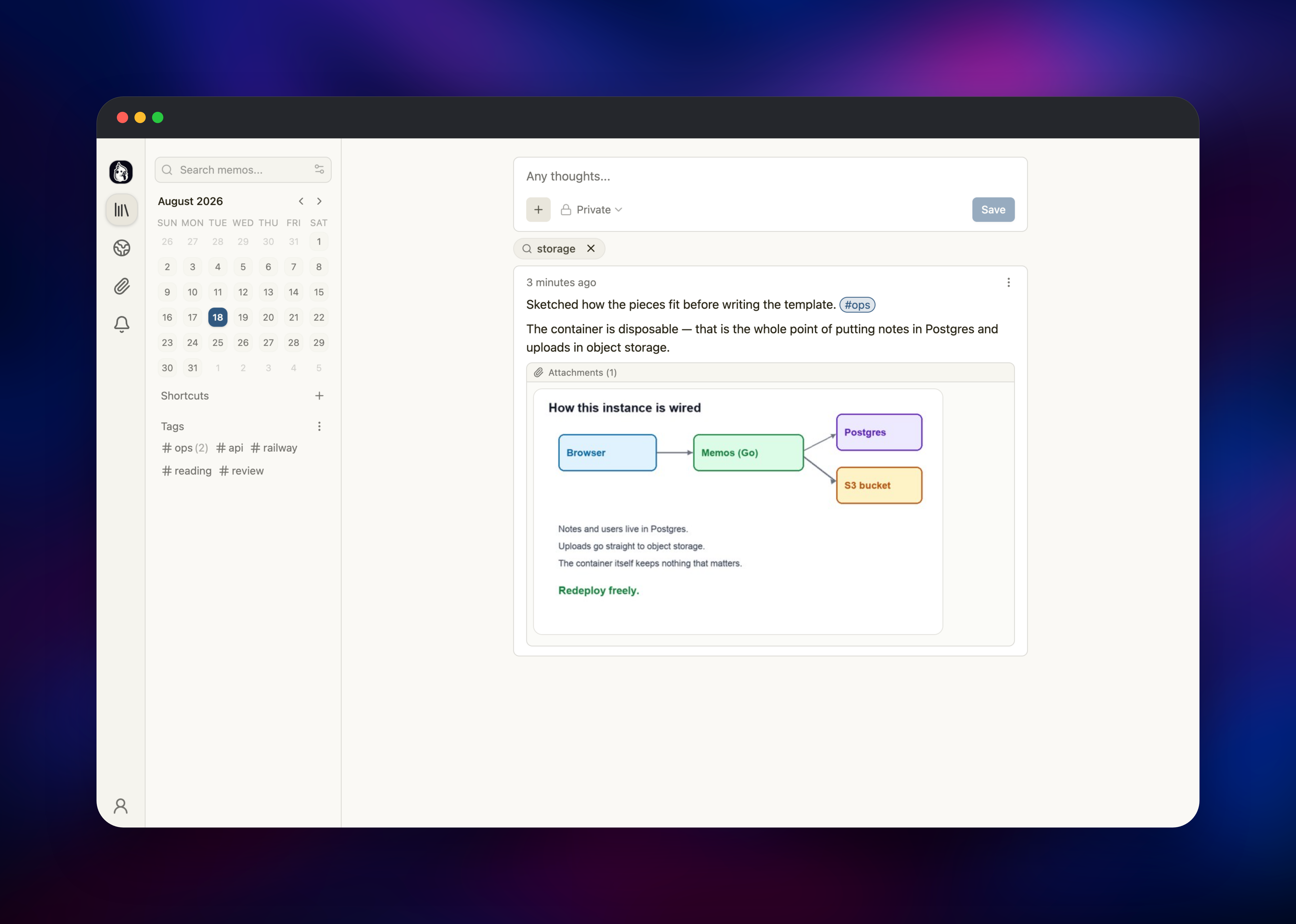
The Memos service is the whole application — web UI, API and background jobs in one Go process on port 5230. PostgreSQL replaces the default SQLite file, so the database is backed up, resizable and independent of the container. The bucket holds uploads, keeping the database small and letting attachments grow without a disk quota, and the volume carries only regenerable thumbnail caches.
Why Deploy Memos on Railway
Railway removes the setup work between a Docker image and a working instance:
- Managed PostgreSQL and object storage provisioned and connected automatically
- HTTPS on a generated domain, or a custom domain in a few clicks
- Health checks on
/healthzwith automatic restarts on failure - One-click redeploys that pick up new upstream releases
- Usage-based pricing with no per-seat cost
Common Use Cases
- A personal capture inbox for links, snippets and ideas, replacing Keep or Notes
- A team engineering log: incidents, decisions and runbook fragments
- A lightweight public micro-blog, publishing selected notes with RSS
- An AI-accessible knowledge store, read and written through the MCP endpoint
Dependencies for Memos
- Memos — gridalpha/memos-railway, built on the official
neosmemo/memos:stableimage (source) - PostgreSQL —
ghcr.io/railwayapp-templates/postgres-ssl:18, storing notes, users, sessions and settings - Object storage bucket — Railway managed S3-compatible storage for attachments
Environment Variables Reference
| Variable | Default | Purpose |
|---|---|---|
MEMOS_DRIVER | postgres | Backend; sqlite and mysql also work |
MEMOS_DSN | ${{Postgres.DATABASE_URL}} | PostgreSQL connection string |
MEMOS_INSTANCE_URL | https://${{RAILWAY_PUBLIC_DOMAIN}} | Public URL; clearing it makes it private |
MEMOS_DISALLOW_USER_REGISTRATION | true | Closes public sign-up once the owner exists |
MEMOS_INSTANCE_TITLE | unset | Instance name in the UI and browser tab |
MEMOS_STORAGE_UPLOAD_SIZE_LIMIT_MB | 30 | Max size of a single upload |
MEMOS_PROVISION_STORAGE | true | false hands storage back to the admin UI |
MEMOS_PROVISION_GENERAL | true | false hands general settings back to the admin UI |
Storage and general settings are written into Memos' /etc/secrets deployment-configuration files at startup, which is what makes the bucket work with no manual setup. A group configured that way is read-only in the admin UI. Change the variable and redeploy, or set the matching MEMOS_PROVISION_* variable to false to take that group over in the UI.
Deployment Dependencies
- Source repository:
- Docker image:
- Documentation:
Hardware Requirements for Self-Hosting Memos
| Resource | Minimum | Recommended |
|---|---|---|
| CPU | 0.5 vCPU | 1–2 vCPU |
| RAM | 256 MB | 512 MB–1 GB |
| Storage | 1 GB volume + database | 5 GB volume + object storage |
| Runtime | Docker | Docker with PostgreSQL 14+ |
Memos is light: a compiled Go binary with no runtime dependencies, idling in tens of megabytes. Attachments drive growth, not notes — a few thousand text notes stay well under 100 MB in PostgreSQL.
Self-Hosting Memos with Docker
The quickest local run uses SQLite and a bind-mounted data directory:
docker run -d --name memos -p 5230:5230 -v ~/.memos:/var/opt/memos neosmemo/memos:stable
For production, point Memos at PostgreSQL and set the public URL so shared links, RSS and sitemap entries resolve correctly:
docker run -d --name memos -p 5230:5230 \
  -e MEMOS_DRIVER=postgres \
  -e MEMOS_DSN="postgres://memos:password@db:5432/memos?sslmode=disable" \
  -e MEMOS_INSTANCE_URL="https://notes.example.com" \
  -v /srv/memos:/var/opt/memos \
  neosmemo/memos:stable
Track the stable tag: upstream publishes stable, exact versions and major.minor for releases, while canary follows development.
How Much Does Memos Cost to Self-Host?
Memos is free and MIT-licensed, with no paid tier, seat limits or feature gates — what you self-host is the whole product. On Railway you pay only for what the deployment uses: the container, managed PostgreSQL, object storage and a small volume. Adding teammates does not change that.
Memos vs Google Keep and Obsidian
| Memos | Google Keep | Obsidian | |
|---|---|---|---|
| Self-hosted | Yes | No | Local files, paid sync |
| Data store | Your PostgreSQL | Google account | Local vault |
| API access | REST, gRPC, MCP | None | Plugins |
Memos trades Notion's databases and Obsidian's graph for speed of capture — the point if you have abandoned a note system because filing a thought took longer than having it.
FAQ
What is Memos? An open-source, self-hosted note-taking app for quick capture. It stores Markdown notes in a timeline, organises them with tags rather than folders, and exposes them through a web UI, REST and gRPC APIs, RSS and MCP.
What does this Railway template deploy? Memos backed by managed PostgreSQL, an object storage bucket for attachments, and a small volume for cached thumbnails. Registration is closed by default and no default credentials ship.
Why are attachments stored in an object storage bucket? Uploads are the part of a notes app that grows without warning. Object storage keeps the database small and the container stateless, and Memos streams files back through its own routes, so the bucket needs no public access.
How do I create the first admin account in self-hosted Memos? Open the deployed URL and the first-run screen asks for one. Memos treats a sign-up against an empty user table as instance setup, so that account gets admin rights even with public registration disabled.
How do I make my Memos instance completely private?
Clear MEMOS_INSTANCE_URL. Memos then runs in private mode: anonymous visitors reach only the sign-in page and shared links, and RSS and Explore stop serving them.
Can an AI assistant read and write my notes?
Yes. Memos exposes a streamable MCP endpoint at /mcp, and tokens from Settings → Access Tokens authenticate both it and the REST API.
Template Content
memos-attachments
Bucket


