
Deploy Mercur
Software for running an online marketplace with many sellers
mercur-server
Just deployed

Redis
Just deployed
/data
mercur-worker
Just deployed

Just deployed
/var/lib/postgresql/data
mercur-media
Bucket
Just deployed
Deploy and Host Mercur on Railway
Mercur is an open-source multi-vendor marketplace platform for B2B and B2C commerce, built on MedusaJS. Where a normal store has one seller, a marketplace has many, and Mercur adds the layer that makes that work: vendor onboarding and approval, seller-scoped offers, commission rules, and automated payouts. It suits teams who want something like Mirakl without the licence fee or the cut of gross merchandise value. Inheriting Medusa v2 means any TypeScript developer can extend it with ordinary modules, workflows and API routes rather than a proprietary plugin format.
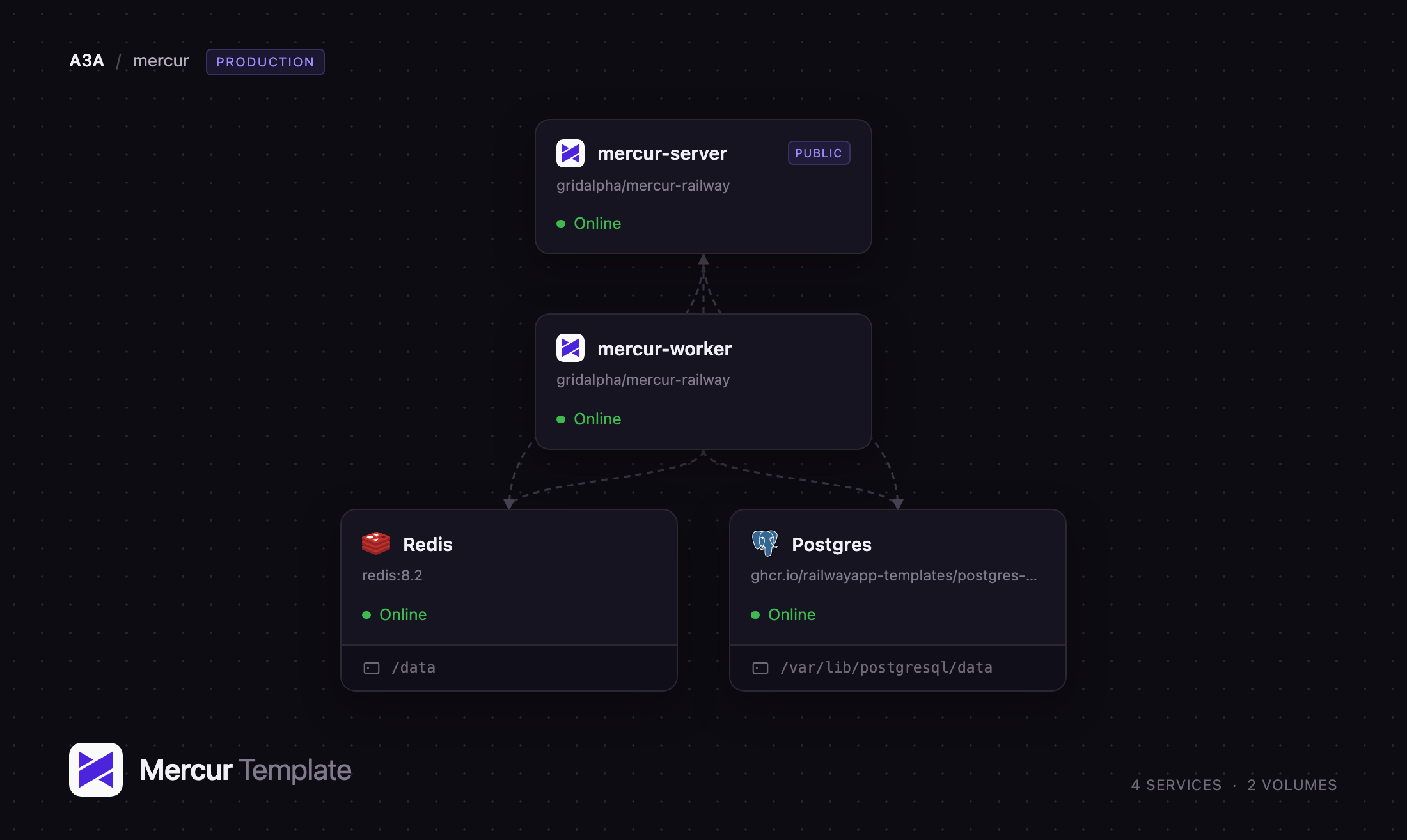
This template lets you self-host Mercur on Railway with the production shape already wired together: a Mercur server answering the Store, Admin and Vendor APIs and serving both panels, a private Mercur worker for jobs, subscribers and long-running workflows, PostgreSQL for commerce data, Redis for the event bus, workflow engine and locks, and an object storage bucket for uploads. Only the server is exposed to the internet. On first boot it migrates, creates your admin account and seeds a demo marketplace, so there is something real to click the moment the build finishes.
Getting Started with Mercur on Railway
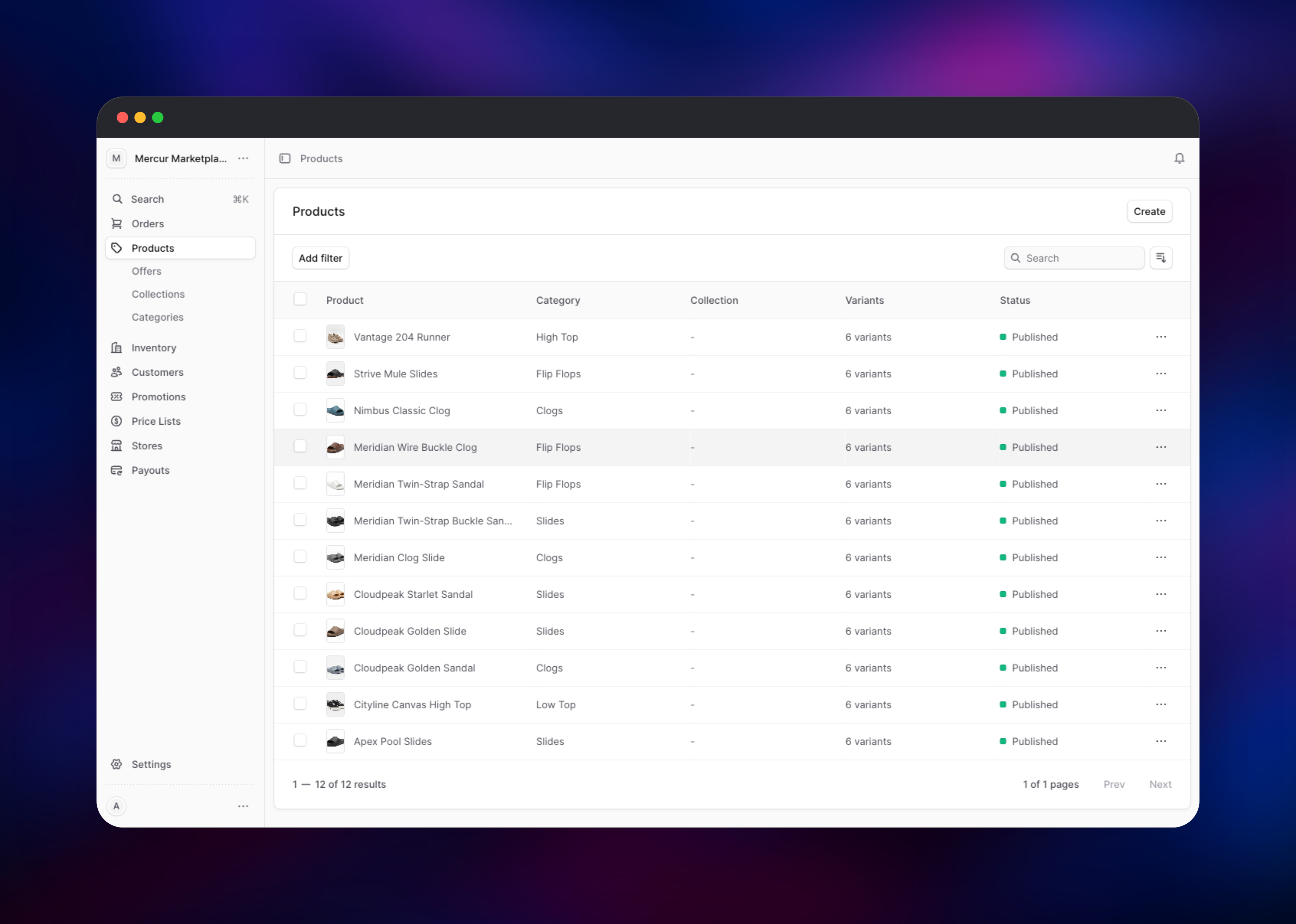
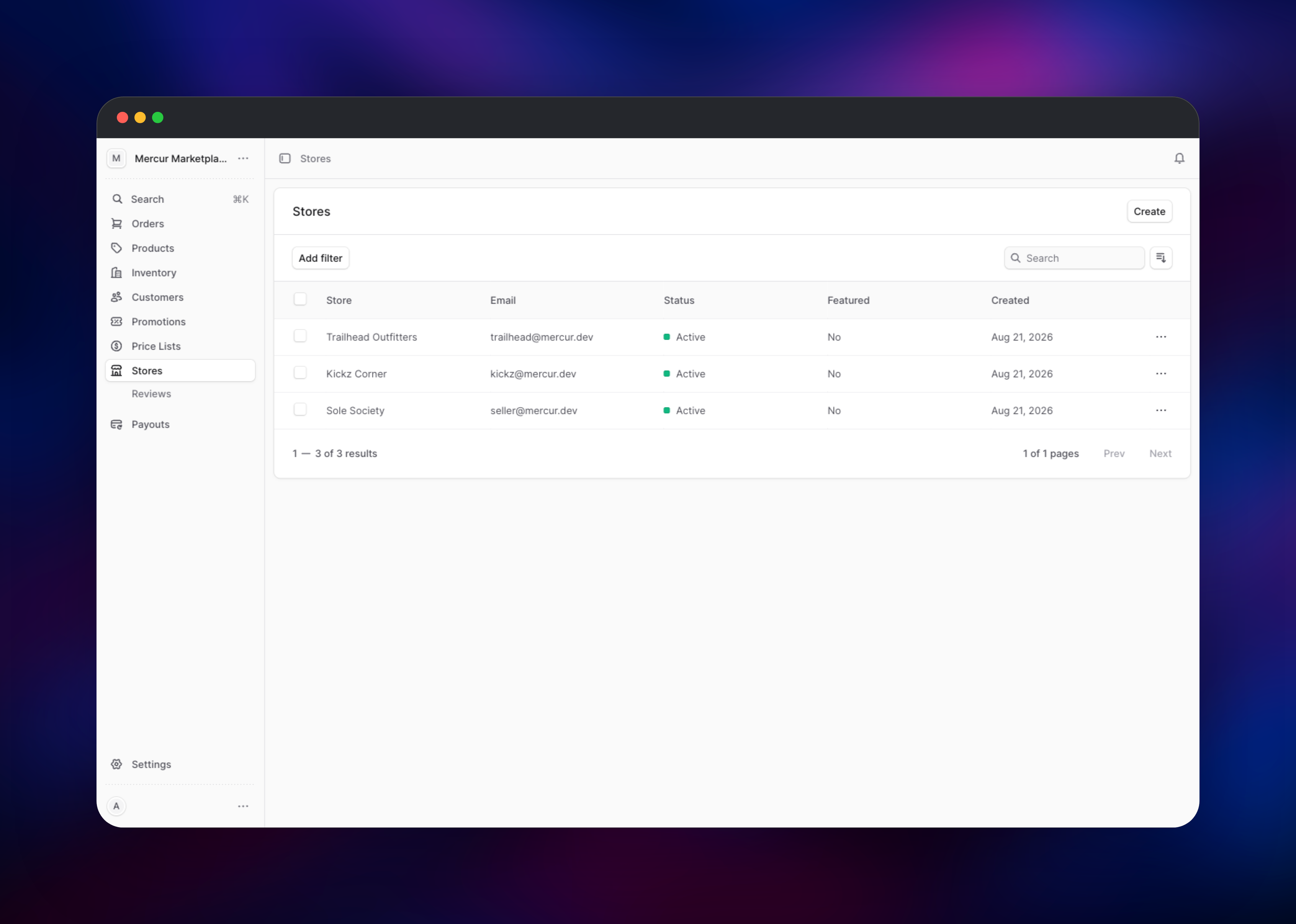
Set MEDUSA_ADMIN_EMAIL and MEDUSA_ADMIN_PASSWORD before deploying — they become your administrator login, created on first boot. When the deploy goes green, open your public URL with /dashboard appended and sign in. You land on a marketplace that already has data: twelve published products, three approved vendor stores, and a few hundred offers across the sellers. Open Products to browse the catalogue, then Stores to see the vendors and their approval status — the screen that makes this a marketplace, not a single-seller shop.
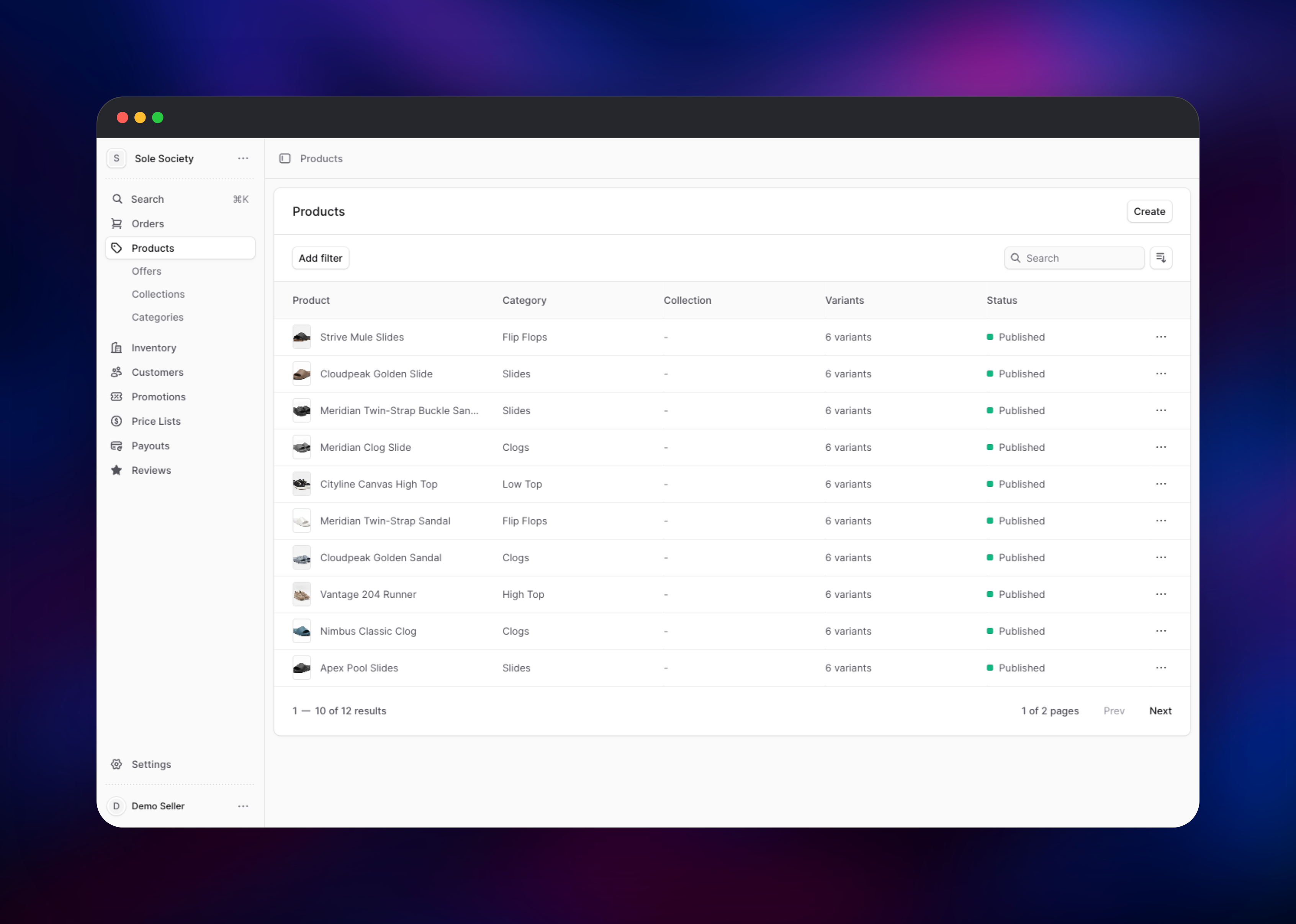
The vendor side lives at /seller on the same URL. Vendors register themselves there, or sign in as a seeded demo seller with the password in MERCUR_SEED_SELLER_PASSWORD; each vendor sees only their own store, orders and payouts. To confirm everything is wired up, upload an image to any product — that exercises the bucket, its credentials and the image-serving route at once. Set MERCUR_SEED_DEMO_DATA to false before deploying to start empty.
About Hosting Mercur
Mercur is a marketplace accelerator, not a finished storefront. It gives you the seller-facing and operator-facing halves — the slow, fiddly parts — and leaves the buyer storefront to you, where a marketplace usually differentiates. Self-hosting earns its keep when volume is real, when commission and payout rules fit no SaaS product exactly, or when the data must stay yours.
Key capabilities:
- Vendor registration, onboarding and admin approval
- Seller-scoped offers, pricing and inventory over a shared master catalogue
- Commission rules and automated payouts, including a Stripe Connect provider
- The Medusa v2 commerce core: orders, carts, promotions, tax, regions, fulfilment
- An admin console and a separate vendor hub, plus Store, Admin and Vendor REST APIs
Railway splits the application by role: the server handles every HTTP request and owns migrations; the worker runs the same codebase with jobs and subscribers enabled but no public traffic, so a long product import never slows a shopper's request. Redis connects the two — the event bus and workflow engine are shared, so an event the server emits is processed on the worker. PostgreSQL holds commerce data; object storage holds uploads, so both services reach the same files.
Why Deploy Mercur on Railway
Railway removes the infrastructure work from a multi-service commerce stack:
- Server, worker, PostgreSQL, Redis and object storage provisioned together
- Private networking; only the storefront API is exposed
- Managed database and Redis, with backups
- Push-to-deploy from the source repository
- Scaling without re-architecting, free TLS and a domain on every deploy
Common Use Cases
- Niche retail marketplaces — curated multi-brand storefronts where each brand manages its own catalogue and shipping
- B2B distribution portals — wholesale platforms with per-buyer pricing and approval flows across suppliers
- Retail media and dropshipping — a retailer opening its storefront to third-party sellers without holding stock
- Vertical marketplaces — regional platforms where commission rules vary by category
Dependencies for Mercur
- Mercur server — Node.js 22, built from source; serves the APIs, the admin console at
/dashboardand the vendor hub at/seller - Mercur worker — same image with
MEDUSA_WORKER_MODE=worker; jobs, subscribers and workflows, no public domain - PostgreSQL — system of record for products, sellers, orders, offers, commissions and payouts
- Redis — event bus, workflow engine and locking, shared by server and worker
- Object storage — product images and other uploads, reachable by both services
Environment Variables Reference
| Variable | Purpose |
|---|---|
DATABASE_URL | PostgreSQL connection string |
REDIS_URL | Redis connection string for events, workflows and locks |
MERCUR_BACKEND_URL | Public origin; baked into both panels at build time |
JWT_SECRET / COOKIE_SECRET | Sign API tokens and cookies; must match on both services |
MEDUSA_WORKER_MODE | server or worker — the role it boots as |
MEDUSA_ADMIN_EMAIL / MEDUSA_ADMIN_PASSWORD | Administrator created on first boot |
MERCUR_SEED_SELLER_PASSWORD | Password for the seeded demo vendors |
MERCUR_SEED_DEMO_DATA | Set to false to skip the demo marketplace |
S3_* | Object storage credentials for uploads |
Deployment Dependencies
- Source: github.com/mercurjs/mercur · Docs: mercurjs.com
- Commerce core: MedusaJS · Runtime: Node.js 22, PostgreSQL 18, Redis 8
Hardware Requirements for Self-Hosting Mercur
| Resource | Minimum | Recommended |
|---|---|---|
| CPU | 1 vCPU per service | 2+ vCPU for the server |
| RAM | 1 GB per service | 2–4 GB server, 1–2 GB worker |
| Storage | 1 GB database | 10 GB+ database, plus object storage |
| Runtime | Node.js 20 | Node.js 22 |
The build is heavier than the runtime, compiling the backend and two React panels, so allow a few gigabytes of memory during builds.
Self-Hosting Mercur
Mercur publishes no ready-to-run container image — the project is built from source, which is why this template deploys from a repository. To run it locally:
git clone https://github.com/mercurjs/mercur.git
cd mercur/templates/basic
cp packages/api/.env.template packages/api/.env
bun install
bun dev
The backend comes up on port 9000, the admin console on 7000 and the vendor hub on 7001. A production build compiles the panels into the backend artifact, which serves them from its own origin:
export DATABASE_URL="postgres://user:password@localhost:5432/mercur"
export REDIS_URL="redis://localhost:6379"
export MERCUR_BACKEND_URL="https://marketplace.example.com"
NODE_ENV=production npm run build
cd packages/api/.medusa/server && npx medusa db:migrate && npx medusa start
MERCUR_BACKEND_URL must be set at build time as well as runtime: the panels bake their backend origin in, so a build without it ships panels pointing at localhost.
How Much Does Mercur Cost to Self-Host?
Mercur is MIT-licensed and free: no licence fee, no per-transaction charge and no cut of gross merchandise value — the main difference from enterprise marketplace software, which typically starts in the tens of thousands per year plus a GMV percentage. Self-hosting on Railway costs only the infrastructure the five services use, so the bill stays flat as sales grow.
FAQ
What is Mercur? Mercur is an open-source platform for building B2B and B2C multi-vendor marketplaces. It extends MedusaJS with sellers, offers, commissions and automated payouts, and ships an admin console plus a vendor hub.
What does this Railway template deploy? Five services: a public Mercur server, a private worker, PostgreSQL, Redis and an object storage bucket. On first boot the server migrates the database, creates your admin account and seeds a demo marketplace.
Why does the template include Redis as well as PostgreSQL? PostgreSQL stores commerce data. Redis carries the event bus, workflow engine and locks that let the server and worker act as one application — without it each container would keep events in its own memory and background work would never reach the worker.
How do vendors sign up for my marketplace?
Vendor registration is enabled, so sellers create an account at /seller on your public URL. New stores appear under Stores in the admin console, where you approve or reject them before they can sell.
Does Mercur include a customer-facing storefront?
Not in this template. Mercur ships the backend, admin console and vendor hub; you build the buyer storefront against the Store API. Upstream publishes a Next.js storefront to start from, and STOREFRONT_URL adds its origin to the CORS allow lists.
Template Content
mercur-server
gridalpha/mercur-railwayRedis
redis:8.2mercur-worker
gridalpha/mercur-railwaymercur-media
Bucket


