
Deploy Metabase
Tableau Alternative. Business intelligence, dashboards & scheduled reports

Just deployed
/var/lib/postgresql/data
metabase
Just deployed
Deploy and Host Metabase on Railway
Metabase is an open-source business intelligence tool that lets anyone on a team explore a database, build charts and assemble dashboards without writing SQL. Analysts get a full SQL editor and a modelling layer; everyone else gets a point-and-click query builder, drill-through and scheduled reports. It connects to more than twenty databases and warehouses — PostgreSQL, MySQL, SQL Server, BigQuery, Snowflake, Redshift, ClickHouse, MongoDB and others — and is the most common self-hosted answer to Tableau, Looker and Power BI.
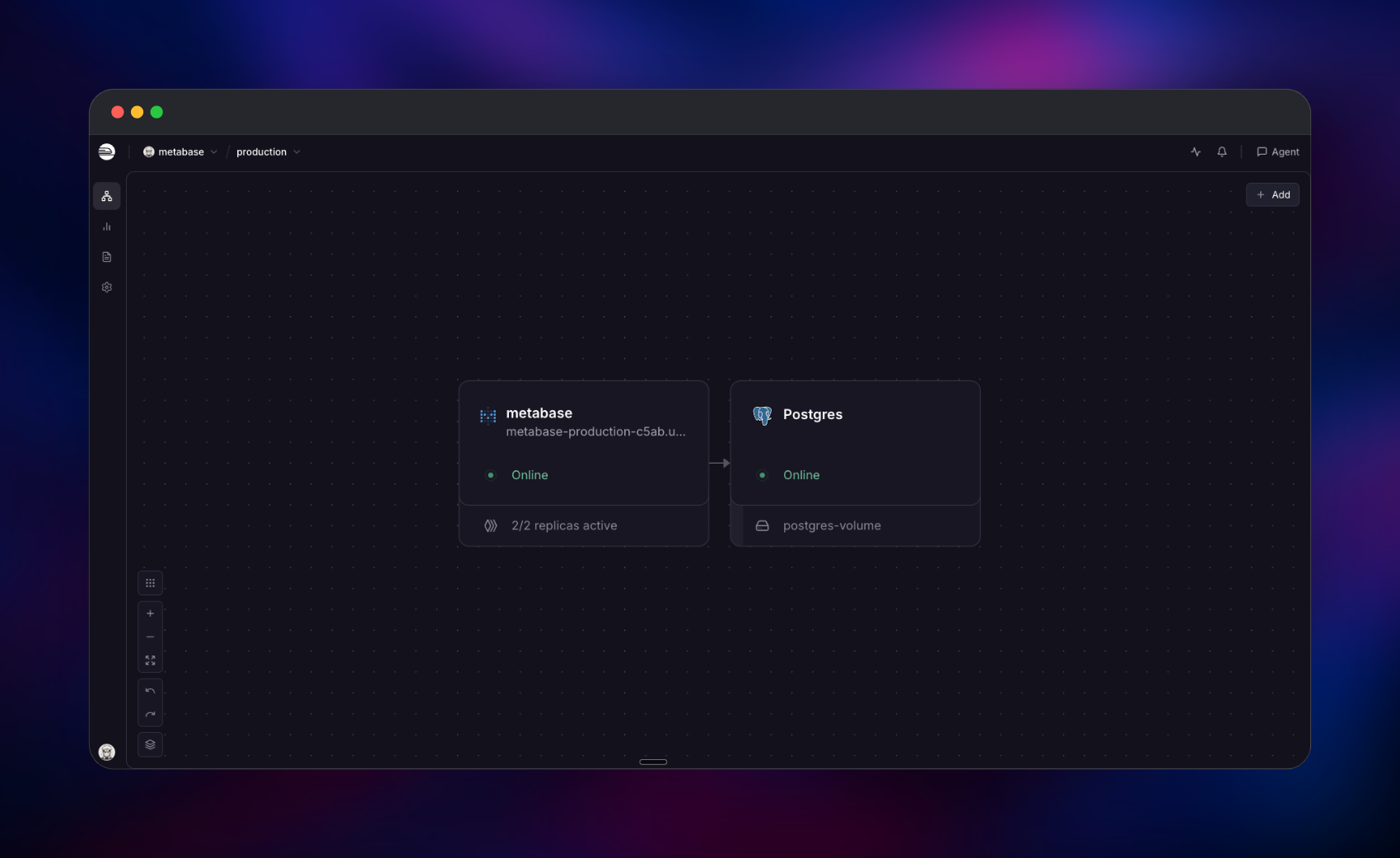
Deploy Metabase here from the official metabase/metabase Docker image, paired with a PostgreSQL service holding everything Metabase creates: users, questions, dashboards, permissions and scheduler state. Traffic arrives on the Railway HTTPS domain and terminates at Metabase's embedded Jetty server on port 3000; Metabase then opens its own outbound connections to the data sources you register. The database stays private, and the web service keeps no local state — which is what makes it safe to redeploy or run on several replicas.
Getting Started with Metabase on Railway
Open the generated URL as soon as the deployment goes green. Metabase has no default username or password — the first person to reach /setup creates the administrator account, so visit it yourself before sharing the link. The wizard asks for your name, email and a password, then offers to connect a database. Skip that step if you like: a read-only Sample Database of orders, products and reviews ships inside the image.
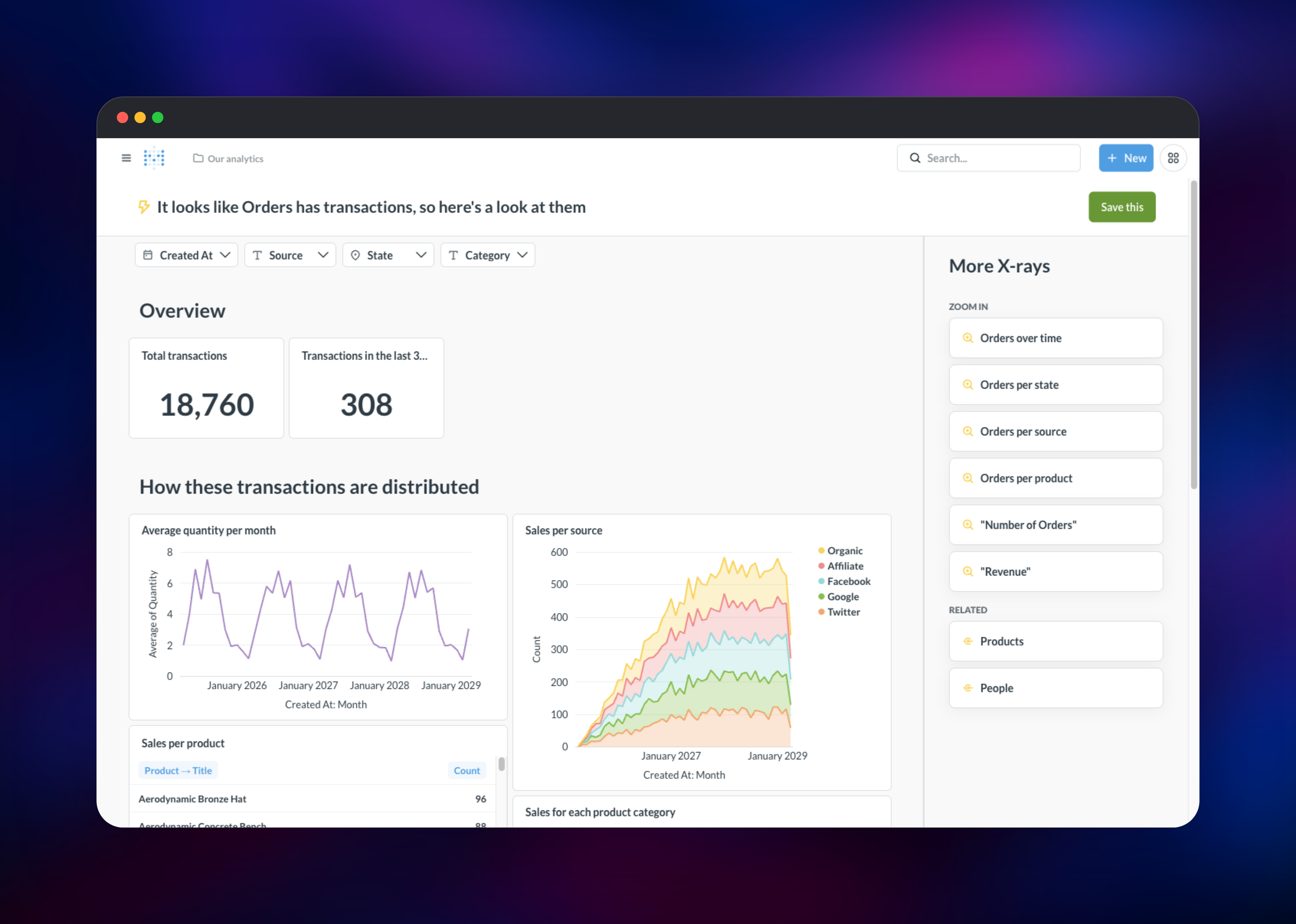
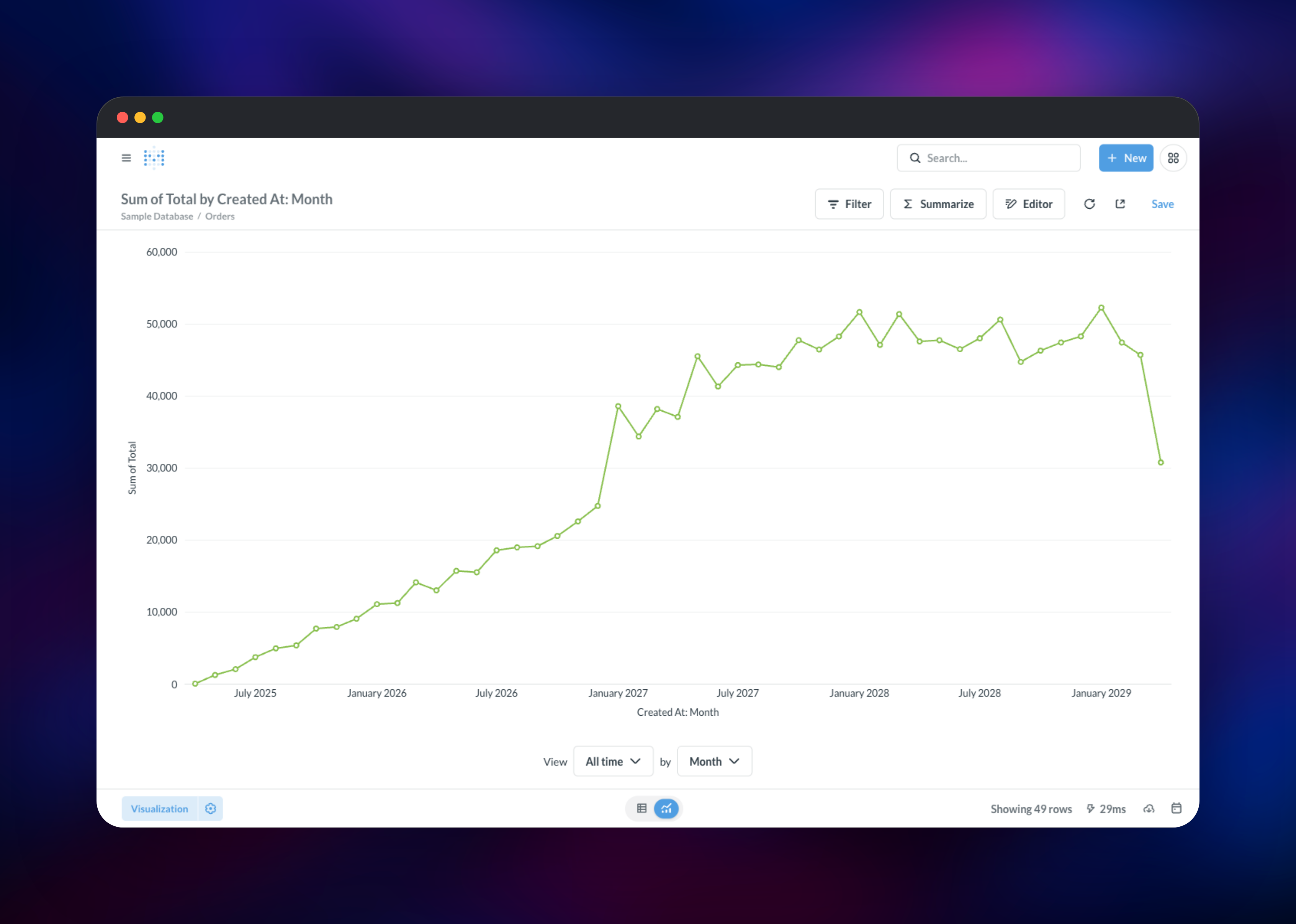
From the home screen, open Databases → Sample Database → Orders and press the bolt icon to run an X-ray — Metabase builds a whole dashboard of charts automatically. Then make something yourself: New → Question, pick Orders, summarise by Sum of Total, group by Created At: Month, press Visualize and save it. Add that card to a new dashboard via New → Dashboard. If the chart renders and survives a refresh, the application database is wired up correctly.
For real data, use Admin settings → Databases → Add a database. First boot takes about ninety seconds while migrations run, during which /api/health returns 503.
About Hosting Metabase
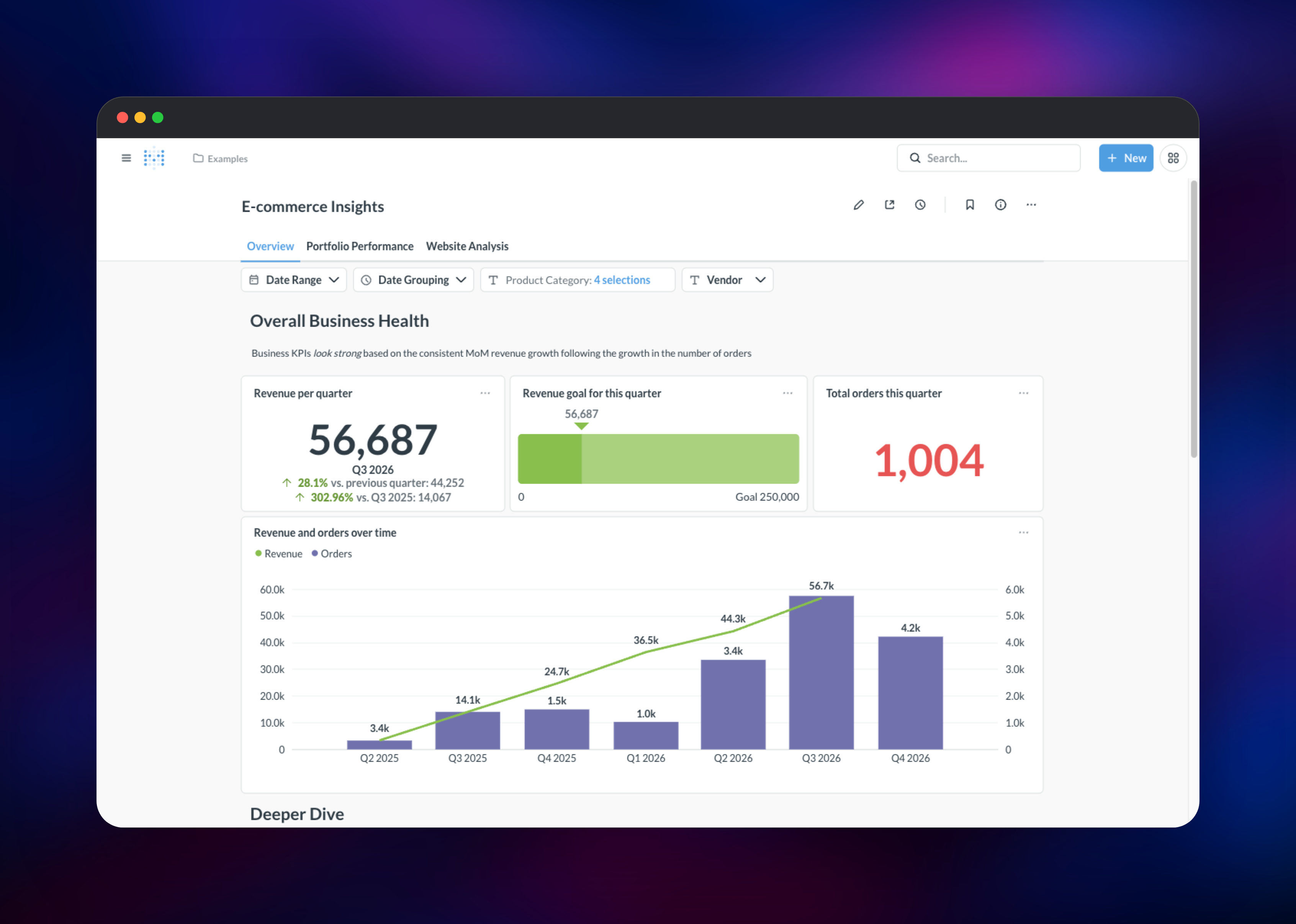
Metabase fixes the bottleneck where every question about the business becomes a ticket for whoever knows SQL. It puts a governed, permissioned layer over your databases so non-technical people answer their own questions while analysts keep control of the definitions.
- Query builder — filter, join, summarise and drill in with no SQL
- Native SQL editor with variables, snippets and parameterised templates
- Dashboards with cross-filtering, tabs and click behaviours
- Models and metrics defining a canonical view of a table once, reused anywhere
- Alerts and subscriptions on a schedule to email or Slack
- Granular permissions, public links and embedding for sharing beyond login
Two services do the work. Metabase is a JVM process serving the UI and API, plus an in-process Quartz scheduler running table syncs, alerts and subscriptions. PostgreSQL is the application database — not optional in production, because without it Metabase falls back to an embedded H2 file that vanishes when the container is replaced.
Why Deploy Metabase on Railway
Railway removes the infrastructure work around a JVM app with a durable database.
- Managed PostgreSQL, provisioned and linked in one click
- HTTPS domain, certificates and load balancing handled for you
- Private networking keeps the database off the public internet
- Health checks and automatic restarts on
/api/health - Scale the stateless web service to more replicas from the dashboard
Common Use Cases for Self-Hosted Metabase
- Product and revenue dashboards on a production read replica, so metrics match the rows the application wrote
- Self-serve analytics for a team — hand out a login instead of exporting another CSV
- Customer-facing reporting embedded in your product via signed embeds or public links
- Warehouse exploration across BigQuery, Snowflake or Redshift, with no per-seat licence
Dependencies for Metabase
- Metabase —
metabase/metabase:v0.63.10, the official open-source build. Port 3000, no volume; all state lives in PostgreSQL. - PostgreSQL — Railway's managed database, holding accounts, saved questions, dashboards, permission rules and the Quartz scheduler tables. Private, with Metabase its only client.
Environment Variables Reference
| Variable | Purpose |
|---|---|
MB_DB_TYPE | postgres; anything else uses the ephemeral embedded database |
MB_DB_HOST, MB_DB_PORT, MB_DB_DBNAME, MB_DB_USER, MB_DB_PASS | Application database connection |
MB_ENCRYPTION_SECRET_KEY | Encrypts saved data-source credentials. Never change it |
MB_SITE_URL | Public base URL for email links and auth redirects |
MB_JETTY_PORT / PORT | App port and health-check target |
JAVA_OPTS | -XX:MaxRAMPercentage=70 sizes the heap from the container limit |
MB_LOAD_SAMPLE_CONTENT | false deploys without the bundled Sample Database |
Deployment Dependencies
- Image: hub.docker.com/r/metabase/metabase · Source: github.com/metabase/metabase
- Docs: metabase.com/docs · Runtime: Java 25, bundled in the image
Hardware Requirements for Self-Hosting Metabase
Metabase's guidance is roughly one CPU core and 1 GB of RAM per twenty concurrent users. The JVM is the memory-hungry part; the database stays small unless caching is on.
| Resource | Minimum | Recommended |
|---|---|---|
| CPU | 1 vCPU | 2–4 vCPU |
| RAM | 2 GB | 4–8 GB |
| Storage | 1 GB (PostgreSQL) | 10 GB with caching |
| Runtime | Java 21+ | Java 25, as shipped |
Self-Hosting Metabase with Docker
The image needs only the application-database variables:
docker run -d -p 3000:3000 \
  -e MB_DB_TYPE=postgres -e MB_DB_HOST=postgres -e MB_DB_PORT=5432 \
  -e MB_DB_DBNAME=metabase -e MB_DB_USER=metabase -e MB_DB_PASS=change-me \
  -e MB_ENCRYPTION_SECRET_KEY="$(openssl rand -base64 32)" \
  -e MB_SITE_URL=https://analytics.example.com \
  metabase/metabase:v0.63.10
To build from source — Clojure backend, React frontend:
git clone https://github.com/metabase/metabase.git
cd metabase && yarn install && yarn build
clojure -T:build uberjar && java -jar target/uberjar/metabase.jar
How Much Does Metabase Cost to Self-Host?
The open-source edition is free, with unlimited users, questions and dashboards — no seat metering, no query cap. Metabase Cloud starts at $100 per month for five users; Pro at $575 adds row and column permissions, SSO, white-labelling and multi-tenant embedding. Self-hosting costs infrastructure only: the container plus PostgreSQL, which idles in a fraction of a vCPU.
Troubleshooting Self-Hosted Metabase
The URL returns 503 right after deploying → migrations are still running. Metabase logs Metabase Initialization COMPLETE when ready.
Saved questions disappeared after a redeploy → the embedded fallback was used. Confirm MB_DB_TYPE=postgres and the MB_DB_* variables.
Every saved database connection fails → MB_ENCRYPTION_SECRET_KEY changed. Restore the original; stored credentials cannot be recovered without it.
FAQ
What is Metabase? An open-source business intelligence platform. It connects to your databases and lets people build questions, charts and dashboards through a visual query builder or raw SQL, then share them with permissions, alerts and scheduled delivery.
What does this Railway template deploy? Two services: the Metabase application from the official Docker image on a public HTTPS domain, and a private PostgreSQL database holding all content and configuration.
Why does the template include a PostgreSQL service? Metabase otherwise falls back to an embedded H2 database on the container filesystem, destroyed whenever the container is replaced. External PostgreSQL is the supported production setup and the only way to keep dashboards across deploys.
What are the default login credentials for self-hosted Metabase?
None. The first visitor to /setup creates the admin account and the wizard closes afterwards, so open the URL yourself as soon as the deploy finishes.
How do I connect Metabase to a database on the private network?
Add it under Admin settings → Databases using its private hostname — for a Railway service, .railway.internal. Both must be in the same project and environment.
Can I run more than one Metabase instance against the same database? Yes. Sessions live in the application database and the scheduler uses a clustered Quartz job store, so replicas coordinate automatically. Raise the replica count on Metabase; leave the database at one.
Template Content
metabase
metabase/metabase