
Deploy Minecraft Server
Paper Minecraft server with web console and plugins; needs Hobby plan
Caddy
Just deployed
Crafty Controller
Just deployed
/data
Deploy and Host Minecraft Server with Railway
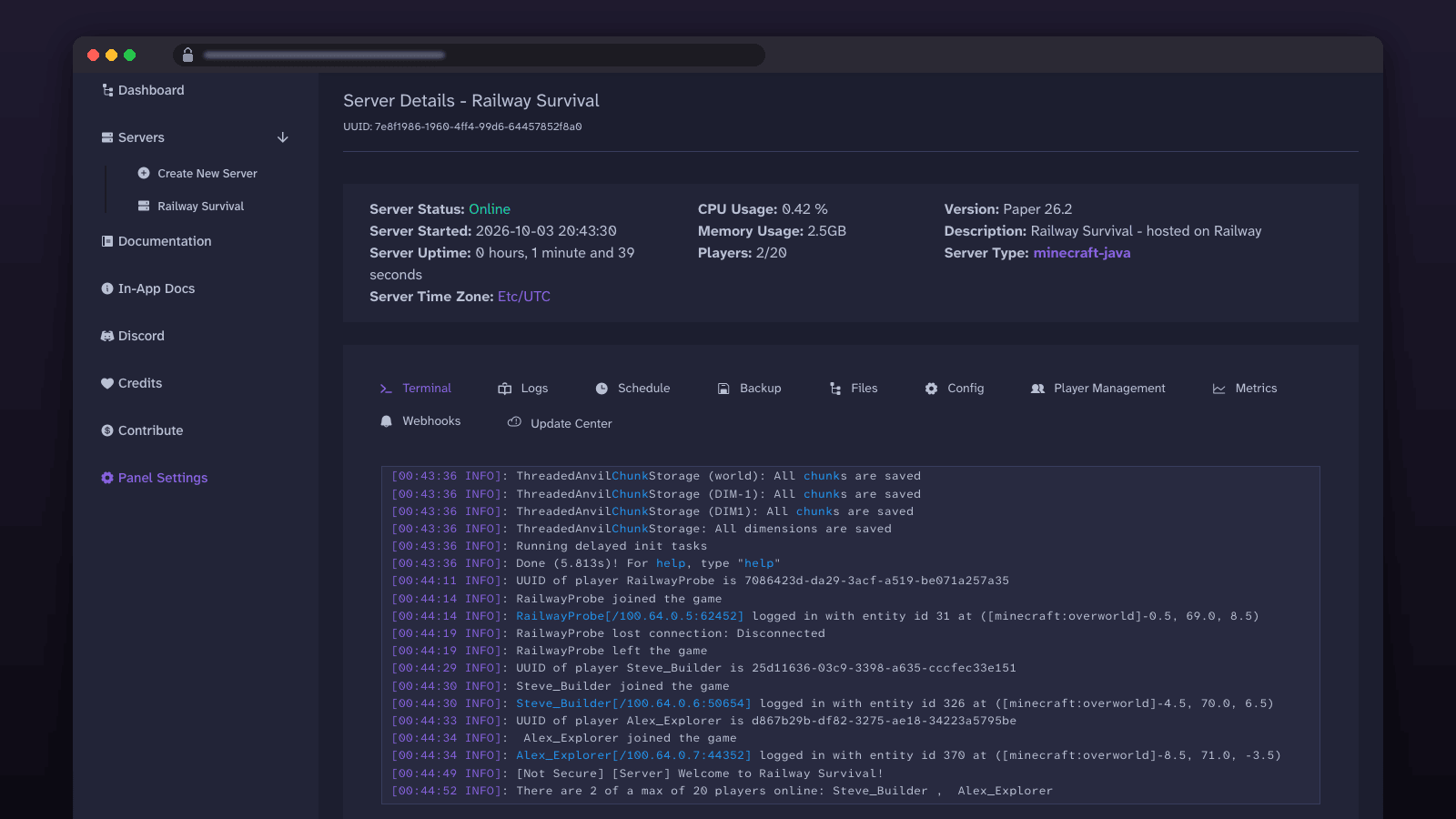
A private Paper server (Java Edition) for you and your friends, managed from a browser console with backups, plugins and player controls — no VPS to run.
Get started — requires the Hobby plan. The console runs anywhere, but the game server needs about 4 GB of RAM while it runs. Java Edition only; phones and consoles (Bedrock) cannot join.
- Deploy and sign in. Open the Caddy service URL. Username
admin; the password isCRAFTY_ADMIN_PASSWORDin the Crafty Controller service's Variables tab. - Create the server. Servers → Create New Server → Minecraft-Java, choose
paperand a version, set memory to 4 GB, Build Server, then Start and accept the EULA. - Invite friends. Copy the Crafty Controller service's TCP proxy
host:port(Settings → Networking) into Multiplayer → Add Server, and share it.
About Hosting Minecraft Server
Run a private Paper Minecraft Java server for friends without managing a VPS. Crafty Controller gives you a browser console, file manager, players, schedules, backups, and server settings. Caddy publishes that panel safely through Railway, while Railway gives the game its own TCP address. This template deploys two pinned services: Crafty Controller runs the panel and your Paper server, and Caddy publishes the panel on a public web address. The Minecraft world, server files, Crafty settings, and backups are stored on the Crafty Controller service's persistent Railway volume.
The Caddy service's URL is the management console, not the address players enter in Minecraft. Players use the separate TCP Proxy address on the Crafty Controller service.
Common Use Cases
- A private Paper world for a small group of friends
- A browser-managed server with no SSH administration
- Bukkit and Spigot plugins managed through a file browser
- Scheduled backups before updates or plugin changes
- Operator and whitelist management from the live console
Dependencies for Minecraft Server Hosting
- A Railway Hobby account
- A licensed Minecraft Java Edition client for each player
- The Minecraft EULA, accepted when the server first starts
- Crafty Controller for administration
- Paper for the Minecraft Java server
Deployment Dependencies
The template uses the pinned stock images arcadiatechnology/crafty-4:4.10.8 and caddy:2.11.4-alpine. There are no required form fields.
Implementation Details
The Crafty Controller service owns the persistent data and game endpoint; the Caddy service is the public front door to it. Complete the login, Paper wizard, and TCP Proxy steps below in order.
Start Playing in Three Steps
1. Deploy and sign in
Click Deploy, choose your Railway project, and wait for both services to finish deploying. In the Railway dashboard, open your project, select the Caddy service, then open its public URL from Settings → Networking.
Sign in with username admin. For the password, return to the Railway project canvas, select the Crafty Controller service, open Variables, and copy the value of CRAFTY_ADMIN_PASSWORD.
2. Build and start Paper
In Crafty, open Servers → Create New Server and follow this exact wizard flow:
- Open the Minecraft-Java tab.
- Set Server Select to
paper. - Choose Server Version and enter a Server Name.
- Set Minimum Memory to
4and Maximum Memory to4. - Click Build Server.
- Open the new server, click Start, accept the EULA, and wait for
Donein the console.
The tested build took about five minutes; Start to Done took about 38 seconds. Keep the panel open while Paper downloads and creates the world.
3. Copy the game address and invite friends
In the Railway dashboard, open the Crafty Controller service, then Settings → Networking → TCP Proxy. Copy the complete host:port, including the port after the colon. The public port usually is not 25565.
In Minecraft Java, choose Multiplayer → Add Server, paste that value into Server Address, and save it. Paste the same host:port in Discord for your friends. Do not send them the Caddy URL; that URL is only the Crafty console.
Operators, Whitelist, and Plugins
Open the server's Terminal page in Crafty and run these commands without a leading slash:
op PLAYER_NAME
whitelist on
whitelist add PLAYER_NAME
Replace PLAYER_NAME with the player's Java username. Only make trusted people operators.
To install a plugin, stop the server, open its Files page, enter the plugins/ directory, upload a Paper-compatible plugin JAR, and restart. Add one plugin at a time and check the console. BlueMap is one possible Paper plugin, but it is not included in this version; publishing its live map would need additional networking that this template does not configure.
Backups, Worlds, and Upgrades
Crafty's Backup page creates, restores, downloads, and removes backups. Its policy editor can compress backups, stop the server during a backup, exclude paths, and cap retention; 0 keeps every backup. Backup files are on the same persistent volume under /data/root2/backups, grouped by server and backup policy.
To schedule one, open the server's Schedule page, create a schedule, choose Backup Server, select the backup policy, and set an interval or cron schedule. To download your world, open Backup, run the Default Backup, edit that policy, and click Download beside the completed archive. Keep an off-Railway copy: a backup on the same volume does not protect against deleting the volume or project.
Live server files, including the world, are under /data/root2/servers/SERVER_UUID/ on the volume. Use Crafty's file manager and Backup page instead of trying to browse the Railway volume directly.
Before changing Minecraft versions, download a backup. Either create a separate server with the new version in Create New Server, or select the existing server, open Update Center, choose Paper and the target version, submit the settings, then run Update Server. Watch the console and test the world before inviting everyone back. World upgrades can be one-way; do not downgrade unless Paper and every plugin support it.
A redeploy briefly takes the game and panel offline because the volume-attached Crafty Controller service cannot overlap old and new deployments. The world persists on its volume and returns when Crafty starts again.
Requirements
The Railway Hobby plan is required. Trial and Free accounts are limited to 1 GB or less of RAM and a 0.5 GB volume; the Crafty panel can deploy within those limits, but a Minecraft server will not run there.
The heap you choose in the Crafty wizard sets how much memory the server uses. Memory grows toward the full heap as people play and explore; 4 GB is a comfortable default for a small group with a few plugins.
Java Edition Only
This template is for Minecraft Java Edition. It does not host Bedrock Edition or provide Java/Bedrock cross-play. Railway's TCP Proxy carries Java's TCP connection; Bedrock requires UDP, which the proxy does not support. Phones, tablets, consoles, and the Windows Bedrock client cannot join this server without a separate tested UDP or cross-play service, which is not included.
Frequently Asked Questions
Which Minecraft versions work? Any Paper release Crafty offers in the wizard, including the current Minecraft Java Edition version, and you can run a different version per server. Players need a matching Java Edition client.
Can my friends on a phone, console, or Xbox join? Not with this template. Those are Bedrock Edition and need UDP, which Railway's TCP Proxy does not carry.
How do I add plugins? Stop the server, upload the plugin JAR to plugins/ in Crafty's file manager, and start it again. Paper runs Bukkit, Spigot, and Paper plugins.
How do I make myself an operator? In the server's Terminal in Crafty, run op YOUR_NAME.
Where is my world stored, and how do I back it up? On the Crafty Controller service's Railway volume. Crafty's Backup page makes downloadable archives and can run on a schedule.
What is the server address my friends type in? The Crafty Controller service's TCP Proxy host:port from Settings → Networking, not the Caddy panel URL.
Why Deploy Minecraft Server on Railway?
Railway runs the panel, reverse proxy, persistent storage, and public game endpoint in one project. You manage Paper from the browser, keep the world on a volume, and share one complete TCP address with friends.
Template Content
Caddy
caddy:2.11.4-alpineCrafty Controller
arcadiatechnology/crafty-4:4.10.8

