Deploy Money Printer Turbo
AI generates HD short videos from a single topic instantly with one click.
Just deployed
/data
proxy
Just deployed
Deploy and Host Money Printer Turbo on Railway
MoneyPrinterTurbo turns a topic or keyword into a finished short video. It writes the script with an LLM, pulls matching stock footage, generates voiceover and subtitles, adds background music, and renders high-definition vertical or landscape clips through a web UI, a REST API, or in batches.
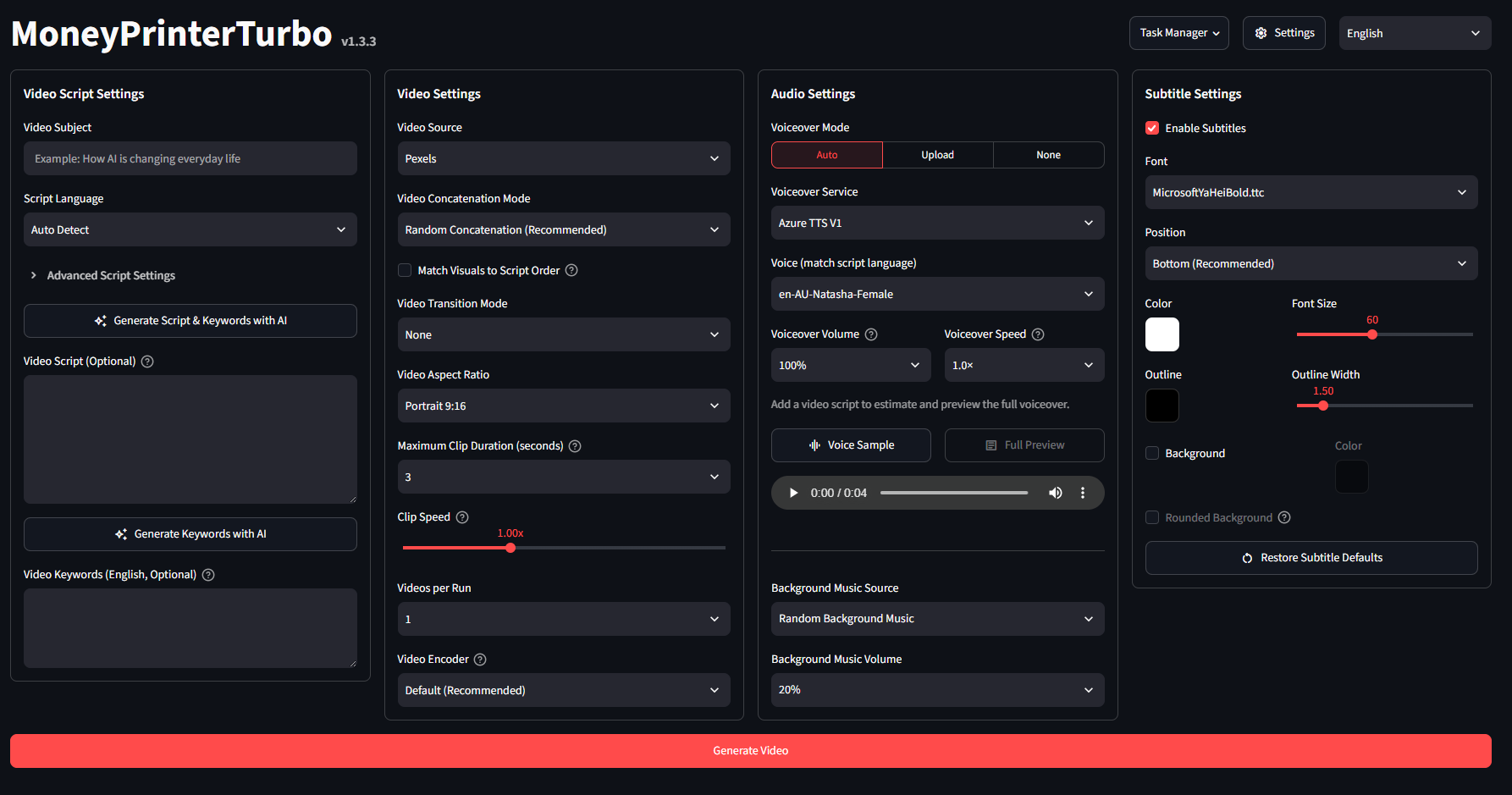
About Hosting Money Printer Turbo
Hosting this template deploys two services on Railway. The app service runs the Streamlit WebUI and FastAPI service side by side within a single container, backed by a 5 GB volume that preserves config.toml and all generated videos. The proxy service uses Caddy to serve both tools on a single public domain, securing them with a login prompt since MoneyPrinterTurbo lacks built-in authentication. The initial deployment takes several minutes to pull the multi-GB image. Rendering is CPU-intensive, taking a minute or more per video, or longer if you configure Whisper for subtitles, which downloads its model on first use.
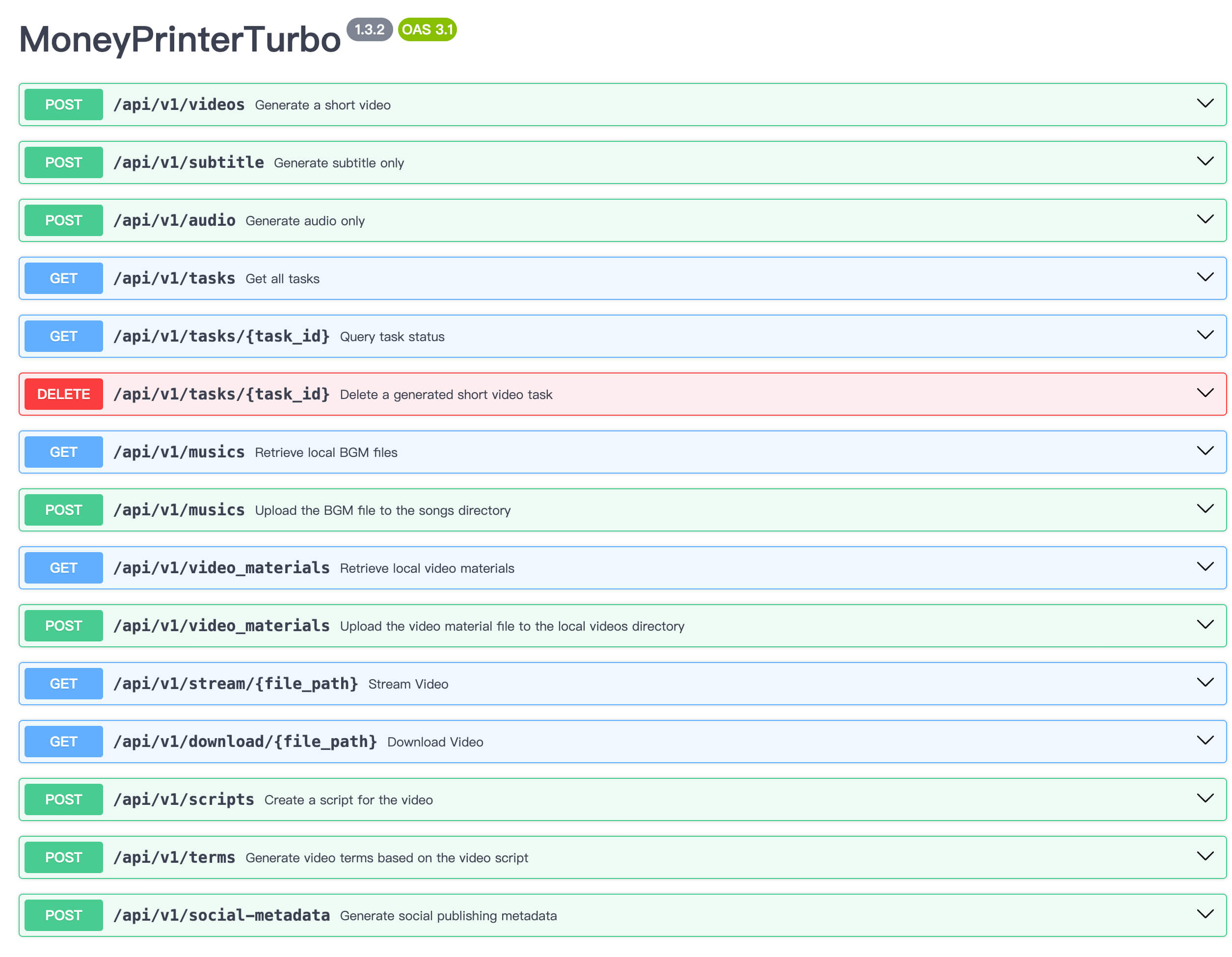
Common Use Cases
- Spinning up a private, always-on video generator for TikTok, Reels, or YouTube Shorts without keeping a local machine running
- Producing short explainer or promo clips in bulk directly from a list of topics
- Driving automated video generation programmatically from external services via the REST API
Dependencies for Money Printer Turbo Hosting
- An LLM API key — Required for script generation (supports Kimi/Moonshot by default, along with OpenAI, Gemini, DeepSeek, Qwen, and Ollama)
- A stock footage API key — Required unless using custom uploaded material (Pexels and Pixabay are free options)
- A persistent volume — Included and required to ensure configuration and rendered videos survive redeploys
- Voice, subtitles, and music — Keyless and free via the default Edge TTS provider
Deployment Dependencies
- MoneyPrinterTurbo upstream repository
- Prebuilt container image:
ghcr.io/harry0703/moneyprinterturbo - Pexels API · Pixabay API
- Kimi / Moonshot platform (Default LLM provider)
- Caddy (Proxy service)
Implementation Details
Two upstream containers combined into one service. Upstream configurations run the WebUI and API as separate containers sharing a bind mount, but Railway volumes attach to a single service. Both processes run together using:
python3 main.py &
exec streamlit run ./webui/Main.py --server.port=8501 ...
Config persistence and rewrites. Because app/config/config.py derives its path from the package directory (which resets on every deployment) and save_config() relies on os.replace() (breaking direct symlinks), the boot script continuously mirrors configuration changes:
cp -f /data/config.toml /MoneyPrinterTurbo/config.toml
( while true; do sleep 10; cp -f /MoneyPrinterTurbo/config.toml /data/config.toml; done ) &
Storage uses a clean symlink pointing directly to /data/storage. Template variables populate config.toml strictly on first boot, after which volume edits take precedence.
Security model. Caddy applies basic authentication to incoming traffic while keeping the internal health check endpoint open:
@protected not path /proxy-healthz
basic_auth @protected {
	{$WEBUI_USERNAME} {$WEBUI_PASSWORD_HASH}
}
WEBUI_PASSWORD is provided as plain text and securely hashed at startup using caddy hash-password.
Port mapping. Railway probes health checks using PORT, whereas Streamlit runs on a fixed port 8501. The app service maps PORT=8501 to align health checks and prevent websocket issues by setting PUBLIC_DOMAIN=${{proxy.RAILWAY_PUBLIC_DOMAIN}}.
Why Deploy Money Printer Turbo on Railway?
Railway is a singular platform to deploy your infrastructure stack. Railway will host your infrastructure so you don't have to deal with configuration, while allowing you to vertically and horizontally scale it.
By deploying Money Printer Turbo on Railway, you are one step closer to supporting a complete full-stack application with minimal burden. Host your servers, databases, AI agents, and more on Railway.
Template Content
LLM_API_KEY
API key for LLM_PROVIDER. Can also be set later in the WebUI.
LLM_BASE_URL
Override the provider's API base URL. Leave empty for its default.
LLM_MODEL_NAME
Override the provider's model. Leave empty for its default.Can also be set later in the WebUI.
COVERR_API_KEYS
Coverr keys, comma-separated. Needed if VIDEO_SOURCE=coverr.Can also be set later in the WebUI.
PEXELS_API_KEYS
Free Pexels keys for stock footage, comma-separated. Needed if VIDEO_SOURCE=pexels.Can also be set later in the WebUI.
PIXABAY_API_KEYS
Pixabay keys, comma-separated. Needed if VIDEO_SOURCE=pixabay.Can also be set later in the WebUI.
proxy
caddy:2-alpineWEBUI_PASSWORD
Password for the login prompt.
WEBUI_USERNAME
Username for the login prompt guarding the app.


