
Deploy Moodle
Learning management system for running online courses and grading

Redis
Just deployed
/data

mailpit
Just deployed
/data
moodle
Just deployed
/var/www/moodledata

Just deployed
/var/lib/postgresql/data
Deploy and Host Moodle on Railway
Moodle is the open-source learning management system behind more than 150,000 registered sites, from universities to corporate training teams. It gives you courses, enrolments, assignments, quizzes, gradebooks, forums and completion tracking in one place, with over 2,000 community plugins. Teams self-host it for control: data residency, custom authentication, unlimited seats, and plugins no hosted plan allows.
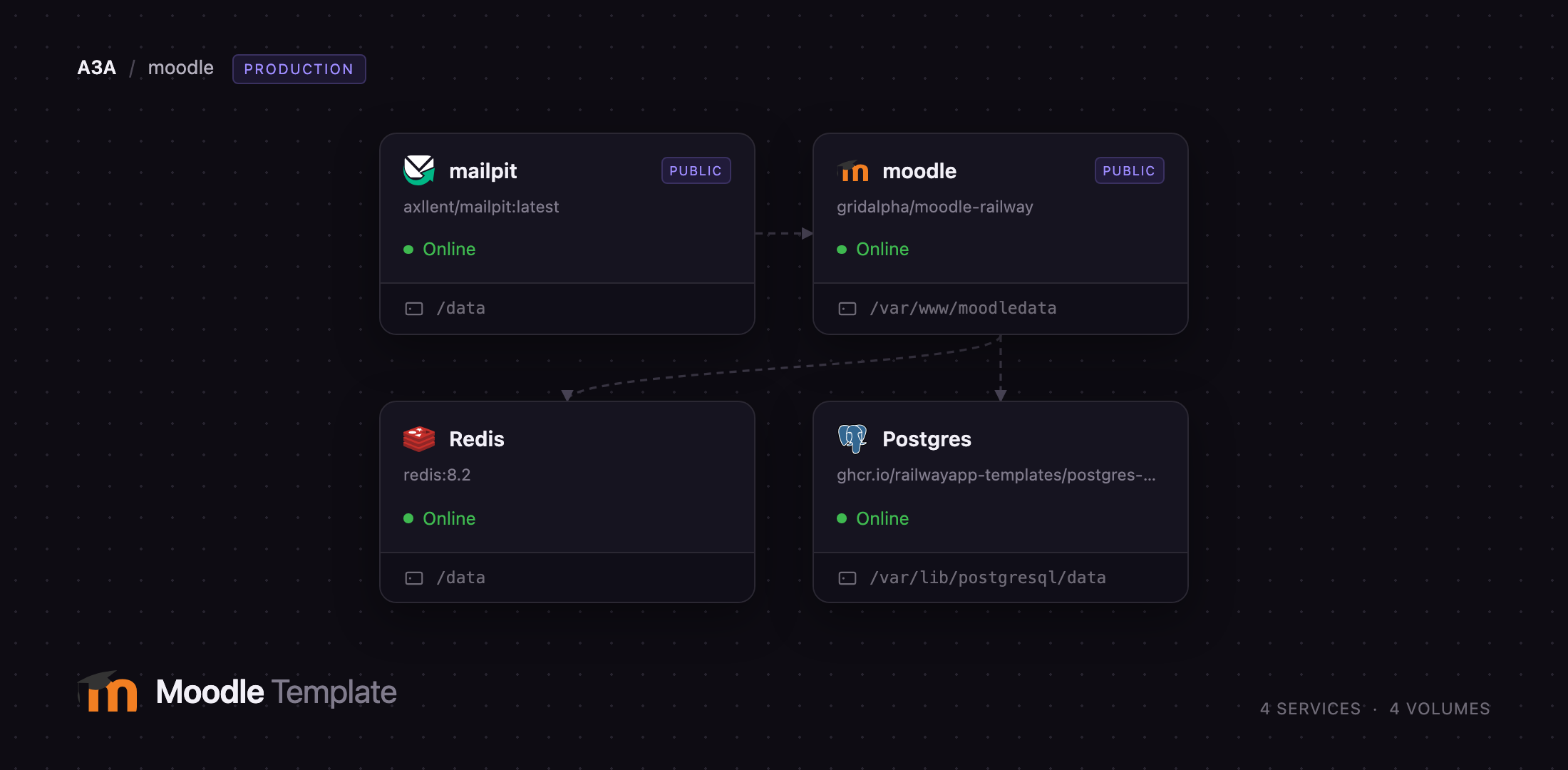
Deploy Moodle on Railway and you get the full production shape, not a single container. The template runs Moodle 5.2 on nginx and PHP-FPM 8.3 with the scheduled task runner supervised beside the web server, managed PostgreSQL, managed Redis serving both PHP sessions and the application cache, and a Mailpit inbox wired in as the SMTP host so password resets and forum digests work the moment the deploy finishes. Uploads, backups and caches live on a volume at /var/www/moodledata.
Getting Started with Moodle on Railway
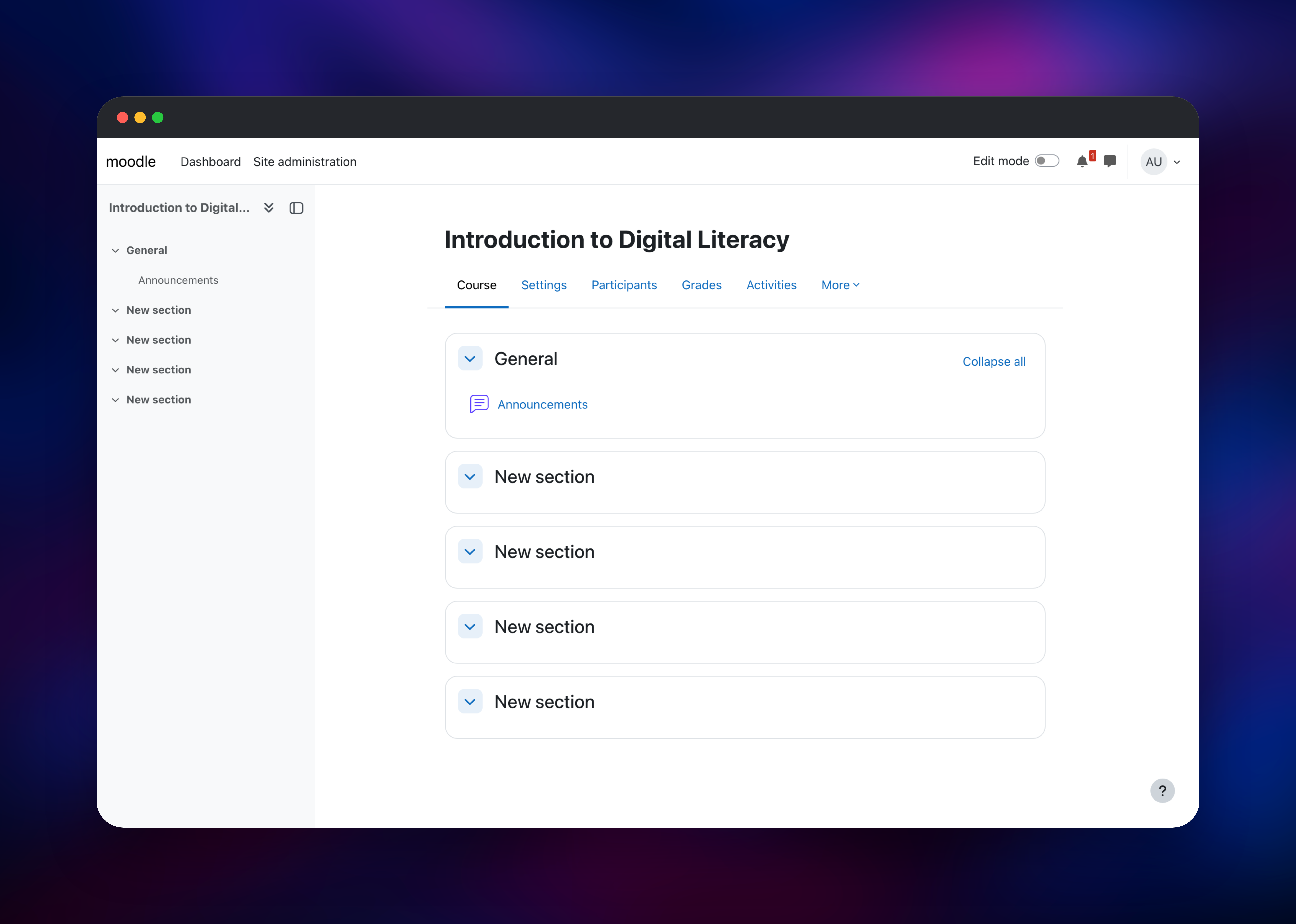
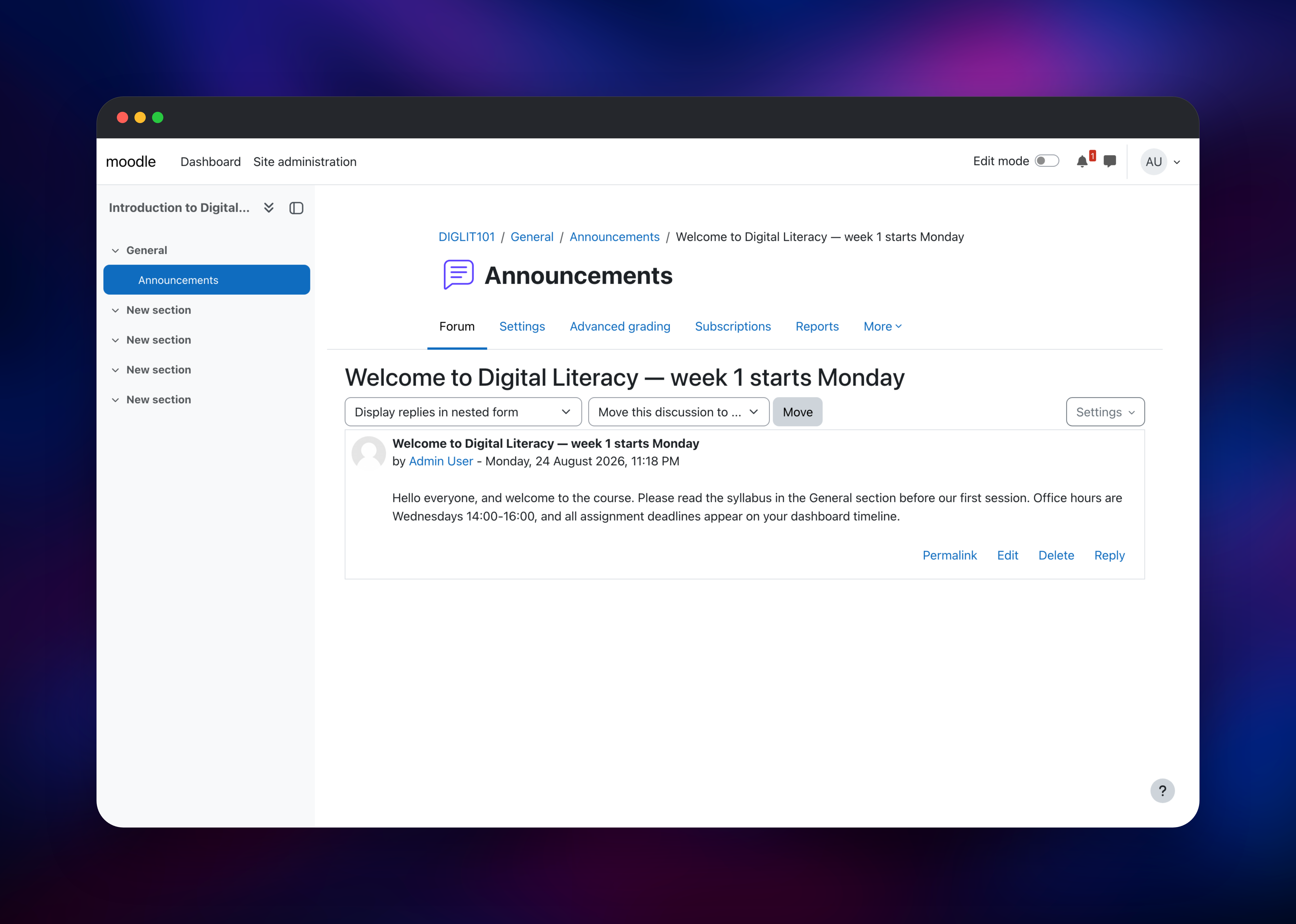
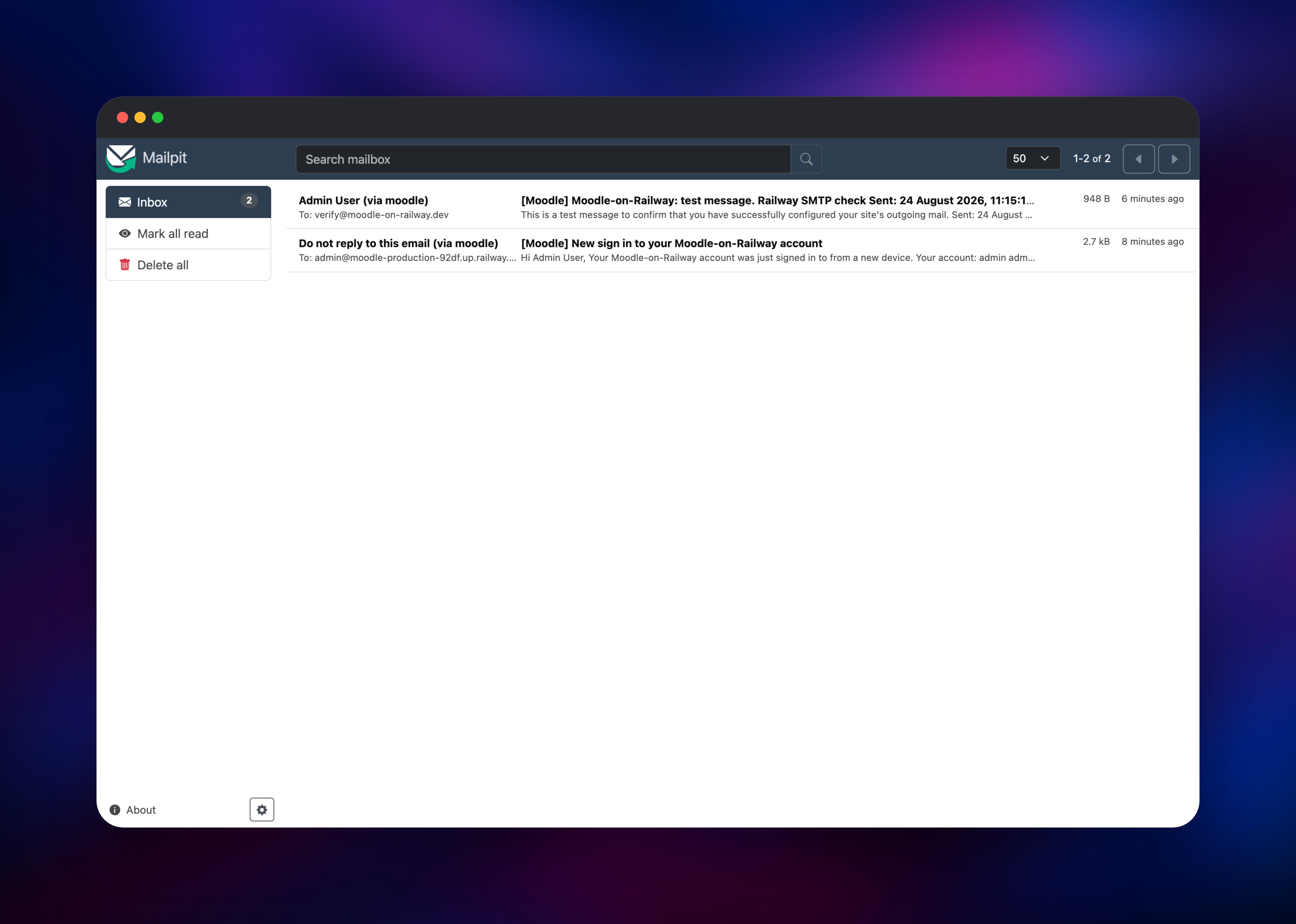
Set MOODLE_USERNAME, MOODLE_PASSWORD and MOODLE_EMAIL before deploying — those three create the site administrator on first boot, so there are no default credentials to change afterwards. The first boot installs the whole schema and takes a few minutes. When it finishes, open your public URL: you land on the sign-in page, because Moodle 5.2 keeps the anonymous site home disabled until you turn it on. Sign in, then from the Dashboard choose Create course, name it, and save — you now have a course with an Announcements forum. Post a message there to exercise the editor and the mail path; the scheduled task runner delivers the notification within a minute. Open the Mailpit service's URL, sign in with the credentials in MP_UI_AUTH, and the message should be waiting.
About Hosting Moodle
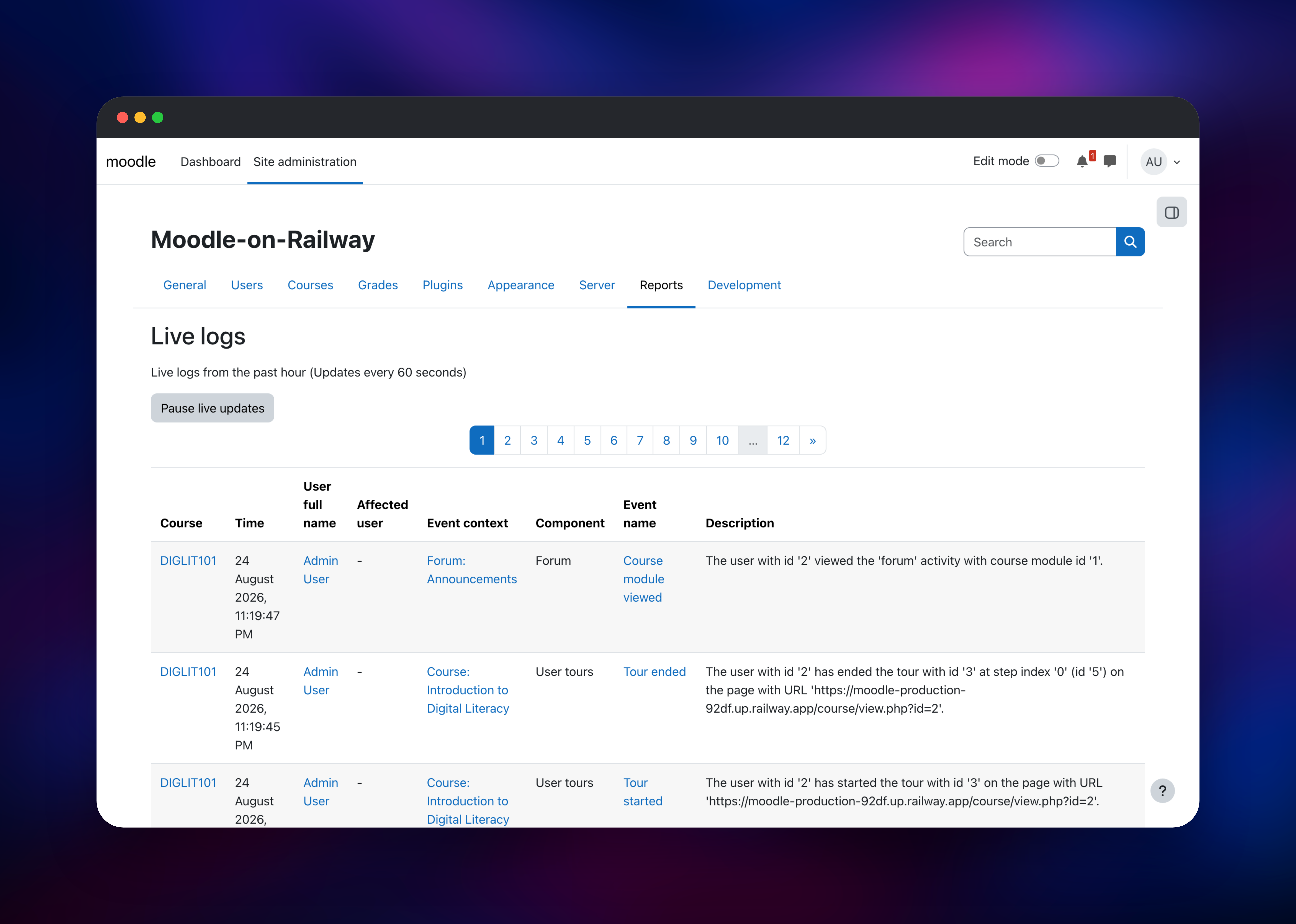
Moodle is a PHP application that keeps structured data in a relational database and every uploaded file, cache and course backup in a directory it calls moodledata. A working install needs the web tier, a database, and storage that survives restarts. A fourth piece is easy to miss — the scheduled task runner, which sends notifications, processes submissions, rebuilds caches and expires sessions. Without it a site looks healthy and quietly stops emailing anyone.
Key capabilities:
- Course management with sections, activities and completion tracking
- Assignments, quizzes, workshops, H5P content and SCORM packages
- A gradebook with custom scales and weighted categories
- Forums, messaging, calendars and cohort enrolment
- LTI, OAuth 2, LDAP and SAML authentication, plus a REST API
Here the moodle service runs nginx, PHP-FPM and the task runner together, because the runner must read and write the same moodledata the web tier uses. PostgreSQL holds courses, users, grades and logs. Redis serves sessions and the cache, which is what lets a sign-in survive a redeploy instead of dropping every user back to the login page. Mailpit captures outgoing mail and can relay to a real provider later.
Why Deploy Moodle on Railway
Railway removes the server administration a Moodle install usually drags with it.
- PostgreSQL and Redis are provisioned and connected
- A persistent volume keeps uploads and backups across deploys
- HTTPS and a public domain are issued automatically
- Working outbound mail is included from the first deploy
- Scaling is a slider, not a migration
- Every service is configured by environment variables
Common Use Cases
- A university or school running semester courses, quizzes and a gradebook
- Corporate compliance and onboarding training with completion tracking
- A membership site selling cohort-based courses with LTI-linked tools
- A staging Moodle for testing plugins and themes before production
Dependencies for Moodle
- moodle — built from
gridalpha/moodle-railwayon top oferseco/alpine-moodle(Moodle 5.2, nginx, PHP-FPM 8.3). Serves the site on port 8080 and runs the scheduled tasks. - Postgres — managed PostgreSQL holding courses, users, enrolments, grades and logs. Moodle gets its own database and role, not the superuser account.
- Redis — managed Redis backing the PHP session handler and application cache.
- mailpit —
axllent/mailpit, accepting SMTP privately with a browsable inbox behind basic auth.
Environment Variables Reference
| Variable | Purpose |
|---|---|
SITE_URL | Public address; becomes Moodle's wwwroot on first boot |
SSLPROXY | Tells Moodle that TLS terminates upstream |
MOODLE_USERNAME | Administrator username |
MOODLE_PASSWORD | Administrator password; no spaces |
MOODLE_EMAIL | Administrator email address |
MOODLE_SITENAME | Site full name; no spaces |
DB_HOST / DB_NAME / DB_USER / DB_PASS | Moodle's own database credentials |
REDIS_HOST / REDIS_PASSWORD | Enables the Redis session handler and cache |
SMTP_HOST / SMTP_PORT | Outgoing mail server |
PHP_FPM_MAX_CHILDREN | Concurrent PHP workers |
upload_max_filesize | Largest file a user may upload |
Deployment Dependencies
- Source repository:
- Upstream image:
- Official documentation:
Hardware Requirements for Self-Hosting Moodle
| Resource | Minimum | Recommended |
|---|---|---|
| CPU | 1 vCPU | 2–4 vCPU |
| RAM | 1 GB | 4 GB or more |
| Storage | 5 GB volume | 20 GB+, sized to course files |
| Database | PostgreSQL 13+ | PostgreSQL 16+ |
| Runtime | PHP 8.2+ | PHP 8.3 |
Course files dominate storage and concurrent quiz attempts dominate CPU: a cohort of 200 sitting a timed quiz wants far more than the minimum.
Self-Hosting Moodle with Docker
The quickest local trial is a container plus PostgreSQL. This is a docker-compose.yml:
services:
  postgres:
    image: postgres:16-alpine
    environment: { POSTGRES_USER: moodle, POSTGRES_PASSWORD: moodle, POSTGRES_DB: moodle }
    volumes: ["pgdata:/var/lib/postgresql/data"]
  moodle:
    image: erseco/alpine-moodle:latest
    ports: ["8080:8080"]
    environment:
      SITE_URL: http://localhost:8080
      DB_HOST: postgres
      MOODLE_USERNAME: admin
      MOODLE_PASSWORD: ChangeMe123!
    volumes: ["moodledata:/var/www/moodledata"]
    depends_on: [postgres]
volumes: { pgdata: {}, moodledata: {} }
Bring it up and watch the first-run install create the schema and administrator:
docker compose up -d
docker compose logs -f moodle
From source instead, you install PHP with the pgsql, gd, intl and zip extensions, clone the repository, serve public/ with nginx, and add a cron entry calling admin/cli/cron.php every minute. The template does all of that for you.
How Much Does Moodle Cost to Self-Host?
Moodle is free and open source under the GPL: no licence fees, no per-seat pricing, no features held back for paying customers. Moodle Cloud and certified partners sell hosted plans from a few hundred dollars a year; self-hosting costs only infrastructure. On Railway you pay for compute, the managed PostgreSQL and Redis instances, and your course-file storage.
FAQ
What is Moodle?
Moodle is an open-source learning management system for creating and delivering online courses, tracking learner progress, running assessments and managing grades. It is the most widely deployed LMS in the world.
What does this Railway template deploy?
Four services: Moodle on nginx and PHP-FPM with its scheduled task runner, managed PostgreSQL, managed Redis for sessions and caching, and a Mailpit inbox as the SMTP host. File storage sits on a volume.
Why does the template include Redis and a mail service?
Redis holds PHP sessions, so a redeploy does not sign everyone out, and backs the application cache for faster pages. Mailpit means password resets, forum notifications and enrolment messages work immediately; without an SMTP host those fail silently. Point its relay variables at a real provider when you go live.
How do I log in to Moodle for the first time?
Use the values you set in MOODLE_USERNAME and MOODLE_PASSWORD. They create the administrator on first boot and are re-applied on every deploy, so change the password by editing the variable rather than in Moodle's profile page.
How do I install Moodle plugins on Railway?
Set the PLUGINS variable to a space-separated list of frankenstyle=url entries pointing at plugin ZIP files; they are installed on the next deploy. That keeps plugins reproducible, since the application code is rebuilt from the image each time.
Why does the site root redirect to the login page?
Moodle 5.2 ships with the anonymous site home disabled. Enable it under Site administration → Appearance → Navigation and set it as the default home page.
How many students can this handle?
One instance comfortably serves a few hundred active users. Raise PHP_FPM_MAX_CHILDREN and memory together as load grows; heavy quiz traffic usually forces the first scale-up.
Template Content
Redis
redis:8.2mailpit
axllent/mailpit:latestmoodle
gridalpha/moodle-railwayMOODLE_EMAIL
Administrator email address


