
Deploy Mosquitto
Mesagse broker that connects devices and apps over MQTT
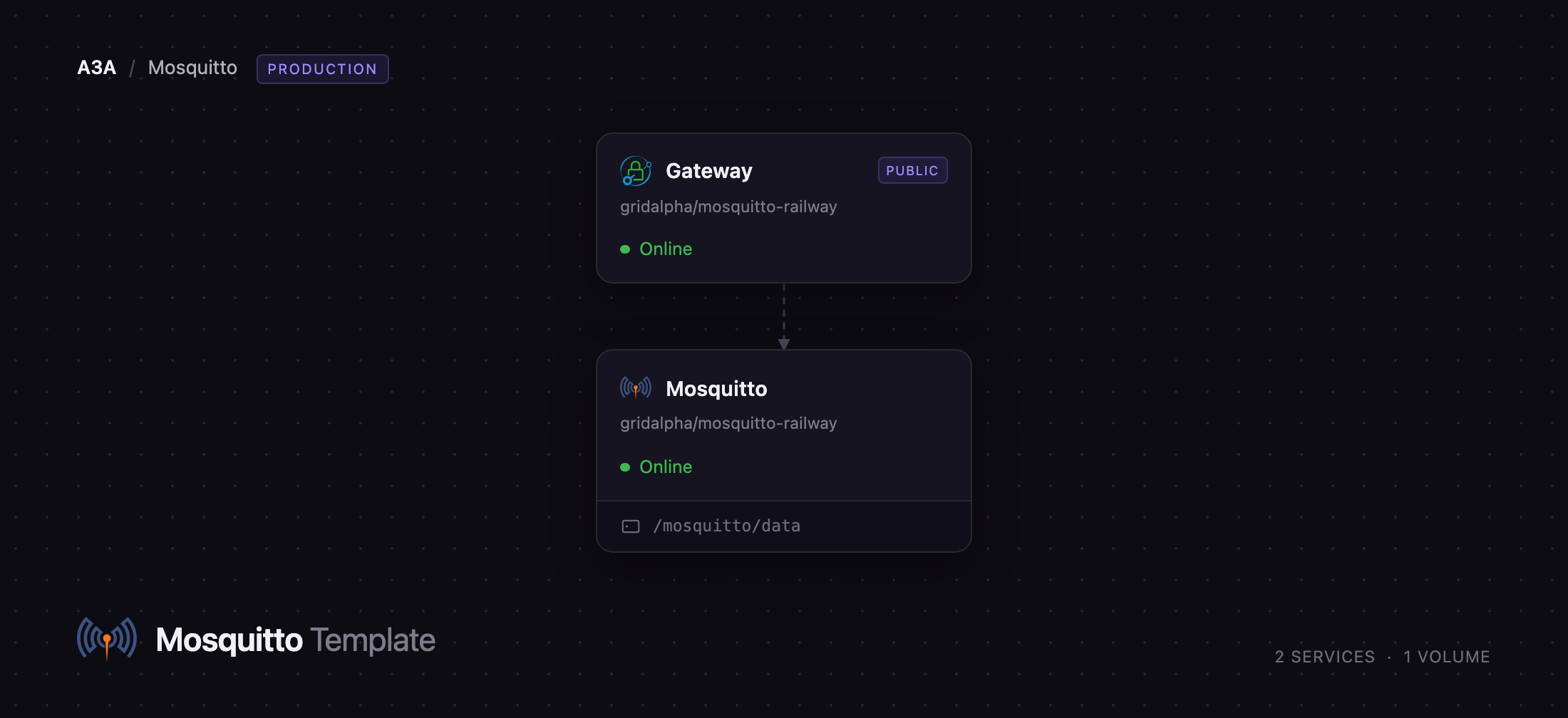
Mosquitto
Just deployed
/mosquitto/data

Gateway
Just deployed
Deploy and Host Mosquitto on Railway
Eclipse Mosquitto is the reference open-source MQTT broker: a small, fast message router connecting sensors, controllers, mobile apps and backend services over a publish/subscribe protocol built for unreliable networks and tiny devices. Publishers send to topics like factory/line1/temperature, subscribers ask for factory/#, and the broker handles fan-out, delivery retries, retained "last known value" messages and offline queueing. It runs in a few megabytes of RAM, speaks MQTT 3.1, 3.1.1 and 5.0, and is the broker behind most Home Assistant installs.
Self-host Mosquitto on Railway and your devices talk through a broker you control, with no per-message billing and nobody else holding your telemetry. This template deploys Mosquitto 2.1 and a small Caddy gateway that owns the public domain. The broker offers four transports: plain MQTT on the private network for your other Railway services, MQTT over TLS through a TCP proxy for devices on the internet, MQTT over WebSockets for browsers, and the dashboard that ships with 2.1. All of them require a username and password — anonymous access is off, and the gateway forwards credentials to the broker, so there is only one set to manage. Sessions, subscriptions and retained messages live on a volume, so a redeploy does not lose your topic tree.
Getting Started with Mosquitto on Railway
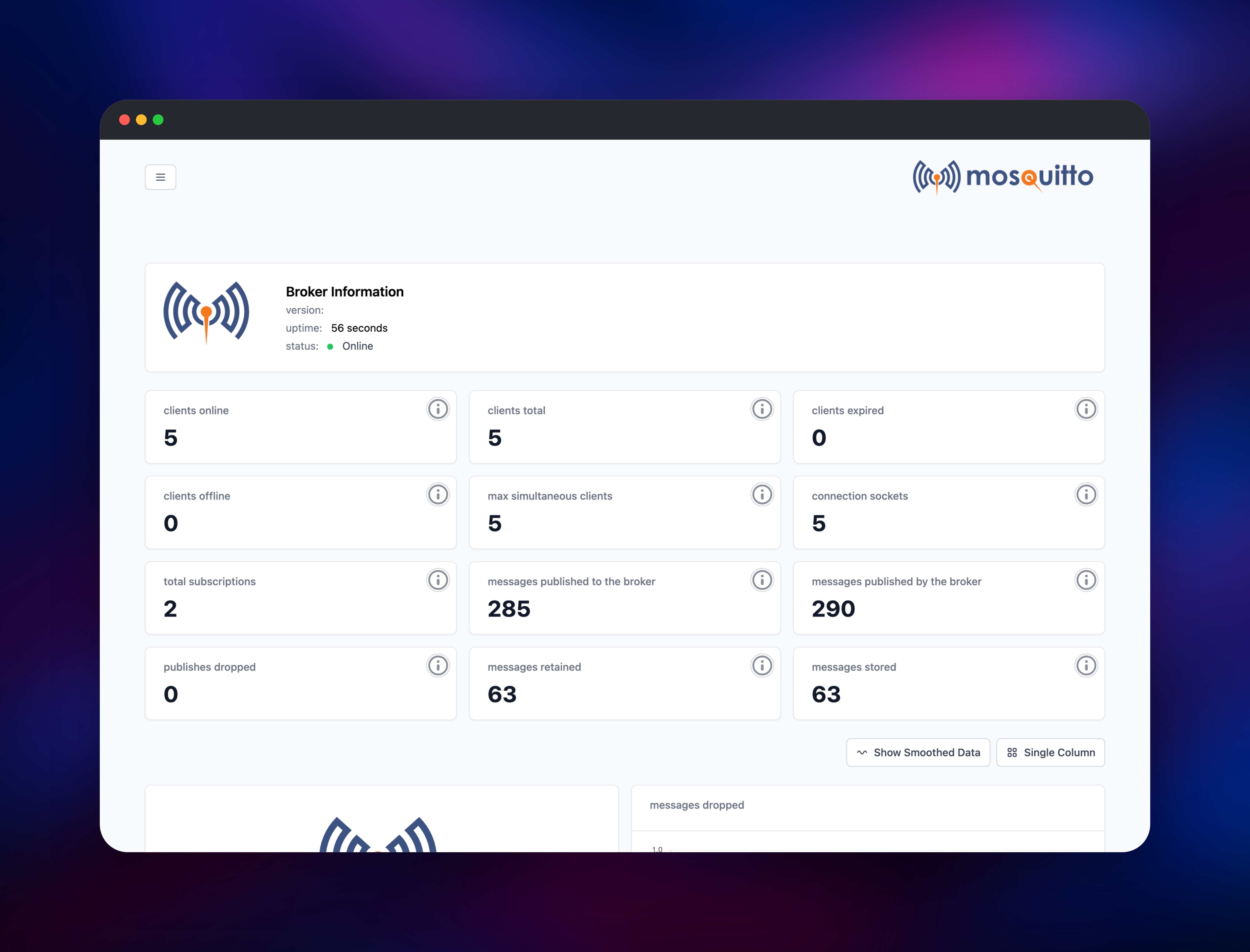
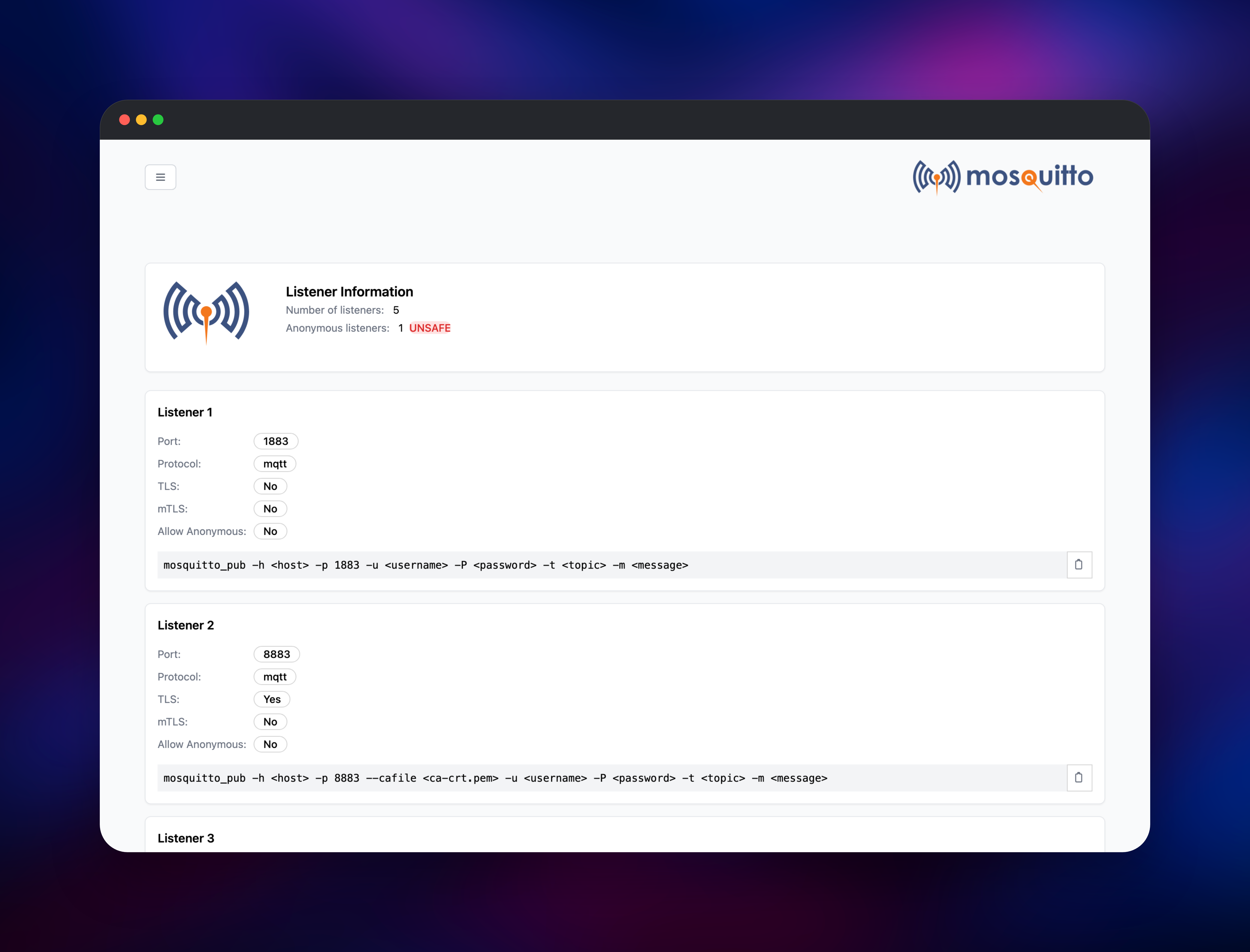
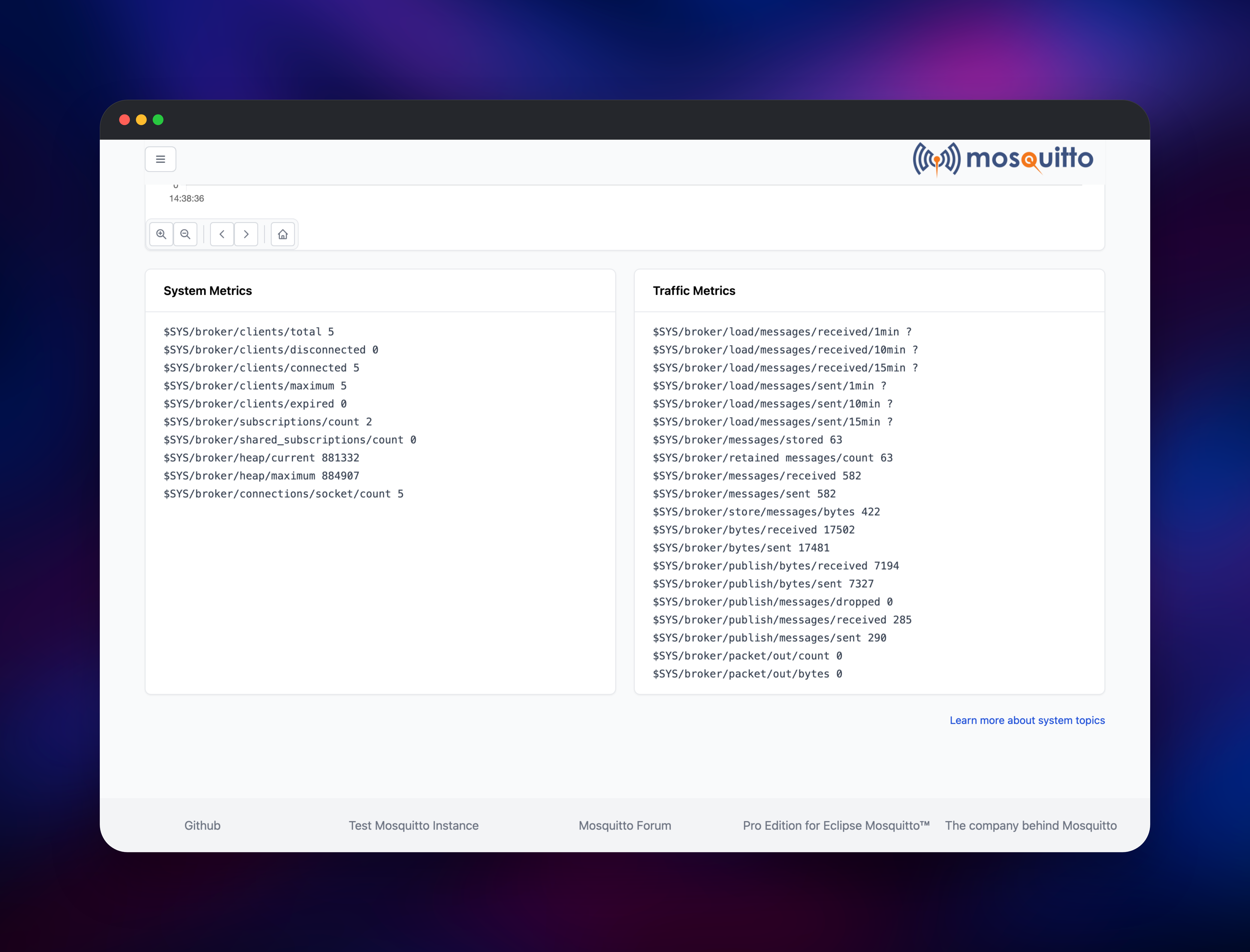
Set MQTT_PASSWORD when you deploy — with MQTT_USERNAME, that is the only input the template needs. Open the generated Railway URL, enter those credentials at the browser prompt, and the dashboard loads with connected clients, message counters and live $SYS charts. Listeners shows every port the broker opened, whether each uses TLS, and a ready-made mosquitto_pub command for it. Then publish something: run the TLS command against the TCP proxy address shown in the Railway variables, or connect a browser client over wss:///mqtt. Watching clients online and messages published climb confirms the deployment end to end. Because a TCP proxy carries raw TCP, the broker mints its own certificate authority on first boot rather than exposing an unencrypted port — download it from https:///ca.crt and pass it to clients with --cafile, or replace it with custom.crt and custom.key in certs/ on the volume. Give each device its own credential through MQTT_EXTRA_USERS.
About Hosting Mosquitto
MQTT solves a problem HTTP handles badly: thousands of intermittently connected devices pushing small messages and reacting to each other without polling. A broker sits in the middle, so a device never needs to know who is listening. Teams self-host Mosquitto when telemetry is commercially sensitive, or when a cloud IoT bill scales with message count.
Key features:
- MQTT 3.1, 3.1.1 and 5.0, including shared subscriptions, topic aliases and message expiry
- QoS 0, 1 and 2 delivery guarantees, with offline queues for persistent sessions
- Retained messages, so a new subscriber immediately learns a topic's current value
- Last will and testament messages announcing a device that dropped off the network
- Built-in dashboard in 2.1, with live client, traffic and memory charts
- Bridging to other brokers, including cloud MQTT services
Mosquitto is the broker. It holds no public domain and keeps its state — persistence store, password file, TLS material — on a volume at /mosquitto/data. Gateway is a Caddy proxy that takes the single public domain and splits traffic by protocol: Upgrade: websocket reaches the WebSocket listener, everything else the dashboard. That split exists because a Railway domain maps to one container port and Mosquitto needs two. The gateway adds no login of its own — it passes Authorization through to the broker.
Why Deploy Mosquitto on Railway
Railway removes the setup this broker would otherwise need:
- TLS and a public domain issued automatically for dashboard and WebSocket traffic
- A TCP proxy for native MQTT clients, with certificates minted at boot
- A volume already mounted, so retained messages survive redeploys
- Password hashing, config generation and health checks configured for you
- Private networking, so your services reach the broker without the internet
Common Use Cases
- Home and building automation — Home Assistant, ESPHome, Zigbee2MQTT and Tasmota all expect a broker you provide
- Industrial and fleet telemetry — production lines and vehicles publishing readings that dashboards subscribe to
- Real-time app backends — browser clients over WebSockets receiving live updates with no polling loop
- Device command and control — pushing configuration to devices, with retained messages holding desired state
Dependencies for Mosquitto
eclipse-mosquitto:2.1-alpine— the broker, from github.com/eclipse-mosquitto/mosquittocaddy:2-alpine— the reverse proxy that owns the public domain- A volume at
/mosquitto/datafor sessions, retained messages, credentials and certs
Both images are built from github.com/gridalpha/mosquitto-railway, which adds a boot script that hashes your credentials into a password file, mints TLS material for the TCP proxy address, and writes the broker configuration.
Environment Variables Reference
| Variable | Service | Purpose |
|---|---|---|
MQTT_USERNAME | Mosquitto | Account for MQTT, WebSockets and the dashboard |
MQTT_PASSWORD | Mosquitto | Its password — the one value worth keeping |
MQTT_EXTRA_USERS | Mosquitto | user:password,user2:password2 for per-device credentials |
MQTT_URL | Mosquitto | Private connection string for your other services |
MQTTS_URL | Mosquitto | Public TLS connection string for outside clients |
BROKER_HOST | Gateway | Private hostname of the broker |
Deployment Dependencies
- Official image: hub.docker.com/_/eclipse-mosquitto
- Docs: mosquitto.org/documentation
- Clients: Eclipse Paho for Python, Java, C and Go; MQTT.js for Node and browsers
Hardware Requirements for Self-Hosting Mosquitto
| Resource | Minimum | Recommended |
|---|---|---|
| CPU | 0.25 vCPU | 1 vCPU |
| RAM | 128 MB | 512 MB |
| Storage | 1 GB volume | 5 GB volume |
| Runtime | Mosquitto 2.1 (Alpine) | Mosquitto 2.1 (Alpine) |
Mosquitto is unusually light: an idle broker holds a few hundred kilobytes of heap, and memory grows with sessions and queued messages, not throughput.
Self-Hosting Mosquitto
To try it locally, this Docker command creates a hashed password file:
docker run --rm -v mosq:/mosquitto/data eclipse-mosquitto:2.1-alpine \
  mosquitto_passwd -c -b -H sha512-pbkdf2 /mosquitto/data/passwd admin changeme
Publish and subscribe against a deployed broker with the standard clients — the first watches every topic, the second sends a retained reading:
mosquitto_sub -h  -p  --cafile ca.crt \
  -u admin -P '' -t '#' -v

mosquitto_pub -h  -p  --cafile ca.crt \
  -u admin -P '' -t factory/line1/temperature -m '{"c":21.4}' -r
How Much Does Mosquitto Cost to Self-Host?
Mosquitto is free and open source under the EPL-2.0 and EDL-1.0 licences, with no paid tier, seat limits or message quotas. Cedalo sells a commercial Pro edition with clustering; nothing here depends on it. On Railway you pay only for the compute, memory and volume the two services use — for home or small-fleet traffic, among the cheapest workloads you can run. Hosted MQTT services bill per device or per million messages, so self-hosting gets relatively cheaper the more you publish.
FAQ
What is Mosquitto? Eclipse Mosquitto is an open-source MQTT broker maintained by the Eclipse Foundation. It routes publish/subscribe messages between clients over MQTT 3.1, 3.1.1 and 5.0, and is the most widely deployed broker in home automation and small-scale IoT.
What does this Railway template deploy? Two services: Mosquitto 2.1 with a volume, and a Caddy gateway holding the public domain. The broker opens plain MQTT on the private network, MQTT over TLS for a TCP proxy, MQTT over WebSockets, and the dashboard.
How do I connect a device to a self-hosted Mosquitto broker on Railway?
Add a TCP proxy on port 8883 and point your client at the address Railway returns, with the certificate authority from /ca.crt on the dashboard. Browser and Node clients can use wss:///mqtt instead, which uses Railway's own certificate.
Can I add more users after deploying?
Yes. Set MQTT_EXTRA_USERS to device1:password1,device2:password2 and redeploy; the broker rebuilds its password file from that list on every boot.
Can I run more than one replica? No. The open-source edition is a single-instance broker, and two containers would open the same persistence store on one volume. Give the service more CPU and memory instead.
Template Content
Mosquitto
gridalpha/mosquitto-railwayGateway
gridalpha/mosquitto-railway

