
Deploy MyIP
All-in-one IP, DNS, WebRTC leak and network diagnostics toolbox
Just deployed
/data
Deploy and Host MyIP on Railway
MyIP is an open-source IP toolbox that folds a dozen network-diagnostic websites into one page. It reports the IPv4 and IPv6 addresses you are seen with from several independent lookup sources at once, tests latency to sites you choose, detects WebRTC and DNS leaks, resolves a domain against public resolvers worldwide, runs Whois and MAC lookups, and draws an ASN's upstream path to the Tier 1 backbone. Network engineers, VPN users and anyone debugging why a site is slow from one country and fine from another use it instead of six bookmarks. Upstream is jason5ng32/MyIP; its demo runs at ipcheck.ing.
Self-host MyIP on Railway and you get one service, myip, built from the gridalpha/myip-railway repository on top of the official jason5ng32/myip:latest image. The container runs two Node processes: a static server on the public port serving the Vue front end, and an API backend it proxies /api to over localhost. The backend talks to the outside world — geolocation providers, Whois registries, CAIDA, RIPEstat and Globalping — so API keys never reach the browser. A 5 GB volume at /data holds the ASN datasets downloaded on first boot.

Getting Started with MyIP on Railway
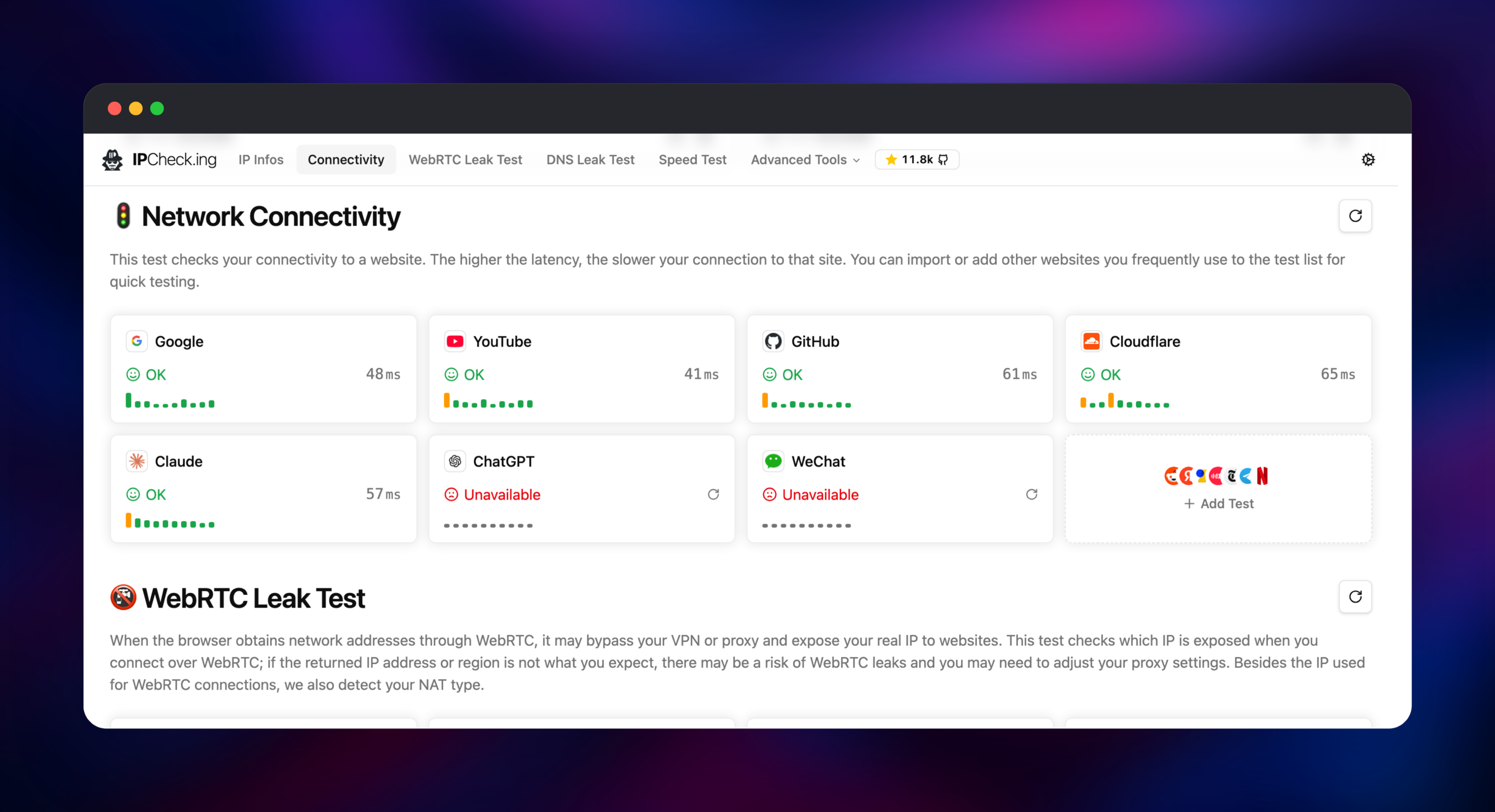
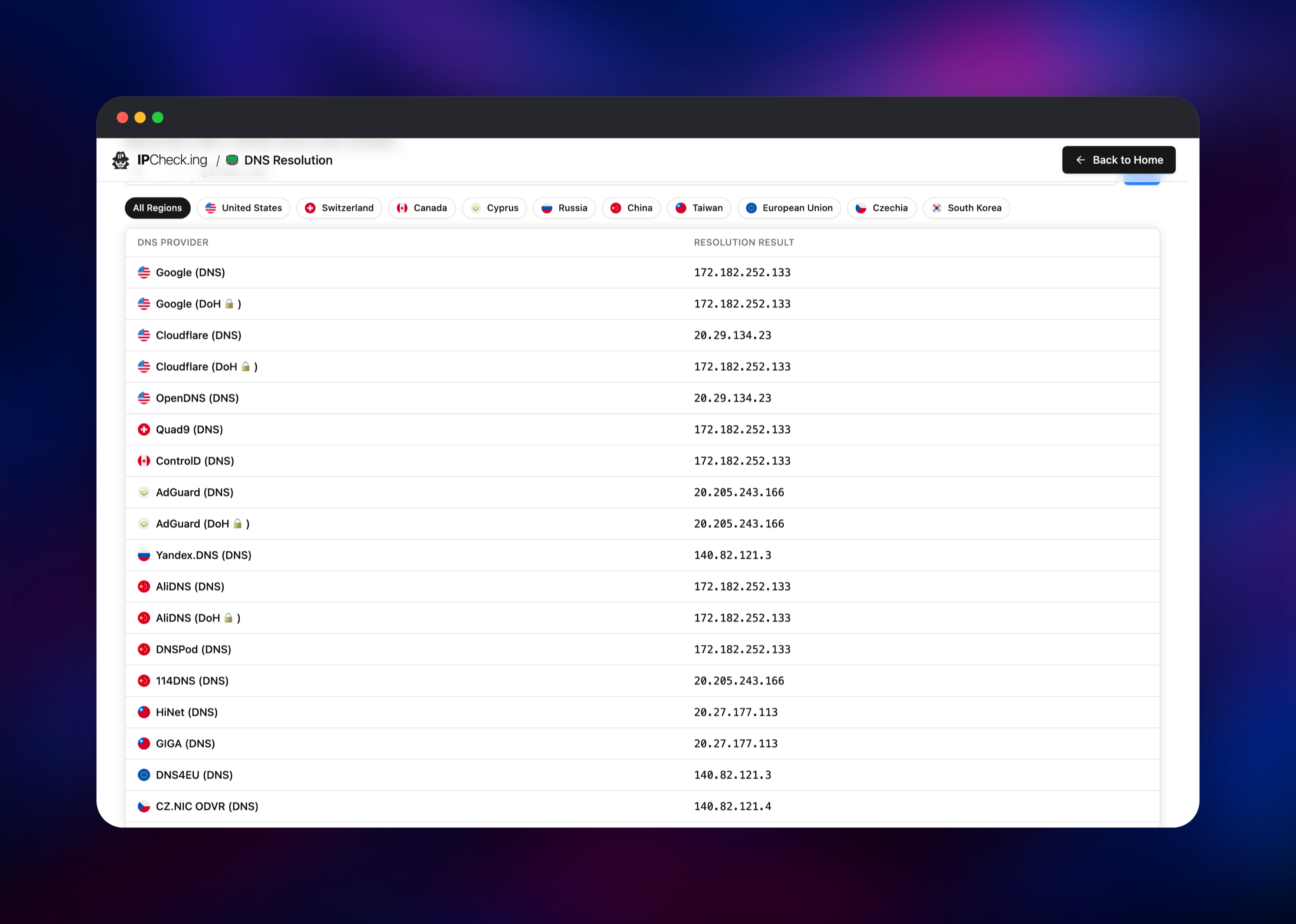
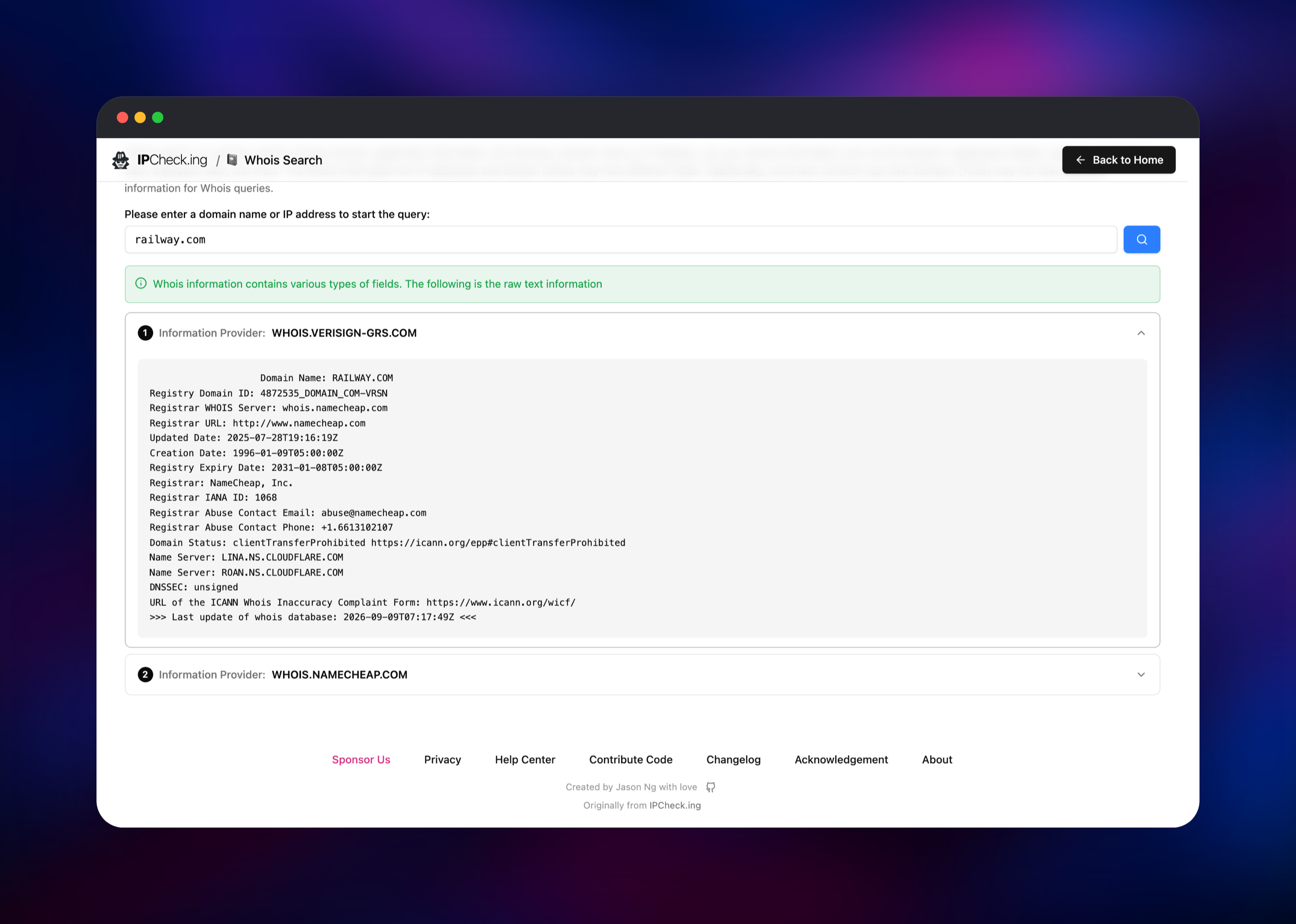
Deploy the template and open the generated *.up.railway.app URL. There is no login and no first-run wizard — MyIP is a read-only page, so the main view works the moment it loads. Within seconds the IP cards fill in with your addresses and the country, city, ASN, organisation and time zone behind each, from more than one provider so you can spot disagreement. Scroll down and the connectivity panel measures round-trip latency to a default list of sites; press Add Test to add your own, or import a curated pack for a country, streaming, gaming or AI services. Below that, the WebRTC and DNS leak sections name the address a browser would expose over a peer connection and the resolvers that answered your queries. Advanced Tools holds the rest: Whois, DNS resolution, MAC lookup, censorship checks, and MTR and latency tests from Globalping probes. To confirm the deployment is healthy, run a Whois lookup and a DNS resolution — both go through the backend, so a result proves the whole request path.
About Hosting MyIP
The problem MyIP solves is fragmentation. Answering "is my VPN working, and why is this site slow?" normally means one site for your IP, another for a DNS leak test, a third for WebRTC and a fourth for Whois. Self-hosting puts all of it on a host you control, so the diagnostic traffic stays with you.
Key features:
- IP and geolocation from several independent sources side by side, for IPv4 and IPv6
- WebRTC leak detection with NAT type, and a DNS leak test naming the resolvers that answered
- Connectivity checks against up to 60 sites of your choosing, plus speed tests
- DNS resolution compared across public resolvers by country, over DNS and DNS-over-HTTPS
- Whois for domains and IPs, MAC vendor lookup, BGP prefix history and ASN upstream topology
- Global latency and MTR tests from Globalping probes, plus OONI-backed censorship checks
- Browser fingerprinting, six UI languages, dark mode and PWA install
The Railway architecture is deliberately small. myip is the only service and needs no database: everything a visitor accumulates lives in their own browser. The volume is not user data — it holds the CAIDA snapshots behind ASN naming and the topology graph, plus the optional MaxMind databases. Keeping them there means a redeploy serves in about two seconds rather than re-downloading on every boot.
Why Deploy MyIP on Railway
Railway removes the parts of self-hosting a diagnostic tool that are not diagnostics:
- One-click deploy, with TLS and a public domain provisioned for you
- The volume for ASN datasets is attached and mounted automatically
- A health check that verifies the API backend, not just an open port
- Per-client rate limiting keyed correctly behind Railway's edge
- Push to rebuild; roll back to any earlier deployment
Common Use Cases
- Validating a VPN or proxy — confirm the exit IP, then check that WebRTC is not leaking the real address and DNS is not escaping to the ISP's resolvers.
- Debugging CDN and geo-routing — resolve a hostname against resolvers in ten countries at once to see which node each region is steered to.
- Network incident triage — combine connectivity latency, an MTR trace from a probe near the affected users, and the relevant status pages.
- A status page for a team — an internal URL answering "what is our egress address?"
Dependencies for MyIP
myip— gridalpha/myip-railway, built onjason5ng32/myip:latest. Serves the front end and the API from one container.- A 5 GB Railway volume at
/datafor the CAIDA and MaxMind data.
MyIP calls third-party APIs on your behalf. The keyless ones — ip.sb, ip-api.com, ipinfo.io, CAIDA, RIPEstat, OONI and Globalping — are used by default, so the template needs no signup.
Environment Variables Reference
| Variable | Default | Purpose |
|---|---|---|
PORT | 18966 | Public HTTP port the front end listens on |
ALLOWED_DOMAINS | the Railway domain | Hostname allow-list for /api; comma-separated |
SECURITY_RATE_LIMIT | 1200 | API requests allowed per client IP per 20 minutes |
TRUST_PROXY_HOPS | 2 | Proxy hop count; 3 behind another proxy such as Cloudflare |
CAIDA_AUTO_UPDATE | true | Refresh the ASN datasets daily |
MAXMIND_ACCOUNT_ID and MAXMIND_LICENSE_KEY | unset | Free GeoLite2 credentials; without them the MaxMind card is unavailable |
Deployment Dependencies
- Runtime: Node.js 24 on Alpine, from the upstream image
- Upstream project: (AGPL-3.0)
- Published image:
- Docs:
Hardware Requirements for Self-Hosting MyIP
| Resource | Minimum | Recommended |
|---|---|---|
| CPU | 0.5 vCPU | 1 vCPU |
| RAM | 512 MB | 1 GB |
| Storage | 1 GB volume | 5 GB volume |
| Runtime | Node 24 | Node 24 |
Load is bursty, not sustained: a page view fans out into a few dozen short API calls, and the ASN datasets are read into memory once at boot, which is where the RAM goes.
Self-Hosting MyIP with Docker
The published image runs with no configuration at all:
docker run -d --name myip --restart always -p 18966:18966 jason5ng32/myip:latest
On a real domain you must set ALLOWED_DOMAINS, or the API answers 403 to every browser request. Free GeoLite2 credentials add the MaxMind lookup source:
docker run -d --name myip --restart always \
  -p 18966:18966 -v myip-data:/data \
  -e ALLOWED_DOMAINS="ip.example.com" \
  -e MAXMIND_ACCOUNT_ID="your-account-id" \
  -e MAXMIND_LICENSE_KEY="your-license-key" \
  jason5ng32/myip:latest
To build from source, clone the repository and use pnpm:
git clone https://github.com/jason5ng32/MyIP.git
cd MyIP && npm install -g pnpm && pnpm install && pnpm run build && pnpm start
Is MyIP Free to Self-Host?
MyIP is open source under AGPL-3.0, so the software costs nothing and there is no paid tier, seat limit or license key. The only cost on Railway is infrastructure: a small always-on container plus the volume. Every data source used by default is free and needs no account, and the optional keys all have free tiers.
FAQ
What is MyIP? MyIP is a self-hosted, open-source IP toolbox. It shows the IP addresses and geolocation you are seen with, tests for WebRTC and DNS leaks, measures connectivity and speed, and provides Whois, DNS, MAC and ASN lookups on one page.
What does this Railway template deploy?
A single service, myip, built from a source repository on top of the official image, with a public domain and a 5 GB volume at /data. There is no database.
Why does the template include a volume if there is no user data? The backend downloads the CAIDA AS-to-organisation and AS-relationship snapshots at first boot, and MaxMind's databases when credentials are set. The volume keeps them across deploys, so restarts are fast and the public data servers are not re-hit.
How do I add a custom domain to a self-hosted MyIP instance?
Attach the domain in Railway, then add its hostname to ALLOWED_DOMAINS alongside the existing entry, comma-separated. The Referer allow-list rejects any hostname not listed, so an unlisted domain makes every panel fail.
Is the deployed instance safe to expose publicly? It has no accounts and no write operations, by design — the upstream demo is itself a public site. API requests are rate-limited per client IP and gated on the Referer allow-list. To keep it private, put an authenticating proxy in front.
Why do some connectivity checks show as unavailable? Those tests run from your browser, not the server, so a site that blocks cross-origin requests or is unreachable from your network shows as unavailable — a real result about your connection, not a fault in the deployment.
Template Content


