
Deploy n8n Pro Stack — Production Automation with Workers
Deploy n8n with Worker, Task Runner, Redis & PostgreSQL—ready to scale.
n8n-runner
Just deployed

Just deployed
/var/lib/postgresql/data
n8n-primary
Just deployed
n8n-worker
Just deployed
redis
Just deployed
Deploy and Host n8n Pro Stack on Railway
Launch your own powerful automation platform in one click. Build AI agents, connect apps, automate business processes, and keep control of your workflows, credentials, and data—without paying per task or workflow step.
About Hosting n8n Pro Stack
Automate More. Own Everything.
n8n is a flexible self-hosted alternative to Zapier and Make. This template gives you a complete, production-ready n8n environment on Railway with the essential services already connected.
Deploy once, create your owner account, add your app credentials, and start building powerful automations.
No manual database wiring. No Redis setup. No shared secrets to copy. No infrastructure puzzle.
What You Get
- One-click deployment with no required configuration fields
- Powerful AI automation for agents, tools, APIs, and data workflows
- Hundreds of integrations plus HTTP requests for almost any service
- Dedicated execution worker to keep the editor responsive during heavy runs
- Secure JavaScript and Python task runners isolated from the main n8n application
- Persistent PostgreSQL storage for workflows, credentials, settings, and execution history
- Redis-powered job processing for reliable background execution
- Automatic HTTPS and a public n8n URL generated by Railway
- Generated secrets and private service-to-service networking
- Current n8n Docker images pulled when the services are deployed or redeployed
Built for Real Work
Unlike basic single-container starters, this stack separates the n8n editor from workflow execution.
Your workflows run on a dedicated worker, while Redis manages the execution queue and PostgreSQL keeps your important data persistent.
That means demanding workflows are far less likely to freeze the editor, interrupt incoming automation, or compete with the web interface for the same process.
As your automation workload grows, you can increase worker resources or add additional worker and runner capacity without rebuilding the entire installation.
Production Architecture Without the Headache
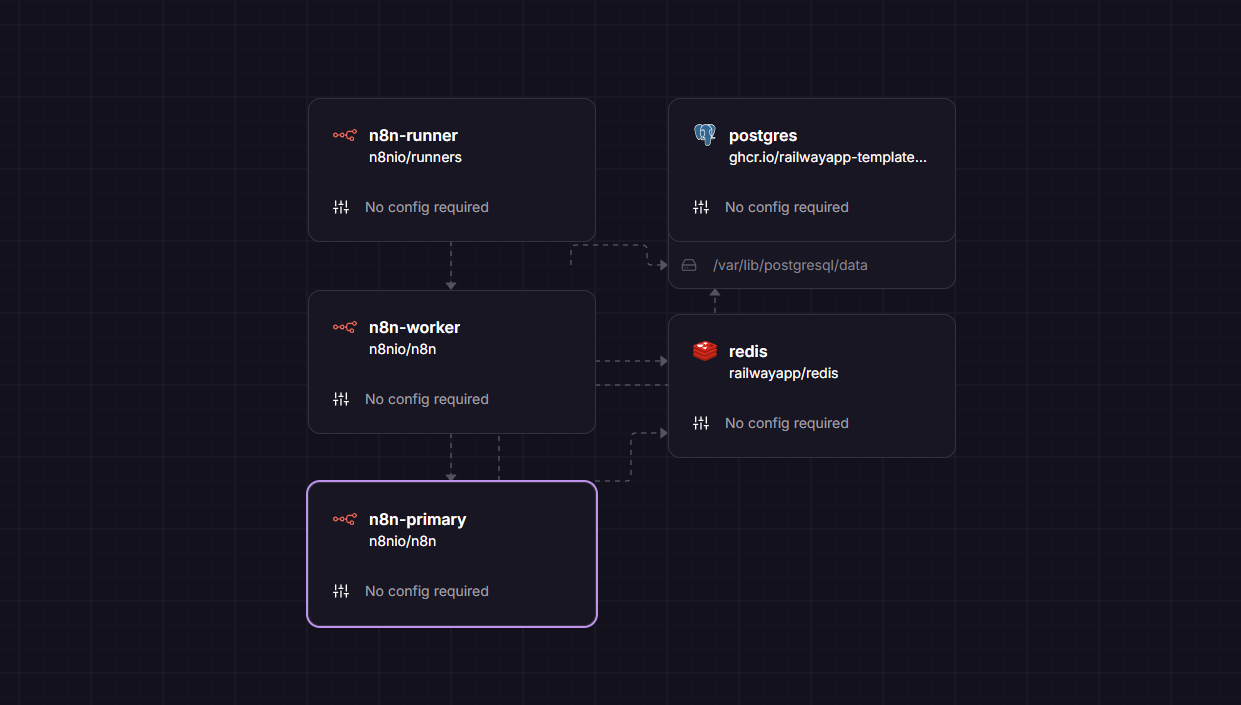
Five connected services with no required configuration fields.
This template uses n8n's queue-based production architecture:
- n8n Primary — visual editor, API, triggers, and webhooks
- n8n Worker — executes queued workflows with dedicated capacity
- External Task Runner — runs JavaScript and Python Code nodes
- PostgreSQL — stores workflows, credentials, settings, and execution data
- Redis — coordinates queued workflow executions
Only the n8n Primary service is exposed publicly. The worker, task runner, Redis, and PostgreSQL communicate through Railway's private network.
Common Use Cases
- Build AI agents, assistants, and retrieval workflows
- Connect CRMs, email platforms, databases, and spreadsheets
- Automate lead generation, enrichment, and follow-up
- Process webhooks and scheduled background jobs
- Create internal APIs and backend automation
- Build ETL, reporting, monitoring, and data-sync pipelines
- Replace expensive per-task automation platforms
- Run JavaScript and Python inside Code nodes
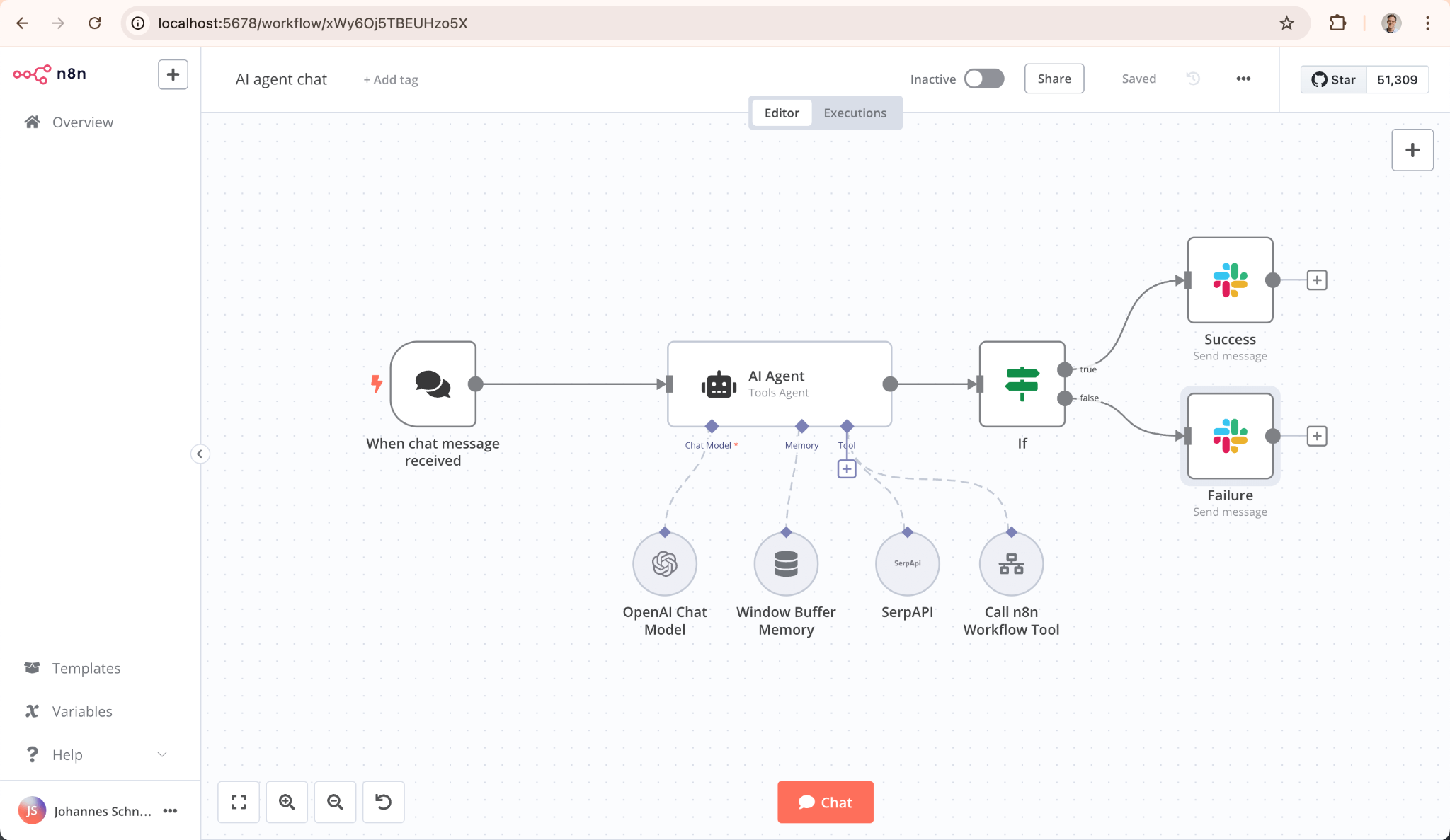
Example AI workflow built with n8n. Third-party integrations and API credentials are configured separately.
Launch in Minutes
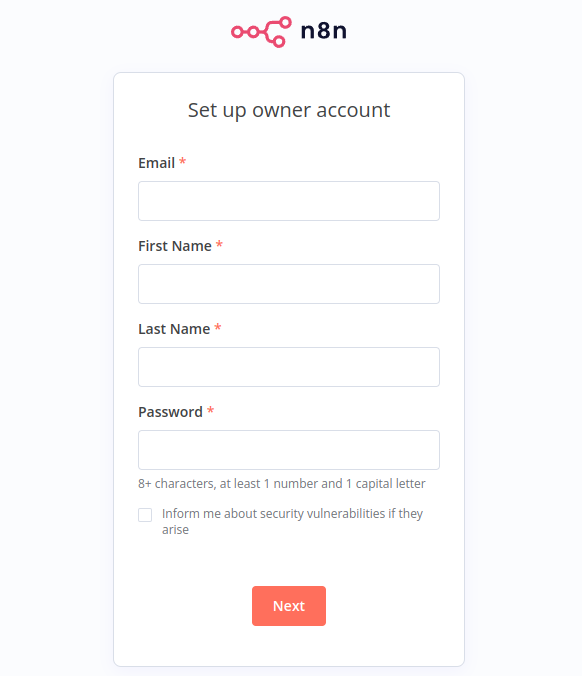
After the deployment finishes, open the public URL generated for n8n-primary. You will be taken directly to the n8n owner-account setup screen.
- Click Deploy Now.
- Wait for the five services to become active.
- Open the public URL for n8n-primary.
- Create your n8n owner account.
- Add credentials for the apps and APIs you want to connect.
- Build or import your first workflow.
The database, execution queue, encryption key, private network references, worker, and external task runner are configured automatically.
Dependencies for n8n Pro Stack Hosting
- n8n Primary using the current
n8nio/n8nDocker image - n8n Worker using the same
n8nio/n8nDocker image - n8n External Task Runner using
n8nio/runners - PostgreSQL 17 with persistent Railway storage
- Redis for queue coordination
- Railway private networking
- Railway-generated HTTPS domain
Why Deploy n8n Pro Stack on Railway?
Railway handles the infrastructure around your automation platform so you can focus on building workflows instead of managing servers.
Services, networking, logs, metrics, deployments, resource usage, and scaling are managed from one dashboard.
This template combines the freedom of self-hosted n8n with a polished one-click deployment designed for serious automation, AI workflows, and growing workloads.
Frequently Asked Questions
Is n8n free to self-host?
The n8n Community Edition can be self-hosted without per-execution platform fees. You pay for the Railway infrastructure resources your project uses and for any external APIs or services connected to your workflows.
Will my workflows survive a redeploy?
Yes. Workflows, credentials, settings, and execution data are stored in PostgreSQL using persistent Railway storage.
Will redeploying update n8n?
The n8n Primary, Worker, and External Task Runner use unpinned Docker image sources. A new deployment or redeployment pulls the current image available from the configured Docker repository.
Because software updates can introduce breaking changes, backing up important workflows and data before major upgrades is recommended.
Can I scale later?
Yes. Workflow execution is already separated into a dedicated worker service. You can increase its resources or add matching worker and task-runner capacity as your workflow volume grows.
Can I run JavaScript and Python Code nodes?
Yes. The included external task-runner service is connected to the worker and supports isolated JavaScript and Python execution.
Do I need to configure PostgreSQL or Redis?
No. The database, Redis queue queue, internal connections, generated passwords, and shared secrets are configured automatically by the template.
What do I configure after deployment?
Create the first n8n owner account, then add credentials for the applications and APIs you want your workflows to use. The underlying infrastructure is already configured.
Deploy n8n Pro Stack on Railway and start building automations in minutes.
Template Content