
Deploy Navidrome
Music server that streams your own audio files to any device

Just deployed
navidrome
Just deployed
/data
Deploy and Host Navidrome on Railway
Navidrome is a self-hosted music server for the collection you already own. Point it at a folder of audio files and it reads their tags, builds a browsable library of artists, albums and playlists, and streams them to a fast web player and to dozens of Subsonic-compatible phone and desktop apps. It is a single Go binary with an embedded SQLite database, handles very large libraries, and runs on hardware as small as a Raspberry Pi.
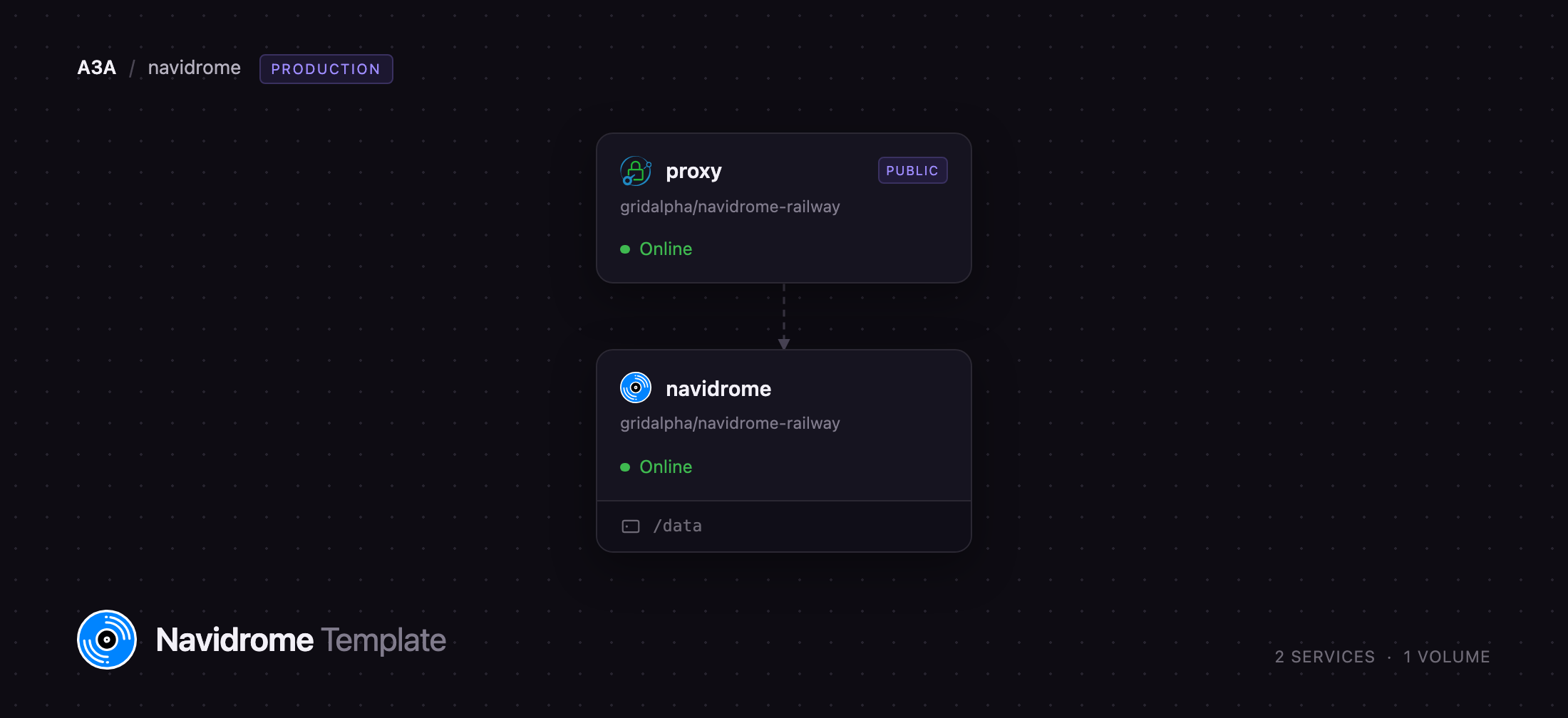
Deploy Navidrome on Railway in one click, with the pieces that make a public instance safe already wired up. Two services run: navidrome, the music server, holding its database, caches, backups and music on a persistent volume; and proxy, a small Caddy service that owns the public URL, normalises client-IP headers so the login rate limiter works, and adds a Strict-Transport-Security header. Only the proxy is exposed — the music server has no public domain and is reachable solely over the private network. An administrator is created from your variables on first boot, so nobody who finds the URL first can claim the instance.
Getting Started with Navidrome on Railway
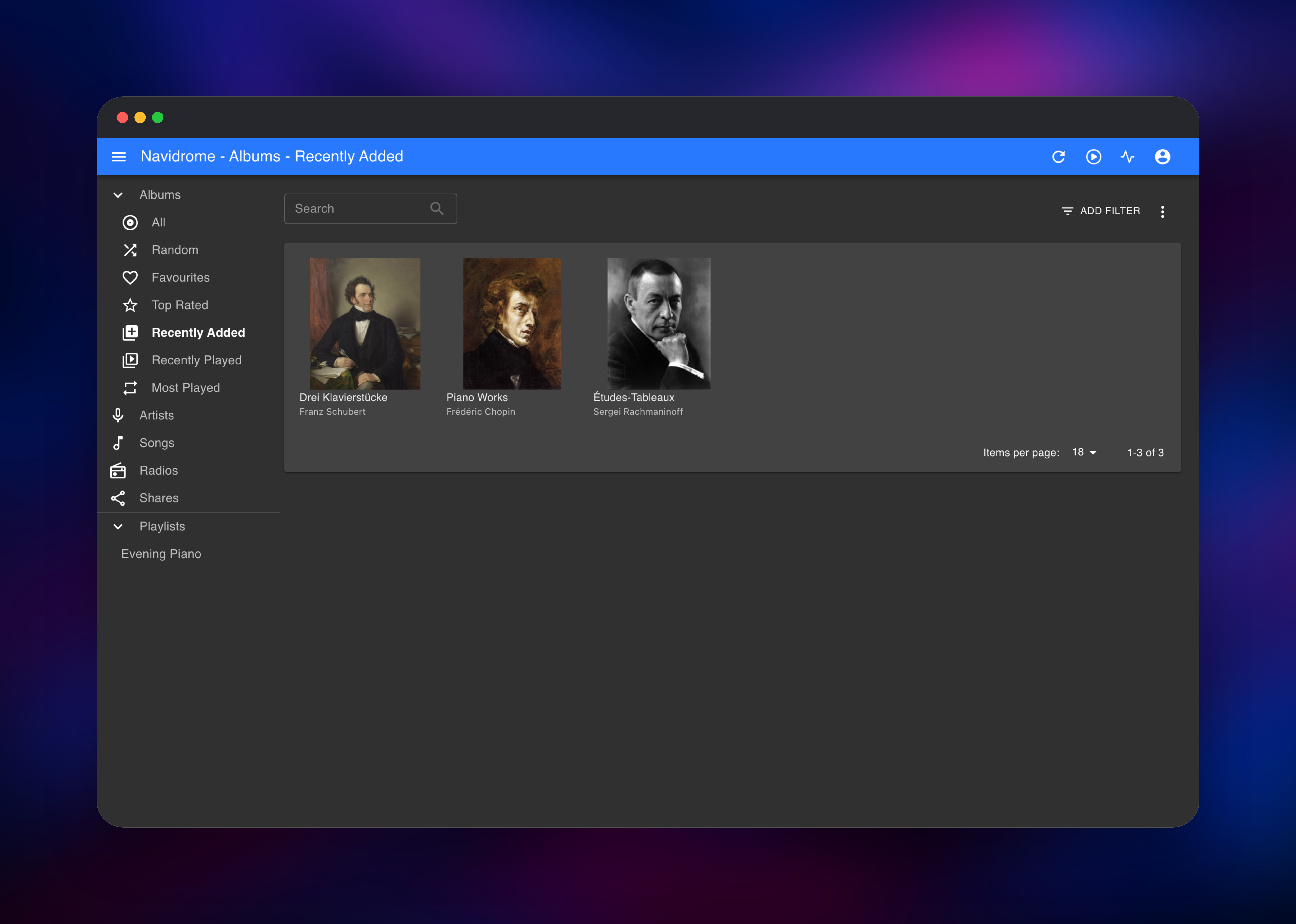
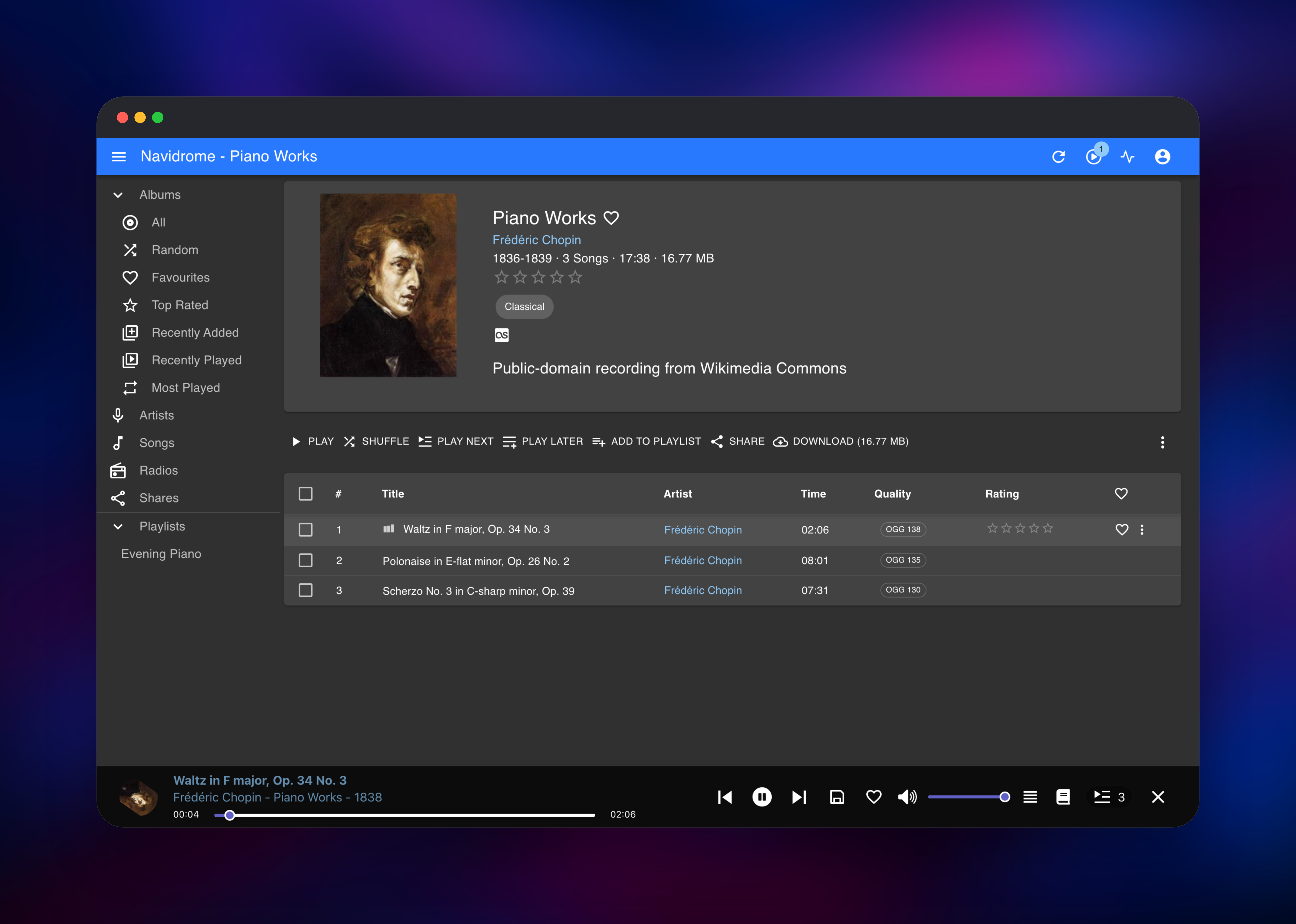
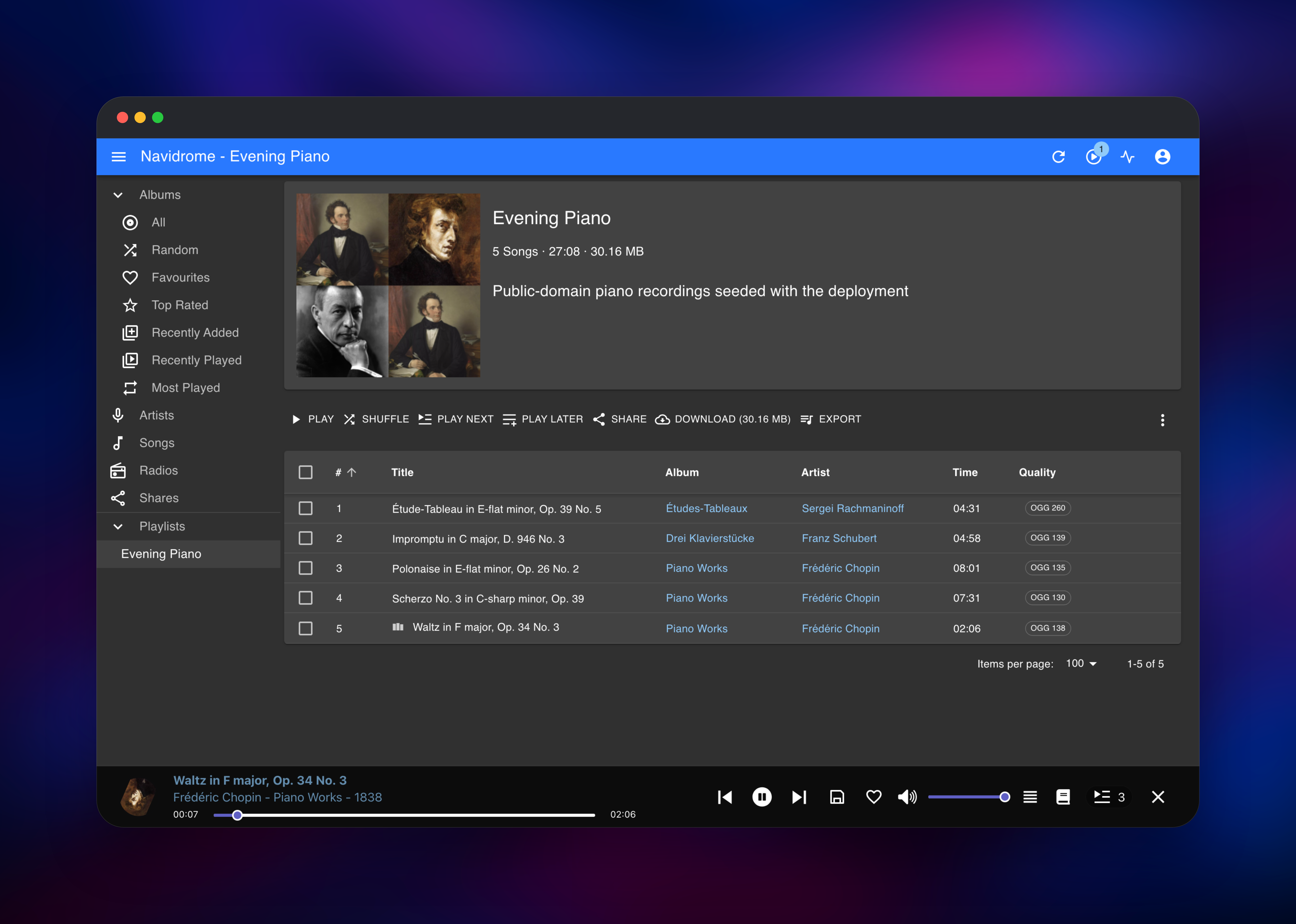
Click Deploy, then open the proxy service's public URL. You land on a sign-in screen rather than a setup wizard, because the first administrator is created during the first boot. The username comes from NAVIDROME_ADMIN_USERNAME (default admin); if you left NAVIDROME_ADMIN_PASSWORD at its generated default, copy the value from the navidrome service's Variables tab. Sign in and you will find a small demo library of public-domain recordings, so a fresh deployment is usable immediately. Press play: if audio starts, the whole path — proxy, server, volume and transcoder — works. Add your own music with railway volume files upload ./MyAlbum --volume navidrome-volume /music/, then wait for the hourly scan or trigger one from Settings. Once your library is in place, delete the demo folders and set NAVIDROME_DEMO_MUSIC to false. Any Subsonic client — Symfonium, DSub, Amperfy, play:Sub, Feishin — connects with the same URL and credentials.
About Hosting Navidrome
Navidrome solves a specific problem: you own music — purchased downloads, ripped CDs, Bandcamp buys — and want it on every device without handing the files to a streaming company. It indexes the tags already in your files, so the library mirrors how you organised things, and serves it through both its web interface and the Subsonic API, so mature client apps work on day one.
Key features:
- Reads virtually any audio format, with on-the-fly transcoding when a client needs it
- Multi-user, with per-user play counts, favourites and playlists
- Smart playlists defined by rules, plus imported M3U playlists
- Scrobbling to Last.fm, ListenBrainz and Maloja
- Public share links for albums, songs or playlists
- Automatic library watching, plus scheduled rescans
- A themeable, responsive web player in dozens of languages
The navidrome service owns a volume at /data holding the SQLite database, the artwork and transcoding caches, scheduled backups and the music files. The proxy service is a Caddy instance holding the public domain and forwarding over the private network — see the FAQ for why it is there.
Why Deploy Navidrome on Railway
Railway gives this stack the pieces a music server needs without any server administration:
- Persistent volume storage for your library and database
- Automatic TLS on the public domain, no certificates to manage
- A private network, so the music server is never directly exposed
- Redeploys that keep your library and users intact
- Usage-based pricing, suited to a service idle most of the day
Common Use Cases
- Streaming a personal music collection to phones, tablets and desktops through any Subsonic client
- Giving a household several accounts on one library, each with its own playlists and history
- Keeping a lossless archive online and transcoding to Opus or MP3 for mobile data
- Hosting a band's back catalogue privately and sharing albums by link
Dependencies for Navidrome
- navidrome — built from the navidrome-railway repository on the official
deluan/navidromeimage, on port 4533 with a volume at/data - proxy — built from the same repository on
caddy:2-alpine, on$PORT, holding the public domain
No external database is required: Navidrome keeps everything in SQLite on the volume, which is why it runs at one replica and why the volume is what to back up.
Environment Variables Reference
| Variable | Purpose |
|---|---|
NAVIDROME_ADMIN_USERNAME | Username of the administrator created on first boot |
NAVIDROME_ADMIN_PASSWORD | Its password. Generated for you, or set your own |
ND_PASSWORDENCRYPTIONKEY | Encrypts stored credentials. Never change it after the first boot |
NAVIDROME_DEMO_MUSIC | Seeds public-domain sample tracks while the library is empty |
ND_SCANNER_SCHEDULE | How often the library is rescanned for new files |
ND_BACKUP_SCHEDULE | Schedule for database backups kept on the volume |
Deployment Dependencies
- Source repository: https://github.com/gridalpha/navidrome-railway
- Upstream project: https://github.com/navidrome/navidrome
- Docs and client app list: https://www.navidrome.org/docs/
Hardware Requirements for Self-Hosting Navidrome
| Minimum | Recommended | |
|---|---|---|
| CPU | 1 vCPU | 2 vCPU for several concurrent transcodes |
| RAM | 256 MB | 1 GB above ~50,000 tracks |
| Storage | Library plus ~100 MB | Library plus 1 GB for caches and backups |
| Runtime | Go binary with ffmpeg | Same |
Idle memory use is tens of megabytes; storage is the real constraint, so size the volume for the music you plan to upload.
Self-Hosting Navidrome
The quickest way to run Navidrome outside Railway is the official image:
docker run -d --name navidrome \
  -p 4533:4533 \
  -v ./data:/data \
  -v /path/to/music:/music:ro \
  deluan/navidrome:latest
Configuration is entirely through ND_-prefixed variables, or a navidrome.toml in the data folder. The equivalent Compose service, with a scheduled rescan:
services:
  navidrome:
    image: deluan/navidrome:latest
    user: 1000:1000
    ports: ["4533:4533"]
    environment:
      ND_SCANNER_SCHEDULE: "@every 1h"
    volumes:
      - "./data:/data"
      - "/path/to/music:/music:ro"
Either way you manage TLS, backups, updates and proxy headers yourself.
How Much Does Navidrome Cost to Self-Host?
Navidrome is free and open source under the GPLv3 — no paid tier, no licence key, no feature gating, no per-user cost, no cap on library size. On Railway you pay only for infrastructure: a small always-on container, the proxy in front of it, and the volume holding your music. Storage grows with your collection, not with the number of listeners.
Navidrome vs Plex vs Airsonic-Advanced
| Navidrome | Plex | Airsonic-Advanced | |
|---|---|---|---|
| Focus | Music only | Video first, music second | Music only |
| Resource use | Very low | Heavy | Moderate (JVM) |
| Clients | All Subsonic apps | Plexamp, needs Plex Pass | All Subsonic apps |
| Cost | Free, GPLv3 | Free tier plus Plex Pass | Free, GPLv3 |
If music is the point rather than an extra on a video server, Navidrome is the lighter choice.
FAQ
What is Navidrome?
An open-source music server that indexes your own audio files and streams them to a web player and to Subsonic-compatible client apps.
What does this Railway template deploy?
Two services: the Navidrome music server with a persistent volume for its database, caches, backups and music, and a Caddy proxy holding the public domain. The music server stays private.
Why does the template include a proxy service instead of exposing Navidrome directly?
Navidrome trusts the True-Client-IP header when working out who a caller is, with no setting to turn that off. Railway's edge rewrites X-Forwarded-For and X-Real-IP but leaves that one alone, so without a proxy anyone could give themselves a fresh identity per request and walk past the login rate limiter. The proxy strips it and supplies the real client address, so brute-force protection works, and it adds the HSTS header Navidrome cannot send itself.
How do I add my own music to self-hosted Navidrome on Railway?
Upload it to the volume with the Railway CLI: railway volume files upload ./Album --volume navidrome-volume /music/. Files added that way raise no filesystem event, which is why the template schedules an hourly rescan; you can also trigger one from Settings.
Which apps can play music from Navidrome?
Any Subsonic, Madsonic or Airsonic client — Symfonium, DSub, Amperfy, play:Sub, Tempo, Feishin — plus the built-in web player.
Can I add more users to my Navidrome instance?
Yes. Navidrome has no public sign-up by design; sign in as the administrator and create accounts under Settings, each with its own playlists and history.
Template Content
navidrome
gridalpha/navidrome-railway

