
Deploy Netbox
IP address and data centre management

Redis-Cache
Just deployed
/data
netbox
Just deployed

Just deployed
/var/lib/postgresql/data
netbox-worker
Just deployed
Redis
Just deployed
/data
netbox-storage
Bucket
Just deployed
Deploy and Host NetBox on Railway
NetBox is the open-source source of truth for network infrastructure. It combines IP address management (IPAM) and data centre infrastructure management (DCIM) in one modelled database, so racks, devices, cables, circuits, VLANs and prefixes live in a single system with a documented REST and GraphQL API. Network engineers use it to replace the spreadsheets and stale wiki pages that pass for network documentation, and automation teams use it as the inventory Ansible, Terraform and Nornir read before touching a device.
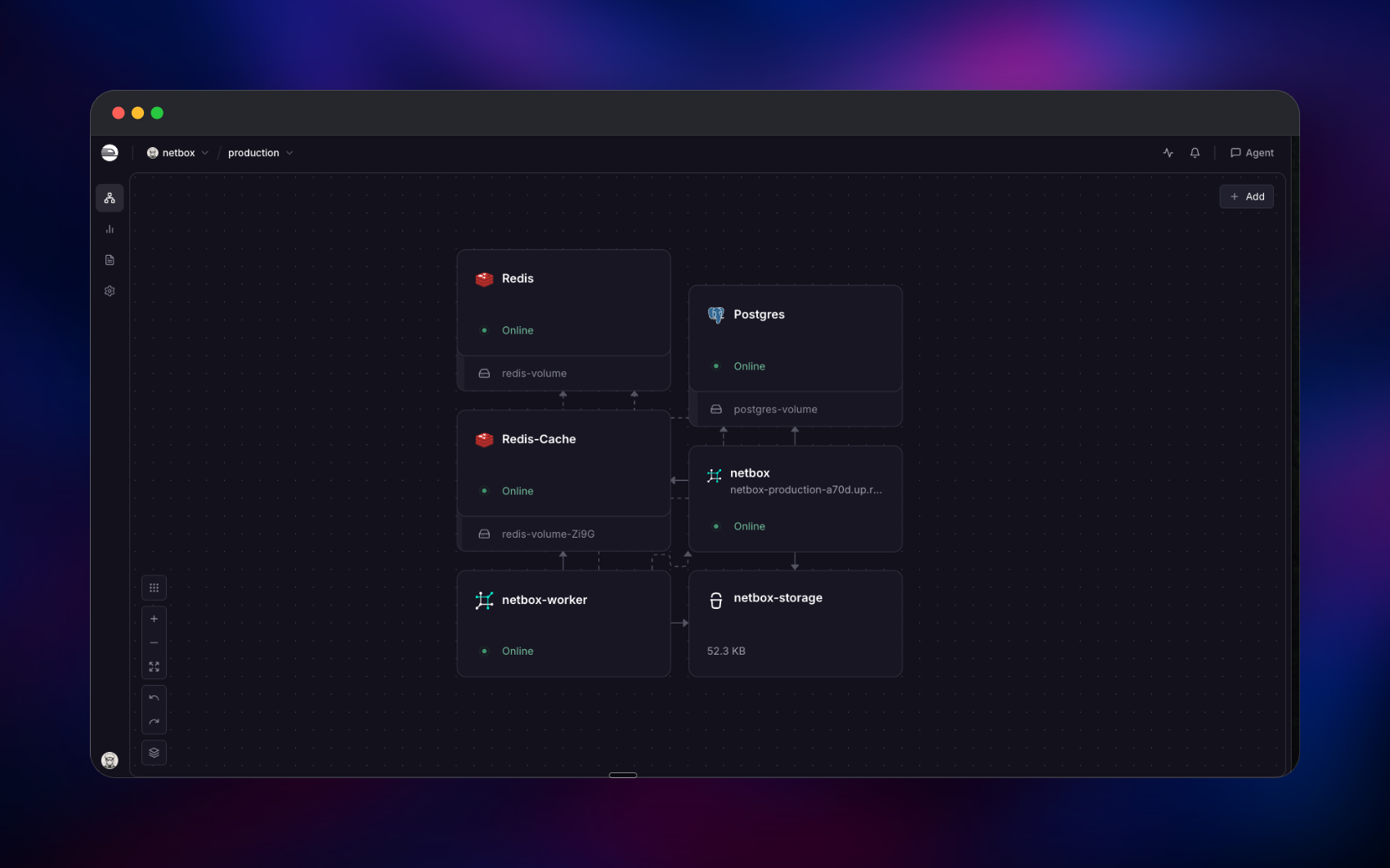
You can self-host NetBox on Railway with this template, which deploys the full production shape rather than a single container. Traffic reaches a Granian-served Django application over a public HTTPS domain; that application uses a managed PostgreSQL database, one managed Redis as its task queue and a second as its cache, and a managed bucket for uploaded files. A separate worker service consumes the queue, running custom scripts, webhooks and the daily housekeeping job. Deploy NetBox on Railway and the whole set is wired together before you open the URL.
Getting Started with NetBox on Railway
Set a username and password for the first administrator when you deploy — those go into SUPERUSER_NAME and SUPERUSER_PASSWORD, and the account is created on first boot. NetBox has no sign-up page and no default password, so this is the only account that exists until you make more. Open the public URL and sign in.
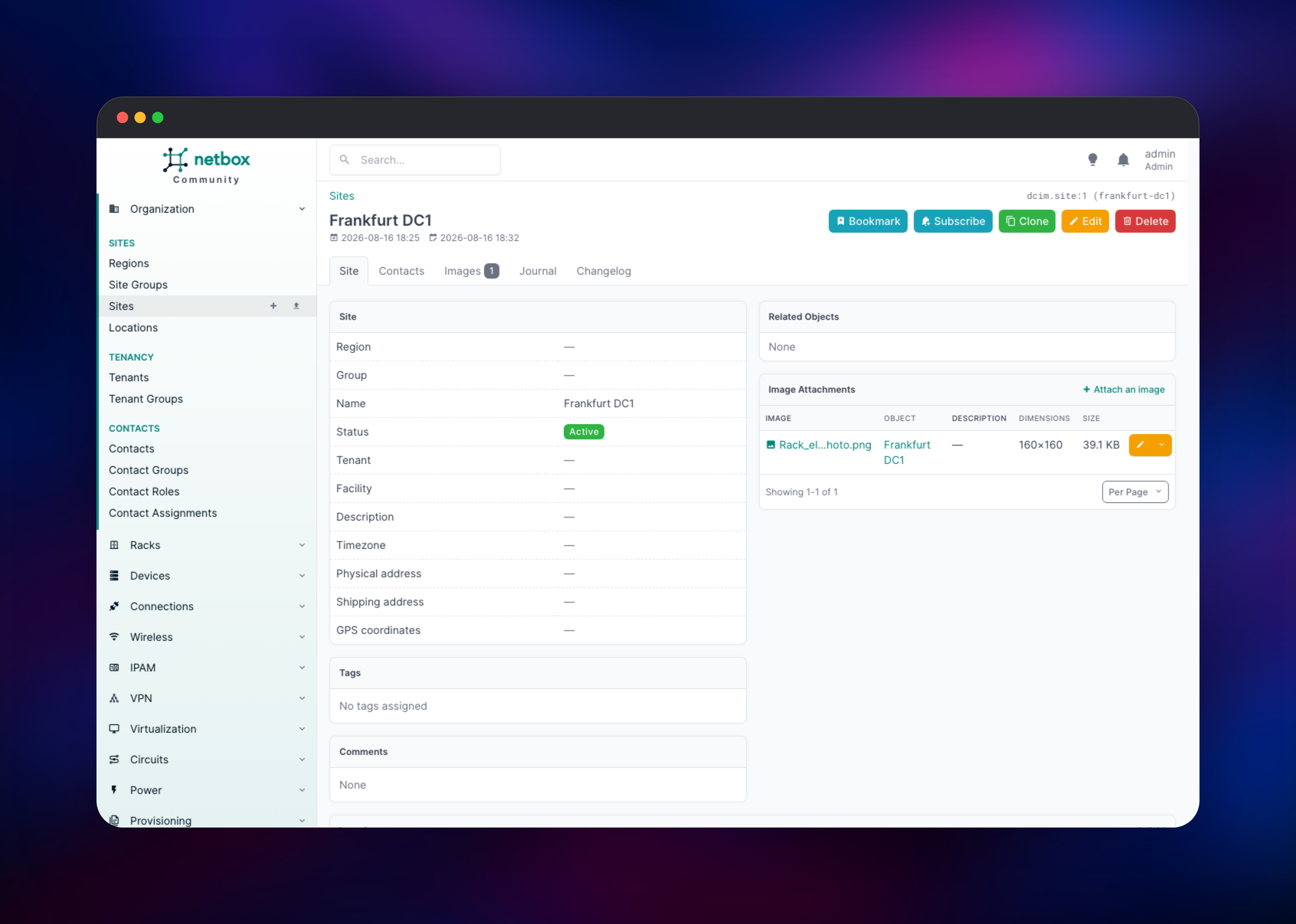
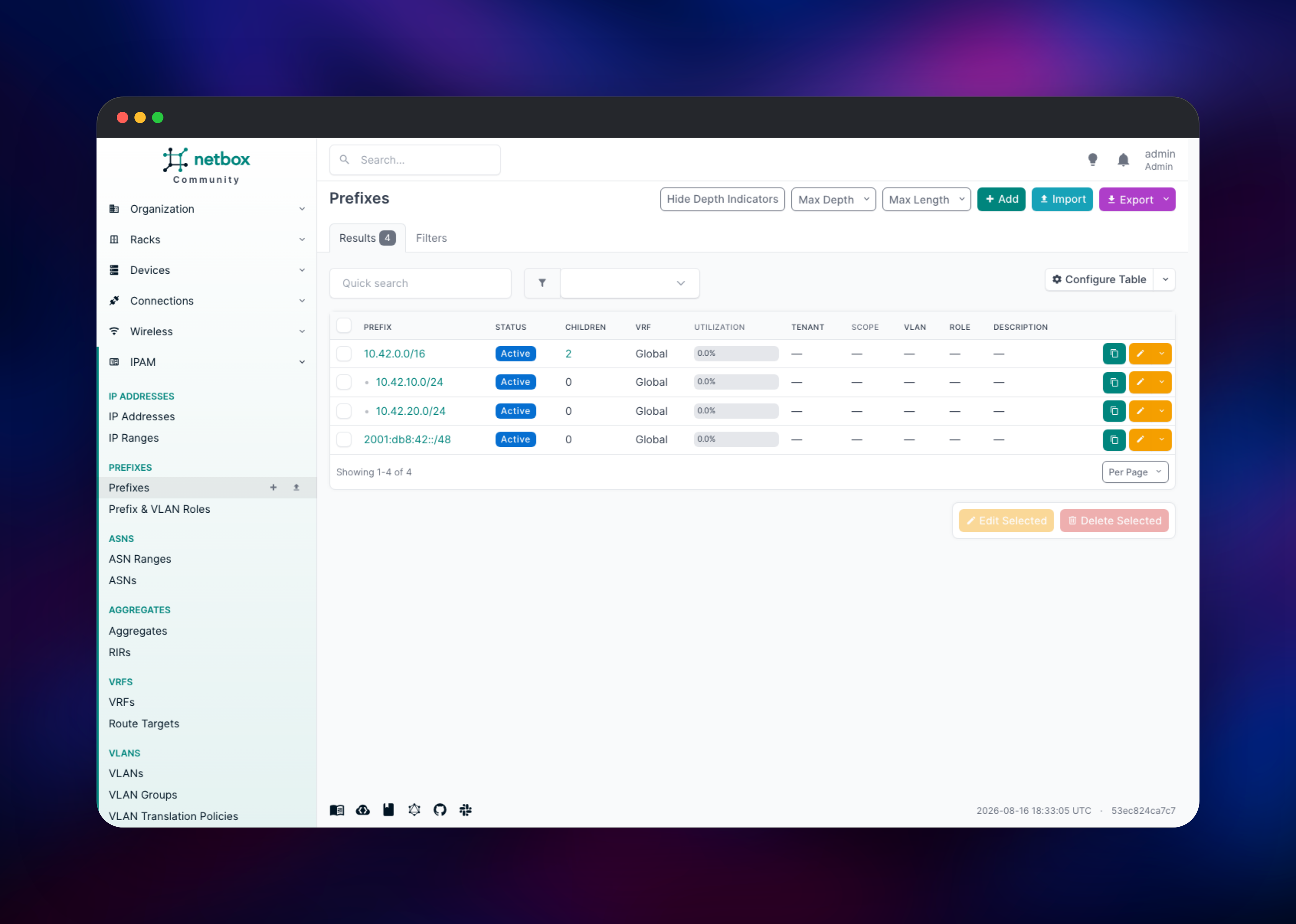
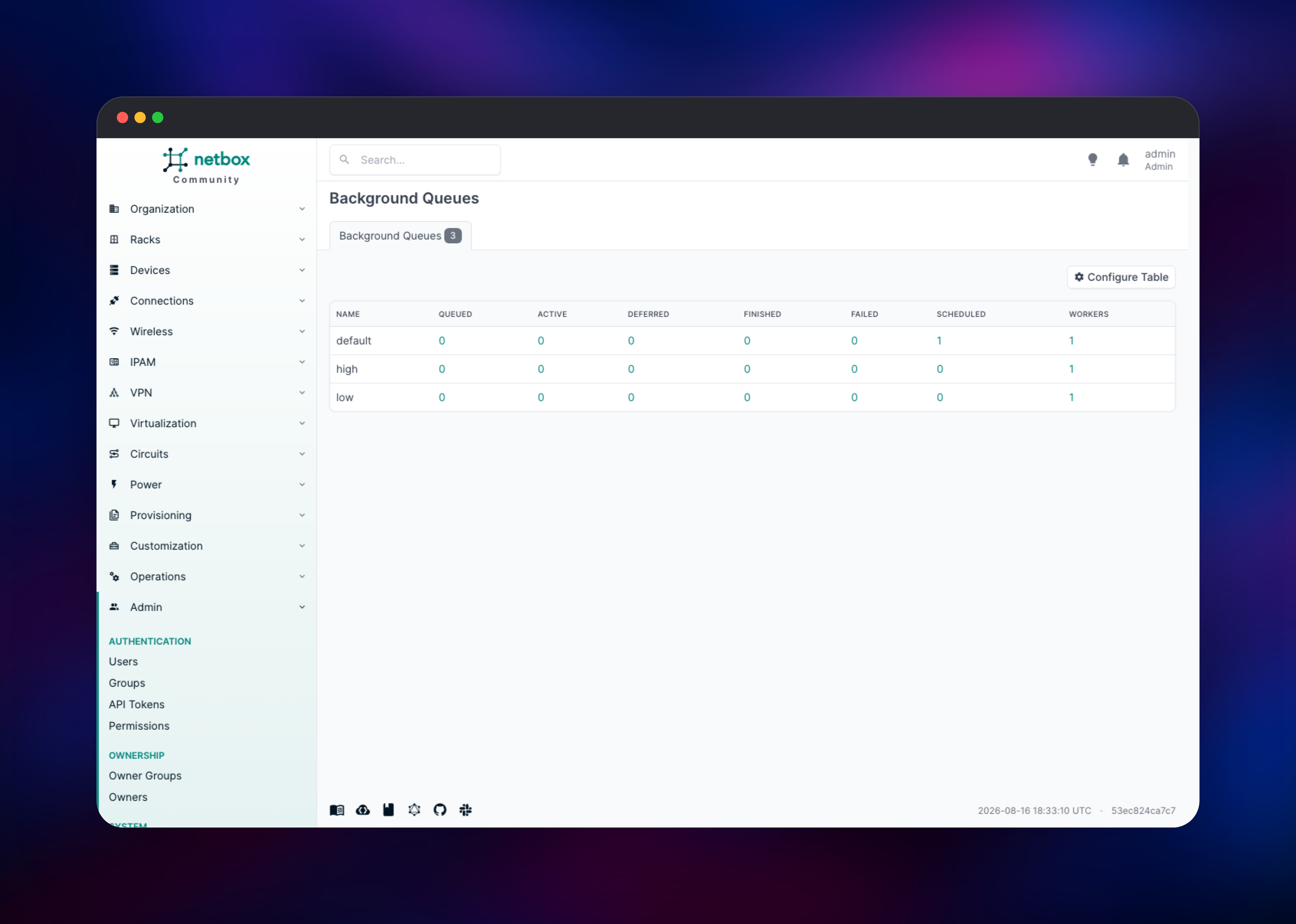
Start by creating a site under Organization → Sites, since almost every other object hangs off one. Add a rack, then a device type and a device, and you have a working DCIM model. Switch to IPAM → Prefixes and add a prefix such as 10.0.0.0/16; NetBox nests child prefixes you add later and shows live utilisation against each. To confirm the whole deployment is healthy rather than just the web tier, open Operations → Background Queues: the high, default and low queues should each report one worker plus a scheduled System Housekeeping job, which proves the worker, Redis and the database are connected. Attaching an image to any object confirms object storage works. Finally, create a token under Admin → API Tokens and call /api/dcim/sites/.
About Hosting NetBox
NetBox models a network the way it actually exists rather than storing free text about it. A prefix knows which VLAN and site it belongs to; an interface knows which cable connects it to which patch panel port. Because the model is enforced, NetBox answers questions a wiki cannot: which addresses in this subnet are free, what breaks if this switch loses power. Teams self-host it because the inventory is sensitive and is usually what automation reads first.
Key capabilities:
- IPAM for IPv4 and IPv6 — prefixes, ranges, addresses, VRFs, aggregates and live utilisation
- DCIM for racks, devices, modules, interfaces, cables, power feeds and rack elevations
- Circuits, VPN tunnels, wireless links, VLANs and virtualisation inventory
- REST and GraphQL APIs, with change logging on every object
- Custom fields, scripts, export templates, webhooks and a plugin framework
The Railway architecture splits the work across five services. NetBox runs the Django application under Granian and serves the web UI and both APIs. PostgreSQL holds every object, plus the change log and sessions. Redis backs the task queue so jobs survive a restart, while a second Redis-Cache handles caching only, keeping cache growth from competing with queued work. NetBox Worker executes scripts, delivers webhooks and runs the daily housekeeping pass. Object storage holds uploaded images and custom scripts, so both services read the same content.
Why Deploy NetBox on Railway
Railway removes the setup work self-hosting NetBox normally involves:
- PostgreSQL, both Redis instances and object storage are provisioned and connected
- The web and worker services are wired to the same release, so they cannot drift apart
- HTTPS, a public domain and health checks are configured on deploy
- Secrets are generated at deploy time, not copied from a sample file
- Scaling the worker or web tier is a slider, not a rebuild
Common Use Cases
- Replacing spreadsheet-based IP tracking with an enforced, queryable IPAM database
- Acting as the source of truth Ansible or Terraform read before generating configuration
- Documenting data centre estates: rack elevations, cabling, power and circuits
- Giving NOC teams one searchable inventory of devices and addresses
Dependencies for NetBox
- NetBox and NetBox Worker — both built from gridalpha/netbox-railway, a thin layer over the official
netboxcommunity/netbox:v4.6image, so both run the same release - PostgreSQL 18 — every object, change log entry and session
- Redis — the background task queue; Redis-Cache — application caching, kept separate
- Object storage bucket — uploaded images and custom script files
Environment Variables Reference
| Variable | Purpose |
|---|---|
SUPERUSER_NAME | Username of the first administrator |
SUPERUSER_PASSWORD | Password for that administrator |
SECRET_KEY | Django signing key; must stay stable |
API_TOKEN_PEPPER_1 | Hashes API tokens; changing it invalidates them |
TIME_ZONE | Display timezone, UTC by default |
GRANIAN_WORKERS | Web worker processes per container |
METRICS_ENABLED | Exposes /metrics; off by default |
Deployment Dependencies
- Source repository: https://github.com/gridalpha/netbox-railway
- Upstream project: https://github.com/netbox-community/netbox
- Container distribution: https://github.com/netbox-community/netbox-docker
- Documentation: https://docs.netbox.dev
Hardware Requirements for Self-Hosting NetBox
| Resource | Minimum | Recommended |
|---|---|---|
| CPU | 2 vCPU | 4 vCPU |
| RAM | 2 GB | 4 GB or more |
| Storage | 10 GB database | 20 GB+ with change-log history |
| Runtime | Python 3.10+, PostgreSQL 14+, Redis 4.0+ | Python 3.14, PostgreSQL 18, Redis 8 |
Memory use grows with the number of Granian workers and concurrent scripts rather than with inventory size. Most of the disk goes to the change log, which CHANGELOG_RETENTION bounds.
Self-Hosting NetBox
The upstream distribution runs with Docker Compose. The following clones it and starts the full stack locally:
git clone -b release https://github.com/netbox-community/netbox-docker.git
cd netbox-docker
tee docker-compose.override.yml <
Template Content
Redis-Cache
redis:8.2netbox
gridalpha/netbox-railwaynetbox-worker
gridalpha/netbox-railwayRedis
redis:8.2netbox-storage
Bucket


