
Deploy NocoBase | Open-Source No-Code Platform, Airtable Alternative
Self Host Nocobase. Build custom CRMs, ERPs, & internal tools for business

Just deployed
/var/lib/postgresql/data
NocoBase
Just deployed
/app/nocobase/storage
Deploy and Host NocoBase on Railway
Deploy NocoBase on Railway to get a production-ready no-code/low-code platform for building custom business applications. Self-host NocoBase with full control over your data, plugins, and workflows — no vendor lock-in, no recurring SaaS fees.
This Railway template pre-configures NocoBase with a PostgreSQL database, persistent storage for uploads and plugins, and a public domain with HTTPS. The deployment includes the latest-full image with database clients and LibreOffice for PDF template printing.
Getting Started with NocoBase on Railway
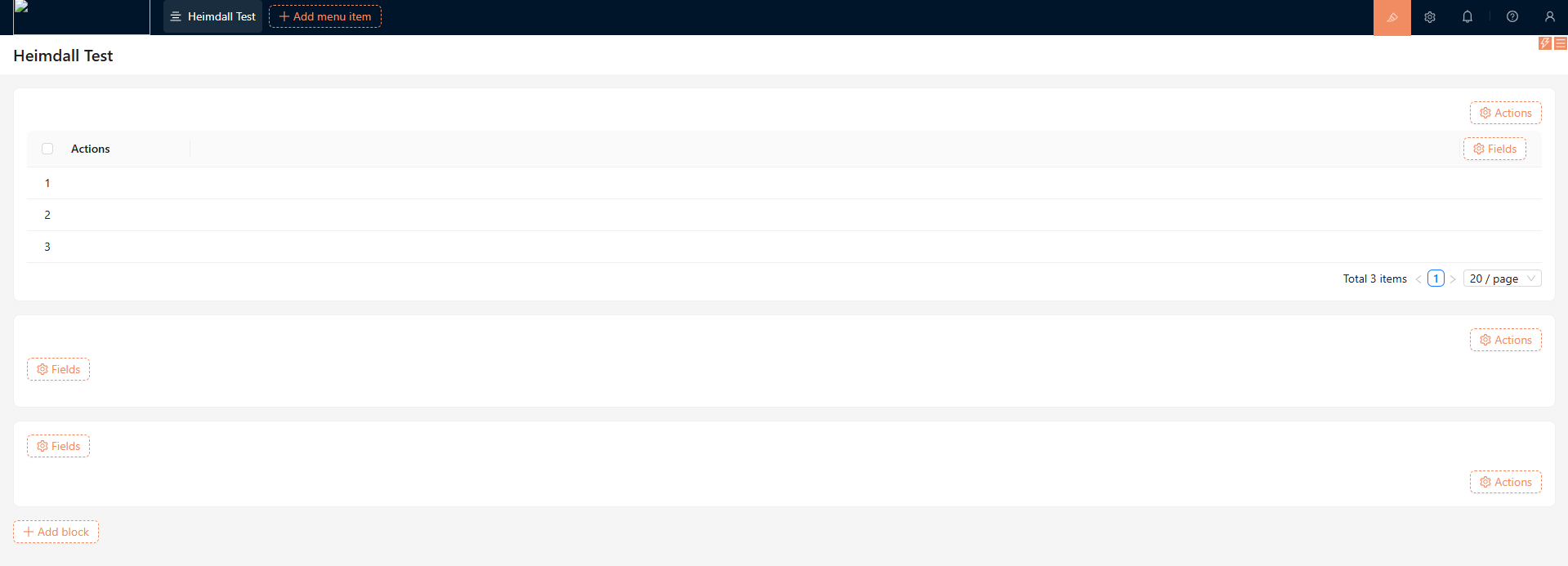
After deployment completes, open the generated Railway URL to access the NocoBase login screen. Sign in with the admin credentials configured during deployment. On first login, NocoBase walks you through initial setup — choose your language, configure your workspace name, and explore the pre-installed plugin ecosystem. Navigate to the Plugin Manager to enable additional capabilities like workflow automation, chart visualizations, or API data sources. Create your first collection (data table) by clicking the "+" icon in the navigation bar, define fields, and start building your application UI with drag-and-drop blocks.
About Hosting NocoBase
NocoBase is an open-source no-code/low-code platform built on a plugin-based microkernel architecture. Unlike spreadsheet-style tools, NocoBase separates data models from UI presentation — enabling complex, multi-page business applications with different views, forms, and dashboards for the same underlying data.
- Data model-driven architecture — define collections and relationships first, then build unlimited UI blocks on top
- Plugin ecosystem — 100+ official plugins for workflows, charts, authentication, API integrations, file storage, and more
- WYSIWYG page builder — drag-and-drop blocks including tables, forms, Kanban boards, calendars, Gantt charts, and maps
- Role-based access control — granular permissions at field, collection, and action levels
- Workflow automation — trigger-based workflows with conditions, loops, parallel branches, and approval chains
- AI employee integration — built-in AI assistant for data querying and task automation
- REST API and webhooks — programmatic access to all data and events
Why Deploy NocoBase on Railway
Railway simplifies self-hosting NocoBase with zero DevOps overhead:
- One-click deploy with PostgreSQL, persistent volumes, and HTTPS pre-configured
- Scale resources up or down instantly — no server provisioning
- Automatic SSL certificates and public domain generation
- Environment variable management for all configuration
- Built-in logging and deployment rollbacks
Common Use Cases for Self-Hosted NocoBase
- Custom CRM systems — build contact management, deal pipelines, and email integration workflows tailored to your sales process
- Internal tools and admin panels — replace spreadsheets with structured forms, dashboards, and role-based access for operations teams
- Project and task management — Kanban boards, Gantt charts, and workflow automation for engineering and product teams
- ERP and inventory management — track assets, orders, suppliers, and manufacturing workflows with custom collections and computed fields
Dependencies for NocoBase on Railway
- NocoBase —
nocobase/nocobase:latest-full(application server with nginx, Node.js, PM2, LibreOffice) - PostgreSQL — Railway-managed Postgres for application data, collections, user accounts, and plugin state
Environment Variables Reference for NocoBase
| Variable | Description | Example |
|---|---|---|
APP_KEY | Encryption key for tokens and sessions | openssl rand -hex 32 |
ENCRYPTION_FIELD_KEY | Encryption key for encrypted fields | openssl rand -hex 32 |
DB_DIALECT | Database type | postgres |
DB_HOST | Database hostname | ${{Postgres.PGHOST}} |
DB_PASSWORD | Database password | ${{Postgres.PGPASSWORD}} |
INIT_ROOT_EMAIL | Admin email (first boot only) | admin@nocobase.com |
INIT_ROOT_PASSWORD | Admin password (first boot only) | Static value |
PORT | Application listening port | 13000 |
Deployment Dependencies
- Runtime: Node.js 20, nginx, PM2
- Docker Hub: nocobase/nocobase
- GitHub: nocobase/nocobase (22.2k stars)
- Docs: docs.nocobase.com
Hardware Requirements for Self-Hosting NocoBase
| Resource | Minimum | Recommended |
|---|---|---|
| CPU | 1 vCPU | 2 vCPUs |
| RAM | 2 GB | 4 GB |
| Storage | 5 GB | 20 GB+ (depends on uploads) |
| Runtime | Node.js 20, PostgreSQL 14+ | Node.js 20, PostgreSQL 16 |
Self-Hosting NocoBase with Docker
Run NocoBase locally with Docker Compose:
version: '3'
services:
  nocobase:
    image: nocobase/nocobase:latest-full
    ports:
      - "80:80"
    environment:
      APP_ENV: production
      APP_KEY: your-secret-key-here
      ENCRYPTION_FIELD_KEY: your-encryption-key-here
      DB_DIALECT: postgres
      DB_HOST: postgres
      DB_PORT: 5432
      DB_DATABASE: nocobase
      DB_USER: postgres
      DB_PASSWORD: your-db-password
      INIT_ROOT_EMAIL: admin@nocobase.com
      INIT_ROOT_PASSWORD: changeme123
    volumes:
      - nocobase_storage:/app/nocobase/storage
    depends_on:
      - postgres

  postgres:
    image: postgres:16
    environment:
      POSTGRES_DB: nocobase
      POSTGRES_USER: postgres
      POSTGRES_PASSWORD: your-db-password
    volumes:
      - postgres_data:/var/lib/postgresql/data

volumes:
  nocobase_storage:
  postgres_data:
Start the stack:
docker-compose up -d
Access NocoBase at http://localhost and log in with the credentials from INIT_ROOT_EMAIL and INIT_ROOT_PASSWORD.
Is NocoBase Free to Self-Host?
NocoBase is open-source under the AGPL 3.0 license — the core platform and all foundational plugins are completely free. Commercial plugins (advanced workflows, SSO, enterprise auth) are available as one-time purchases starting at $800, not recurring subscriptions. When self-hosting on Railway, your only cost is Railway infrastructure usage — typically $5–20/month depending on traffic and storage.
NocoBase vs NocoDB
| Feature | NocoBase | NocoDB |
|---|---|---|
| Architecture | Plugin-based microkernel | Monolithic |
| UI Builder | Full WYSIWYG page builder | Spreadsheet-style views |
| Workflows | Built-in automation engine | Limited (via integrations) |
| Data Model | Separate from UI | Tied to table views |
| Extensibility | 100+ plugins | API-based |
| Best For | Complex business apps | Quick data management UI |
NocoBase is the better choice when you need production-grade business applications with custom workflows, while NocoDB excels as a lightweight Airtable alternative for data management.
FAQ
What is NocoBase and why should you self-host it? NocoBase is an open-source no-code/low-code platform for building business applications like CRMs, ERPs, and internal tools. Self-hosting gives you full data ownership, unlimited users, and the ability to install custom plugins without per-seat SaaS pricing.
What does this Railway template deploy for NocoBase?
This template deploys the NocoBase application server (nocobase/nocobase:latest-full) with a Railway-managed PostgreSQL database, a persistent volume for file uploads and plugin storage at /app/nocobase/storage, and a public HTTPS domain.
Why does this NocoBase template include PostgreSQL? NocoBase stores all application data — collections, user accounts, permissions, workflow definitions, and plugin configurations — in PostgreSQL. It is a required dependency; NocoBase cannot run without a relational database.
How do I install additional plugins in self-hosted NocoBase on Railway?
Navigate to the Plugin Manager in the NocoBase admin UI. Built-in plugins can be enabled with one click. For third-party or custom plugins, upload the plugin package through the Plugin Manager interface or place it in the /app/nocobase/storage/plugins directory (persisted via the Railway volume).
Can I migrate from Airtable or NocoDB to self-hosted NocoBase? NocoBase supports importing data via CSV files and connecting to external databases as data sources. While there is no one-click migration from Airtable or NocoDB, you can export your data as CSV and import it into NocoBase collections, then rebuild your UI using the drag-and-drop page builder.
How do I reset the admin password in NocoBase on Railway?
The INIT_ROOT_PASSWORD environment variable only applies on the first database initialization. To reset the password after initial setup, connect to PostgreSQL via the Railway dashboard and update the user record directly, or use the NocoBase API to change the password programmatically.
Template Content
NocoBase
nocobase/nocobase:latest-fullINIT_ROOT_EMAIL
Create Admin email (first boot)
INIT_ROOT_PASSWORD
Create Admin password (first boot)
INIT_ROOT_USERNAME
Create Admin username

