
Deploy Nocobase
No-code platform for building internal business apps on a database

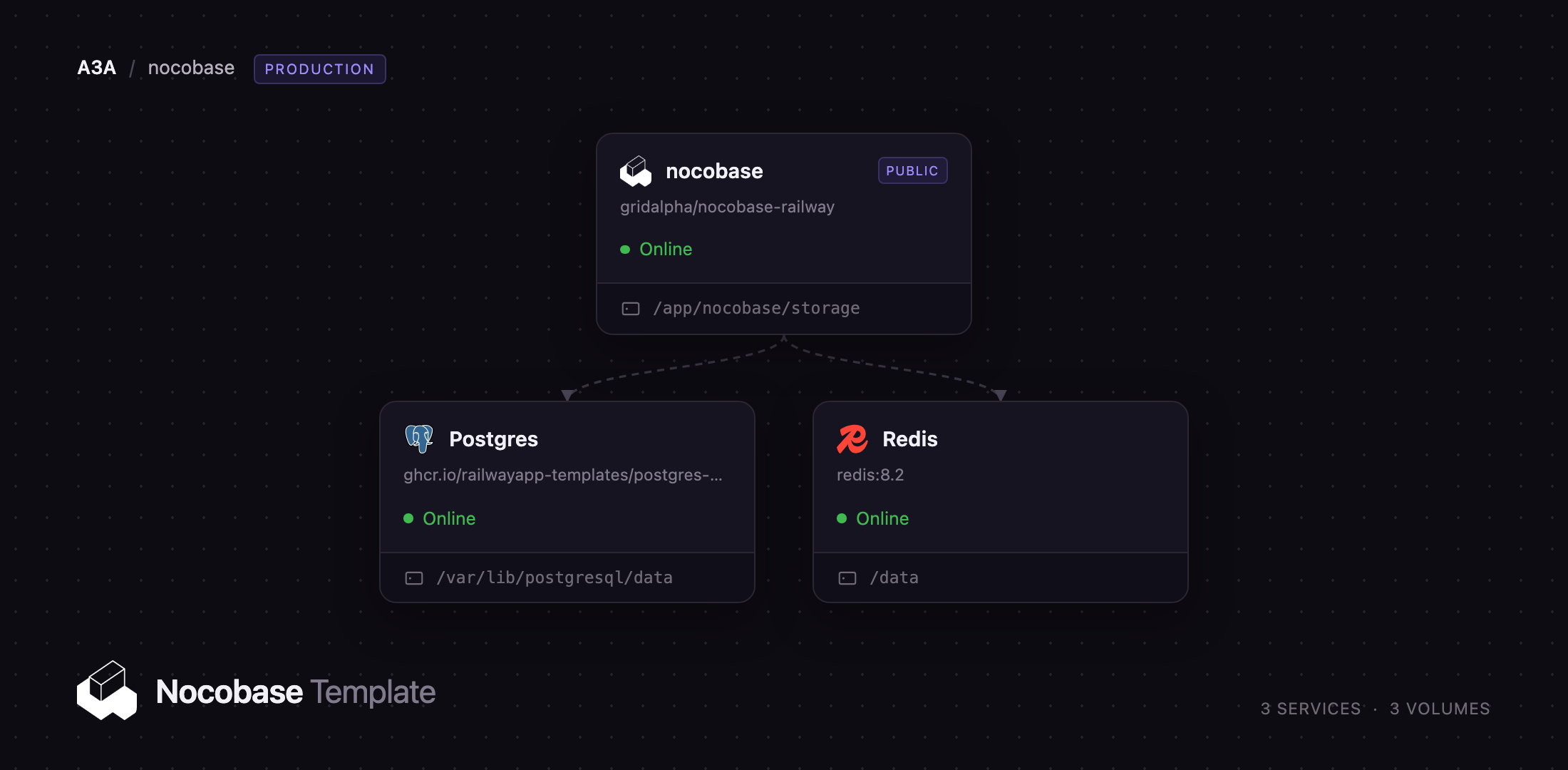
Redis
Just deployed
/data

Just deployed
/var/lib/postgresql/data
nocobase
Just deployed
/app/nocobase/storage
Deploy and Host NocoBase on Railway
NocoBase is an open-source no-code platform for building internal business systems on a real relational database. It gives you a WYSIWYG interface builder over collections you design yourself — tables, forms, kanban boards, calendars, Gantt charts and a visual workflow engine — so operations teams get the CRM, order tracker or approval tool they need without a frontend project. Every collection maps to ordinary Postgres tables, so your data stays queryable and exportable, and teams self-host NocoBase to keep customer and financial records in-house.
Deploy NocoBase on Railway and the whole stack is wired up: the application service, built from gridalpha/nocobase-railway on top of the official nocobase/nocobase:latest-full image, a managed PostgreSQL database holding every collection and record, and a managed Redis instance as the cache. Only the app has a public domain; browser traffic reaches an in-container nginx that serves the compiled client and proxies API calls to the Node gateway behind it. A volume at /app/nocobase/storage keeps uploads, plugins and logs.
Getting Started with NocoBase on Railway
Set INIT_ROOT_EMAIL, INIT_ROOT_PASSWORD and INIT_ROOT_USERNAME before the first deploy — they create the root administrator and are read only while the users table is empty, so changing them later has no effect. When the deploy finishes, open the public URL and sign in; there is no installation wizard, because the first boot runs the migrations and seeds the administrator. Public self-registration is off from the start, so colleagues are invited from Settings → Users & Permissions.
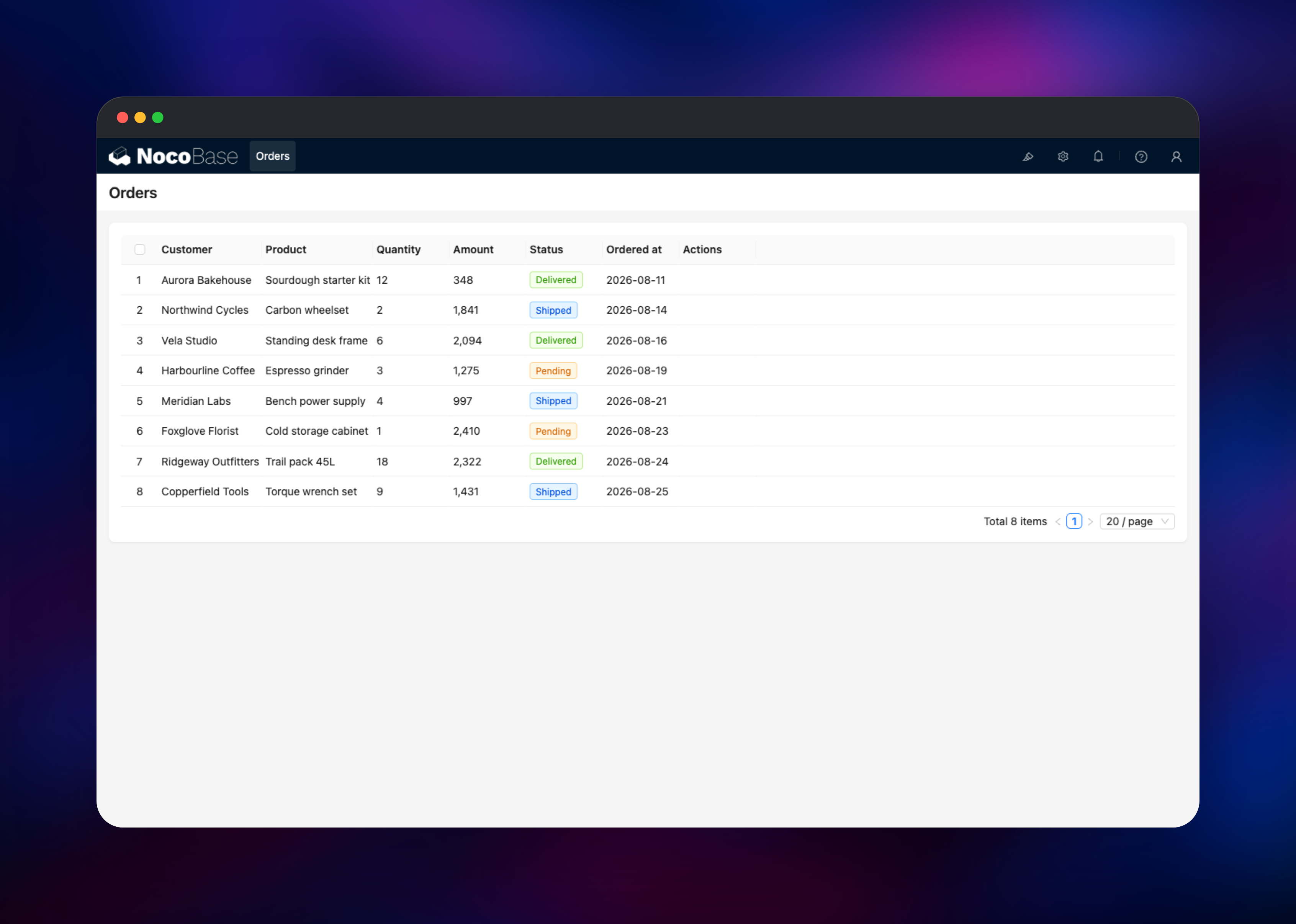
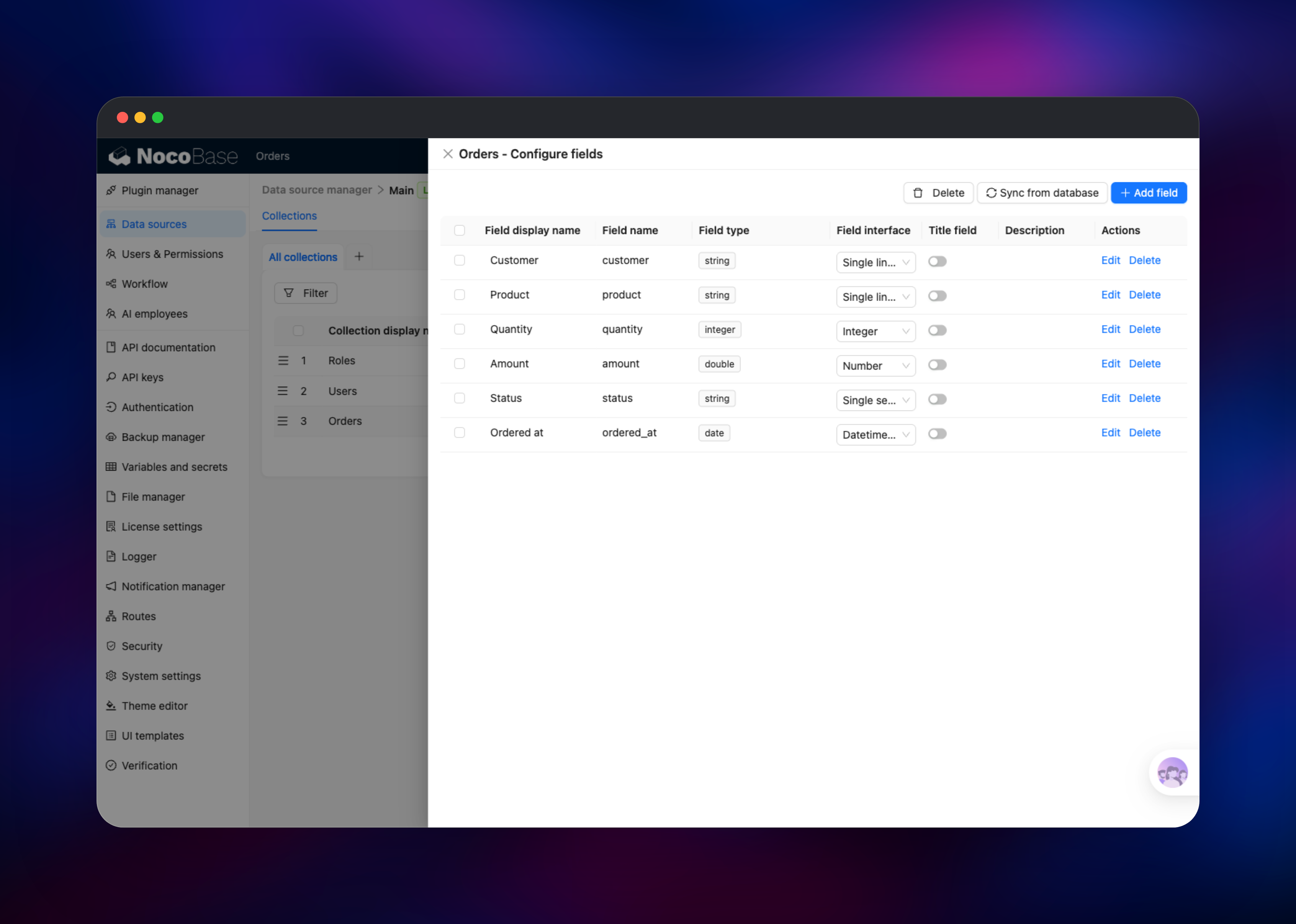
Your first useful action is to create a collection. Open Settings → Data sources → Main → Configure, choose Create collection, and add fields with the interface types you want. Back in the main area, click the pencil icon top-right for UI Editor mode, add a menu item for a new page, then Add block → Table → your collection and pick the columns. Leave UI Editor mode and you have a working screen. If it renders your rows under the right headers, the app, the database and the volume are healthy.
About Hosting NocoBase
NocoBase sits between a spreadsheet tool and a bespoke application. You model your data first, then compose screens from blocks bound to that model, and the same collections serve the REST API, the workflow engine and every plugin. That ordering separates it from form-first builders: renaming a field updates every block using it, and permissions are set once against roles, resources and actions rather than per screen.
Key capabilities:
- Collections with relationships, inheritance, SQL views and imported tables
- Blocks for tables, forms, lists, kanban, calendar, Gantt, tree and charts
- Workflows triggered by collection events, schedules, actions and manual steps
- Role-based access control down to single fields and actions
- REST API with OpenAPI docs and API keys per collection
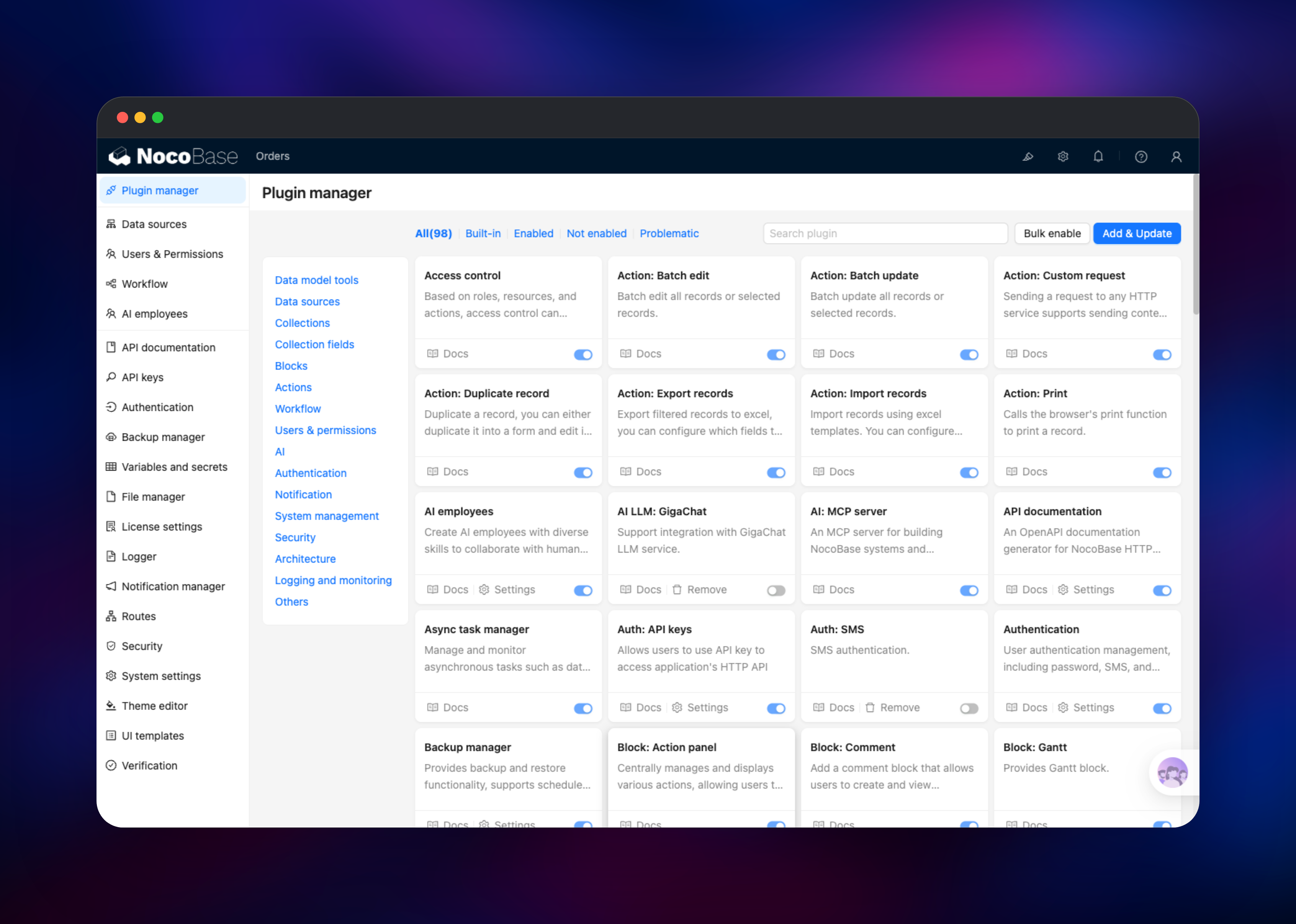
- Roughly a hundred first-party plugins
PostgreSQL is the system of record — collections, records, UI schemas, users, roles and workflows — so back it up as you would any production database. Redis holds the cache, keeping permission checks and settings out of process memory.
Why Deploy NocoBase on Railway
Railway removes the administration self-hosting normally implies:
- PostgreSQL and Redis are provisioned and connected for you
- Private networking keeps the database and cache off the internet
- A volume preserves uploads, plugins and logs across redeploys
- HTTPS and a public domain are issued automatically
- Vertical scaling is a slider, not a migration
- Upgrades are a single push to the source repository
Common Use Cases for Self-Hosted NocoBase
- Internal CRM and sales pipelines — companies, contacts and deals with kanban stages and scoped visibility
- Order and inventory tracking — orders and stock, with workflows firing when a record changes status
- Approval workflows — leave, purchase orders and expenses routed through manual nodes
- Admin panels over an existing database — import production tables into a safe operations UI
Dependencies for NocoBase
- NocoBase —
nocobase/nocobase:latest-full, extended by gridalpha/nocobase-railway. The-fullimage bundles the database clients the backup and migration plugins call, plus LibreOffice for PDF template printing. - PostgreSQL — Railway managed. MySQL and MariaDB also work.
- Redis — Railway managed. Backs the application cache.
Environment Variables Reference
| Variable | Purpose |
|---|---|
APP_KEY | Signs user tokens. Changing it logs everyone out. |
APP_AES_SECRET_KEY | 64 hex chars. Encrypts sensitive fields at rest. |
INIT_ROOT_* | Root administrator, read on first install only. |
DB_DIALECT | postgres, mysql or mariadb. |
DB_HOST / DB_PORT / DB_DATABASE / DB_USER / DB_PASSWORD | Connection details. |
CACHE_DEFAULT_STORE / CACHE_REDIS_URL | Cache backend and connection. |
APP_PORT | Node gateway port. nginx serves 80. |
TZ | Timezone for dates and schedules. |
Deployment Dependencies
- Source repository:
- Upstream project:
- Container image:
- Docs:
Hardware Requirements for Self-Hosting NocoBase
| Resource | Minimum | Recommended |
|---|---|---|
| CPU | 1 vCPU | 2 vCPU |
| RAM | 2 GB | 4 GB |
| Storage | 5 GB volume | 10 GB+ with files |
| Runtime | Node.js 22 (in the image) | Node.js 22, PostgreSQL 14+ |
Memory bites first: NocoBase loads every enabled plugin into one Node process, so an instance with many plugins and several editors is comfortable at 4 GB, cramped at 1 GB.
Self-Hosting NocoBase with Docker
The quickest way to run NocoBase outside Railway is Docker Compose. A minimal docker-compose.yml:
services:
  app:
    image: nocobase/nocobase:latest-full
    depends_on: [postgres]
    environment:
      - APP_KEY=replace-with-a-long-random-string
      - DB_DIALECT=postgres
      - DB_HOST=postgres
      - DB_DATABASE=nocobase
      - DB_USER=nocobase
      - DB_PASSWORD=nocobase
    volumes:
      - ./storage:/app/nocobase/storage
    ports:
      - "13000:80"
  postgres:
    image: postgres:16
    environment:
      POSTGRES_USER: nocobase
      POSTGRES_DB: nocobase
      POSTGRES_PASSWORD: nocobase
    volumes:
      - ./storage/db/postgres:/var/lib/postgresql/data
Bring it up and watch the first run create the schema and admin:
docker compose pull
docker compose up -d
docker compose logs -f app
NocoBase is then on http://localhost:13000. To build from source, clone , yarn install, copy .env.example to .env, then yarn nocobase install and yarn start.
How Much Does NocoBase Cost to Self-Host?
The community edition is free and open source under AGPL-3.0, with unlimited users, applications and records — no seat charges, no row limits. Paid editions add custom branding, external data sources, single sign-on, approval workflows and clustered deployments, from a one-time Standard licence up to Enterprise. Self-hosting on Railway costs only infrastructure: the app, PostgreSQL, Redis and the volume.
FAQ
What is NocoBase?
An open-source no-code platform for building internal business systems. You model collections in a real database, assemble pages from blocks — tables, forms, kanban, calendars, charts — and automate them with a workflow engine.
What does this Railway template deploy?
Three services: the NocoBase application with a public domain and a volume at /app/nocobase/storage, a managed PostgreSQL database, and a managed Redis cache. The administrator is created on first boot.
Why does the template include PostgreSQL and Redis?
PostgreSQL is NocoBase's system of record — collections, records, UI schemas, users, roles and workflows all live there. Redis backs the cache, keeping permission and settings lookups out of memory.
How do I log in to NocoBase for the first time?
Use INIT_ROOT_USERNAME and INIT_ROOT_PASSWORD. They apply only while the users table is empty, so set them before the first deploy. Public sign-up is off by default and re-enabled under Settings → Authentication.
How do I upgrade a self-hosted NocoBase instance?
Redeploy the service. NocoBase runs its migrations at startup, so a new image upgrades the schema in place. Back up PostgreSQL first and read the release notes before crossing a major version.
Can I connect NocoBase to an existing database and call it from code?
Yes. Point DB_HOST, DB_DATABASE, DB_USER and DB_PASSWORD at your own server and use Sync from database to import tables as collections. Every collection also gets REST endpoints under /api/, documented by the API documentation plugin and callable with API keys.
Template Content
Redis
redis:8.2nocobase
gridalpha/nocobase-railway

