Deploy NocoDB
Airtable Alternative. The no-code database with Postgres, Redis & Worker
nocodb
Just deployed
/usr/app/data

Redis
Just deployed
/data

Just deployed
/var/lib/postgresql/data
nocodb-worker
Just deployed
/usr/app/data
nocodb-attachments
Bucket
Just deployed

Deploy and Host NocoDB on Railway
NocoDB puts a spreadsheet interface on top of a real relational database. Teams use it much like Airtable — grid, kanban, gallery, calendar, form and map views over their records — except the data sits in Postgres, MySQL, SQLite or SQL Server that you control, and every table is instantly available over a REST API, webhooks and an SDK. CRMs, roadmaps, inventory and applicant trackers get a friendly UI without anyone writing a CRUD app, while developers keep SQL access and API tokens underneath.
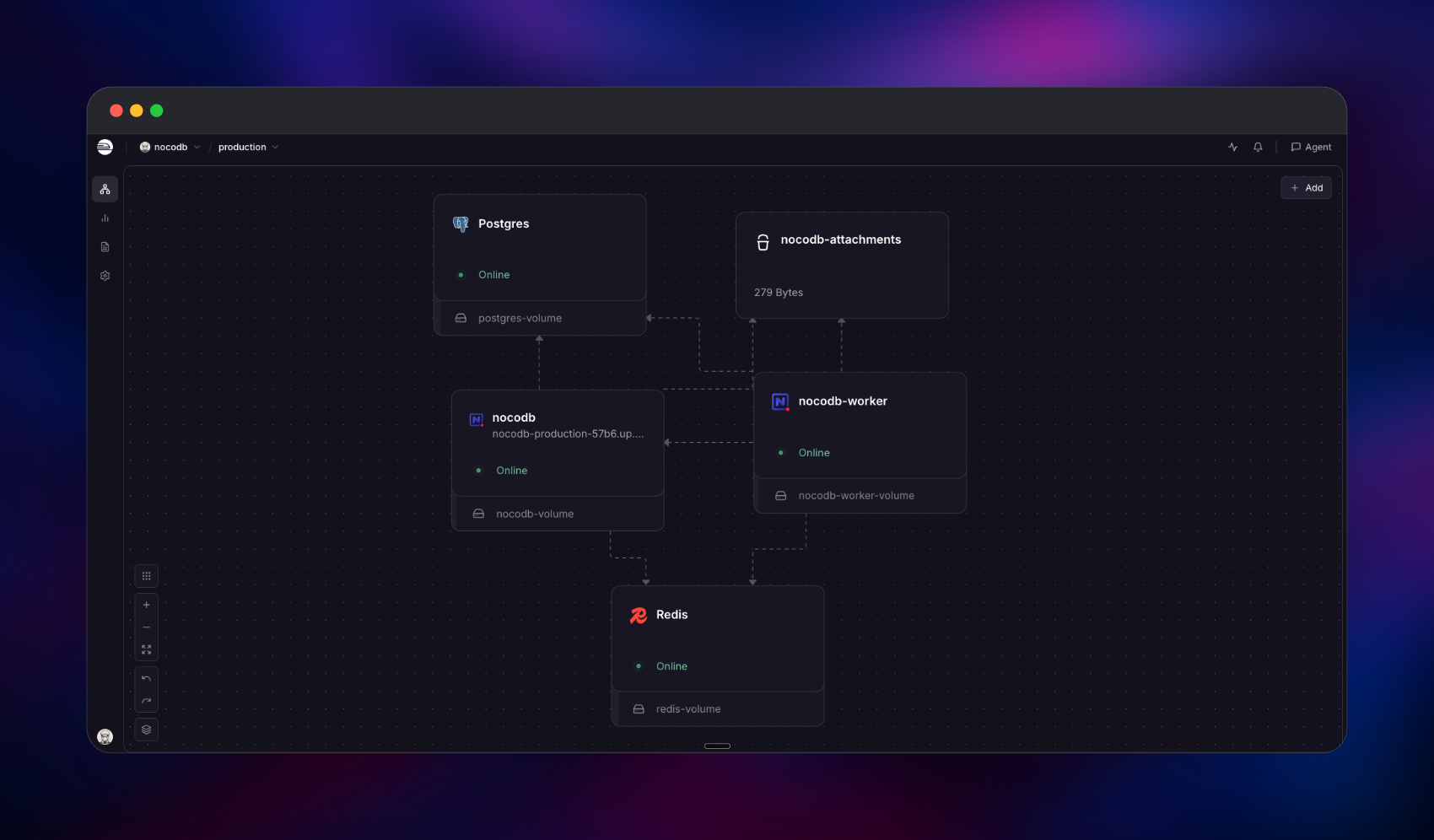
Self-host NocoDB on Railway and you get upstream's production topology rather than a lone container. The template runs the nocodb/nocodb:2026.08.0 image twice — a public nocodb app on port 8080 and a private nocodb-worker with NC_WORKER_CONTAINER=true — plus managed Postgres for metadata, managed Redis for cache, pub/sub and the BullMQ job queue, and a private object storage bucket for attachments. Browser traffic reaches only the app, which writes records to Postgres and pushes long-running work — imports, exports, webhook deliveries, thumbnails — onto Redis for the worker to drain. Attachment bytes go straight to the bucket and come back as short-lived signed URLs.
Getting Started with NocoDB on Railway
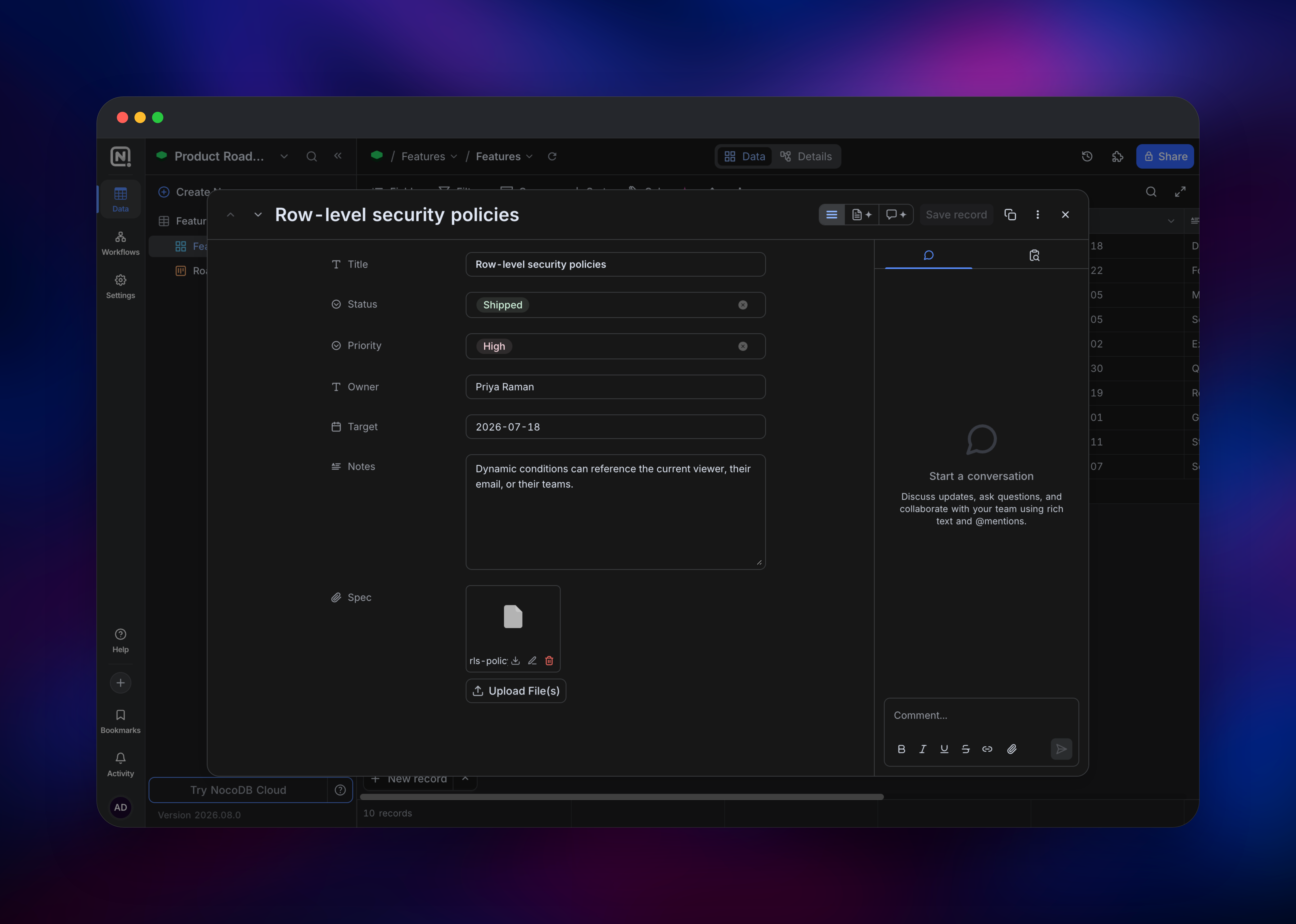
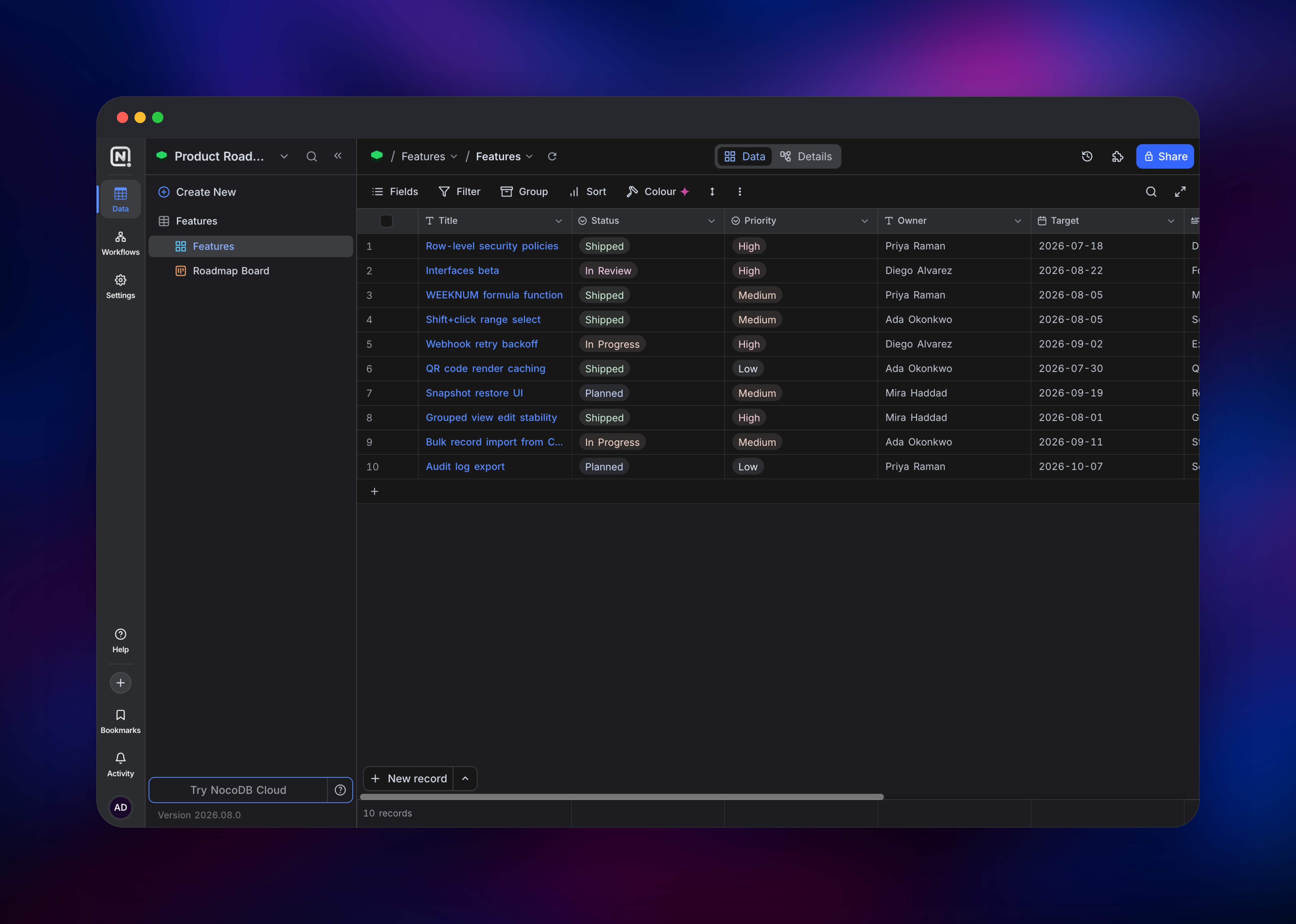
Open the generated URL for the nocodb service. There are no vendor default credentials: NocoDB creates the first super-admin at boot from NC_ADMIN_EMAIL and NC_ADMIN_PASSWORD, so use an email you own and copy the generated password out of the app service's variables before you hit /signin. You land on a Default Workspace — click Create Base, add a table and a few fields, and insert some records to confirm the metadata store is healthy. Then duplicate the table: duplication runs as a queued job, so a duplicate that completes proves Redis and the worker are wired correctly. Upload a file into an attachment cell and press Save record — the editor uploads bytes immediately but leaves the field empty until you save — which confirms the bucket credentials. Finally, close the front door: public signup is enabled by default, so switch the instance to invite-only in the admin settings before sharing the URL.
About Hosting NocoDB
NocoDB is a database UI layer, not a database. Point it at an existing Postgres or MySQL schema and it renders those tables as editable views with filters, sorts, grouping and formulas, without copying data anywhere — or let it manage its own tables as a standalone Airtable replacement. Self-hosting makes sense when the records are customer, financial or HR data that cannot leave your infrastructure, or when per-seat SaaS pricing stops adding up.
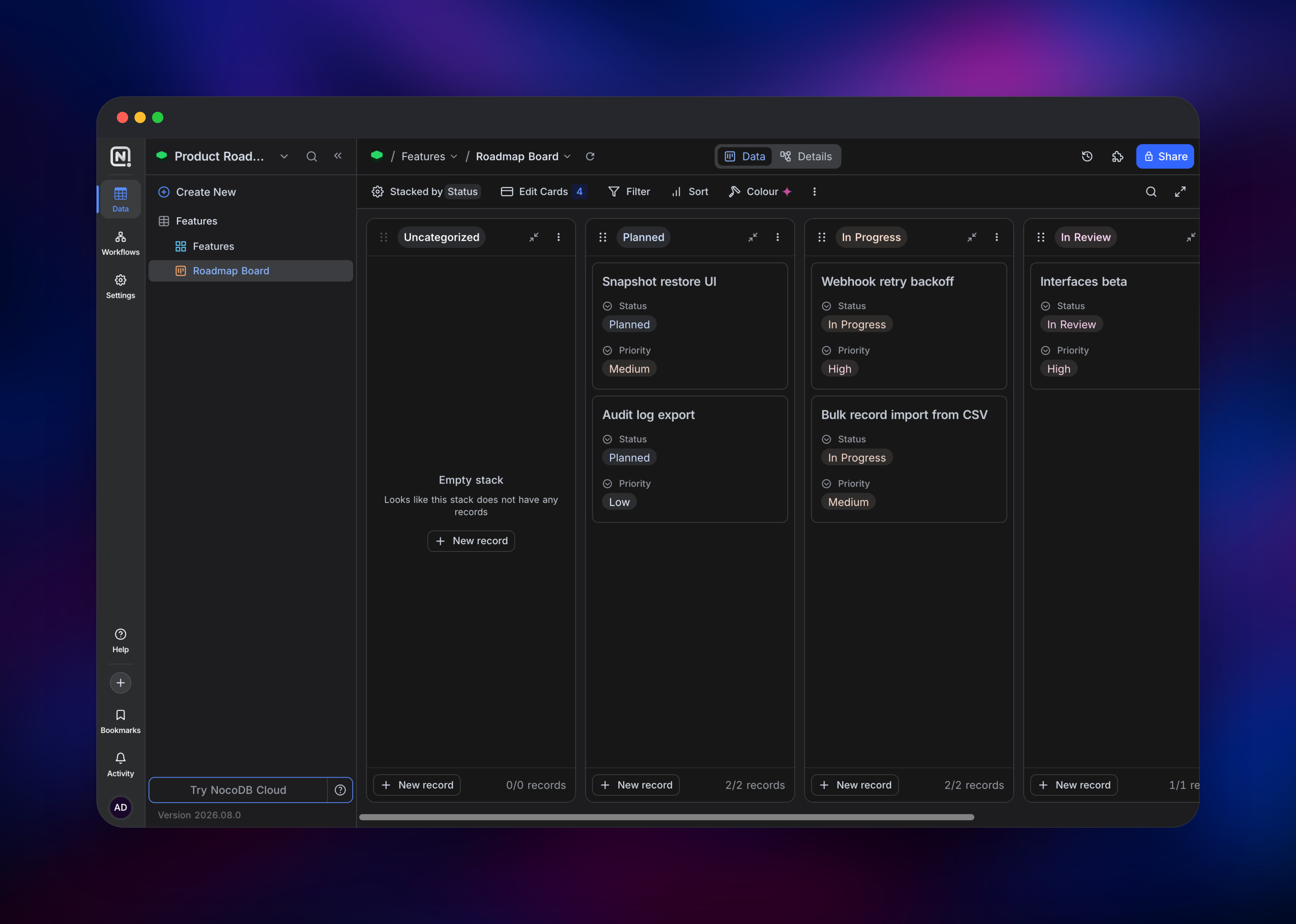
- Six view types over one table: grid, gallery, kanban, calendar, form and map
- Rich fields — links, lookups, rollups, formulas, attachments, currency, QR/barcode
- Auto-generated REST API (v1 and v2) plus webhooks on create, update and delete
Redis becomes mandatory once the worker role exists: a worker container refuses to start without NC_REDIS_URL. The bucket matters for a subtler reason — upstream's Compose file shares one data volume between app and worker, which Railway cannot do because a volume belongs to exactly one service. Routing attachments to object storage removes that requirement: metadata lives in Postgres, bytes live in the bucket, and neither container keeps anything durable on local disk.
Why Deploy NocoDB on Railway
One click gives the full stack, not a lone container:
- Postgres, Redis and the attachments bucket are provisioned and wired automatically
- App and worker share signing keys, so sessions and encrypted data sources work
- Private networking keeps worker, database and cache off the public internet
- HTTPS, a public domain and a health check on
/api/v1/healthfrom the first deploy - Per-service scaling — add worker replicas for queue throughput
Common Use Cases
- Internal CRM and pipeline tracking — deals in a kanban view stacked by stage, with webhooks firing into Slack or n8n when one moves.
- Product and content operations — roadmaps, editorial calendars and asset libraries using calendar and gallery views.
- Admin UI over an existing database — connect a read-only Postgres source and give non-engineers a filtered window into live data.
- Form-driven data collection — publish a public form view for applications or bug intake, then automate what follows through webhooks.
Dependencies for NocoDB
- nocodb —
nocodb/nocodb:2026.08.0, the web app and API. Public, listens on 8080. - nocodb-worker — the same image with
NC_WORKER_CONTAINER=true. Private, no HTTP surface. - Postgres — the metadata store. Without it NocoDB falls back to a local SQLite file that will not survive a redeploy.
- Redis — cache, pub/sub and the job queue shared by app and worker.
- Object storage bucket — attachments, via
NC_S3_*.
Deployment Dependencies
- Docker image:
nocodb/nocodb - Self-hosting docs: nocodb.com/docs/self-hosting
Hardware Requirements for Self-Hosting NocoDB
| Resource | Minimum | Recommended |
|---|---|---|
| CPU | 1 vCPU shared by app + worker | 2 vCPU |
| RAM | 1 GB app + 512 MB worker | 2 GB app + 1 GB worker |
| Storage | Postgres 1 GB; attachments in object storage | Postgres 5 GB+; bucket sized to files |
| Runtime | Official image, pinned tag | Official image, pinned tag |
An idle instance sits around 900 MB resident at near-zero CPU, and cold start is roughly ten seconds including first-run migrations. Memory scales with concurrent editors and import size, not row count.
Self-Hosting NocoDB with Docker
The quickest local trial is a single container on SQLite. The following is a shell command:
docker run -d --name nocodb -p 8080:8080 \
  -v nocodb_data:/usr/app/data \
  nocodb/nocodb:2026.08.0
That is fine for evaluation but not production — no Redis means no worker, and the SQLite file is a single point of failure. The following Docker Compose fragment mirrors what this Railway template deploys; &env is a YAML anchor holding the settings both roles share:
services:
  nocodb:
    image: nocodb/nocodb:2026.08.0
    ports: ["8080:8080"]
    environment: &env
      DATABASE_URL: postgres://noco:noco@db:5432/noco
      NC_REDIS_URL: redis://redis:6379
      NC_AUTH_JWT_SECRET: change-me-shared-by-both
      NC_CONNECTION_ENCRYPT_KEY: change-me-shared-by-both
  worker:
    image: nocodb/nocodb:2026.08.0
    environment:
      <<: *env
      NC_WORKER_CONTAINER: "true"
Start Postgres and Redis before the app — NocoDB runs its migrations at boot and nothing orders the dependencies for you. To confirm the roles split correctly, read the logs: the app prints the migration set and a DataReflection proxy line, the worker prints neither.
How Much Does NocoDB Cost to Self-Host?
Self-hosted Community edition is free with unlimited records, storage and seats, so the only cost is infrastructure — on Railway, usage-based billing for two containers plus managed Postgres, Redis and object storage. NocoDB Cloud's paid tiers run roughly $12–$45 per seat per month by comparison. Audit logs, row-level security and SCIM stay on those paid tiers; the published image runs in Community mode and logs that it found no licence key.
Licence note: NocoDB is source-available, not open source. Upstream relicensed from AGPL to the Sustainable Use License on 29 January 2026, and many older write-ups have not caught up. The licence permits self-hosting for internal business, personal and non-commercial use, and restricts redistribution and offering NocoDB as a competing commercial service.
FAQ
What is NocoDB? A self-hostable no-code database platform — an Airtable alternative that turns Postgres, MySQL, SQLite or SQL Server tables into grid, kanban, gallery, calendar, form and map views, with a REST API, webhooks and role-based permissions on top.
Why does self-hosted NocoDB need Redis and a separate worker service?
Redis carries the BullMQ job queue and pub/sub channel, and the worker drains it so imports, exports, webhook deliveries and thumbnails stay off the request path. Every official Compose example ships both containers, and a worker refuses to start without NC_REDIS_URL.
What are the default NocoDB login credentials?
There are none. NocoDB creates the first super-admin at boot from NC_ADMIN_EMAIL and NC_ADMIN_PASSWORD on the app service.
How do I disable public signup in self-hosted NocoDB? Public signup is on by default, and it is a database setting rather than an environment variable, so a fresh instance will create accounts for strangers. Turn on invite-only signup in the admin settings, then confirm the signup endpoint answers 400 with "Not allowed to signup, contact super admin."
Why does my NocoDB API token suddenly return 401 Invalid token? Signing in rotates the user's token version and invalidates every JWT issued earlier for that account, including one an open browser tab is holding. If you script against the API while also using the UI, mint a dedicated API token from the user menu rather than reusing a sign-in token.
Template Content
nocodb
nocodb/nocodb:2026.08.0Redis
redis:8.2.1nocodb-worker
nocodb/nocodb:2026.08.0nocodb-attachments
Bucket


