
Deploy Node-Red
Visual editor for wiring APIs, devices and events together
node-red
Just deployed
/data
Deploy and Host Node-RED on Railway
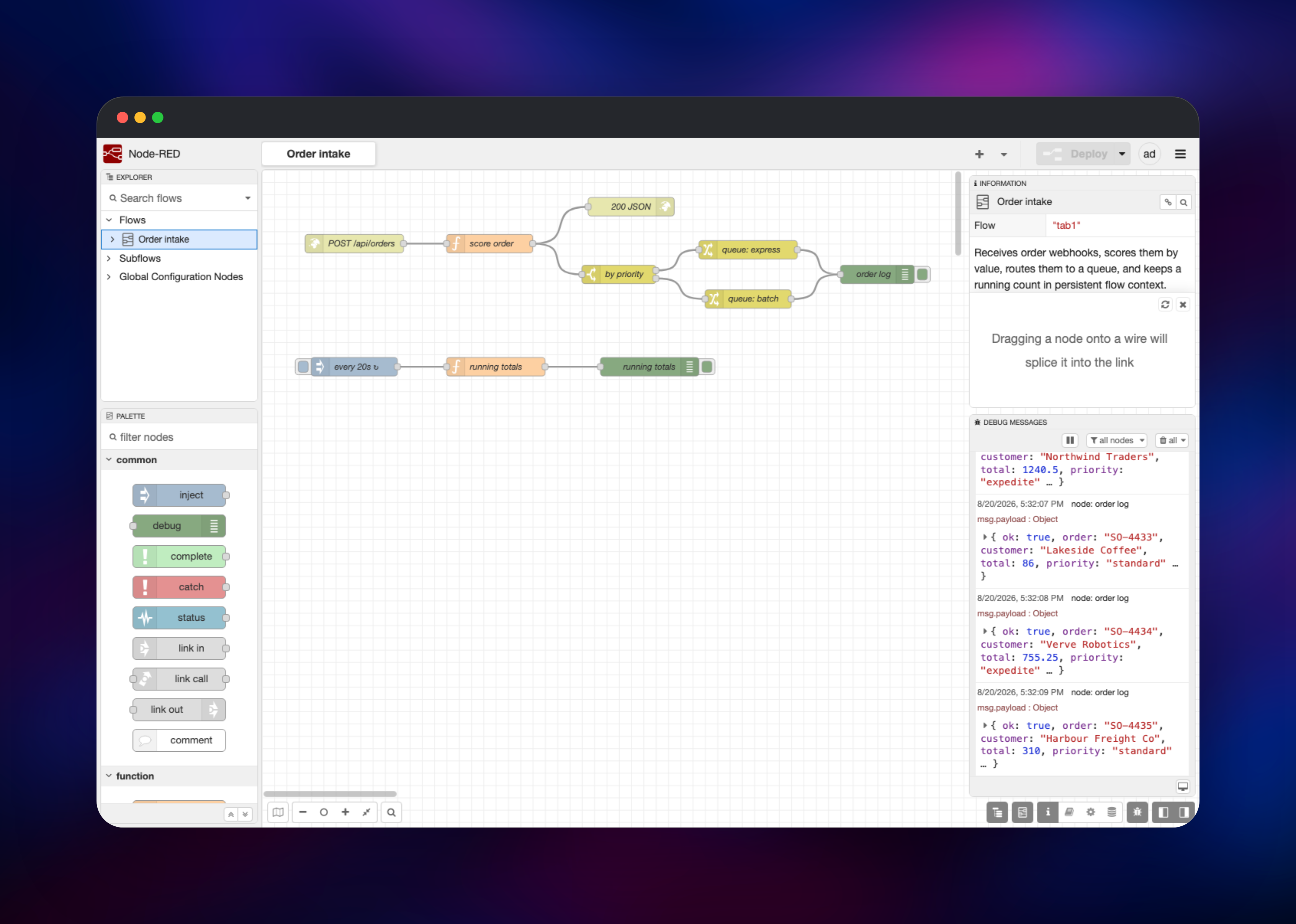
Node-RED is a low-code editor for wiring together hardware devices, APIs and online services. You drag nodes onto a canvas, connect them with wires, and messages travel along those wires — a request arrives, a function reshapes it, a switch routes it, a database node stores it. It began at IBM in 2013 and is now an OpenJS Foundation project under Apache-2.0, used for IoT gateways, building automation, industrial data collection, and the everyday job of gluing one API to another.
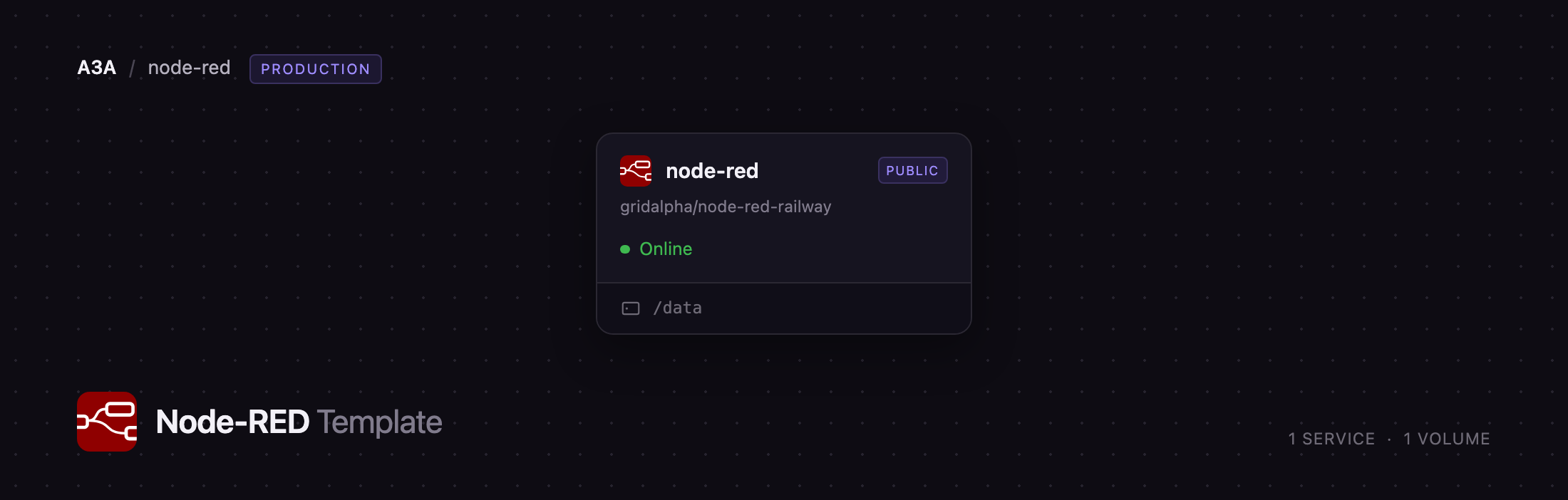
Choosing to self-host Node-RED normally means picking a machine, securing the editor and remembering to back up a directory. Deploy Node-RED with this template and that is handled: it runs on Railway behind a generated HTTPS domain, turns on editor authentication before the first boot so the canvas is never exposed, and attaches a volume at /data holding your flows, encrypted credentials, installed palette nodes and flow context.
Getting Started with Node-RED on Railway
Open the generated Railway URL and Node-RED asks you to log in. Use the username in NODE_RED_USERNAME (admin by default) and the password Railway generated into NODE_RED_PASSWORD, both in the service's Variables tab. There are no shared default credentials — the password is generated per deployment, and the editor refuses to start without one. Node-RED 5 then asks whether to enable update notifications; it is opt-in, so answering no keeps the instance from calling home. Dismiss the tour and you are on the flow canvas.
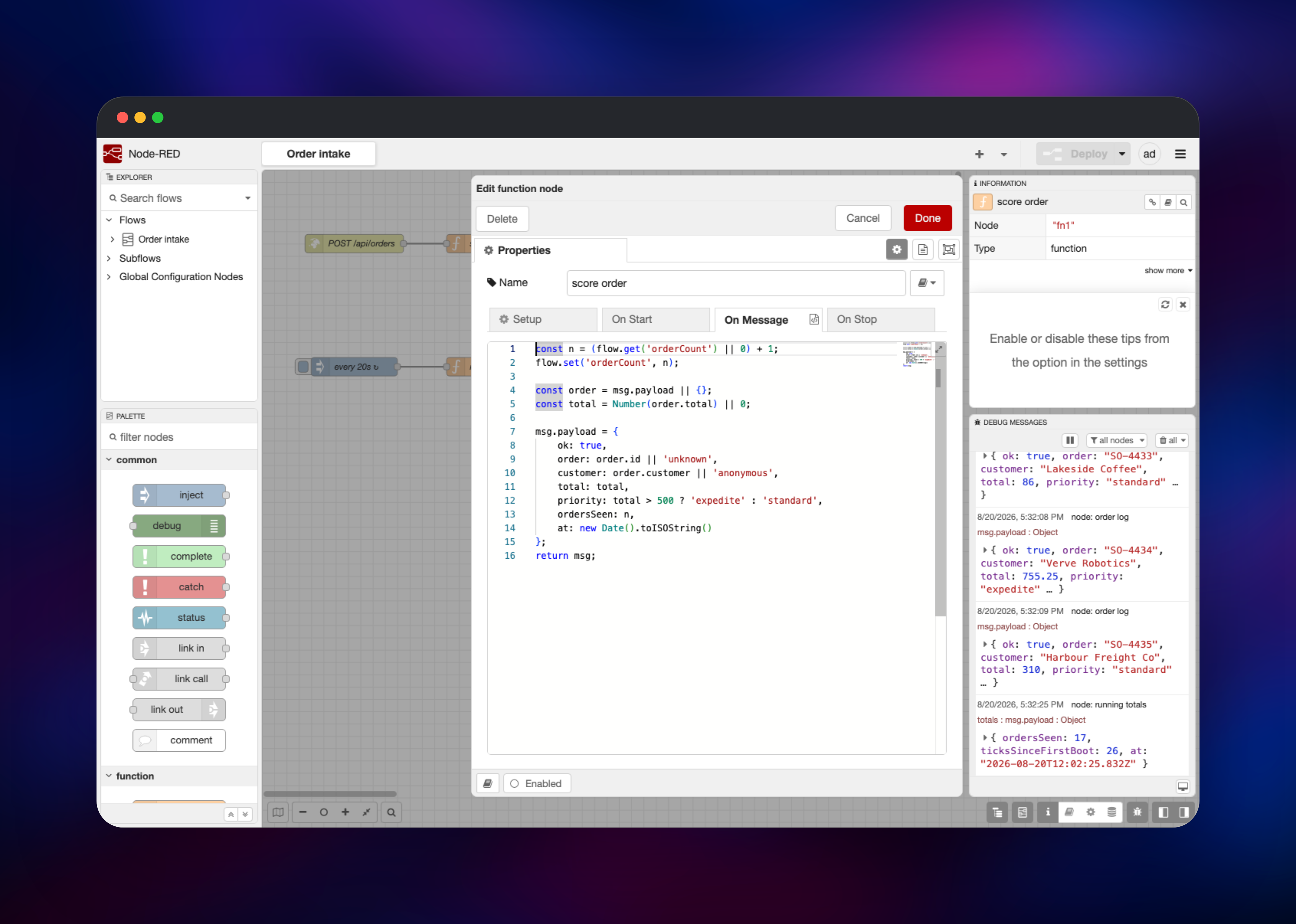
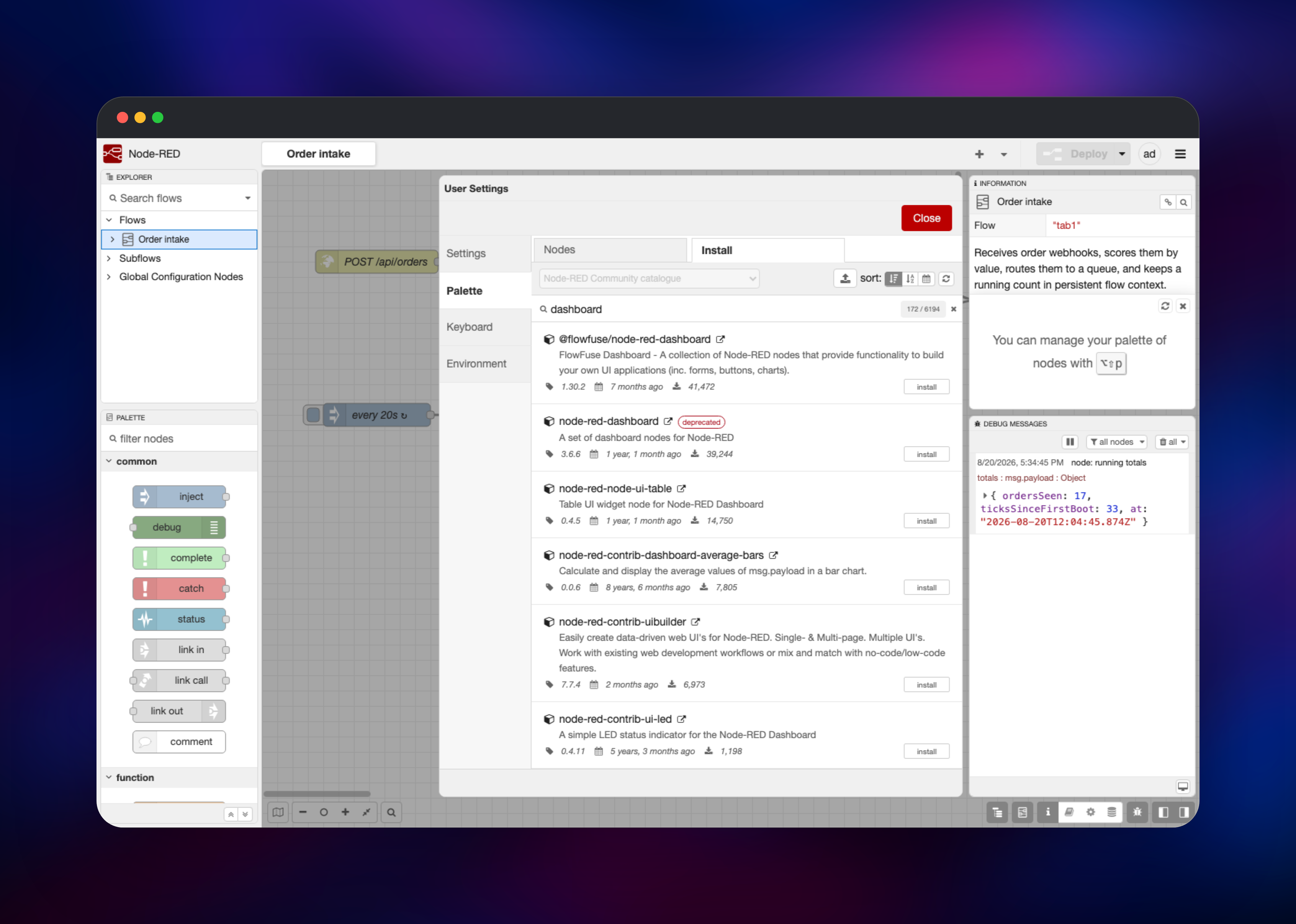
For a first flow, wire an inject node to a debug node and press Deploy; clicking inject puts a timestamp in the debug sidebar. To exercise the HTTP side, add an http in node set to POST on /api/hello, wire it through a function node that sets msg.payload, and finish on an http response node — that route is then live on your Railway domain. Use Manage palette to install any of the thousands of community nodes for MQTT, Postgres, Slack or Modbus; they land on the volume and survive redeploys.
About Hosting Node-RED
Node-RED is a runtime and an editor in one process. The runtime executes your flows continuously — listening on HTTP routes, subscribing to MQTT topics, firing timers — while the editor is served from the same port and lets you change those flows and redeploy in seconds. That is the case for self-hosting over a hosted service: flows run on infrastructure you control, reach your private services, and nothing bills you per run.
Key features:
- Visual flow editor with a live debug sidebar showing every message
- JavaScript function nodes, with npm modules importable into them
- Thousands of community nodes for MQTT, Modbus, OPC-UA, databases and cloud APIs
- Built-in HTTP endpoints, so flows can serve webhooks and REST APIs
- Persistent flow, node and global context for state that outlives a message
- Encrypted storage for credentials such as broker passwords and API keys
The Railway architecture is deliberately simple: one node-red service built from gridalpha/node-red-railway on the official nodered/node-red image, with a single volume at /data. There is no worker, queue or database tier to provision or keep in sync.
Why Deploy Node-RED on Railway
Railway removes the parts of self-hosting that have nothing to do with your flows:
- HTTPS domain issued and renewed automatically
- Persistent volume for flows, credentials and installed nodes
- Editor authentication configured before the first boot
- Health checks, automatic restarts, logs and metrics
- Usage-based pricing instead of a fixed server rental
Common Use Cases
- Webhook glue and API orchestration — take a webhook from Stripe or GitHub, reshape it, fan it out to Slack, a database and an internal API
- IoT and MQTT gateways — subscribe to sensor topics, filter and aggregate readings, forward them to a time-series store
- Scheduled jobs with visible state — poll an API on a timer, compare against the last result held in context, alert only on change
- Industrial and building automation — reach Modbus, OPC-UA or serial equipment through community nodes and expose readings over HTTP
Dependencies for Node-RED
- Node-RED —
nodered/node-red:latest(Node-RED 5.x on Node.js 24, Alpine), built from gridalpha/node-red-railway for environment-driven authentication and a volume-safe startup - Persistent volume — at
/data:flows.json, the encrypted credentials file, persisted context and installed palette nodes
Environment Variables Reference
| Variable | Purpose |
|---|---|
NODE_RED_USERNAME | Editor login username, default admin |
NODE_RED_PASSWORD | Editor password, generated at deploy. Required unless the hash is set |
NODE_RED_PASSWORD_HASH | Optional bcrypt hash, so no plaintext password is stored |
NODE_RED_CREDENTIAL_SECRET | Encrypts node credentials at rest. Changing it makes them unreadable |
NODE_RED_HTTP_USER / NODE_RED_HTTP_PASSWORD | Optional basic auth over the routes your flows serve |
NODE_RED_ENABLE_PROJECTS | Set true for Git-backed flow projects |
TZ | Timezone for inject and cron scheduling, default UTC |
Deployment Dependencies
- Docs nodered.org · nodes flows.nodered.org
- Source github.com/node-red/node-red
- Image hub.docker.com/r/nodered/node-red
Hardware Requirements for Self-Hosting Node-RED
Node-RED is light — routinely run on a Raspberry Pi — but memory use grows with the number of flows, the size of messages passing through, and the palette nodes you add.
| Resource | Minimum | Recommended |
|---|---|---|
| CPU | 0.5 vCPU | 1–2 vCPU |
| RAM | 512 MB | 1–2 GB |
| Storage | 1 GB | 5 GB |
| Runtime | Node.js 22.9+ | Node.js 24 |
Run a single instance. Node-RED has no clustering or leader election, so a second replica would run every flow again — firing each timer twice, duplicating subscriptions — and both would need the same data directory.
Self-Hosting Node-RED with Docker
Locally the official image needs a named volume so flows outlive the container. The following is a plain Docker command:
docker run -d -p 1880:1880 \
  -v node_red_data:/data \
  --name nodered \
  nodered/node-red:latest
That gives an unauthenticated editor — fine on a laptop, unsafe on anything reachable from the internet, because it runs arbitrary JavaScript and installs arbitrary packages. Authentication lives in settings.js, not an environment variable, which is why this template ships its own. Generate a hash with the admin tool and add the block to /data/settings.js:
npx node-red-admin hash-pw

# then in settings.js:
adminAuth: {
    type: "credentials",
    users: [{
        username: "admin",
        password: "$2b$08$...the hash you just generated...",
        permissions: "*"
    }]
},
credentialSecret: "a-long-random-string-you-never-change"
How Much Does Node-RED Cost to Self-Host?
Node-RED is free and open source under Apache-2.0. There is no paid edition, seat count or execution quota; every node, including the community library, is available. The only cost is infrastructure, so on Railway you pay for the compute, memory and volume the service uses. FlowFuse is a separate commercial platform for teams running many instances; you do not need it for one.
FAQ
What is Node-RED?
An open-source, low-code tool for event-driven applications. You build logic by wiring nodes on a browser canvas, and the runtime executes those flows continuously. Maintained by the OpenJS Foundation under Apache-2.0.
What does this Railway template deploy?
One Node-RED service on the official nodered/node-red image, with a generated HTTPS domain, editor authentication enabled from the first boot, and a volume at /data for flows, credentials, context and nodes.
Why does the Node-RED template need a volume?
Everything Node-RED owns is a file under /data — there is no database. Without a volume your flows, credentials and installed nodes would be lost each time the container is recreated, which happens on every deploy.
How do I secure the HTTP endpoints my Node-RED flows serve?
The editor is always behind a login, but the routes your http in nodes create are public by default, because most exist to receive webhooks. To put a password on those, set both NODE_RED_HTTP_USER and NODE_RED_HTTP_PASSWORD and redeploy.
How do I install extra nodes in self-hosted Node-RED?
Open the menu, choose Manage palette, then the Install tab, and search the catalogue. Installed nodes are written to the volume, so they survive redeploys.
What happens if I change NODE_RED_CREDENTIAL_SECRET?
Node-RED encrypts node credentials such as broker passwords and API keys with that key. Change it and the credentials file can no longer be decrypted, so every credential must be re-entered.
Template Content
node-red
gridalpha/node-red-railway