
Deploy NodeBB
Forum software for running your own community discussions

MongoDB
Just deployed
/data/db

Redis
Just deployed
/data
nodebb
Just deployed
/data
Deploy and Host NodeBB on Railway
NodeBB is an open-source forum platform written in Node.js. It gives a community threaded discussions, categories, tags, private messaging and notifications, and pushes all of it over websockets, so new posts and reply counts appear without anyone refreshing. Open-source projects, SaaS support communities and internal engineering teams use it for the long-form conversation that does not survive in a chat channel. It ships the moderation tooling most teams expect to buy: a per-category privilege matrix, a post queue holding new members' first contributions for approval, flagging, user groups and an IP blacklist. NodeBB 4 also speaks ActivityPub.
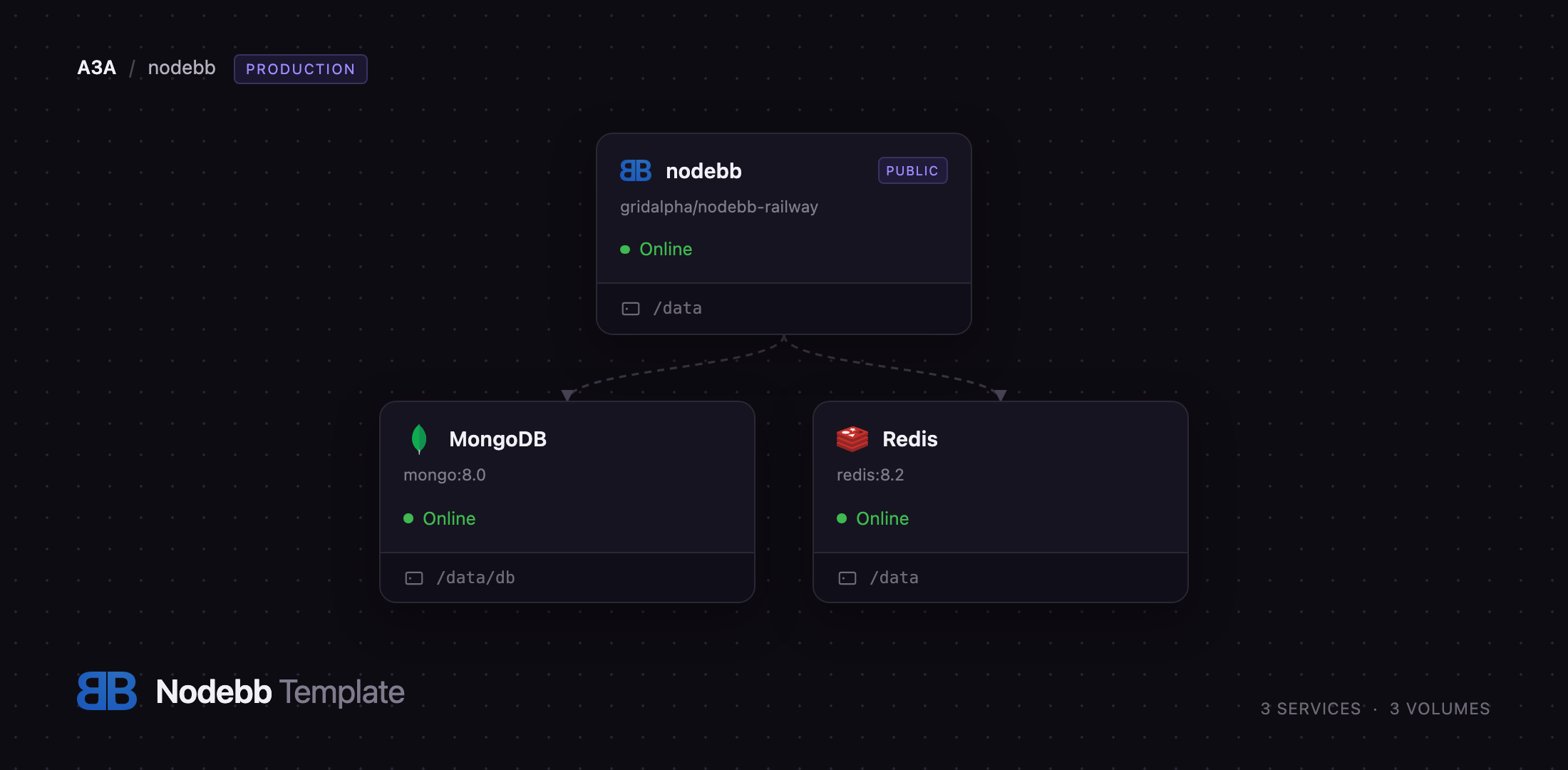
Self-host NodeBB on Railway and this template wires up the production shape: the NodeBB application built from a public GitHub repository, a MongoDB service holding every user, category and post, and a Redis service dedicated to sessions. Browser traffic reaches NodeBB over a generated railway.app domain, NodeBB talks to MongoDB across the private network, and sessions live in Redis so a redeploy never logs members out. A volume at /data keeps the configuration file, every uploaded avatar and attachment, and the record of any plugin installed from the admin panel. Deploy NodeBB, set an administrator password, and the forum is ready for its first topic.
Getting Started with NodeBB on Railway
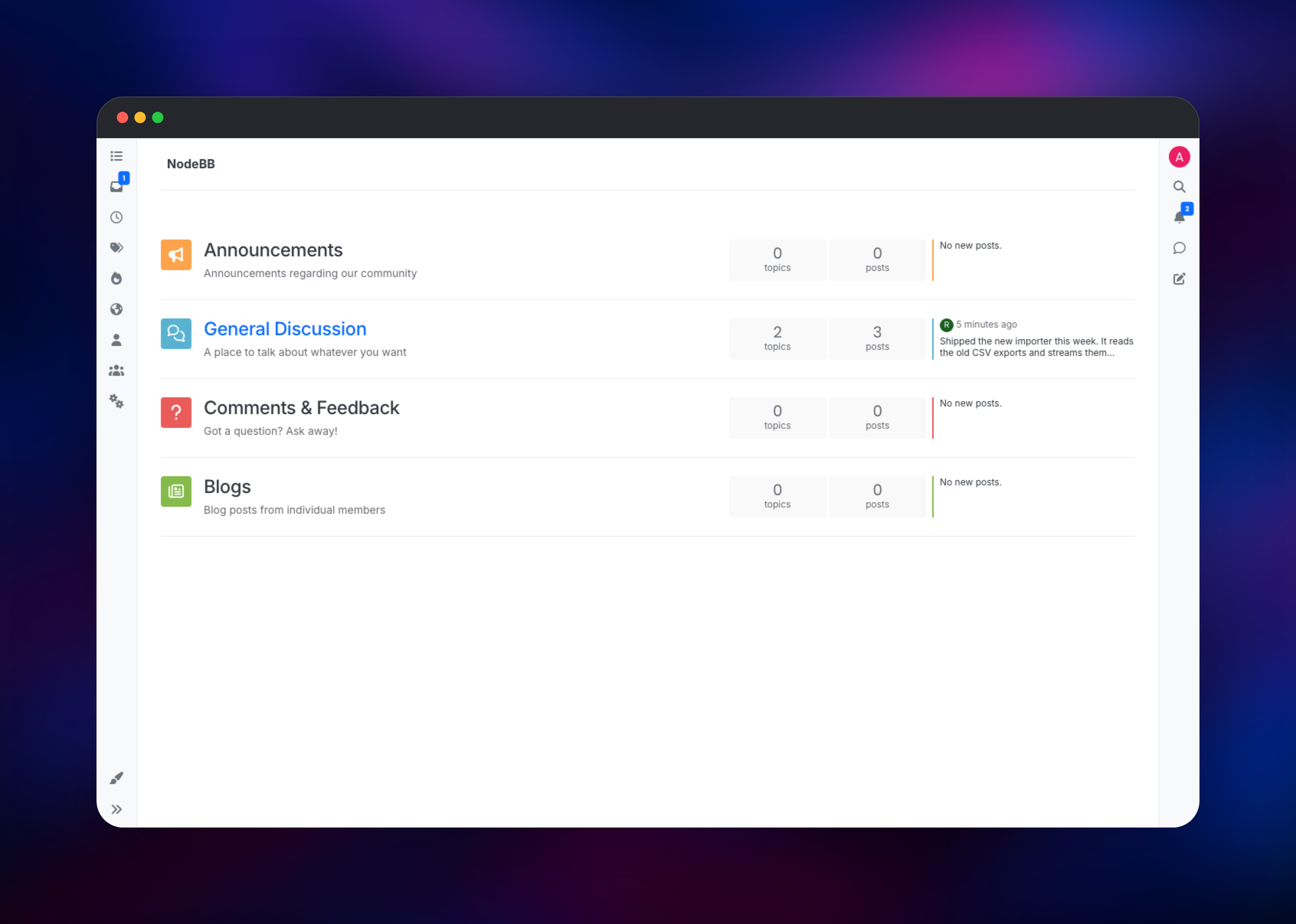
The only value you supply is NODEBB_ADMIN_PASSWORD; everything else has a working default. On first boot the container runs NodeBB's installer without prompting, creates the database schema, seeds four starter categories and a welcome topic, and creates the administrator from NODEBB_ADMIN_USERNAME (default admin) and your password. That takes under a minute, after which the public URL serves the forum.
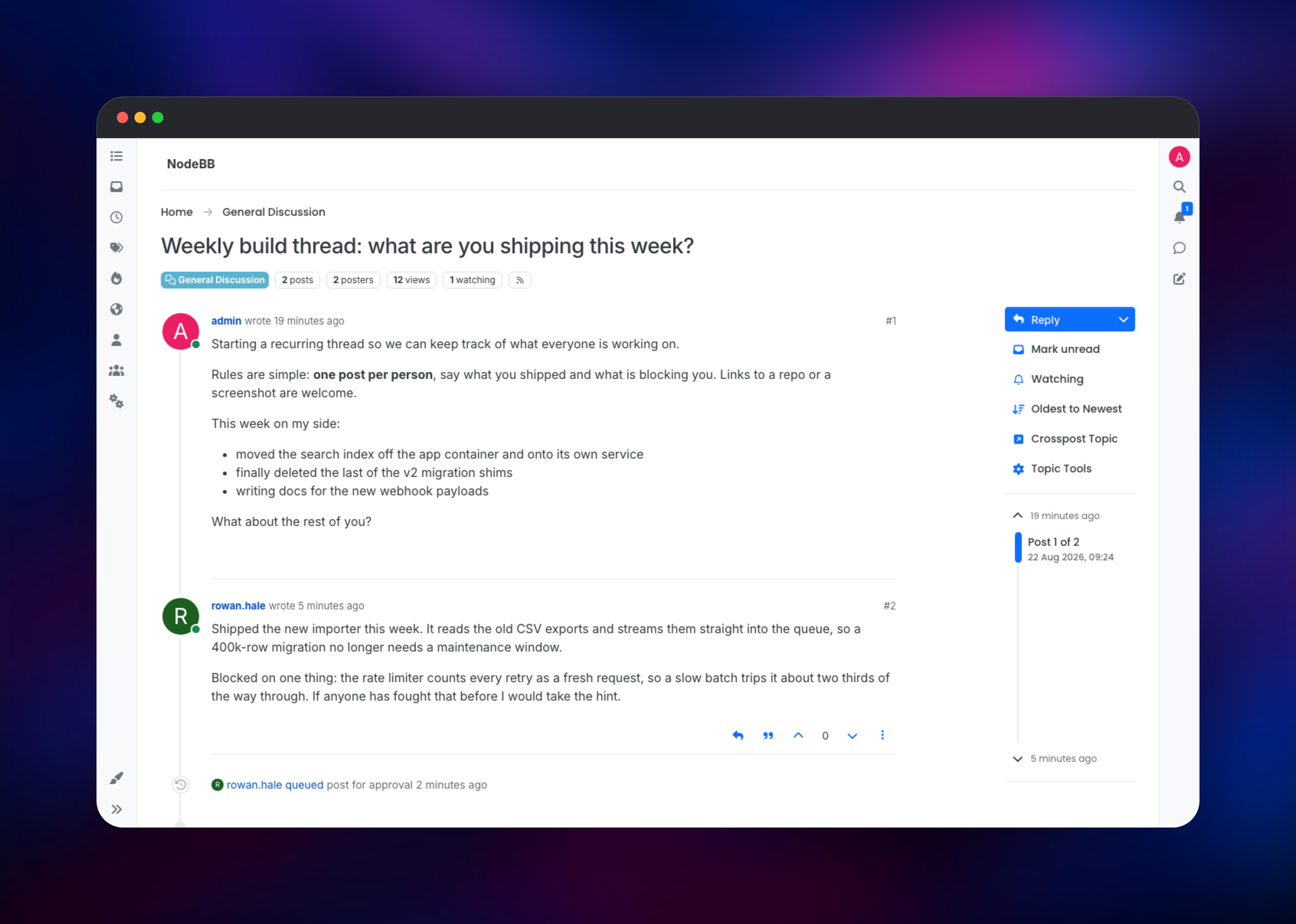
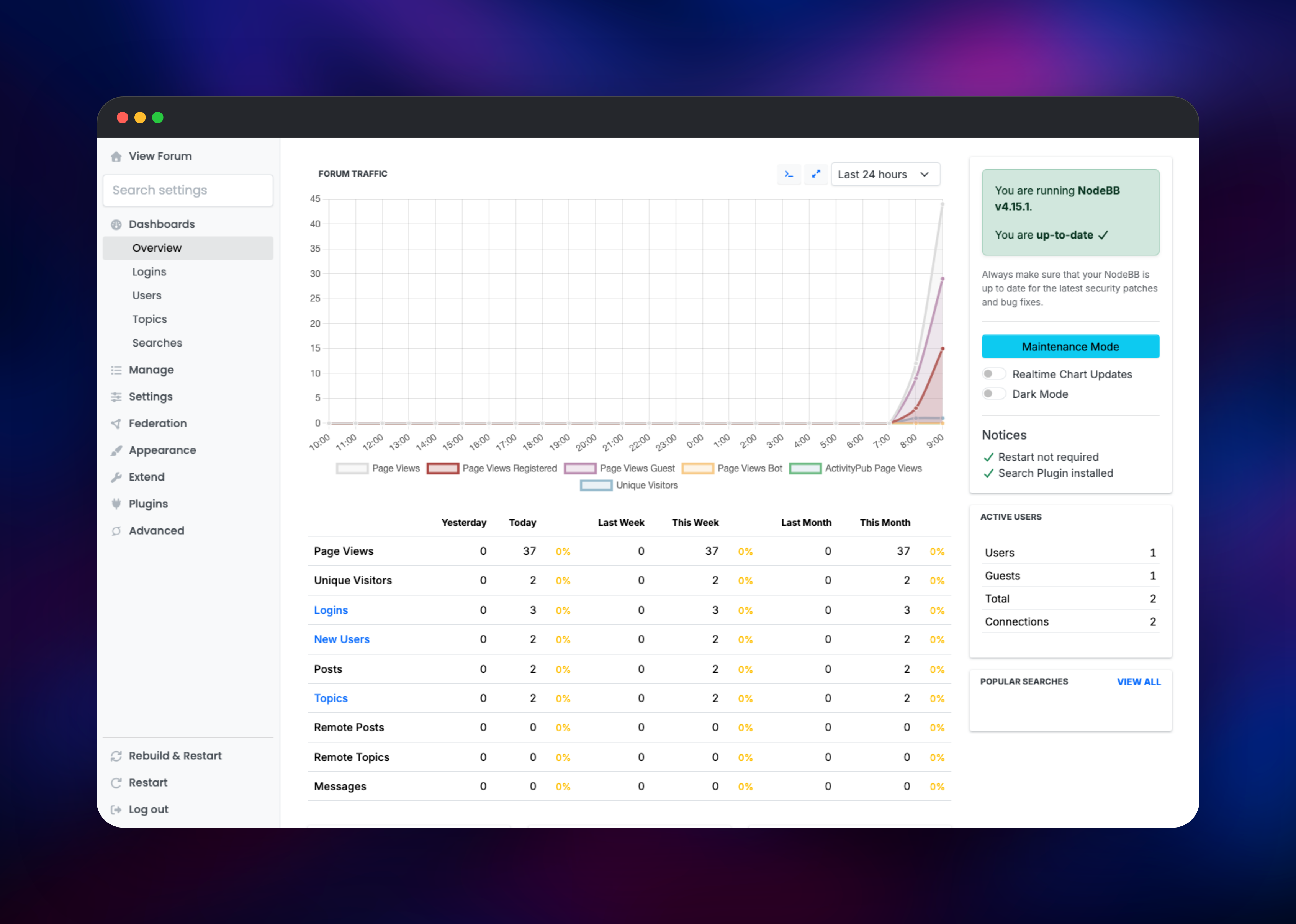
Open the deployed URL and you land on the category list as a guest. Go to /login, sign in as the administrator, and the gear icon in the sidebar opens the Admin Control Panel. Start at Settings → General for the title and description, then Manage → Categories to replace the starter categories. Post a topic in one to confirm the round trip: the composer renders markdown in a live preview, and the post appears in the category listing immediately without a reload.
Two anti-spam defaults surprise new operators: an account can post only once every 120 seconds until it earns three reputation, and its first post waits in Moderation → Post Queue for approval. Both are adjustable under Settings → Post. For a custom domain, add it to the NodeBB service and set NODEBB_URL to https://your-domain.com so cookies, links and the ActivityPub identity match.
About Hosting NodeBB
A forum is a long-lived asset — the archive a community builds is worth more than any thread in it — which is the case for self-hosting rather than renting a platform that owns the data and the URLs. NodeBB is GPLv3 and keeps everything in a database you control. Running it properly means three parts, one Railway service each.
- NodeBB — the Node.js application, serving HTTP and websockets on port 4567 behind Railway's edge, built from a repository that layers a boot script over the official
ghcr.io/nodebb/nodebbimage. - MongoDB — the primary data store: users, categories, topics, posts, privileges and settings. NodeBB supports MongoDB, PostgreSQL or Redis here, and MongoDB is what the NodeBB team runs itself.
- Redis — the session store. Keeping sessions off the primary database isolates login churn from post data and means a restart never signs anyone out.
Features worth knowing about:
- Real-time topics, notifications, presence and built-in chat over websockets
- Per-category privileges for read, post, reply, tag, moderate and delete
- Post queue, flag review, user groups, bans and IP blacklisting
- A plugin and theme marketplace installable from the admin panel, with SSO for GitHub, Google, Discord and SAML
- A documented Write API, webhooks, and ActivityPub federation
Why Deploy NodeBB on Railway
Railway removes the infrastructure work a forum drags along.
- MongoDB and Redis are provisioned and connected automatically
- A persistent volume keeps uploads and configuration across deploys
- HTTPS and a public domain are issued for you, custom domains supported
- Private networking keeps the database and cache off the public internet
- Vertical scaling and metrics without touching a server
Common Use Cases
- Open-source project community — a support forum where answers stay searchable, with GitHub SSO for contributors
- SaaS customer support — public help categories plus private ones gated to paying customers
- Internal engineering discussion — design debate and decision records that would be lost in a chat tool
Dependencies for NodeBB
- NodeBB — built from
gridalpha/nodebb-railway, layering a boot script overghcr.io/nodebb/nodebb:4.15 - MongoDB —
mongo:8.0, private, managed volume - Redis —
redis:8.2, private, managed volume
Environment Variables Reference
| Variable | Purpose |
|---|---|
NODEBB_ADMIN_PASSWORD | Password for the administrator created on first boot |
NODEBB_ADMIN_USERNAME | Administrator username, default admin |
NODEBB_SECRET | Session signing key; generated onto the volume if unset |
NODEBB_URL | Base URL; defaults to the Railway domain. set for a custom domain |
MONGO_URL | MongoDB connection string, referenced from the MongoDB service |
REDISHOST / REDISPORT / REDISPASSWORD | Redis session store connection |
NODEBB_ADDITIONAL_PLUGINS | Space-separated npm packages installed at boot |
Deployment Dependencies
- Source: · Docs:
- Runtime: Node.js 24, MongoDB 8, Redis 8
Hardware Requirements for Self-Hosting NodeBB
| Resource | Minimum | Recommended |
|---|---|---|
| CPU | 1 vCPU | 2 vCPU |
| RAM | 512 MB for NodeBB | 2 GB across all three services |
| Storage | 1 GB | 5 GB, more for image-heavy forums |
| Runtime | Node.js 20+ | Node.js 24 |
Self-Hosting NodeBB
Outside Railway, NodeBB's repository ships a Docker Compose file:
git clone https://github.com/NodeBB/NodeBB.git
cd NodeBB
docker compose up -d
The forum comes up on port 4567 with a web installer on first visit. To run the published image against your own MongoDB, give the container persistent storage for its config directory and uploads:
docker run -d --name nodebb -p 4567:4567 \
  -v nodebb-config:/opt/config \
  -v nodebb-uploads:/usr/src/app/public/uploads \
  -e NODEBB_URL=https://forum.example.com \
  -e NODEBB_DB=mongo -e NODEBB_DB_HOST=mongo \
  -e NODEBB_ADMIN_USERNAME=admin -e NODEBB_ADMIN_EMAIL=admin@example.com \
  -e NODEBB_ADMIN_PASSWORD=change-me \
  ghcr.io/nodebb/nodebb:4.15
Upgrades are the underestimated part: a new release needs ./nodebb upgrade to run schema migrations and recompile assets before the server starts. This template does that automatically whenever the image version changes.
How Much Does NodeBB Cost to Self-Host?
NodeBB is free and open source under GPLv3 — no seat limits, no feature gating, no license key. NodeBB Inc. sells managed hosting from around $250 per month, but the self-hosted build is the same software. On Railway you pay only for the compute, memory and storage the three services use, which for a small community is a few dollars a month.
NodeBB on Railway FAQ
What is NodeBB?
NodeBB is open-source forum software built on Node.js. It provides categories, threaded topics, private messaging, notifications and moderation tooling, and updates the page in real time over websockets.
What does this Railway template deploy?
Three services: the NodeBB application with a public domain and a volume at /data, a private MongoDB instance as the primary database, and a private Redis instance as the session store.
Why does the template include both MongoDB and Redis?
MongoDB holds the forum's content — users, categories, topics, posts and settings. Redis holds sessions only. That split is what the NodeBB team runs itself, and it means restarting the app does not sign your members out.
How do I log in to NodeBB the first time?
Visit /login and use NODEBB_ADMIN_USERNAME (default admin) with the password from NODEBB_ADMIN_PASSWORD. The account is created during the first boot, so there are no default credentials to change.
How do I install NodeBB plugins and themes on Railway?
Use Extend → Plugins in the admin panel exactly as on a normal server. The installed package list is written to the volume, so plugins are reinstalled automatically on the next container. You can also preinstall packages by listing them in NODEBB_ADDITIONAL_PLUGINS.
Do I need an SMTP server to run NodeBB?
Not to run it. NodeBB signs in with a username and password, and registration needs no verified email. You do need SMTP, configured under Settings → Email, before password resets, email confirmation or digests will work.
Template Content

