
Deploy ntfy | Open-Source Push Notification Service
Self Host ntfy. Notification server with mobile apps and REST API
Just deployed
/var/cache/ntfy
Deploy and Host ntfy on Railway
Deploy ntfy on Railway to get a private, self-hosted push notification service in minutes. ntfy (pronounced "notify") is an open-source HTTP-based pub-sub notification system that lets you send alerts to your phone or desktop using simple curl commands, REST API calls, or integrations with tools like Home Assistant, Uptime Kuma, and Grafana. This Railway template deploys ntfy with persistent message caching via a Railway volume.
Self-host ntfy on Railway and stop relying on third-party notification services that limit your messages, charge per device, or mine your data.
Getting Started with ntfy on Railway
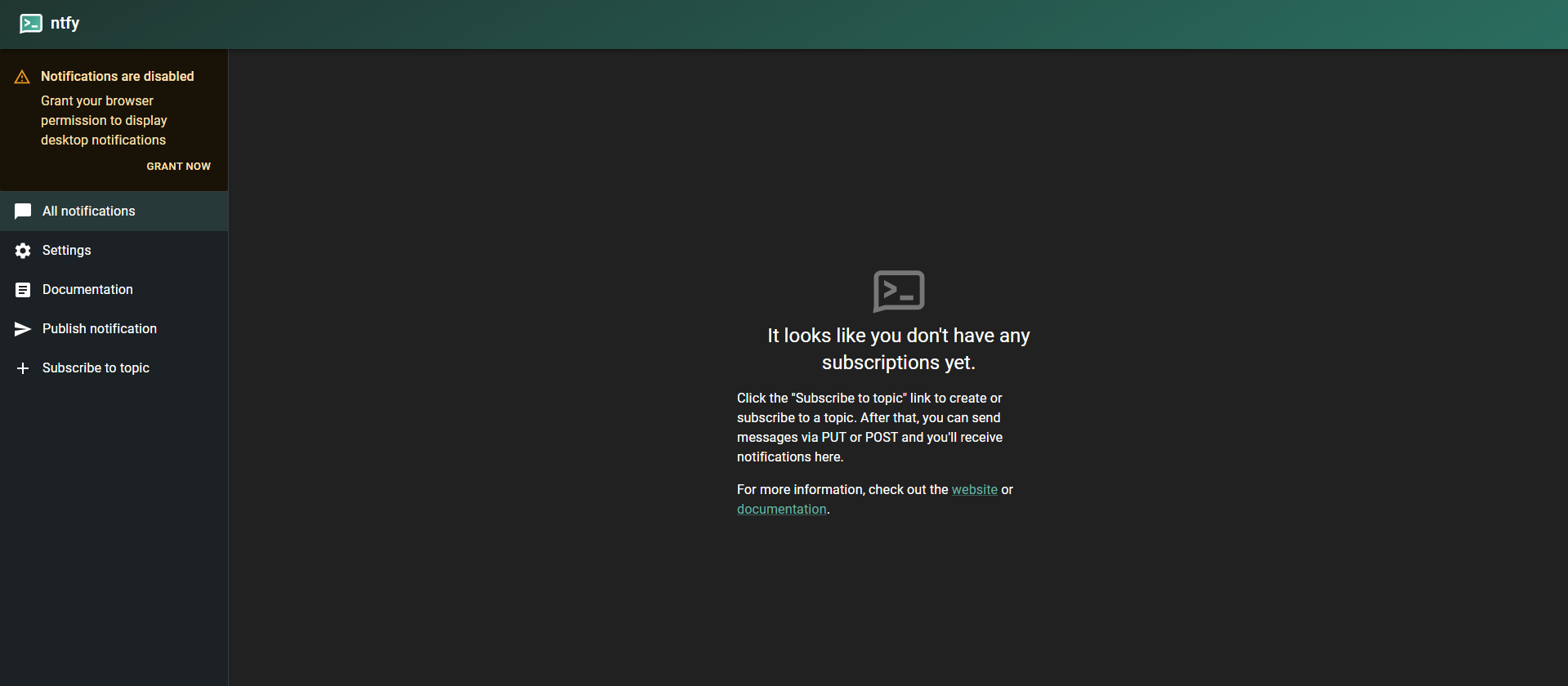
After your ntfy instance deploys, visit the generated Railway domain URL. You'll see the ntfy web app where you can subscribe to topics and receive notifications in your browser.
To send your first notification, use any HTTP client:
curl -d "Hello from Railway!" https://your-ntfy-instance.up.railway.app/mytopic
Subscribe to that topic in the web UI, the Android app (Google Play or F-Droid), or the iOS app by entering your Railway domain as the server URL. Topics are created on-the-fly when you publish or subscribe -- no configuration needed.
To add priority levels, tags, and action buttons:
curl -H "Priority: high" \
     -H "Tags: warning" \
     -H "Title: Disk Alert" \
     -d "Server disk usage above 90%" \
     https://your-ntfy-instance.up.railway.app/alerts
About Hosting ntfy
ntfy is a lightweight notification relay built in Go. It solves a simple problem: getting alerts from scripts, servers, and automation tools to your phone without complex setup or vendor lock-in.
- HTTP-based pub-sub -- publish via PUT/POST, subscribe via GET/WebSocket/SSE
- Mobile & desktop apps -- Android (Play Store + F-Droid), iOS, and browser-based web app
- Rich notifications -- priorities, tags, emojis, click actions, file attachments (images, documents)
- User access control -- fine-grained ACLs per topic with optional authentication
- Email notifications -- forward messages via SMTP
- Integrations -- Home Assistant, Uptime Kuma, Grafana, GitHub Actions, Sonarr, Radarr, Ansible, Node-RED, Watchtower
- 29.7k GitHub stars -- actively maintained, dual-licensed Apache 2.0 / GPLv2
Why Deploy ntfy on Railway
One-click deployment with persistent storage and automatic HTTPS:
- No server provisioning -- Railway handles containers, networking, and TLS
- Persistent message cache via Railway volume survives restarts and redeployments
- Private instance with full control over access, topics, and data retention
- Scale horizontally by adding replicas when notification volume grows
- No rate limits or message caps -- your instance, your rules
Common Use Cases for Self-Hosted ntfy
- Server monitoring -- send alerts from cron jobs, backup scripts, or health checks when something fails
- Home automation -- receive push notifications from Home Assistant, Node-RED, or custom IoT sensors
- CI/CD pipelines -- notify on build success/failure from GitHub Actions, GitLab CI, or Jenkins
- Media automation -- get notified when Sonarr/Radarr downloads complete or Watchtower updates a container
Dependencies for Self-Hosted ntfy on Railway
- ntfy --
binwiederhier/ntfy:latest(Go binary, ~15MB image) - Railway Volume -- persistent storage at
/var/cache/ntfyfor SQLite message cache
No external database required. ntfy uses an embedded SQLite database for message caching and optional user authentication.
Environment Variables Reference for ntfy
| Variable | Value | Description |
|---|---|---|
NTFY_BASE_URL | https://${{RAILWAY_PUBLIC_DOMAIN}} | Public URL for the ntfy instance |
NTFY_BEHIND_PROXY | true | Trust X-Forwarded-For headers from Railway's proxy |
NTFY_LISTEN_HTTP | :80 | HTTP listen address and port |
NTFY_CACHE_FILE | /var/cache/ntfy/cache.db | SQLite cache file path on the Railway volume |
Deployment Dependencies
- Docker image:
binwiederhier/ntfy - GitHub: binwiederhier/ntfy
- Docs: ntfy.sh/docs
- Runtime: Go 1.25+
Hardware Requirements for Self-Hosting ntfy
| Resource | Minimum | Recommended |
|---|---|---|
| CPU | 0.25 vCPU | 0.5 vCPU |
| RAM | 64 MB | 128 MB |
| Storage | 100 MB | 500 MB (scales with message cache + attachments) |
| Runtime | Go binary (statically compiled) | Docker container |
ntfy is extremely lightweight. A single instance can handle thousands of concurrent subscribers with minimal resource usage.
Self-Hosting ntfy with Docker
Pull and run the official Docker image:
docker run -d \
  --name ntfy \
  -p 80:80 \
  -v /var/cache/ntfy:/var/cache/ntfy \
  -e NTFY_BASE_URL="https://ntfy.example.com" \
  -e NTFY_BEHIND_PROXY=true \
  -e NTFY_CACHE_FILE="/var/cache/ntfy/cache.db" \
  binwiederhier/ntfy serve
Or use Docker Compose:
services:
  ntfy:
    image: binwiederhier/ntfy:latest
    command: serve
    ports:
      - "80:80"
    environment:
      NTFY_BASE_URL: "https://ntfy.example.com"
      NTFY_BEHIND_PROXY: "true"
      NTFY_CACHE_FILE: "/var/cache/ntfy/cache.db"
    volumes:
      - ntfy-cache:/var/cache/ntfy

volumes:
  ntfy-cache:
How Much Does ntfy Cost to Self-Host?
ntfy is free and open-source under Apache 2.0 and GPLv2 dual license. Self-hosting costs only the infrastructure. On Railway, expect around $2--5/month for a low-traffic instance (minimal CPU + RAM + volume storage).
The hosted service at ntfy.sh offers a free tier (rate-limited) and paid plans starting at $5/month for higher message limits and topic reservations. Self-hosting removes all limits.
ntfy vs Gotify vs Pushover
| Feature | ntfy | Gotify | Pushover |
|---|---|---|---|
| Open source | Yes (Apache 2.0 / GPLv2) | Yes (MIT) | No |
| Self-hostable | Yes | Yes | No |
| Mobile apps | Android + iOS | Android only | Android + iOS |
| API simplicity | curl -d "msg" server/topic | REST API with app tokens | REST API with user/app keys |
| Access control | Fine-grained per-topic ACLs | Basic user/app model | Per-app tokens |
| File attachments | Yes | No | Yes (limited) |
| Pricing (hosted) | Free + $5/mo plans | N/A (self-host only) | $5 one-time per platform |
| GitHub stars | 29.7k | 12k | N/A |
ntfy offers the simplest API of any push notification tool -- a single curl command with no authentication required for basic use. Gotify is a solid alternative if you only need Android, while Pushover is the polished commercial option with no self-hosting.
FAQ
What is ntfy and why self-host it? ntfy is an open-source push notification service that delivers messages to your phone or desktop via simple HTTP requests. Self-hosting gives you full privacy, no rate limits, and no dependency on third-party services.
What does this Railway template deploy? This template deploys a single ntfy server container with a Railway volume for persistent message caching. No database service is needed -- ntfy uses embedded SQLite.
Why does this template include a volume?
Without the volume, ntfy stores messages in memory and loses them on restart. The Railway volume at /var/cache/ntfy persists the SQLite cache across redeployments, so subscribers can retrieve messages they missed.
How do I enable authentication on self-hosted ntfy?
Set NTFY_AUTH_DEFAULT_ACCESS=deny-all and create users via the CLI: ntfy user add --role=admin youruser. Then set NTFY_AUTH_FILE=/var/cache/ntfy/user.db to persist the auth database on the volume.
How do I connect ntfy to Home Assistant on Railway?
In Home Assistant, add the ntfy integration and set the server URL to your Railway domain (e.g., https://ntfy-production-xxxx.up.railway.app). Create a topic for each automation, then publish from HA and subscribe on your phone.
Can I send file attachments through self-hosted ntfy?
Yes. Set NTFY_ATTACHMENT_CACHE_DIR=/var/cache/ntfy/attachments and optionally configure size limits with NTFY_ATTACHMENT_TOTAL_SIZE_LIMIT and NTFY_ATTACHMENT_FILE_SIZE_LIMIT. Attachments are stored on the Railway volume.
Template Content