
Deploy Odoo | Open-Source Business Suite
Self-host Odoo — CRM, invoicing, inventory, manufacturing & more
Odoo
Just deployed
/var/lib/odoo

Just deployed
/var/lib/postgresql/data
Deploy and Host Odoo on Railway
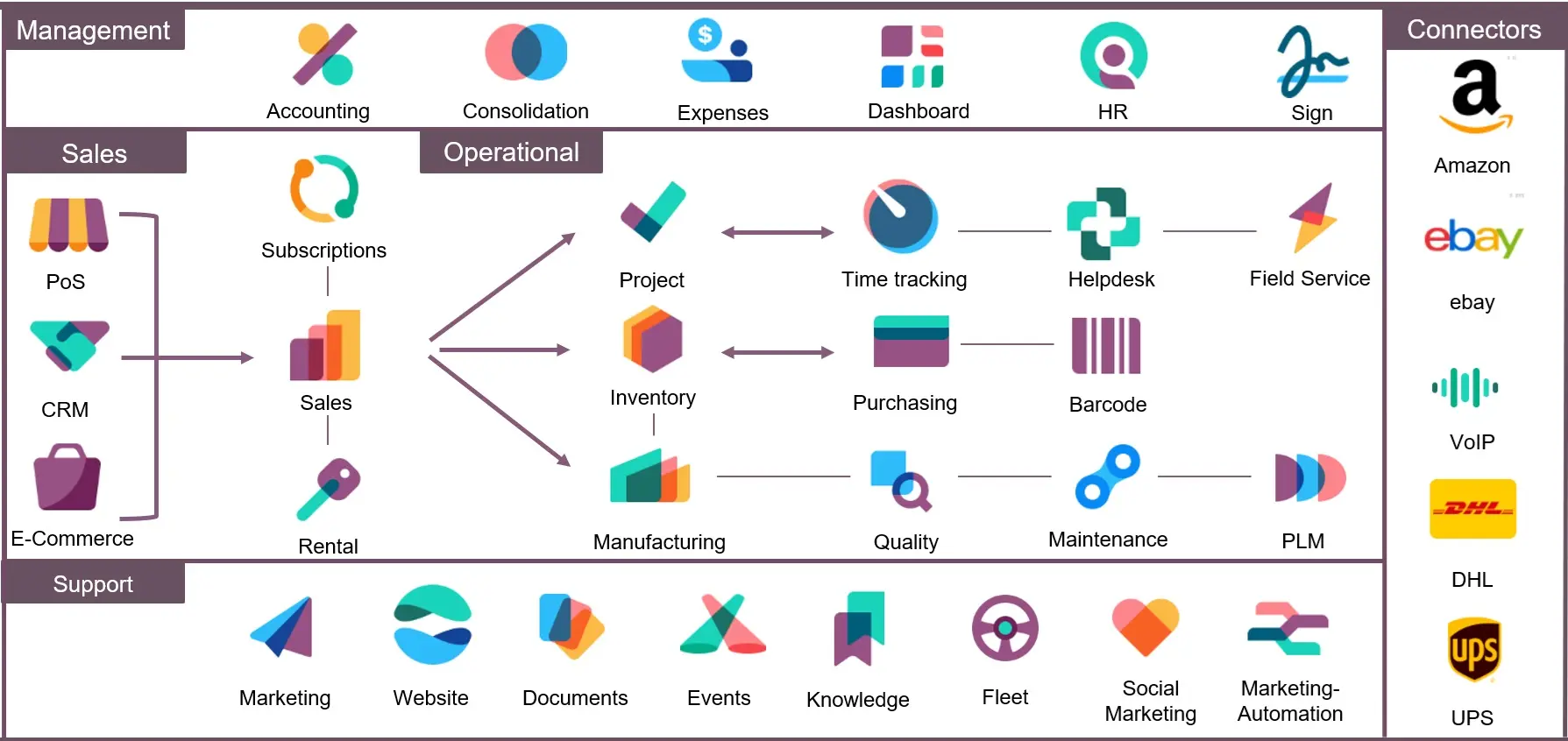
Deploy Odoo on Railway with a single click and get a fully functional open-source ERP and CRM suite with integrated PostgreSQL. Self-host Odoo to manage your entire business — CRM, accounting, inventory, manufacturing, HR, and 30+ more modules — all from one unified platform with zero license fees.
This Railway template pre-configures Odoo 19 with a PostgreSQL 15 database, persistent file storage for attachments, proxy mode for HTTPS, and a locked-down database management screen. Two services are deployed: the Odoo application server and a dedicated Postgres instance connected via Railway's private network.
Getting Started with Odoo on Railway
Once your Odoo deployment is live, navigate to your Railway-generated domain. You'll see the Odoo login screen. Sign in with the default credentials: admin / admin. Change this password immediately under Settings > Users > Administrator > Preferences.
After logging in, you'll land on the Apps dashboard. Install the modules you need — start with CRM, Invoicing, or Inventory. Each module adds new menu entries and integrates with other installed modules automatically. Configure your company details under Settings > General Settings > Companies to set up your business name, address, logo, and currency.
To install additional modules, click the "Apps" menu, browse the available modules, and click "Install." Odoo Community Edition includes 30+ free modules covering CRM, Sales, Purchasing, Inventory, Accounting, Manufacturing, Project Management, and more.
About Hosting Odoo
Odoo is a suite of open-source business applications built in Python. Originally launched in 2005 as OpenERP, it has grown into one of the most widely deployed open-source ERP systems, with over 12 million users worldwide and 44,000+ community-contributed apps.
Key features of self-hosted Odoo:
- Modular architecture — install only the apps you need, from CRM to manufacturing
- Integrated suite — all modules share a single database, eliminating data silos
- Python-based — easy to extend with custom modules and automations
- Multi-company support — manage multiple business entities from one instance
- REST API — integrate with external systems via XML-RPC or JSON-RPC
- Mobile-responsive — full web interface works on tablets and phones
Why Deploy Odoo on Railway
- One-click deployment with pre-configured PostgreSQL and persistent storage
- Private networking between Odoo and database — no exposed DB ports
- Auto-scaling and zero-downtime redeploys
- HTTPS enabled by default with Railway's proxy mode
- Volume-backed file storage preserves attachments across deployments
Common Use Cases for Self-Hosted Odoo
- Small business ERP — replace spreadsheets with integrated CRM, invoicing, and inventory management
- Manufacturing operations — track bills of materials, production orders, work centers, and quality control
- E-commerce backend — manage products, orders, shipping, and accounting from a single platform
- Professional services — project management with timesheets, expenses, and billing integration
Dependencies for Odoo on Railway
- Odoo —
odoo:19.0— the main ERP application server (port 8069) - PostgreSQL —
postgres:15— relational database for all Odoo data
Environment Variables Reference for Odoo on Railway
| Variable | Service | Description |
|---|---|---|
HOST | Odoo | PostgreSQL hostname (Railway private domain reference) |
PORT | Odoo | PostgreSQL port (5432) |
USER | Odoo | PostgreSQL username |
PASSWORD | Odoo | PostgreSQL password |
ADMIN_PASSWD | Odoo | Master password for database management |
RAILWAY_RUN_UID | Odoo | Set to 0 for volume write permissions |
POSTGRES_USER | Postgres | Database superuser name |
POSTGRES_PASSWORD | Postgres | Database superuser password |
PGDATA | Postgres | Data directory (must be subdirectory of volume mount) |
Deployment Dependencies
- Runtime: Python 3.12+, Node.js (for Less CSS compilation)
- Docker Hub: odoo
- GitHub: odoo/odoo
- Docs: Odoo 19.0 Documentation
Hardware Requirements for Self-Hosting Odoo
| Resource | Minimum | Recommended |
|---|---|---|
| CPU | 2 vCPU | 4 vCPU |
| RAM | 4 GB | 8 GB |
| Storage | 20 GB SSD | 50+ GB SSD |
| Workers | 2 (dev/testing) | 4–9 (production) |
Each Odoo worker process consumes 150–300 MB of RAM. For production, use the formula: workers = (CPU cores × 2) + 1. Heavy modules like Manufacturing/MRP may require additional RAM.
Self-Hosting Odoo with Docker
Run Odoo locally with Docker Compose:
services:
  db:
    image: postgres:15
    environment:
      POSTGRES_USER: odoo
      POSTGRES_PASSWORD: odoo
      POSTGRES_DB: postgres
      PGDATA: /var/lib/postgresql/data/pgdata
    volumes:
      - pgdata:/var/lib/postgresql/data

  odoo:
    image: odoo:19.0
    depends_on:
      - db
    ports:
      - "8069:8069"
    environment:
      HOST: db
      PORT: 5432
      USER: odoo
      PASSWORD: odoo
    volumes:
      - odoo-data:/var/lib/odoo

volumes:
  pgdata:
  odoo-data:
Start the stack:
docker compose up -d
Access Odoo at http://localhost:8069. The database manager will prompt you to create your first database.
How Much Does Odoo Cost to Self-Host?
Odoo Community Edition is 100% free and open-source under the LGPL-v3 license. There are no per-user fees or license costs. The Enterprise edition adds advanced features (barcode scanning, studio, MRP scheduling) starting at $31.10/user/month.
When self-hosting on Railway, you only pay for infrastructure. A basic Odoo deployment with PostgreSQL runs comfortably on Railway's Hobby plan. Your cost is pure compute and storage — no software licensing overhead.
Odoo vs ERPNext
| Feature | Odoo | ERPNext |
|---|---|---|
| License | LGPL-v3 (Community) + Proprietary (Enterprise) | GPL-v3 (fully open source) |
| Modules | 30+ official + 44,000+ community | 13 core modules |
| Language | Python | Python (Frappe framework) |
| UI | Polished, modern web client | Clean but simpler |
| Pricing | Free (Community) / $31.10+/user (Enterprise) | Free (self-hosted) / $50/user (cloud) |
| Best for | All-in-one business suite with huge ecosystem | SMBs wanting fully open-source ERP |
Odoo offers a larger module ecosystem and more polished UI, while ERPNext is fully open-source with no feature-gated tiers. Both run on Python with PostgreSQL backends.
FAQ
What is Odoo and why self-host it? Odoo is an open-source business management suite covering CRM, accounting, inventory, manufacturing, HR, and more. Self-hosting gives you full control over your data, zero per-user license fees (Community Edition), and the ability to install custom modules without restrictions.
What does this Odoo Railway template deploy? This template deploys two services: Odoo 19.0 (the application server) and PostgreSQL 15 (the database). It pre-configures private networking between them, persistent volume storage for file attachments, HTTPS proxy mode, and production-ready settings.
Why does Odoo need PostgreSQL on Railway? Odoo stores all business data — contacts, invoices, inventory records, user accounts — in PostgreSQL. It's the only supported database engine. The Railway template provisions a dedicated PostgreSQL instance connected via private networking for security and performance.
How do I install additional Odoo modules on Railway?
Navigate to the Apps menu in Odoo's web interface, browse available modules, and click "Install." Community Edition includes 30+ modules. Third-party modules from the Odoo App Store require downloading the source and placing it in the /mnt/extra-addons directory, which requires a custom Dockerfile.
Can I upgrade from Odoo Community to Enterprise on Railway? Yes, but it requires an Odoo Enterprise subscription and replacing the Docker image with the Enterprise version. The database is compatible between editions. Contact Odoo SA for Enterprise licensing before switching.
How do I back up my self-hosted Odoo database?
Use pg_dump against the PostgreSQL service to create database backups. Railway's volume snapshots also protect your file attachments. For automated backups, set up a cron job or use Odoo's built-in database manager (accessible at /web/database/manager if enabled).
Template Content

