
Deploy OmniTools
126 browser-based tools for images, video, PDFs, text and data
omnitools
Just deployed
Deploy and Host OmniTools on Railway
OmniTools is an open-source toolbox of 126 everyday utilities — resize images, trim video, split and merge PDFs, reformat JSON, transform CSV, generate passwords, do date arithmetic — in one searchable web app. None of it runs on a server: every conversion happens in the visitor's own browser tab, so files never leave their machine. That is why teams self-host OmniTools rather than paste a client contract into whichever free PDF site ranks first.
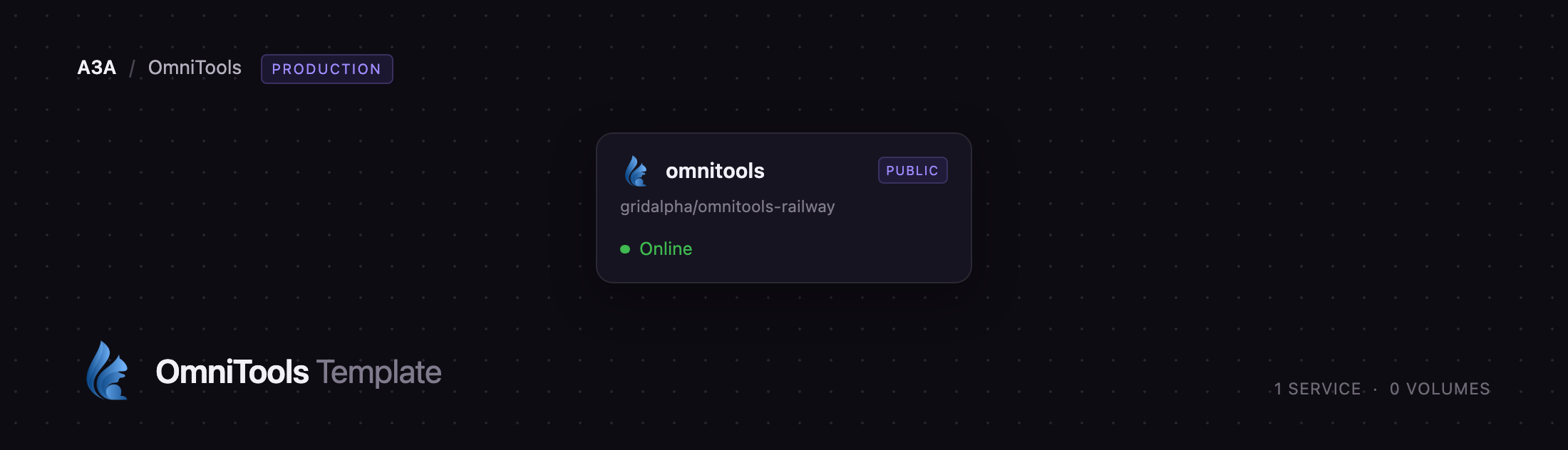
Deploy OmniTools on Railway and you get one service, omnitools, serving the built app behind Railway's TLS edge. There is no database, queue, worker or volume, because there is no server-side state. The service builds from a GitHub repository that wraps the official iib0011/omni-tools image in a hardened nginx configuration — compression, cache headers, a content security policy and optional password protection — and gets a public domain as soon as the deploy finishes.
Getting Started with OmniTools on Railway
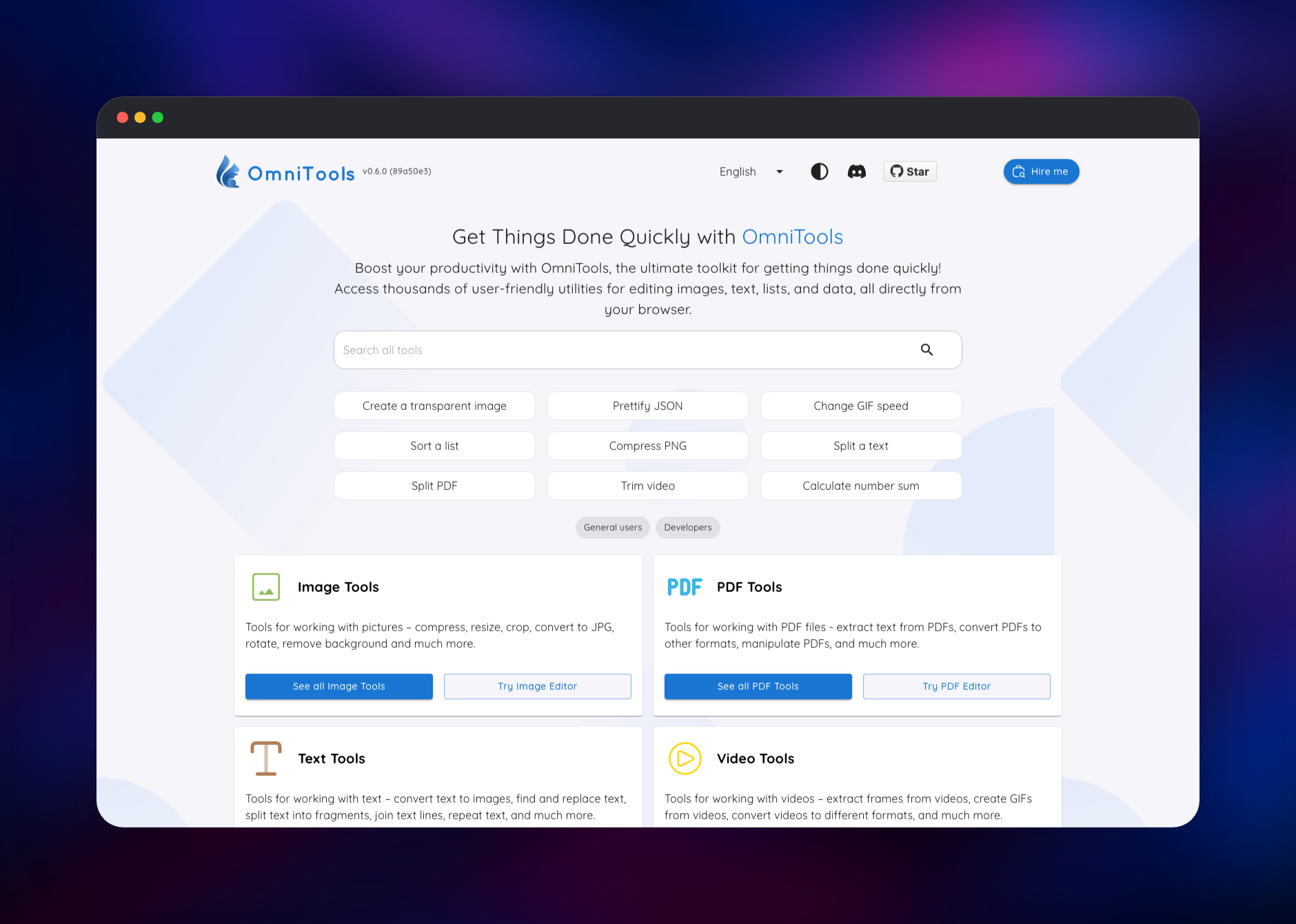
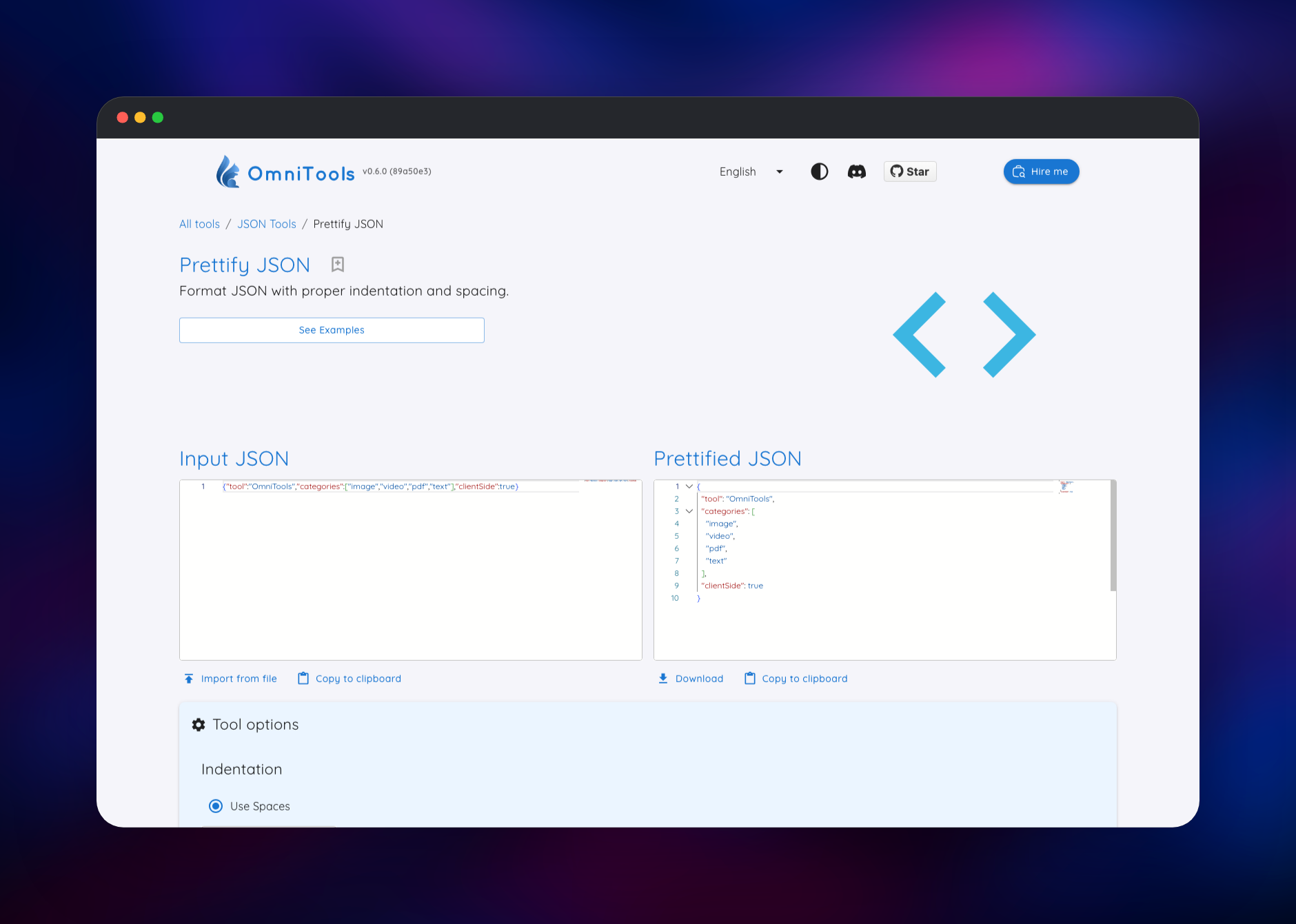
Click Deploy and wait for the build to go green; nothing needs filling in first, and every variable has a working default. Open the generated *.up.railway.app URL and you land on the tool catalogue — no account to create and no first-run wizard, because OmniTools stores nothing about you. Search by tool name or by what you want to do ("resize", "base64", "crontab"), or browse the category cards. A good first check is Prettify JSON: paste any object into the left editor and the formatted result appears on the right, confirming the app, its lazily loaded chunks and the code editor all reached the browser. Then try Split PDF or Trim Video to watch the WebAssembly engines work on a real file. Set OMNITOOLS_USERNAME and OMNITOOLS_PASSWORD if the instance should not be open to anyone with the link.
About Hosting OmniTools
OmniTools replaces the drawer of single-purpose online utilities most people accumulate — one site for PDF merging, another for image compression, a third for JSON formatting — with one instance you control. Since processing is local to the browser, self-hosting here is about custody: your instance cannot log, retain or resell what passes through it.
Key features:
- 126 tools in twelve categories — image, PDF, video, audio, text, list, number, date, JSON, CSV, XML and unit converters
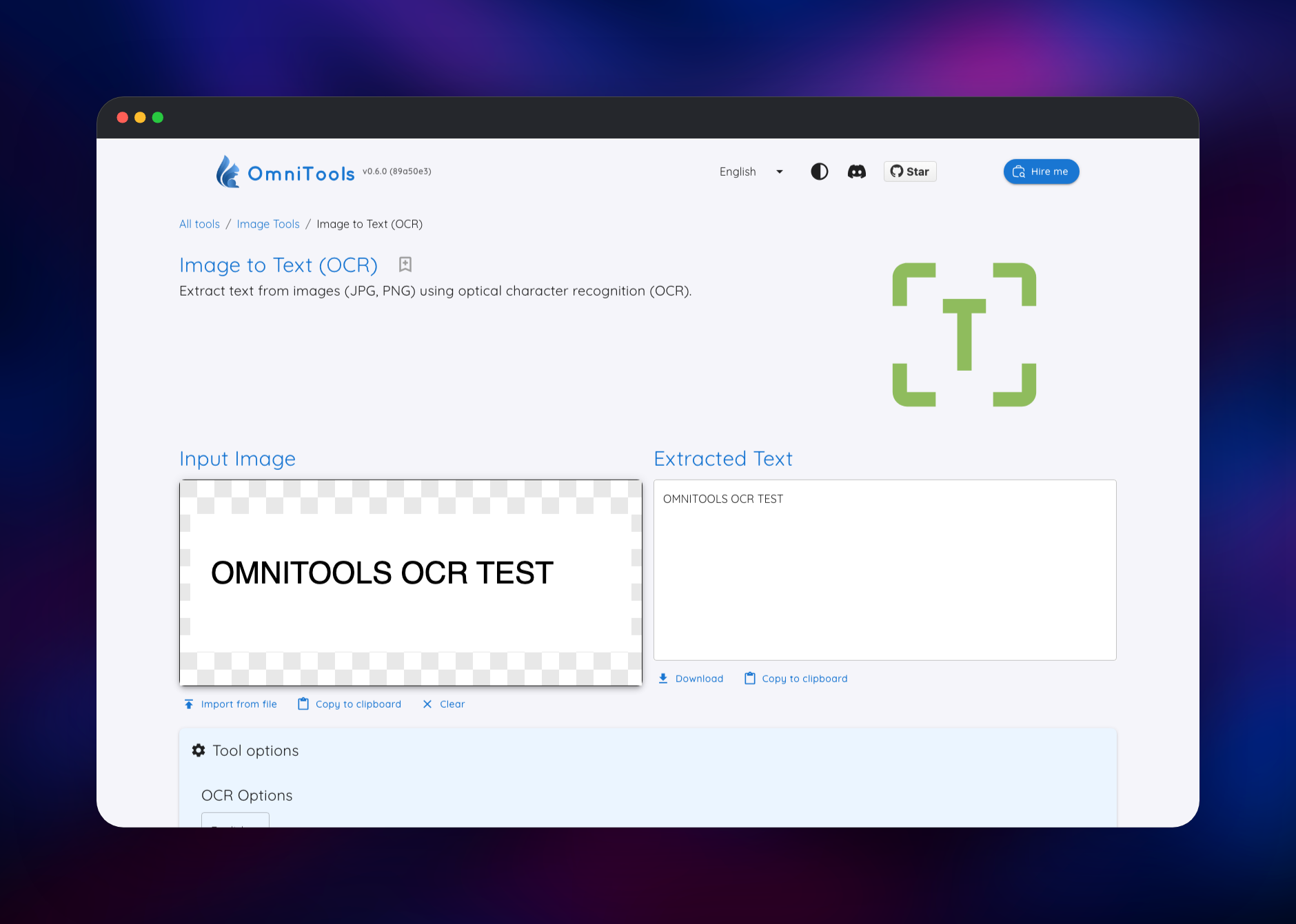
- Client-side processing — WebAssembly builds of FFmpeg, Tesseract OCR, pdf.js and an ONNX runtime run in the tab
- Full-text tool search and quick links on the home page
- Image and PDF editors with annotation, cropping, rotation and page extraction
- Eleven interface languages and a light or dark theme
The Railway architecture is deliberately flat. The omnitools service is an nginx container serving a static build: it answers /healthz for the health check, caches content-hashed assets for a year, revalidates the HTML so a new release is picked up immediately, and serves pre-compressed copies of the large WebAssembly bundles.
Why Deploy OmniTools on Railway
Railway handles the tedious parts of hosting a static app:
- One-click deploy, public HTTPS domain, certificates managed for you
- No database, volume or backup strategy to design — the service is stateless
- Redeploys pick up new upstream releases without touching configuration
- Password protection from two environment variables
- Custom domains, metrics and logs in one place
Common Use Cases
- Privacy-sensitive document work — split, merge or compress contracts and invoices without uploading them anywhere
- An internal utility belt — one bookmark for the conversions, encodings and generators a team uses daily
- Media prep — trim clips, convert formats, compress images, cut backgrounds
- Tooling for restricted networks — a private instance where public tool sites are blocked
Dependencies for OmniTools
- Source repository: gridalpha/omnitools-railway — the Dockerfile and nginx configuration this template builds
- Upstream application: iib0011/omni-tools, published as
iib0011/omni-tools:latest - Web server:
nginxinc/nginx-unprivileged:1-alpine, non-root, sizing its workers from the CPU quota
There is nothing else at runtime: no database, cache, queue or object storage. Some tools download their engine on first use — FFmpeg from unpkg, the code editor and OCR worker from jsDelivr, the background-removal model from staticimgly, icons from Iconify. Those are downloads to your browser, never uploads of your files, and the security policy names exactly those origins.
Environment Variables Reference
| Variable | Default | Purpose |
|---|---|---|
PORT | 8080 | Port nginx listens on; Railway sets this |
ROBOTS_POLICY | noindex | Keeps the instance out of search; allow opts in |
OMNITOOLS_USERNAME | unset | Enables basic auth; set with the password |
OMNITOOLS_PASSWORD | unset | Hashed into an htpasswd file at startup |
CSP_CDN_HOSTS | jsDelivr, unpkg | Script origins; none allows none |
CSP_DATA_HOSTS | Iconify, staticimgly, tessdata | Fetch origins; none allows none |
CSP_FRAME_SRC | self, ghbtns, simplepdf | What the page may embed |
CSP_FRAME_ANCESTORS | 'none' | Who may embed this page |
CONTENT_SECURITY_POLICY | derived | Replaces the policy; off disables it |
Set both CSP host variables to none and the page makes no third-party request at all; only the tools listed above stop working.
Deployment Dependencies
- Runtime: nginx 1.31 on Alpine serving a Vite build; nothing runs per request
- Docker Hub: iib0011/omni-tools
- Docs: the upstream README and the demo at omnitools.app
Hardware Requirements for Self-Hosting OmniTools
Server requirements are small, because the server only sends files. The demanding work happens on the visitor's machine, so it is the browser that needs headroom.
| Resource | Minimum | Recommended |
|---|---|---|
| CPU | 0.25 vCPU | 1 vCPU |
| RAM | 256 MB | 512 MB |
| Storage | none (image ~110 MB) | none |
| Runtime | nginx 1.31 / Alpine | nginx 1.31 / Alpine |
Self-Hosting OmniTools with Docker
The upstream image needs no configuration. This runs it locally on port 8080:
docker run -d --name omnitools -p 8080:80 iib0011/omni-tools:latest
The equivalent Compose service:
services:
  omnitools:
    image: iib0011/omni-tools:latest
    ports:
      - "8080:80"
    restart: unless-stopped
Building from source — npm install && npm run build — produces a static site in dist/.
How Much Does OmniTools Cost to Self-Host?
OmniTools is free and open source under the MIT licence, with no paid tier and no usage limits. The only cost is infrastructure: one small stateless container with no database and no volume, among the cheapest shapes to host on Railway. Usage-based pricing means an idle instance bills next to nothing, and traffic is the main variable, since some tools pull large WebAssembly bundles on first use.
OmniTools vs IT-Tools
| OmniTools | IT-Tools | |
|---|---|---|
| Focus | Files and media, plus text and data | Encoders, generators, converters |
| Media handling | FFmpeg, OCR, background removal | Not covered |
| Licence | MIT | GPL-3.0 |
IT-Tools is stronger on pure developer helpers; OmniTools is the one to self-host when the job involves files — PDFs to split, video to trim, images to convert.
FAQ
What is OmniTools?
An open-source web app bundling 126 utilities for images, video, audio, PDFs, text, lists, numbers, dates and structured data. Every tool runs in the browser, so your files never reach a server.
What does this Railway template deploy?
One service, omnitools, running the official build behind nginx with compression, cache and security headers, a health check and optional password protection. No database or volume is created.
Why does the template include no database or storage?
OmniTools has no server-side state: no accounts, no history, no uploaded files. There is nothing to persist between deployments and nothing to back up.
How do I password-protect my self-hosted OmniTools instance?
Set OMNITOOLS_USERNAME and OMNITOOLS_PASSWORD and the browser asks for those credentials on every page, while the health endpoint stays open so Railway can probe it. Setting only one of the two stops the container rather than leaving the site open.
Do my files get uploaded anywhere when I use a tool?
No. Conversions run in your browser using WebAssembly. Some tools fetch an engine or model from a public CDN on first use — a download to your browser, not an upload of your file.
Can I run OmniTools without any outbound internet access?
Mostly. Set CSP_CDN_HOSTS and CSP_DATA_HOSTS to none and the page makes no third-party request; the text, list, number, date, JSON, CSV, XML and PDF tools keep working. Video, OCR, background removal and the code editor need their CDN-hosted engines.
Template Content
omnitools
gridalpha/omnitools-railway

