
Deploy Onyx
AI chat and search over your company's documents and tools

Just deployed
/var/lib/postgresql/data
onyx-worker
Just deployed

Redis
Just deployed
/data
onyx-web
Just deployed
onyx-api
Just deployed
onyx-indexing-model
Just deployed
onyx-inference-model
Just deployed

onyx-proxy
Just deployed

onyx-opensearch
Just deployed
/usr/share/opensearch/data
onyx-file-store
Bucket
Just deployed
Deploy and Host Onyx on Railway
Onyx is an open-source AI platform that puts your company's own documents behind a chat box. It connects to Slack, Google Drive, Confluence, Jira, GitHub, Notion, Zendesk and forty more tools, pulls their contents into a hybrid keyword-plus-vector index, and answers questions with citations back to the source. Formerly Danswer, it serves support teams, engineers searching design docs, and sales teams mining call transcripts. Self-host Onyx and every document, embedding and transcript stays on infrastructure you control.
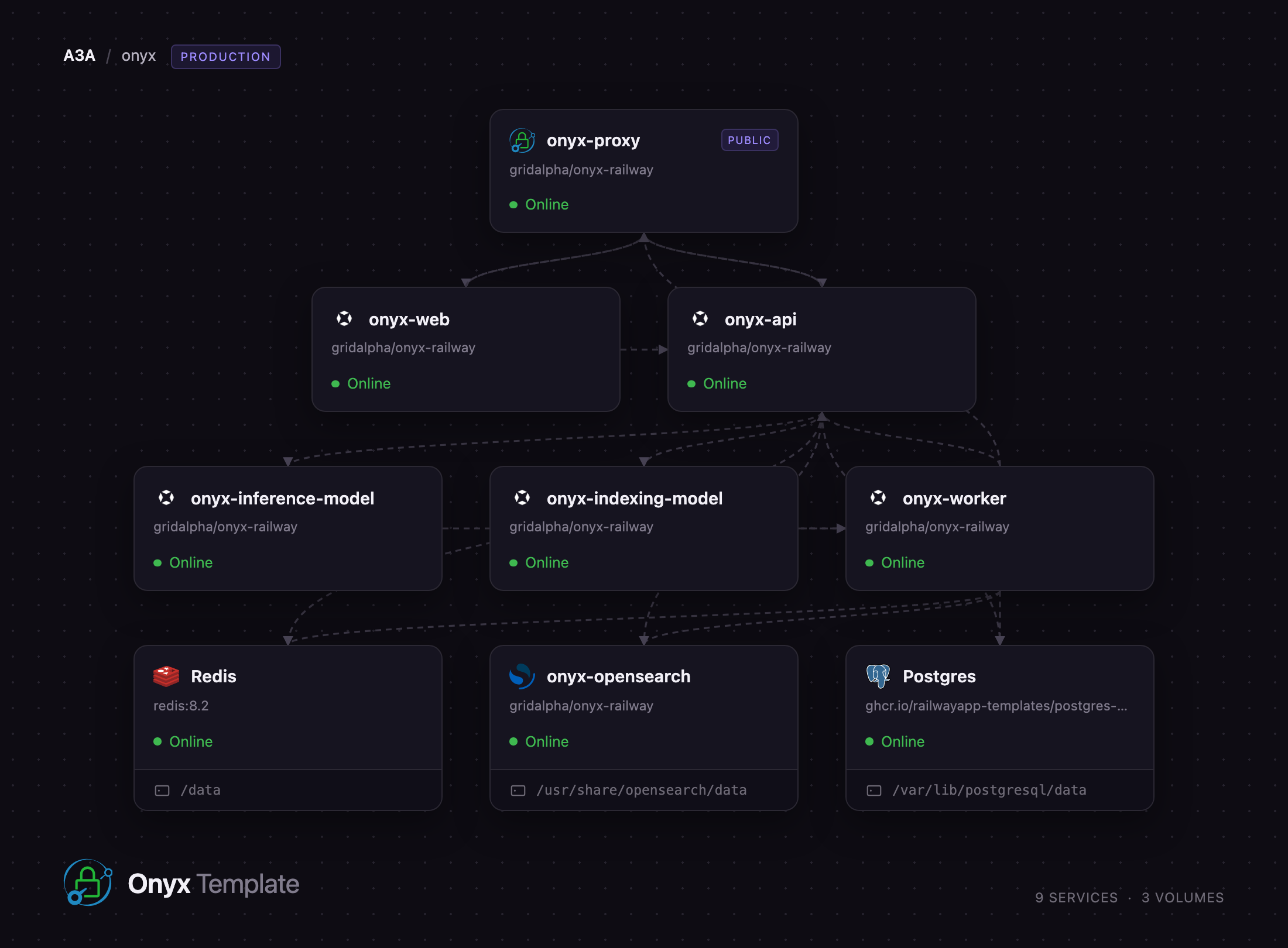
Deploy Onyx on Railway and the whole production shape comes up wired together. A Caddy edge proxy is the single public origin, routing /api to a FastAPI API server and everything else to the Next.js web server. Behind them: a Celery worker tier, two model servers that embed text with no external API, a single-node OpenSearch cluster, managed Postgres, managed Redis, and an object storage bucket for uploads. Nothing needs an API key to boot.
Getting Started with Onyx on Railway
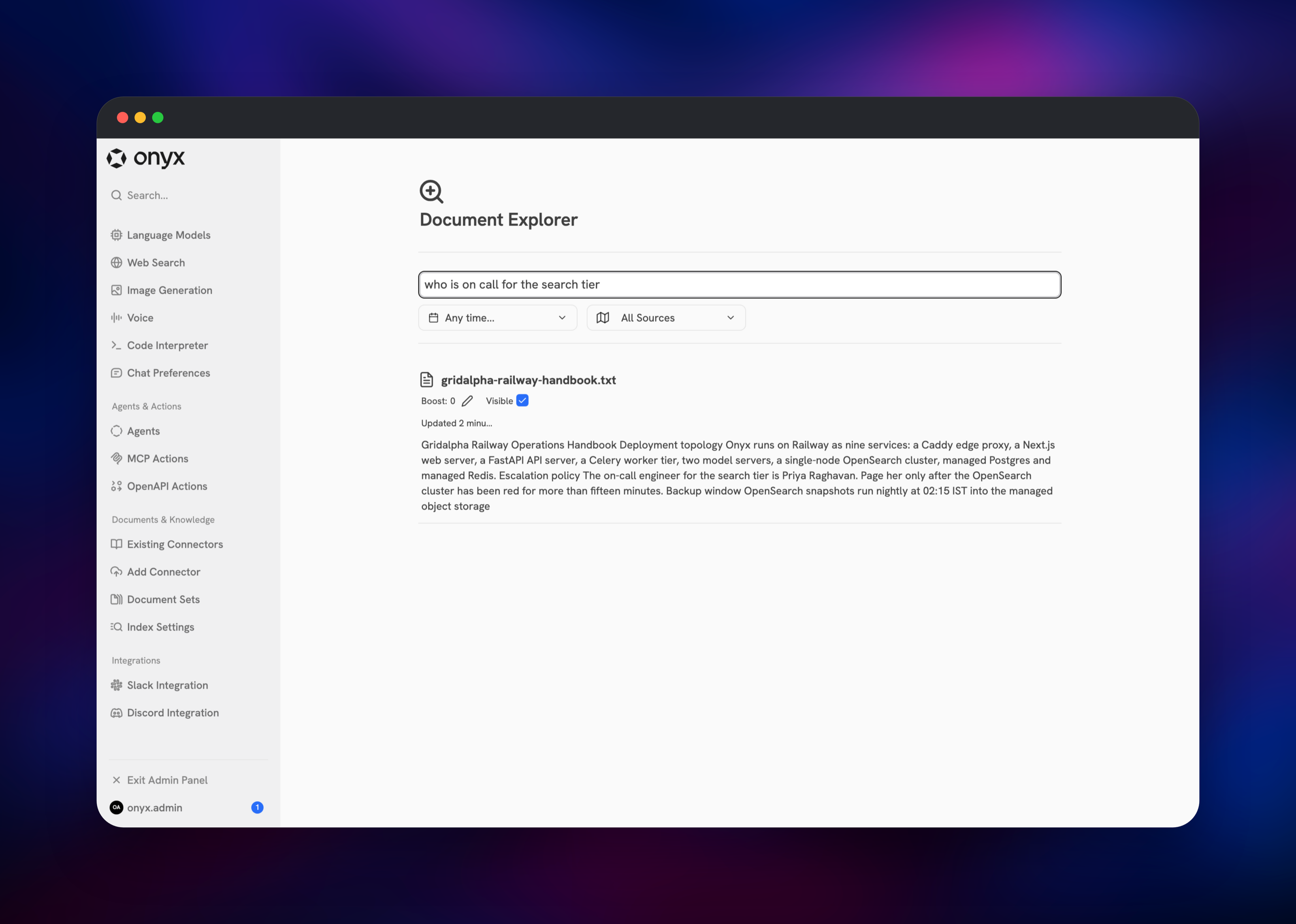
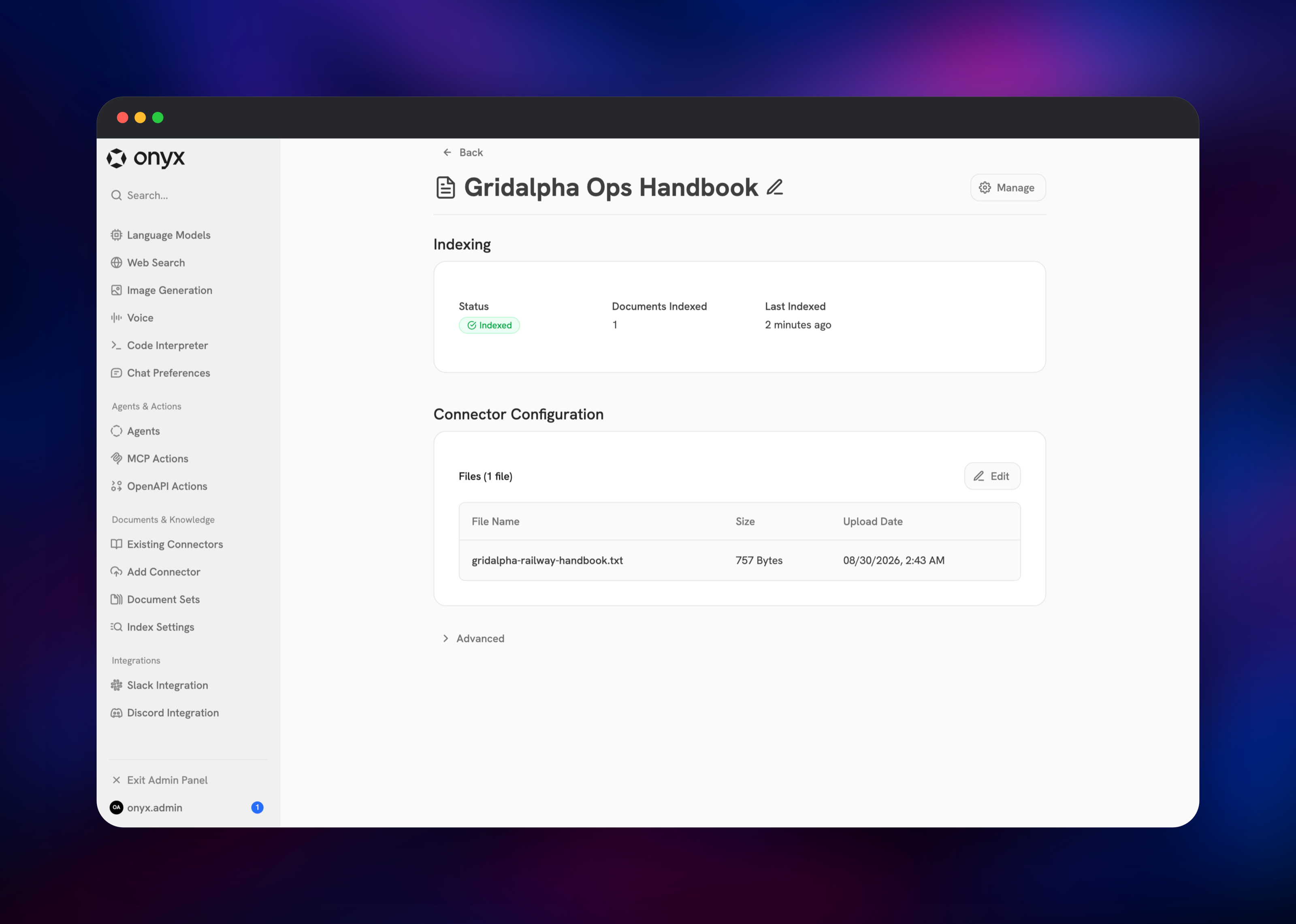
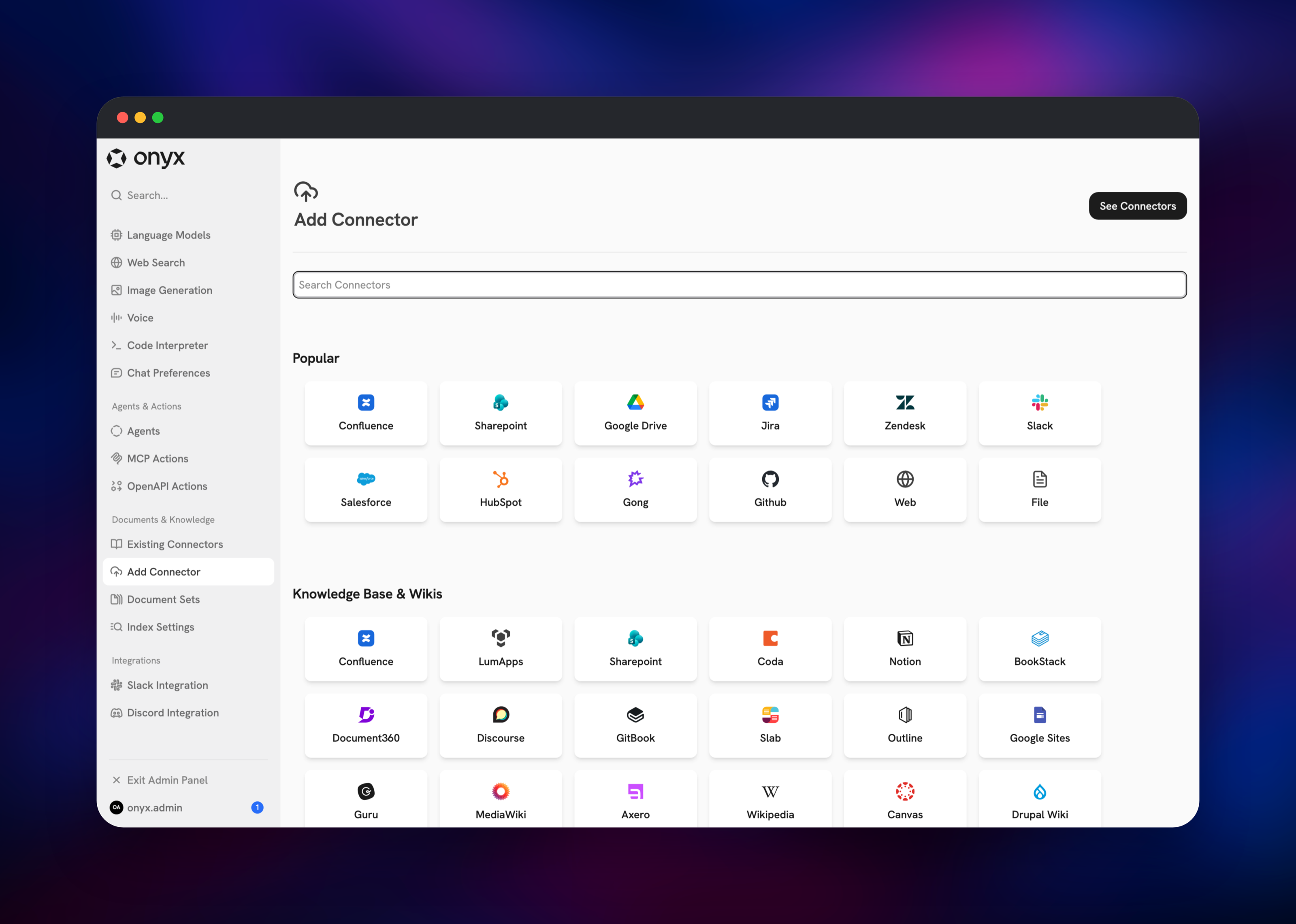
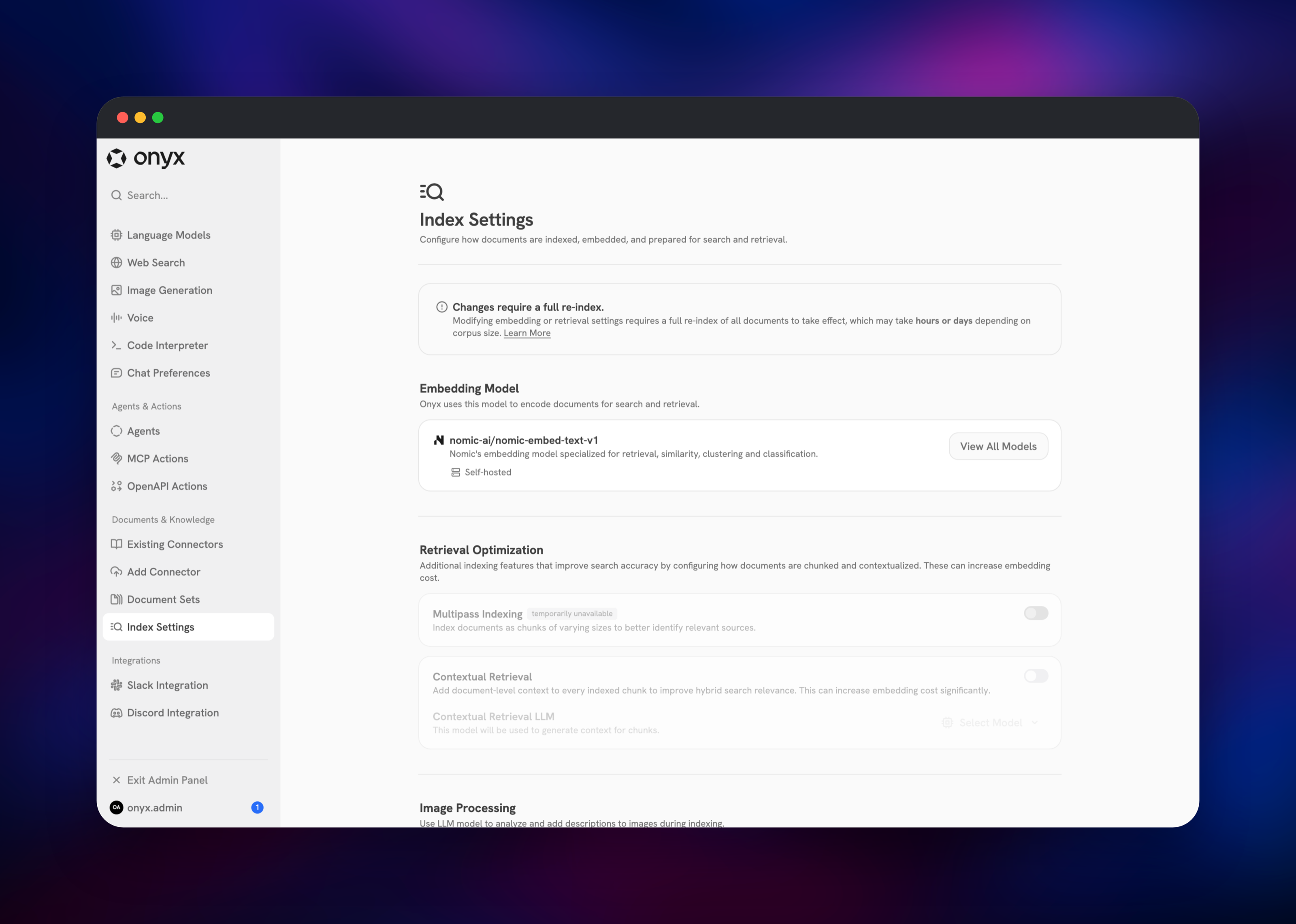
Open the public URL once the deployment settles. Onyx ships with no default credentials: the first account to register through Create an Account becomes the workspace administrator, so claim it immediately rather than leaving registration open to the internet. The fastest way to prove the deployment works is to feed it a document. Open Admin Panel → Add Connector → File, drop in a text file, PDF or Markdown document, name it and create the connector. The workers pick it up within a minute and Existing Connectors shows the count move to 1 with status Indexed. Then open Admin Panel → Document Explorer and search a phrase from it — a hit proves the file store, the indexing model server and OpenSearch retrieval all work together. For natural-language answers, add a provider under Admin Panel → Language Models with your own OpenAI, Anthropic, Azure, Bedrock or Ollama key, then restrict sign-ups with VALID_EMAIL_DOMAINS.
About Hosting Onyx
Onyx solves the problem every growing company hits: the answer exists, but it is in a Slack thread from March, a Confluence page nobody linked, and a PDF in someone's Drive. It crawls those sources on a schedule, chunks and embeds each document locally, and serves hybrid retrieval — BM25 keyword matching plus dense vector similarity — so exact terms and paraphrased questions both land on the right passage. Answers carry citations, and source permissions can be mirrored so nobody sees a document they could not open at the source.
- Forty first-party connectors, plus a web crawler and file upload
- Hybrid keyword and vector search with reranking, on a self-hosted embedding model
- Works with any LLM — OpenAI, Anthropic, Azure OpenAI, Bedrock, Ollama, vLLM
- Slack and Discord bots answering in-channel from the same index
- Custom agents with tool access, an MCP server, and API keys
- Document sets and per-connector access control
The split matters. The API server streams answers while the worker tier does the slow work — fetching, extracting, chunking, embedding, pruning — so a long Drive sync never blocks a chat. The model servers are separate on purpose: one serves query-time embeddings and reranking, the other embeds only during indexing, so a crawl cannot starve search.
Why Deploy Onyx on Railway
Railway removes the operational work this stack needs.
- Nine services deploy together, wired over private networking
- Managed Postgres, Redis and object storage, with backups and no tuning
- The search index gets a volume that survives every redeploy
- Health checks and restart policies per service
- Scaling from the dashboard as your corpus grows
Common Use Cases
- Internal support desk — index Zendesk, Confluence and runbooks so agents get a cited answer instead of searching four tools
- Engineering knowledge base — answer "why did we do it this way?" from design docs and old pull requests
- Sales enablement — query call transcripts and CRM notes from Slack mid-call
- Onboarding — new hires ask policy questions of HR and ops documents
Dependencies for Onyx
- onyx-proxy —
caddy:2-alpine. The one public origin; routes/api,/openapi.json,/scimand/auth/samlto the API server and everything else to the web server. - onyx-web —
onyxdotapp/onyx-web-server. Chat, admin panel and document explorer. - onyx-api —
onyxdotapp/onyx-backend. FastAPI application; migrates the database on boot. - onyx-worker —
onyxdotapp/onyx-backend. Nine Celery workers and a scheduler. - onyx-inference-model / onyx-indexing-model —
onyxdotapp/onyx-model-server. Servenomic-ai/nomic-embed-text-v1locally; weights are baked in. - onyx-opensearch —
opensearchproject/opensearch. Search and vector index. - Postgres, Redis, object storage — relational state, task broker, uploaded files.
Environment Variables Reference
| Variable | Purpose |
|---|---|
USER_AUTH_SECRET | Signs sessions; the API server will not start without it |
ENCRYPTION_KEY_SECRET | Encrypts connector credentials; changing it breaks them |
OPENSEARCH_ADMIN_PASSWORD | Must match the OpenSearch service's own value |
ENABLE_OPENSEARCH_RETRIEVAL_FOR_ONYX | Must be true, or searches return nothing |
POSTGRES_API_SERVER_POOL_SIZE | Twenty connections open at boot; keep pool plus overflow at twenty |
VALID_EMAIL_DOMAINS | Allow-list of domains permitted to register |
Deployment Dependencies
- Source repository: github.com/onyx-dot-app/onyx
- Build source: github.com/gridalpha/onyx-railway
- Images: onyx-backend, onyx-web-server, onyx-model-server
- Documentation: docs.onyx.app
Hardware Requirements for Self-Hosting Onyx
| Resource | Minimum | Recommended |
|---|---|---|
| CPU | 4 vCPU across the stack | 8 vCPU or more |
| RAM | 8 GB total | 16 GB, 4 GB of it for OpenSearch |
| Storage | 10 GB index volume | 50 GB up, by corpus size |
| Runtime | Docker, Python 3.13, Node 22, JVM 21 | Same |
The model servers do CPU inference, so embedding throughput during a first large crawl is the usual bottleneck. OpenSearch is memory-hungry; keep its JVM heap near half the container limit.
Self-Hosting Onyx with Docker
Upstream ships a Compose stack. Shell commands:
git clone https://github.com/onyx-dot-app/onyx.git
cd onyx/deployment/docker_compose
cp env.template .env
docker compose up -d
Set the authentication secrets and a strong search password in .env first:
USER_AUTH_SECRET=$(openssl rand -hex 32)
ENCRYPTION_KEY_SECRET=$(openssl rand -hex 32)
OPENSEARCH_ADMIN_PASSWORD=change-me-Xy7!
Running it this way means managing OpenSearch heap, volume permissions, TLS and upgrades yourself. Every Onyx image must be on the same version, so pin one tag and move them together.
How Much Does Onyx Cost to Self-Host?
Onyx is open source and free to run. The core is MIT-licensed; an enterprise directory in the same repository covers SSO, granular permissions and analytics under a separate commercial licence, and a hosted Onyx Cloud is sold per seat. Self-hosting on Railway costs infrastructure only — no per-user or per-document fee. Generation is billed by your model provider; embedding runs locally.
FAQ
What is Onyx? An open-source AI chat and search platform that indexes a company's documents from tools like Slack, Drive and Confluence, then answers questions with citations. Previously called Danswer.
Why does the template include OpenSearch, Postgres and Redis? Each holds different state. OpenSearch stores chunks and vectors and serves hybrid search; Postgres holds users, chats and connector configuration; Redis carries the task queue. Removing any disables a core part of the product.
Do I need an OpenAI API key to run self-hosted Onyx? Not to deploy it. Embeddings are generated locally by the bundled model servers, so connectors, indexing and search work with no external key. A provider key is only needed for chat answers.
How do I create the first admin user in Onyx?
There are no default credentials. The first account registered becomes the workspace administrator. Register it as soon as the deployment is live, then restrict further sign-ups with VALID_EMAIL_DOMAINS.
Why do my documents show as indexed but return no search results?
Check that ENABLE_OPENSEARCH_RETRIEVAL_FOR_ONYX is true on both the API server and the worker. Onyx enables indexing by default but leaves retrieval off, so documents index cleanly while searches come back empty.
Template Content
onyx-worker
gridalpha/onyx-railwayRedis
redis:8.2onyx-web
gridalpha/onyx-railwayonyx-api
gridalpha/onyx-railwayonyx-indexing-model
gridalpha/onyx-railwayonyx-inference-model
gridalpha/onyx-railwayonyx-proxy
gridalpha/onyx-railwayonyx-opensearch
gridalpha/onyx-railwayonyx-file-store
Bucket


