
Deploy Open WebUI
Private AI chat UI for OpenAI, Ollama and any compatible API

Redis
Just deployed
/data
open-webui
Just deployed
/data

Just deployed
/var/lib/postgresql/data

Deploy and Host Open WebUI on Railway
Open WebUI is a self-hosted AI chat platform — a ChatGPT-style interface for whichever models you point it at (OpenAI, Groq, OpenRouter, vLLM, or a private Ollama server), with multi-user accounts, RBAC, document RAG, shared knowledge bases and notes. Its ~147k GitHub stars make it the default front end for teams that want the ChatGPT experience without sending conversations and files to a third-party SaaS. Self-host Open WebUI when chat history and internal documents must stay on infrastructure you control.
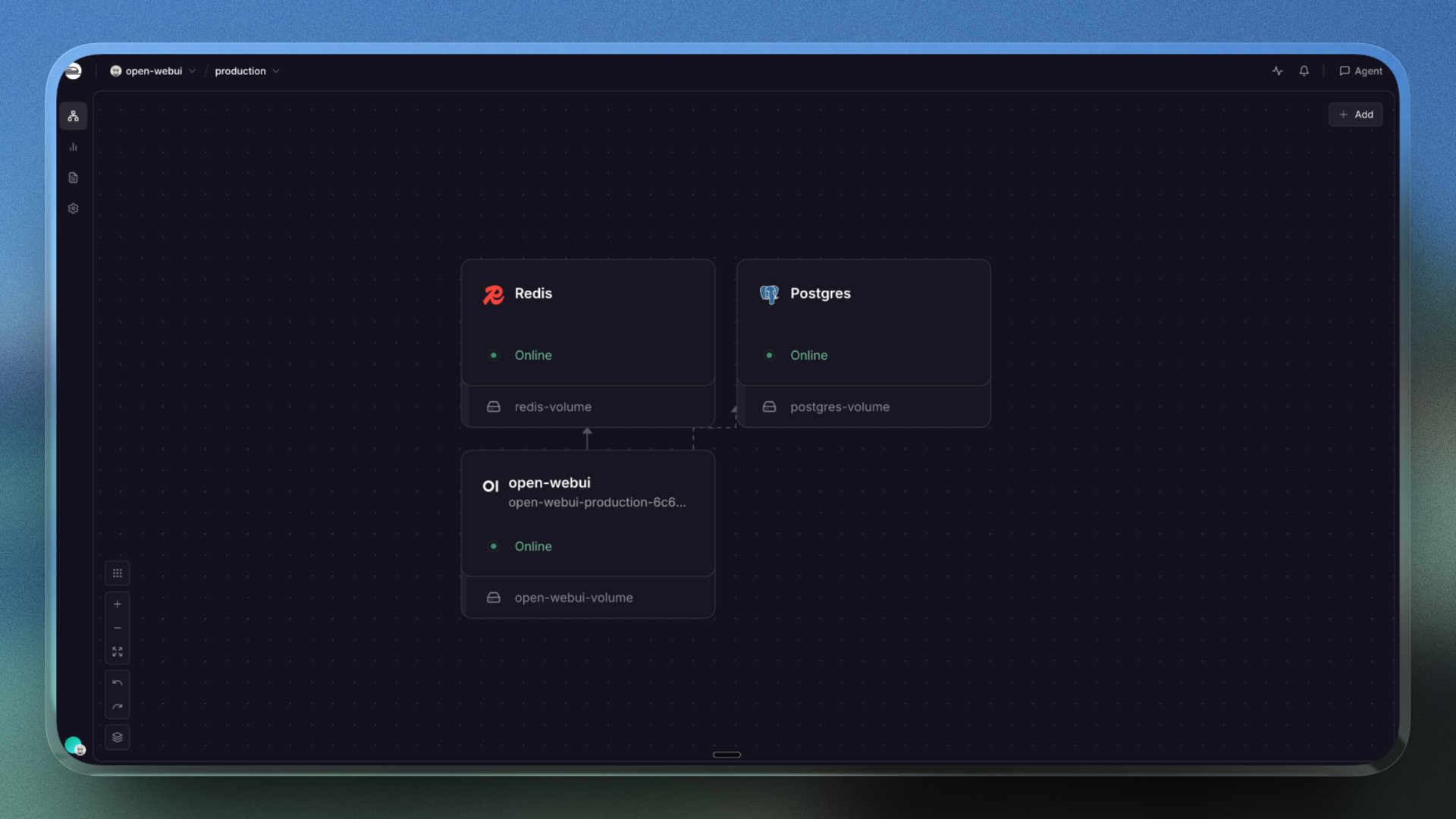
Deploy Open WebUI on Railway as three services in one deploy. The app runs the pinned ghcr.io/open-webui/open-webui:v0.10.2 image on port 8080 and is the only service with a public domain. Managed Postgres holds users, chats, knowledge-base records and runtime configuration, replacing the SQLite file a plain container would use; managed Redis backs the websocket manager and shared session state. A volume at /data stores uploads, caches and the Chroma vector database; both datastores stay private.
Getting Started with Open WebUI on Railway
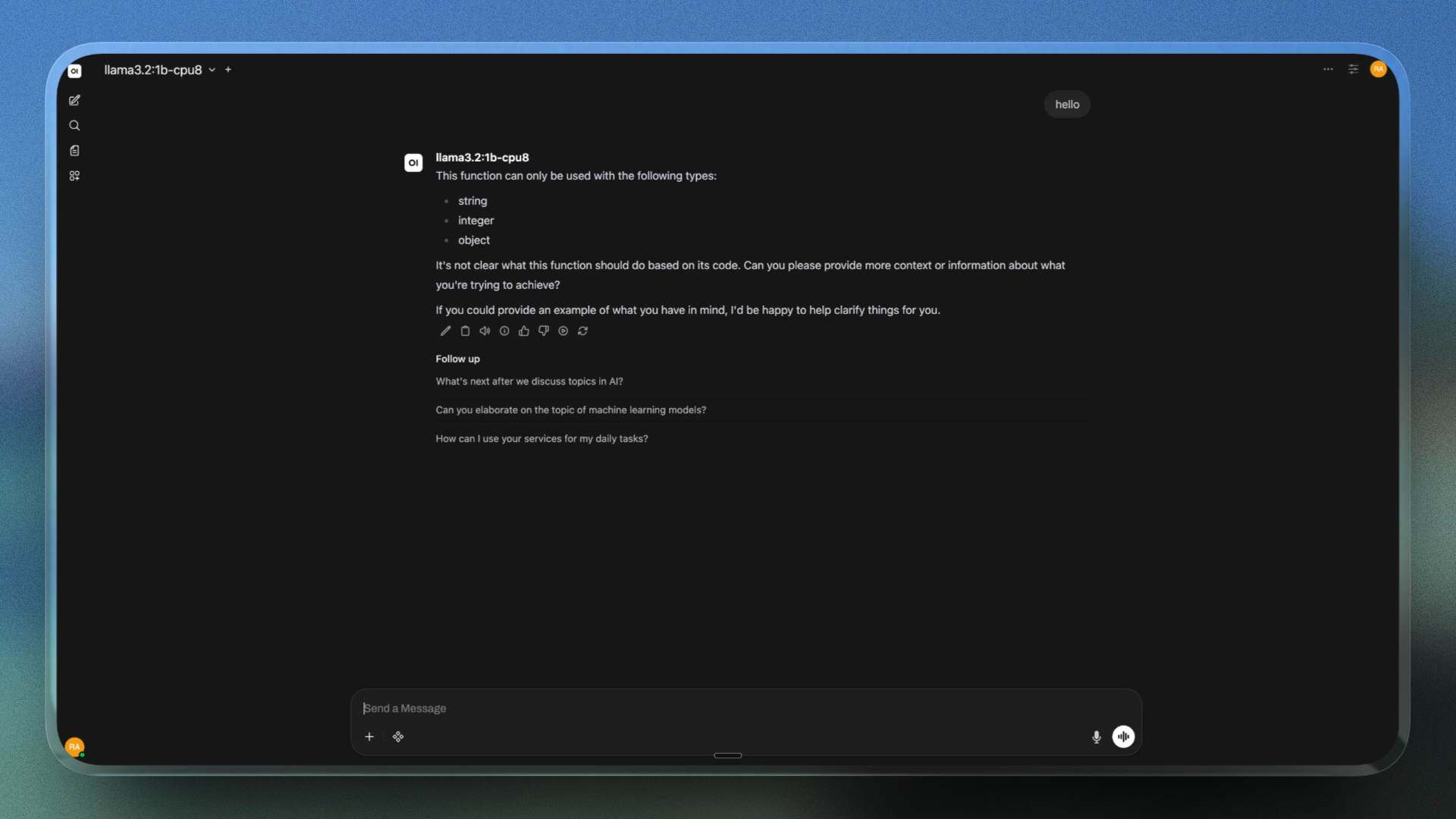
The generated Railway domain opens on a sign-up screen, not a login prompt: Open WebUI ships with no default credentials. The first account created becomes the administrator, so create it as soon as the deploy is live; sign-up then closes automatically, and later registrations sit in a pending role until an admin promotes them under Admin Panel → Users. No provider key ships with the template, so open Admin Panel → Settings → Connections and paste an OpenAI key or any OpenAI-compatible base URL and key. Leave the Ollama connection off unless an Ollama server runs alongside: its upstream default points at a Docker-Desktop-only hostname that stalls the admin panel on Railway. Pick a model on the chat screen and send a message; a streaming reply confirms the provider connection and the websocket layer. For RAG, drop a PDF into the message box or build a collection under Workspace → Knowledge: the embedding model ships inside the image, so there is no download wait, and everything persists across restarts.
About Hosting Open WebUI
Open WebUI solves the chat sprawl that follows AI adoption — personal vendor accounts, ad-hoc API keys, no shared prompts, company documents in someone else's logs. One self-hosted instance gives everyone a single URL where model access and data retention are governed.
- Provider-agnostic models — OpenAI, Ollama and any OpenAI-compatible API side by side, with multi-model chats.
- Built-in RAG — PDFs, DOCX, Markdown and URLs in shared knowledge bases, with hybrid vector and keyword search.
- Granular RBAC — admin review for new accounts, per-group model permissions, LDAP, OAuth, SSO and SCIM 2.0.
- Extensibility and workspace — Tools, Functions, Pipes and MCP servers, plus notes, folders, channels, memory, scheduled automations, web search and image generation.
open-webui serves the UI and API, Postgres is the system of record, Redis the coordination layer.
Why Deploy Open WebUI on Railway
Railway removes the infrastructure work this stack needs:
- One-click deploy of the pinned
ghcr.io/open-webui/open-webui:v0.10.2image. - Managed Postgres and Redis plus a resizable volume, provisioned automatically.
- Private networking keeps the database and cache off the public internet.
- HTTPS domain, health checks, logs, metrics and one-click rollbacks.
Common Use Cases Open WebUI
- An internal ChatGPT for a team. One domain, managed accounts and shared prompts, with API keys held centrally.
- Chat over private documents. Load handbooks or runbooks into a knowledge base and query them against a vector store you own.
- A front end for your own inference stack. Point it at vLLM or an Ollama service in the same project.
Dependencies for Open WebUI
open-webui—ghcr.io/open-webui/open-webui:v0.10.2: FastAPI/Uvicorn backend and SvelteKit front end on port8080, health-checked at/health. An explicit version pin rather thanlatestkeeps a redeploy from swapping in a new UI or schema migration.- Postgres — users, chats, folders, knowledge-base records and the config the admin panel writes; the upstream SQLite default suits a restarting container poorly.
- Redis — websocket manager and shared session store, keeping streaming responses coherent.
- Volume at
/data— uploads, cache and the Chroma vector database at/data/vector_db, withDATA_DIR=/data.
Mount the volume at /data, never at /app/backend/data. The image pre-downloads its embedding, reranking, Whisper and tiktoken models at build time under /app/backend/data/cache/; a volume mounted over that path hides them and forces a cold re-download during the first health check. Keep the four cache variables on their in-image paths.
Run a single instance: the automations scheduler starts in every process with no leader election, so extra workers or replicas would fire scheduled jobs twice (UVICORN_WORKERS=1).
Environment Variables Reference
| Variable | Value | What it does |
|---|---|---|
DATA_DIR | /data | Volume path for uploads and vectors |
DATABASE_URL | ${{Postgres.DATABASE_URL}} | Postgres connection string |
WEBSOCKET_MANAGER | redis | Required for Redis websockets |
WEBUI_SECRET_KEY | generated | Signs JWTs and cookies; keep stable |
ENABLE_OLLAMA_API | false | Off unless Ollama runs alongside |
Deployment Dependencies
Source: github.com/open-webui/open-webui; docs at docs.openwebui.com. Python 3.11 and prebuilt assets ship in the image.
Hardware Requirements for Self-Hosting Open WebUI
| Resource | Minimum | Recommended |
|---|---|---|
| CPU | 1 vCPU | 2–8 vCPU |
| RAM | 2 GB | 4–8 GB |
| Storage | 5 GB volume | 10–20 GB volume |
| Runtime | Python 3.11 (bundled) | Python 3.11 (bundled) |
Open WebUI is a front end, not an inference engine, so it stays light: expect roughly 1–2 GB resident once the embedding model loads for RAG. Railway offers no GPUs, so in-container inference is not an option.
Self-Hosting Open WebUI with Docker
Open WebUI runs anywhere Docker does — the minimal single-container run, on SQLite in the volume:
docker run -d --name open-webui --restart unless-stopped \
  -p 3000:8080 -v open-webui-data:/data \
  -e DATA_DIR=/data -e ENABLE_OLLAMA_API=false \
  -e WEBUI_SECRET_KEY=change-me-to-a-long-random-string \
  ghcr.io/open-webui/open-webui:v0.10.2
For the Postgres-and-Redis topology this template uses, add these to the environment:
DATABASE_URL=postgresql://openwebui:CHANGE_ME@db:5432/openwebui
REDIS_URL=redis://cache:6379/0
WEBSOCKET_REDIS_URL=redis://cache:6379/1
WEBSOCKET_MANAGER=redis
ENABLE_WEBSOCKET_SUPPORT=true
Leave the default bind address alone: Uvicorn binds 0.0.0.0, which is what an edge proxy expects; an IPv6-only bind looks healthy while requests fail.
Is Open WebUI Free? How Much Does It Cost to Self-Host?
Open WebUI is free to deploy and free for internal use at any scale — no seat charges or feature paywall, with RBAC, SSO and LDAP included. Its licence is BSD-3-Clause plus one addition from v0.6.6 onward: deployments above 50 users in a rolling 30-day window must keep Open WebUI branding intact, while an optional Enterprise Licence covers white-labelling. On Railway you pay for infrastructure only.
FAQ
What is Open WebUI?
A self-hosted, extensible AI chat platform with a ChatGPT-style interface. It connects to Ollama and any OpenAI-compatible API, adding multi-user accounts, RBAC, a RAG engine and knowledge bases.
What does this Railway template deploy?
Open WebUI on ghcr.io/open-webui/open-webui:v0.10.2 at port 8080 with a public domain and a 5 GB volume at /data, plus managed Postgres and Redis kept private.
Why does this Open WebUI template include Postgres and Redis?
Postgres replaces the default SQLite file, which cannot be shared and does not survive container replacement. Redis powers the websocket manager and shared session state, keeping streamed responses consistent.
Do I need an OpenAI API key to run self-hosted Open WebUI?
Not to deploy it, but you need a provider to chat. Add an OpenAI key or any compatible endpoint under Admin Panel → Settings → Connections. For Ollama, run it as a second Railway service and point the base URL at http://ollama.railway.internal:11434.
Can I run multiple replicas of Open WebUI on Railway?
Run a single instance. The automations scheduler starts in every process without leader election, so extra workers or replicas would fire scheduled jobs twice.
Template Content
Redis
redis:8.2.1REDISPORT
REDISUSER
open-webui
ghcr.io/open-webui/open-webui:v0.10.2HOST
PORT
HF_HOME
DATA_DIR
USER_AGENT
WEBUI_AUTH
ENABLE_SIGNUP
OMP_NUM_THREADS
UVICORN_WORKERS
WEBUI_SECRET_KEY
DEFAULT_USER_ROLE
ENABLE_OLLAMA_API
WEBSOCKET_MANAGER
WHISPER_MODEL_DIR
DATABASE_POOL_SIZE
TIKTOKEN_CACHE_DIR
DATABASE_POOL_TIMEOUT
AIOHTTP_CLIENT_TIMEOUT
ENABLE_WEBSOCKET_SUPPORT
WHISPER_MODEL_AUTO_UPDATE
DATABASE_POOL_MAX_OVERFLOW
SENTENCE_TRANSFORMERS_HOME
ENABLE_VERSION_UPDATE_CHECK
RAG_EMBEDDING_MODEL_AUTO_UPDATE
RAG_RERANKING_MODEL_AUTO_UPDATE
OAUTH_SESSION_TOKEN_ENCRYPTION_KEY
PGDATA
PGPORT
POSTGRES_DB
POSTGRES_USER
SSL_CERT_DAYS
RAILWAY_DEPLOYMENT_DRAINING_SECONDS


