
Deploy OpenClaw
The personal AI assistant that really does things.
openclaw
Just deployed
/data
Deploy and Host OpenClaw on Railway
OpenClaw is an open-source personal AI assistant that runs on infrastructure you control and meets you in the chat apps you already use. It connects language-model providers, a growing library of tools, skills, and plugins, and messaging channels — Telegram, Discord, Slack, WhatsApp, Signal, iMessage, and more — through a single Gateway with a browser-based Control UI. Developers, tinkerers, and privacy-minded teams self-host OpenClaw to get a capable assistant that keeps conversations, credentials, and files on their own servers instead of a vendor's cloud. Deploy OpenClaw on Railway and you get that Gateway running in minutes, without wiring up Node, volumes, and reverse proxies by hand.
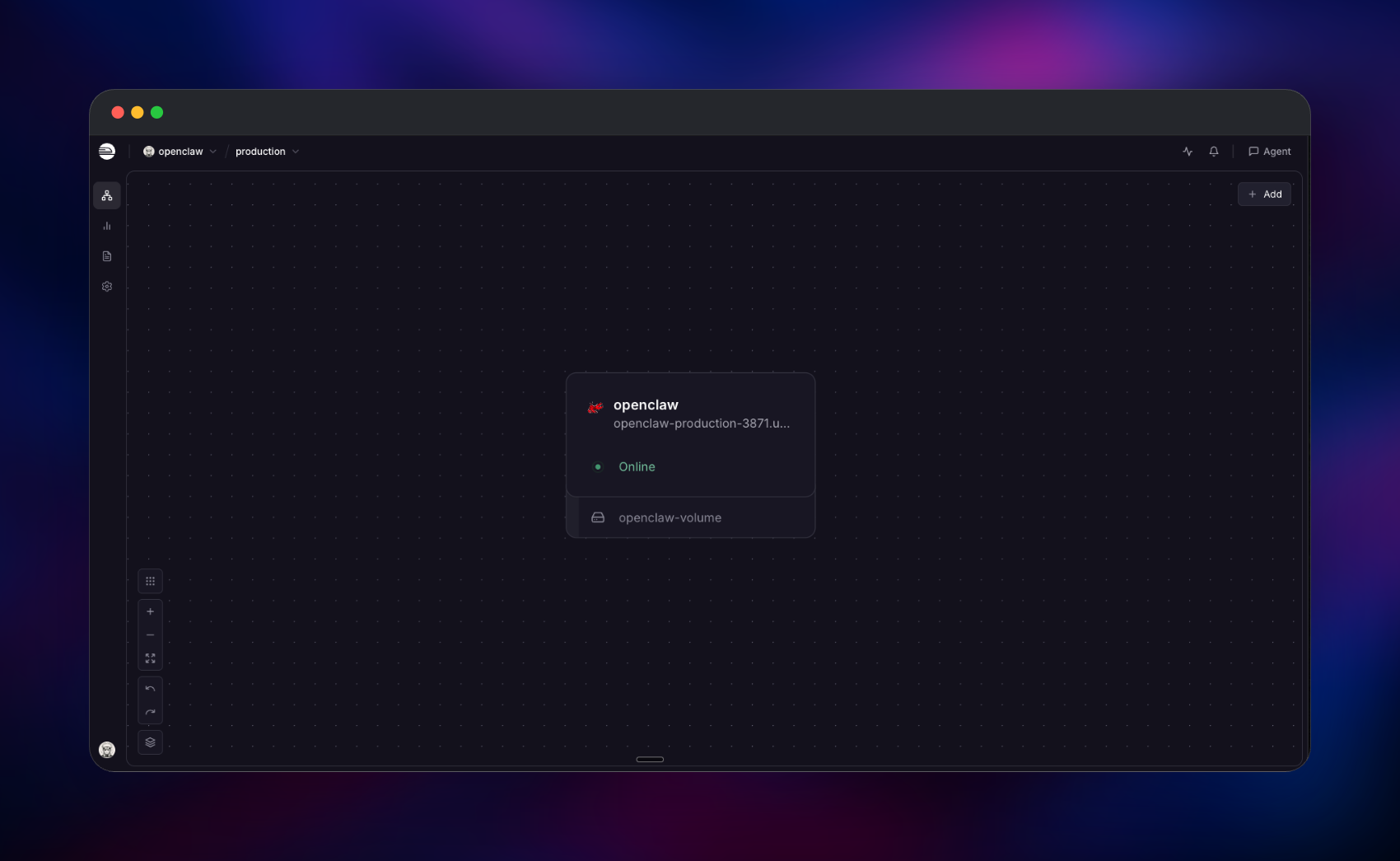
This template runs the official openclaw/openclaw image as one Gateway service. Railway terminates HTTPS at its edge and forwards traffic to the container, which serves both the Control UI and the gateway API on a single port. A persistent volume at /data holds your configuration, per-agent auth profiles, sessions, and workspace, so everything survives redeploys. Access is protected by an admin token you set once, and the container runs unprivileged after fixing up volume ownership at boot. To self-host OpenClaw this way you supply only a gateway token — the template handles ports, storage paths, binding, and the Control UI origin allowlist for you.
Getting Started with OpenClaw on Railway
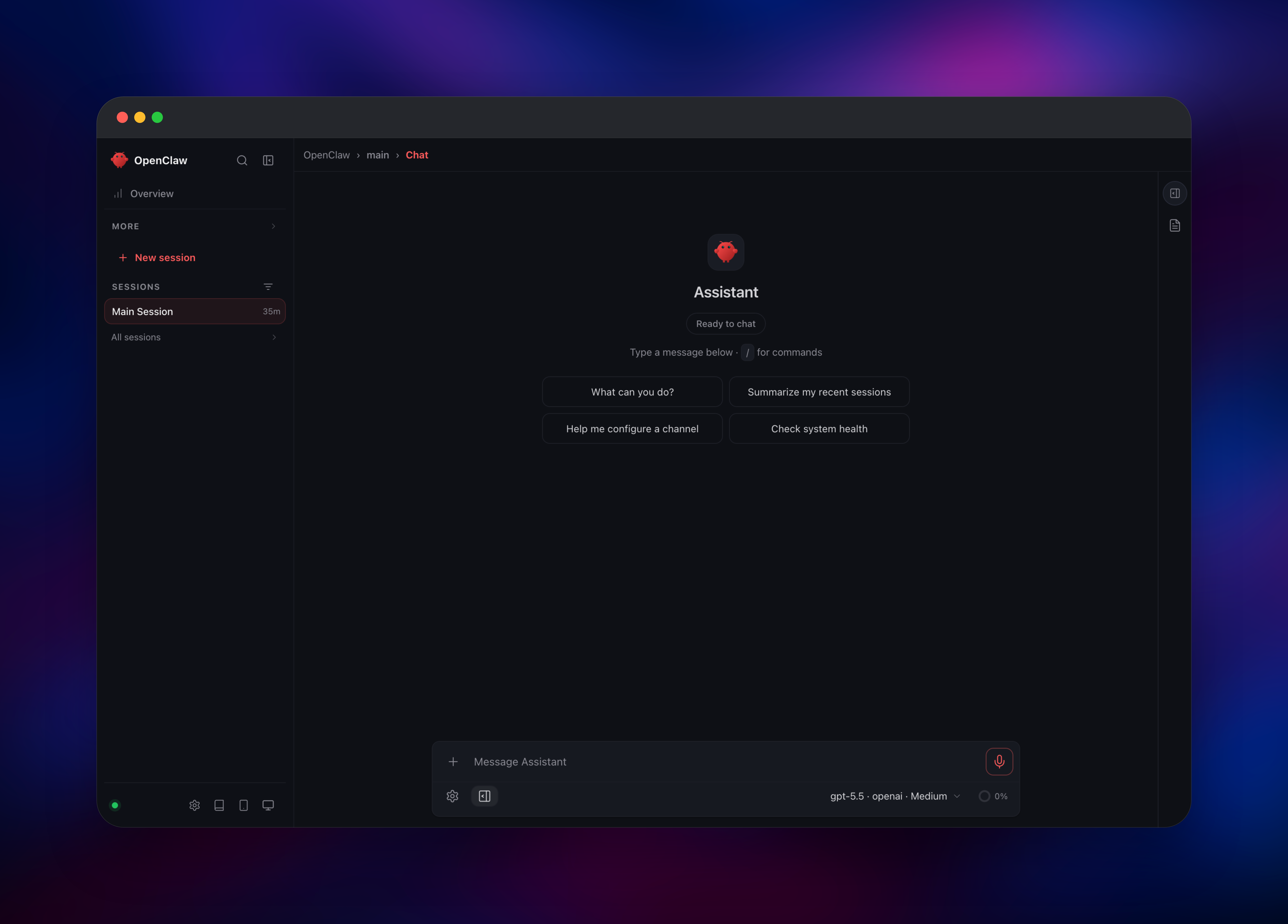
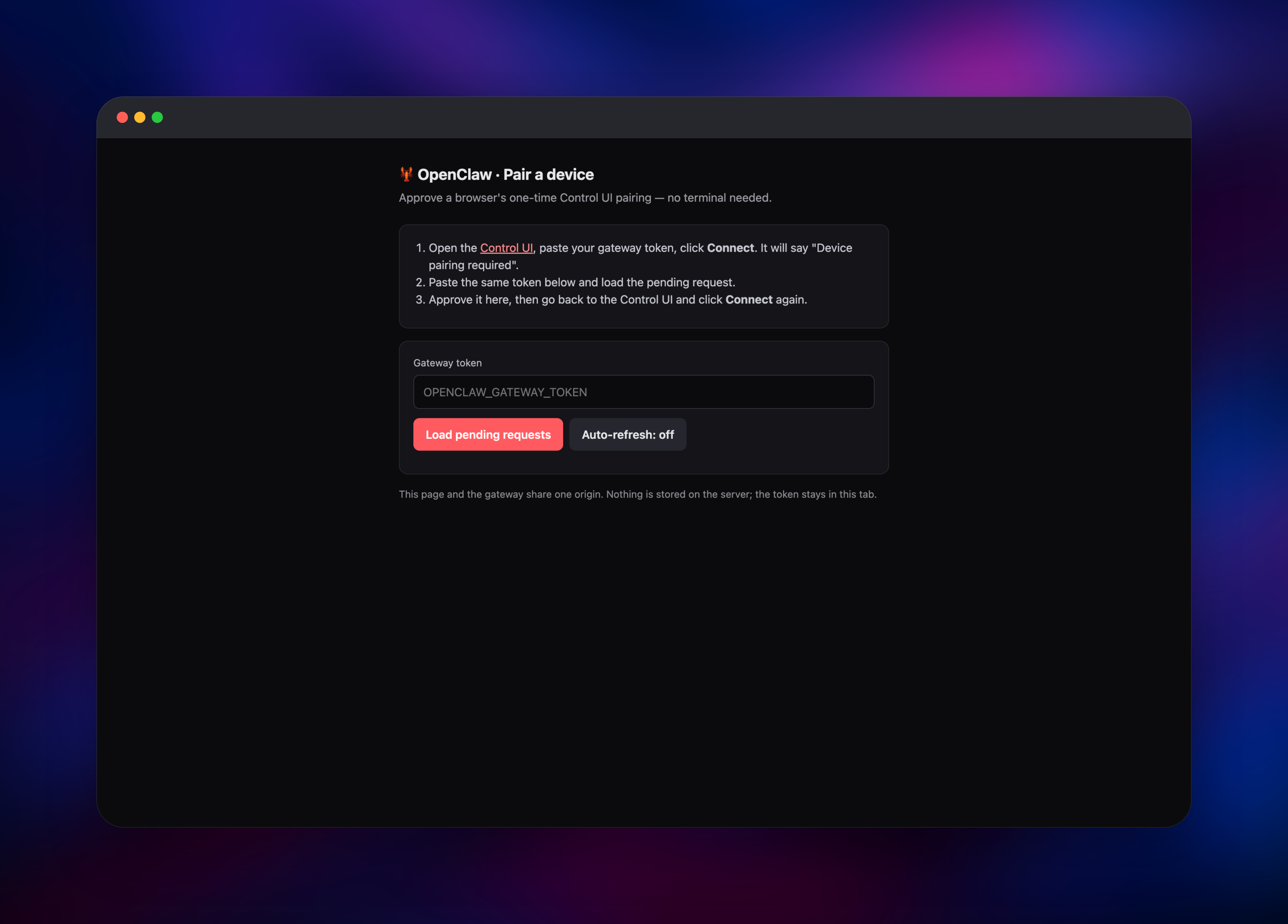
Once the deploy is green, open your Railway public URL with /openclaw on the end — that loads the Gateway Dashboard. Paste the OPENCLAW_GATEWAY_TOKEN you configured into the Gateway Token field and press Connect. For security, OpenClaw asks every new browser to complete a one-time device pairing even after the token is accepted, so the first connection shows a "Device pairing required" prompt. This template includes a small browser helper for that: open /setup, paste the same token, and click Approve on the pending request — then return to the Control UI and press Connect again. That browser is now the remembered owner, so no terminal is needed. After pairing, add a model provider key (for example an OpenAI, Anthropic, or OpenRouter key) in Settings so the assistant can actually respond, then connect your first channel — a Telegram bot token is the quickest. Send a message from the Control UI to confirm the assistant replies. You can confirm the Gateway is live at any time:
curl https:///healthz
About Hosting OpenClaw
OpenClaw is a self-hosted assistant platform built for a single operator. Instead of a chatbot locked inside one app, it is a Gateway that bridges the models, tools, and channels you already use, reachable from your terminal, a web dashboard, and your chat apps. Teams self-host it when they want an assistant that can run real actions and hold context without shipping their data to a third party.
Key features:
- Bring-your-own models — connect hosted providers or local models; you own the keys and the bills.
- Messaging channels — WhatsApp, Telegram, Slack, Discord, Signal, iMessage, Google Chat, and more through one Gateway.
- Tools, skills, and plugins — extend what the assistant can do, with a plugin SDK and the ClawHub registry.
- Own your data — configuration, sessions, and files live on your volume, not a vendor cloud.
- One control plane — the Gateway manages sessions, tools, events, and channel connections behind token auth.
Architecture on Railway is deliberately simple: a single Gateway container does all of the work, and a Railway volume mounted at /data provides durable storage. There is no separate database to operate — OpenClaw keeps its state on disk, which is why the volume is the one piece of infrastructure that matters.
Why Deploy OpenClaw on Railway
Railway removes the setup friction of self-hosting a Node service with persistent state:
- One-click deploy of the official image, no build required
- Persistent
/datavolume for config, sessions, and workspace - Automatic HTTPS on a public domain
- Simple environment-variable configuration
- Easy vertical scaling as your workloads grow
Common Use Cases
- A personal assistant that lives in your Telegram, Slack, or WhatsApp and runs real tasks
- An always-on automation hub that triggers tools and scripts from chat messages
- A private, self-hosted alternative to cloud assistants for teams handling sensitive data
- A sandbox for building and testing custom AI agent tools, skills, and plugins
Dependencies for OpenClaw
OpenClaw ships as a single self-contained image, so the template has one service and no external database.
- OpenClaw Gateway —
openclaw/openclaw:latest(Docker Hub), the Gateway, CLI, and Control UI in one Node 24 runtime.
Environment Variables Reference
| Variable | Purpose |
|---|---|
OPENCLAW_GATEWAY_TOKEN | Admin secret that protects the Gateway and Control UI |
OPENCLAW_GATEWAY_PORT | HTTP port the Gateway listens on |
OPENCLAW_STATE_DIR | Where config, auth, and sessions are stored on the volume |
OPENCLAW_WORKSPACE_DIR | Where files the assistant creates are stored |
OPENCLAW_AUTH_PROFILE_SECRET_DIR | Encryption keys for channel auth profiles, kept on the volume |
Deployment Dependencies
- Runtime: Node.js 24 (bundled in the image)
- Docker image: openclaw/openclaw
- Source: github.com/openclaw/openclaw
- Documentation: docs.openclaw.ai
Hardware Requirements for Self-Hosting OpenClaw
The Gateway itself is light; real usage depends on the models and tools you enable. Local model inference is not included and would need far more.
| Resource | Minimum | Recommended |
|---|---|---|
| CPU | 1 vCPU | 2 vCPU |
| RAM | 1 GB | 2 GB |
| Storage | 1 GB volume | 5 GB+ volume |
| Runtime | Node.js 24 | Node.js 24 |
Self-Hosting OpenClaw
You can run OpenClaw from the published Docker image. Bind it beyond loopback and set a token so the Gateway is reachable:
docker run -d --name openclaw \
  -p 8080:8080 \
  -e OPENCLAW_GATEWAY_PORT=8080 \
  -e OPENCLAW_GATEWAY_TOKEN=change-me \
  -v openclaw-data:/data \
  -e OPENCLAW_STATE_DIR=/data/.openclaw \
  openclaw/openclaw:latest \
  node openclaw.mjs gateway --bind lan --allow-unconfigured
If you manage Node yourself, install the CLI and run the onboarding wizard, which configures models, the workspace, and the Gateway:
npm install -g openclaw@latest
openclaw onboard --install-daemon
Deploying on Railway replaces both of these with a preconfigured image, a managed volume, automatic HTTPS, and the origin allowlist already wired to your public domain.
How Much Does OpenClaw Cost to Self-Host?
OpenClaw is free and open source under the MIT license, maintained by the non-profit OpenClaw Foundation, so there are no license fees or per-seat pricing. When you self-host on Railway you pay only for the compute and storage the Gateway uses, which is modest for a single-operator assistant. Your other cost is whatever your chosen model provider charges for API usage — OpenClaw uses your own keys, so you keep full control of that spend.
FAQ
What is OpenClaw?
OpenClaw is an open-source personal AI assistant that runs on your own infrastructure. It connects model providers, tools, and messaging channels through a single Gateway with a web Control UI, so one assistant is reachable from your terminal, browser, and chat apps.
What does this Railway template deploy?
It deploys the official OpenClaw Gateway image as a single service with a persistent /data volume, automatic HTTPS, token authentication, and the Control UI origin allowlist configured for your Railway domain.
Why does the template use a volume instead of a database?
OpenClaw stores its configuration, per-agent auth profiles, sessions, and workspace as files on disk rather than in an external database. The /data volume is what makes that state durable across redeploys, so no separate database service is needed.
How do I log in to self-hosted OpenClaw for the first time?
Open /openclaw on your public URL, paste your OPENCLAW_GATEWAY_TOKEN, and connect. Because the Control UI requires a one-time device pairing, this template adds a /setup page: paste the same token there and click Approve on the pending request, then reconnect. That pairs your browser as the owner without a terminal.
Do I need my own AI model API key to run OpenClaw?
Yes. The Gateway deploys and the Control UI loads without one, but the assistant needs a model provider key (such as OpenAI, Anthropic, OpenRouter, or a local model) to generate replies. You add it in Settings after pairing.
Which messaging channels does OpenClaw support?
OpenClaw connects to WhatsApp, Telegram, Slack, Discord, Signal, iMessage, Google Chat, and others. Bot-API channels like Telegram and Discord are the quickest to set up from the Control UI.
Template Content
openclaw
gridalpha/openclaw-railway

