
Deploy OpenClaw + Ollama on Railway | Self-Hosted Personal AI Assistant
Self-host OpenClaw (optional - Local LLM Models). 20+ chat platforms.
OpenClaw 🦞
Just deployed
/data

Ollama
Just deployed
/root/.ollama
Deploy and Host OpenClaw
Deploy OpenClaw — the open-source personal AI assistant — on Railway with a single click. OpenClaw is a self-hosted agent runtime that connects your favorite chat apps (WhatsApp, Telegram, Discord, Slack, iMessage, and 20+ more) to AI models like Claude, GPT, Gemini, or fully local models via Ollama — letting an AI agent browse the web, manage files, run commands, and work autonomously on your behalf.
Self-host OpenClaw on Railway with this template and get a fully configured gateway, browser-based setup wizard, admin dashboard with live terminal, and persistent storage — no CLI or SSH access needed.
🚀 Getting Started with OpenClaw on Railway
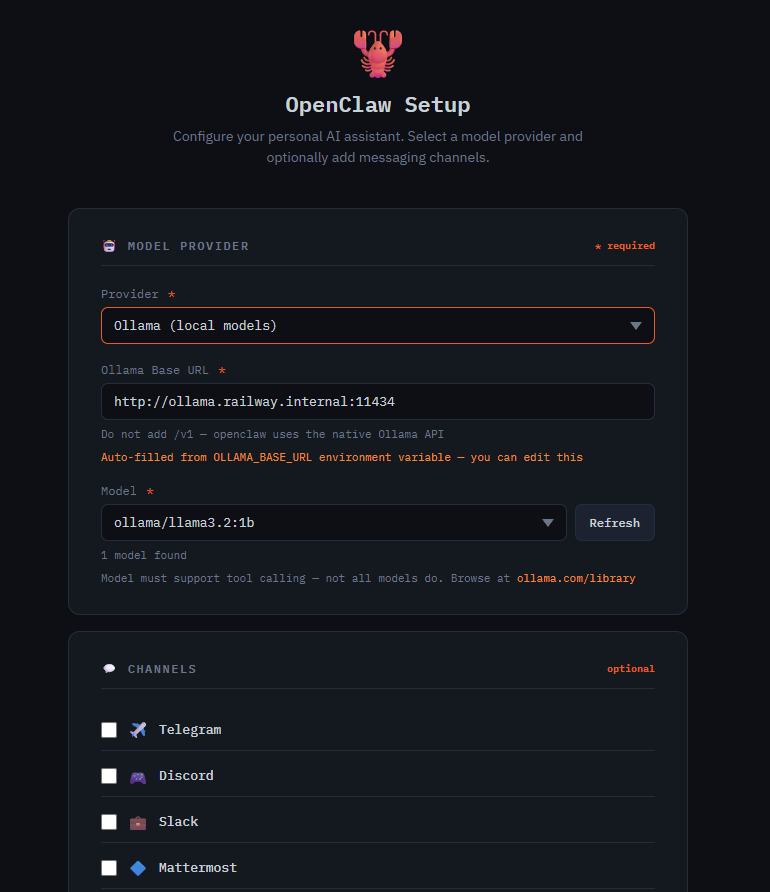
Once your Railway deploy is live, open your service URL — you'll be redirected to the /setup wizard automatically. Pick your AI provider (Anthropic, OpenAI, Gemini, Groq, OpenRouter, or Ollama for free local models), configure your connection, and optionally add messaging channels. Click Launch OpenClaw and the gateway starts within seconds.
Step 1: Initial Setup via /setup
The /setup page is a one-time configuration wizard for selecting your AI provider, pasting your API key, and wiring up messaging channels (Telegram, Discord, Slack, etc.).
Once setup is complete, /setup cannot be used again without first wiping the config from /admin — it's an open URL by design, so it only works when no config exists yet.
Step 2: Access the Admin Dashboard at /admin
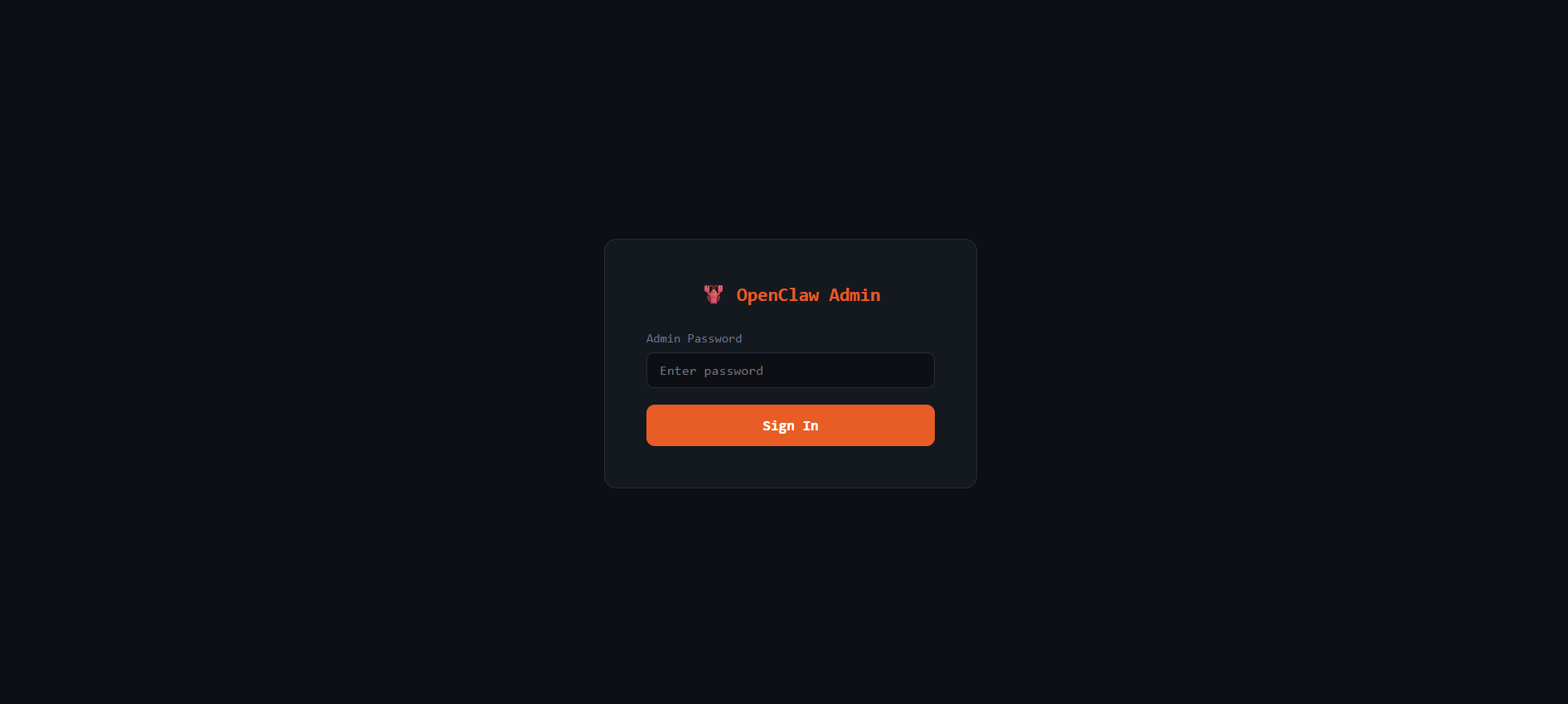
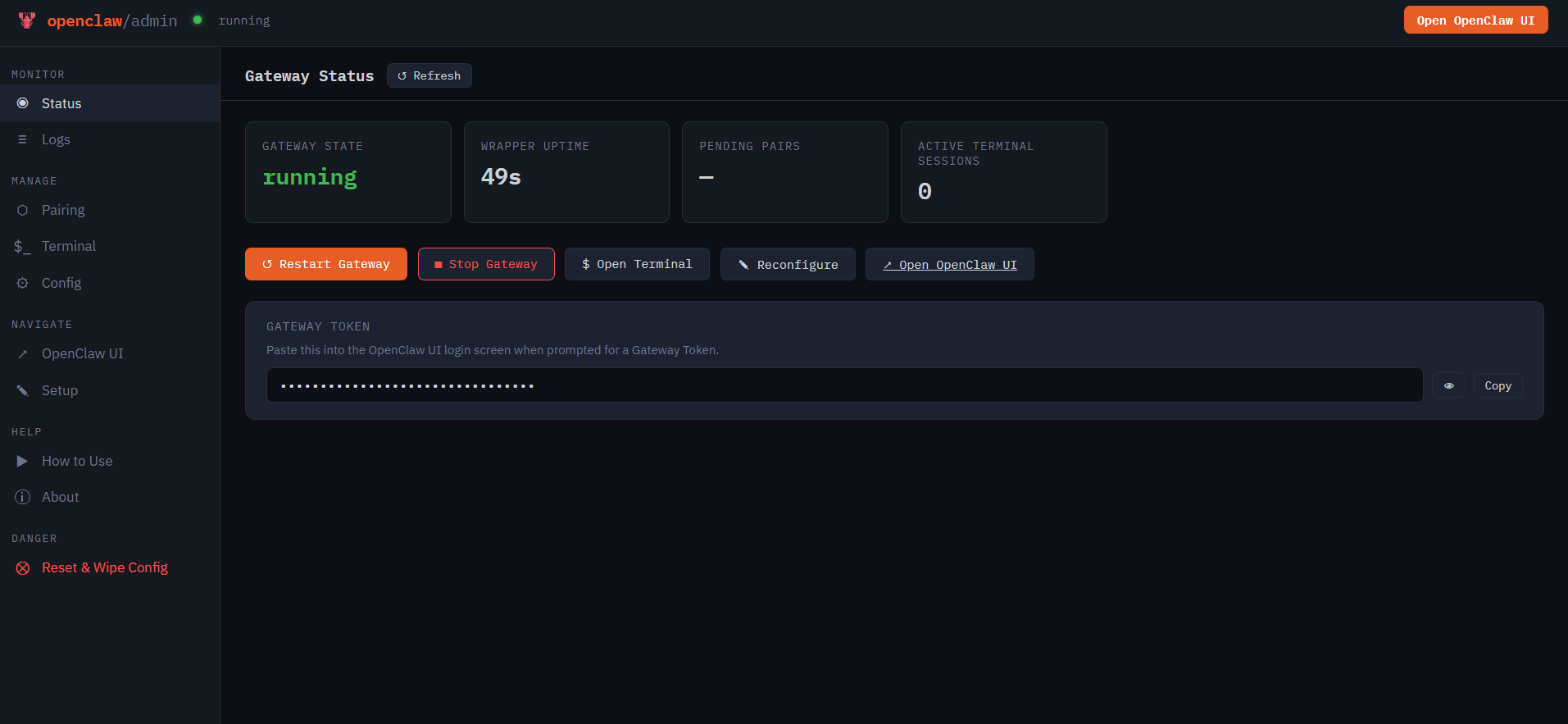
Log in with your WRAPPER_ADMIN_PASSWORD. This is your control panel for:
- 📊 Status — real-time gateway health, uptime, and quick actions (restart/stop)
- 📋 Live Logs — stream OpenClaw gateway logs with filtering, in the browser
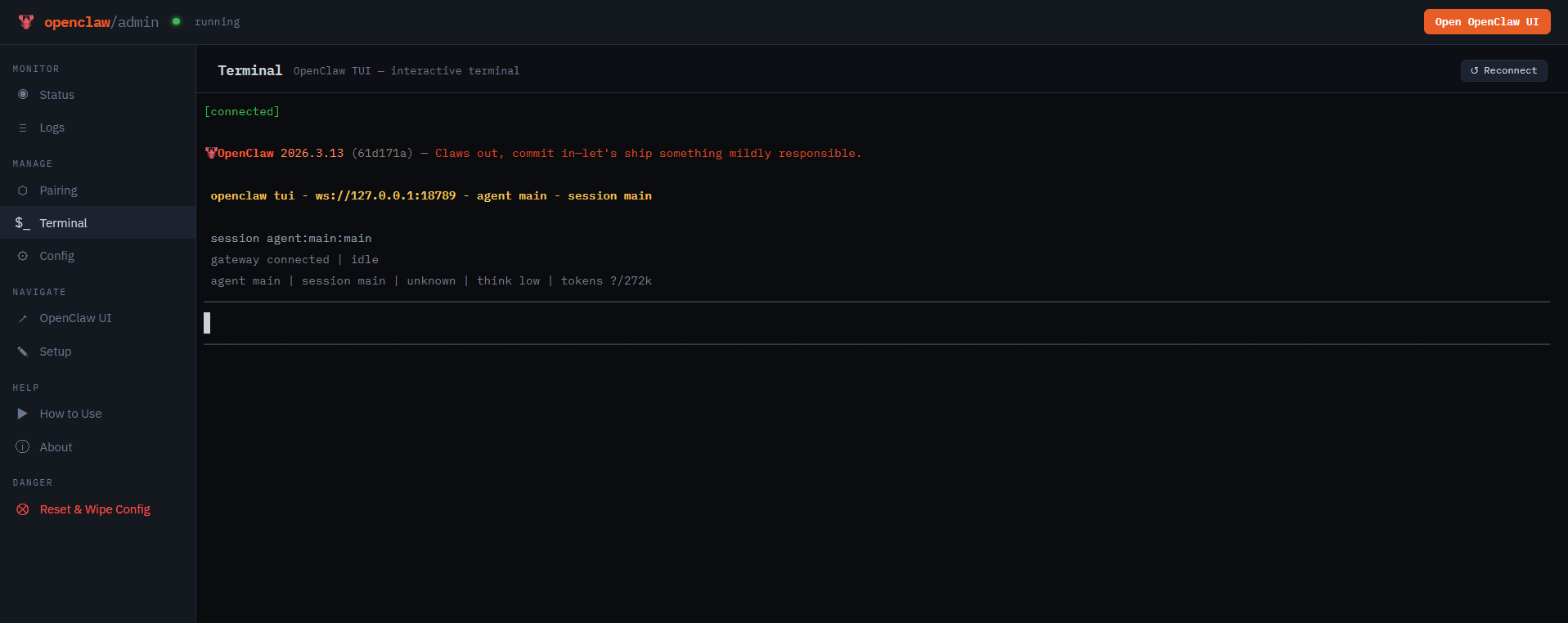
- 💻 Terminal — full PTY terminal inside the container
- 🔗 Device Pairing — approve or reject browser pairing requests in real time
- ⚙️ Config Editor — view and edit
openclaw.jsonwith hot-reload support
Step 3: Connect to the OpenClaw UI
Click "Open OpenClaw UI" in the admin dashboard, then:
- On the gateway screen, paste your
OPENCLAW_GATEWAY_TOKENand click Connect
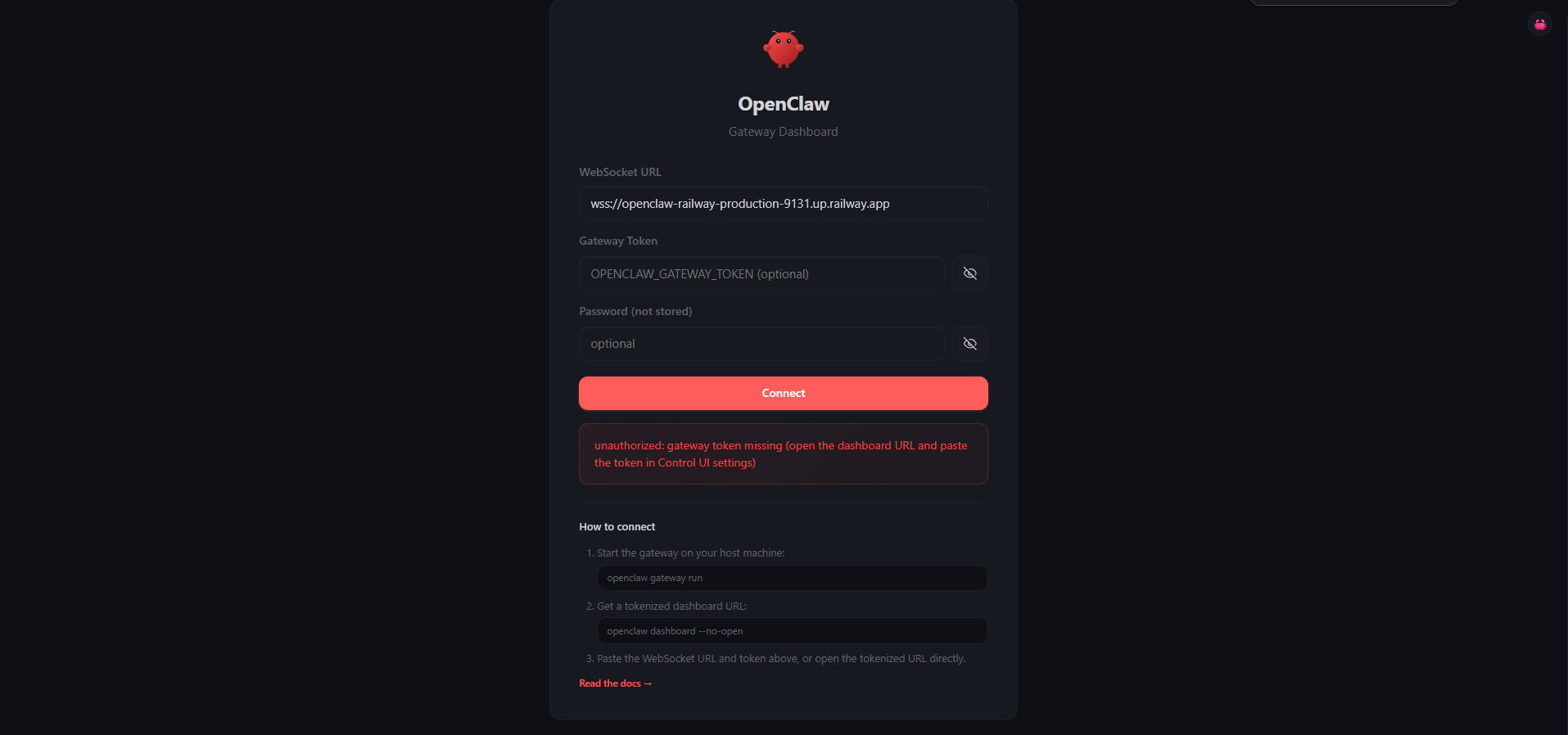
- Go to Admin → Pairing and approve the incoming device pairing request
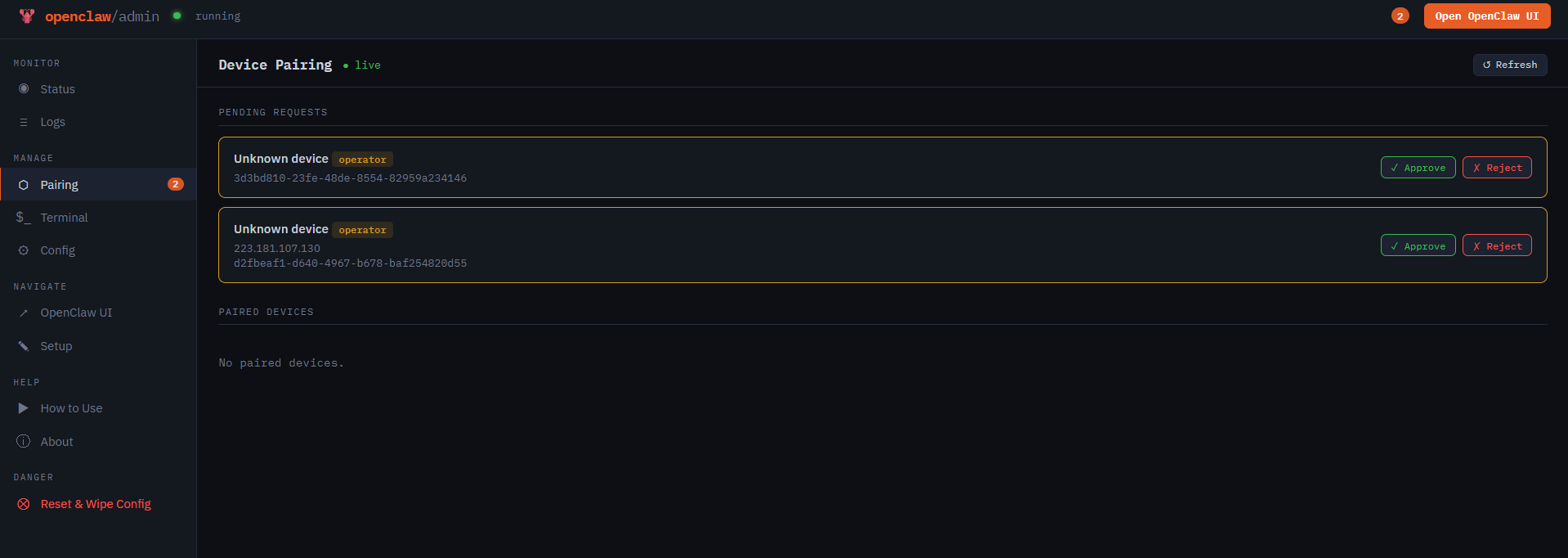
- Return to the gateway and click Connect again — you're in
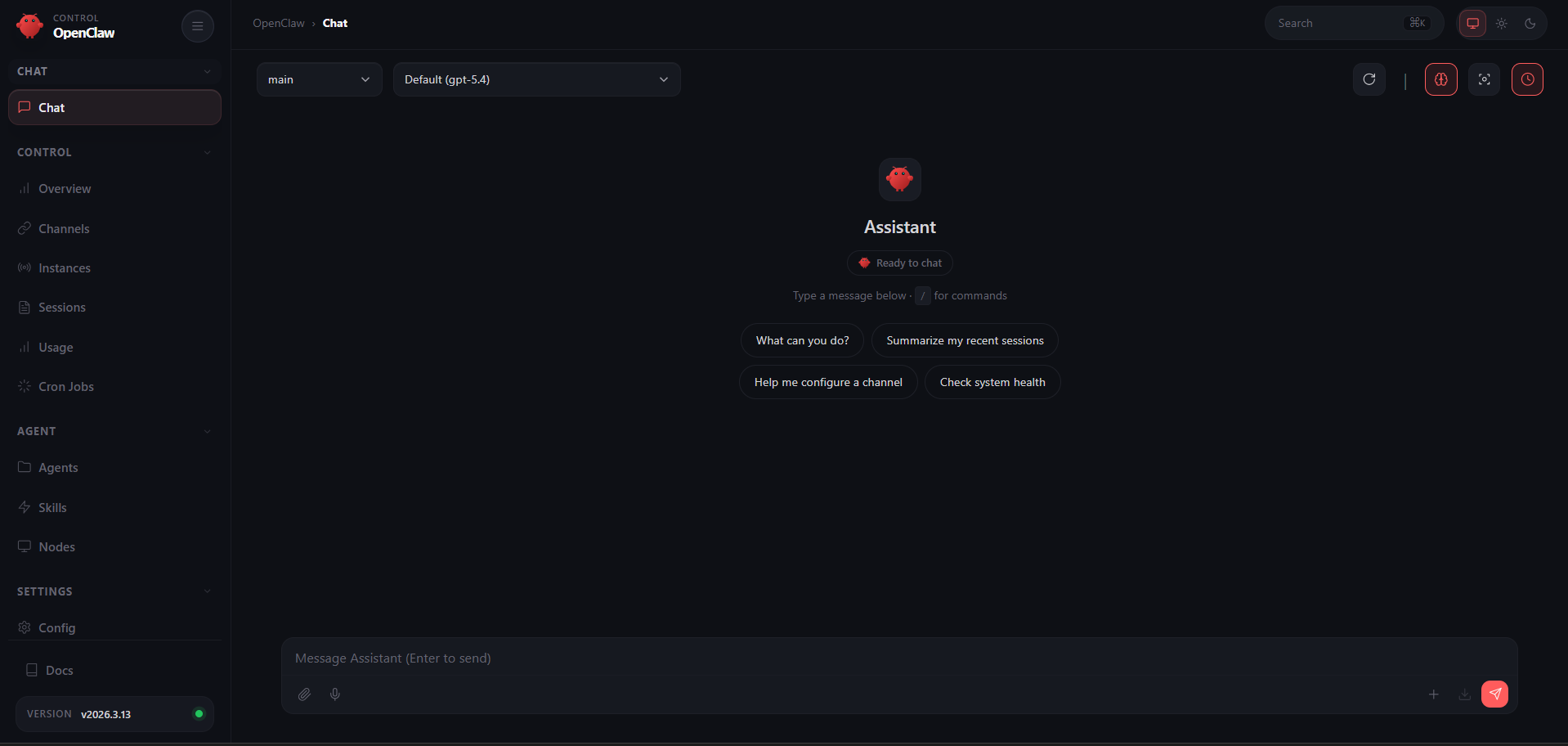
🦙 Using Ollama — Free Local Models, Zero API Cost
This template includes a built-in Ollama service so you can run AI models locally on Railway without paying for any API. Ollama runs as a separate service in the same Railway project, connected to OpenClaw over Railway's private network.
How it works
- The Ollama service boots, pulls your chosen model(s), and listens on the private network
- OpenClaw connects via
OLLAMA_BASE_URL— pre-filled in the template via Railway's private domain reference - At
/setup, select Ollama (local models) — the URL is auto-filled and a live model picker fetches available models from your Ollama instance
| Variable | Description |
|---|---|
OLLAMA_DEFAULT_MODELS | Models to pull at boot (comma-separated, e.g. llama3.2:1b,qwen2.5-coder:7b) |
⚠️ Tool calling required — OpenClaw uses tool/function calling extensively. Not all Ollama models support this. Browse compatible models at ollama.com/library.
⚠️ Railway doesn't currently support GPUs, so local models will be CPU-only and slower. For best results, use Railway's Pro plan.
Ollama RAM requirements
| Model size | Minimum RAM | Notes |
|---|---|---|
| 1B–3B | 2 GB | Fast, limited capability |
| 7B | 6–8 GB | Best balance for most tasks |
| 13B+ | 12 GB+ | Requires Pro plan |
About Hosting OpenClaw 📖
OpenClaw is a fully open-source (MIT), local-first personal AI agent. It runs as a long-lived Node.js gateway that routes messages between chat platforms and AI models.
Key features:
- 🔌 Multi-channel messaging — WhatsApp, Telegram, Discord, Slack, Signal, iMessage, and 20+ more
- 🤖 Multi-provider AI — Claude, GPT, Gemini, Groq, OpenRouter, Moonshot, Z.AI, MiniMax, or local models via Ollama
- 🧠 Autonomous agent — browses the web, manages files, runs commands, schedules tasks via heartbeat daemon
- 🎨 Live Canvas with A2UI — agent-driven visual workspace
- 🔒 Self-hosted & private — your data stays on your machine
- 📱 Companion apps for macOS, iOS, and Android
Why Deploy OpenClaw on Railway ✅
- 🟢 No Docker, volume, or network setup — Railway handles it all
- 🦙 Ollama included — run local models at zero extra API cost
- 🔐 Managed TLS and custom domains out of the box
- 🔄 One-click redeploys from Git with zero downtime
- 💾 Persistent volume keeps config and conversations across deploys
Common Use Cases 💡
- Personal AI assistant — a 24/7 agent on WhatsApp or Telegram that browses, codes, and researches autonomously
- Automation hub — schedule recurring tasks via heartbeat: daily summaries, monitoring, data pipelines
- Privacy-first AI — run everything on local Ollama models with zero data leaving your Railway project
Dependencies for OpenClaw📦
- OpenClaw —
npm install -g openclaw@${OPENCLAW_VERSION}(GitHub) - Ollama — separate Railway service for local inference (ollama.com)
- node-pty — native PTY for the admin terminal (compiled at Docker build time)
Deployment Dependencies
- GitHub: openclaw/openclaw
- Docs: docs.openclaw.ai
🐳 Self-Hosting Outside Railway
git clone https://github.com/praveen-ks-2001/openclaw-railway
cd openclaw-railway
docker build -t openclaw-railway .
docker run -d \
  --name openclaw \
  -p 3000:3000 \
  -e PORT=3000 \
  -e OPENCLAW_GATEWAY_TOKEN=your-secret-token \
  -e OLLAMA_BASE_URL=http://host.docker.internal:11434 \
  -v ./data:/data \
  openclaw-railway
For local Ollama, run ollama serve on your host and set OLLAMA_BASE_URL=http://host.docker.internal:11434.
💰 Pricing
OpenClaw is 100% free and open-source (MIT). No subscriptions or per-user fees — on Railway, you only pay for compute.
- Cloud providers (Anthropic, OpenAI, etc.): ~$5–30/month in API costs depending on usage
- Ollama (local models): Zero API cost — only pay for the Railway compute running Ollama (~$5–15/month)
🆚 OpenClaw vs Cursor vs Claude Code
| Feature | OpenClaw | Cursor | Claude Code |
|---|---|---|---|
| Open Source | ✅ MIT | ❌ | ❌ |
| Self-Hostable | ✅ | ❌ | ❌ |
| Multi-Channel Chat | ✅ 20+ platforms | ❌ IDE only | ❌ CLI only |
| Local Models (Ollama) | ✅ Built-in | ❌ | ❌ |
| Autonomous Agent | ✅ Heartbeat daemon | ⚠️ Limited | ⚠️ Limited |
| Pricing | Free + API costs | $20–200/month | API costs |
❓ FAQ
What is OpenClaw? An open-source, self-hosted AI agent that connects 20+ messaging platforms to models like Claude, GPT, Gemini, and local Ollama models — all running on your own hardware.
Can I use cloud AI providers instead of Ollama? Yes. The setup wizard supports Anthropic, OpenAI, Gemini, Groq, OpenRouter, Moonshot, Z.AI, and MiniMax out of the box.
Is it safe to expose OpenClaw to the public internet?
The template uses token-based auth (OPENCLAW_GATEWAY_TOKEN), admin password protection, and explicit device pairing approval. Review the OpenClaw security docs before deploying.
How do I update OpenClaw?
Set OPENCLAW_VERSION in Railway (e.g. 2026.3.24) and redeploy. Set it to latest to always pull the newest release.
How do I add more Ollama models after initial setup?
Update OLLAMA_DEFAULT_MODELS on the Ollama service and redeploy. You can also pull models manually via the Admin → Terminal panel.
The Ollama model dropdown shows nothing — what do I do? Model pulling can take a few minutes on first boot. Wait for the Ollama service to finish, then click Refresh in the setup wizard.
Template Content
OpenClaw 🦞
praveen-ks-2001/openclaw-railwayOllama
ollama/ollama