Deploy OpenCode CLI + Web App
OpenCode web UI + SSH TUI in one box. Free models, no API key needed.
OpenCode
Just deployed
/workspace
Deploy and Host OpenCode on Railway
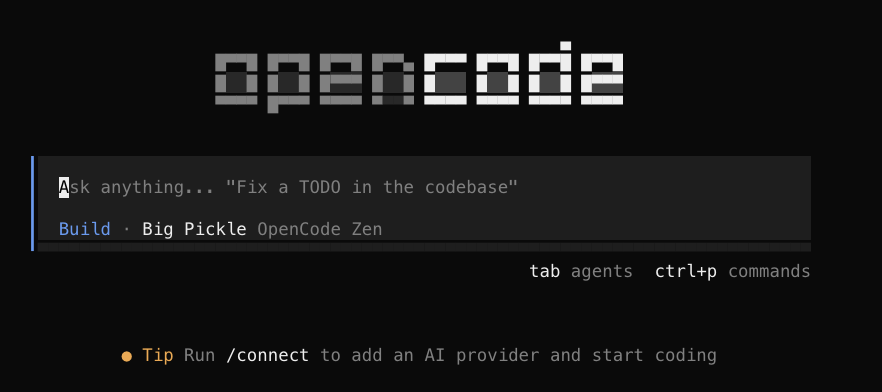
OpenCode is the open-source AI coding agent (think Claude Code, but open
and provider-agnostic) — it reads your repo, writes and edits code, runs commands, and opens pull
requests. This template runs it as a Railway service with two front doors: a browser web UI
on a public domain, and the opencode terminal UI over railway ssh — both sharing one
/workspace, auth, and repos that persist on a volume.
About Hosting OpenCode
One container runs opencode web on a public, password-protected Railway domain; railway ssh
into the same container gives you the opencode TUI — the real terminal agent, not a web
console imitating one. A /workspace volume keeps your repos and OpenCode credentials across
redeploys, and git + the GitHub CLI are preinstalled for clone / commit / PR work. Railway
provisions TLS, the domain and the volume, and restarts on failure.
Deploys come from a prebuilt, version-pinned image, so there is no build to sit through and
every deploy runs the exact OpenCode build that was tested — new deploys pick up the latest patched
image automatically, while a box you already have keeps running undisturbed until you redeploy it.
The web UI password is generated for your deploy; you never invent one or inherit a shared
default. You can start coding free with no API key: OpenCode's free models (such as DeepSeek)
work as soon as the box boots. Add a provider key on the deploy form, or run opencode auth login
after connecting, when you want Claude, GPT or your own account.
Why Deploy OpenCode on Railway?
- Start free, no API key — OpenCode's free models (such as DeepSeek) work out of the box, so you can try a cloud coding agent before paying any provider. The free lineup is set by OpenCode and changes over time.
- A real terminal, not just a web console —
railway sshgives you the actualopencodeTUI with a shell,git, andghbeside it. Most hosted OpenCode setups stop at the browser. - Two front doors, one service — a shareable browser web UI and that terminal, both driving the same workspace, auth, and sessions.
- Deploys in seconds, pinned to a tested build — a prebuilt image means no build to wait through and no surprise from an upstream release published an hour ago. Your running box is never restarted out from under a session; you upgrade when you choose to.
- Your laptop can sleep — the agent lives in the cloud; reopen the web link or
railway sshback in and pick up where you left off. - Secure by default — the public web UI sits behind HTTP basic auth with a password generated uniquely for your deploy; SSH is Railway-authenticated.
- Persistent — repos and OpenCode auth sit on a volume, so a redeploy never logs you out or loses your working tree.
- Provider-agnostic — bring an Anthropic, OpenAI, or OpenRouter key (or
opencode auth loginto anything OpenCode supports); switch models without rebuilding.
Common Use Cases
- A cloud coding-agent workstation reachable from a browser link or the terminal.
- Long-running refactors or migrations that keep going regardless of your local machine.
- A shared, reproducible agent environment with pinned tooling across repositories.
Dependencies for OpenCode Hosting
- No API key required to start — OpenCode's free models work out of the box. For premium
models, add
ANTHROPIC_API_KEY,OPENAI_API_KEY, orOPENROUTER_API_KEY(all three are on the deploy form), or leave them blank and runopencode auth loginafter connecting. - The Railway CLI for terminal/TUI access (
railway ssh); the web UI needs only a browser.
The box also honours GITHUB_TOKEN, GIT_USER_NAME and GIT_USER_EMAIL if you add
them under Variables later — GITHUB_TOKEN authenticates gh and HTTPS git on boot. They are
kept off the deploy form on purpose: the box generates its own SSH key on first boot
(cat ~/.ssh/id_ed25519.pub → add it to GitHub), which is a safer default than pasting a personal
access token into a form.
Deployment Dependencies
- OpenCode — the open-source AI coding agent
(
opencode-aion npm). - GitHub CLI — bundled so the agent can manage issues and pull requests.
Why This Template?
One click gives you OpenCode with two front doors — a browser web UI and an SSH terminal — over a single service, with credentials and repos that outlive every redeploy. Want the new release? OpenCode 2 CLI + Web App runs OpenCode 2 with browser and terminal sharing one set of sessions. Source and docs: github.com/yuting1214/opencode-railway.
Template Content


