Deploy OpenObserve | Open Source Datadog Alternative
Self-host OpenObserve — logs, metrics, traces, RUM in one binary
OpenObserve
Just deployed
/data

Deploy and Host OpenObserve on Railway
OpenObserve is an open-source observability platform for logs, metrics, traces, and real user monitoring (RUM) — a Rust-native, Parquet-backed alternative to Elasticsearch, Datadog, and Splunk that the makers claim ingests at up to 140× lower storage cost than ELK. Self-host OpenObserve when you want the full observability stack (search, dashboards, alerts, pipelines, RUM) behind a single binary and a single web UI.
This Railway template runs OpenObserve in single-node local mode from the official openobserve/openobserve Docker image, mounts a persistent volume at /data for the embedded SQLite meta-store and Parquet shards, and exposes the web UI on HTTPS at a generated .up.railway.app domain. No external Postgres, Elasticsearch, or S3 bucket is required — local mode is feature-complete.
Getting Started with OpenObserve on Railway
After the deploy goes green, open the generated https://*.up.railway.app URL — you will be redirected to /web/ and prompted to log in. Use the email and password you set in ZO_ROOT_USER_EMAIL and ZO_ROOT_USER_PASSWORD. Once inside, the default organization is default; create your first stream (Streams → Add Stream) to start ingesting logs, then point any OpenTelemetry collector, Fluent Bit, Vector, or curl/JSON producer at /api/default//_json with HTTP basic auth. Dashboards, alerts, and pipelines are all available from the left nav. Change the root password from User → Settings before sharing the URL — it was set once at first boot and is not rotated by redeploys.
About Hosting OpenObserve
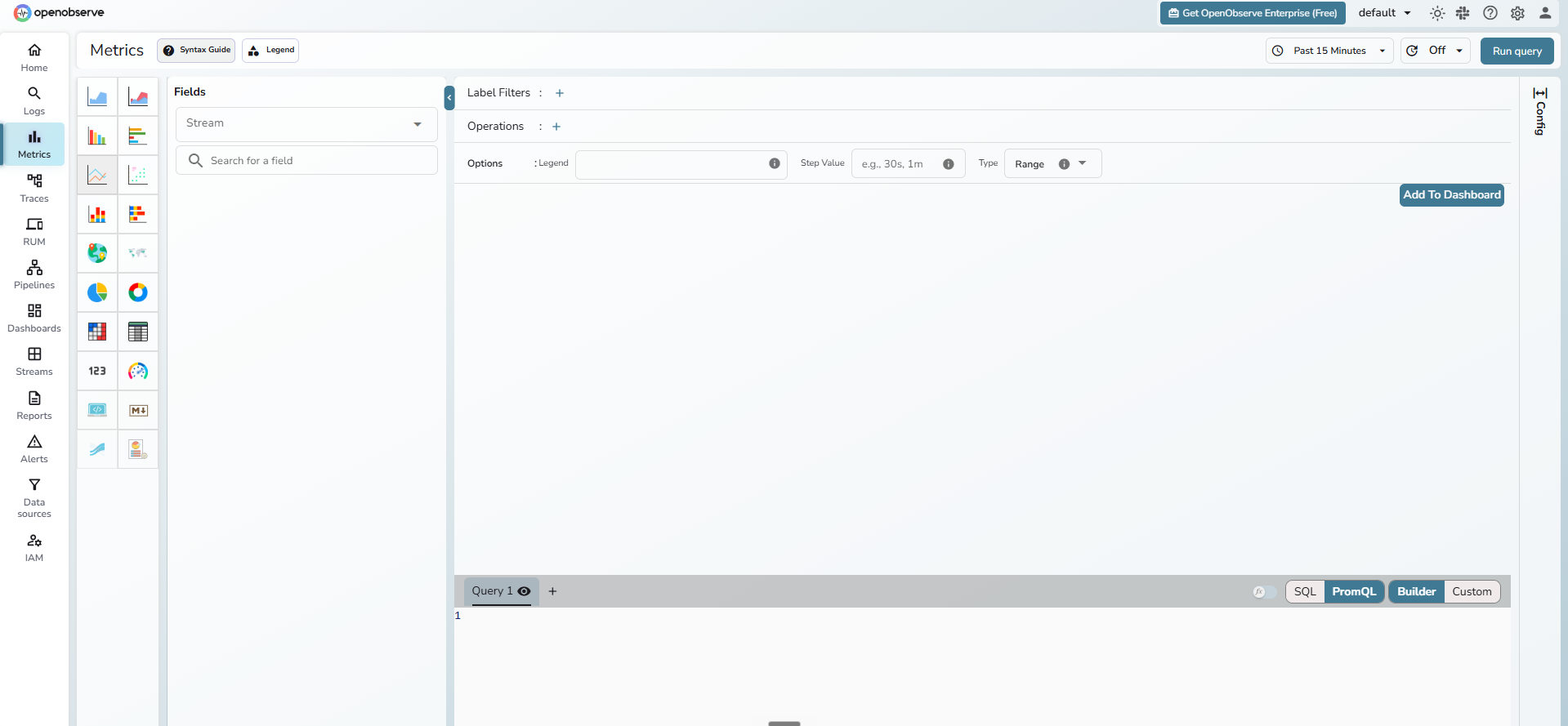
OpenObserve is a unified observability stack: a single Rust binary that ingests, indexes, and queries logs, metrics, traces, and frontend RUM events using Apache Parquet columnar storage and DataFusion for SQL/PromQL queries. The community edition is AGPL-3.0 and feature-complete — same UI, same query engine, same pipelines as the cloud offering.
Key features:
- Logs, metrics, traces, and RUM in one binary — no Elasticsearch, no separate metrics TSDB
- Parquet on disk + DataFusion — ~140× cheaper storage than ELK, claimed by the project
- Built-in dashboards, alerts, pipelines (VRL/JS transforms), and a query language for each signal
- OTLP, Prometheus, Loki, Elasticsearch
_bulk, and Fluent Bit ingest APIs out of the box - Built-in user/auth/RBAC and multi-tenant organizations
Why Deploy OpenObserve on Railway
Railway is the fastest way to put a single-binary OpenObserve in front of real traffic:
- One-click deploy of
openobserve/openobserve— no Dockerfile, no Helm chart - Persistent volume at
/dataso SQLite + Parquet survive redeploys - HTTPS, custom domain, and zero-config private networking included
- Logs, metrics, and deploy controls in the same dashboard you already use
Common Use Cases
- Centralised log aggregation for self-hosted services running on Railway, Kubernetes, or bare-metal
- Metrics + traces backend for OpenTelemetry-instrumented apps (Prometheus and OTLP compatible)
- Drop-in Elasticsearch
_bulkendpoint for existing Filebeat/Logstash/Fluent Bit pipelines - Frontend RUM (real user monitoring) for SPAs without paying per-session Datadog/Sentry fees
Dependencies for OpenObserve
- OpenObserve —
openobserve/openobserve:v0.80.3(single Rust binary, AGPL-3.0)
Environment Variables Reference
| Variable | Purpose |
|---|---|
ZO_ROOT_USER_EMAIL | Root login email (set once at first boot) |
ZO_ROOT_USER_PASSWORD | Root login password (bootstrap-only — must be a static value, never ${{secret(N)}}) |
ZO_DATA_DIR | Path for SQLite meta-store + Parquet shards (/data) |
ZO_HTTP_PORT / PORT | HTTP port the container listens on (5080) |
ZO_LOCAL_MODE | true keeps everything in one node; false requires Postgres + S3 cluster setup |
ZO_TELEMETRY | false disables anonymous usage telemetry |
ZO_WEB_URL | Canonical URL used in emailed/exported links |
RAILWAY_RUN_UID | 0 so the container can write to the root-owned Railway volume |
Deployment Dependencies
- Runtime: Docker image
openobserve/openobserve(Docker Hub) - Source: github.com/openobserve/openobserve
- Docs: openobserve.ai/docs
- Environment variable reference: openobserve.ai/docs/environment-variables
Hardware Requirements for Self-Hosting OpenObserve
| Resource | Minimum | Recommended |
|---|---|---|
| CPU | 1 vCPU | 2 vCPU |
| RAM | 512 MB | 1–2 GB |
| Storage | 1 GB (volume) | 10+ GB depending on retention |
| Runtime | Linux x86_64 container | Linux x86_64 with AVX512 for latest-simd |
These numbers cover the single-node local-mode template. Real disk usage scales with ingest rate — Parquet compression typically lands between 8× and 40× of the raw payload.
Self-Hosting OpenObserve
Minimal Docker invocation that mirrors the Railway template:
docker run -d \
  -p 5080:5080 \
  -v openobserve_data:/data \
  -e ZO_ROOT_USER_EMAIL=admin@example.com \
  -e ZO_ROOT_USER_PASSWORD=ChangeMe123! \
  -e ZO_DATA_DIR=/data \
  -e ZO_LOCAL_MODE=true \
  -e ZO_TELEMETRY=false \
  openobserve/openobserve:v0.80.3
Ingest a log line via the Elasticsearch-compatible _json endpoint:
curl -u admin@example.com:ChangeMe123! \
  -H 'Content-Type: application/json' \
  -d '[{"level":"info","msg":"hello openobserve","service":"demo"}]' \
  http://localhost:5080/api/default/demo_logs/_json
Once it returns {"code":200,...}, navigate to Streams → demo_logs in the UI to see the row.
How Much Does OpenObserve Cost to Self-Host?
OpenObserve's community edition is open-source under AGPL-3.0 — the binary, the UI, dashboards, alerts, pipelines, and RUM are all free. The only spend is Railway infrastructure (CPU, RAM, volume storage, egress); a 512 MB / 1 vCPU instance with a small volume runs well within Railway's Hobby plan. The hosted OpenObserve Cloud and Enterprise tiers are billed by ingest volume — by self-hosting you swap that for Railway's flat per-resource pricing, which is typically 5–20× cheaper at moderate ingest rates.
OpenObserve vs Elasticsearch and Datadog
| Capability | OpenObserve | Elasticsearch (OSS) | Datadog |
|---|---|---|---|
| Logs | yes | yes (ELK) | yes |
| Metrics | yes (OTLP + PromQL) | no (needs Prometheus) | yes |
| Traces | yes (OTLP) | no (needs APM Server) | yes |
| RUM | yes | no | yes |
| Storage backend | Parquet | Lucene | proprietary |
| Source-available | AGPL-3.0 | SSPL/ELv2 | closed |
| Self-host cost | infra only | infra only | not possible |
OpenObserve trades Lucene's mature full-text features for Parquet's columnar economics — typical disk usage is a fraction of an equivalent ELK stack.
FAQ
What is OpenObserve and why self-host it? OpenObserve is an open-source, Rust-based observability platform (logs, metrics, traces, RUM) that uses Parquet on local disk or S3 instead of Lucene shards. Self-hosting keeps telemetry data inside your own infrastructure and avoids per-GB Datadog or Splunk bills.
What does this Railway template deploy?
A single OpenObserve container (openobserve/openobserve:v0.80.3) in local mode with ZO_LOCAL_MODE=true, a persistent volume mounted at /data, and the web UI exposed on a generated HTTPS domain.
Why doesn't this template include Postgres or S3? OpenObserve local mode uses an embedded SQLite meta-store and local-disk Parquet — no external dependencies. Postgres and S3 are only required for cluster mode (multiple ingester/querier/router/compactor nodes), which is out of scope for a single-service template.
Can I change the admin password after deploy on Railway?
Change it from inside the OpenObserve UI under User → Settings. The ZO_ROOT_USER_PASSWORD env var is read only at first boot — editing it on Railway after the first deploy will not rotate the password and may lock you out if the volume is reset.
How do I send OpenTelemetry data to self-hosted OpenObserve?
Point any OTLP-compatible collector at https:///api/default/ with HTTP basic auth using the root credentials, or generate a per-stream ingest token from Settings → Ingestion. OpenObserve accepts OTLP/HTTP for logs, metrics, and traces.
Do I need the latest-simd image instead of v0.80.3?
Only if your Railway region runs on x86_64 CPUs with AVX512 (or ARM with NEON), and you ingest enough data to feel the SIMD speedup. For small to medium deployments the plain tag is the safer default.
Template Content
OpenObserve
openobserve/openobserve:v0.80.3ZO_ROOT_USER_EMAIL
Root login email (bootstrap)
ZO_ROOT_USER_PASSWORD
Root login password (bootstrap-only)