
Deploy Open WebUI [with Postgres & Redis]
Self-host OpenWebUI; Postgres survives redeploys, Redis scales sessions
New Group

Just deployed
/var/lib/postgresql/data

Redis
Just deployed
/data

Open WebUI
Just deployed
Deploy and Host OpenWebUI
This Railway template deploys OpenWebUI backed by PostgreSQL and Redis — giving you persistent chat history, production-grade connection pooling, and horizontally scalable WebSocket support out of the box. One-click deploy, zero manual wiring.

About Hosting OpenWebUI
OpenWebUI (ghcr.io/open-webui/open-webui) is an open-source, self-hosted ChatGPT-style interface for interacting with LLMs. It supports any OpenAI-compatible API (OpenAI, Gemini, Ollama) and runs entirely on your infrastructure.
This template specifically adds:
- PostgreSQL — replaces the default SQLite, so chat history, prompts, and user config survive redeploys and scale beyond a single container
- Redis — handles WebSocket state and caching, enabling multi-instance scaling
- Private networking — all three services communicate internally; nothing is exposed unnecessarily
OpenWebUI ships with a built-in vector store (ChromaDB). Unless you're running heavy RAG workloads at scale, it's sufficient — no need to add Qdrant separately.
Why Deploy OpenWebUI
Railway handles the infrastructure so you don't manage VPS networking, SSL, or Docker Compose files manually:
- Private networking between OpenWebUI, Postgres, and Redis — no credentials exposed over the public internet
- Persistent volumes on Postgres mean your data survives every redeploy
- Environment variable injection — secrets auto-generated, connection strings pre-wired
- One-click deploy vs hours of VPS setup and maintenance
Common Use Cases
- Team AI workspace — deploy for your org with auth enabled, role-based access, and shared prompt history stored in Postgres
- Private ChatGPT alternative — connect your OpenAI or Gemini API key; all conversations stay on your infrastructure
- Multi-model experimentation — switch between cloud APIs and local Ollama models from one interface
- Internal knowledge base assistant — use OpenWebUI's RAG features to query internal documents without data leaving your environment
Dependencies for OpenWebUI
- PostgreSQL — persistent storage for users, chats, prompts, and configuration
- Redis — WebSocket manager backend and caching layer for real-time features
Environment Variables Reference
| Variable | Description | Required |
|---|---|---|
DATABASE_URL | PostgreSQL connection string | Yes |
REDIS_URL | Redis connection string for caching | Yes |
WEBSOCKET_REDIS_URL | Redis backend for WebSocket scaling | Yes |
WEBUI_SECRET_KEY | Session signing secret (auto-generated) | Yes |
WEBUI_URL | Public URL for the instance | Yes |
WEBUI_AUTH | Enable login/signup (true/false) | Yes |
OPENAI_API_KEY | Your OpenAI or Gemini API key | No |
OPENAI_API_BASE_URL | API base URL — swap for Gemini endpoint | No |
DATABASE_POOL_SIZE | Base Postgres connection pool size | No |
ENABLE_WEBSOCKET_SUPPORT | Enable real-time WebSocket features | No |
ANONYMIZED_TELEMETRY | Disable telemetry (false recommended) | No |
Deployment Dependencies
- Docker image:
ghcr.io/open-webui/open-webui - Requires Postgres 14+ and Redis 6+
- Railway provisions both automatically from this template
API Compatibility: OpenAI, Gemini, and Anthropic
OpenWebUI speaks OpenAI's API format only. Here's what that means in practice:
OpenAI — works natively:
OPENAI_API_KEY=sk-...
OPENAI_API_BASE_URL=https://api.openai.com/v1
Gemini — works via Google's OpenAI-compatible endpoint:
OPENAI_API_KEY=your-gemini-key
OPENAI_API_BASE_URL=https://generativelanguage.googleapis.com/v1beta/openai/
Anthropic (Claude) — does not work directly. Anthropic uses a different API format. You need to proxy it through a compatibility layer like LiteLLM, then point OPENAI_API_BASE_URL at your LiteLLM instance.
Hardware Requirements for Self-Hosting OpenWebUI
| Workload | RAM | CPU | Storage |
|---|---|---|---|
| Personal / light use | 2 GB | 1 vCPU | 10 GB |
| Small team (< 20 users) | 4 GB | 2 vCPU | 20 GB |
| Production / RAG-heavy | 8 GB+ | 4 vCPU | 50 GB+ |
GPU is only needed if you're running local models via Ollama — cloud API usage (OpenAI, Gemini) requires no GPU.
Getting Started with OpenWebUI After Deploy
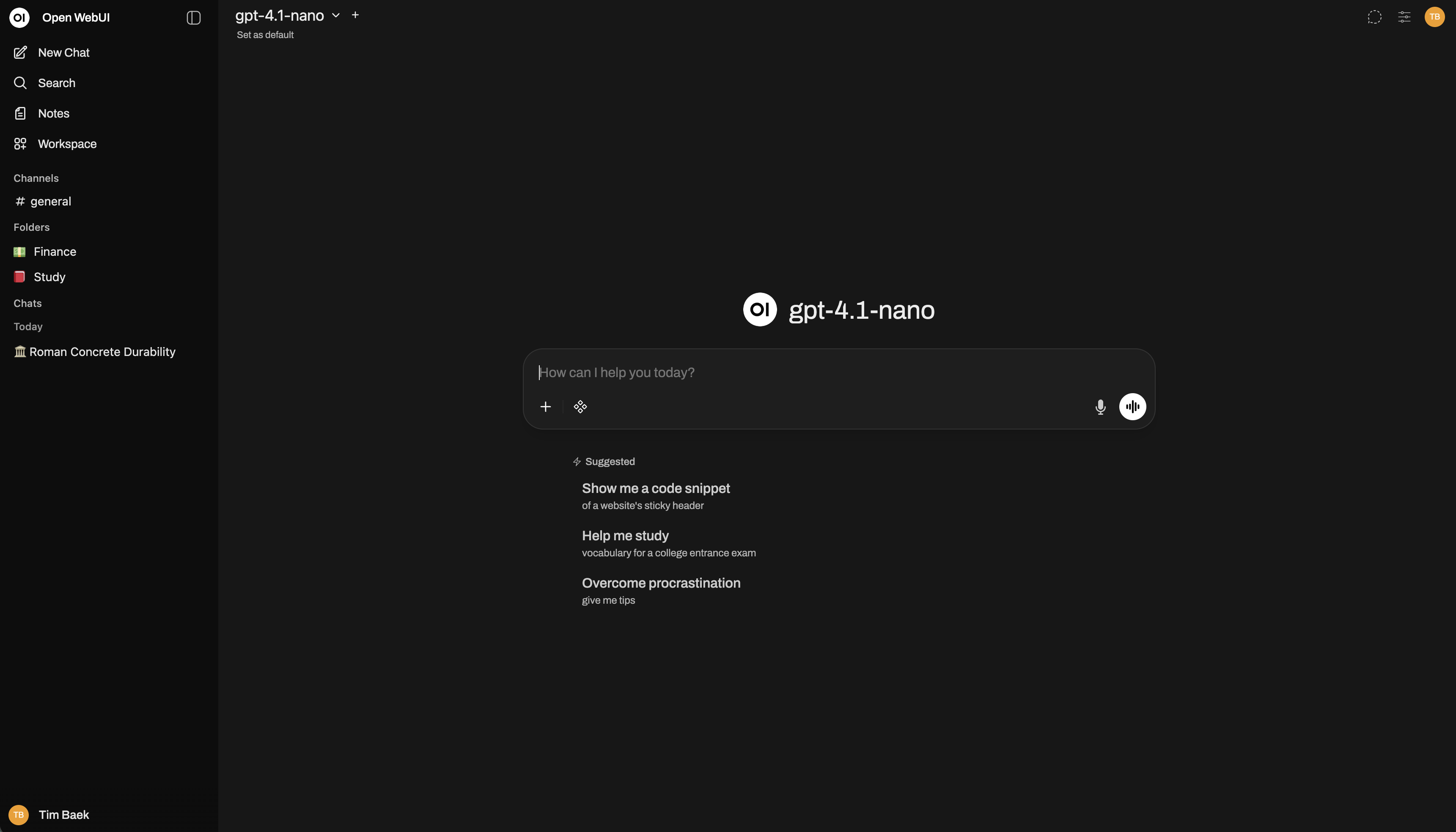
Once Railway finishes deploying, open your public URL. The first account you create automatically becomes the super admin — do this immediately to lock down access. From the admin panel, you can invite users, set default roles, and connect your LLM provider under Settings → Connections. Add your OPENAI_API_KEY (or Gemini key) there, or set it via the environment variable before deploying. Your first chat confirms everything is wired correctly.
Self-Hosting OpenWebUI Outside Railway
For a minimal self-hosted setup on your own VPS with Postgres and Redis:
# docker-compose.yml
services:
  openwebui:
    image: ghcr.io/open-webui/open-webui:main
    ports:
      - "8080:8080"
    environment:
      - DATABASE_URL=postgresql://postgres:password@db:5432/openwebui
      - REDIS_URL=redis://default:password@redis:6379/0
      - WEBUI_SECRET_KEY=your-secret-here
    depends_on:
      - db
      - redis
  db:
    image: postgres:16
    environment:
      POSTGRES_PASSWORD: password
      POSTGRES_DB: openwebui
  redis:
    image: redis:7
    command: redis-server --requirepass password
Is OpenWebUI Free?
OpenWebUI is fully open-source (MIT license) — free to use, modify, and self-host. There's no SaaS tier or paid cloud version. Your only cost is infrastructure. On Railway, you pay for the resources consumed by OpenWebUI, Postgres, and Redis — typically a few dollars per month for personal use.
FAQ
Does switching from SQLite to Postgres preserve my existing data? No — SQLite data doesn't migrate automatically. This template is best started fresh, or you'll need to export/import manually. If you already have an OpenWebUI instance, back up your data first.
Why Redis? Can I skip it? Redis enables WebSocket scaling across multiple instances and improves real-time responsiveness. For a single-instance personal deploy it's optional, but this template includes it so you're ready to scale without reconfiguring.
Does OpenWebUI support cloud storage for file uploads? Yes — it supports Amazon S3, Google Cloud Storage, and Azure Blob Storage as storage backends, plus direct imports from Google Drive and OneDrive/SharePoint. Configure via environment variables in the admin settings.
Can I connect Ollama to this deployment?
Yes. Set OLLAMA_BASE_URL to your Ollama instance URL (e.g., a separate Railway service or external server). OpenWebUI will list Ollama models alongside your cloud API models.
What happens to my chats if I redeploy? With Postgres, nothing. Chat history, user accounts, prompts, and settings are all stored in the database and persist across every redeploy — this is the primary advantage over the SQLite default.
Can multiple users share one instance?
Yes. Enable WEBUI_AUTH=true (default in this template), create user accounts from the admin panel, and assign roles. The admin panel supports bulk CSV import for larger teams.
Template Content
Open WebUI
ghcr.io/open-webui/open-webuiRedis
redis:8.2.1

