
Deploy Owncast
Self-hosted live streaming — your own Twitch with chat and RTMP ingest.
owncast
Just deployed
/app/data
Deploy and Host Owncast on Railway

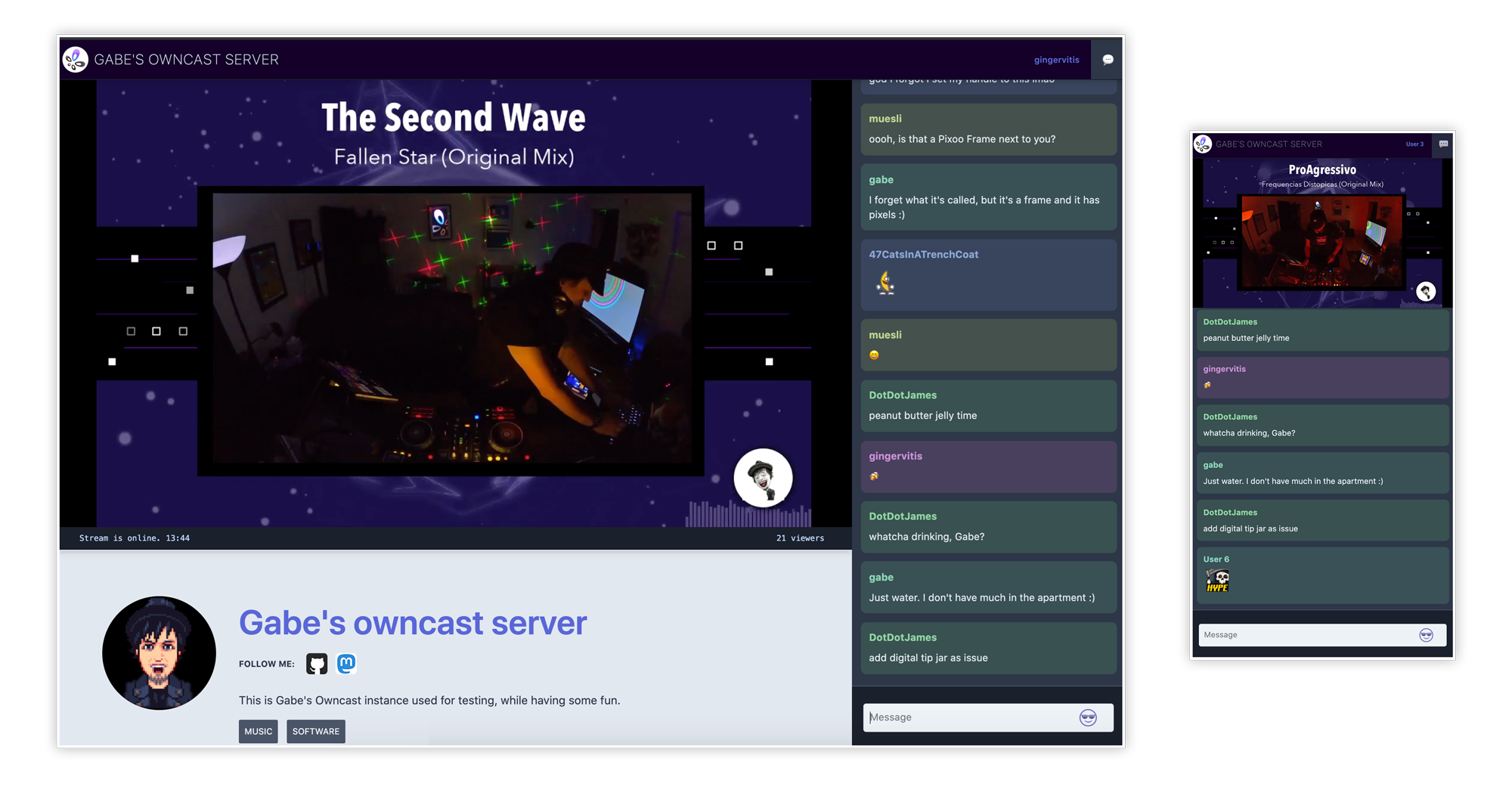
Owncast is a free and open source live streaming and chat server: point OBS (or any RTMP source) at it and you get your own Twitch-style stream page with built-in chat, viewer stats, and Fediverse integration — fully under your control, with no platform ads or rules.
Screenshots
About Hosting Owncast
This template runs Owncast as a single Railway service. The web interface and HLS video playback are served over your Railway domain, while RTMP ingest (what OBS connects to) is exposed through a Railway TCP proxy on port 1935. Your admin password and stream key are generated as template variables and applied on every boot. Stream recordings, chat history, and configuration persist on the attached volume at /app/data. Transcoding runs on CPU via the bundled ffmpeg.
Common Use Cases
- Personal live streaming with your own stream page, chat, and no ads
- Community or event broadcasts (meetups, church services, gaming, radio with video)
- A backup/simulcast target alongside Twitch or YouTube via OBS multi-output
Dependencies for Owncast Hosting
- None — everything (web server, RTMP ingest, chat, ffmpeg) is in the one service
Deployment Dependencies
Implementation Details
Your stream page is the service's Railway domain. The admin panel is at /admin — username admin, password from the ADMIN_PASSWORD variable.
To go live from OBS:
- Add a TCP proxy to the service: Settings → Networking → TCP Proxy → application port
1935. Railway assigns an address liketurntable.proxy.rlwy.net:12345. - In OBS set Server to
rtmp://turntable.proxy.rlwy.net:12345/live(your host/port will differ). - Set the Stream Key to the
STREAM_KEYvariable's value.
Notes and limits:
- Transcoding is CPU-only (Railway has no GPU). The default single-quality passthrough works on any plan; extra quality variants in Admin → Video need more vCPU.
- Latency is typical HLS (tens of seconds). Lower it in Admin → Video → Latency Buffer at some cost in stability.
- Changing
ADMIN_PASSWORDorSTREAM_KEYvariables takes effect on the next deploy/restart.
Why Deploy Owncast on Railway?
Railway is a singular platform to deploy your infrastructure stack. Railway will host your infrastructure so you don't have to deal with configuration, while allowing you to vertically and horizontally scale it.
By deploying Owncast on Railway, you are one step closer to supporting a complete full-stack application with minimal burden. Host your servers, databases, AI agents, and more on Railway.
Template Content
owncast
nomideusz/owncast-railway

