
Deploy PairDrop
Send files straight between two browsers, like AirDrop for the web
pairdrop
Just deployed
Deploy and Host PairDrop on Railway
PairDrop is an open-source, browser-based file transfer tool inspired by Apple's AirDrop. Open the same page on a laptop and a phone, and the two devices find each other automatically and send photos, documents or text from one browser to the other over a WebRTC data channel. Nothing is uploaded or stored, and neither device needs an app, an account or a cable. It is a maintained fork of Snapdrop that adds device pairing and temporary public rooms, so distant devices can transfer too.
Deploy PairDrop on Railway and you get one service, pairdrop, built from the gridalpha/pairdrop-railway source repository on top of the official ghcr.io/schlagmichdoch/pairdrop image. It serves the web app and runs the WebSocket signaling server that introduces two browsers to each other. Railway terminates HTTPS and passes the WebSocket upgrade through, which is how browsers exchange connection offers; file bytes never touch the service. With no stored state, the template needs no database, volume or object storage.
Getting Started with PairDrop on Railway
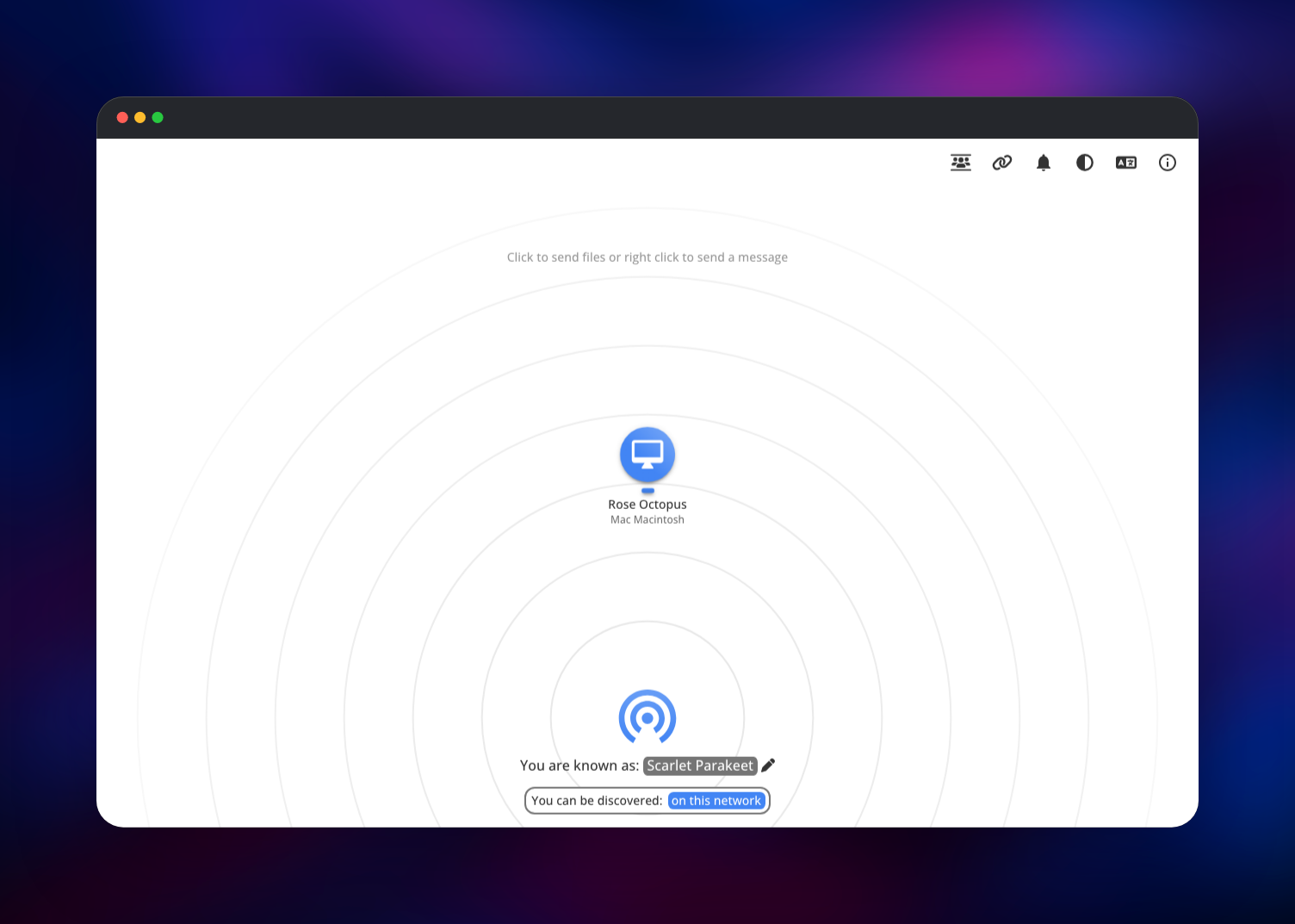
Click Deploy and wait for the service to go green. There is no installer, sign-up or admin account: open the generated *.up.railway.app URL and you are using the app. A radar screen shows your randomly assigned device name, something like "Rose Octopus". Open the same URL on a second device on the same internet connection, and each appears on the other's screen in a second or two.
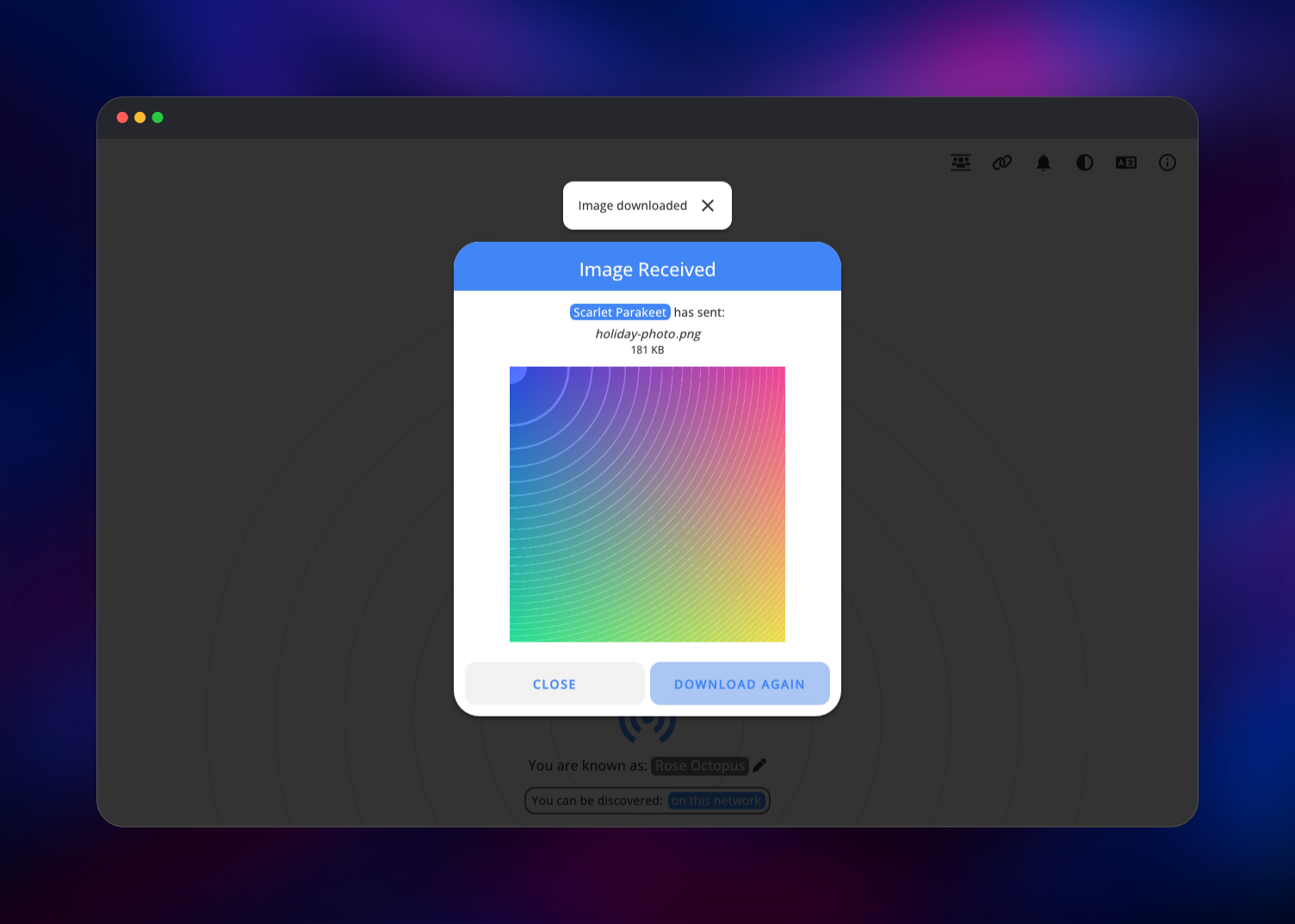
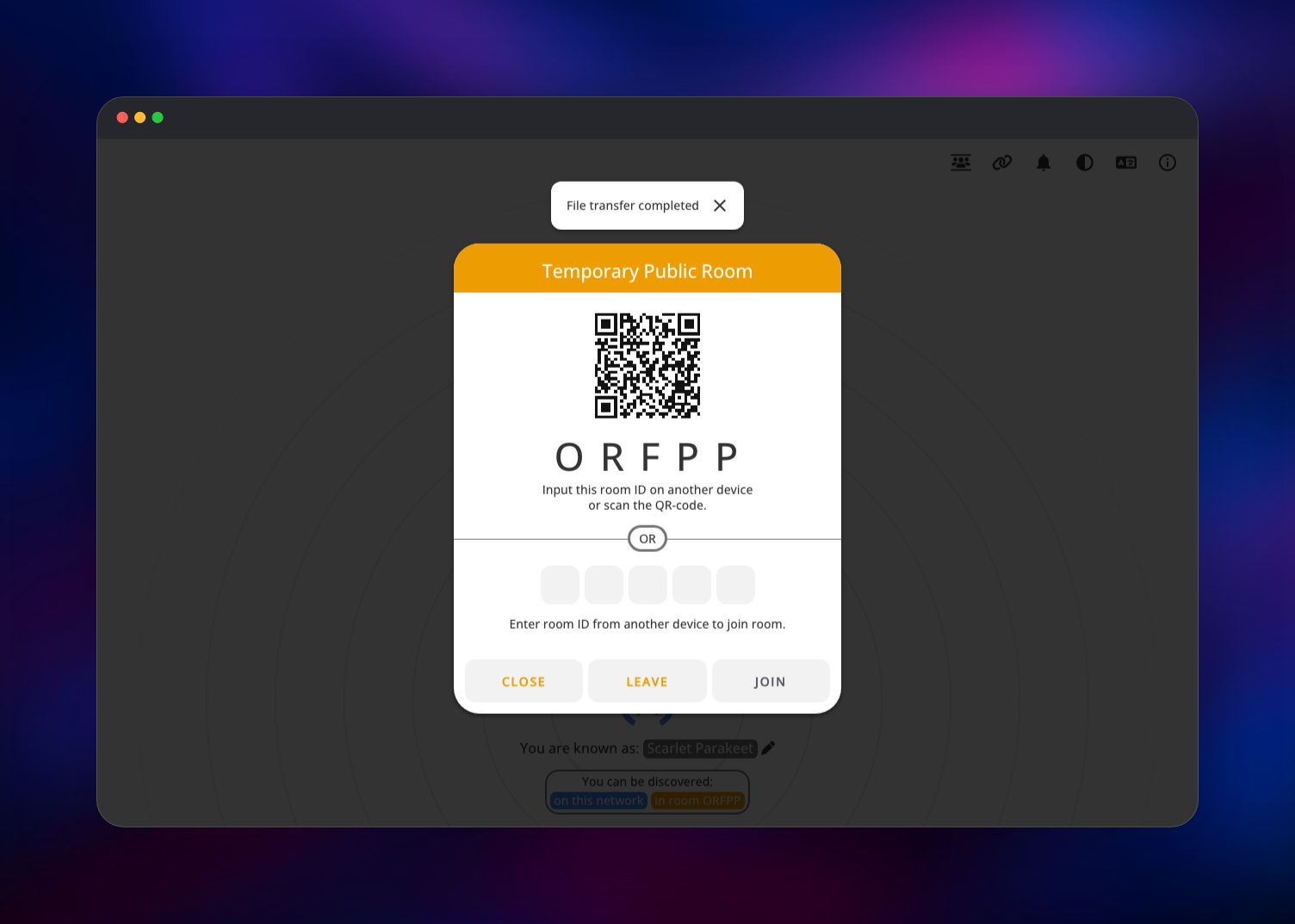
To send something, click the other device's icon and pick a file. The recipient gets a request naming the sender, the file and its size, and nothing transfers until they accept; images then open with a preview and a download button. For devices on different networks, the people icon opens a temporary public room showing a five-letter code and a QR code that any device can enter. The link icon beside it pairs two devices permanently with a six-digit code, so they keep finding each other after both browsers close.
If a device does not appear, check that both leave the internet through the same public IP address; a browser with WebRTC disabled, as some VPN extensions do, cannot connect at all.
About Hosting PairDrop
Cross-platform file sharing is solved inside one ecosystem and annoying between them. AirDrop stops at Apple devices, Quick Share at Android and Windows, and everything else becomes a cloud upload or a USB cable. PairDrop is the neutral option: a page both devices can open. Teams self-host it to keep internal transfers on their own infrastructure.
Key features:
- Peer-to-peer transfers over encrypted WebRTC data channels, with no app-imposed size limit
- Automatic discovery of every device on the network, with no configuration
- Persistent pairing by six-digit or QR code, surviving a browser restart
- Temporary public rooms for one-off transfers across networks
- Text and clipboard transfers too, with multiple files arriving as a ZIP
- Installable as a progressive web app, with iOS and Android share-menu integration
The architecture is deliberately small. The pairdrop service serves the static client and runs a WebSocket signaling server that tells browsers on one public IP address about each other and relays their WebRTC offers. Once they connect it leaves the path entirely, which is why one small container handles a whole team.
Why Deploy PairDrop on Railway
Railway removes the fiddly parts of self-hosting PairDrop:
- HTTPS on a real domain, which several PairDrop features require
- WebSocket upgrades pass through with no configuration
- The real client IP reaches the app, so discovery groups devices properly
- One stateless container, so redeploys and rollbacks cost nothing
- Push to the source repository to rebuild, or attach a custom domain
Common Use Cases for Self-Hosted PairDrop
- Moving photos and video off a phone at full quality, with no cloud round trip
- Passing a build artefact or log file between office machines on different operating systems
- Sharing files with a visitor's laptop without adding them to a file server or chat workspace
- Sending a long link or block of text from a phone to a workstation
Dependencies for PairDrop
PairDrop has no external dependencies — no database, cache or storage. It is built from:
ghcr.io/schlagmichdoch/pairdrop:latest— the official image, a Node.js 22 app on Alpine- gridalpha/pairdrop-railway — one layer on top adding the entrypoint and the proxy-aware defaults below
Environment Variables Reference
| Variable | Default | Purpose |
|---|---|---|
PORT | 3000 | Port the HTTP and WebSocket server listens on |
RATE_LIMIT | 2 | Proxies in front of the app; also enables the 1000-per-5-minutes limiter |
IPV6_LOCALIZE | 4 | How many segments of an IPv6 address count as one network for discovery |
WS_FALLBACK | false | Relay transfers through the server for browsers without WebRTC |
STUN_URLS | stun:stun.l.google.com:19302 | Comma-separated STUN servers used to negotiate connections |
TURN_URLS | empty | Comma-separated TURN servers, for peers behind restrictive NAT |
TURN_USERNAME | empty | Username for the TURN servers above |
TURN_CREDENTIAL | empty | Password for the TURN servers above |
IPV6_LOCALIZE matters more than it looks: every device on an IPv6 network has a unique address, so without it two phones on one Wi-Fi never see each other. The default groups them by /64 prefix.
Deployment Dependencies
- Source: github.com/schlagmichdoch/PairDrop (GPL-3.0)
- Image: ghcr.io/schlagmichdoch/pairdrop
- Self-hosting guide: host-your-own.md
- Runtime: Node.js 22 on Alpine
Hardware Requirements for Self-Hosting PairDrop
The service holds a little connection state per device and nothing else, so it is cheap to run.
| Resource | Minimum | Recommended |
|---|---|---|
| CPU | 0.25 vCPU | 0.5 vCPU |
| RAM | 128 MB | 512 MB |
| Storage | None | None |
| Runtime | Node.js 15+ | Node.js 22 |
With WS_FALLBACK off those numbers hold at any file size, because files never pass through the container.
Self-Hosting PairDrop with Docker
The official image runs with no configuration. The smallest useful command:
docker run -d --name pairdrop -p 3000:3000 ghcr.io/schlagmichdoch/pairdrop
Behind a reverse proxy you must forward the client's address, or every visitor looks like one network and they all discover each other. The proxy must pass X-Forwarded-For and allow WebSocket upgrades. A minimal nginx block:
location / {
    proxy_pass http://127.0.0.1:3000;
    proxy_set_header X-Forwarded-For $remote_addr;
    proxy_set_header Upgrade $http_upgrade;
    proxy_set_header Connection "upgrade";
}
Serve it over HTTPS. Persistent pairing, notifications, installing the progressive web app and copying received text all need a secure context, and browsers silently disable them on plain HTTP.
Is PairDrop Free to Self-Host?
PairDrop is free and open source under the GPL-3.0 licence, with no paid tier, accounts or usage limits. Self-hosting costs only infrastructure, and one small stateless container on Railway is a few dollars a month at most.
FAQ
What is PairDrop?
An open-source web app for sending files and text directly between devices on one network, or between paired devices anywhere. A maintained fork of Snapdrop, it works in any modern browser.
What does this Railway template deploy?
One service, pairdrop, serving the web app and the WebSocket signaling server. No database, volume or object storage, because the server holds only in-memory connection state.
Why is there no database in this template?
There is nothing to store. Pairings live in each browser's local storage, room membership in memory while devices are connected, and files travel browser to browser. A redeploy just reconnects everyone.
How do I transfer files between devices on different networks with self-hosted PairDrop?
Use a temporary public room, or pair the devices; both controls are in the top-right toolbar. If a transfer still fails, both peers are behind restrictive NAT: point TURN_URLS, TURN_USERNAME and TURN_CREDENTIAL at a TURN service, which relays when a direct connection is impossible.
Are my files encrypted when using PairDrop?
Yes. WebRTC data channels are encrypted end to end with DTLS, and by default the bytes never reach the server. WS_FALLBACK changes that, routing transfers through your container where they are readable, so leave it off unless you need it.
Why do all my devices see each other, or none of them do?
Discovery groups visitors by public IP address. Everyone seeing everyone means the client address is not reaching the app; nobody appearing means the devices leave through different addresses. This template already carries the proxy settings Railway needs.
Template Content
pairdrop
gridalpha/pairdrop-railway

