
Deploy Parse Server
Backend for mobile and web apps with users, files and realtime

Redis
Just deployed
/data

MongoDB
Just deployed
/data/db
parse-livequery
Just deployed
parse-dashboard
Just deployed
parse-server
Just deployed
parse-files
Bucket
Just deployed

Deploy and Host Parse Server on Railway
Parse Server is the open-source backend that grew out of Parse, the mobile backend Facebook acquired and shut down in 2017. The community kept it alive, and it is now an Apache-2.0 Node.js project with 21,000 GitHub stars. It gives an app a complete backend without writing one: schema-aware object storage, users and sessions, role-based ACLs, file uploads, push notifications, LiveQuery subscriptions and Cloud Code — through REST and GraphQL APIs and official SDKs for iOS, Android, JavaScript, Flutter and .NET. Teams choose it for Firebase's speed of development without Firebase's proprietary query language.
Deploy Parse Server on Railway and you get the production shape rather than a single container: an API service serving REST and GraphQL, a dedicated LiveQuery service handling WebSocket subscriptions on its own domain, and Parse Dashboard behind its own login. MongoDB stores your objects and users, Redis carries LiveQuery events between the two Parse tiers and backs the shared cache and rate limiter, and a managed bucket holds uploaded files. Application keys are generated at deploy time; you supply only the dashboard password.
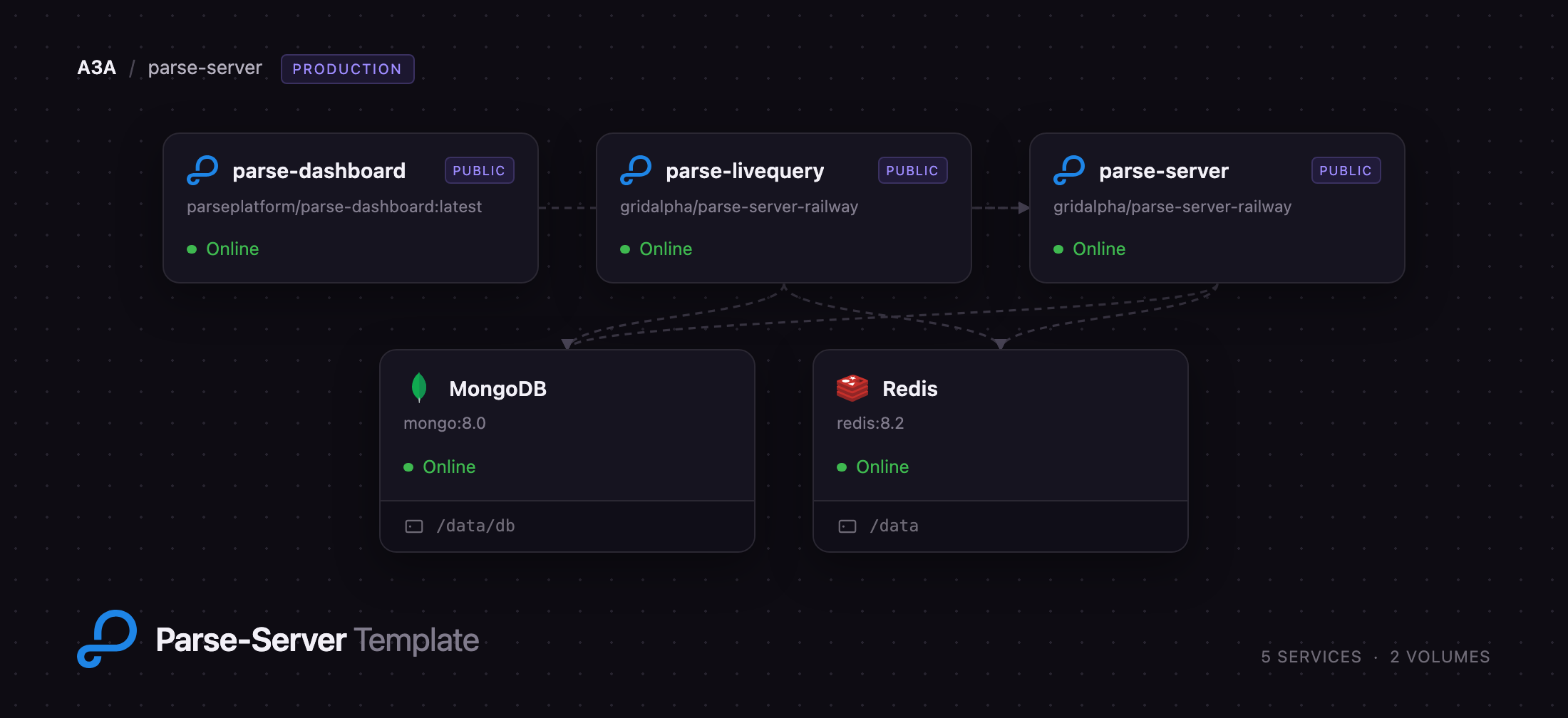
Getting Started with Parse Server on Railway
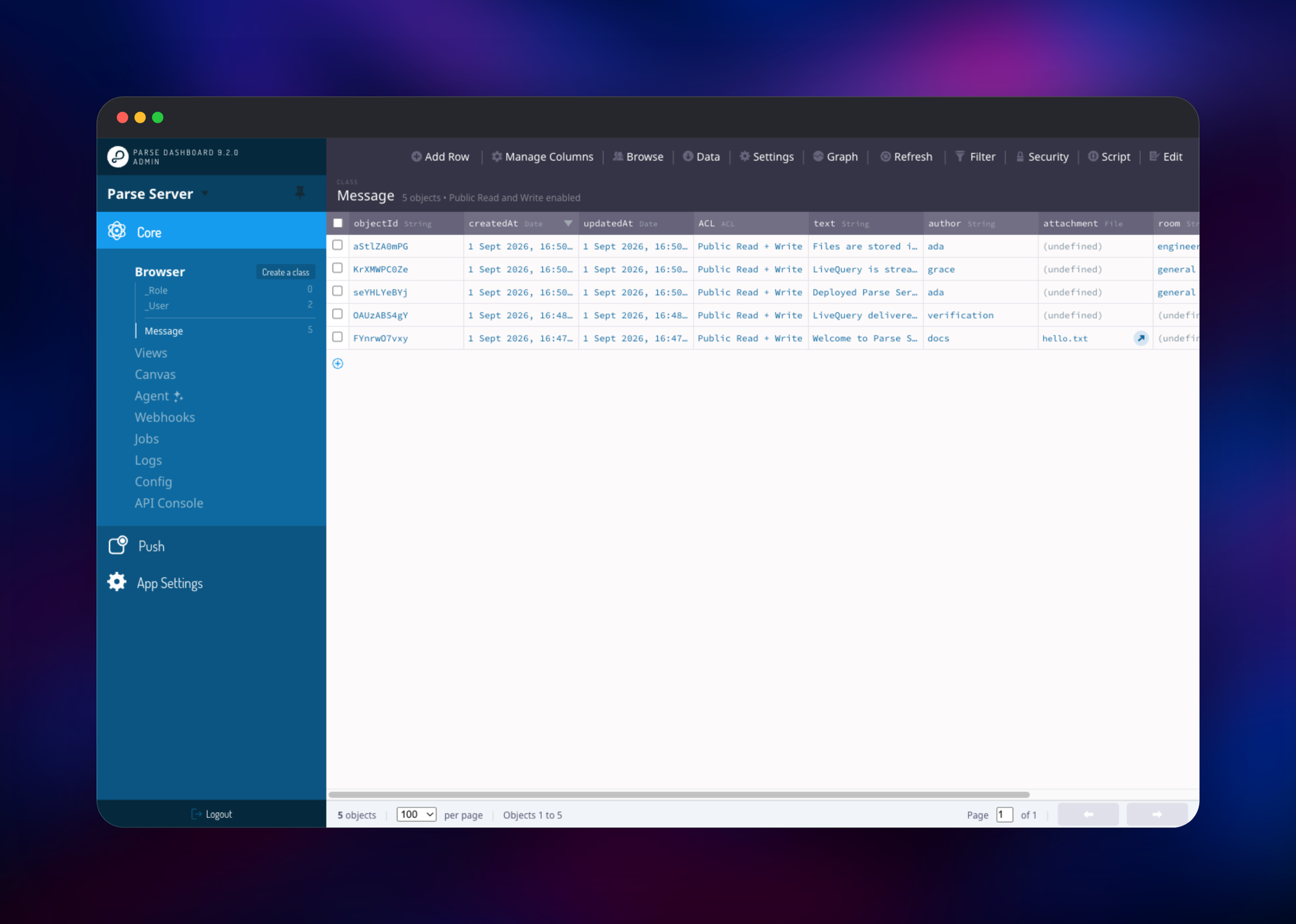
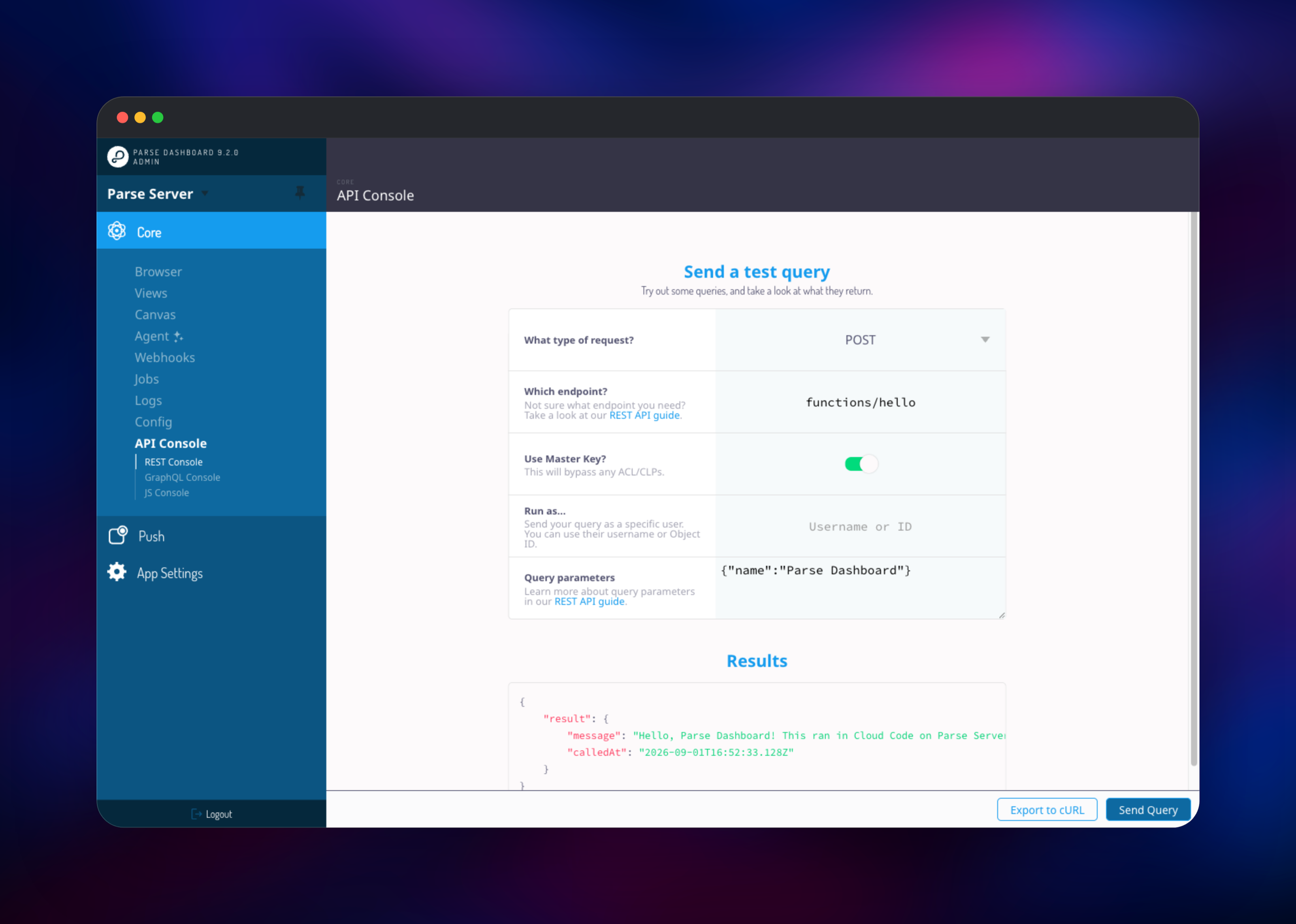
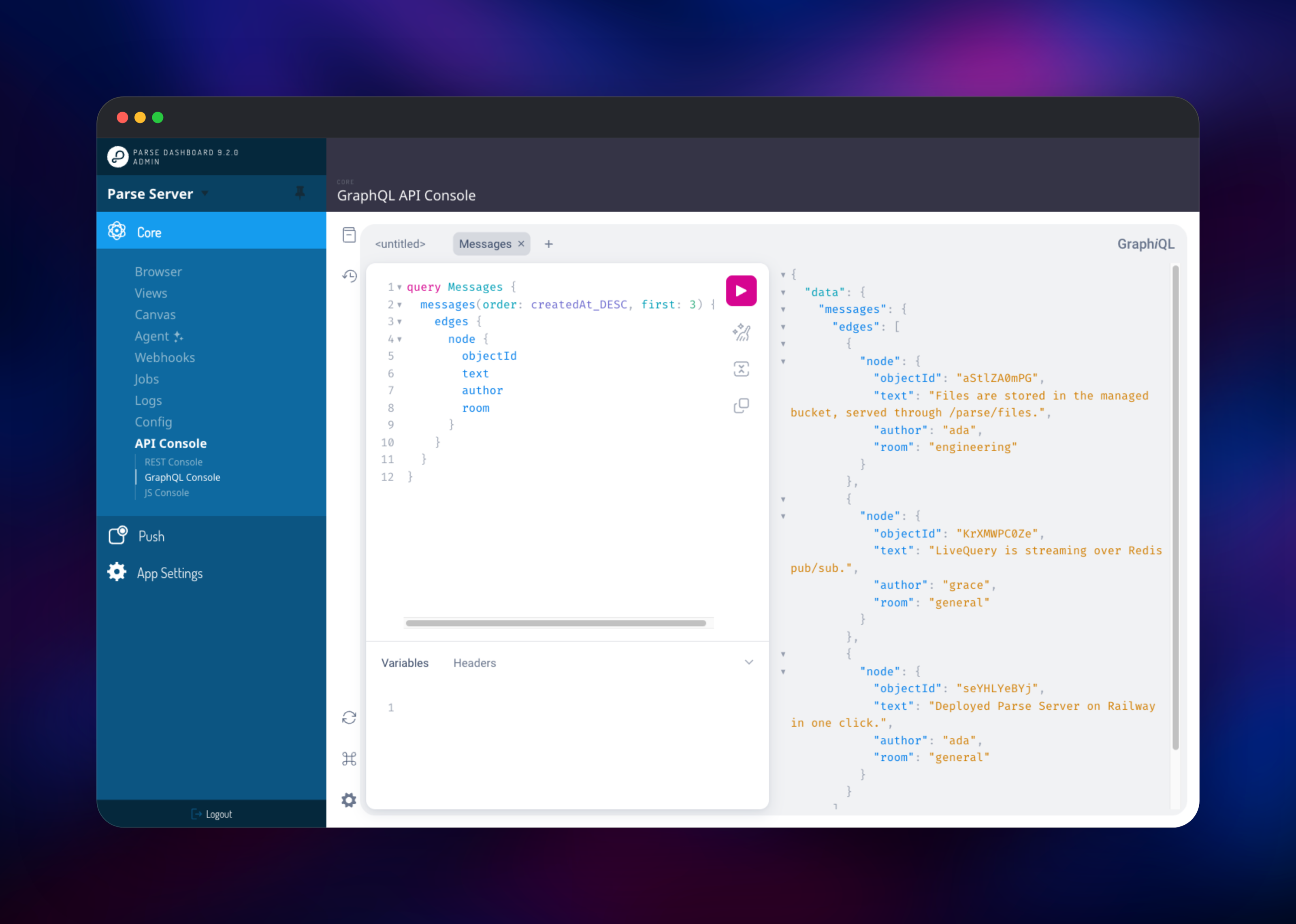
Open the Parse Dashboard URL and sign in with the username and password you set at deploy time — there are no default credentials, and it is the only surface accepting a browser login. Click through to your app and you land in the Data Browser, where _User and _Role already exist; use Create a class, then Add a row, to confirm writes reach MongoDB. To check the API from outside, request /parse/health on the Parse Server domain, which answers {"status":"ok"} anonymously. The API Console sends real REST, GraphQL and JavaScript requests; turn on Use Master Key there, since the dashboard holds the master key, not a client key. Point an SDK at https:///parse with the application ID and a client key from the service variables, and set liveQueryServerURL to wss:// for subscriptions. Cloud Code lives in cloud/main.js in the source repository — fork it, edit that file and connect your fork. A hello function ships with it, so POST /parse/functions/hello proves Cloud Code works before you write any.
About Hosting Parse Server
Parse Server turns a MongoDB (or PostgreSQL) database into a schema-aware API with authentication, permissions and realtime built in. You define classes, the server creates collections and indexes, and every object carries an ACL deciding who may read or write it. Self-hosting matters because the data model is yours: objects are ordinary MongoDB documents, so nothing traps you in a proprietary store.
- REST and GraphQL APIs over the same data, with SDKs for every major platform
- Users, sessions, password policies, account lockout and OAuth adapters
- Object-level ACLs and class-level permissions, with protected fields
- Cloud Code triggers, callable functions and background jobs
- LiveQuery subscriptions pushing create, update and delete events
- Parse Files with pluggable storage, and push for iOS and Android
The Railway deployment splits the roles upstream recommends splitting: the API service handles ordinary HTTP traffic, while the LiveQuery service holds the long-lived WebSocket connections and receives events over Redis pub/sub rather than shared process memory, so either tier scales or redeploys without dropping the other.
Why Deploy Parse Server on Railway
Railway removes the assembly work this stack normally needs:
- MongoDB, Redis and object storage are provisioned and wired up for you
- Application keys are generated at deploy; you supply only a password
- Private networking keeps database and cache traffic off the internet
- HTTPS, WebSocket upgrades and health checks need no configuration
- Pushing to your fork of the repository redeploys Cloud Code
Common Use Cases for Self-Hosted Parse Server
- Mobile app backends. Ship an iOS, Android or Flutter app with users, objects and push notifications without writing an API layer.
- Realtime features. Chat, presence and multiplayer state on LiveQuery instead of polling.
- Migrating off Firebase. Keep a document model and SDK-driven clients on a database you control.
- Internal tools. Parse Dashboard gives a spreadsheet view of production data.
Dependencies for Parse Server
- Parse Server — built from
gridalpha/parse-server-railwayon the officialparseplatform/parse-serverimage - Parse LiveQuery — the same image and repository, with LiveQuery enabled
- Parse Dashboard —
parseplatform/parse-dashboard, the official admin UI - MongoDB — stores every class, user, session and role
- Redis — LiveQuery pub/sub, shared cache, rate-limit counters
- Object storage bucket — holds Parse Files, served through the API so ACLs still apply
Environment Variables Reference
| Variable | Purpose |
|---|---|
PARSE_SERVER_APPLICATION_ID | Public app identifier every client sends |
PARSE_SERVER_MASTER_KEY | Full-access key; never ship it in a client |
PARSE_SERVER_REST_API_KEY | Key required from REST clients |
PARSE_SERVER_JAVASCRIPT_KEY | Key required from browser and Node SDKs |
PARSE_SERVER_DATABASE_URI | MongoDB connection string |
PARSE_SERVER_LIVEQUERY_CLASSNAMES | Classes LiveQuery publishes events for |
PARSE_DASHBOARD_USER_PASSWORD | Password for the dashboard login |
Deployment Dependencies
- Source repository: https://github.com/gridalpha/parse-server-railway
- Parse Server: https://github.com/parse-community/parse-server
- Parse Dashboard: https://github.com/parse-community/parse-dashboard
- Documentation: https://docs.parseplatform.org
Hardware Requirements for Self-Hosting Parse Server
| Resource | Minimum | Recommended |
|---|---|---|
| CPU | 1 vCPU per service | 2 vCPU for the API service |
| RAM | 512 MB per service | 1 GB API, 1 GB MongoDB |
| Storage | 1 GB for MongoDB | 5 GB plus object storage for files |
| Runtime | Node.js 20, MongoDB 8 | Plus Redis 8 for cache and pub/sub |
Parse Server itself is light; MongoDB is what grows, and keeping files in object storage rather than GridFS is what keeps it small.
Self-Hosting Parse Server
The quickest way to try Parse Server locally is the published image alongside MongoDB:
docker run -d --name parse-mongo -p 27017:27017 mongo:8

docker run -d --name parse-server -p 1337:1337 \
  -e PARSE_SERVER_APPLICATION_ID=myAppId \
  -e PARSE_SERVER_MASTER_KEY=myMasterKey \
  -e PARSE_SERVER_DATABASE_URI=mongodb://host.docker.internal:27017/parse \
  -e PARSE_SERVER_URL=http://localhost:1337/parse \
  parseplatform/parse-server:latest
Once it is up, create an object and read it back with the REST API:
curl -X POST http://localhost:1337/parse/classes/Message \
  -H "X-Parse-Application-Id: myAppId" -H "Content-Type: application/json" \
  -d '{"text":"Hello from Parse Server"}'

curl http://localhost:1337/parse/classes/Message -H "X-Parse-Application-Id: myAppId"
That is fine for development; a real deployment also needs Redis for LiveQuery, object storage, TLS, rate limiting and an admin UI.
How Much Does Parse Server Cost to Self-Host?
Parse Server, Parse Dashboard and every official SDK are free and open source under the Apache 2.0 licence — no paid tier, seat limits or feature gates. The only cost is infrastructure: compute for the three application services, MongoDB and Redis, and storage for your objects and files. Managed Parse hosts charge per app on top of that.
FAQ
What is Parse Server?
An open-source backend framework for mobile and web apps: a database-backed API with users, permissions, file storage, push, realtime subscriptions and Cloud Code.
What does this Railway template deploy?
A Parse Server API service, a LiveQuery service for WebSocket subscriptions, Parse Dashboard, MongoDB, Redis and an object storage bucket for files.
Why does the template include MongoDB, Redis and object storage?
MongoDB is Parse Server's data store. Redis carries LiveQuery events between the API and subscription services and backs the shared cache and rate limiter, which is what makes running more than one instance safe. Object storage holds Parse Files, so uploads neither inflate the database nor vanish with a container.
How do I add Cloud Code functions to self-hosted Parse Server?
Fork the source repository, edit cloud/main.js and point the service at your fork; pushing a commit redeploys it. Cloud Code is application source, not configuration.
How do I connect a client SDK to Parse Server on Railway?
Initialise the SDK with your application ID and matching client key, set the server URL to https:///parse, and liveQueryServerURL to wss://.
Is Parse Server a good Firebase alternative?
It is the closest open-source match for Firebase's document model and SDK-first workflow, and unlike Firestore your data sits in MongoDB collections you can query, back up and move.
Template Content
Redis
redis:8.2MongoDB
mongo:8.0parse-livequery
gridalpha/parse-server-railwayparse-dashboard
parseplatform/parse-dashboard:latestparse-server
gridalpha/parse-server-railwayparse-files
Bucket


