
Deploy Payload
Headless CMS for managing content behind a REST and GraphQL API

Just deployed
/var/lib/postgresql/data
payload
Just deployed
payload-jobs
Just deployed
payload-media
Bucket
Just deployed
Deploy and Host Payload on Railway
Payload is an open-source, TypeScript-native headless CMS that runs inside a Next.js application rather than beside one. You define collections, fields and access control in code; Payload generates the admin panel, a REST API, a GraphQL API and fully typed queries from that definition. Because the schema is code it lives in your repository, reviews like code and deploys like code. Editors still get drafts, versions and scheduled publishing.
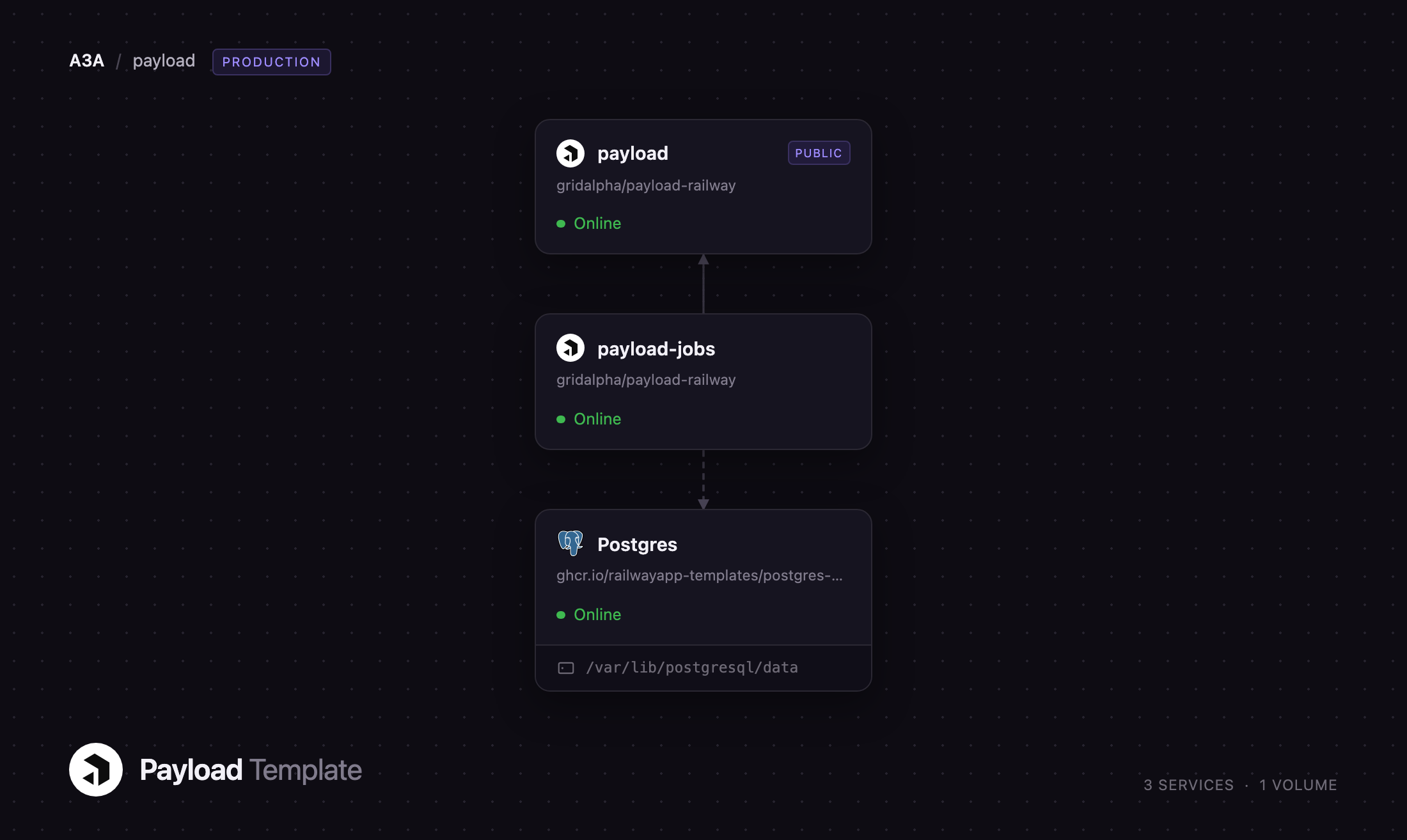
This template deploys Payload as three cooperating Railway services. The payload service serves the admin panel, the REST and GraphQL APIs and a public page; a managed PostgreSQL database stores content, versions and users; and an object storage bucket holds every uploaded file. A second payload-jobs service runs the job queue on its own schedule, so background work never competes with API response times. Self-host Payload on Railway and the first deploy arrives with migrations applied, an admin created and uploads landing in durable storage.
Getting Started with Payload on Railway
Set PAYLOAD_ADMIN_EMAIL and PAYLOAD_ADMIN_PASSWORD before you click Deploy — those two create your administrator account on first boot, and nothing else is required. When the deploy finishes, open the generated URL: you land on a public page listing published posts. Go to /admin and sign in. The first-run account screen is already closed, so nobody who finds the URL first can claim the instance.
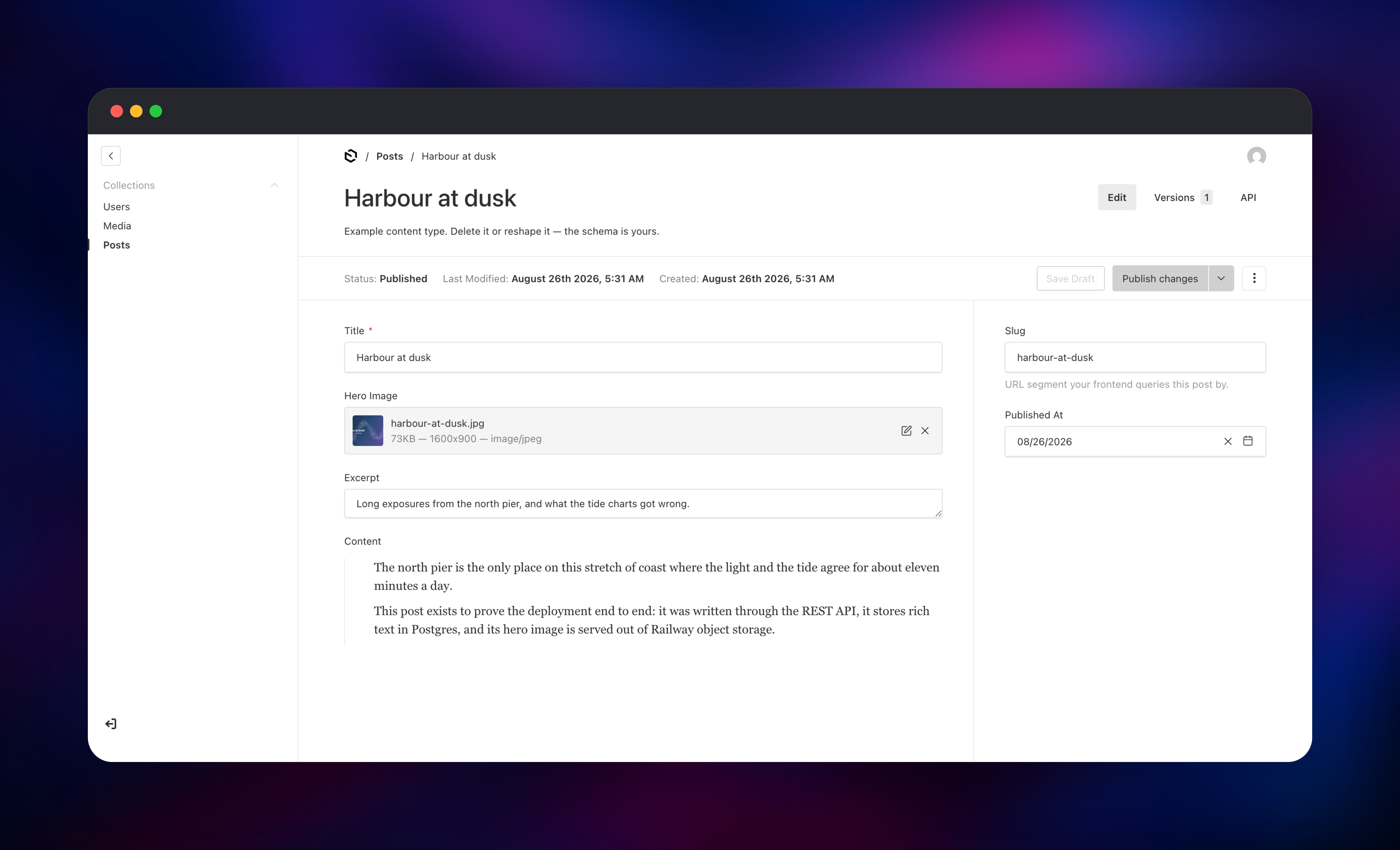
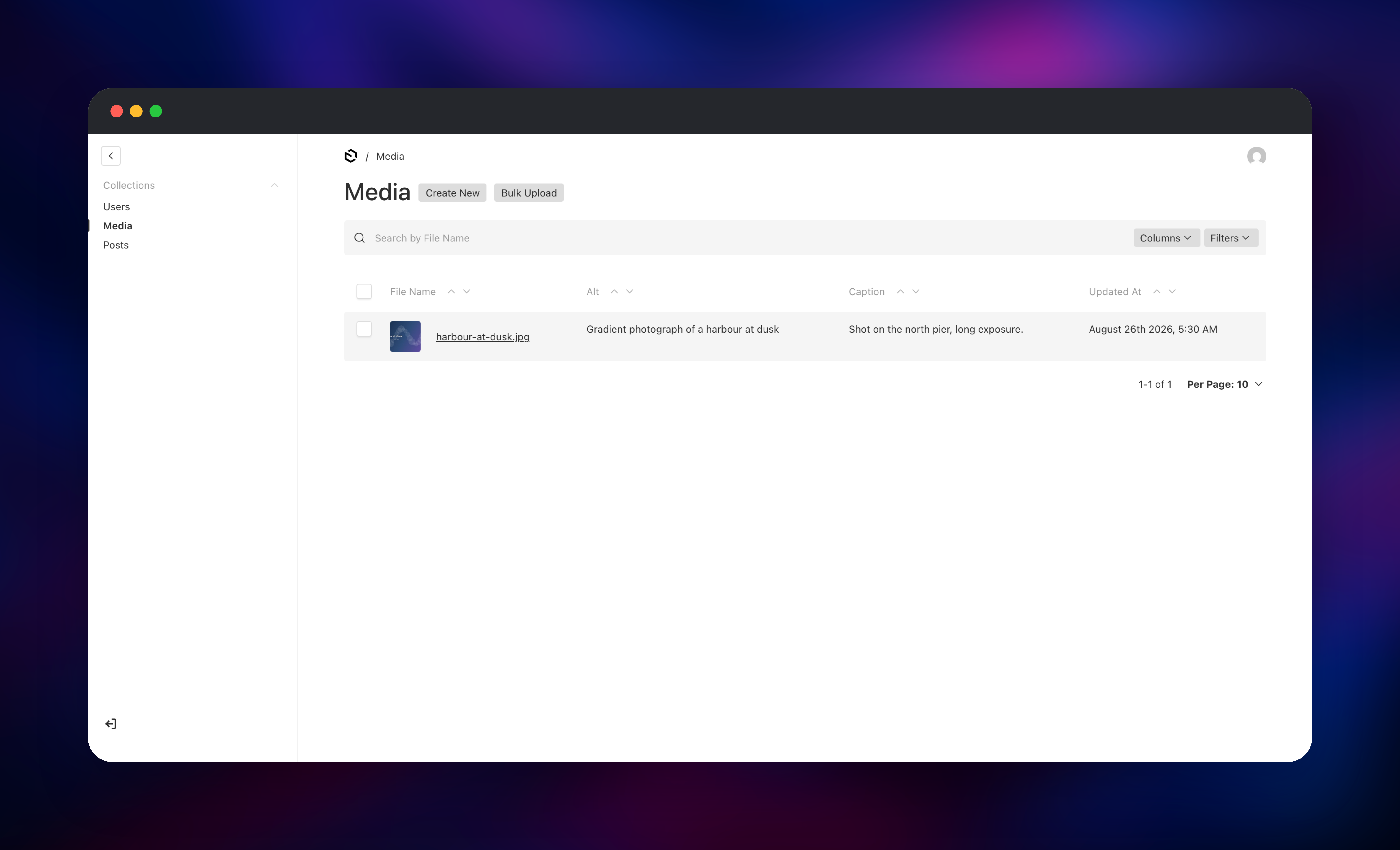
The dashboard shows three collections: Users, Media and Posts. Open Media and upload an image — it goes straight to the bucket and Payload generates resized variants. Then open Posts, create a document, attach that image as the hero, write in the rich text editor and press Publish. Confirm the deployment works end to end by visiting /api/posts logged out: only published documents appear, which proves the database, the access rules and the API layer are wired correctly. To exercise the worker, open a draft and use Schedule Publish from the menu beside the publish button.
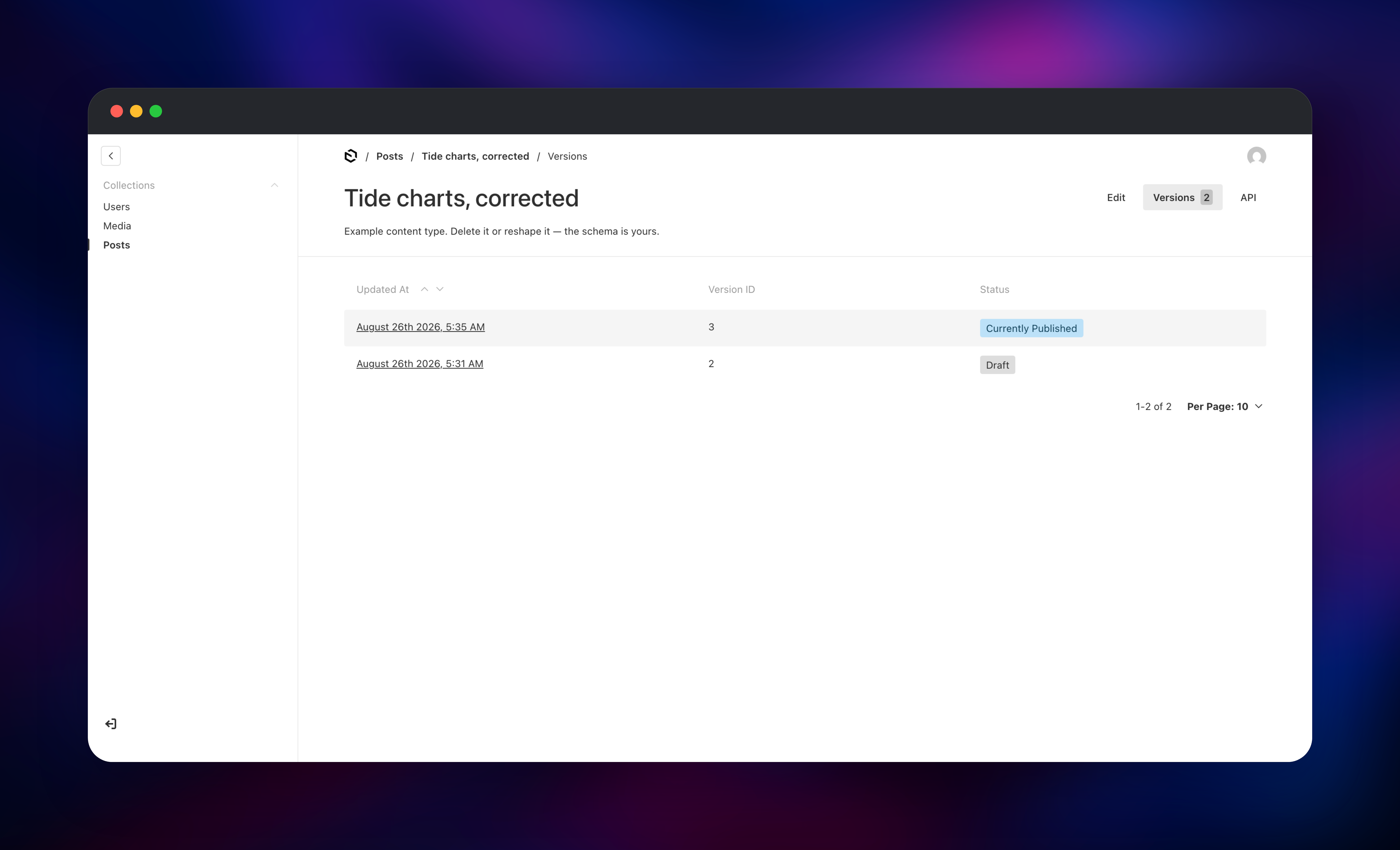
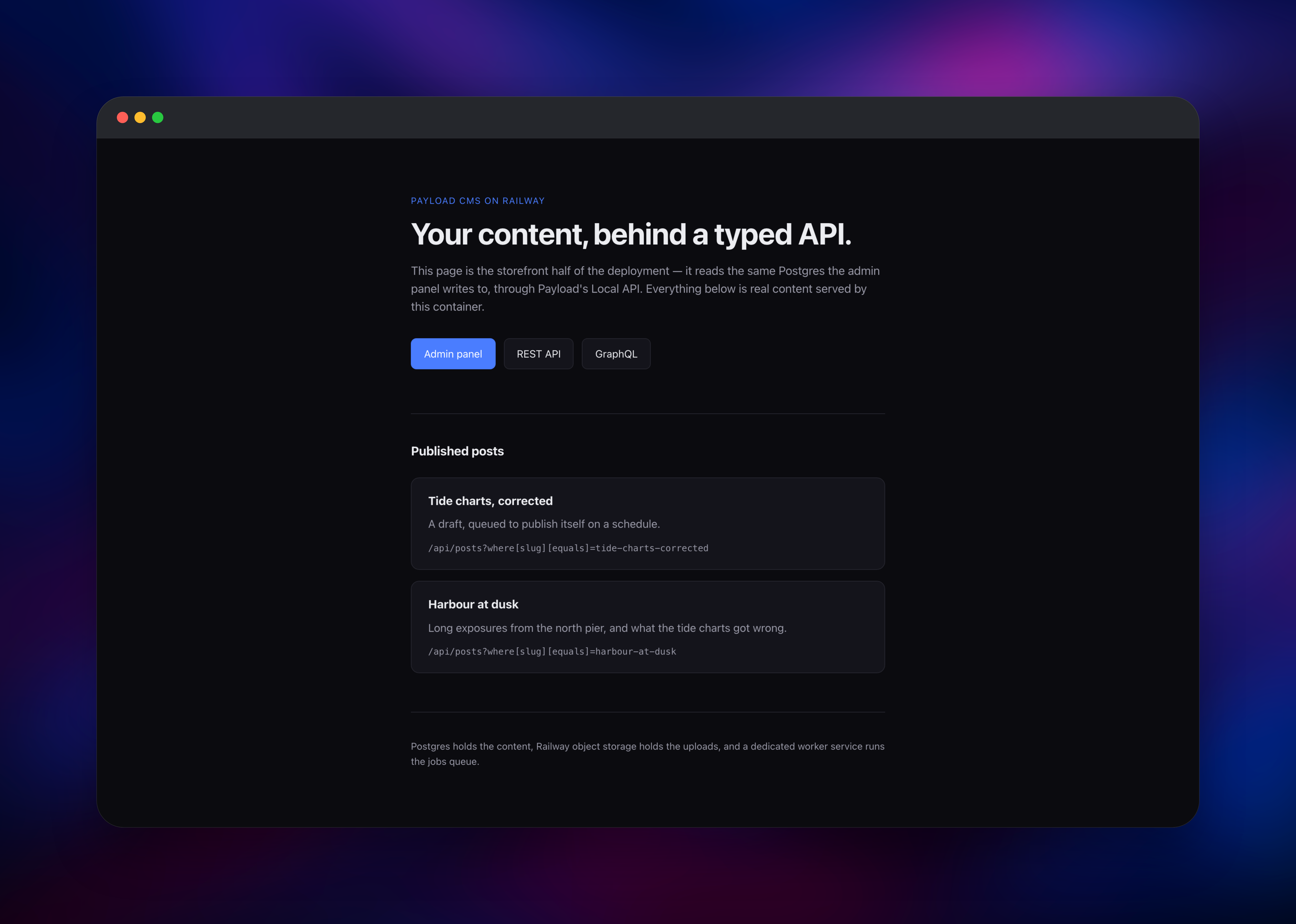
About Hosting Payload
Payload solves the problem every custom application hits: the content model keeps changing and the admin interface built for it falls behind. Describe your data once, and Payload derives the interface, the APIs and the types from it. Self-host it when the content belongs to you, or when your frontend already runs on Next.js and a second hosted service is redundant.
Key capabilities:
- Collections defined in TypeScript, with generated types you import in your frontend
- Drafts, version history, autosave, scheduled publish and unpublish
- REST and GraphQL APIs from the same schema, plus a Local API that skips HTTP
- Field-level access control: a role can read a document but not one field on it
- Lexical rich text with custom blocks, and uploads with automatic image resizing
The split is deliberate. The payload service is stateless — nothing on local disk — which lets you raise its replica count as traffic grows. PostgreSQL holds every document, draft and version. Object storage holds uploads, and Payload streams files back through its own /api/media/file/ route so access control still applies. The payload-jobs service runs payload jobs:run on a cron, which is what Payload's documentation recommends for a dedicated server.
Why Deploy Payload on Railway
Railway removes the setup work that self-hosting a Next.js CMS usually involves.
- Managed PostgreSQL, connected by reference, with backups and no tuning
- Object storage for uploads, so images survive every redeploy
- Migrations and admin seeding run automatically on each deploy
- Private networking between app, worker and database
- A public HTTPS domain with certificates handled for you
- Push to the repository and both services rebuild
Common Use Cases
- Marketing sites and blogs on Next.js — CMS and frontend share one repository, one deploy, one set of types.
- A backend for mobile and multi-channel apps — model content once, consume it over REST or GraphQL.
- Internal admin tooling — field-level access control replaces a hand-built dashboard.
- Catalogues and documentation — versioned, scheduled content with media in object storage.
Dependencies for Payload
- Payload 3.88 on Next.js 16 — built from
gridalpha/payload-railwayon Node 24 - PostgreSQL 18 — managed database holding content, drafts, versions and users
- Railway object storage — an S3-compatible bucket for uploaded files
- Jobs worker — the same image with
PAYLOAD_ROLE=jobs, draining the queue on a schedule
Environment Variables Reference
| Variable | Purpose |
|---|---|
PAYLOAD_SECRET | Signs auth tokens and encrypts stored credentials. Never change it after the first deploy, or sessions and encrypted values break. |
PAYLOAD_ADMIN_EMAIL | Administrator created on first boot. |
PAYLOAD_ADMIN_PASSWORD | That account's password. Change it once in. |
DATABASE_URL | PostgreSQL connection string. |
S3_* | Bucket credentials for uploads. Unset all to fall back to local disk, which no redeploy survives. |
PAYLOAD_ROLE | web or jobs. Selects the container's role. |
PAYLOAD_JOBS_CRON | Queue drain schedule. |
PAYLOAD_PUBLIC_SERVER_URL | Set only for a custom domain; otherwise derived. |
PAYLOAD_CORS_ORIGINS | Extra browser origins allowed to call the API. |
Deployment Dependencies
- Source repository: github.com/gridalpha/payload-railway
- Upstream: github.com/payloadcms/payload
- Docs: payloadcms.com/docs
- Runtime: Node.js 24, Next.js 16, PostgreSQL 18
Hardware Requirements for Self-Hosting Payload
| Resource | Minimum | Recommended |
|---|---|---|
| CPU | 1 vCPU | 2 vCPU |
| RAM | 1 GB | 2 GB per app service |
| Storage | Database only | 10 GB database plus object storage |
| Runtime | Node.js 20.9+ | Node.js 24 |
The build is heavier than the runtime — compiling the admin panel wants roughly 2 GB. Image resizing runs in the web service, so raise memory before CPU if you accept large uploads.
Self-Hosting Payload
Payload installs as a dependency of your own Next.js app rather than pulling as an image. To start a new project locally, run:
npx create-payload-app@latest my-cms
cd my-cms
npm run dev
To run this template's configuration yourself, clone the source repository and supply a database and a secret:
git clone https://github.com/gridalpha/payload-railway
cd payload-railway
npm install
export DATABASE_URL="postgres://user:pass@localhost:5432/payload"
export PAYLOAD_SECRET="a-long-random-string"
npm run build && npx payload migrate && npm start
Payload disables automatic schema syncing in production, so a change to a collection needs a migration committed alongside it. Generate one with npx payload migrate:create — it reads your config and needs no database connection.
How Much Does Payload Cost to Self-Host?
Payload is free and open source under the MIT licence, with no seat limits, content limits or feature paywall when self-hosted. The company sells Payload Cloud for managed hosting and an enterprise tier adding SSO and publishing workflows. On Railway you pay only for the compute, database and storage you use — a small site runs a few dollars a month, and cost scales with traffic rather than editor seats.
FAQ
What is Payload?
Payload is an open-source headless CMS and application framework for TypeScript and Next.js. You define the content schema in code and it generates an admin panel plus REST and GraphQL APIs from it.
Why does the template include PostgreSQL and object storage?
Payload keeps documents, drafts and version history in a relational database, so PostgreSQL is required rather than optional. Uploads need somewhere durable: container filesystems are replaced on every deploy, so local images would disappear.
Do I need the separate jobs worker service?
Only if you use scheduled publishing or define your own queued tasks, but it costs little and keeps that work off the request path. Payload's docs recommend this split for a dedicated server.
How do I add my own collections to a self-hosted Payload deployment?
Fork the repository, add a file under src/collections, register it in src/payload.config.ts, then run npx payload migrate:create and commit the migration. Pushing rebuilds both services and applies it.
Can I scale Payload beyond one instance?
Yes — the web service holds no local state, so raising its replica count is safe. Keep the jobs worker at one replica so scheduled tasks are not run twice. Frontends query /api/ for REST or /api/graphql; inside the same Next.js app the Local API skips HTTP entirely.
Template Content

