Deploy PDFMathTranslate
Translate academic PDFs while preserving layout — bundled Ollama engine
ollama/ollama:latest
Just deployed
/root/.ollama
pdfmathtranslate
Just deployed
PDFMathTranslate

PDFMathTranslate (v2, pdf2zh-next) is a Web UI that converts academic and research PDFs into translated versions while preserving the original layout, formulas, tables, text boxes, and footnotes. This template deploys the official Gradio Web UI together with a bundled Ollama LLM service, so every translation runs locally on your own infrastructure — no external translation API keys required.
Screenshots
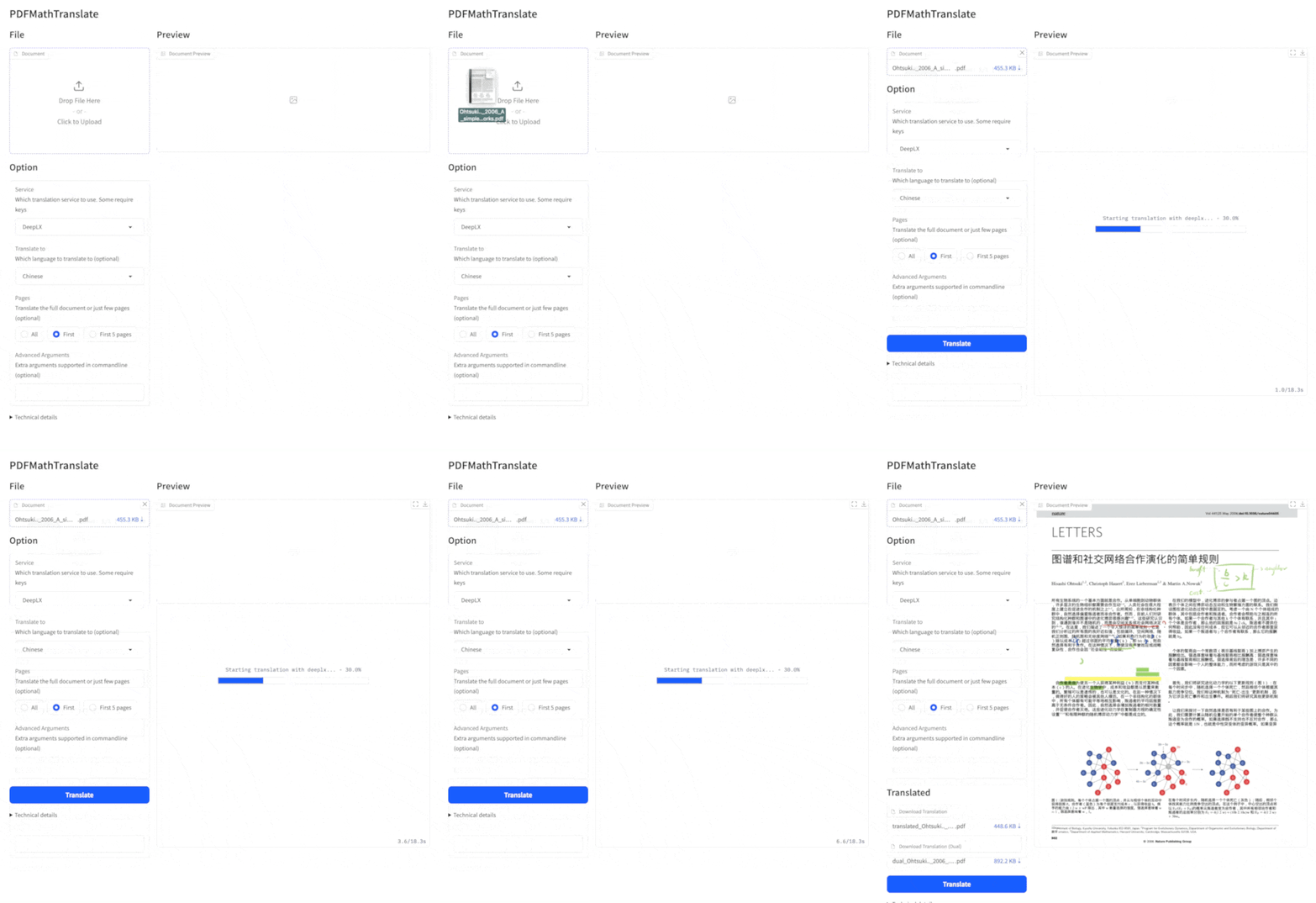
| Before | After |
|---|---|
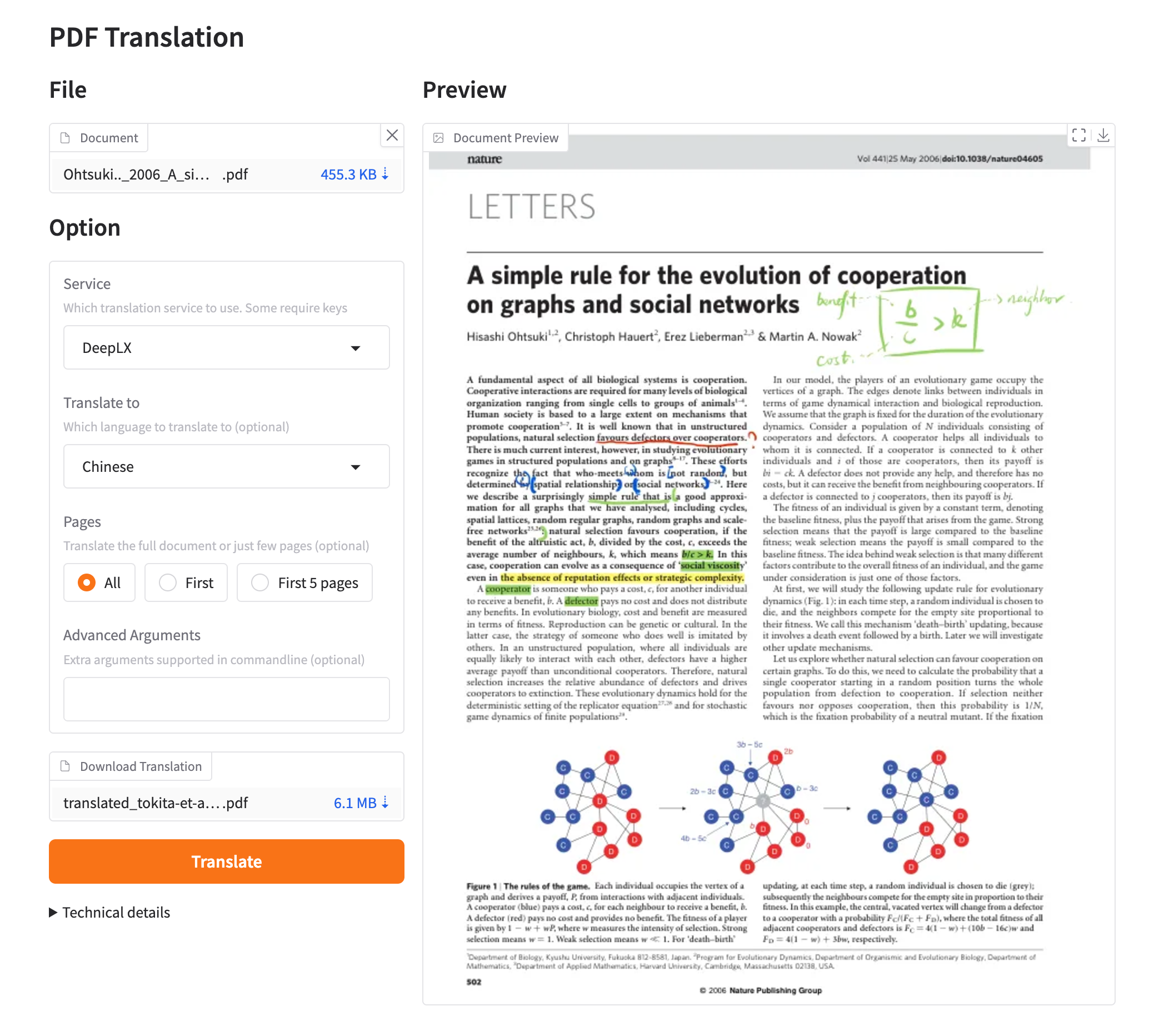 | 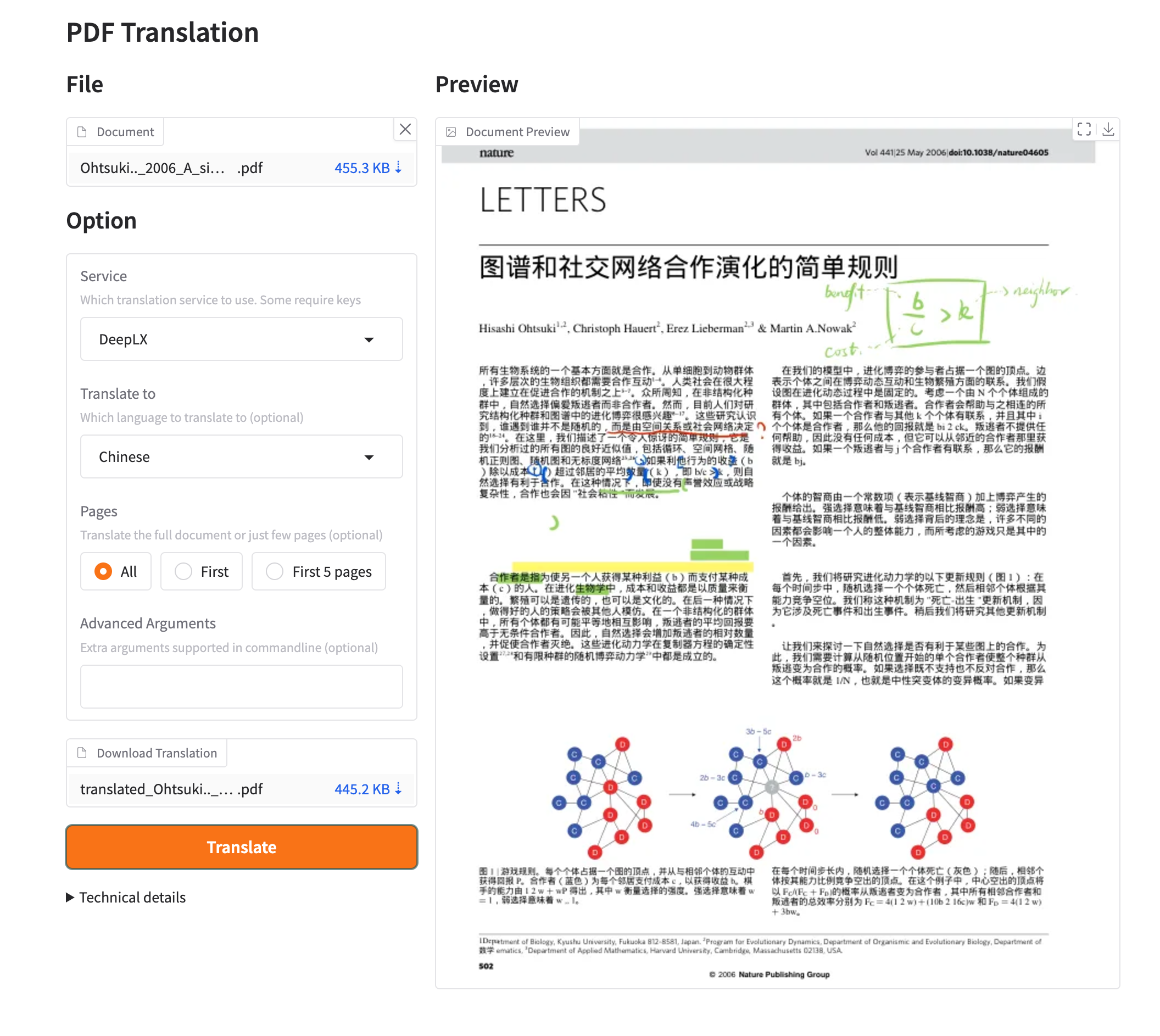 |
Deploy and Host
Host your own PDF math translator in minutes with a single click. The template provisions the PDFMathTranslate Web UI (from the official prebuilt awwaawwa/pdfmathtranslate-next image) and a companion Ollama service (from ollama/ollama) with a persistent volume at /root/.ollama for model storage. The app's Ollama host is auto-linked to the sibling over the internal Railway network, and the Web UI listens on Railway's public port out of the box.
Deploy to Railway
Click the button above to deploy this template to Railway. The template provisions two services:
- PDFMathTranslate — the Gradio Web UI (official
awwaawwa/pdfmathtranslate-nextimage), public domain on port8080, translation engine pointed at the bundled Ollama service. - Ollama — a private local LLM inference service (
ollama/ollama), no public domain, models persisted on a Railway volume at/root/.ollama. No model is pre-pulled — pick and pull one yourself (see First run).
The app's PDF2ZH_OLLAMA_HOST is auto-wired to the sibling Ollama service's private domain (…:11434) via the deploy form.
Dependencies for
Self-hosted PDF translation of technical documents with mathematical content.
Deployment Dependencies
- A Railway account with adequate quota for two small containers (Hobby or Pro plan).
- Provisioned automatically: the PDFMathTranslate app service, and the Ollama companion service + persistent volume (
/root/.ollama). - One LLM model pulled from Hugging Face into the Ollama service (your choice —
qwen3:8b,gemma2,llama3.2, any multilingual or code-capable model). See First run. - Optional: any other translation provider (OpenAI, Google, DeepL, DeepSeek, Gemini, …) — switch the engine in the Web UI Settings panel; in that case the Ollama service is unused.
About Hosting
The app runs inside the official prebuilt awwaawwa/pdfmathtranslate-next:v2.9.0-babeldoc-v0.6.4 Docker image (the same image the upstream project publishes), so the full translation stack — PDF parser, layout engine, BabelDOC rendering pipeline, and Gradio Web UI — is exactly what the release ships. Configuration lives under /root/.config/pdf2zh inside the container; because that path is not on a volume, engine settings you save in the UI re-seed from defaults on each redeploy. To make your setup reproducible, keep the settings as env vars (PDF2ZH_*, see Environment Variables) or re-save them in the Web UI — settings also persist for the life of the running instance.
Updating the app: the image tag is pinned. To upgrade, change the FROM tag in Dockerfile to a newer published tag (e.g. v2.9.0-babeldoc-v0.6.4 → next release) and redeploy.
Model persistence: Ollama models live on the ollama-models volume at /root/.ollama, so ollama pulled models survive redeploys and restarts — pull once, keep forever.
Why Deploy
- Private, keyless PDF translation — the companion Ollama service keeps every request on your own Railway network; no document ever leaves your infrastructure.
- Layout-preserving academic translation — formulas, numbered lists, tables, and footnotes keep their positions instead of being reflowed like plain text translation.
- One-click, two-service, zero glue — the Ollama host is auto-wired in the deploy form; no manual DNS, no proxy, no API keys.
- Bring any engine — swap to OpenAI-compatible, DeepL, Google, Gemini, or any of the 20+ built-in engines from the Web UI Settings panel and the same container does the rest.
- Model persistence — pulled models stay on a Railway volume across redeploys, so cold starts are instant and you pay for model downloads once.
Common Use Cases
- Translating arXiv papers and journal articles between English and Chinese (the project's home pair) or other language pairs, keeping equation numbering and cross-references intact.
- A private, air-gapped document-translation endpoint for a team or research group that cannot send contents to public APIs.
- Experimenting with local LLMs as translators via a standard web interface — swap models in Ollama and test quality per paper without reconfiguring anything.
Usage
- Deploy the template (button above). Both services start; the app's public domain (
…up.railway.app:8080) serves the Web UI. - Pull a model into the Ollama service (next section) and select it in Settings → Ollama in the Web UI, then Save.
- Click + to upload a PDF, choose source/target language, and press Convert. Download the translated PDF when the job finishes.
First run: pull a model
No model is pre-pulled — you decide which one to use. Pull any model from the Ollama catalog into the companion service:
# From the Railway CLI, attached to the Ollama service:
railway variable            # (or use the service's "Connect a volume" screen)
ollama pull qwen3:8b        # ~4.7 GB — good quality multilingual, fits small plans
# alternatives: ollama pull gemma2 / llama3.2 / qwen2.5:7b-instruct …
ollama list                 # confirm it landed on the /root/.ollama volume
Then in the Web UI Settings panel, pick engine Ollama, set the model to the name you pulled (e.g. qwen3:8b), and Save. The host field is already pre-filled with the auto-wired sibling URL.
> Tip: translation quality favors multilingual, instruct-tuned models with 7B+ parameters and a generous context length. PDFMathTranslate sends text chunks with a default cap of 2000 tokens (PDF2ZH_NUM_PREDICT).
Environment Variables
| Variable | Default | Description |
|---|---|---|
PORT | 8080 | Public HTTP port (Railway default; the public domain targets this port). |
PDF2ZH_SERVER_PORT | 8080 | Port the Web UI binds inside the container. Keep it equal to PORT. |
PDF2ZH_OLLAMA | true | Enable the bundled Ollama service as the translation engine. Set false to disable. |
PDF2ZH_OLLAMA_HOST | (auto-wired) | Ollama API base URL. Auto-linked to the sibling service's private domain over :11434. For a local self-host, point it at http://localhost:11434. |
PDF2ZH_OLLAMA_MODEL | (empty) | Ollama model name to translate with (e.g. qwen3:8b). Pull the model first (see above). Leave empty to choose it in the Web UI Settings. |
PDF2ZH_NUM_PREDICT | 2000 | Max tokens predicted per translation chunk. |
PDF2ZH_QPS | 4 | Translations-per-second rate limit for the engine. |
Switching translation engines
The Web UI Settings panel ships ~20 built-in engines (OpenAI-compatible, Google, Bing, DeepL, DeepSeek, Gemini, Zhipu, SiliconFlow, Xinference, …). Select one, fill its credentials from the panel, and Save — the settings persist in the running instance. To keep it across redeploys, set the matching PDF2ZH_* env vars on the app service (see the upstream usage guide).
Architecture
Railway edge → PDFMathTranslate app service (awwaawwa/pdfmathtranslate-next, Gradio Web UI bound to PDF2ZH_SERVER_PORT) → PDF2ZH_OLLAMA_HOST (private DNS, :11434) → Ollama companion (ollama/ollama:latest, no public domain, volume ollama-models → /root/.ollama).
- Two services, one public endpoint. Only the app is exposed; Ollama is reachable via Railway internal DNS on
:11434. - Auto-wiring. At deploy time the form fills
PDF2ZH_OLLAMA_HOSTfrom the sibling'sOLLAMA_BASE_URL(thecompanion-mapping.jsonat the repo root maps the app variable to the sibling variable). - Persistence split. Models persist on the Ollama volume; app config lives in the container (re-seed via env vars or the UI after redeploy — see About Hosting).
- Pinned app image. App
awwaawwa/pdfmathtranslate-next:v2.9.0-babeldoc-v0.6.4— upgrade by bumping theFROMtag. Ollama trackslateston Docker Hub.
Local (non-Railway) self-hosting
# app (default bind port 7860)
docker run -d --name pdfmathtranslate -p 7860:7860 \
  awwaawwa/pdfmathtranslate-next:v2.9.0-babeldoc-v0.6.4
# ollama (on the same host)
docker run -d --name ollama -p 11434:11434 -v ollama:/root/.ollama \
  ollama/ollama:latest
Then in the Web UI set the Ollama host to http://host.docker.internal:11434 (or http://localhost:11434 for a bare-metal Ollama).
Project links
- Upstream: (v2) · (v1)
- Docker images: ·
Template Content
ollama/ollama:latest
ollama/ollama:latestpdfmathtranslate
INAPP-Mobile/pdfmathtranslate

