
Deploy Penpot
Design and prototyping tool for UI teams, with real-time editing

Just deployed
/var/lib/postgresql/data
penpot-frontend
Just deployed
penpot-exporter
Just deployed

Redis
Just deployed
/data
penpot-mcp
Just deployed

mailpit
Just deployed
/data
penpot-backend
Just deployed
penpot-assets
Bucket
Just deployed
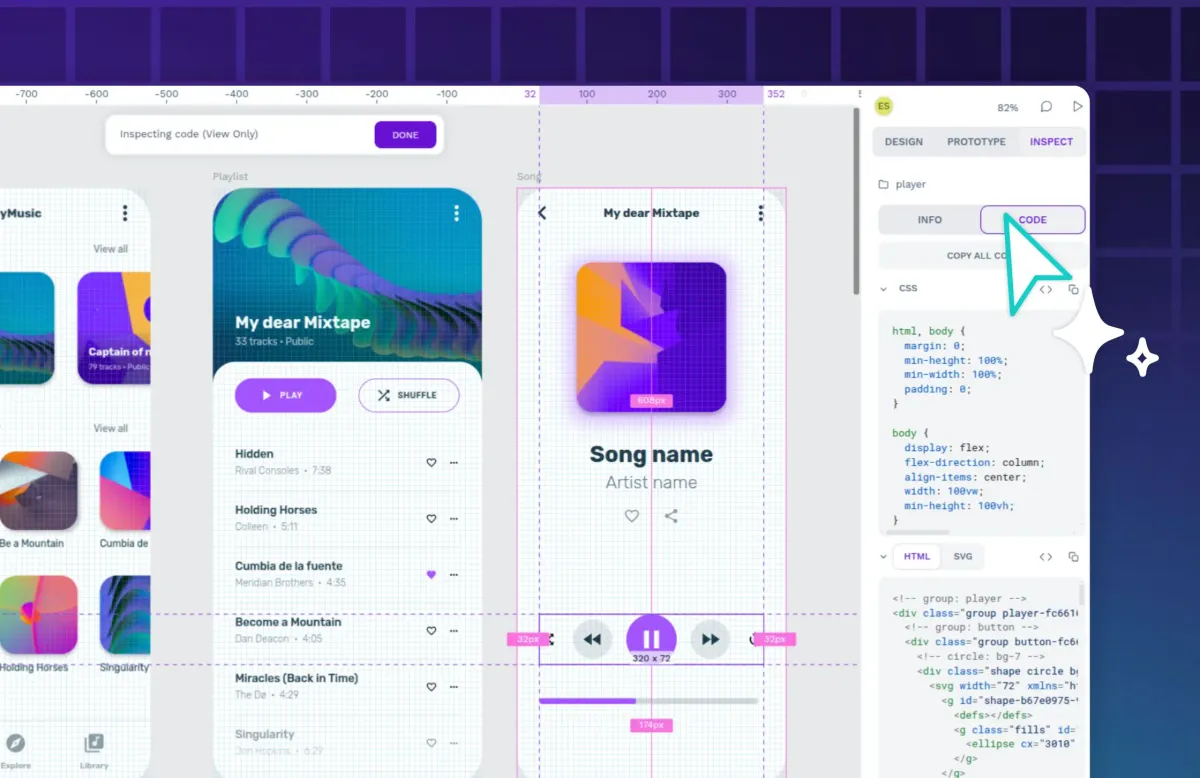
Deploy and Host Penpot on Railway
Penpot is an open-source design and prototyping platform built by Kaleidos, for teams who want their design files on infrastructure they control. It runs in the browser, supports real-time multiplayer editing, and stores work in open web standards — SVG, CSS and W3C design tokens — not a proprietary binary format. That matters most to regulated industries whose data cannot leave their network, and to organisations tired of per-editor seat prices for a tool designers open a few times a week.
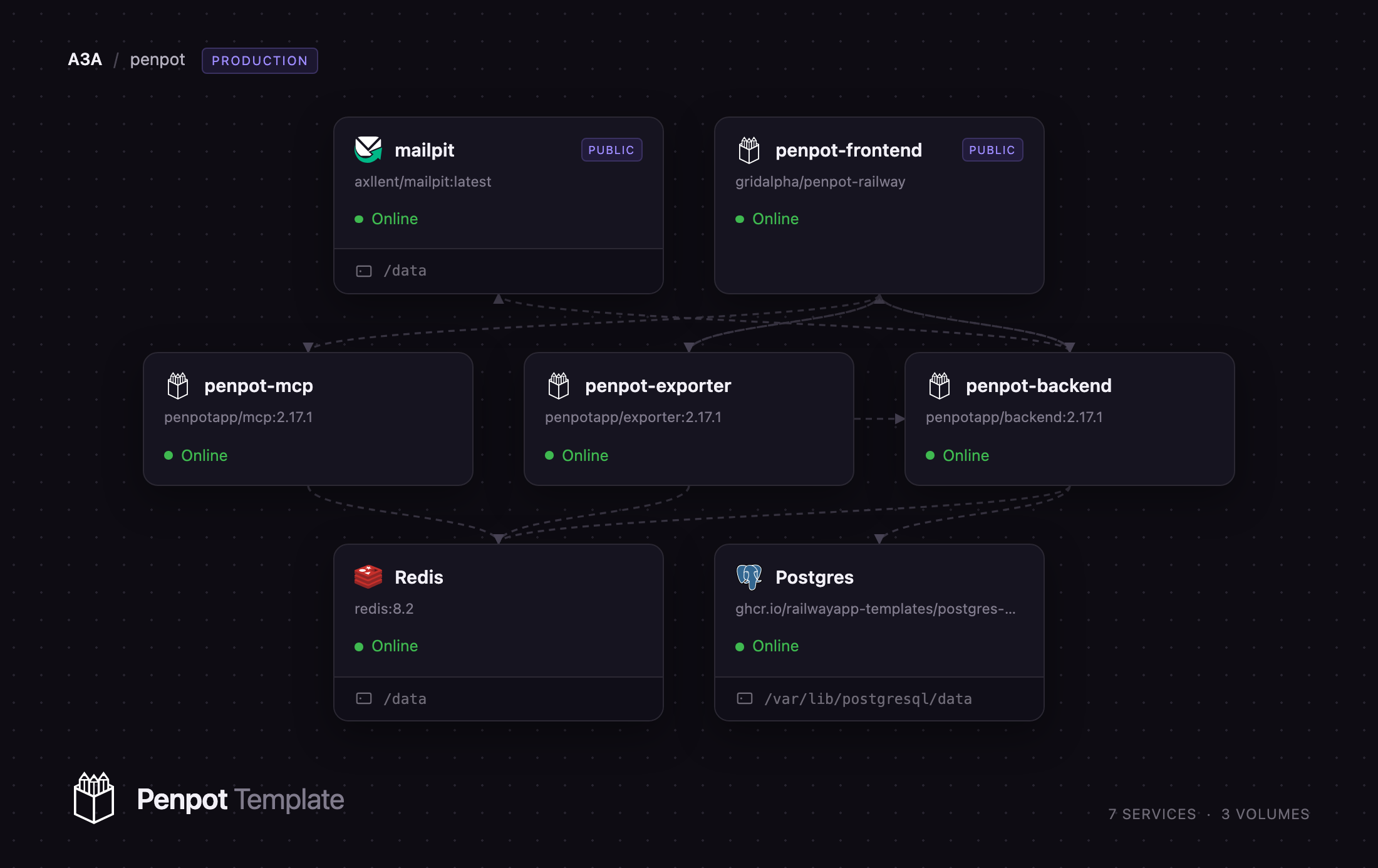
This template runs the full production topology, not one container. Self-host Penpot on Railway with an nginx frontend serving the application and proxying everything behind it, a Clojure backend owning the API, migrations, worker and scheduler, a Chromium exporter for PNG, SVG and PDF, and Penpot's official MCP server so AI clients can read and edit design files. Postgres holds every document, Redis carries WebSocket presence and task routing, and a managed bucket keeps uploaded media, fonts and thumbnails. A capture-only Mailpit inbox means verification and invitation mail works at once, with no external SMTP account.
Getting Started with Penpot on Railway
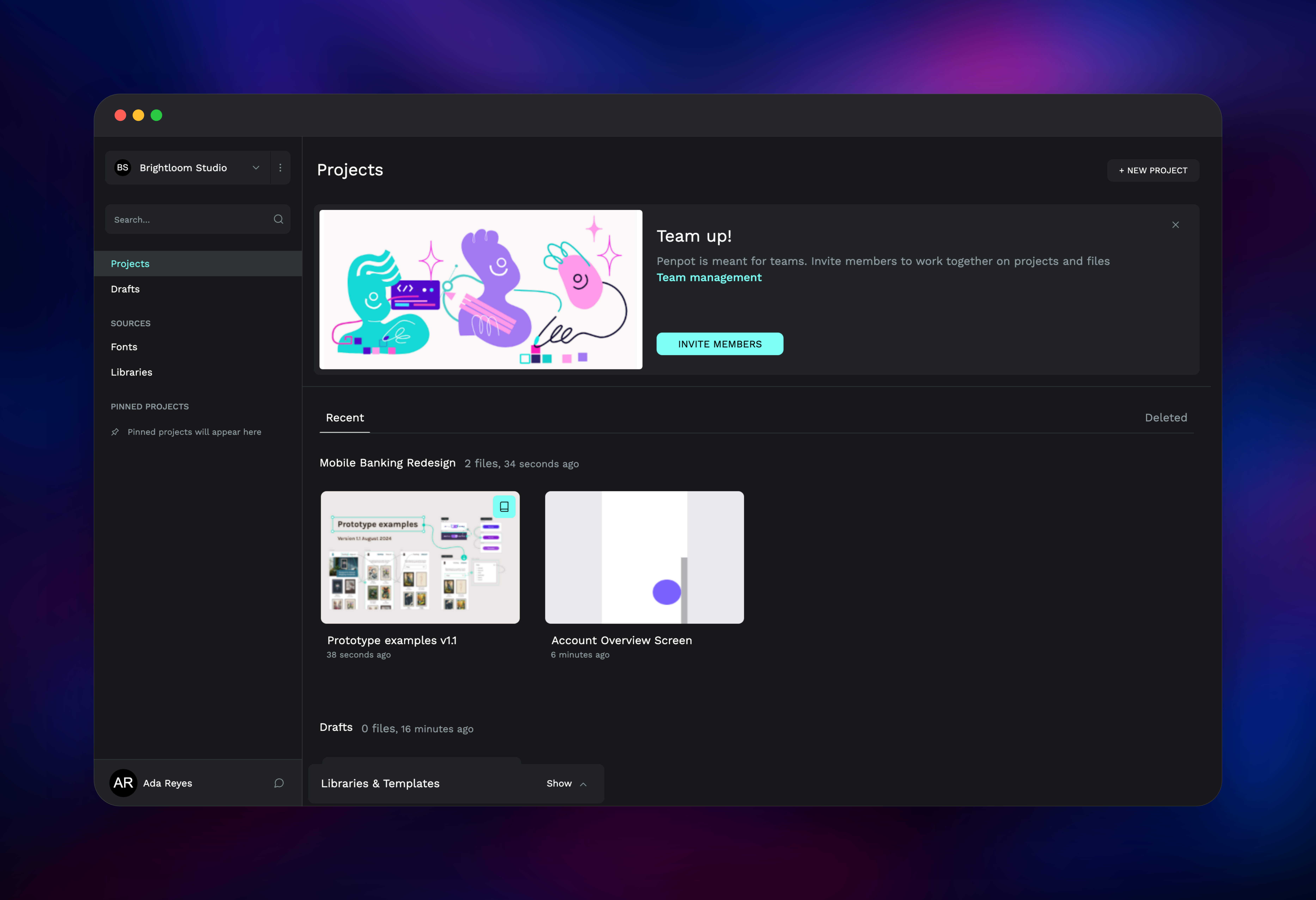
Open the frontend's public URL once every service is healthy. Penpot seeds no administrator, so you land on a registration form and the account you create becomes the first user. Email verification is on, so a confirmation link is sent before it activates. That mail goes to the bundled Mailpit service, not a real mailbox: open Mailpit's public URL, sign in with the credentials from its MP_UI_AUTH variable, and click through Verify your Penpot account. Only whoever holds those credentials can activate an account, so registration stays open without leaving the instance open to strangers.
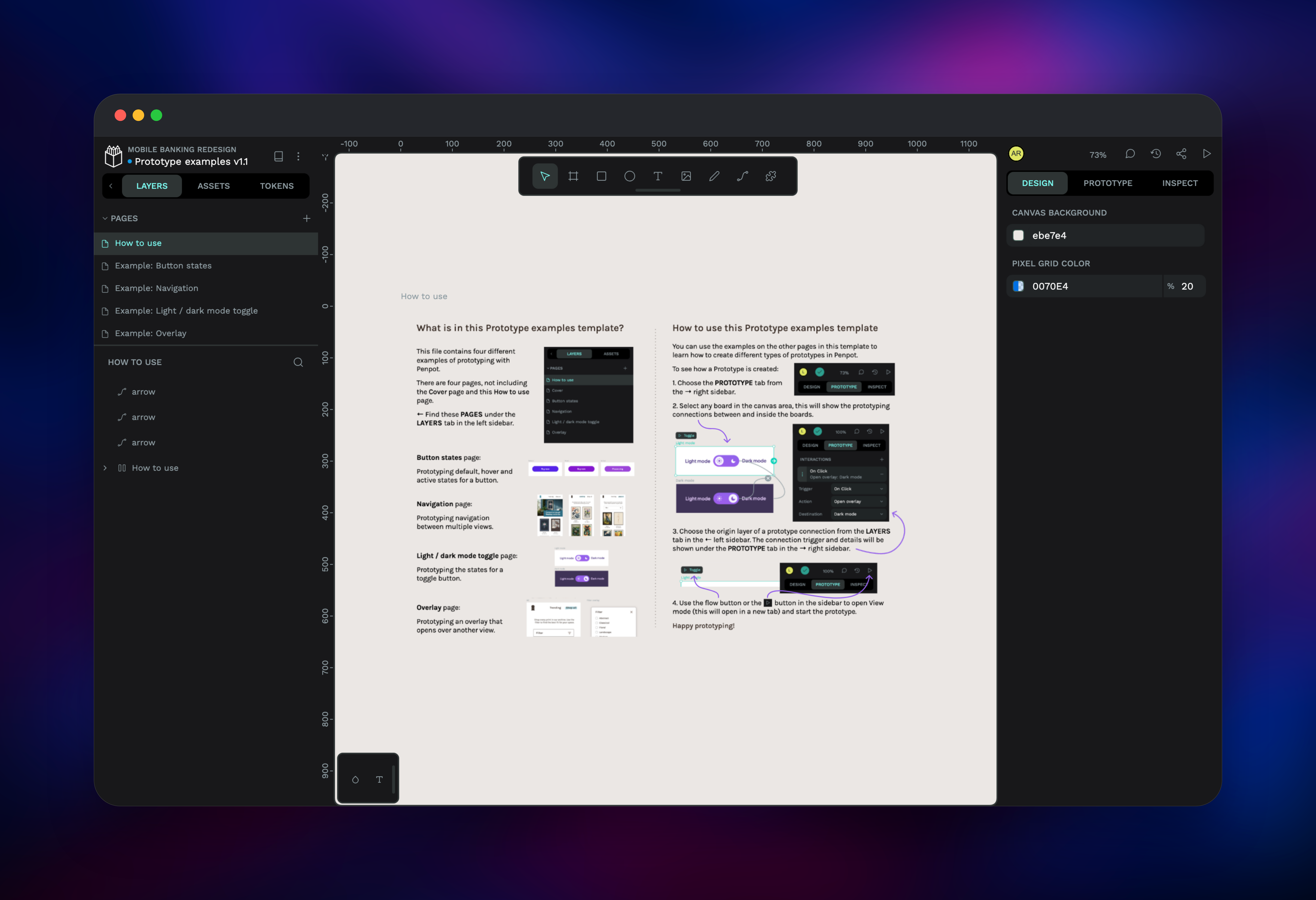
After verification you reach the dashboard. Create a team, add a project, then start a blank file or import an official template from the Libraries & Templates drawer — one action exercising the proxy, the import pipeline and object storage. To check exports, select a board and export it as PNG from the right sidebar; a successful download proves the exporter reaches the frontend privately. To invite colleagues, point PENPOT_SMTP_HOST at a real relay, or keep Mailpit and forward the links by hand.
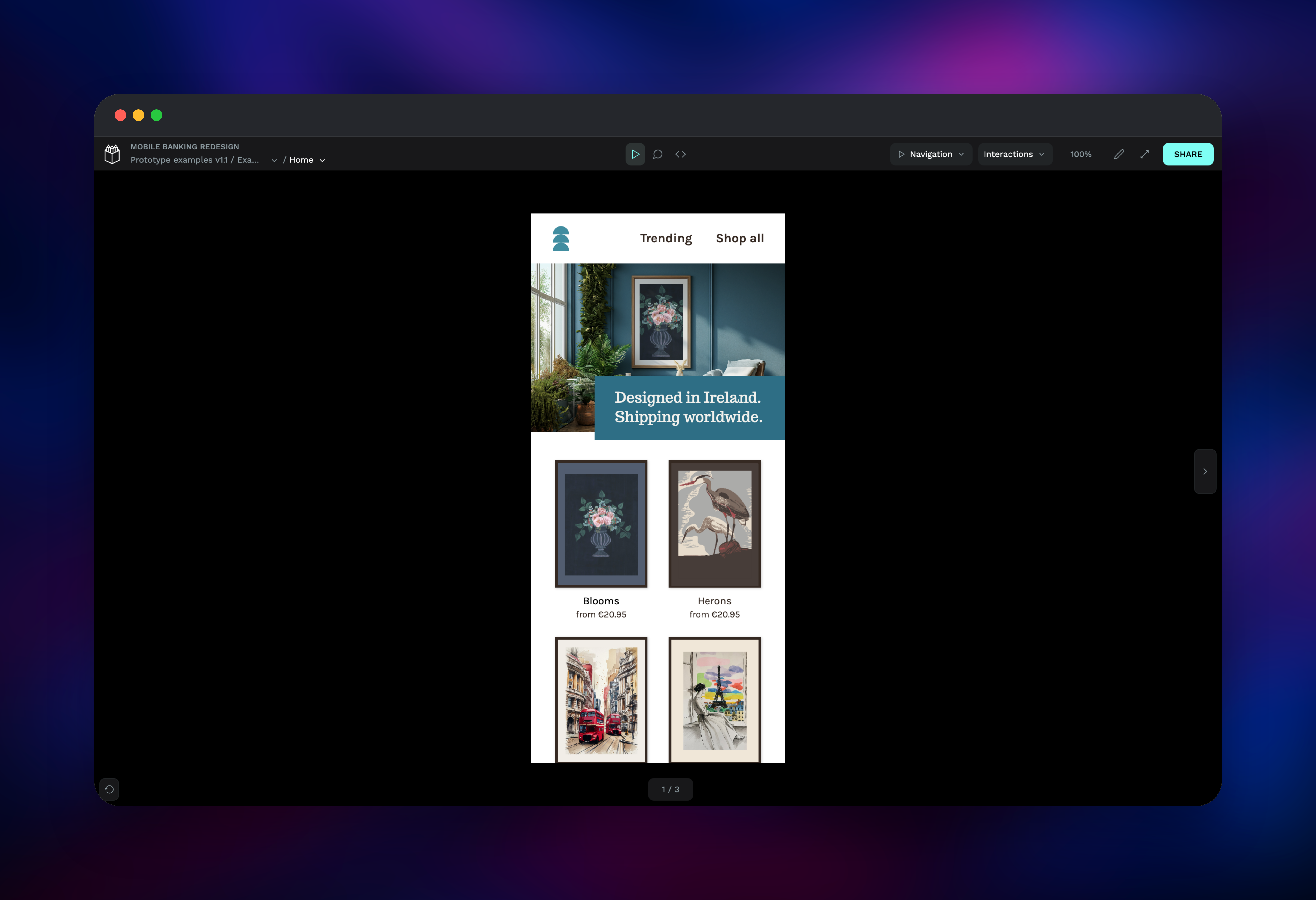
About Hosting Penpot
Penpot covers the whole product design loop: CSS Grid and Flex layout, components with variants, W3C DTCG design tokens, interactive prototypes, threaded comments, and a developer Inspect mode generating CSS, SVG and HTML with no paid seat attached. Because the model is web-native, a Penpot component behaves like the markup an engineer will eventually write.
- Real-time multiplayer editing with presence and comments
- Components, variants and shared team libraries
- Design tokens with import, export and library sync
- Interactive prototypes with a viewer and share links
- Free developer handoff: CSS, SVG and HTML inspection
- A plugin API and an official MCP server
- Import
.figand.svg; export PNG, SVG and PDF
The frontend is nginx: it serves the compiled application and reverse-proxies /api, /ws/notifications, /assets and /mcp/*, so it is the only service needing a public domain. The backend owns the API, migrations, worker and cron scheduler, coordinated through Postgres row locks so replicas and overlapping deploys stay safe. The exporter runs headless Chromium, and the MCP server works in multi-user mode, so tool calls act only for a token issued from Penpot's Integrations page. Postgres stores documents and sessions, Redis fans out notifications and routes MCP tasks, and the bucket holds images, fonts and thumbnails.
Why Deploy Penpot on Railway
Railway removes the infrastructure work self-hosting Penpot adds:
- Postgres, Redis and object storage provisioned and wired for you
- Every service private except the frontend
- TLS, custom domains and health checks handled for you
- Horizontal scaling without touching the topology
- Deploy logs and metrics per service
Common Use Cases
- Design in regulated environments — health, finance and public-sector teams that cannot send files off-network.
- Design systems as code — keep tokens and libraries beside the codebase, exporting DTCG JSON into a build.
- Client-facing prototyping — share prototypes by link without a seat for every reviewer.
- AI-assisted design — point an MCP client at the bundled server to generate or refactor boards.
Dependencies for Penpot
penpotapp/frontend:2.17.1— nginx, serves the app and proxies the restpenpotapp/backend:2.17.1— API, migrations, worker and schedulerpenpotapp/exporter:2.17.1— Chromium renderer for PNG, SVG and PDFpenpotapp/mcp:2.17.1— official Model Context Protocol serveraxllent/mailpit:latest— capture-only SMTP inbox for verification and invites- Railway managed PostgreSQL, Redis and an object storage bucket
All four Penpot images share a tag on purpose: they derive keys from one secret, and the MCP plugin refuses a backend on a different version. Upgrade them together.
Environment Variables Reference
| Variable | Service | Purpose |
|---|---|---|
PENPOT_PUBLIC_URI | frontend, backend, exporter | Public base URL in links and mail |
PENPOT_SECRET_KEY | backend | Master key for sessions and invitations |
PENPOT_OBJECTS_STORAGE_BACKEND | backend | s3 for the bucket, fs for a volume |
PENPOT_REGISTRATION_DOMAIN_WHITELIST | backend | Restrict sign-ups by domain |
MP_UI_AUTH | mailpit | Basic-auth credentials for the inbox |
Deployment Dependencies
- Source: penpot/penpot, MPL-2.0
- Images: penpotapp on Docker Hub
- Self-hosting guide: help.penpot.app
- Config reference: help.penpot.app
Hardware Requirements for Self-Hosting Penpot
| Resource | Minimum | Recommended |
|---|---|---|
| CPU | 2 vCPU | 4 vCPU |
| RAM | 4 GB | 16 GB |
| Storage | 10 GB | 50–100 GB, elastic |
| Runtime | Docker / OCI | Docker / OCI |
Memory grows with concurrent editors, not file count, and the exporter is spikiest — each export starts a Chromium instance, its pool defaulting to five. Penpot suggests starting Postgres near 50 GB for ten editors, adding 5 GB per extra user.
Self-Hosting Penpot with Docker
Penpot publishes a reference Compose file with the same services this template deploys. These shell commands fetch and run it:
wget https://raw.githubusercontent.com/penpot/penpot/main/docker/images/docker-compose.yaml
docker compose -f docker-compose.yaml -p penpot up -d
That default stores assets on a volume shared between frontend and backend. To use object storage instead — what this template does, keeping both stateless — set these on the backend:
PENPOT_OBJECTS_STORAGE_BACKEND=s3
PENPOT_OBJECTS_STORAGE_S3_ENDPOINT=https://your-s3-endpoint
PENPOT_OBJECTS_STORAGE_S3_BUCKET=your-bucket-name
PENPOT_OBJECTS_STORAGE_S3_REGION=your-region
AWS_ACCESS_KEY_ID=your-access-key
AWS_SECRET_ACCESS_KEY=your-secret-key
Penpot then answers asset requests with a redirect to a presigned URL and the frontend streams the object back, so the bucket stays private.
How Much Does Penpot Cost to Self-Host?
Penpot is free and open source under MPL-2.0, with no editor seats, feature gating or usage caps in the self-hosted build. Kaleidos sells a hosted plan at penpot.app, but the software you deploy here is the same. Your only cost is infrastructure: containers, Postgres, Redis, the bucket and bandwidth.
FAQ
What is Penpot? Penpot is an open-source design and prototyping platform that runs in the browser. Teams use it for UI design, design systems, tokens and interactive prototypes, and it self-hosts so files never leave your infrastructure.
What does this Railway template deploy? Seven services — the Penpot frontend, backend, exporter and MCP server, a Mailpit inbox, plus managed Postgres and Redis — with an object storage bucket for media and thumbnails.
Why does this template include Postgres, Redis and object storage? Postgres stores every design document, user and session. Redis carries the WebSocket notifications that make multiplayer editing work and routes MCP tasks between instances. Object storage holds uploaded images, fonts and thumbnails, keeping the app containers stateless.
How do I stop strangers registering on my Penpot instance?
Set PENPOT_REGISTRATION_DOMAIN_WHITELIST to a comma-separated list of allowed email domains, or add disable-registration to PENPOT_FLAGS once your team has accounts. Because verification mail is captured rather than delivered, an unknown sign-up cannot activate itself meanwhile.
Can I connect an AI assistant to self-hosted Penpot?
Yes. The MCP server runs in multi-user mode at /mcp/stream and /mcp/sse on the public URL. Issue a key from Penpot's Integrations page — tool calls without a valid user token are rejected.
Template Content
penpot-frontend
gridalpha/penpot-railwaypenpot-exporter
penpotapp/exporter:2.17.1Redis
redis:8.2penpot-mcp
penpotapp/mcp:2.17.1mailpit
axllent/mailpit:latestpenpot-backend
penpotapp/backend:2.17.1penpot-assets
Bucket


