
Deploy Phoenix | Open Source LLM Observability on Railway
Self-host Arize Phoenix LLM. Tracing, evals, datasets, experiments & more

Just deployed
/var/lib/postgresql/data
Phoenix
Just deployed
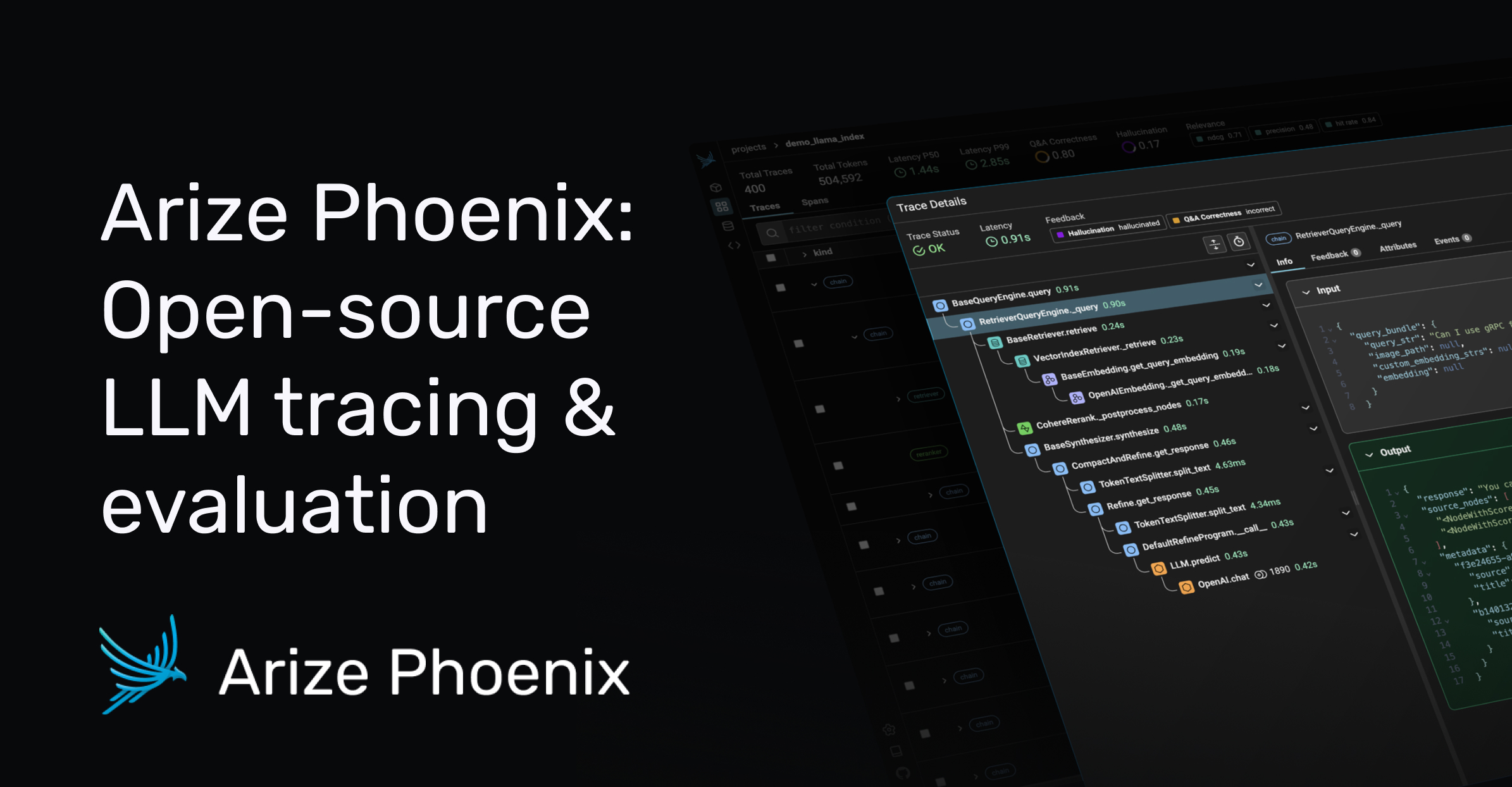
Deploy and Host Phoenix on Railway

Self-host Phoenix to gain full visibility into LLM applications — tracing, evaluation, datasets, experiments, and prompt management for any AI stack. Phoenix is the open-source observability layer behind Arize, built on OpenTelemetry so it works with LangChain, LlamaIndex, DSPy, CrewAI, OpenAI Agents SDK, and any framework that emits OpenInference spans.
This template deploys Phoenix on Railway as a single container (arizephoenix/phoenix:15.1.0) backed by a managed Railway Postgres for durable trace, dataset, and experiment storage. Authentication is enabled, secure cookies are on, and a strong-password policy is active by default — so the deploy is production-ready the moment it goes live.
Getting Started with Phoenix on Railway
Once the deploy is healthy, open the public Railway URL in a browser and sign in as admin@localhost using the value Railway generated for PHOENIX_DEFAULT_ADMIN_INITIAL_PASSWORD. Change the admin password from your profile menu — the initial value is bootstrap-only. Create your first project under Projects, then mint an API key under Settings → API Keys. Point any OpenInference-instrumented application at https:///v1/traces (OTLP/HTTP) with Authorization: Bearer and your spans show up live. Optional: import a dataset, run prompt experiments in the Playground, and configure SMTP env vars if you want password-reset emails.

About Hosting Phoenix
Phoenix is an open-source AI/LLM observability platform from Arize that captures every span in your model call graph — prompts, tool calls, retrieval steps, agent decisions — and lets you evaluate, debug, and iterate on them. It runs as a single Python service that doubles as an OTLP collector and a web UI, persists data to a relational store, and ships with built-in LLM-as-judge evaluators for relevance, hallucination, Q&A correctness, and toxicity.
Key features:
- OpenTelemetry-based tracing for any LLM framework via the OpenInference auto-instrumentors
- Built-in evals: RAG relevance, hallucination detection, Q&A correctness, custom evaluators
- Datasets and experiments for repeatable prompt and model comparison
- Prompt playground with versioning and template management
- Cost, latency, and token analytics on every trace
- Local username/password auth with brute-force protection out of the box
This template runs Phoenix in single-container mode with Postgres as the backing store — no Redis, no separate worker, no shared volume.
Why Deploy Phoenix on Railway
Railway gives Phoenix a one-click home with the production hardening already wired in:
- HTTPS, CDN, and TLS termination handled automatically at the edge
- Managed Postgres with built-in backups via
${{Postgres.DATABASE_URL}} - Vertical autoscaling up to 32 GB / 32 vCPU as trace volume grows
- Private networking between Phoenix and Postgres — no public DB exposure
- Zero-downtime redeploys when you bump the image tag
Common Use Cases
- Tracing LLM agents in production — debug failed tool calls, slow retrieval steps, and runaway loops in CrewAI, LangGraph, and OpenAI Agents SDK applications.
- Evaluating RAG pipelines — score retrieval relevance and answer faithfulness across thousands of queries, compare chunking strategies, catch hallucinations.
- Prompt iteration with experiments — run prompt variants over a dataset, score outputs with LLM-as-judge, ship the winner.
- Cost and latency analytics — sort spans by token spend or p95 latency to find expensive routes before your bill explodes.
Dependencies for Phoenix on Railway
arizephoenix/phoenix:15.1.0— the Phoenix container (UI + OTLP collector + evals)- Railway-managed Postgres — durable storage for traces, datasets, experiments, users
Phoenix Environment Variables Reference
| Variable | Purpose |
|---|---|
PHOENIX_SQL_DATABASE_URL | Postgres connection string (set to ${{Postgres.DATABASE_URL}}) |
PHOENIX_ENABLE_AUTH | Toggles built-in username/password auth |
PHOENIX_SECRET | JWT signing key (≥32 chars; 64 recommended) |
PHOENIX_DEFAULT_ADMIN_INITIAL_PASSWORD | Bootstrap-only password for admin@localhost |
PHOENIX_USE_SECURE_COOKIES | Required when serving over HTTPS |
PHOENIX_ROOT_URL | Public origin used for cookies and CSRF |
PHOENIX_CSRF_TRUSTED_ORIGINS | Comma-separated trusted origins for state-changing requests |
PHOENIX_DEFAULT_RETENTION_POLICY_DAYS | Days to keep trace data (default 0 = forever) |
Deployment Dependencies
- Runtime: Python (distroless, non-root, multi-arch)
- Image: arizephoenix/phoenix on Docker Hub
- Source: Arize-ai/phoenix on GitHub
- Self-hosting docs: arize.com/docs/phoenix/self-hosting
- License: Elastic License 2.0
Hardware Requirements for Self-Hosting Phoenix on Railway
| Resource | Minimum | Recommended |
|---|---|---|
| CPU | 0.1 vCPU | 0.5 vCPU |
| RAM | 512 MB | 1 GB (2 GB+ for heavy trace volume) |
| Storage | 1 GB Postgres | 10–20 GB Postgres for active workloads |
| Runtime | Python (Phoenix container) | Python (Phoenix container) |
Phoenix queues up to 20,000 spans in memory by default at roughly 50 KiB per span, so memory scales with ingest rate. Bump RAM if you see span backpressure in the logs.
Self-Hosting Phoenix with Docker
Quickest local trial with Postgres:
docker run -d --name phoenix-pg -e POSTGRES_PASSWORD=phoenix -p 5432:5432 postgres:16
docker run -d --name phoenix \
  -p 6006:6006 -p 4317:4317 \
  -e PHOENIX_SQL_DATABASE_URL=postgresql://postgres:phoenix@host.docker.internal:5432/postgres \
  -e PHOENIX_ENABLE_AUTH=True \
  -e PHOENIX_SECRET=$(openssl rand -hex 32) \
  arizephoenix/phoenix:15.1.0
Or send a trace from a Python app:
pip install arize-phoenix-otel openinference-instrumentation-openai
python -c "from phoenix.otel import register; register(endpoint='https://YOUR-RAILWAY-URL/v1/traces', headers={'Authorization':'Bearer YOUR_API_KEY'}, auto_instrument=True)"
How Much Does Phoenix Cost to Self-Host?
Phoenix itself is free and open-source under the Elastic License 2.0 — no seat fees, no event caps, no feature gating. The only cost is Railway's compute, Postgres, and bandwidth. A typical small-team deploy runs $5–$15/month on Railway. The hosted Arize AX platform (Arize's commercial SaaS) starts around $50/month for the Pro tier with a 50K-span allowance, so self-hosting on Railway is the budget-friendly path for most teams.
FAQ
What is Phoenix and why self-host it? Phoenix is Arize's open-source LLM observability platform — tracing, evals, datasets, prompt management. Self-hosting keeps every prompt, completion, and PII-laden trace inside your own infrastructure instead of routing it through a third-party SaaS.
What does this Railway template deploy?
A single Phoenix container (arizephoenix/phoenix:15.1.0) plus a managed Railway Postgres. Authentication, secure cookies, CSRF trusted origins, and a strong-password policy are pre-configured for HTTPS production use.
Why does the template include Postgres instead of using the built-in SQLite mode? Postgres is the production-grade backend recommended by the Phoenix Helm chart. SQLite works for local trial but loses data if the container restarts without a volume, and concurrent writes are limited.
How do I send traces to my self-hosted Phoenix on Railway?
Use any OpenInference instrumentation (OpenAI, LangChain, LlamaIndex, etc.) and point its OTel exporter at https:///v1/traces with an Authorization: Bearer header. The API key is created from Phoenix's Settings page after login.
How do I integrate Phoenix with LangChain or LlamaIndex on Railway?
Install the matching OpenInference auto-instrumentor (openinference-instrumentation-langchain or openinference-instrumentation-llama-index), then call phoenix.otel.register(endpoint=…, auto_instrument=True) once at startup — every chain or query is traced automatically.
Is Phoenix free for commercial use? Yes. The Elastic License 2.0 lets any company self-host Phoenix internally for free. The only restriction is reselling Phoenix as a managed/hosted competing service.
Where is the default admin password and how do I change it?
The first admin is admin@localhost and the password is whatever Railway generated for PHOENIX_DEFAULT_ADMIN_INITIAL_PASSWORD. Change it from the user menu in the UI on first login — that env var is read once at bootstrap and ignored afterwards.
Phoenix vs LangSmith vs Langfuse
| Feature | Phoenix | LangSmith | Langfuse |
|---|---|---|---|
| Open source | Yes (ELv2) | No | Yes (MIT core) |
| Self-hostable | Yes | Enterprise tier only | Yes |
| Framework | Any (OpenInference / OTel) | LangChain-first | Any |
| Built-in evals | Yes | Yes | Limited |
| Prompt playground | Yes | Yes | Yes |
| Datasets & experiments | Yes | Yes | Yes |
Phoenix wins on framework-agnostic tracing, deep agent support, and free unrestricted self-hosting. LangSmith leads if you live entirely inside LangChain. Langfuse has stronger prompt management and a generous cloud free tier.
Template Content
Phoenix
arizephoenix/phoenix:15.1.0PHOENIX_DEFAULT_ADMIN_INITIAL_PASSWORD
Bootstrap-only admin password. The default email is: admin@localhost