Deploy PicoClaw
Tiny self-hosted AI assistant with file, shell and cron tools
picoclaw
Just deployed
/data
Deploy and Host PicoClaw on Railway
PicoClaw is an ultra-lightweight personal AI assistant written from scratch in Go by the embedded-hardware company Sipeed. It gives you a private chat agent that reads and writes files, runs shell commands, searches the web, schedules cron jobs and calls any Model Context Protocol server — a heavyweight assistant's feature set in one static binary that idles around 10–20 MB of RAM and boots in under a second. It was built so an assistant could live on a $10 RISC-V board rather than a workstation, which is why it fits a small cloud container.
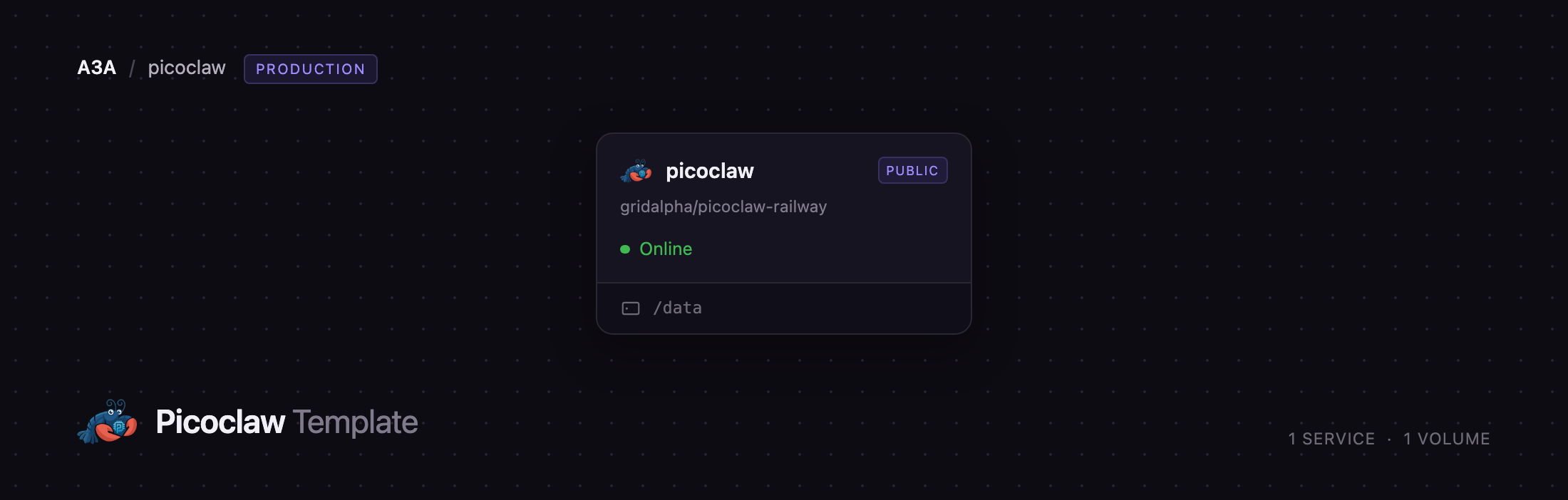
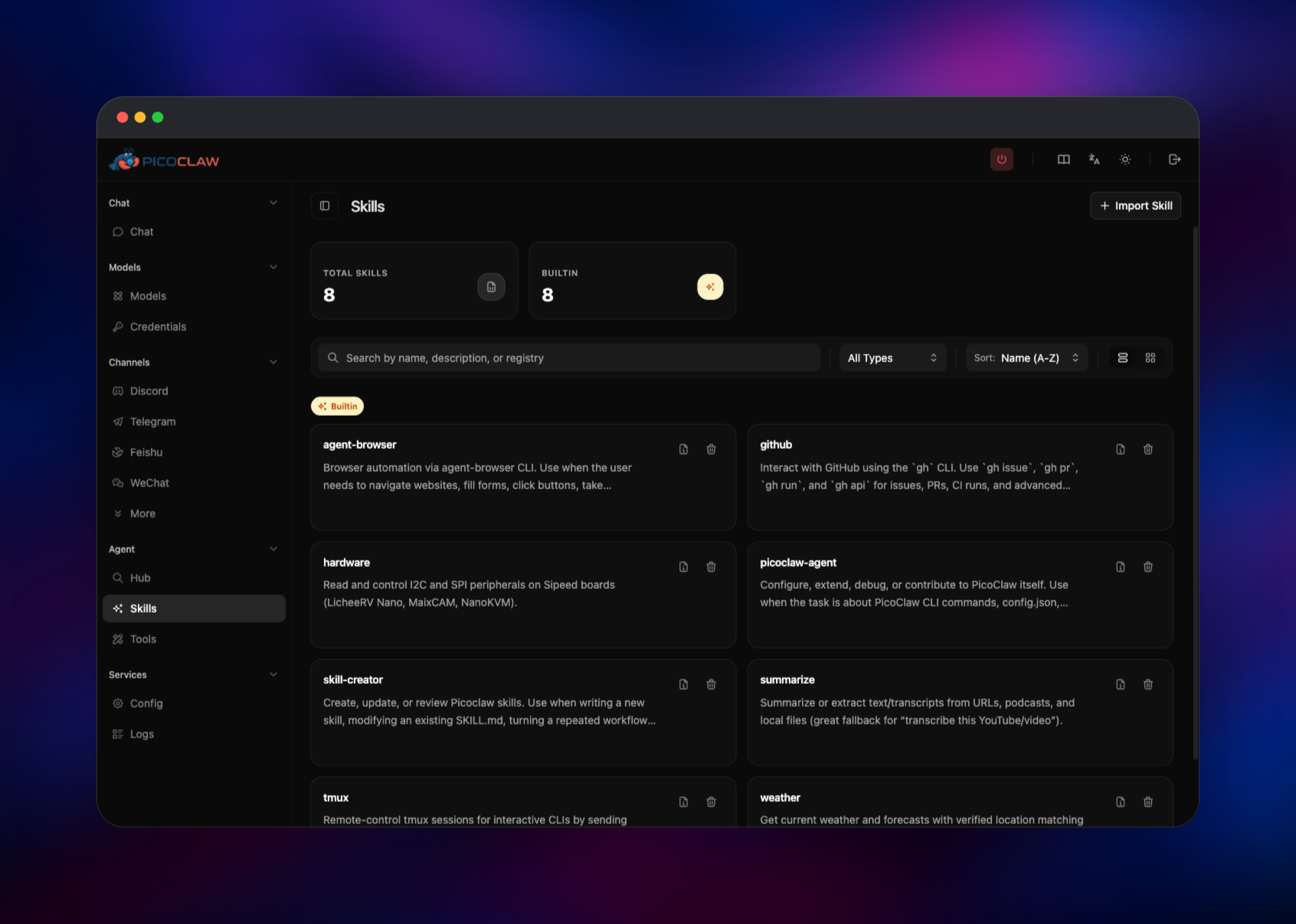
Deploy PicoClaw on Railway and you get the full Web UI build, not the headless one. The template runs one service, picoclaw, built from the gridalpha/picoclaw-railway repository on top of the official sipeed/picoclaw:launcher image. It serves the dashboard on Railway's public URL and supervises the agent gateway as a child process on an internal port that is never exposed. A volume at /data holds model settings, encrypted provider credentials, skills, cron jobs, chat memory and the dashboard password — which is seeded from a Railway variable before the server answers its first request, so there is no window in which a stranger can claim your instance.
Getting Started with PicoClaw on Railway
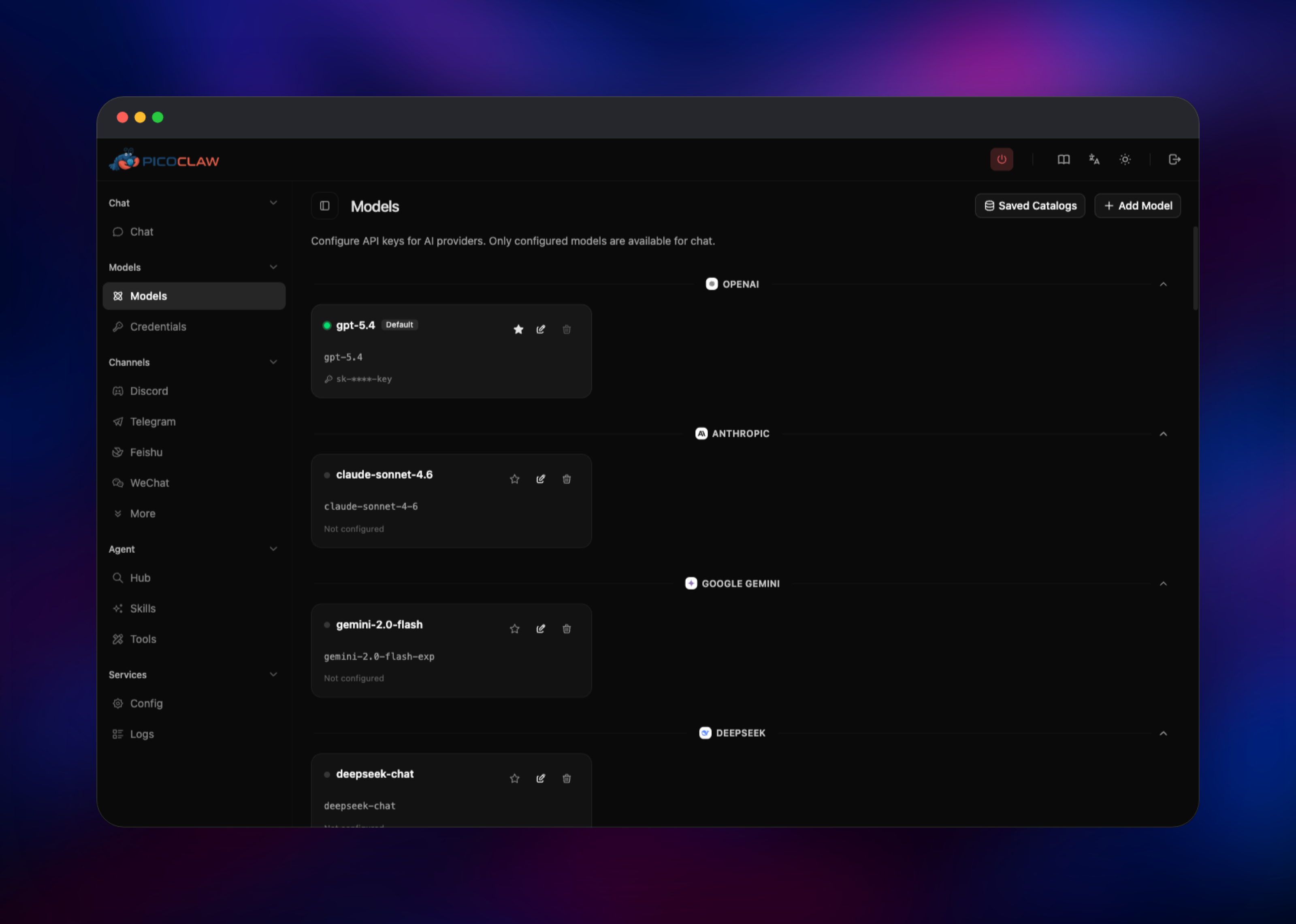
Set PICOCLAW_DASHBOARD_PASSWORD when you deploy — at least eight characters, and the container refuses to start without it. Open the generated Railway URL and you land on a sign-in screen asking only for that password: no username, no public registration, so nobody else can create an account. Go to Models, click the pencil icon next to any provider — OpenAI, Anthropic, Google Gemini, DeepSeek, OpenRouter, Groq, Mistral and about twenty more are pre-listed — paste your API key and toggle Default Model. PicoClaw bundles no key, so this is the one thing you must supply before the assistant can think.
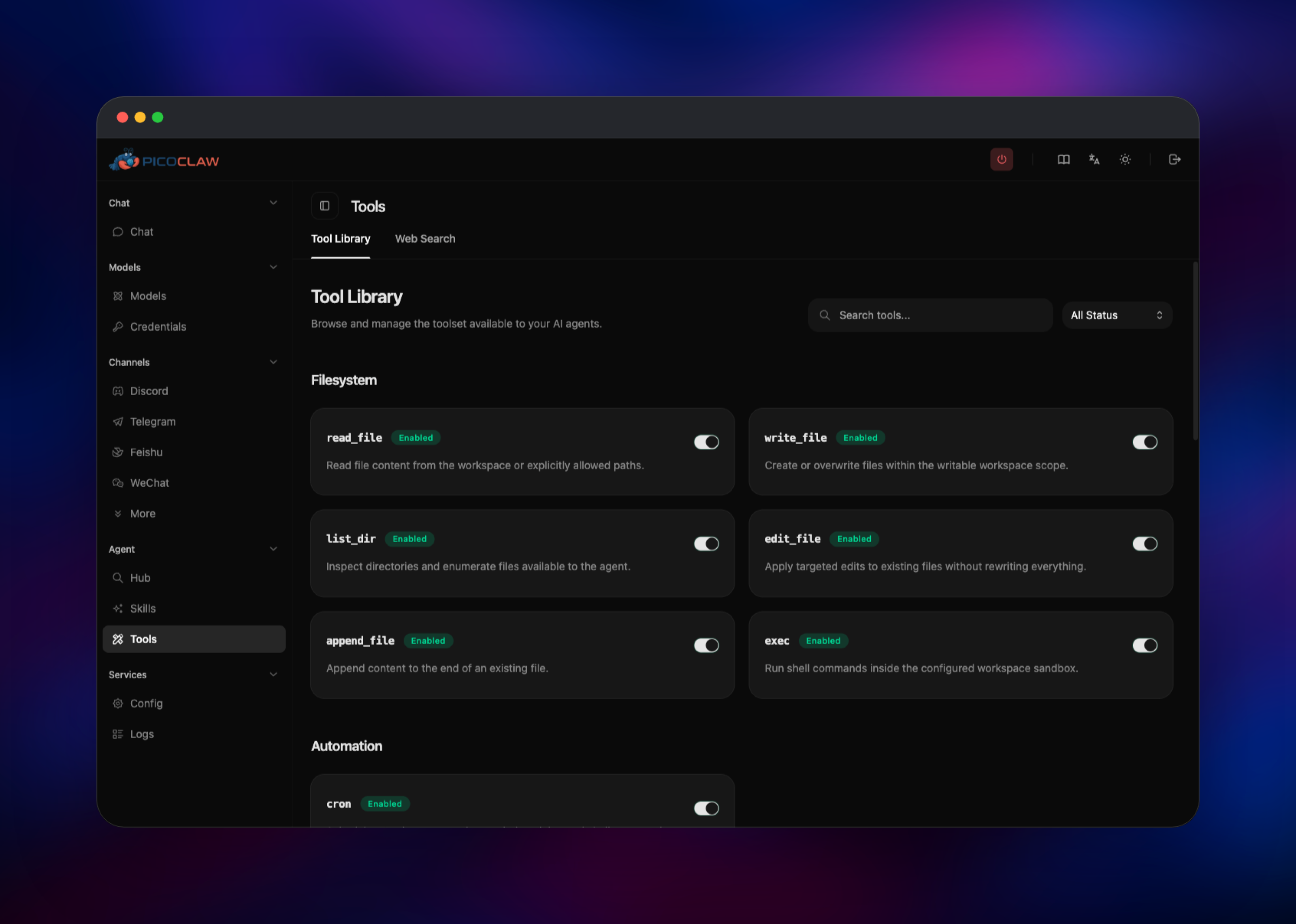
With a model saved, press Start Gateway and check Services → Logs: a healthy start prints the tool and skill counts, Cron service started and Gateway started. Open Chat and ask something — that first reply proves the credential, the gateway and the tool loop are wired up. Agent → Tools switches capabilities such as exec and write_file on or off, and Channels connects the assistant to Telegram, Discord, Slack, Matrix, Feishu, DingTalk, IRC or MQTT so you can talk to it from a phone. Set allow_from on any channel you enable, or anyone who finds the bot can drive an agent that holds a shell.
About Hosting PicoClaw
Most self-hosted AI assistants assume a beefy always-on machine. PicoClaw inverts that: it compiles to one dependency-free binary for x86-64, ARM64, RISC-V, MIPS and LoongArch, so the same build runs on a single-board computer, an old Android phone or a cloud container. Self-hosting matters because it holds your provider keys, reads your files and runs shell commands on your behalf.
Key features:
- Bring your own model — two dozen providers, plus local Ollama, vLLM and LM Studio endpoints
- Real tools, not just chat — filesystem read/write/edit, sandboxed shell
exec, cron, web search and fetch - Native Model Context Protocol support, plus importable skill packs — eight built in
- Twenty chat channels — Telegram, Discord, Slack, Matrix, IRC, MQTT, Feishu, DingTalk and more
- Rule-based model routing and
spawnsub-agents for background work
The Railway deployment is deliberately flat. The picoclaw service runs the launcher, which serves the dashboard and starts the gateway process owning the agent loop, the cron scheduler and every channel connection. There is no database, queue or worker tier: state is plain files — JSON config, an encrypted .security.yml credential store, a SQLite password file and JSONL memory — all on the one volume.
Why Deploy PicoClaw on Railway
Railway gives the assistant a stable home without the maintenance of a home server:
- Always-on public HTTPS URL, certificates handled for you
- Persistent volume so credentials, skills and memory survive redeploys
- The dashboard password is seeded at boot, so the instance is never briefly unclaimed
- Redeploys on every push to the source repo
Common Use Cases
- A private assistant you own — chat from a browser or phone with your own provider key
- Scheduled automation —
cronruns recurring reports or health checks and messages you the results - A capable team chat bot — drop it into a Discord or Slack room where it searches the web and summarises links
- An MCP front end — a chat interface over your own systems
Dependencies for PicoClaw
- PicoClaw —
sipeed/picoclaw:launcher, the official Web-UI-plus-gateway image. The plainsipeed/picoclaw:latesttag is the headless gateway, no dashboard. - A volume at
/data— required, or every redeploy returns a blank assistant. - An LLM provider key — yours, added in the dashboard after deploy. None is bundled, and none is needed to reach the dashboard.
Environment Variables Reference
| Variable | Required | Description |
|---|---|---|
PICOCLAW_DASHBOARD_PASSWORD | Yes | Web UI password, minimum 8 characters. Change it in the UI later and it sticks. |
PORT | No | Dashboard port. Defaults to 8080, which Railway health-checks. |
PICOCLAW_HOME | No | Where state lives. Defaults to /data/picoclaw, one level below the mount. |
PICOCLAW_GATEWAY_HOST | No | Bind address for the internal gateway. Leave unset. |
Provider keys, channel tokens and MCP servers are set in the Web UI and stored on the volume, not as Railway variables.
Deployment Dependencies
- Source repository:
- Upstream: (MIT)
- Docker image:
- Docs:
Hardware Requirements for Self-Hosting PicoClaw
| Resource | Minimum | Recommended |
|---|---|---|
| CPU | 1 shared vCPU | 1–2 vCPU |
| RAM | 256 MB | 512 MB – 1 GB |
| Storage | 1 GB volume | 5 GB volume |
| Runtime | None — static Go binary | None |
The agent is tiny; headroom is for the workspace, skills, chat history and whatever exec runs.
Self-Hosting PicoClaw with Docker
Outside Railway the official image runs with one command. Mount a volume so state survives restarts:
docker run -d --name picoclaw \
  -p 18800:18800 \
  -v picoclaw-data:/root/.picoclaw \
  sipeed/picoclaw:launcher
On first run it creates its config and prints the dashboard address. To self-host PicoClaw from source, build both binaries — Go 1.25+, and Node.js 22+ with pnpm for the Web UI:
git clone https://github.com/sipeed/picoclaw.git
cd picoclaw
make deps
(cd web/frontend && pnpm install --frozen-lockfile)
make build
make build-launcher
./build/picoclaw-launcher -public -no-browser
For a headless box, picoclaw onboard writes ~/.picoclaw/config.json and picoclaw gateway runs the agent from that file alone.
Is PicoClaw Free to Self-Host?
PicoClaw is fully open source under the MIT licence, with no paid tier, seat limits or feature gating. Self-hosting costs nothing in software, and on Railway you pay only for the container and the volume — the assistant idles at a few tens of megabytes, so it is among the cheapest services you can run. The real cost is inference: bring your own provider key and pay that provider directly, or point PicoClaw at a local model endpoint.
FAQ
What is PicoClaw?
An open-source personal AI assistant written in Go by Sipeed. It connects to an LLM provider of your choosing and gives that model real tools — files, shell, cron, web search and MCP servers — behind a browser dashboard or a chat channel.
What does this Railway template deploy?
One service named picoclaw, built from gridalpha/picoclaw-railway on top of sipeed/picoclaw:launcher, with a volume at /data and a public HTTPS URL.
Why does the template need a volume?
PicoClaw stores everything as files rather than in a database: model configuration, encrypted provider credentials, skills, cron jobs, chat memory and the dashboard password hash. Railway replaces the container on every deploy, so without a volume all of that is lost each time.
Do I need an OpenAI key to deploy it?
No. The template deploys and the dashboard works with no provider key. You add your own — from roughly two dozen supported providers, or a local Ollama or vLLM endpoint — in the UI before starting the gateway.
How do I secure a self-hosted PicoClaw instance on the public internet?
The dashboard is password-protected out of the box and the password is set before the server accepts its first request, so the instance is never claimable. Use a long generated password, and if you connect a chat channel set its allow_from list to your own user ID — the agent has shell access, so an open channel is an open shell. Note that each redeploy issues a new session key and signs you out; the password itself is unchanged.
Template Content
picoclaw
gridalpha/picoclaw-railway

