
Deploy PinchTab - Railway Template
Headless Chromium as a REST API. Give your AI agent eyes and hands
pinchtab
Just deployed
/data
Deploy and Host PinchTab on Railway

PinchTab is a browser automation bridge that exposes a REST API for controlling Chromium. Built for AI agents, it ships as a 12 MB Go binary with an embedded dashboard — no Selenium, no Puppeteer, no separate browser service. One-click deploy on Railway.
About Hosting PinchTab on Railway
PinchTab runs as a single container that manages multiple isolated Chrome instances, each identified by a profile. It listens on Railway's injected PORT, serves a built-in React dashboard at /dashboard, and exposes its full REST API at /. Authentication is handled via a Bearer token set through the BRIDGE_TOKEN environment variable. A Railway Volume mounted at /data is optional but recommended for persisting browser profiles and state across deploys. The service starts in headless mode by default and is ready to accept requests immediately after the health check passes.
Common Use Cases
- AI agent browser backend — give your agent real browser access over a REST API; works with OpenClaw, MCP, LangChain, and any HTTP client
- Hosted web scraping — maintain persistent authenticated sessions with ~800 tokens per page extraction versus ~10,000 for screenshot-based approaches
- RPA and form automation — navigate, click, type, and extract data from any website at 93% lower token cost than vision-based workflows
- Visual regression and E2E testing — run a remote Chrome instance accessible over HTTPS from any CI pipeline or test runner
Dependencies for PinchTab Hosting
- Chromium — bundled in the Docker image via the Alpine chromium package; no separate browser service needed
- Railway Volume (optional) — mount at /data and set BRIDGE_STATE_DIR=/data to persist profiles across deploys
Deployment Dependencies
- PinchTab source and documentation
- OpenClaw plugin for PinchTab
- Railway Volumes docs
- Railway Variables docs
- Railway Config-as-Code reference
Implementation Details
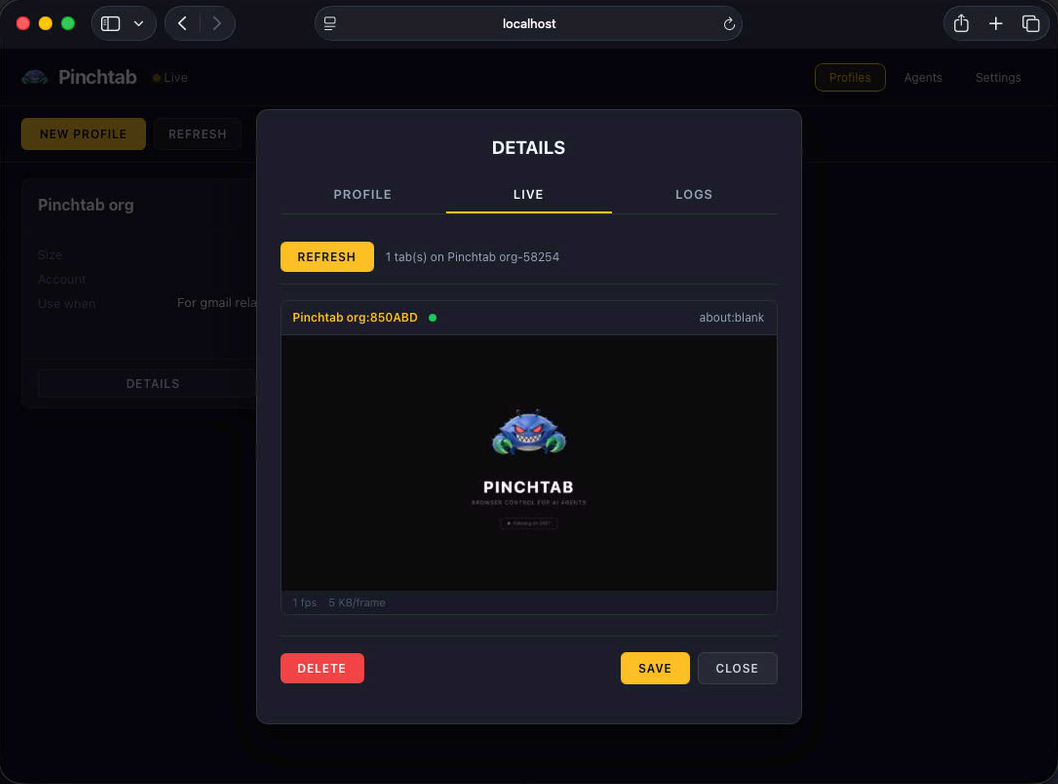
Once deployed, open /dashboard in your browser. Go to Settings, enter your BRIDGE_TOKEN value in the Auth Token field, and click Apply Settings. Then go to Profiles to create a browser profile and launch an instance.
To use with OpenClaw, install the plugin and point it at your Railway service URL with your token:
openclaw plugins install @pinchtab/openclaw-plugin
openclaw gateway restart
Set baseUrl to your Railway public domain and token to your BRIDGE_TOKEN in ~/.openclaw/config.json5.
To use via HTTP directly, navigate to a page and extract text:
curl -X POST https://YOUR_RAILWAY_DOMAIN/navigate -H "Authorization: Bearer YOUR_TOKEN" -H "Content-Type: application/json" -d '{"url":"https://example.com"}'
curl https://YOUR_RAILWAY_DOMAIN/text -H "Authorization: Bearer YOUR_TOKEN"
The required variable is BRIDGE_TOKEN — generate one with: openssl rand -hex 32
Why Deploy PinchTab on Railway?
Railway is a singular platform to deploy your infrastructure stack. Railway will host your infrastructure so you don't have to deal with configuration, while allowing you to vertically and horizontally scale it.
By deploying PinchTab on Railway, you are one step closer to supporting a complete full-stack application with minimal burden. Host your servers, databases, AI agents, and more on Railway.
Template Content
pinchtab
8u9i/pinchtab