
Deploy Piwigo
Photo gallery for publishing and organising picture collections

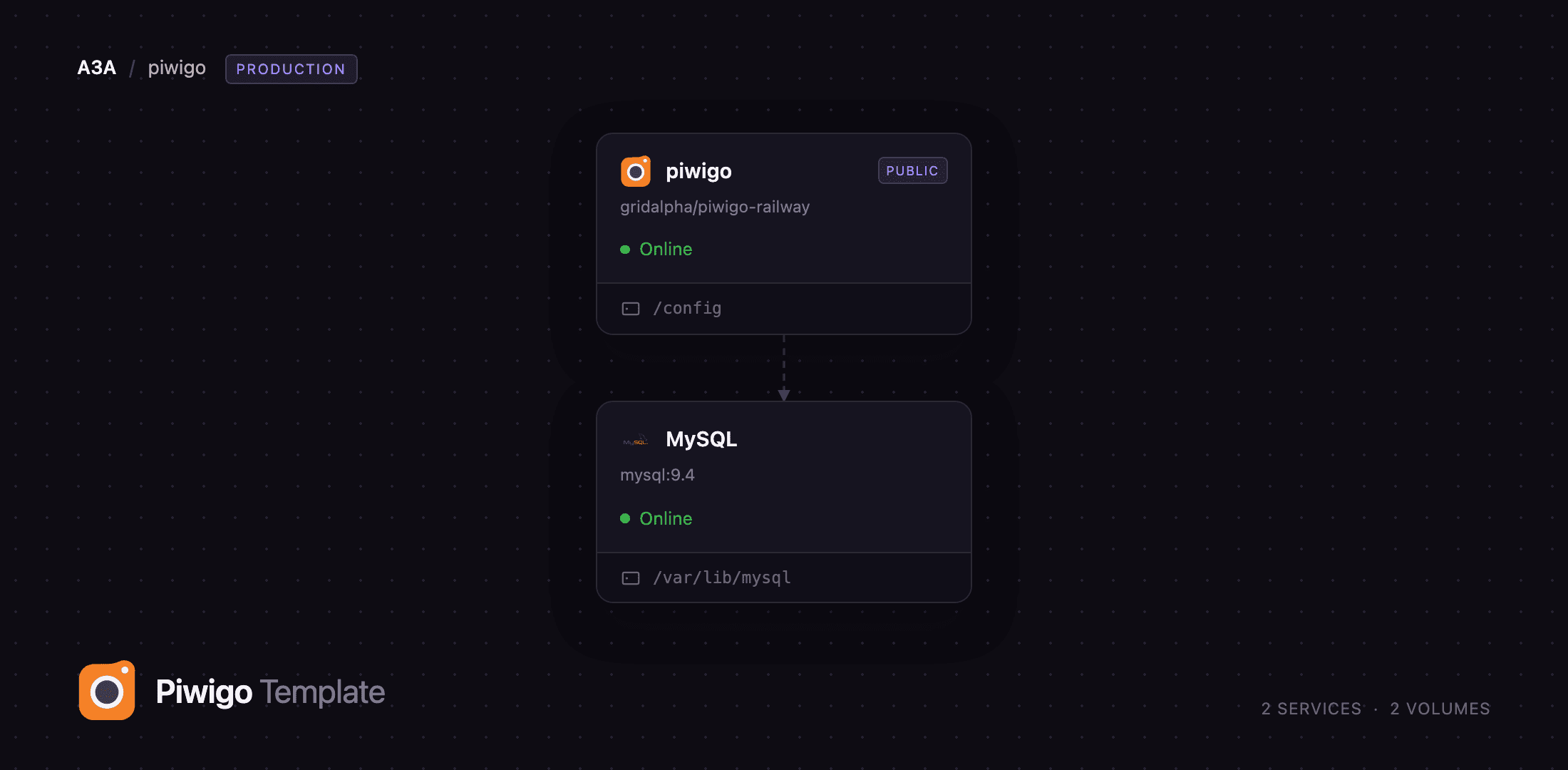
MySQL
Just deployed
/var/lib/mysql
piwigo
Just deployed
/config
Deploy and Host Piwigo on Railway
Piwigo is an open-source photo gallery for the web, in development since 2002 and used by museums, universities, photographers and families to publish picture collections. It handles what a folder of JPEGs cannot: albums and sub-albums, tags, EXIF and IPTC metadata, search, per-album permissions, user accounts, generated display sizes, and a batch manager for thousands of photos at once. Self-host Piwigo and the originals stay on storage you control, with no per-seat pricing and no quota.
This template runs Piwigo as two Railway services. piwigo serves the gallery and the admin over nginx and PHP 8.4, with a volume at /config holding the photo library, plugins, themes and every generated thumbnail; MySQL is a Railway-managed database holding albums, tags, users and permissions. Visitors reach piwigo over its public domain, the database stays on the private network, and the gallery installs itself on first boot — the administrator account you name in the variables exists before the site answers its first request, so the installation wizard is never claimable from the internet.
Getting Started with Piwigo on Railway
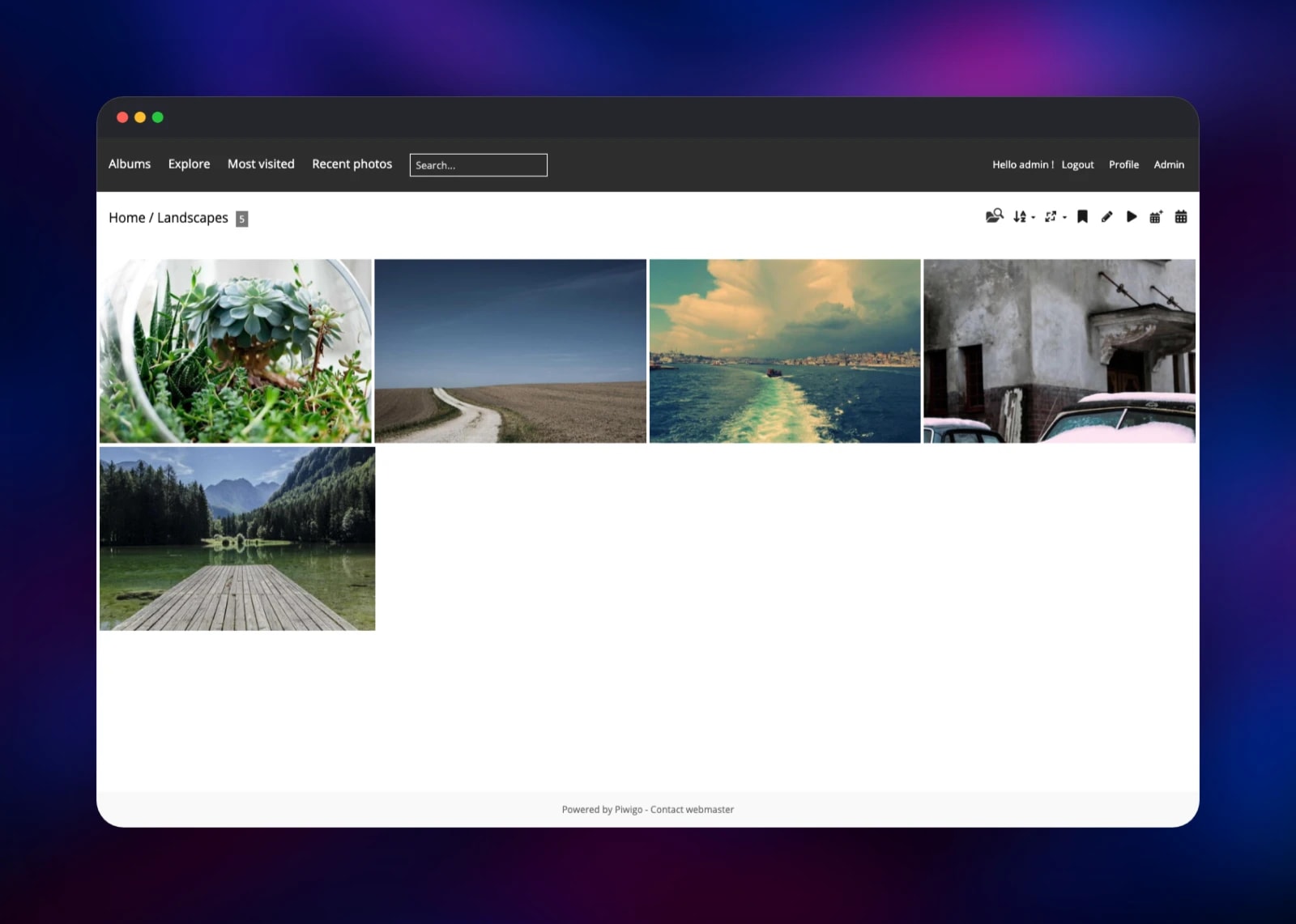
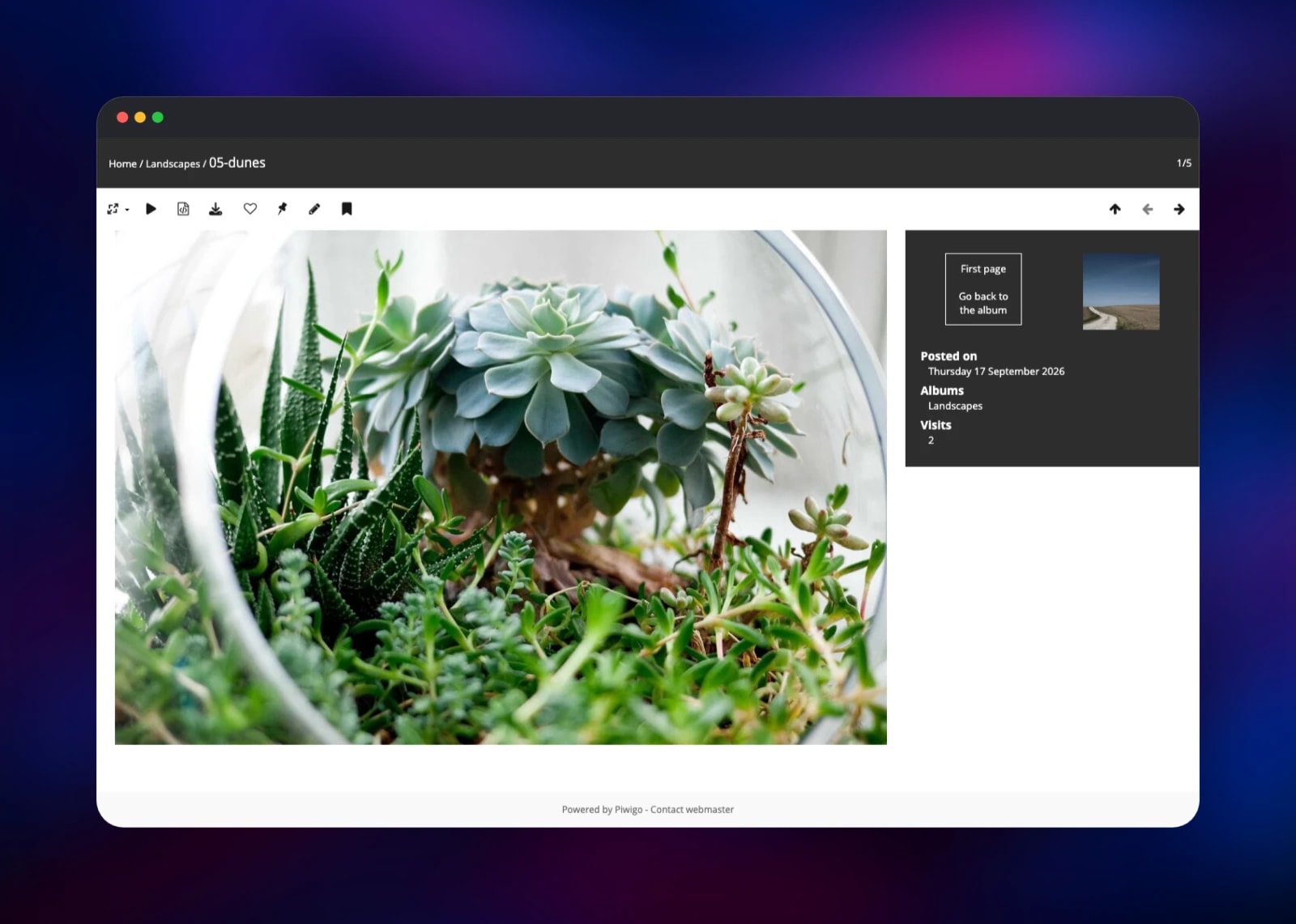
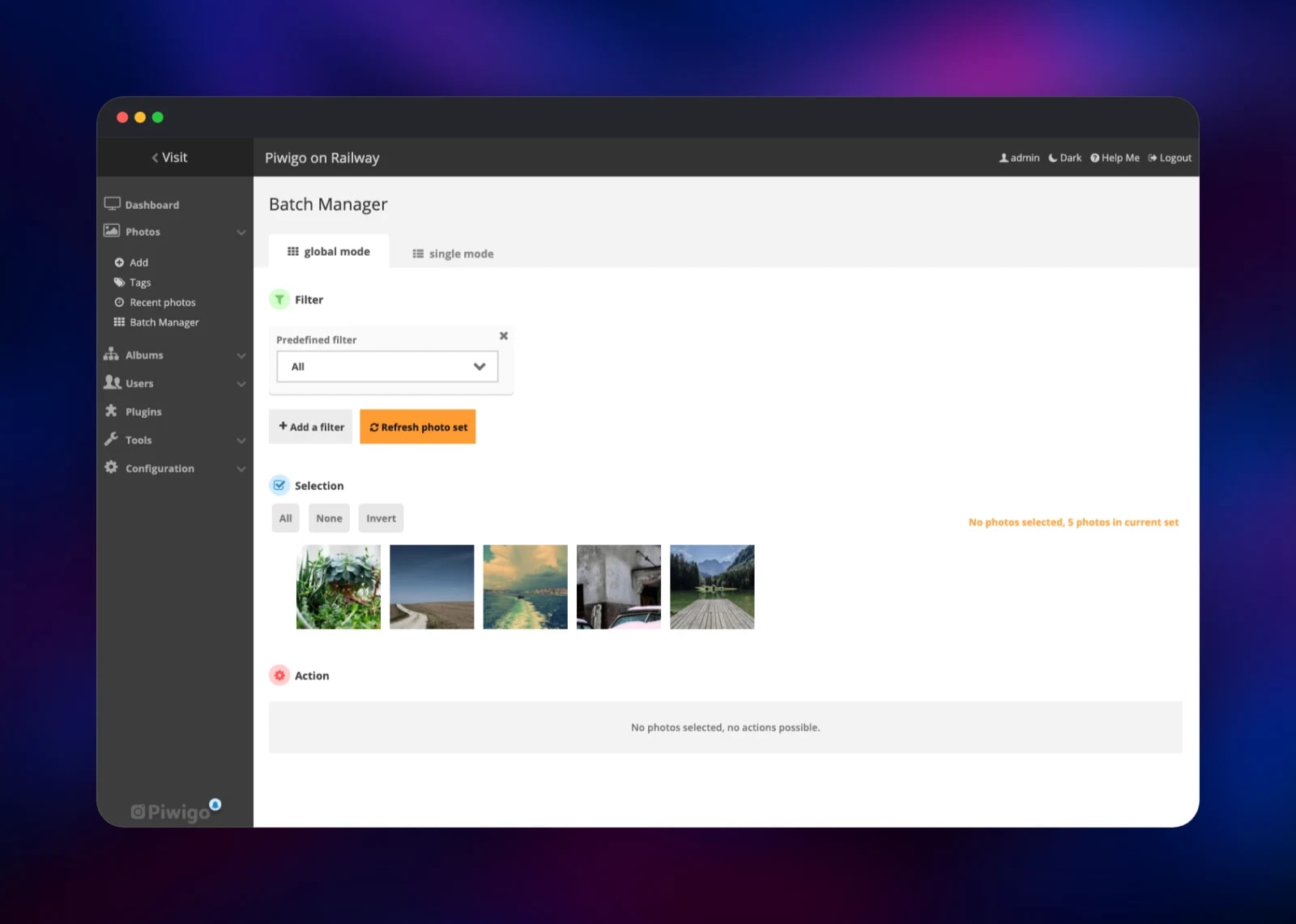
Set PIWIGO_ADMIN_USER and PIWIGO_ADMIN_PASSWORD when you deploy — they become the webmaster account, and nothing else is required. When the deploy finishes, open the public URL: you land on an empty gallery rather than an installer, because the installation ran inside the container before nginx started. Click Admin and sign in. Go to Photos → Add, create your first album, drag a handful of JPEGs into the uploader and press Start Upload; Piwigo stores each original on the volume and generates the display sizes it needs. Visit the gallery again and the album is there, with thumbnails, a full-size photo page, EXIF details and prev/next navigation. Batch Manager then selects the whole library at once to tag, move or delete. Public registration is closed by default — turn it on with PIWIGO_ALLOW_REGISTRATION=true or under Configuration → Options.
About Hosting Piwigo
Piwigo is a publishing tool: you upload pictures, arrange them into albums, and decide who may see what. Teams self-host it when a collection outgrows shared drives, when clients need a branded gallery, or when the pictures cannot leave an organisation's control — it is GPL-licensed software you run yourself, so no vendor holds the archive.
Key features:
- Albums and unlimited sub-albums, plus tags, saved searches and a calendar view
- EXIF and IPTC extraction, with per-photo author, title, description and dates
- Derivative sizes (square, thumbnail, XS through XXL) generated on demand
- Users, groups and privacy levels applied per album or per photo
- Batch Manager for tagging, moving, resizing or deleting thousands of photos
- Over 300 plugins and themes installable from the admin, including LDAP, OAuth and video
The two services split cleanly: MySQL holds every row Piwigo queries, the volume holds the bytes. A web API serves the official mobile apps and desktop uploaders. Photos are delivered through Piwigo's own permission layer rather than straight off disk, so a private album is genuinely private.
Why Deploy Piwigo on Railway
Railway removes the parts of self-hosting a PHP gallery that usually cost an afternoon:
- Managed MySQL with backups, provisioned and wired up automatically
- A persistent volume for originals, plugins and thumbnails
- HTTPS on a public domain, database kept on the private network
- The gallery installs itself on first boot — no wizard exposed to the internet
- One-click redeploys when a new Piwigo release ships
Common Use Cases
- Client galleries for photographers — a password-protected album per shoot, with downloads enabled only where you want them
- Institutional archives — museums and local authorities publishing catalogued collections with full metadata and controlled access
- A private family archive — decades of photos in one searchable place, visible only to the accounts you create
Dependencies for Piwigo
- piwigo — built from gridalpha/piwigo-railway, a thin layer over
lscr.io/linuxserver/piwigo: nginx, PHP 8.4 withgd,imagickandexif, ImageMagick, ffmpeg and exiftool. The layer installs Piwigo unattended, keeps the library on one volume, and gives PHP the real visitor address behind Railway's edge. - MySQL — Railway-managed
mysql:9.4, holding albums, photo records, tags, users and permissions. Piwigo needs a real SQL database; SQLite is not an option.
Environment Variables Reference
| Variable | Purpose |
|---|---|
PIWIGO_ADMIN_USER | Webmaster login created on first boot |
PIWIGO_ADMIN_PASSWORD | Webmaster password; any characters are accepted |
PIWIGO_ADMIN_EMAIL | Address stored on the webmaster account |
PIWIGO_ALLOW_REGISTRATION | false by default; true lets visitors register |
PIWIGO_GALLERY_TITLE | Gallery title, applied while it is still the default |
PIWIGO_DB_HOST / _NAME / _USER / _PASSWORD | Database connection, pre-wired to the MySQL service |
PIWIGO_DB_PREFIX | Table prefix, piwigo_ by default |
PUID / PGID / TZ | Runtime user, group and timezone |
Deployment Dependencies
- Source repository: github.com/gridalpha/piwigo-railway
- Upstream project: github.com/Piwigo/Piwigo (GPL-2.0)
- Official documentation: piwigo.org/doc
Hardware Requirements for Self-Hosting Piwigo
| Resource | Minimum | Recommended |
|---|---|---|
| CPU | 1 vCPU | 2 vCPU — resizing is CPU-bound |
| RAM | 512 MB | 1–2 GB for large batch uploads |
| Storage | 5 GB volume | Originals plus roughly 30% for derivatives |
| Runtime | PHP 8.2+, MySQL 5.7+ / MariaDB 10.4+ | PHP 8.4, MySQL 9 |
Sizing follows the collection, not the traffic: budget your originals plus about a third again for generated sizes, and raise the volume before importing a large archive.
Self-Hosting Piwigo with Docker
Piwigo publishes no first-party image; LinuxServer.io's is the maintained community build. The following runs it with MariaDB:
docker network create piwigo

docker run -d --name piwigo-db --network piwigo \
  -e MARIADB_ROOT_PASSWORD=change-me \
  -e MARIADB_DATABASE=piwigo \
  -v piwigo-db:/var/lib/mysql mariadb:11

docker run -d --name piwigo --network piwigo -p 8080:80 \
  -e PUID=1000 -e PGID=1000 -e TZ=Etc/UTC \
  -v piwigo-config:/config -v piwigo-gallery:/gallery \
  lscr.io/linuxserver/piwigo:latest
Open http://localhost:8080; the wizard asks for the database host (piwigo-db), name, user and password, then the webmaster account to create. Upgrading is a pull and a visit to /upgrade.php:
docker compose pull && docker compose up -d
curl -I http://localhost:8080/upgrade.php
On Railway both steps are already handled: the container installs itself from the variables and applies the schema upgrade when a new Piwigo release arrives.
How Much Does Piwigo Cost to Self-Host?
The software is free and GPL-2.0 licensed — every feature, plugin and theme included, with no paid tier of the code. The Piwigo company sells optional hosting from €32 per month billed annually, and support contracts for self-hosters from €43. On Railway you pay only for infrastructure: one small application service, a managed MySQL database, and the volume holding your photos — the line item that grows with the collection.
FAQ
What is Piwigo? An open-source photo gallery application for the web, written in PHP with a MySQL database. It organises pictures into albums, extracts their metadata, generates each display size and controls who sees which photos.
What does this Railway template deploy?
Two services: piwigo, running nginx and PHP with a volume for the photo library, and a Railway-managed MySQL database. The gallery installs itself on first boot with the administrator credentials you supply.
Why does the template include a MySQL database? Piwigo stores albums, photo records, tags, users, permissions and visit history in SQL and has no SQLite mode. The managed database also brings Railway's backups for that data; the photos themselves live on the volume.
Can visitors create their own accounts?
Not unless you allow it. Piwigo ships public registration enabled and this template closes it; set PIWIGO_ALLOW_REGISTRATION=true, or use Configuration → Options, when you want open sign-up.
How do I upgrade Piwigo to a new release?
Redeploy the service. The image tracks Piwigo's releases and the container applies the schema upgrade itself at boot, so there is no /upgrade.php step to remember.
Is Piwigo a good alternative to Google Photos or SmugMug? For publishing and archiving, yes — stronger on albums, metadata and permissions, and you keep the originals. It does not match Google Photos on face recognition or automatic albums, though plugins cover some of it.
Template Content
MySQL
mysql:9.4piwigo
gridalpha/piwigo-railway
