
Deploy Plane
Jira, Linear Alternative: Modern project management platform.
Just deployed

Just deployed
/var/lib/postgresql/data
Just deployed
beat-worker
Just deployed

Just deployed
/var/lib/rabbitmq
Just deployed

Redis
Just deployed
/data

Just deployed
/export
Just deployed
Just deployed
Just deployed

proxy
Just deployed

Deploy and Host Plane on Railway
Deploy Plane on Railway to self-host an open-source alternative to Jira, Linear, Asana and ClickUp. Plane is an AGPL-3.0 project management platform built on work items, cycles, modules, views, wikis and analytics, with List, Kanban, Calendar, Spreadsheet and Gantt layouts on every project. Teams self-host Plane when issue data must stay on infrastructure they control, or when per-seat pricing stops adding up.
Run Plane on Railway as the community edition pinned to v1.4.0, using upstream's service split:
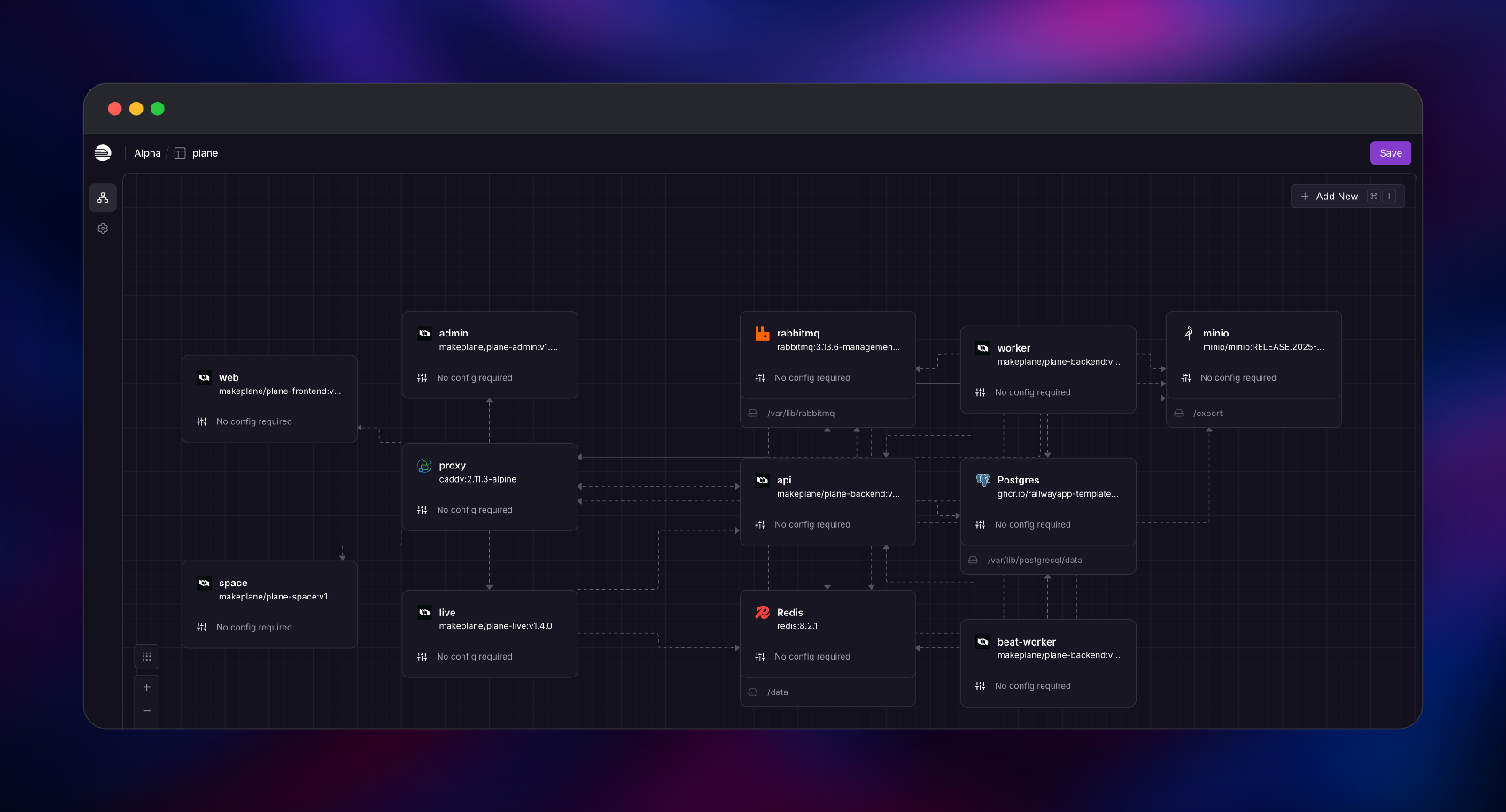
web— the main application UIspace— public, read-only shared viewsadmin— the God Mode instance consolelive— collaborative editing serverapi— Django REST backendworker— Celery background tasksbeat-worker— Celery schedulerminio— S3-compatible file storagerabbitmq— Celery message brokerPostgres— Railway-managed, the system of recordRedis— Railway-managed cache, sessions and live pub/sub
Plane splits its frontends by URL path while Railway's edge routes by domain, so a Caddy proxy is the only public service: it answers the Railway domain on port 8080 and forwards each path to the right backend over private networking.
Getting Started with Plane on Railway
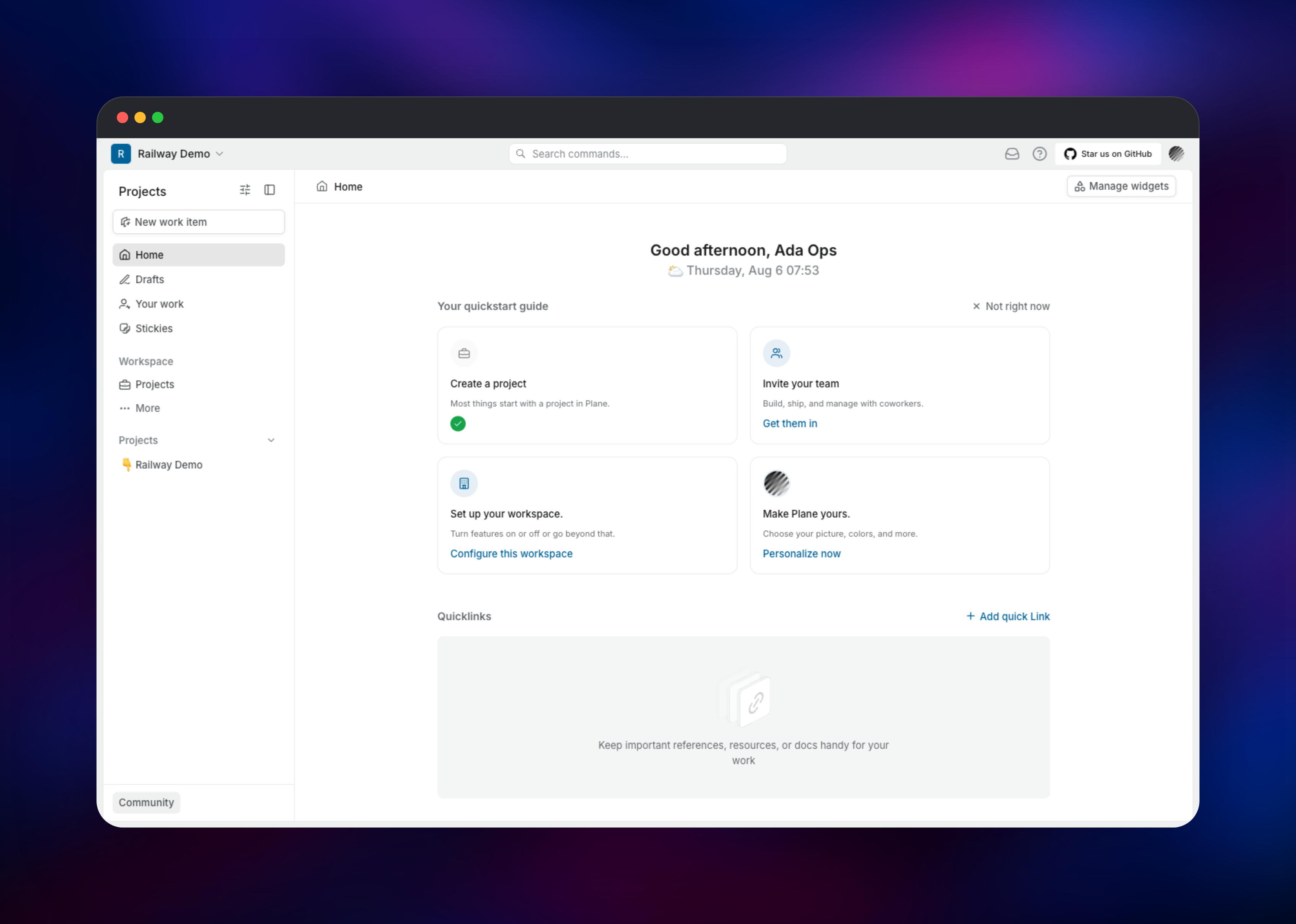
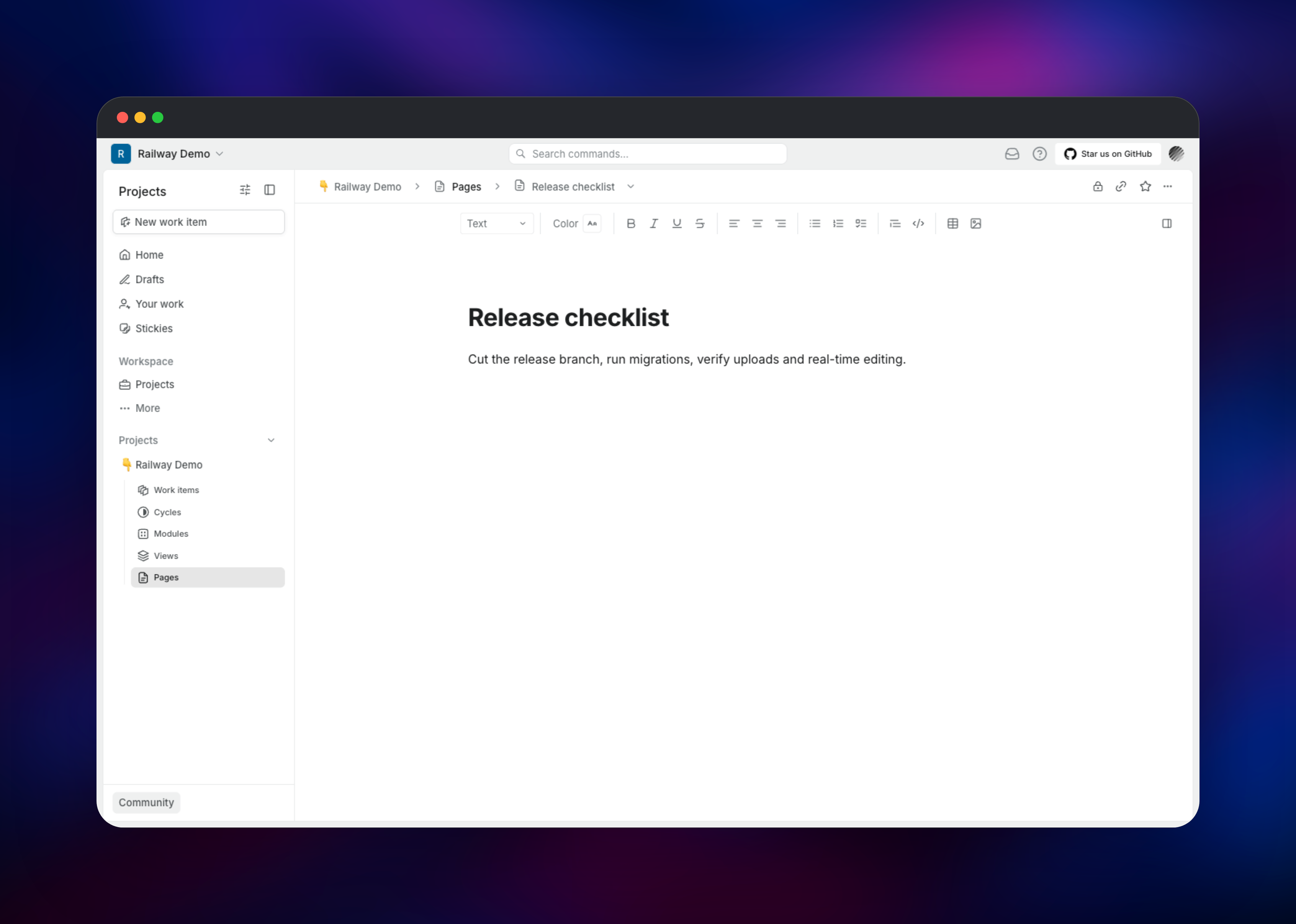
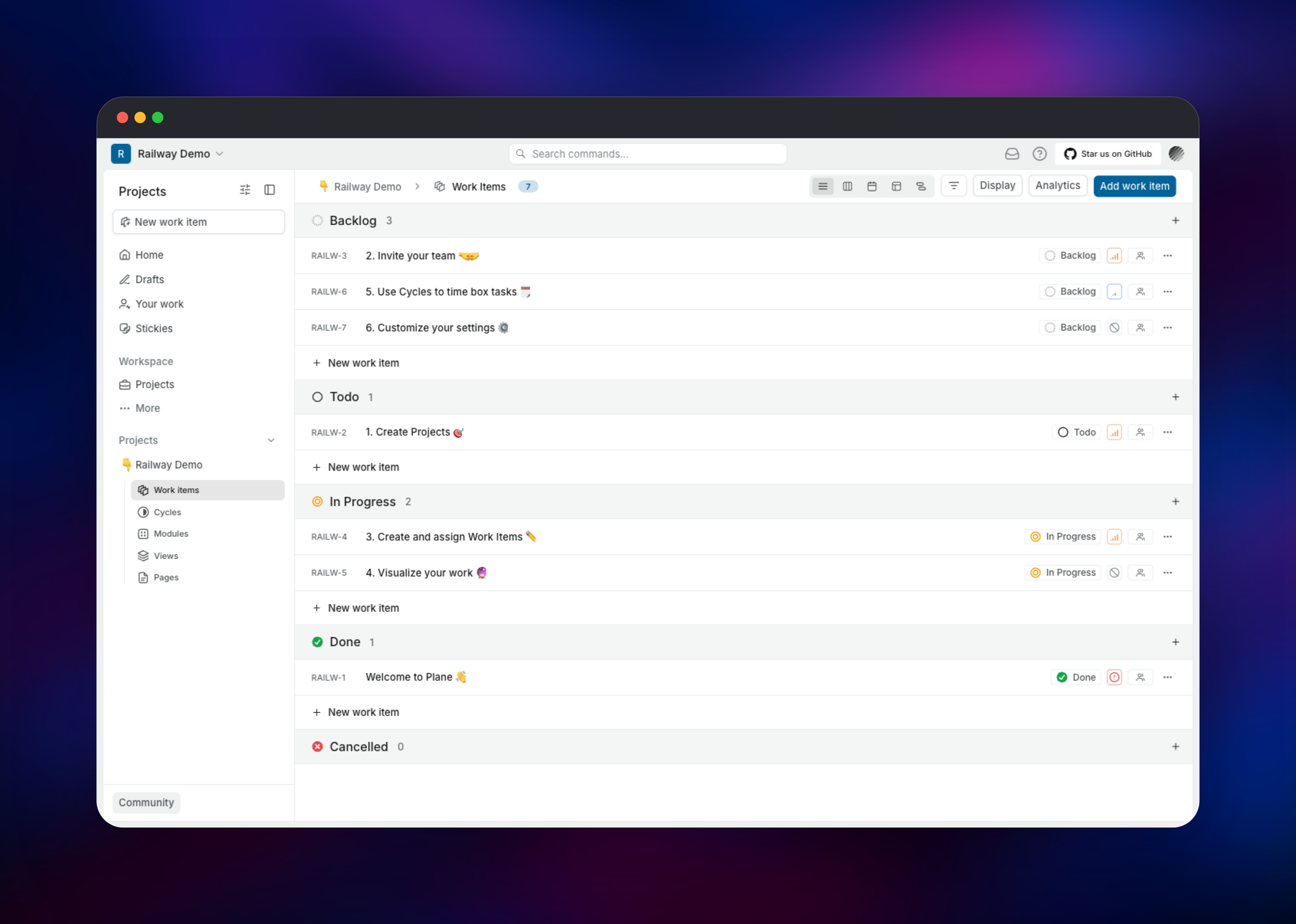
Once the deploy is green, open the proxy service's public URL and go to /god-mode/. There are no default credentials — Plane's first-run flow asks you to create the instance admin, so the email and password you enter become the owner of the instance. Do this as soon as the deploy finishes, since whoever reaches that URL first claims it. In God Mode, configure SMTP (needed for invites, password resets and exports) and decide under Authentication whether anyone may sign up. Then visit /, sign in with that account, complete onboarding and name your first workspace. Create a project and a work item and drag it across the Kanban board to confirm the API and workers are healthy. Two checks prove the tricky parts: upload a profile picture (a presigned upload to MinIO through /uploads) and type into a Page (the /live/* WebSocket upgrade).
About Hosting Plane
Plane collapses the "tracker plus wiki plus spreadsheet" sprawl into one workspace. Self-hosting is first-class upstream, which is why God Mode exists: one administrator sets instance-wide email, auth and workspace policy.
- Work items with epics, sub-items, custom states, estimates and relations
- Five layouts per project: List, Kanban, Calendar, Spreadsheet and Gantt
- Cycles and modules for sprints and milestones, with burn-down analytics
- Collaborative Pages, a REST API, webhooks, OAuth apps and an MCP server
Each service has a distinct job. api owns the schema and serves every REST call; its entrypoint waits on migrations, so it never serves a half-migrated database. worker consumes Celery jobs from RabbitMQ; beat-worker is the scheduler and must stay at one replica or every periodic job fires twice. live syncs Pages over WebSockets via Redis pub/sub. minio and rabbitmq each hold a volume, so attachments and queued messages survive redeploys.
| Path | Routed to |
|---|---|
/spaces/* | space |
/god-mode/* | admin |
/live/* | live |
/api/*, /auth/*, /static/* | api |
/uploads, /uploads/* | minio |
| everything else | web |
USE_MINIO=1 signs upload URLs against the app's own host, so uploads stay same-origin HTTPS with no CORS setup.
Why Deploy Plane on Railway
Railway removes the parts of self-hosting Plane that usually go wrong:
- Managed Postgres and Redis, injected as connection-string references
- Private networking across all twelve services, one public port
- Persistent volumes for MinIO and RabbitMQ, mounted for you
- One HTTPS domain with automatic certificates, TLS at the edge
- Per-service scaling, deploy logs and one-click rollbacks
Common Use Cases for Self-Hosted Plane
- Replacing Jira Server or Data Center after end-of-life, with issue data on infrastructure you control
- Regulated or air-gapped teams needing project data inside a network boundary, but still sprints and roadmaps
- Agencies where per-seat pricing across dozens of client collaborators is the binding cost
Dependencies for Plane
makeplane/plane-frontend,plane-space,plane-adminatv1.4.0—web,space,adminUIsmakeplane/plane-live:v1.4.0— collaborative editing servermakeplane/plane-backend:v1.4.0— run three ways: REST API, Celery worker, Celery beatcaddy:2.11.3-alpine— path-based reverse proxy, the only public oneminio/minio:RELEASE.2025-04-22T22-12-26Zandrabbitmq:3.13.6-management-alpine— object storage, Celery broker- Railway managed
PostgresandRedis— system of record; cache, sessions, pub/sub
Environment Variables Reference
| Variable | Purpose |
|---|---|
SECRET_KEY | Django signing key. Plane denylists placeholder keys and won't boot on one |
LIVE_SERVER_SECRET_KEY | Shared secret between api and live; must match on both |
CORS_ALLOWED_ORIGINS | Also the CSRF trusted origins — https:// only, or secure cookies switch off |
FILE_SIZE_LIMIT | Max upload size in bytes (5 MB default); set it on proxy too |
GUNICORN_WORKERS | Gunicorn process count; must be set or the API entrypoint fails |
Deployment Dependencies
- Repository https://github.com/makeplane/plane (AGPL-3.0); docs https://developers.plane.so/self-hosting/overview
- Runtime: Django, Gunicorn, Celery, Node.js, nginx
Hardware Requirements for Self-Hosting Plane
Upstream documents 2 CPU cores and 4 GB RAM as the Docker Compose minimum, 8 GB for production.
| Resource | Minimum | Recommended |
|---|---|---|
| CPU | 2 vCPU across all services | 4+ vCPU |
| RAM | 4 GB total | 8 GB+ beyond ~20 users |
| Storage | 20 GB (Postgres + MinIO) | 50 GB+ with heavy attachments |
| Runtime | OCI images, x86-64 or ARM64 | Same, scaled per service |
Load is uneven — api and worker want CPU, Postgres and minio disk — so scale per service.
Self-Hosting Plane with Docker
The community edition ships an installer script. These shell commands fetch it:
mkdir plane-selfhost && cd plane-selfhost
curl -fsSL -o setup.sh https://github.com/makeplane/plane/releases/latest/download/setup.sh
chmod +x setup.sh
./setup.sh
It prompts for an action — 1 install, 2 start, 3 stop, 4 restart — and writes docker-compose.yaml and plane.env into plane-app/. To pin the versions this template uses instead of latest, pull the tagged images:
docker pull makeplane/plane-backend:v1.4.0
docker pull makeplane/plane-frontend:v1.4.0
docker pull makeplane/plane-space:v1.4.0
docker pull makeplane/plane-admin:v1.4.0
docker pull makeplane/plane-live:v1.4.0
Compose runs a one-shot migrator before the API. On Railway, api applies its ~200 migrations as a pre-deploy command instead:
python manage.py wait_for_db && python manage.py migrate
How Much Does Plane Cost to Self-Host?
Plane's community edition is free and open source under AGPL-3.0 — no seat caps, no licence key — so self-hosting costs only the infrastructure it runs on. Plane Cloud is free up to 12 users, then $6 per seat/month (Pro) or $13 (Business), putting a 25-person team around $150–$325 a month. On Railway you pay usage: compute and memory per service, plus volume storage. SAML, LDAP and audit logs remain paid-edition features.
FAQ
What is Plane? An AGPL-3.0 platform for tracking work items, running sprints and writing collaborative docs — a self-hostable alternative to Jira, Linear, Asana and ClickUp.
What does this Railway template deploy?
Plane community edition v1.4.0 across eleven services — web, space, admin, live, api, worker, beat-worker, minio, rabbitmq, Postgres and Redis — plus a Caddy proxy as the single public entry point.
What are the default login credentials for self-hosted Plane?
There are none. On first run you visit /god-mode/ and create the instance administrator with your own email and password; that account is also the first Plane user and owner of the first workspace.
Why does Plane need Postgres, Redis, RabbitMQ and MinIO? Postgres stores every workspace, project and work item. Redis backs Django's cache and sessions and carries pub/sub for live editing. RabbitMQ is the Celery broker for background jobs. MinIO gives S3-compatible storage for attachments, on a volume so files survive redeploys.
Does self-hosted Plane have a REST API and webhooks? Yes. Every resource is exposed over REST, authenticated with workspace API keys or OAuth apps, and webhooks fire on work item, project, cycle and module events. Python and TypeScript SDKs are published, plus an MCP server for AI agents.
Can I migrate from Jira to self-hosted Plane? Yes — Plane ships importers for Jira, CSV and other trackers, carrying projects, issues, users and comments.
Template Content


