
Deploy Pocket-Id
Auth0 alternative. OpenID Connect provider with passkey authentication

Just deployed
/var/lib/postgresql/data
pocket-id
Just deployed
/app/data
pocket-id-files
Bucket
Just deployed
Deploy and Host Pocket ID on Railway
Pocket ID is an OpenID Connect Certified™ identity provider with exactly one login factor: a passkey. People sign in with Touch ID, Windows Hello, an Android phone or a YubiKey, and every app behind it inherits phishing-resistant single sign-on — no passwords, no TOTP codes. It suits teams for whom Keycloak or Authentik is more identity platform than the job needs, but one login across Grafana, Immich, Nextcloud, Proxmox and eighty-odd other OIDC clients is still worth having.
Deploy Pocket ID on Railway as a single Go binary from ghcr.io/pocket-id/pocket-id:v2, serving port 1411 behind an HTTPS domain with a health check on /healthz. This template self-hosts Pocket ID on managed state instead of the default SQLite file: Postgres holds users, groups, OIDC clients, signing keys and the audit log, and the pocket-id-files bucket holds uploaded logos, background images and profile pictures. A volume at /app/data lets Railway swap containers cleanly on redeploy.
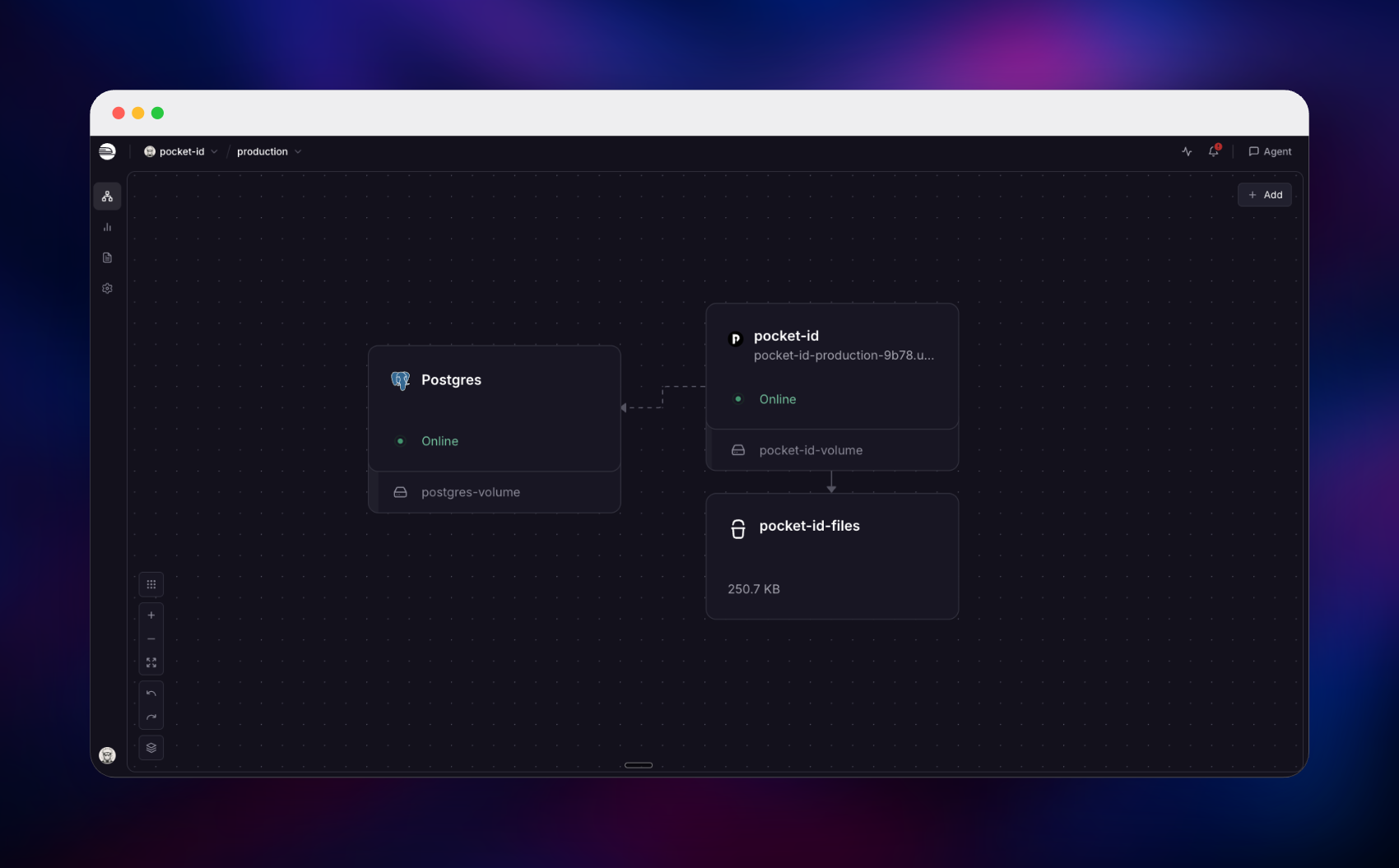
Getting Started with Pocket ID on Railway
Open the deployed URL and go straight to /setup. That wizard claims the first administrator account and registers a passkey in one step, and it closes permanently once that account exists — there are no default credentials, and none can be seeded. Do it immediately: until you claim the account, anyone who finds the URL can. You need a device with a platform authenticator (Touch ID, Windows Hello, Android) or a hardware security key, plus HTTPS, which the Railway domain provides — WebAuthn will not run on plain HTTP.
Then add your first OIDC client: name it, paste the app's callback URL, and copy the client ID and secret. Point the app at https:///.well-known/openid-configuration and it discovers the authorize, token, userinfo and JWKS endpoints itself. Expect one thing: a new client is restricted and allows nobody, so create a user group, add yourself, and grant it access to that client — otherwise authorize returns an access error instead of a consent screen. Sign in through the app to confirm the round trip, then check Audit Log for the login recorded against your real client IP.
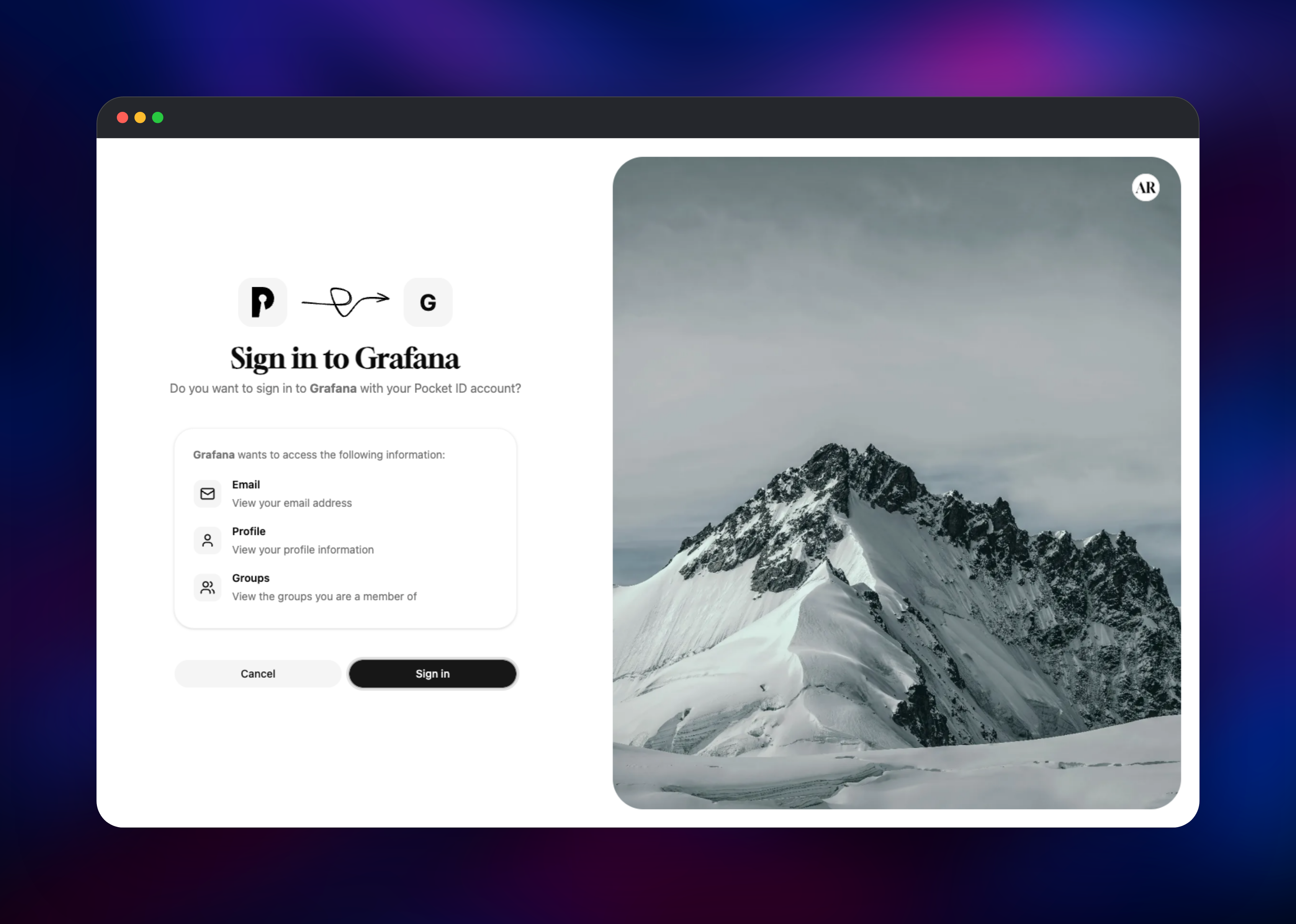
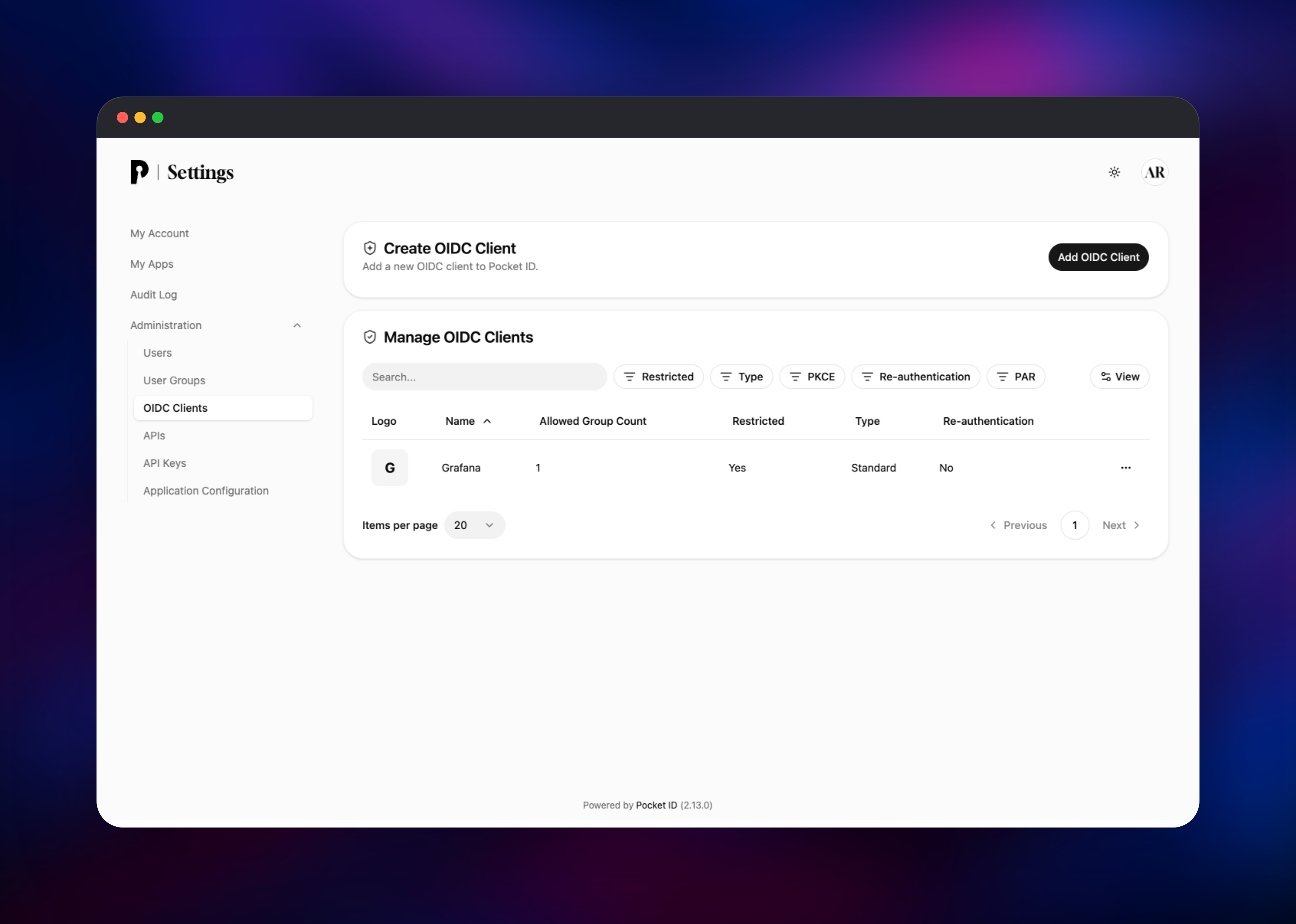
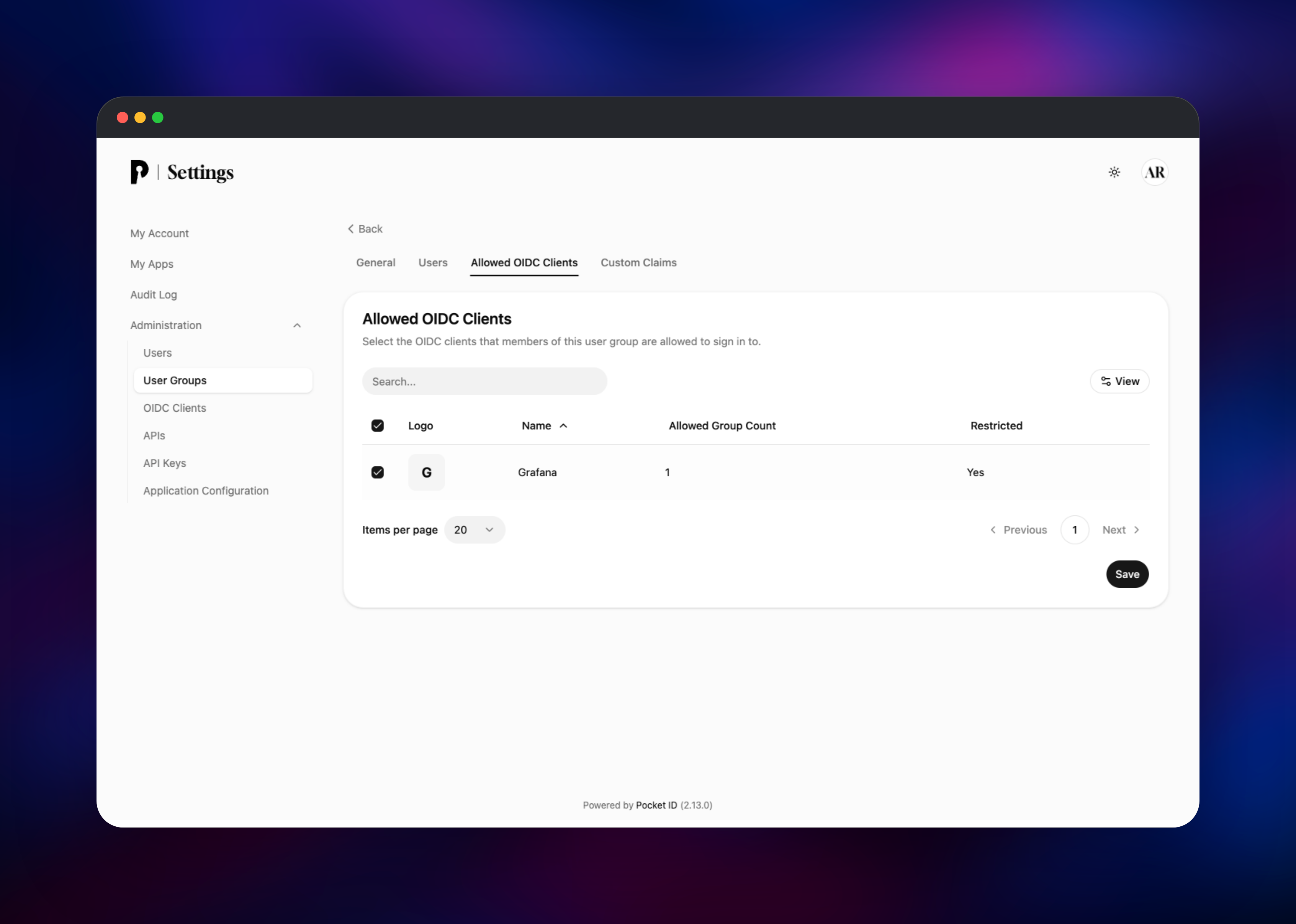
About Hosting Pocket ID
Self-hosting your identity provider keeps the credential that opens every internal app on infrastructure you control, and passkeys make it unphishable by construction.
- Certified OIDC and OAuth 2.0 — discovery document, authorization code flow, refresh tokens, RS256 ID tokens and a published JWKS, with PKCE enforced when a client enables it.
- Groups in the
groupsclaim — define a group once and every downstream app reads it for role mapping. - Per-client access control — new clients are restricted until a group is attached, so access is opt-in.
- LDAP and SCIM — sync users and groups in from Active Directory or OpenLDAP, and provision them out to connected apps.
- API keys and an audit log — script administration with an
X-API-KEYheader, and keep a global and per-user event history.
Postgres is the system of record; the bucket holds uploaded imagery, so branding survives a container replacement. With TRUST_PROXY set, the audit log and login rate limiter see the real caller, not Railway's edge.
Run Pocket ID at one replica, always — upstream does not yet support two instances against the same database, and a second one detects the first and exits.
Why Deploy Pocket ID on Railway
Railway supplies what an identity provider cannot do without.
- HTTPS on a real domain from the first deploy, which WebAuthn requires.
- Managed Postgres instead of a SQLite file on a disk.
- An object storage bucket for uploaded images.
- Private networking keeps the database off the public internet.
- Health checks and a draining window for clean restarts.
Common Use Cases
- One passkey for a whole internal stack — Grafana, Immich, Jellyfin and Proxmox behind a single passwordless login.
- Replacing Auth0 or Okta for internal tooling — the OIDC contract your apps already speak, without per-active-user billing.
- Group-driven authorization — ship
groupsin the ID token and let each app mapplatform_teamto its own roles.
Pocket ID vs Keycloak, Authentik and Auth0
Keycloak and Authentik add SAML and scripted login flows, at the cost of a JVM or multi-container stack to run. Auth0 removes the operations but bills per monthly active user. Pocket ID speaks only OIDC, from one Go binary, free under BSD-2-Clause.
Dependencies for Pocket ID
ghcr.io/pocket-id/pocket-id:v2— Go backend, admin UI and OIDC endpoints in one process on port 1411. Thev2tag tracks minor and patch releases while withholding a major upgrade.- Postgres — Railway's managed PostgreSQL, private to the project, storing users, passkey credentials, groups, OIDC clients, signing keys, sessions and the audit log.
pocket-id-filesbucket — S3-compatible object storage for application images and profile pictures, selected byFILE_BACKEND=s3.- Volume at
/app/data— not where your data lives; it makes Railway stop the old container before starting the new one.
Environment Variables Reference
| Variable | Purpose |
|---|---|
APP_URL | Public URL; also derives the WebAuthn relying-party ID |
ENCRYPTION_KEY | Master key for encrypted columns and signing keys |
DB_CONNECTION_STRING | Postgres connection string |
TRUST_PROXY | Read real client IPs from proxy headers |
FILE_BACKEND + S3_* | Store uploads in the bucket, not on disk |
ENCRYPTION_KEY is a one-way decision: every encrypted column and the JWK signing keys derive from it, so changing it outside the built-in pocket-id encryption-key rotate command orphans them all. SMTP is configured in the admin UI, not by variable.
Deployment Dependencies
Source: pocket-id/pocket-id (BSD-2-Clause) · docs pocket-id.org/docs
Hardware Requirements for Self-Hosting Pocket ID
| Resource | Minimum | Recommended |
|---|---|---|
| CPU | 0.5 vCPU | 1 vCPU |
| RAM | 256 MB app + 256 MB Postgres | 512 MB app + 512 MB database |
| Storage | 1 GB database, 1 GB volume | 5 GB as the audit log grows |
| Runtime | Static Go binary; PostgreSQL or SQLite | Managed PostgreSQL 18 |
Self-Hosting Pocket ID with Docker
Outside Railway the same image runs anywhere Docker does. Create an .env file first. APP_URL must be the exact HTTPS origin users visit, since the WebAuthn relying-party ID comes from its hostname:
APP_URL=https://id.example.com
ENCRYPTION_KEY=replace-with-openssl-rand-base64-32
TRUST_PROXY=true
Then run the container, mounting a directory for the SQLite database and uploads:
docker run -d --name pocket-id -p 1411:1411 \
  --env-file .env -v ./data:/app/data \
  ghcr.io/pocket-id/pocket-id:v2
Put a TLS-terminating reverse proxy in front of it — browsers refuse WebAuthn outside a secure context. For PostgreSQL instead of SQLite, point DB_CONNECTION_STRING at a postgresql:// URL — the prefix is what selects the driver. Keep it at one instance.
Is Pocket ID Free? What Does It Cost to Self-Host?
Pocket ID is fully open source under the BSD-2-Clause licence, with no paid tier and no feature held back — LDAP, SCIM, API keys and the audit log are all in the same build. There is no hosted product to buy. On Railway you pay for infrastructure only, and unlike Auth0 or Okta the bill does not move with your user count.
FAQ
What is Pocket ID?
An OpenID Connect Certified™ and OAuth 2.0 identity provider that authenticates users with passkeys only, giving your apps standards-based single sign-on without passwords. Open source, BSD-2-Clause.
What does this Railway template deploy?
The pocket-id service running ghcr.io/pocket-id/pocket-id:v2 on a public HTTPS domain, managed Postgres, an object storage bucket named pocket-id-files, and a volume at /app/data.
Why does self-hosted Pocket ID need Postgres and a storage bucket?
Postgres replaces the default SQLite file so users, passkey credentials, groups, OIDC clients, signing keys and audit events outlive any container. The bucket does the same for uploaded images.
How do I log in for the first time — what are the default credentials?
There are none. Visit /setup right after deploying to create the first administrator and register a passkey. It is permanently disabled once a user exists, so claim it immediately.
Can I scale Pocket ID to more than one replica on Railway?
No. Upstream does not support multiple instances sharing a database yet — a second one detects the first and exits. Leave the replica count at one.
How do I connect an application to self-hosted Pocket ID over OIDC?
Create an OIDC client with the app's callback URL, then give the app the client ID, secret and discovery URL https:///.well-known/openid-configuration. Attach a group, or nobody gets through.
Template Content
pocket-id
ghcr.io/pocket-id/pocket-id:v2pocket-id-files
Bucket

