
Deploy Presenton
Turns a prompt or document into an editable PowerPoint presentation
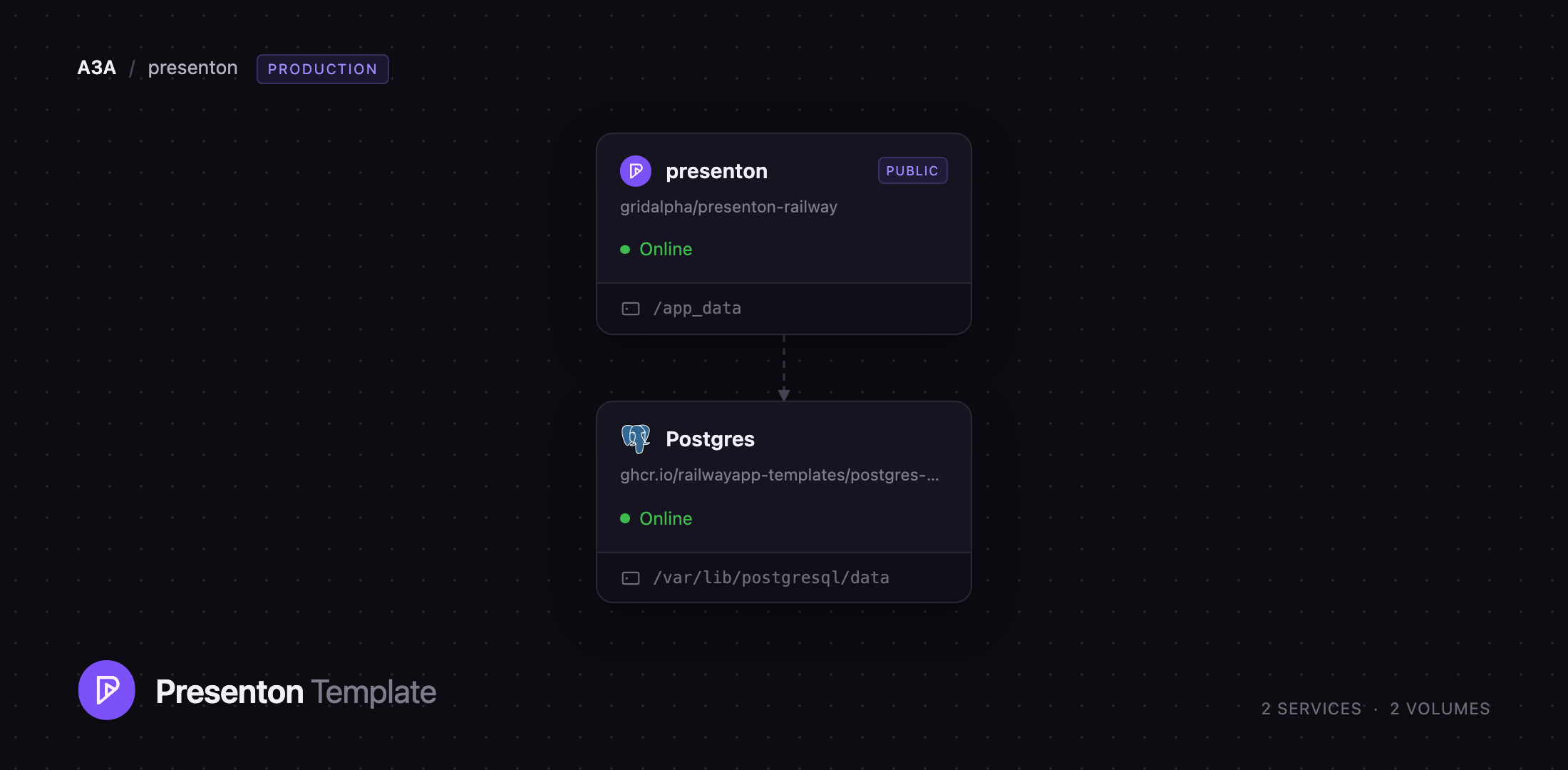
presenton
Just deployed
/app_data

Just deployed
/var/lib/postgresql/data

Deploy and Host Presenton on Railway
Presenton is an open-source AI presentation generator that turns a prompt or an uploaded document into a slide deck you can edit in the browser and export as an editable PowerPoint or PDF file. It is the self-hosted answer to Gamma and Beautiful.ai: the same "describe it and get slides" workflow, except the decks stay on infrastructure you control and you bring your own model provider. Teams use it for pitch decks, business reviews and training material; developers drive it from their own apps and AI agents through its REST API and MCP server.
Self-host Presenton on Railway and this template gives you the whole product on the first deploy. Two services are provisioned: the application container — nginx in front of the Next.js editor, the FastAPI backend and the MCP endpoint — and managed PostgreSQL holding presentations, templates, accounts and API keys. A volume at /app_data keeps uploads, exports, images and fonts, so decks survive redeploys. Only the app has a public URL; the database stays private.
Getting Started with Presenton on Railway
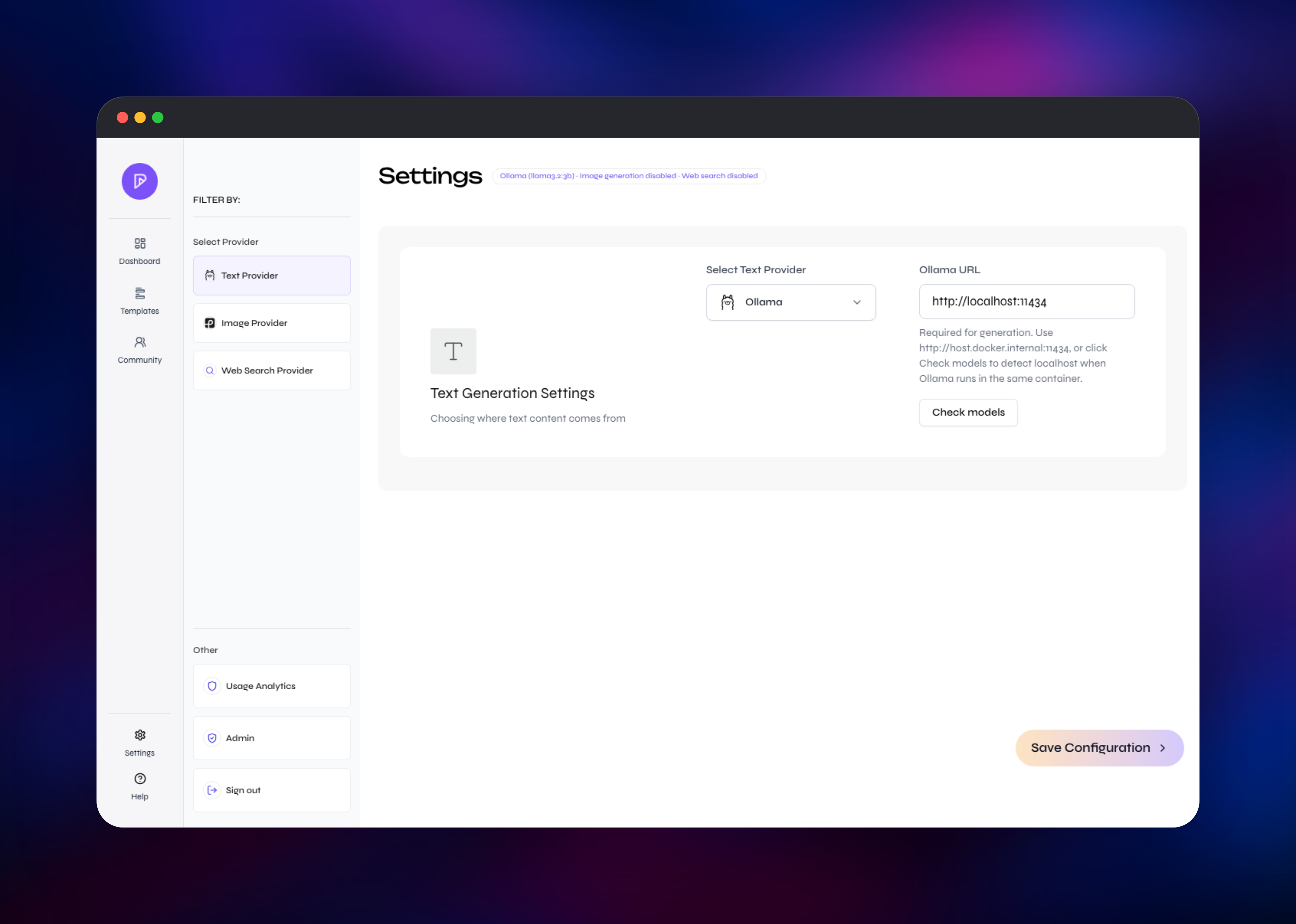
Open the deployed URL and sign in. This template creates the primary administrator on first boot from AUTH_USERNAME and AUTH_PASSWORD, so there is no open registration window and no default password to change. A four-step setup wizard follows: text provider, image provider, web search, finish. The text provider can be OpenAI, Anthropic, Google, Vertex AI, Azure OpenAI, Bedrock, OpenRouter, Fireworks, Together, Cerebras, LiteLLM, LM Studio or any OpenAI-compatible endpoint. Images and search can both be skipped.
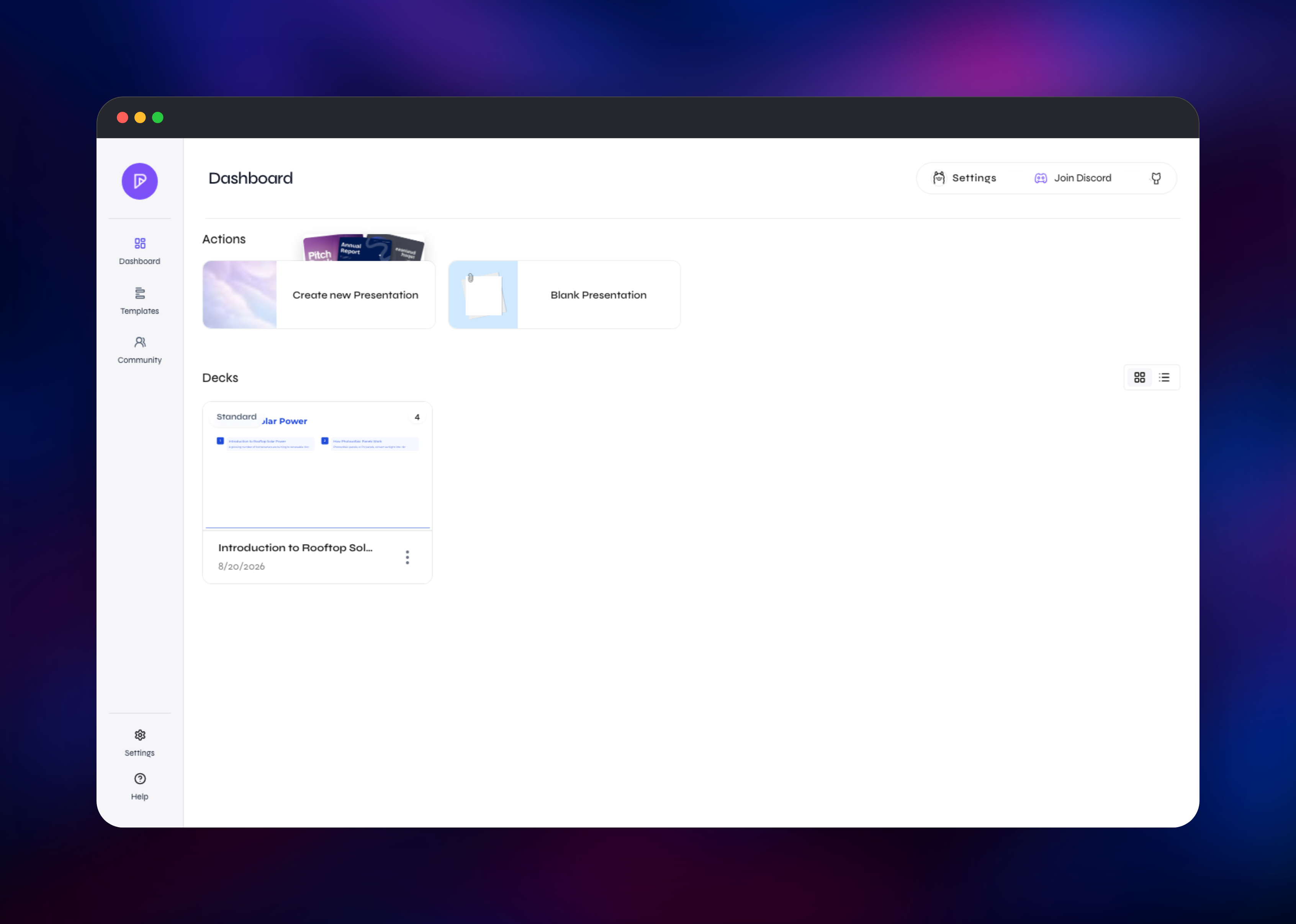
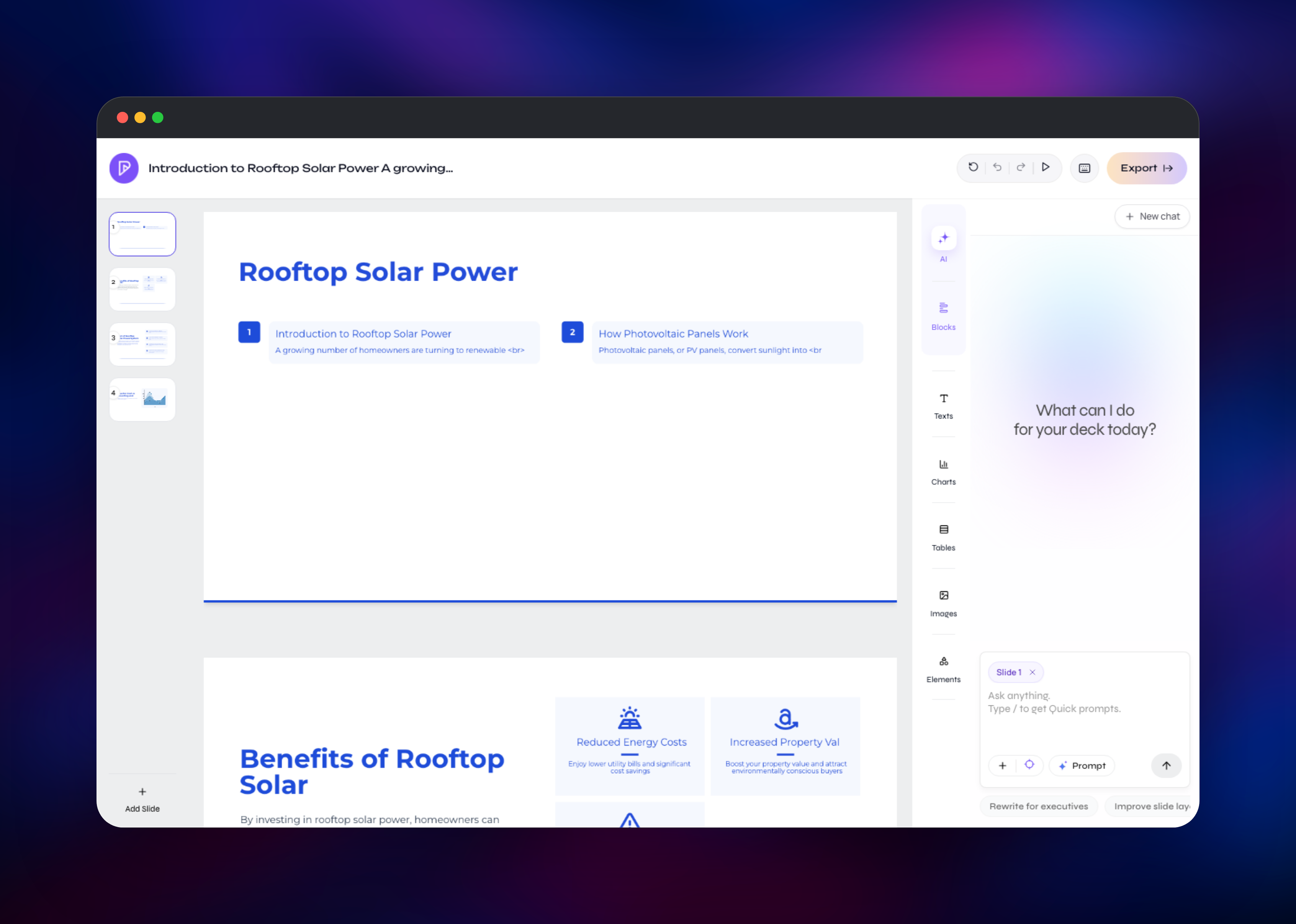
You then land on the dashboard. Click Create new Presentation, type a topic in plain language, and Presenton drafts an outline you can rewrite, reorder or merge before committing. Pick one of the eight built-in designs and the slides are generated and rendered live. In the editor you can drag elements, add charts, tables and images, then hit Export for PPTX or PDF. A good first check: generate a short deck, reload the page and confirm the slides are still there — proof the database and volume both work.
Further accounts come from Admin → Users, each with a private workspace; Admin → API keys issues keys for the REST API and MCP endpoint.
About Hosting Presenton
Presentation AI is usually a subscription with your content on someone else's servers. Self-hosting puts the whole loop — prompt, outline, layout, render, export — inside your own perimeter, which matters when decks carry revenue numbers or unreleased plans. It also removes per-seat pricing: the only variable cost is model tokens.
Key capabilities:
- Generate decks from a prompt or an uploaded PDF, DOCX or PPTX
- Eight built-in designs, plus custom templates from your own
.pptx - Truly editable PPTX export, not flat images, plus PDF
- Bring your own key across a dozen providers, or run a local model
- Charts, tables, icons and images with drag-and-drop editing
- Multi-user workspaces with an admin panel
- REST API and a built-in MCP server for agents
The container runs three processes behind nginx: the Next.js editor, the FastAPI backend that talks to your model provider, and the MCP server. PostgreSQL is the system of record for presentations, templates and accounts, which is what makes redeploys safe. The volume carries everything that is a file rather than a row, served behind an authentication check.
Why Deploy Presenton on Railway
Railway removes the infrastructure work around this multi-process container.
- Managed PostgreSQL provisioned and wired in automatically
- Persistent volume for uploads, exports and fonts
- HTTPS and a public domain, no certificate management
- Private networking between the app and its database
- Health checks and one-click redeploys from the repository
Common Use Cases
- Sales and founder teams drafting pitch decks and QBRs from an outline or a document, without sending content to a third party
- Internal tooling generating a branded report deck on a schedule via the REST API
- AI agents building presentations through the MCP endpoint mid-workflow
- Agencies keeping a house design as a reusable template for client briefs
Dependencies for Presenton
- Presenton — built from gridalpha/presenton-railway, a thin layer over the official
ghcr.io/presenton/presenton:latestimage that tunes nginx for a reverse-proxied environment. Apache-2.0. - PostgreSQL — Railway managed Postgres 18, holding presentations, templates, users, API keys and provider settings. Without it the app falls back to on-disk SQLite, which suits a laptop, not a deployed service.
- Volume at
/app_data— uploads, exports, images and fonts. - A model provider — yours, as an API key or local endpoint.
Environment Variables Reference
| Variable | Purpose |
|---|---|
DATABASE_URL | PostgreSQL connection string |
AUTH_USERNAME / AUTH_PASSWORD | Primary administrator, created on first boot |
PORT | Port nginx listens on inside the container |
MIGRATE_DATABASE_ON_STARTUP | Run schema migrations at boot |
LLM | Which text provider to use |
OPENAI_API_KEY, ANTHROPIC_API_KEY, GOOGLE_API_KEY | Keys for the matching LLM value |
CUSTOM_LLM_URL / CUSTOM_LLM_API_KEY / CUSTOM_MODEL | Any OpenAI-compatible endpoint |
IMAGE_PROVIDER, PEXELS_API_KEY | Slide imagery |
Deployment Dependencies
- Source repository: gridalpha/presenton-railway
- Upstream project and image: presenton/presenton,
ghcr.io/presenton/presenton - Documentation: docs.presenton.ai
Hardware Requirements for Self-Hosting Presenton
The container bundles Chromium for PPTX and PDF export, the memory-hungry part.
| Resource | Minimum | Recommended |
|---|---|---|
| CPU | 2 vCPU | 4–8 vCPU |
| RAM | 2 GB | 4–8 GB |
| Storage | 5 GB volume | 20 GB+ volume |
| Database | PostgreSQL 14+ | Railway managed Postgres 18 |
Running a local model in the same container raises those numbers substantially: budget gigabytes of RAM and disk for the weights alone.
Self-Hosting Presenton
The published image runs everything in one container. This starts it with a volume and an admin created on first boot:
docker run -d --name presenton \
  -p 5001:80 \
  -e AUTH_USERNAME=admin \
  -e AUTH_PASSWORD=choose-a-strong-password \
  -e DATABASE_URL=postgresql://user:pass@host:5432/presenton \
  -e MIGRATE_DATABASE_ON_STARTUP=true \
  -v ./app_data:/app_data \
  ghcr.io/presenton/presenton:latest
To build from source, clone the repository and use the bundled Compose file:
git clone https://github.com/presenton/presenton.git
cd presenton
echo "LLM=openai" > .env
echo "OPENAI_API_KEY=sk-your-key" >> .env
docker compose up production
Open http://localhost:5001 and the same setup wizard appears. Omit DATABASE_URL and Presenton writes to SQLite under the data directory.
Is Presenton Free to Self-Host?
Presenton is open source under Apache 2.0, with no seat limits, no feature gating and no licence key. A hosted Cloud and a paid Enterprise edition add SSO, SCIM and audit logs, but this template is the free, fully functional open-source build. On Railway you pay for compute, the database and the volume, plus your provider's per-token charge.
FAQ
What is Presenton? An open-source AI presentation generator and API. Give it a prompt or a document and it drafts an outline, then produces a designed deck you can edit and export as PPTX or PDF.
What does this Railway template deploy?
The Presenton application container and a managed PostgreSQL database, with a volume at /app_data. The app gets a public HTTPS URL; the database stays private on Railway's network.
Do I need an API key to use it? You need a text-generation provider — OpenAI, Anthropic, Google, Bedrock, OpenRouter, LiteLLM, any OpenAI-compatible endpoint, or a local model. Choose one in the setup wizard, or set the variables before deploying.
Why does the template include PostgreSQL instead of SQLite? Presentations, templates, accounts and API keys have to outlive the container, and Railway recreates it on every deploy. SQLite suits a single-user desktop install, not a deployed service.
How do I generate presentations from my own code or an AI agent?
Create a key under Admin → API keys and send it as a bearer token. It authenticates both the REST API and the MCP server at /mcp, so agent frameworks can call Presenton as a tool.
Which model should I choose for the best slides? A capable instruction-following chat model. Presenton asks for strictly structured JSON, so models that interleave visible reasoning into the reply — and very small local models — often return empty outlines. If an outline is blank, switch to a stronger model first.
Can I use my own PowerPoint design?
Yes. Upload an existing .pptx and Presenton converts it into a reusable template, or build one with HTML and Tailwind CSS.
Template Content


