Deploy RabbitMQ | Open Source Kafka Alternative for Task Queues on Railway
Self-host RabbitMQ. Queues, MQTT, STOMP, AMQP with built-in web dashboard.

RabbitMQ
Just deployed
/var/lib/rabbitmq
Deploy and Host RabbitMQ
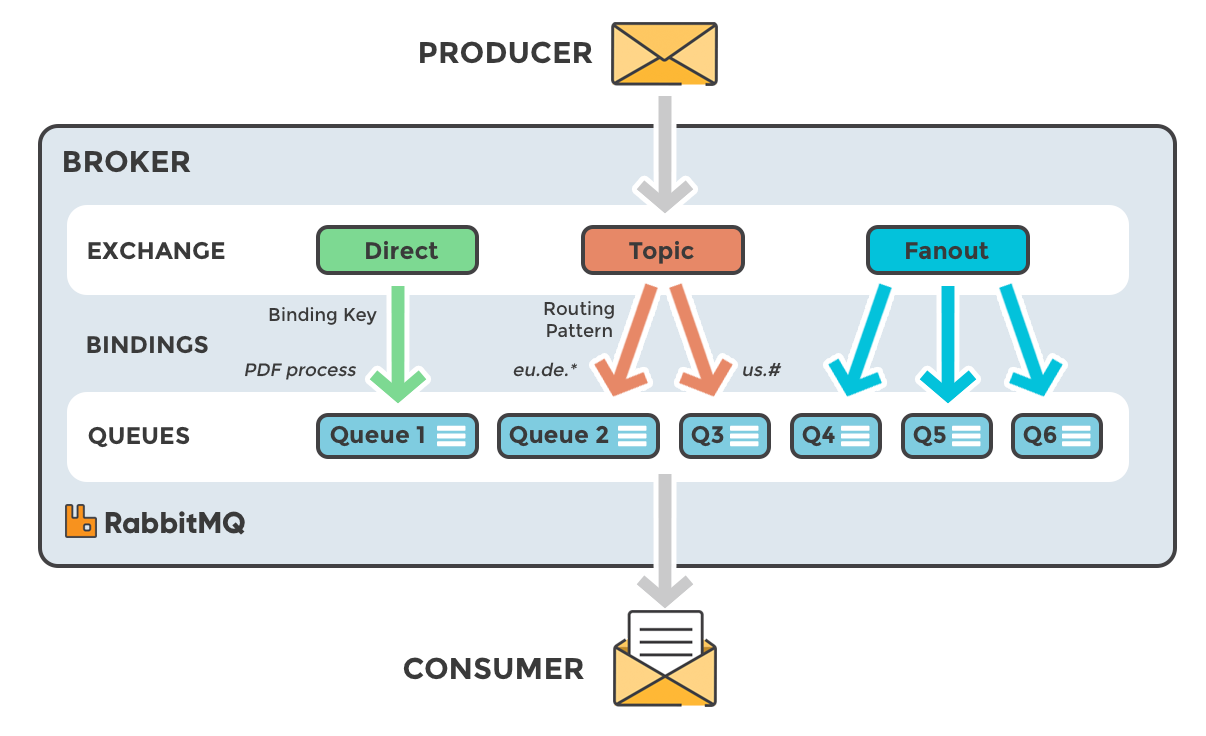
RabbitMQ is an open-source message broker that implements AMQP and supports additional protocols including STOMP and MQTT — giving distributed systems a reliable, low-latency backbone for async task queues, event-driven microservices, and real-time pub/sub messaging.
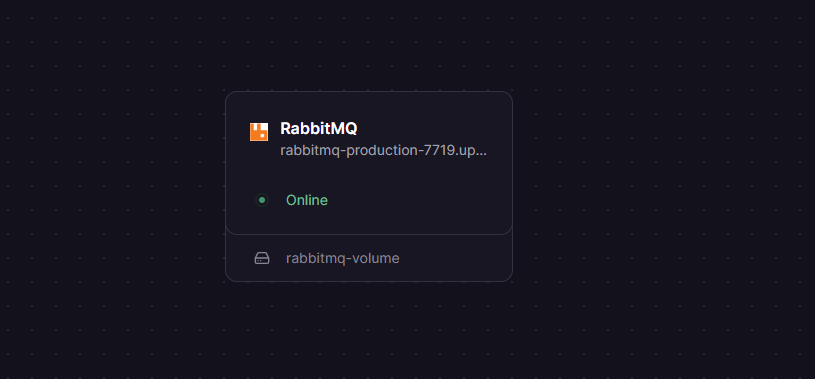
Self-host RabbitMQ on Railway in seconds using the rabbitmq:4-management Docker image, pre-configured with persistent storage, a Management UI accessible over HTTPS, and an AMQP endpoint exposed via Railway's TCP proxy — no manual broker setup required.
Getting Started with RabbitMQ on Railway
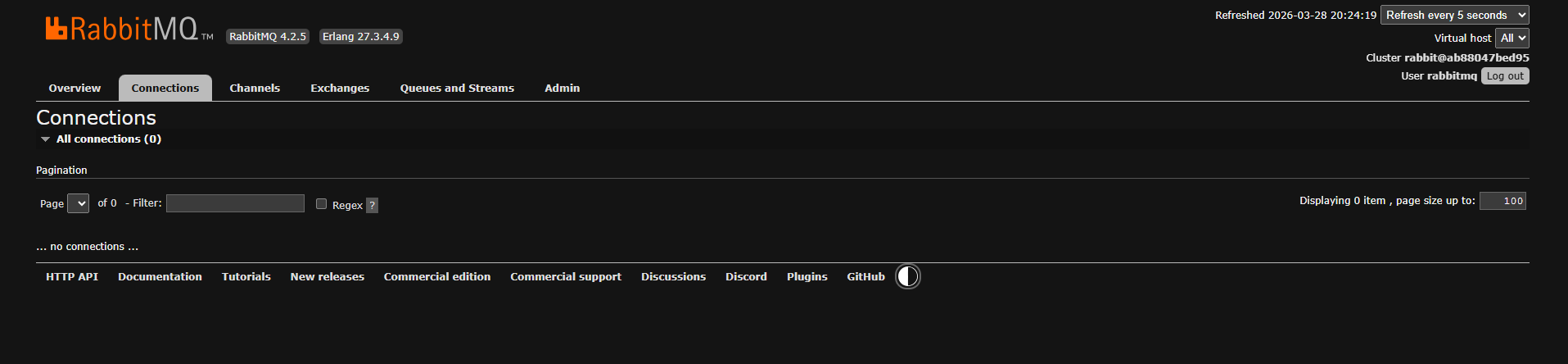
Once deployed, open the Railway service URL (targeting port 15672) to reach the Management UI. Log in with the RABBITMQ_DEFAULT_USER and RABBITMQ_DEFAULT_PASS values you set during deployment. From the dashboard you can inspect queues, exchanges, bindings, and live connection metrics. To connect your application via AMQP, use the Railway TCP proxy address (e.g. your-proxy.railway.app:13822) — this maps to the broker's AMQP port 5672. Your default virtual host is /, set via the RABBITMQ_DEFAULT_VHOST environment variable.
About Hosting RabbitMQ
RabbitMQ is a battle-tested, open-source message broker written in Erlang. It solves the core distributed systems challenge of decoupling producers from consumers — letting services communicate asynchronously without tight coupling or synchronous blocking calls.
Key features:
- Multi-protocol support — AMQP 0-9-1, STOMP, MQTT, and WebSockets via plugins
- Flexible routing — direct, fanout, topic, and headers exchanges with fine-grained bindings
- Persistent queues — messages survive broker restarts when declared durable
- Management UI — built-in browser dashboard for monitoring queues, connections, and message rates
- Quorum queues — replicated queue type for high-availability deployments (RabbitMQ 3.8+)
- Plugin ecosystem — Prometheus metrics, Shovel, Federation, and more
This Railway template runs a single-node RabbitMQ 4 instance with the management plugin enabled. Queue data is persisted to a Railway volume mounted at /var/lib/rabbitmq, ensuring messages and configuration survive redeployments.
Why Deploy RabbitMQ on Railway
One-click deploy skips the usual broker configuration overhead. Benefits include:
- Persistent volume mounted automatically — no manual storage config
- Management UI exposed over Railway's HTTPS proxy out of the box
- AMQP endpoint available via Railway TCP proxy for external client connections
- Environment-variable-driven credentials — no config files to edit
- Instant redeployments with zero downtime on variable changes
Common Use Cases
- Background job queues — offload email sending, image processing, or report generation from web request cycles using worker services consuming from a durable queue
- Microservice decoupling — publish domain events (order placed, payment received) to an exchange and let multiple downstream services consume independently
- Task distribution — distribute compute-heavy work across a pool of workers using the competing consumers pattern for natural horizontal scaling
- IoT data ingestion — receive MQTT messages from devices and route them to internal processing queues without blocking device connections
RabbitMQ vs Kafka vs ActiveMQ
| Feature | RabbitMQ | Apache Kafka | Apache ActiveMQ |
|---|---|---|---|
| Primary model | AMQP queue/exchange | Distributed log | JMS queue/topic |
| Message routing | Advanced (exchanges + bindings) | Topic-based partitions | Selectors + topics |
| Message ordering | Per-queue FIFO | Per-partition only | Per-queue FIFO |
| Message priority | ✅ Yes | ❌ No | ✅ Yes |
| Protocol support | AMQP, STOMP, MQTT, WebSocket | Proprietary + client libs | AMQP, STOMP, MQTT, JMS |
| Best for | Low-latency task queues, complex routing | High-throughput event streaming | Java enterprise / JMS workloads |
| Open source | ✅ MPL 2.0 | ✅ Apache 2.0 | ✅ Apache 2.0 |
| Self-hostable | ✅ Yes | ✅ Yes | ✅ Yes |
RabbitMQ is the right default when you need reliable delivery, complex routing logic, and low-latency — especially outside Java-heavy stacks. Reach for Kafka when throughput and log replay matter more than routing flexibility.
Dependencies for RabbitMQ
- RabbitMQ —
rabbitmq:4-management(Docker Hub official image)
No external database is required. RabbitMQ stores all queue, exchange, and message metadata in its own built-in Mnesia store, persisted via the mounted volume.
Deployment Dependencies
- Docker image:
rabbitmq:4-management - GitHub (upstream server): github.com/rabbitmq/rabbitmq-server
- Official docs: rabbitmq.com/docs
Minimum Hardware Requirements for RabbitMQ
| Resource | Minimum (dev/light) | Recommended (production) |
|---|---|---|
| CPU | 1 vCPU | 2+ vCPUs |
| RAM | 512 MB | 4 GB |
| Disk | 1 GB | 4 GB+ (match memory watermark) |
| OS | Linux 64-bit | Linux 64-bit |
RabbitMQ's memory alarm fires at 60% of available RAM by default — on a 512 MB node, that threshold is reached very quickly under load. For production workloads, 4 GB RAM per node is the widely recommended starting point. Disk free space should match the memory high-watermark value to avoid node failures when queues back up.
Self-Hosting RabbitMQ
To run RabbitMQ on your own VPS or server with Docker:
docker run -d \
  --hostname my-rabbit \
  --name rabbitmq \
  -e RABBITMQ_DEFAULT_USER=admin \
  -e RABBITMQ_DEFAULT_PASS=changeme \
  -e RABBITMQ_DEFAULT_VHOST=/ \
  -p 5672:5672 \
  -p 15672:15672 \
  -v rabbitmq_data:/var/lib/rabbitmq \
  rabbitmq:4-management
For a Docker Compose setup with resource limits:
services:
  rabbitmq:
    image: rabbitmq:4-management
    hostname: rabbitmq
    restart: unless-stopped
    ports:
      - "5672:5672"
      - "15672:15672"
    environment:
      RABBITMQ_DEFAULT_USER: admin
      RABBITMQ_DEFAULT_PASS: ${RABBITMQ_PASS}
      RABBITMQ_DEFAULT_VHOST: /
    volumes:
      - rabbitmq_data:/var/lib/rabbitmq
    deploy:
      resources:
        limits:
          memory: 4G

volumes:
  rabbitmq_data:
The --hostname flag (or hostname: in Compose) is important — RabbitMQ uses it as the node name, and the data directory path includes it. Changing the hostname on a running node causes it to lose track of existing data.
Is RabbitMQ Free?
Yes — RabbitMQ is fully open source under the Mozilla Public License 2.0. You can self-host it, modify it, and use it in production at no cost. The rabbitmq:4-management Docker image used in this template is the official community image, also free.
Enterprise options exist: VMware (Broadcom) offers Tanzu RabbitMQ with commercial support, SLAs, warm standby, and Kubernetes-native operators — but these are optional for teams that need vendor-backed contracts. On Railway, you pay only for the infrastructure (compute + storage) the broker consumes.
FAQ
What is RabbitMQ? RabbitMQ is an open-source AMQP message broker that lets applications communicate asynchronously by routing messages through exchanges into queues. Consumers process those messages independently of the publishers, decoupling services and enabling resilient distributed architectures.
Why does RABBITMQ_DEFAULT_VHOST=/ need to be set via GraphQL on Windows?
When Railway's CLI runs on Windows (Git Bash), the / in RABBITMQ_DEFAULT_VHOST=/ gets expanded to an absolute filesystem path like C:/Program Files/Git/. Setting the variable directly via the Railway GraphQL API (or the dashboard UI) bypasses shell expansion and passes the literal / character to the container correctly.
Can I use this in production? Yes, with care. Ensure you set strong credentials, configure Railway's volume for data persistence, and size your Railway service appropriately (2 vCPU / 4 GB RAM minimum for moderate load). For high-availability requirements, a clustered multi-node setup is recommended — this template runs a single node.
How do I connect my application to this RabbitMQ instance?
Use the Railway TCP proxy address as your AMQP URL. The connection string format is: amqp://:@:/. The TCP proxy port (e.g. 13822) maps internally to RabbitMQ's AMQP port 5672.
Does RabbitMQ support MQTT or STOMP?
Yes — RabbitMQ ships with plugin support for MQTT and STOMP. The rabbitmq:4-management image includes these plugins; they can be enabled at runtime via rabbitmq-plugins enable rabbitmq_mqtt or via a custom enabled_plugins config file.
Template Content
RabbitMQ
rabbitmq:4-managementRABBITMQ_DEFAULT_PASS
Create default user password credential
RABBITMQ_DEFAULT_USER
Create default username for authentication