
Deploy Redpanda
Streaming data platform for publishing and consuming event topics
redpanda
Just deployed
/var/lib/redpanda/data

gateway
Just deployed

console
Just deployed

Deploy and Host Redpanda on Railway
Redpanda is a streaming data platform that speaks the Apache Kafka API without ZooKeeper, without a JVM, and without a separate Schema Registry or REST proxy alongside it. One C++ binary handles brokering, schema management and HTTP access, so what would normally be several moving parts is a single process. Teams reach for it when they want Kafka-compatible event streaming — order events, clickstreams, change data capture, log shipping — without operating a JVM cluster. Every Kafka client, connector and CLI works unchanged, because Redpanda implements the wire protocol rather than wrapping it.
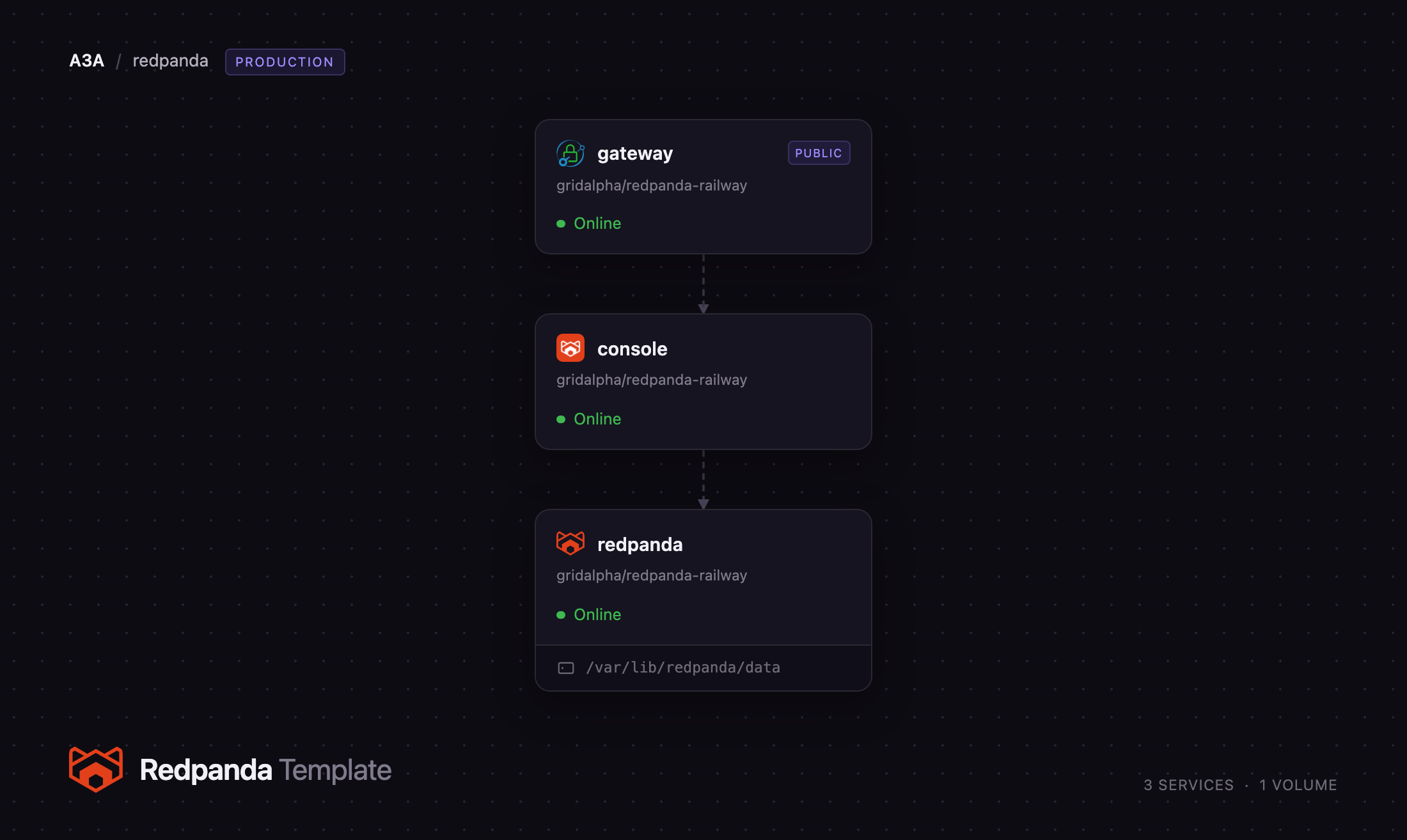
Self-host Redpanda on Railway in three services. The redpanda service runs the broker on a persistent volume, exposing the Kafka API, Schema Registry, HTTP Proxy and Admin API behind SASL/SCRAM authentication. The console service runs Redpanda Console, the official web UI for browsing topics, inspecting messages and managing schemas. The gateway service is a Caddy reverse proxy holding the public domain: it puts HTTP basic authentication in front of the Console and forwards the broker's two HTTP APIs. External Kafka clients connect over a Railway TCP proxy.
Getting Started with Redpanda on Railway
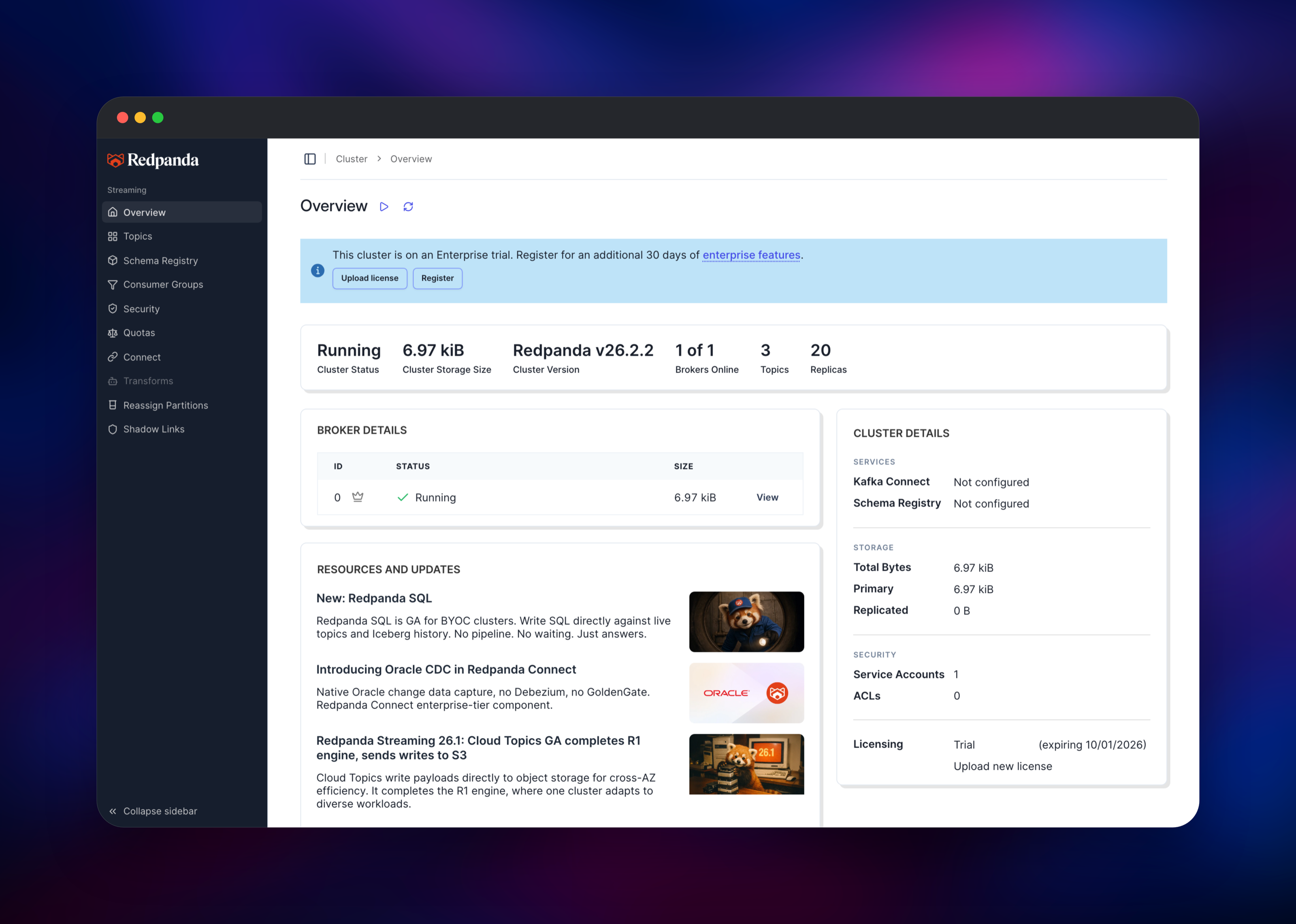
Set a username and password when you deploy — that pair becomes the Redpanda superuser, the Console login and the Schema Registry credential. When the deploy finishes, open the public URL on the gateway service. Your browser prompts for those credentials and you land on the Console cluster overview: broker status, version, topic count and storage. There is no registration step and no default password.
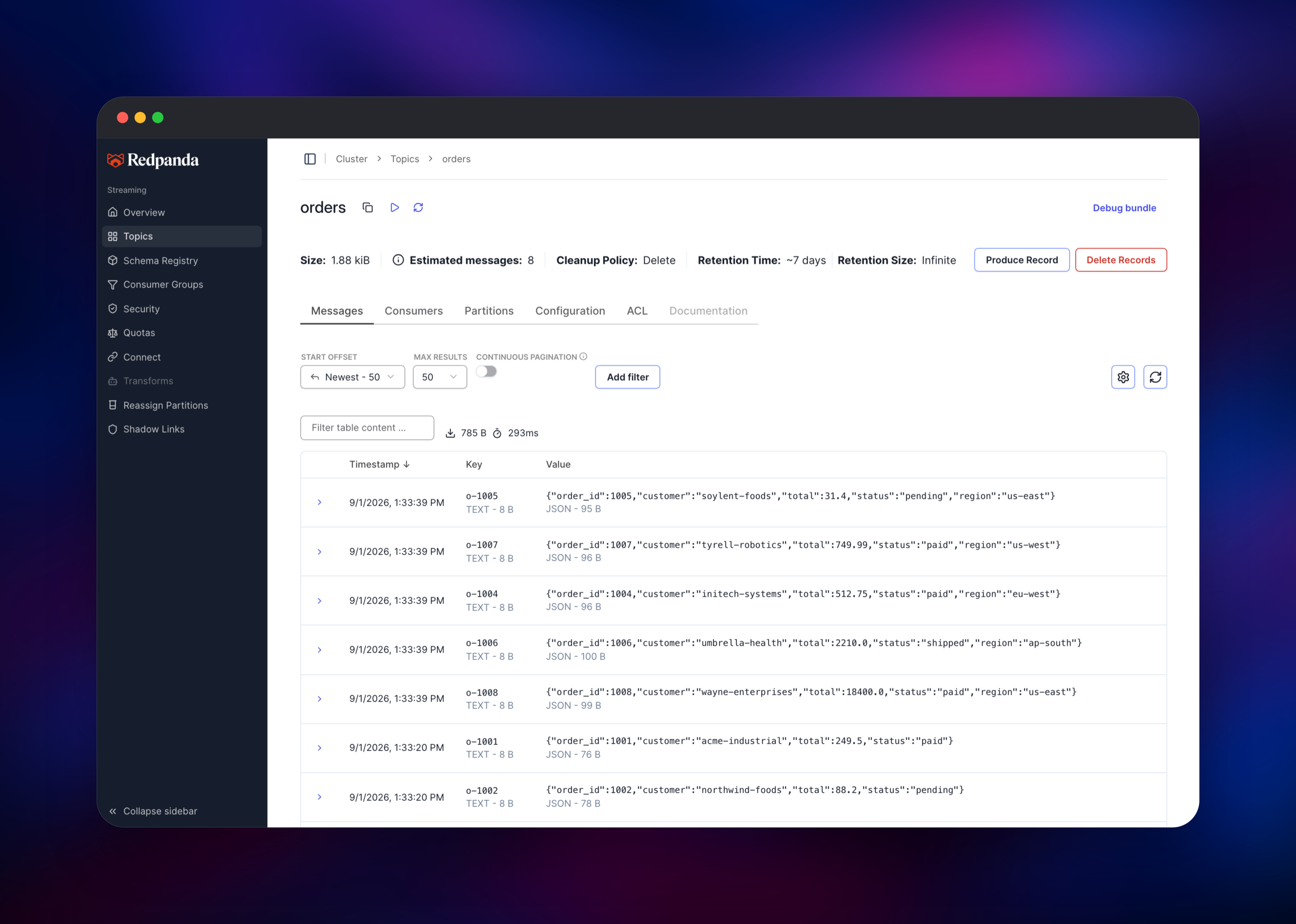
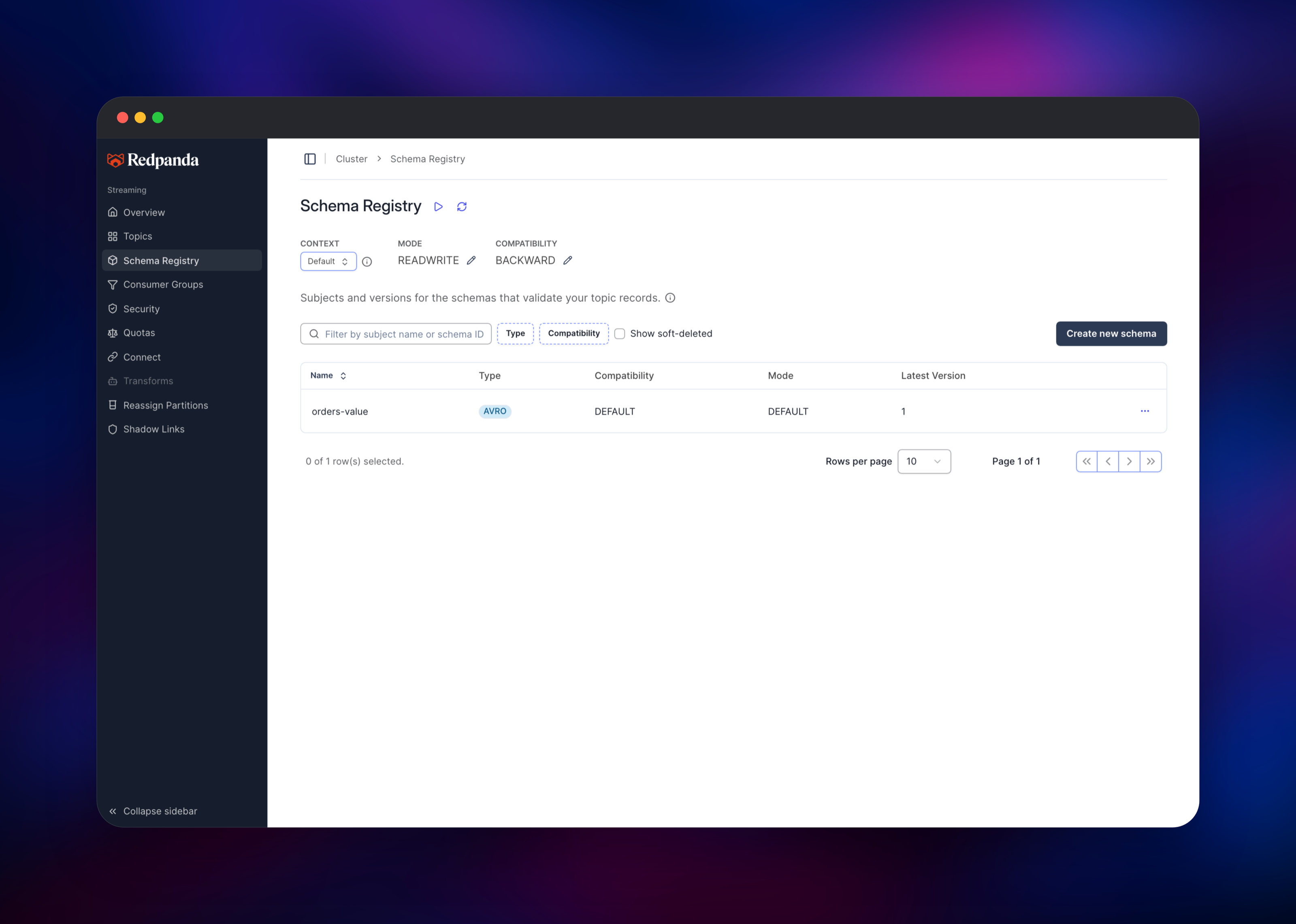
Click Topics, then Create Topic, and make one with three partitions. Open it and use Produce Record to publish a JSON message. It appears in the Messages tab within a second with its key, partition and offset — that round trip confirms the broker, its volume and the Console are wired correctly. Schema Registry registers Avro, Protobuf and JSON Schema subjects; Security lists SASL users and ACLs.
To connect an application, read RAILWAY_TCP_PROXY_DOMAIN and RAILWAY_TCP_PROXY_PORT on the redpanda service — that host and port are your bootstrap server.
About Hosting Redpanda
Redpanda replaces a Kafka deployment with one binary that manages its own Raft consensus and bundles what Kafka users normally install separately. Self-hosting suits teams who want event data on infrastructure they control, whose managed streaming bill is outgrowing their throughput, or who need a staging Kafka endpoint that behaves like the real one.
- Kafka API compatible — existing clients, Kafka Connect, kcat, Flink and Spark connectors work
- Built-in Schema Registry — Avro, Protobuf and JSON Schema subjects with compatibility checks
- Built-in HTTP Proxy — produce and consume over REST where a Kafka client is impractical
- SASL/SCRAM and ACLs — users and per-topic authorization inside the broker
- No ZooKeeper, no JVM — no heap tuning, no separate quorum tier
The broker owns all state and is the only service with a volume, so topics and consumer offsets survive redeploys. The Console is stateless, reading everything from the broker over the private network. The gateway exists because Console has no authentication outside its enterprise build.
Why Deploy Redpanda on Railway
Railway handles the parts of running a broker that are not about streaming:
- A persistent volume, so topic data survives every redeploy
- A TCP proxy giving external Kafka clients a public bootstrap endpoint
- Private networking between the three services, no exposed ports
- Automatic HTTPS on the Console, no certificate management
- Vertical scaling from the dashboard; the broker retunes on the next boot
Common Use Cases
- Event-driven microservices — publish domain events and let services consume at their own pace, replaying from any offset
- Change data capture — stream Postgres or MySQL changes through Debezium into topics feeding search and analytics
- Clickstream and telemetry ingestion — buffer high-volume events ahead of a warehouse, so a slow consumer never drops data
- Log pipelines — collect logs into partitioned topics that Vector or Logstash read downstream
Dependencies for Redpanda
redpandadata/redpanda(Docker Hub) — broker, Schema Registry, HTTP Proxy and Admin API in one binary. Owns the volume and all state.redpandadata/console(Docker Hub) — the official web UI. Stateless; reads the broker's Kafka, Registry and Admin APIs.caddy:2-alpine(Docker Hub) — the public gateway. Adds basic authentication in front of the Console and forwards the broker's HTTP APIs.
Environment Variables Reference
| Variable | Service | Purpose |
|---|---|---|
REDPANDA_ADMIN_USER | redpanda | SASL/SCRAM superuser, created at first boot |
REDPANDA_ADMIN_PASSWORD | redpanda | Its password |
REDPANDA_SMP / REDPANDA_MEMORY_MB | redpanda | Overrides; both derived from the container limits |
REDPANDA_AUTO_CREATE_TOPICS | redpanda | false requires explicit topic creation |
KAFKA_BROKERS | console | Private bootstrap address of the broker |
GATEWAY_USER / GATEWAY_PASSWORD | gateway | Console login; the broker superuser |
Deployment Dependencies
- Redpanda on GitHub and Redpanda Console on GitHub
- Self-hosting documentation and the rpk CLI reference
Hardware Requirements for Self-Hosting Redpanda
| Resource | Minimum | Recommended |
|---|---|---|
| CPU | 1 vCPU | 2–4 vCPU |
| RAM | 2 GB | 4–8 GB |
| Storage | 5 GB volume | 20 GB+, sized to retention |
| Runtime | Linux container, x86-64 with SSE4.2 | Same |
Redpanda wants roughly 2 GB of memory per shard. The broker reads its container's CPU and memory limits at boot and sizes its shard count and memory budget from them, so raising the service's resources in Railway is enough — no flags to edit.
Self-Hosting Redpanda
The quickest local run is one container. This is a shell command:
docker run -d --name redpanda -p 9092:9092 -p 9644:9644 \
  -v redpanda-data:/var/lib/redpanda/data \
  docker.redpanda.com/redpandadata/redpanda:latest \
  redpanda start --overprovisioned --smp 1 --memory 2G \
  --kafka-addr 0.0.0.0:9092 --advertise-kafka-addr localhost:9092
Then rpk creates a topic and moves a message through it. These are shell commands:
rpk topic create orders -p 3 --brokers localhost:9092
echo '{"order_id":1001,"status":"paid"}' | \
  rpk topic produce orders --brokers localhost:9092
rpk topic consume orders -n 1 -o start --brokers localhost:9092
Against this template, add -X user= -X pass= -X sasl.mechanism=SCRAM-SHA-256 and point --brokers at the TCP proxy host and port instead.
Redpanda fsyncs every write by default, so a restart cannot lose an acknowledged record.
How Much Does Redpanda Cost to Self-Host?
Redpanda's core is source-available under the Business Source License 1.1, whose Additional Use Grant permits production use; the exclusion is reselling it as a streaming service to third parties. Each version converts to Apache 2.0 four years after release. Tiered storage, SSO and role-based access control are enterprise features and are unused here, so self-hosting on Railway costs infrastructure only: one broker container, two stateless services and a volume.
FAQ
What is Redpanda? A Kafka-API-compatible streaming data platform written in C++. Brokering, schema registry and HTTP access live in one binary, with no ZooKeeper and no JVM, so existing Kafka clients connect unchanged.
What does this Railway template deploy? A Redpanda broker on a persistent volume with SASL/SCRAM authentication, Redpanda Console as the web UI, and a Caddy gateway that holds the public domain and protects the Console with basic authentication. A TCP proxy exposes the Kafka API to external clients.
Why does the template include a gateway instead of publishing Console directly? Console's own authentication is an enterprise feature, so publishing it directly would put an unauthenticated topic browser, with delete permissions, on the public internet. The gateway supplies the login the open-source build lacks.
How do I connect a Kafka client or Kafka Connect to self-hosted Redpanda?
Use the broker's RAILWAY_TCP_PROXY_DOMAIN and RAILWAY_TCP_PROXY_PORT as the bootstrap server, with security.protocol=SASL_PLAINTEXT, sasl.mechanism=SCRAM-SHA-256 and your deploy-time credentials. Every standard client, plus rpk and kcat, works unmodified.
How much data can self-hosted Redpanda hold? Retention is bounded by the volume. Default topic retention is seven days; shorten it per topic in the Console, or grow the volume.
Template Content
redpanda
gridalpha/redpanda-railwaygateway
gridalpha/redpanda-railwayconsole
gridalpha/redpanda-railway
