Deploy Remark42
Comment engine you embed on any web page with one script tag

mailpit
Just deployed
/data
remark42
Just deployed
/srv/var
Deploy and Host Remark42 on Railway
Remark42 is an open-source commenting engine, written in Go by Umputun, that you embed on any web page with a single script tag. It gives readers threaded discussions, markdown, voting and email or OAuth sign-in, and it gives you what hosted comment platforms never do: the comments themselves, in a file you own, with no third-party tracking scripts. Bloggers, documentation sites and static-site builders on Hugo, Astro or Next.js all end up here.
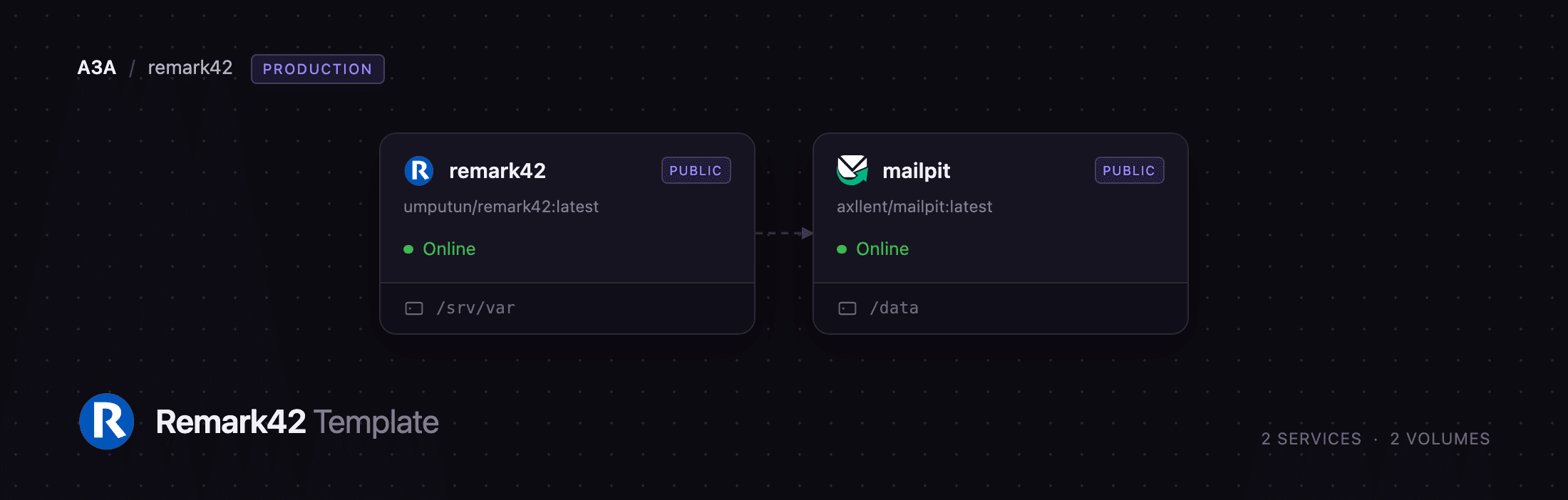
Self-host Remark42 on Railway and this template wires up the parts that usually take an afternoon. The remark42 service runs umputun/remark42:latest behind a public HTTPS domain, keeping every comment, avatar, uploaded image and nightly backup on a volume at /srv/var. A second service, mailpit, provides SMTP on the private network so email sign-in links and notifications work the moment the deploy finishes, with a password-protected inbox for reading what was sent. Run Remark42 on Railway and the public URL, the signing secret, the trusted-proxy ranges and the mail wiring are already set.
Getting Started with Remark42 on Railway
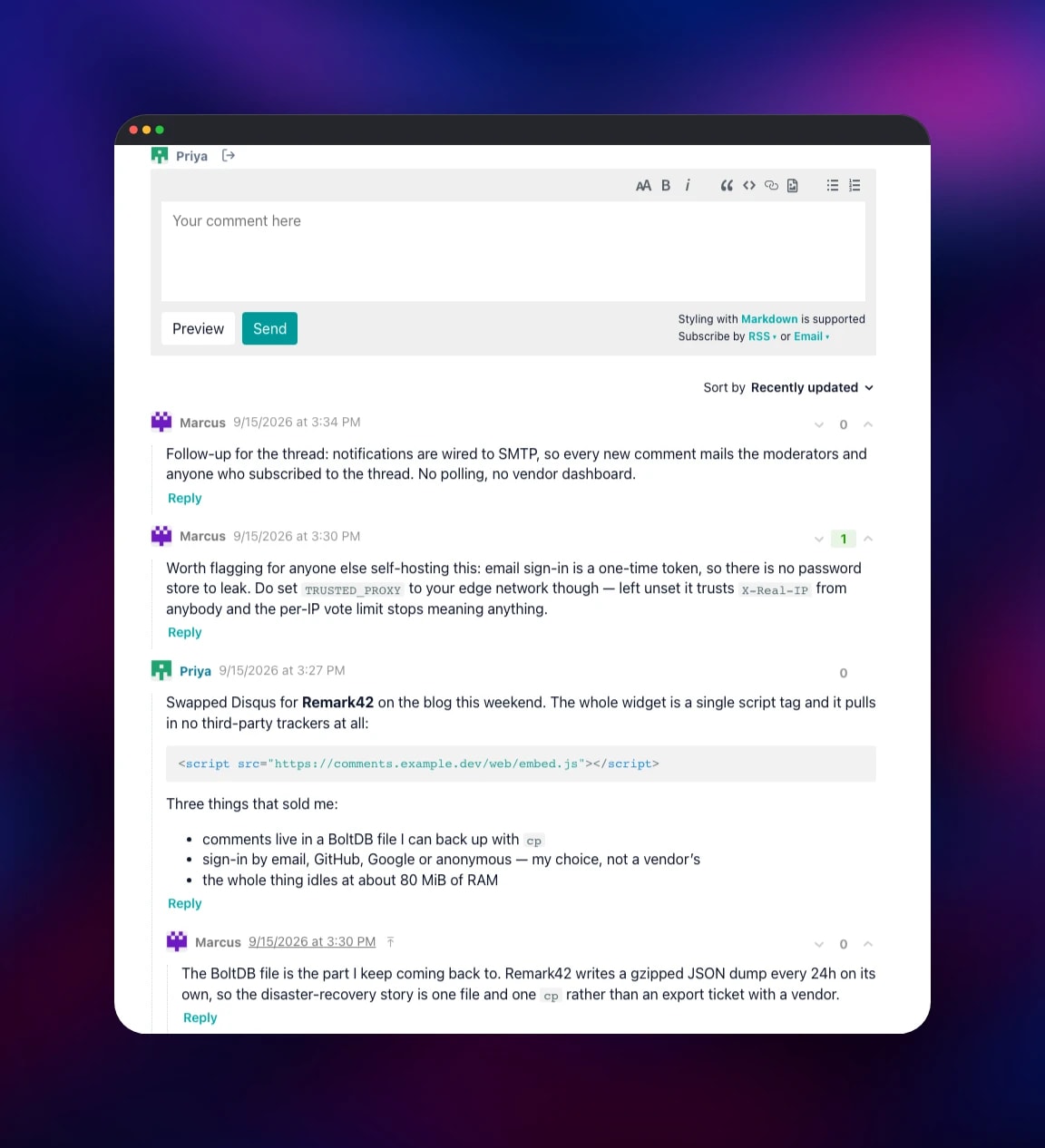
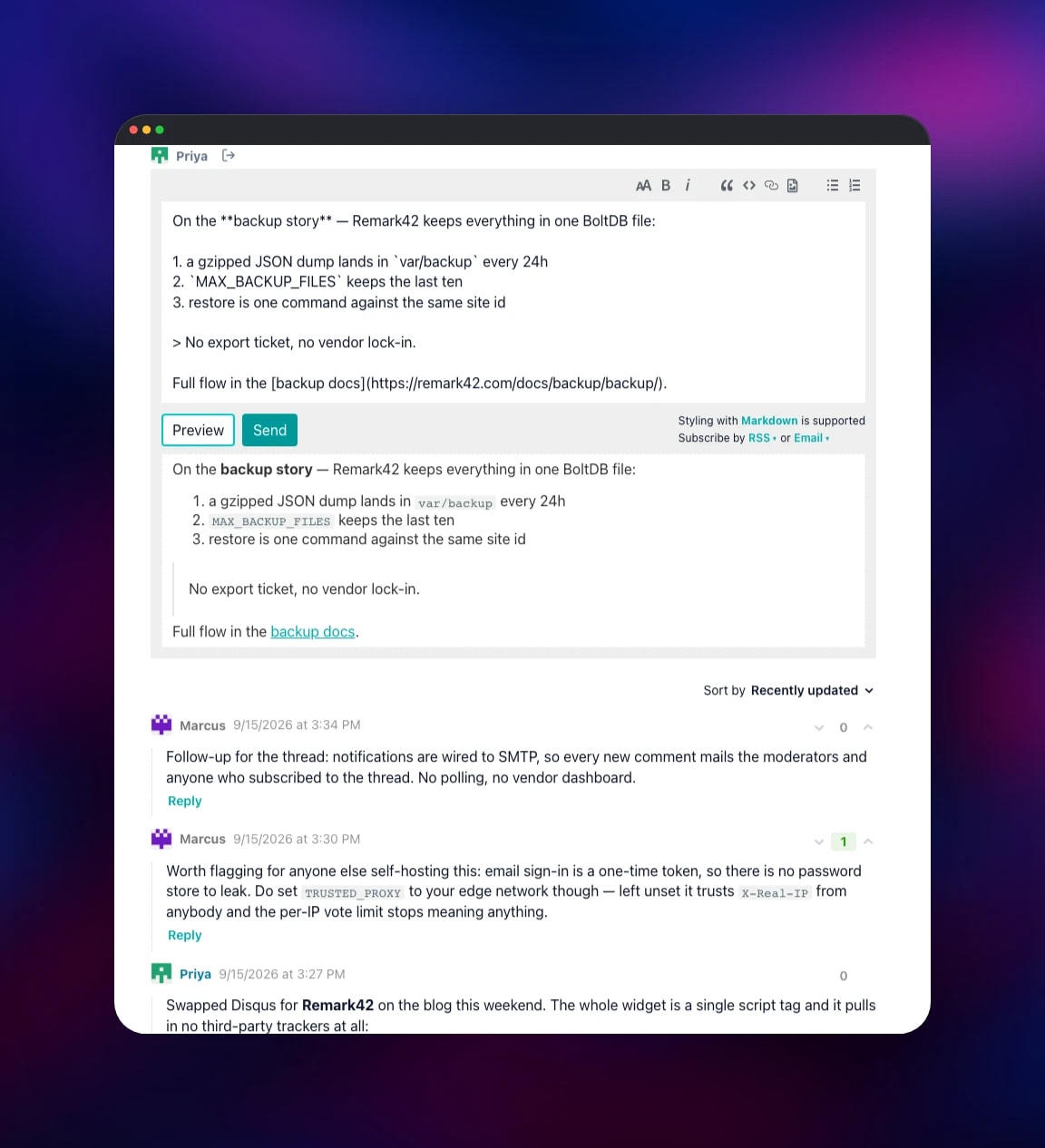
Open the remark42 service's public URL and add /web/ — that path serves a demo page with the widget pointed at your own instance, and it is the fastest way to confirm the deployment works. There is no admin account and no default password: click Sign In, choose Email, enter any username and address, and Remark42 mails a one-time token. Open the mailpit URL, sign in with the credentials in its MP_UI_AUTH variable, copy the token out of the message and paste it into the widget.
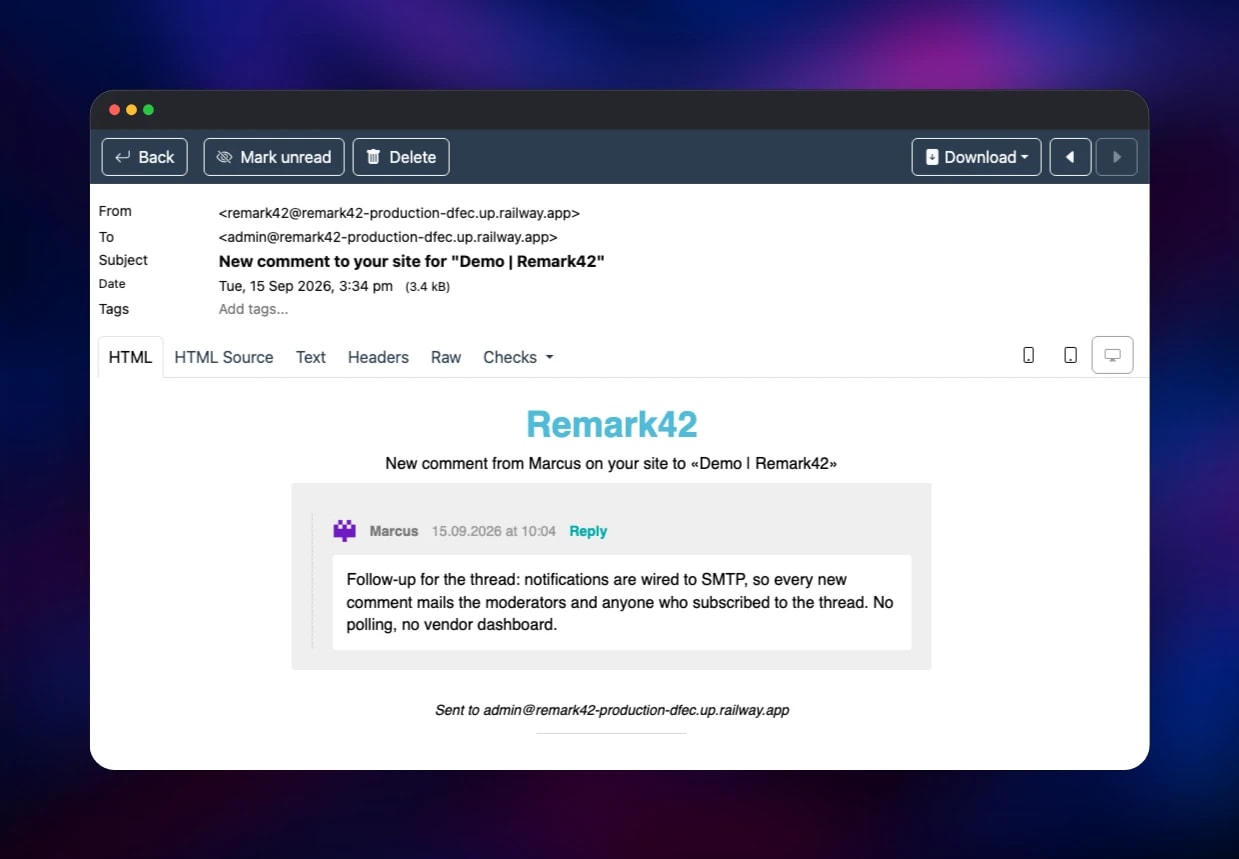
Now make yourself a moderator. Click your own name in the widget to expand your profile and copy the user id, which looks like email_91dbc8cf…. Put it in the remark42 service's ADMIN_SHARED_ID variable — a comma-separated list — and let the service redeploy. Reload, and every comment gains a moderation menu: pin, hide, verify the author, block, delete. Post a test comment, reply to it, and check Mailpit again: a New comment to your site message should be waiting. Then copy the embed snippet from /web/ into your own site.
About Hosting Remark42
Remark42 replaces a hosted comment service with one Go binary and an embedded BoltDB database. No database server, no queue, no cache tier — the installation is one process and one directory. A five-year-old instance with regular activity fits in under 200 MB, and the backup is a gzipped JSON dump the server writes itself every 24 hours.
Key features:
- Threaded comments with full markdown, code blocks, image uploads and emoji
- Sign-in by email token, anonymous name, or OAuth with GitHub, Google, Microsoft, Apple, Facebook, Yandex, Discord, Patreon or a custom provider
- Voting with score thresholds that hide low-scored comments automatically
- Moderation: pin, hide, verify, delete, block, restricted word and name lists
- Email and Telegram notifications, RSS feeds per thread
- Multi-site support from one instance, and an import path from Disqus and WordPress
The remark42 service is the whole application — API, widget assets and storage. mailpit exists because Remark42's most convenient sign-in method is an emailed token, and a fresh deployment with no SMTP host could not send one. Mailpit captures mail rather than delivering it, so it is a safe place to watch notifications before you point Remark42 at a real relay.
Why Deploy Remark42 on Railway
Railway removes the server work from a self-hosted comment engine:
- One click provisions both services, both volumes and the public HTTPS domain
- The signing secret is generated at deploy time
TRUSTED_PROXYis pre-set to Railway's edge, so per-IP rate limiting works- Volumes keep comments across every redeploy
- Health checks on
/pingand/livezcatch a bad rollout
Common Use Cases
- Comments on a static blog built with Hugo, Astro, Eleventy or Next.js, with no third-party tracking script
- Replacing Disqus on an existing site, importing the old threads from a Disqus export
- One instance across several domains, with
SITEseparating each site's comments - Feedback on internal docs, sign-in restricted to your company's OAuth provider
Remark42 vs Other Comment Engines
| Remark42 | Disqus | Commento | Giscus | |
|---|---|---|---|---|
| Self-hosted | Yes | No | Yes | No (GitHub) |
| Ads / trackers | None | Yes on free tier | None | None |
| Storage | BoltDB file | Vendor cloud | PostgreSQL | GitHub Discussions |
| Sign-in | Email or OAuth | Disqus account | GitHub only |
Remark42 sits between Giscus, which needs every commenter to hold a GitHub account, and Commento, which needs a PostgreSQL server of its own.
Dependencies for Remark42
umputun/remark42:latest— the comment engine; API, widget and BoltDB storage in one binaryaxllent/mailpit:latest— SMTP server and inbox holding the sign-in tokens and notifications
Environment Variables Reference
| Variable | Service | Purpose |
|---|---|---|
REMARK_URL | remark42 | Public URL; baked into the widget at every start |
SECRET | remark42 | Signs the auth tokens; keep it stable |
SITE | remark42 | Site id the widget reports, remark by default |
AUTH_EMAIL_ENABLE | remark42 | Turns on one-time-token email sign-in |
ADMIN_SHARED_ID | remark42 | Comma-separated moderator user ids |
ALLOWED_HOSTS | remark42 | Restricts which sites may embed the widget |
SMTP_HOST / SMTP_PORT | remark42 | Outgoing mail server; points at Mailpit |
MP_UI_AUTH | mailpit | user:password for the inbox |
Deployment Dependencies
- Source: github.com/umputun/remark42 (MIT), docs
- Images: umputun/remark42, axllent/mailpit
Hardware Requirements for Self-Hosting Remark42
| Resource | Minimum | Recommended |
|---|---|---|
| CPU | 0.25 vCPU | 1 vCPU |
| RAM | 128 MB | 512 MB |
| Storage | 1 GB volume | 5 GB volume |
| Runtime | Docker | Docker |
Upstream reports busy instances idling under 0.1% CPU and around 80 MB of RAM. The volume grows slowly; most of it is images, not comment text.
Self-Hosting Remark42 with Docker
The minimum is two variables and a mounted directory:
docker run -d --name remark42 \
  -p 8080:8080 \
  -e REMARK_URL=https://comments.example.com \
  -e SECRET=change-me-to-a-long-random-string \
  -e AUTH_ANON=true \
  -v $PWD/var:/srv/var \
  umputun/remark42:latest
The container refuses to start if /srv/var is not mounted — deliberately, since that is where your comments live. Embedding is a snippet plus a target element:
<div id="remark42"></div>
How Much Does Remark42 Cost to Self-Host?
Remark42 is MIT-licensed and free — no paid tier, no seat limits, no feature gating. The only cost is infrastructure, which on Railway means usage-based pricing for two small containers and two volumes. Disqus removes ads only on a paid plan, and Hyvor Talk charges per page view.
FAQ
What is Remark42? Remark42 is a self-hosted, open-source commenting engine written in Go. You embed it on any web page with a script tag, and it stores comments in a BoltDB file you own rather than in a vendor's cloud.
What does this Railway template deploy?
Two services: remark42, the comment engine on a public HTTPS domain with a volume at /srv/var, and mailpit, a private SMTP server with a password-protected inbox that receives the sign-in tokens and notification emails.
Why does the template include a mail service?
Remark42's email sign-in mails a one-time token, and its notifications are email too. Without an SMTP host neither works, so a deployment with no mail service has no usable login unless you enable anonymous commenting. Point SMTP_HOST and SMTP_PORT at a real relay when you go live.
How do I make myself an admin in self-hosted Remark42?
There is no admin account. Sign in once, click your username in the widget to reveal your user id, and add it to ADMIN_SHARED_ID on the remark42 service. Moderation controls appear on the next load.
Can I use GitHub or Google sign-in instead of email?
Yes. Register an OAuth application, point its callback at https://your-domain/auth/github/callback, and set AUTH_GITHUB_CID and AUTH_GITHUB_CSEC. Several providers can be enabled at once.
Will my comments survive a redeploy?
Yes. Everything lives on the volume at /srv/var — the BoltDB file, avatars, uploads and the daily backup — and Railway keeps that volume across deployments.
Can one instance serve several websites?
Yes. Set SITE to a comma-separated list of ids and give each page's remark_config.site_id the matching value. Each site gets its own database file and threads.
Template Content
mailpit
axllent/mailpit:latestremark42
umputun/remark42:latest