
Deploy rotki
Portfolio tracker and tax accounting tool for crypto and assets
rotki
Just deployed
/data

rotki-gateway
Just deployed
Deploy and Host rotki on Railway
Self-host rotki to track a portfolio without handing your financial history to anyone. rotki is an open-source portfolio manager, analytics engine and tax-accounting tool for crypto and traditional assets. It reads balances from exchanges, blockchains and manual entries, prices them against real market data, and keeps everything in a SQLCipher-encrypted database only your password opens. Accountants, long-term holders and anyone uneasy about giving a closed-source tracker their exchange keys reach for it.
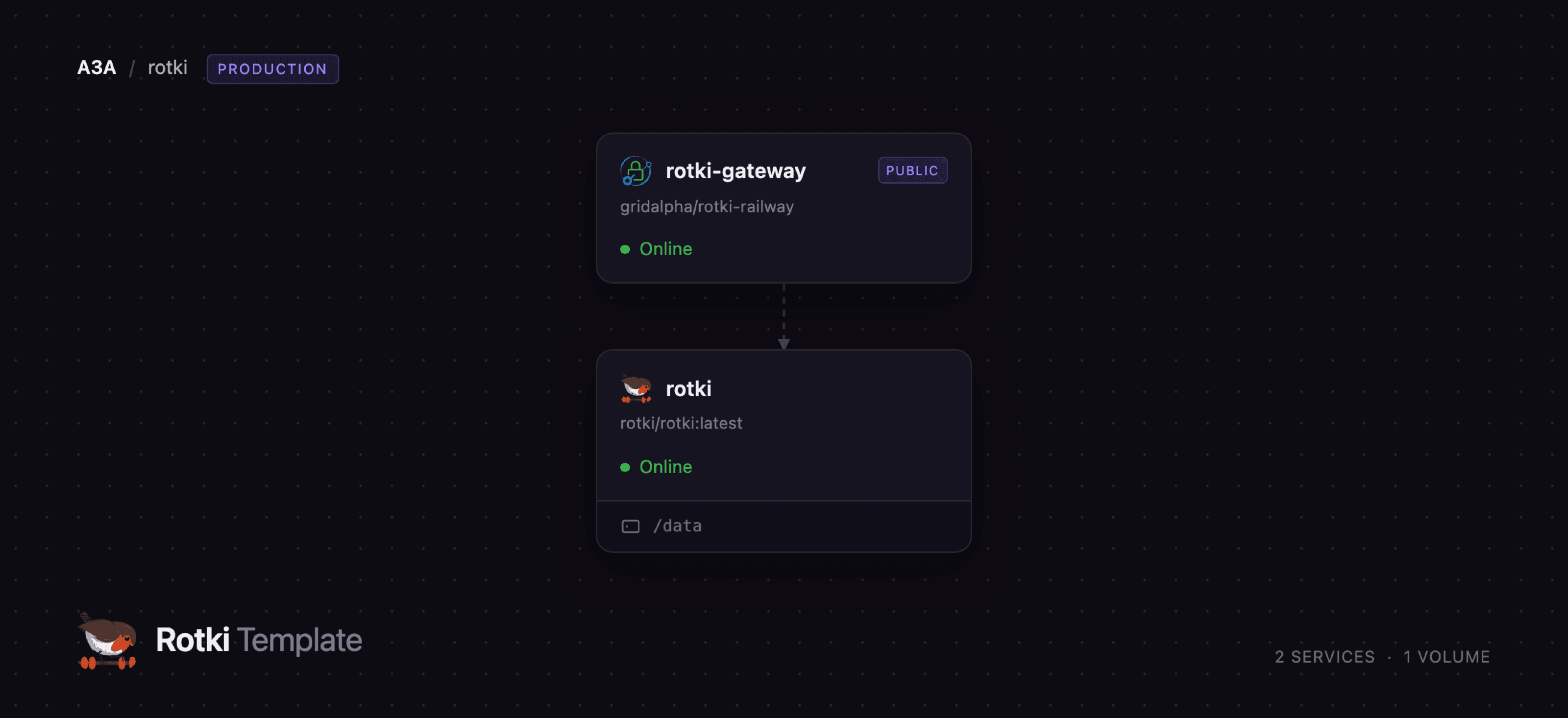
Deploy rotki on Railway and the template wires up two services. rotki runs the published rotki/rotki image — a supervisor serving the web interface, the Python accounting API and a Rust asset service — with a volume holding your encrypted database. rotki-gateway is a small Caddy reverse proxy built from gridalpha/rotki-railway; it owns the public URL and puts HTTP basic auth in front. That second service is not optional polish: rotki leaves its account-creation endpoint open so its own login screen works before you sign in, which is right on a laptop and wrong on the public internet.
Getting Started with rotki on Railway
Open the deployed URL and your browser asks for a username and password first — the gateway credentials you set when deploying, not a rotki account. Past that prompt, rotki shows a four-step Create Account wizard: choose Create new account, answer No to the premium question unless you hold a rotki.com subscription, then pick a profile name and password. Heed that screen's warning — the password encrypts your database and there is no reset. The last step asks about usage analytics; either answer is fine.
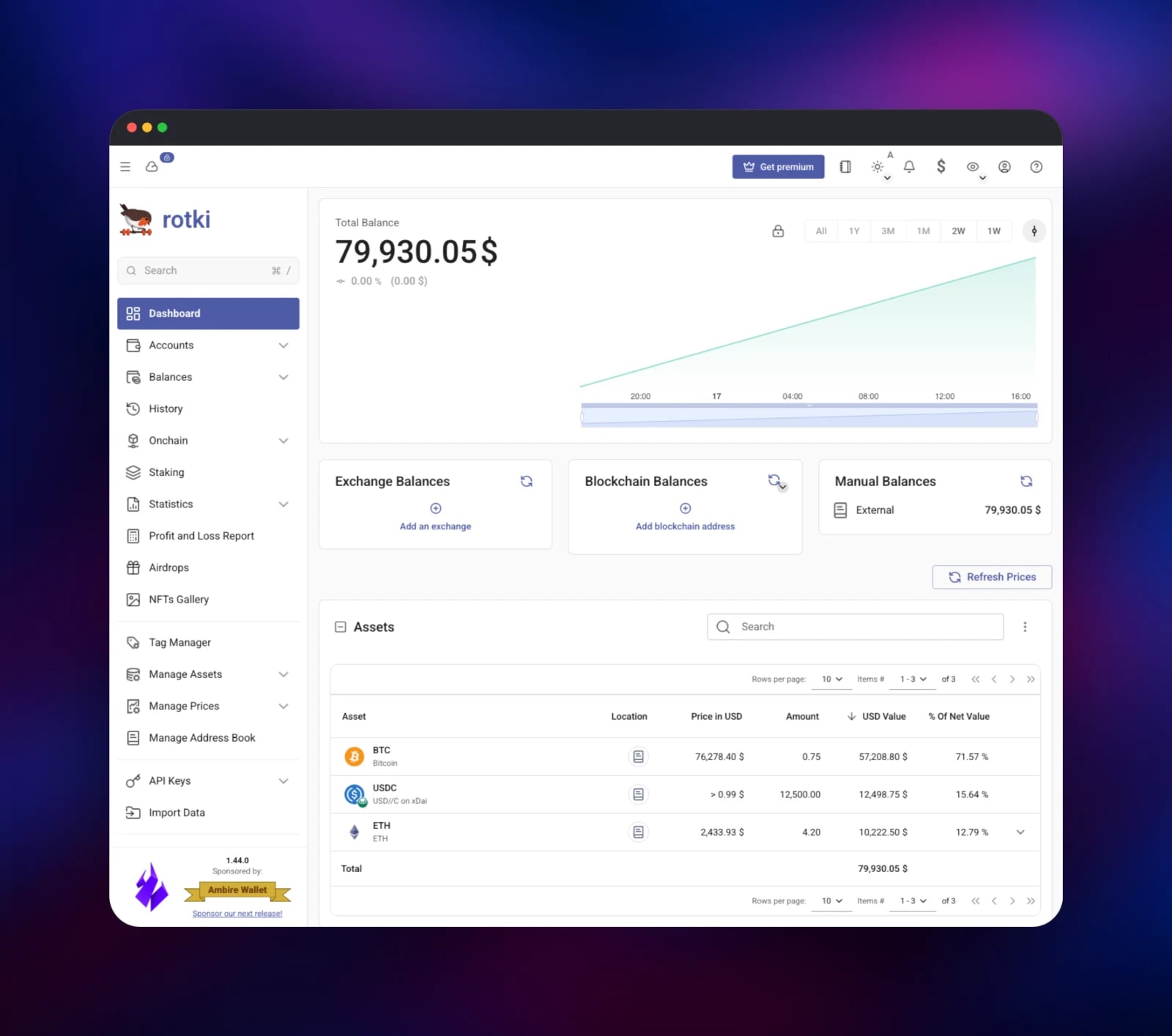
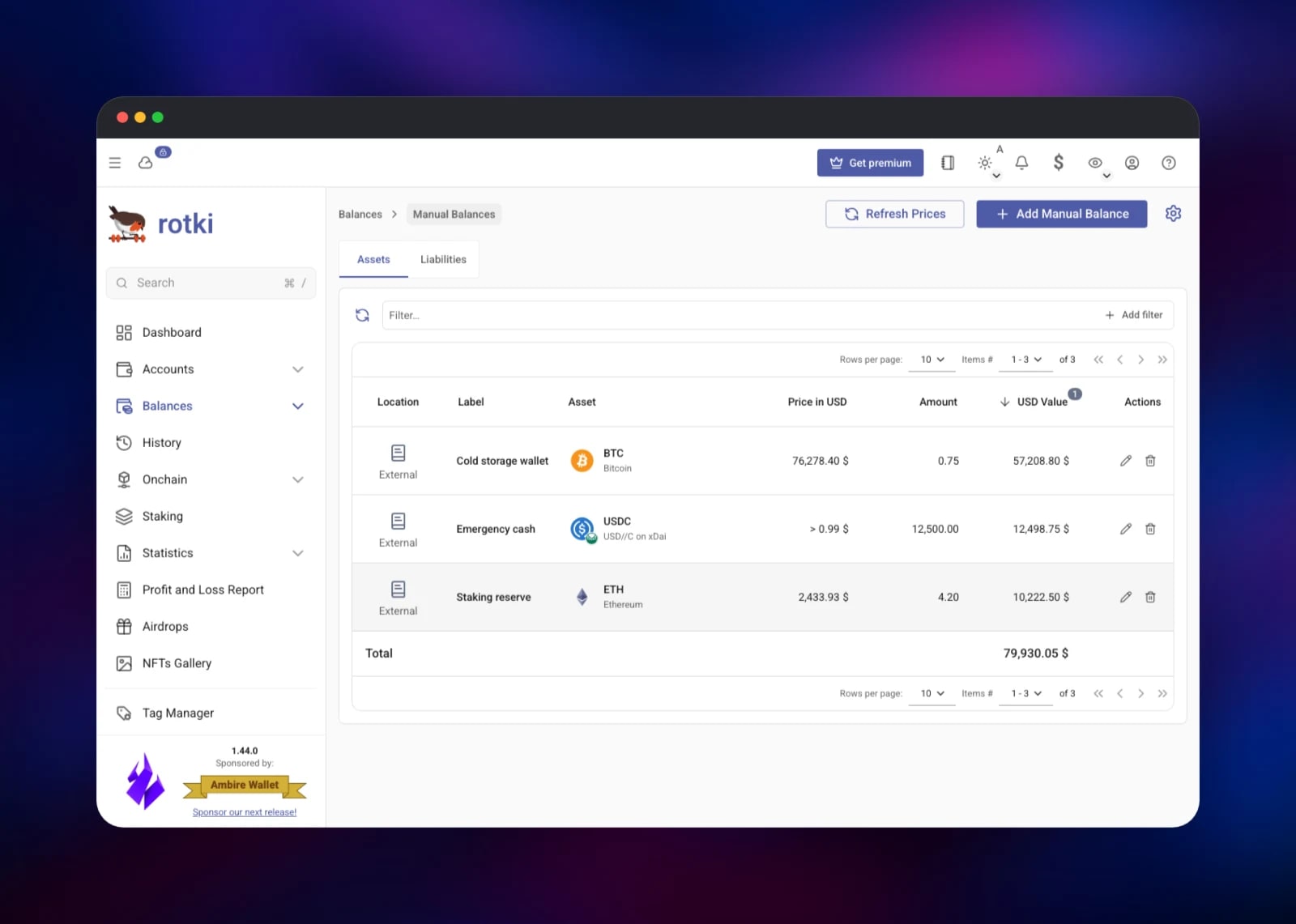
You land on an empty dashboard. The quickest confirmation is Balances → Manual Balances → Add Manual Balance: add a label, type a ticker such as BTC, pick the first match, enter an amount and save. The row returns a live market price and USD value and the dashboard total updates — a round trip proving the API, the price oracles and the encrypted database are healthy. Then add a read-only exchange key under API Keys → Exchanges, or a wallet address under Accounts, and real history imports.
About Hosting rotki
rotki inverts the usual tracker bargain: instead of a hosted service holding your keys and history, it runs beside you and keeps every record in a local encrypted database. Self-hosting suits holdings spread across exchanges and chains, defensible cost-basis numbers at tax time, or any case where giving a third party your exchange keys is unacceptable.
- Balance tracking across exchanges, EVM, Bitcoin, Solana and Substrate chains, plus manual entries
- Profit-and-loss reports with configurable accounting rules and cost-basis methods
- A decoder turning raw on-chain transactions into readable events across many DeFi protocols
- Historical price lookups from multiple oracles, with per-asset overrides
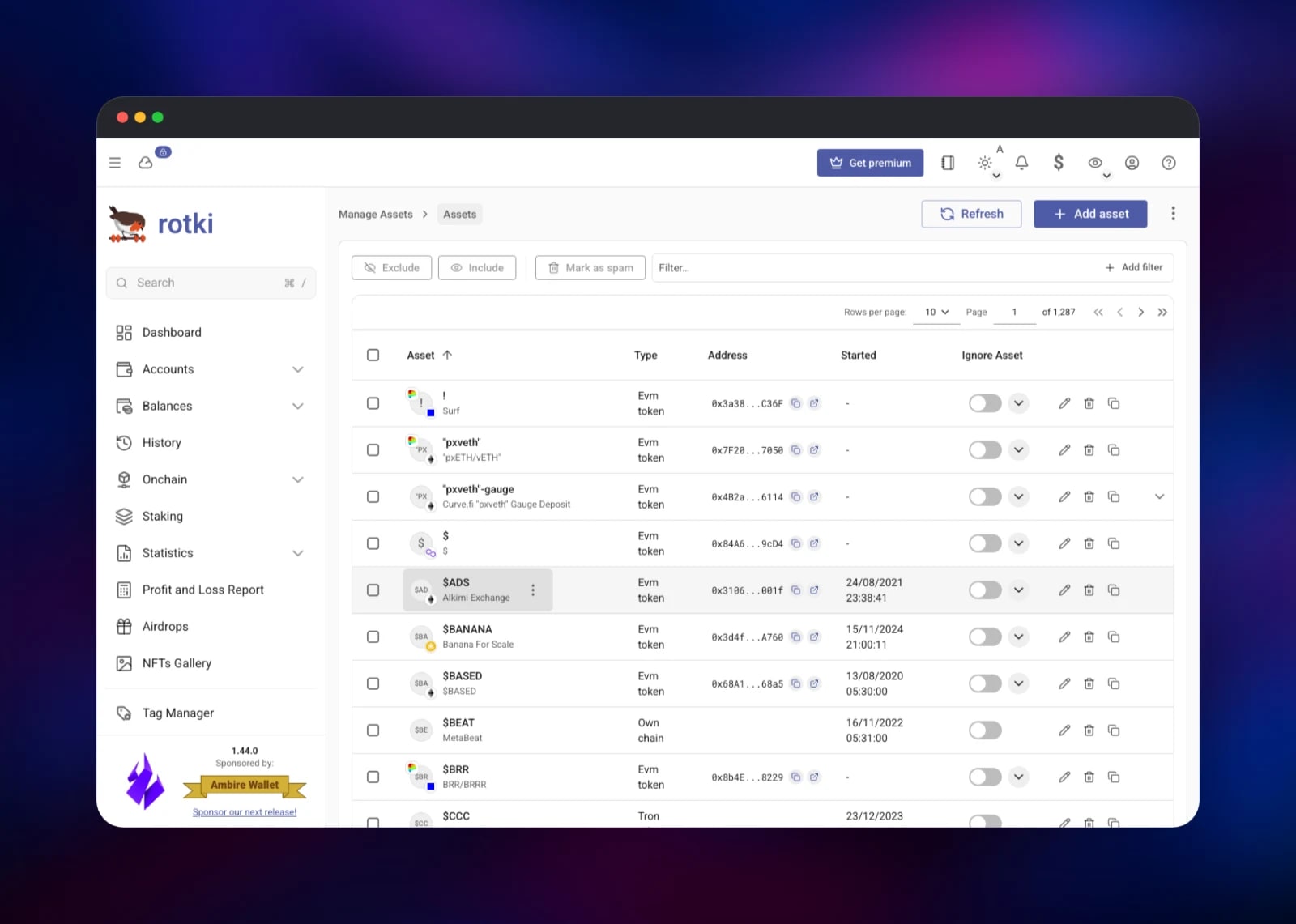
- An editable asset database of tens of thousands of tokens
- Per-user encryption, so several people can share one deployment privately
The two services divide cleanly. rotki holds all state and takes no traffic directly — interface, REST API and asset service all sit behind Railway's private network. rotki-gateway terminates the public request, checks basic auth and forwards, leaving two paths open: its own health endpoint, and the WebSocket rotki already protects with its session cookie.
Why Deploy rotki on Railway
Railway removes the overhead of self-hosting:
- The encrypted database sits on a managed volume that survives redeploys
- HTTPS and a public domain are provisioned automatically
- Gateway and app talk privately, so only one service is exposed
- Health checks watch the supervisor's whole process tree, not just a port
- Upgrades are a redeploy of the image tag, with no host to patch
Common Use Cases
- Tracking a portfolio across exchanges and wallets without giving a vendor your keys
- Producing tax-year profit-and-loss reports from real history rather than spreadsheets
- Auditing DeFi positions by decoding on-chain events into readable, categorised entries
- Giving a household or small fund one deployment with each person's data encrypted separately
Dependencies for rotki
- rotki —
rotki/rotki:latestfrom Rotki Solutions GmbH: supervisor, Python API, Rust asset service and the built web interface. - rotki-gateway — built from gridalpha/rotki-railway on
caddy:2-alpine.
There is no database service: rotki manages its own SQLCipher databases on the volume, which is why the deployment needs no connection strings.
Environment Variables Reference
| Variable | Service | Purpose |
|---|---|---|
GATEWAY_USER | rotki-gateway | Basic-auth username for the public URL |
GATEWAY_PASSWORD | rotki-gateway | Basic-auth password, hashed at boot |
ROTKI_UPSTREAM | rotki-gateway | Private address of the rotki service |
ROTKI_SESSION_KEY | rotki | Signs session cookies; keep it stable |
ROTKI_SESSION_COOKIE_SECURE | rotki | forwarded marks cookies Secure behind HTTPS |
LOGLEVEL | rotki | Backend log level; info is a good default |
Deployment Dependencies
- Source: github.com/rotki/rotki
- Image: hub.docker.com/r/rotki/rotki
- Docs: docs.rotki.com
- Gateway: github.com/gridalpha/rotki-railway
Hardware Requirements for Self-Hosting rotki
| Resource | Minimum | Recommended |
|---|---|---|
| CPU | 1 vCPU | 2 vCPU |
| RAM | 1 GB | 2 GB |
| Storage | 5 GB volume | 10 GB+ for long histories |
| Runtime | Linux container | Linux container |
Decoding a large on-chain history is the memory-hungry step; day-to-day queries are light.
Self-Hosting rotki with Docker
The upstream image runs standalone. This starts it with a persistent data directory:
docker run -d --name rotki \
  -p 8080:80 \
  -v rotki-data:/data \
  -e ROTKI_SESSION_KEY="$(openssl rand -hex 32)" \
  rotki/rotki:latest
ROTKI_SESSION_KEY turns on cookie authentication for the REST API; without it every endpoint is open to anything that can reach the port.
Since account creation stays unauthenticated by design, an internet-facing deployment belongs behind a proxy requiring credentials — what this template's gateway does. The equivalent Caddy configuration:
:8080 {
	handle /healthz {
		respond "ok" 200
	}
	handle /ws* {
		reverse_proxy rotki:80
	}
	handle {
		basic_auth {
			admin
		}
		reverse_proxy rotki:80
	}
}
/ws* is exempt on purpose: rotki authenticates that handshake with its own session cookie, and browsers do not reliably resend basic-auth credentials on a WebSocket.
Is rotki Free to Self-Host?
rotki is open source under AGPL-3.0, and self-hosting is free with no feature gate on balance tracking, accounting or transaction decoding. Rotki Solutions sells an optional Premium subscription adding encrypted cloud sync, extended statistics and longer history retention; the deployment runs fine without it. On Railway you pay only for the compute, volume and bandwidth the two services use.
FAQ
What is rotki?
An open-source portfolio tracker, analytics and tax-accounting application for crypto and traditional assets. It keeps data in an encrypted local database rather than a vendor's cloud, and connects to exchanges and chains with credentials you control.
What does this Railway template deploy?
Two services: rotki from the official rotki/rotki image with a persistent volume, and a Caddy gateway holding the public domain behind HTTP basic auth. Only the gateway is internet-reachable.
Why does the template include a separate gateway service instead of exposing rotki directly?
rotki keeps a few endpoints unauthenticated so its login screen can list profiles and create the first account. Fine on a private network; on a public URL anyone who finds the address could enumerate profile names and register. The gateway requires credentials first.
Do I need a database or Redis service alongside rotki?
No. rotki stores everything in SQLCipher databases on its own volume, one per profile. That is why the volume matters — delete it and the accounts go with it.
How do I connect an exchange account to self-hosted rotki?
Open API Keys → Exchanges, pick the exchange, and paste a key and secret created read-only. rotki never needs withdrawal or trading rights, and the credentials live inside your encrypted database, not in environment variables.
What happens if I lose my rotki account password?
The database cannot be recovered. The password is the encryption key, not a login check, so no reset flow exists. Back it up before adding real data.
Can several people use one deployment?
Yes. rotki supports multiple profiles, each encrypted separately, so users cannot read each other's data. They share one set of gateway credentials, so it suits a household or small team rather than untrusted users.
Template Content
rotki
rotki/rotki:latestrotki-gateway
gridalpha/rotki-railway
