Deploy Rybbit | Open Source Modern Google Analytics Alternative
Self-Host Rybbit. Product analytics, session replay, funnels & more
Just deployed
Just deployed

ClickHouse
Just deployed
/var/lib/clickhouse
Proxy
Just deployed

Just deployed
/var/lib/postgresql/data
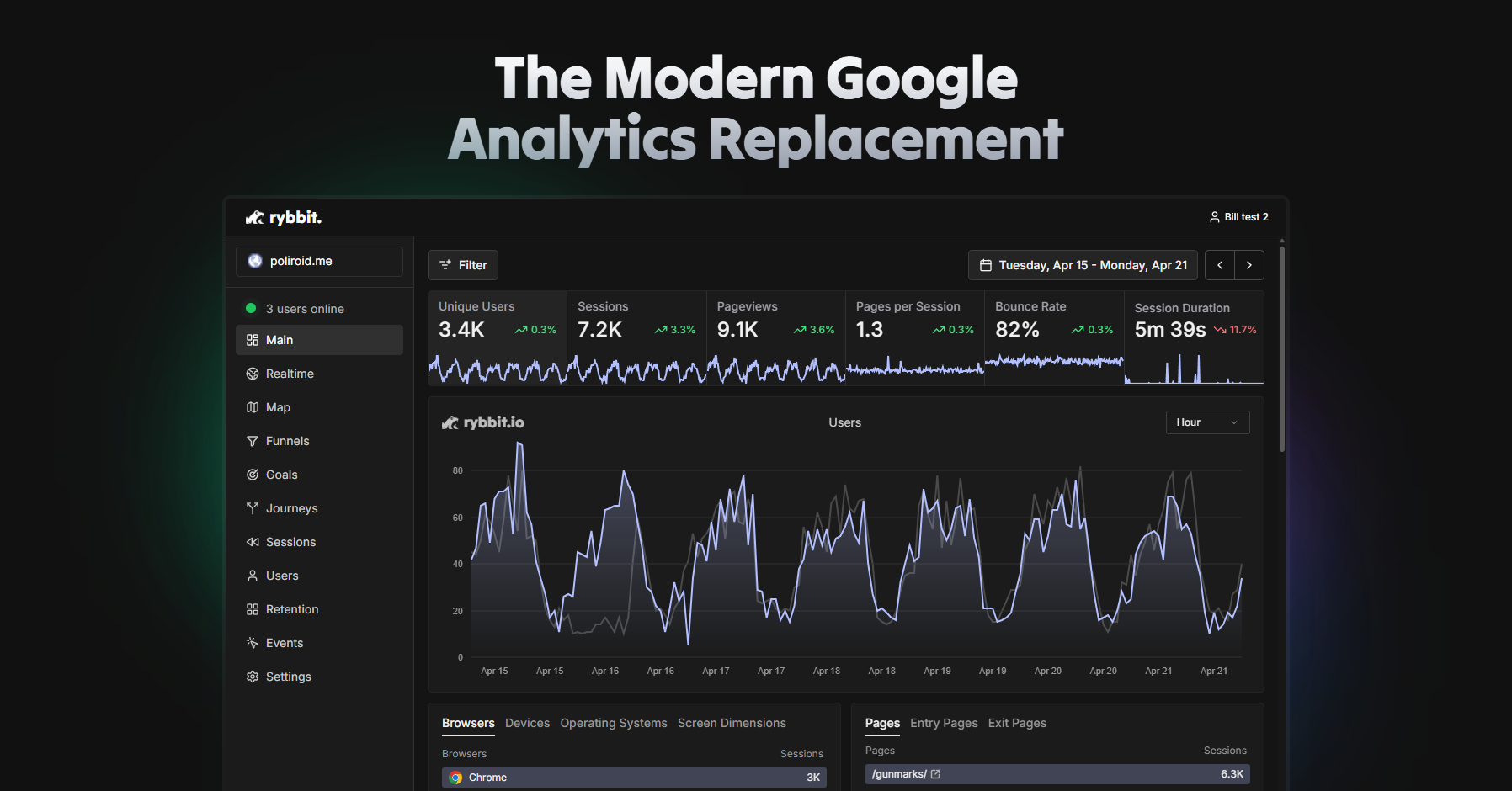
Deploy and Host Rybbit on Railway
Rybbit is an open-source, cookieless, privacy-friendly web analytics platform — a clean self-hosted alternative to Google Analytics, Plausible, and Umami. It tracks pageviews, sessions, custom events, funnels, retention, and full session replay without third-party cookies, and gives you a sleek real-time dashboard your team can actually use.
This Railway template deploys Rybbit on Railway with everything wired up: a Rybbit backend (Fastify + Better Auth), a Rybbit Next.js client dashboard, a ClickHouse analytics column store, a Railway-managed Postgres for user accounts and configuration, and a Caddy reverse proxy that serves the whole stack from a single public URL.

Getting Started with Rybbit on Railway
After the template finishes deploying, open the Proxy service's public domain in your browser — that single URL serves both the Rybbit dashboard and the /api/script.js tracking endpoint your websites will call. Click Sign Up to create the first account; Rybbit promotes the first registered user to admin automatically. Once you're in, add a site, copy the tracking snippet (it already points at your Railway domain), and paste it into the `` of any website you want to track. Real-time pageviews start appearing in the dashboard within seconds. After your admin account exists, flip DISABLE_SIGNUP=true and NEXT_PUBLIC_DISABLE_SIGNUP=true on the Backend and Client services to lock down public registration.

About Hosting Rybbit on Railway
Rybbit is a modern web analytics engine built around ClickHouse for fast, cheap event storage and a Next.js dashboard for visualization. Self-hosting Rybbit on Railway means your analytics data never leaves your infrastructure, you skip cookie consent banners (Rybbit is cookieless by design), and you pay only for compute — no per-event pricing, no data caps.
Key features include:
- Real-time pageviews, sessions, and unique visitor counts
- Cookieless, GDPR/CCPA/PECR-friendly tracking
- Custom events, funnels, retention cohorts, and goals
- Full session replay with privacy controls
- Geo, device, browser, OS, UTM, and referrer breakdowns
- Organizations + multi-user access with role-based permissions
- Embeddable tracking script under 30 KB
Because the stack is multi-service (backend, client, ClickHouse, Postgres, proxy), the template ships a Caddy reverse proxy that serves both the dashboard and the API from a single domain — required because Rybbit's Better Auth pins trustedOrigins to a single origin.
Why Deploy Rybbit on Railway
Railway makes self-hosting Rybbit genuinely low-effort:
- One-click multi-service deploy — backend, client, ClickHouse, Postgres, and proxy wired together
- Built-in HTTPS on every public domain
- Private networking between services (
*.railway.internal) — no exposed databases - Volume-backed ClickHouse and Postgres so analytics history survives redeploys
- Pay-per-use compute — small sites cost a few dollars a month
Common Use Cases for Self-Hosted Rybbit
- Replace Google Analytics on marketing and SaaS sites without a cookie banner
- Track product usage on internal dashboards behind SSO without leaking data to third parties
- Run privacy-first analytics for EU customers under GDPR
- Watch session replays of real users to debug UX bugs
Dependencies for Rybbit on Railway
- Rybbit Backend —
ghcr.io/rybbit-io/rybbit-backend:latest(Fastify + Drizzle + Better Auth, port 3001) - Rybbit Client —
ghcr.io/rybbit-io/rybbit-client:latest(Next.js dashboard, port 3002) - ClickHouse —
clickhouse/clickhouse-server:25.4.2(analytics column store, HTTP port 8123) - Postgres — Railway-managed Postgres 17 (user accounts, sites, organizations)
- Caddy Proxy —
caddy:2.10.0(path-routes/api/*→ backend,/*→ client; single public URL)
Environment Variables Reference for Rybbit on Railway
| Variable | Service | Purpose |
|---|---|---|
BASE_URL | Backend | Public URL used in invite links and tracking script |
BETTER_AUTH_SECRET | Backend | 32-byte session signing secret |
DISABLE_SIGNUP | Backend | Disable public signup after creating admin |
DISABLE_TELEMETRY | Backend | Opt out of upstream telemetry pings |
CLICKHOUSE_PASSWORD | ClickHouse | Password for the default ClickHouse user |
NEXT_PUBLIC_BACKEND_URL | Client | Browser-side URL the dashboard calls |
NEXT_PUBLIC_DISABLE_SIGNUP | Client | Hide the signup UI when locked down |
CADDYFILE_B64 | Proxy | Base64-encoded Caddyfile (path routing rules) |
MAPBOX_TOKEN | Backend | Optional — enables globe visualization |
Deployment Dependencies
- Runtime: Node.js 22 (backend + client images)
- Docker images:
ghcr.io/rybbit-io/rybbit-backend,ghcr.io/rybbit-io/rybbit-client,clickhouse/clickhouse-server:25.4.2,caddy:2.10.0 - Source: https://github.com/rybbit-io/rybbit
- Docs: https://rybbit.com/docs
Hardware Requirements for Self-Hosting Rybbit
| Resource | Minimum | Recommended |
|---|---|---|
| CPU | 1 vCPU | 2 vCPU |
| RAM (Backend + Client) | 1 GB | 2 GB |
| RAM (ClickHouse) | 1 GB | 4 GB |
| RAM (Postgres) | 256 MB | 1 GB |
| Storage (ClickHouse volume) | 5 GB | 50 GB+ for high-traffic sites |
| Storage (Postgres volume) | 1 GB | 5 GB |
| Runtime | Node 22 + ClickHouse 25.4 + Postgres 17 | same |
Rybbit's official guidance: "at least 2 GB of RAM." On Railway, ClickHouse is the dominant consumer — for sites under ~1M events/month the defaults are fine; high-traffic deployments should bump the ClickHouse service memory.
Self-Hosting Rybbit on Railway
The simplest way is to deploy this Railway template — every service, volume, and cross-service variable reference is pre-wired. If you want to run it locally first to evaluate it, the official docker-compose works out of the box:
git clone https://github.com/rybbit-io/rybbit.git
cd rybbit
cp .env.example .env
docker compose up -d
The Railway template replaces the Caddy Caddyfile mount with an env-var-driven CADDYFILE_B64 so no Dockerfile is needed. The Caddy startCommand decodes the Caddyfile at boot:
/bin/sh -c 'echo "$CADDYFILE_B64" | base64 -d > /etc/caddy/Caddyfile && caddy run --config /etc/caddy/Caddyfile --adapter caddyfile'
After signup, point your domain (or use the Railway-provided *.up.railway.app domain) and paste the tracking snippet into your website. Rybbit serves the snippet from /api/script.js.
How Much Does Rybbit Cost to Self-Host on Railway?
Rybbit is fully open-source under AGPL-3.0 — there are no license fees, no per-event charges, and no seat limits. You pay only Railway's compute and storage bills, which for a low-to-medium-traffic deployment typically runs $5–$20/month. Rybbit also offers a hosted cloud plan if you'd rather not self-host, but self-hosting on Railway gives you full data ownership and dramatically lower marginal costs once you scale past a few hundred thousand events a month.
Rybbit vs Plausible vs Umami
| Feature | Rybbit | Plausible | Umami |
|---|---|---|---|
| License | AGPL-3.0 | AGPL-3.0 | MIT |
| Cookieless | Yes | Yes | Yes |
| Storage backend | ClickHouse | ClickHouse | Postgres/MySQL |
| Session replay | Yes | No | No |
| Funnels | Yes | Yes (paid) | Limited |
| Goal tracking | Yes | Yes | Yes |
| Organizations / RBAC | Yes | Limited | Yes |
Rybbit's edge over Plausible and Umami is built-in session replay and richer funnel/retention tooling on the same cookieless foundation.
FAQ
What is Rybbit and why self-host it on Railway? Rybbit is an open-source, cookieless web analytics platform. Self-hosting on Railway means your visitors' data stays in your own ClickHouse and Postgres instances and you avoid third-party cookie consent banners.
What does this Railway template deploy? Five services: Rybbit Backend, Rybbit Client (dashboard), ClickHouse, a Railway-managed Postgres, and a Caddy proxy. The Caddy proxy is the only public-facing service — it path-routes requests to the backend and client.
Why does the template need ClickHouse and Postgres? Postgres stores users, organizations, sites, and configuration. ClickHouse stores the firehose of pageview and event data — Rybbit cannot run without both.
Why is a Caddy proxy in front of Rybbit on Railway?
Rybbit's Better Auth library hardcodes trustedOrigins: ["http://localhost:3002"] with no env-var override. Routing the dashboard and API through a single Railway domain via Caddy keeps everything same-origin and avoids modifying upstream source.
Is Rybbit GDPR-compliant out of the box? Rybbit is cookieless and does not store personally identifying information by default, which makes most GDPR and PECR consent requirements unnecessary. You're still responsible for your privacy policy and data retention settings.
How do I disable signup after creating the admin account?
Set DISABLE_SIGNUP=true on the Backend service and NEXT_PUBLIC_DISABLE_SIGNUP=true on the Client service, then redeploy both. The first user created is automatically promoted to admin, so create your account first.
How much traffic can Rybbit handle on Railway? ClickHouse is the bottleneck. On the default 1 GB ClickHouse service it comfortably handles a few million events per month; bump to 4–8 GB for high-traffic SaaS or e-commerce sites.
Can I add Mapbox globe visualizations?
Yes — set MAPBOX_TOKEN on the Backend service. Without it, geographic dashboards still work but use a flat map instead of the 3D globe.
Template Content