
Deploy SearXNG | Open Source Search API for AI Agents
Self-Host SearXNG. Open source, AI-ready search, 70+ engines combined

Redis
Just deployed
/data
Just deployed

Deploy and Host SearXNG on Railway
Self-host SearXNG — the free, open-source metasearch engine that aggregates results from 70+ sources (Google, Bing, DuckDuckGo, and more) without tracking or profiling users. Unlike closed privacy search tools, SearXNG gives you full control: choose your engines, tune your results, and expose a clean JSON API for AI agents and automation workflows.
Deploy SearXNG on Railway in one click with this template. It uses the official docker.io/searxng/searxng:latest image, pre-configured with JSON API access enabled and a Redis cache for rate limiting — no Docker knowledge or manual config editing required. The GitHub repo for this template is at https://github.com/protemplate/searxng.
Getting Started with SearXNG on Railway
Once your Railway deploy is live, visit your public Railway domain (e.g. https://your-app.up.railway.app) to access the search UI immediately — no login required.
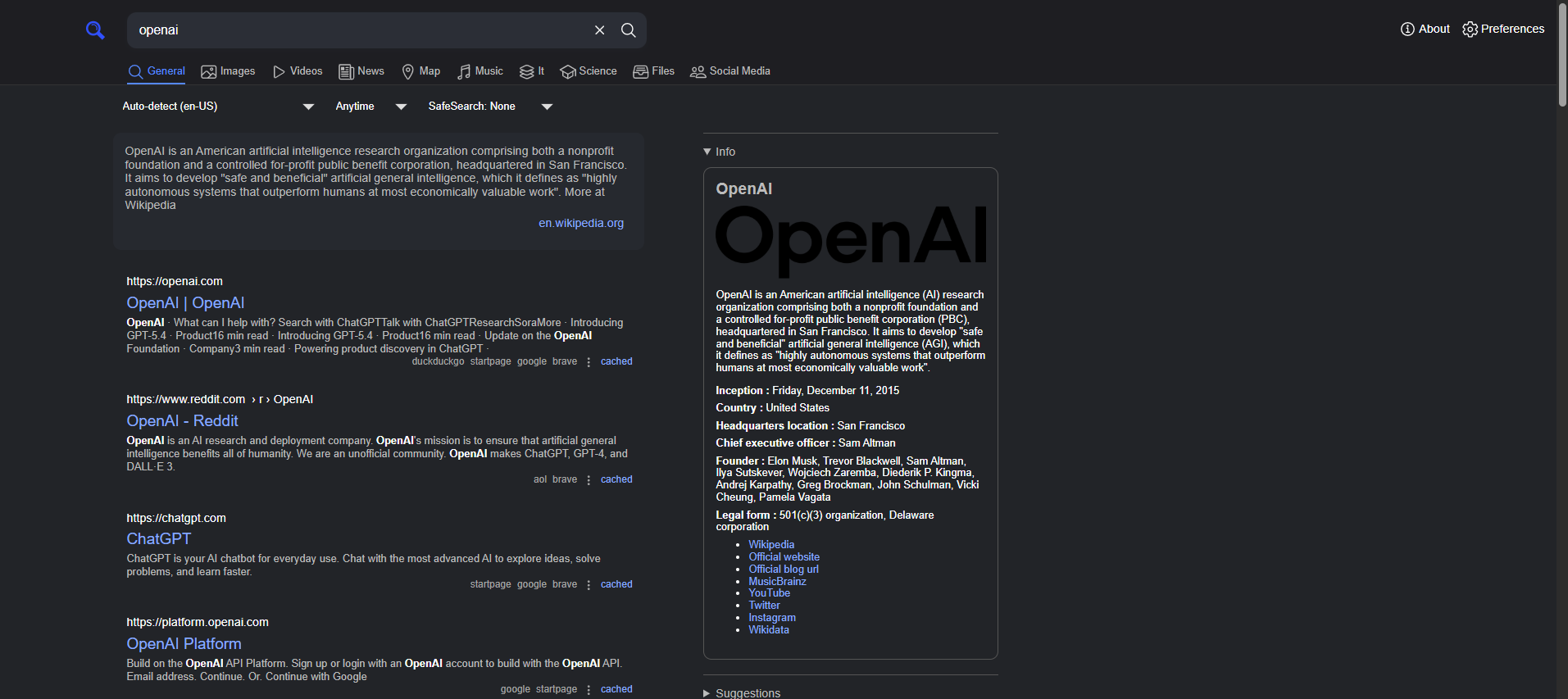
To verify the JSON API is working, run:
curl "https://your-app.up.railway.app/search?q=test&format=json"
or just put this in url in your browser - https://your-app.up.railway.app/search?q=test&format=json
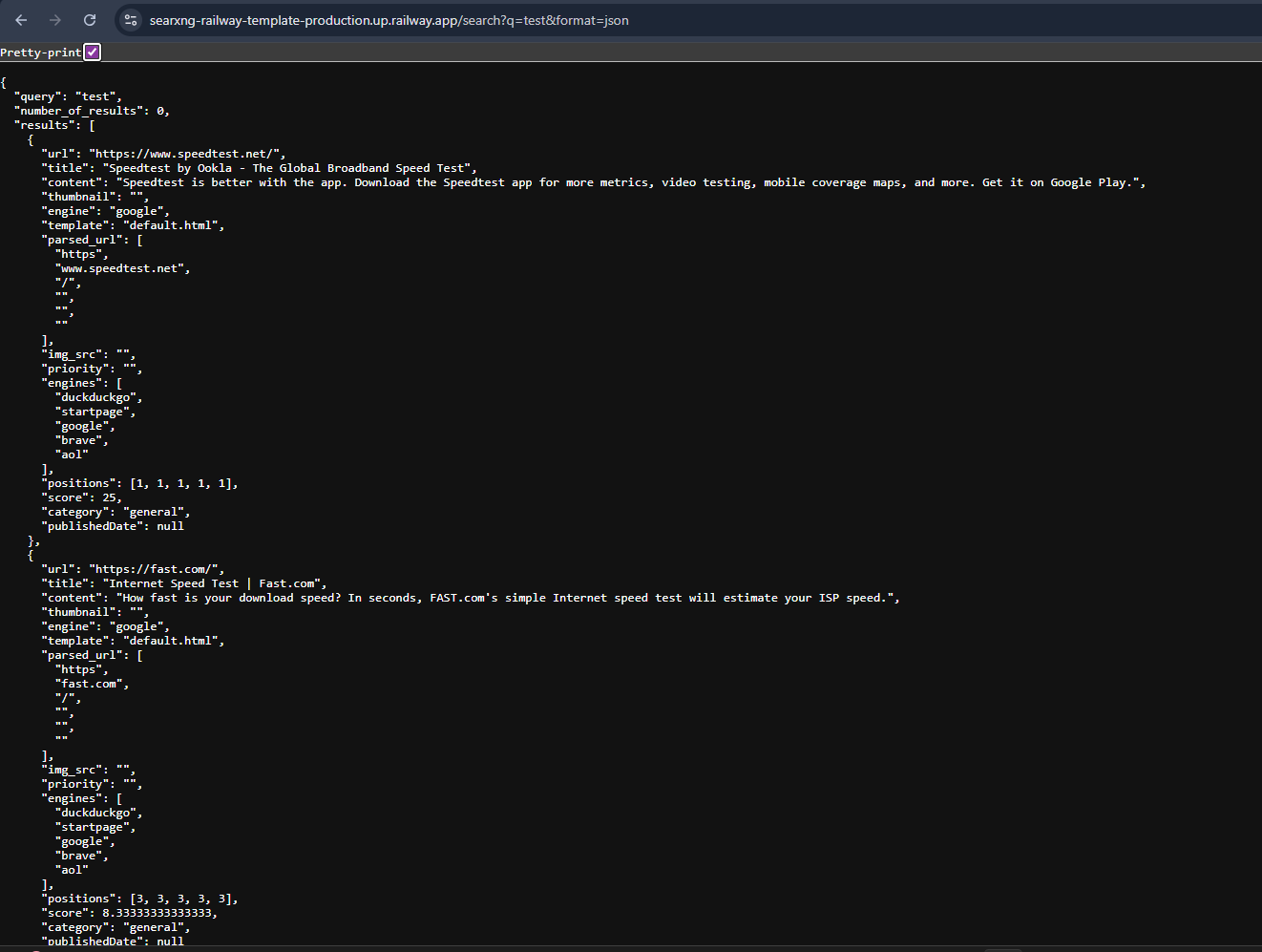
You should receive a JSON object with a results array. If you see a 403 Forbidden, the settings.yml is not being applied — check that no volume is mounted at /etc/searxng. For AI integrations, use the base URL directly in tools like n8n, Flowise, LiteLLM, or LangChain with format=json appended to the search endpoint.
About Hosting SearXNG
SearXNG is a privacy-first federated metasearch engine forked from Searx, with 15k+ GitHub stars and active community maintenance. It queries multiple search engines simultaneously and strips tracking from every request before returning results.
Key features:
- 230+ supported engines — web, images, news, video, maps, science, files, and more
- JSON API — structured search results for AI agents, LLMs, and automation pipelines
- No tracking, no ads, no profiling — user IPs are never sent to downstream engines
- Redis-backed rate limiting — protects public instances from abuse
- Fully configurable — tune engines, categories, safe search, and UI via
settings.yml
This template runs SearXNG (app server) alongside Redis (ephemeral cache for rate limiting and session state). The two services communicate over Railway's private network — Redis is never exposed publicly.
Why Deploy SearXNG on Railway
Run SearXNG on Railway and skip the infrastructure work entirely:
- JSON API pre-enabled — ready for n8n, LangChain, LiteLLM, Flowise out of the box
- Private networking — Redis talks to SearXNG internally, no public exposure
- Auto TLS + custom domains — HTTPS provisioned automatically on Railway domains
- One-click redeploys from Git — update
settings.ymland push to reconfigure - No volume headaches — config is baked into the image, not tied to fragile mounts
Common Use Cases
- AI agent web search — give LLMs (Claude, GPT-4, Llama) real-time search via the JSON API without paying for Google or Bing API access
- n8n / Flowise automation — drop the SearXNG URL into an HTTP Request node as a free, unlimited search backend
- Private team search — self-hosted search engine for a team that wants Google-quality results without the tracking
- OSINT and research pipelines — aggregate results from multiple sources (Reddit, GitHub, Wikipedia, academic search) in a single query
Dependencies for SearXNG
- SearXNG —
docker.io/searxng/searxng:latest(GitHub, Docker Hub) - Redis —
redis:alpine— ephemeral cache for rate limiting and session handling; no persistent storage needed
Environment Variables Reference
| Variable | Description | Required |
|---|---|---|
SEARXNG_SECRET | Cryptographic secret key for session signing | ✅ Yes |
SEARXNG_BASE_URL | Full public URL of your instance (must end with /) | ✅ Yes |
SEARXNG_VALKEY_URL | Redis connection URL via private network | ✅ Yes (if using Redis) |
INSTANCE_NAME | Display name shown in the SearXNG UI | Optional |
UWSGI_WORKERS | Number of uWSGI worker processes (default: 4) | Optional |
UWSGI_THREADS | Threads per worker (default: 4) | Optional |
PORT | Port SearXNG listens on (default: 8080) | Optional |
Deployment Dependencies
- Runtime: Python 3 (Alpine Linux base image) — no version pinning needed, managed by the official image
- GitHub repo: https://github.com/searxng/searxng
- Docker Hub: https://hub.docker.com/r/searxng/searxng
- Official docs: https://docs.searxng.org
SearXNG vs DuckDuckGo vs Brave Search
| Feature | SearXNG | DuckDuckGo | Brave Search |
|---|---|---|---|
| Open source | ✅ AGPL-3.0 | ❌ | ❌ |
| Self-hostable | ✅ | ❌ | ❌ |
| Aggregates multiple engines | ✅ (70+) | ❌ (mostly Bing) | ❌ (own index) |
| JSON API | ✅ | ❌ | ✅ (paid) |
| No ads | ✅ | ❌ (Bing ads) | ✅ |
| Pricing | Free (infra only) | Free | Free / paid tiers |
| Customizable engines | ✅ | ❌ | ❌ |
SearXNG's key advantage is aggregation and self-hostability — it's the only option that lets you run unlimited queries against 70+ sources with a JSON API at your own infrastructure cost.
Minimum Hardware Requirements for SearXNG
| Resource | Minimum | Recommended |
|---|---|---|
| CPU | 1 vCPU | 2 vCPU |
| RAM | 512 MB | 1 GB |
| Storage | 1 GB | 2 GB |
| Redis RAM | 64 MB | 128 MB |
SearXNG is lightweight — it does not crawl the web itself, it only proxies queries. Resource usage scales with concurrent users and enabled engines. On Railway's Hobby plan, the default 512 MB RAM per service is sufficient for personal or low-traffic team use.
Is SearXNG Free?
SearXNG is completely free and open source, licensed under the GNU AGPL-3.0. There are no paid tiers, no usage limits, and no API keys required. On Railway, you pay only for the infrastructure (compute + memory) your services consume — typically a few dollars per month for a personal instance on the Hobby plan. There is no cloud-hosted SearXNG offering; self-hosting is the only deployment model.
Self-Hosting SearXNG
To run SearXNG outside Railway on your own VPS using Docker:
# Minimal single-container setup
docker run -d \
  --name searxng \
  -p 8080:8080 \
  -e SEARXNG_BASE_URL=http://localhost:8080/ \
  -e SEARXNG_SECRET=your-random-secret \
  docker.io/searxng/searxng:latest
For a production setup with Redis and JSON API enabled, create a settings.yml:
use_default_settings: true
server:
  secret_key: "your-random-secret"
  limiter: false
search:
  formats:
    - html
    - json
Then run:
docker run -d \
  -p 8080:8080 \
  -v $(pwd)/settings.yml:/etc/searxng/settings.yml \
  -e SEARXNG_BASE_URL=http://localhost:8080/ \
  docker.io/searxng/searxng:latest
FAQ
What is SearXNG? SearXNG is a free, self-hostable metasearch engine that queries 70+ search engines simultaneously and returns aggregated results — without tracking users, storing queries, or serving ads. It is a community-maintained fork of the original Searx project.
What does this Railway template deploy?
It deploys two services: the official SearXNG Docker image (pre-configured with JSON API enabled via a baked-in settings.yml) and a Redis instance for rate limiting. The services are connected over Railway's private network, and SearXNG is exposed publicly with auto-provisioned HTTPS.
Why is Redis included in the template? Redis is required by SearXNG's limiter plugin, which rate-limits requests to protect public instances from bot abuse and excessive load. Even without the limiter, Redis improves session handling. It runs in-memory with no disk persistence, so it uses minimal resources.
Does SearXNG work as a JSON API for AI agents?
Yes — that's one of its primary use cases. Hit /search?q=your+query&format=json and you'll receive structured results with title, url, content, and engine fields per result. Tools like LangChain, LiteLLM, n8n, and Flowise all have built-in SearXNG integrations that use this endpoint.
Can I use this in production? Yes, with caveats. SearXNG relies on scraping public search engines — Google, Bing, and others may rate-limit or CAPTCHA your instance under heavy load. For personal use or internal tooling it's rock-solid. For high-volume public instances, consider enabling proxies or distributing across multiple instances.
How do I add or remove search engines?
Edit settings.yml in your Git repo, add or remove entries under the engines: key following the official settings docs, then push to trigger a Railway redeploy.
Template Content